Get the latest on AI, LLMs & developer tools
New MCP servers, model updates, and guides like this one — delivered weekly.
Google 发布了什么
Gemini 3.5 Live Translate 并非带有翻译提示词的聊天模型。 它是一种专用的 Live API 翻译模式:输入 16kHz PCM 语音流,选择目标语言,即可接收翻译后的 24kHz 音频以及可选的转录文本,来源为 gemini-3.5-live-translate-preview.
Model ID
gemini-3.5-live-translate-preview
Launch
June 9, 2026
Languages
70+ supported
Input
Audio only
Output
Translated audio
Status
Public preview for developers
开发者需知变化
Google 的发布文章将 Gemini 3.5 Live Translate 定位为用于实时语音到语音翻译的音频模型。对开发者而言,其变化在于实时翻译功能现在通过 Gemini Live API 和 Google AI Studio 向外开放,而不仅仅局限于 Google 的终端用户产品中。
| 领域 | 变化内容 | 对开发者的影响 |
|---|---|---|
| Developer access | Gemini 3.5 Live Translate is available in public preview through the Gemini Live API and Google AI Studio. | Developers can prototype speech-to-speech translation without waiting for a separate product surface. |
| Model ID | The Live API translation model is `gemini-3.5-live-translate-preview`. | Treat it as a preview model and isolate it behind config flags before production rollout. |
| Interaction model | Live Translation behaves like a realtime interpreter, not a conversational Live Agent. | Do not design prompts, tools, function calls, or turn-taking flows around this mode. |
| Audio pipeline | Input is audio-only raw PCM at 16kHz; output is translated audio at 24kHz. | Your product needs capture, resampling, buffering, playback, and transcript handling. |
| Safety signal | Google says model-generated audio is watermarked with SynthID. | Apps using generated audio should disclose AI audio and preserve provenance expectations. |
官方 X 帖子与视频
Google AI Developers 的发布帖非常有用,因为它从产品角度定义了开发者能力:多语言输入、自动语言检测、原生音频处理以及在嘈杂环境下的鲁棒性。
我们最新的音频模型 Gemini 3.5 Live Translate,将实时语音翻译提升到了开发者应用的新高度。
— Google AI Developers (@googleaidevs)2026 年 6 月 9 日
嵌入的帖子包含了 Google 的官方发布视频。对于开发者而言,重要的收获不仅在于翻译速度更快,还在于其产品界面专为连续语音设计,系统会紧跟说话者,而不是等待完整的句子结束。
心智模型:Live Agent 与 Live Translation
Gemini Live API 可以支持实时 Agent 交互,但 Live Translation 是一个更窄的模式。Google 的文档将其描述为一种口译流水线(interpreter pipeline)。这种区别改变了整个产品设计。
| 维度 | Live Agent | Live Translation |
|---|---|---|
| Role | Assistant that listens, reasons, and can act. | Interpreter pipeline for speech-to-speech translation. |
| Interaction | Turn-based realtime conversation. | Continuous stream processing while the speaker talks. |
| Tools | Can use Live API tool and agent capabilities. | Translation-only; no tools or instructions. |
| Inputs | Text, audio, video, image depending on feature. | Audio input only for translation latency. |
| Main config | Generation, speech, tools, and instructions. | `targetLanguageCode` plus `echoTargetLanguage`. |
实际意义:不要像对待多语言助手那样去 Prompt Live Translate。要构建一个媒体流水线,而不是聊天机器人。API 接口主要涉及音频分片、语言代码、转录文本和输出回放。
最小 API 结构
文档展示了 Python、JavaScript 和原始 WebSocket 选项。对于大多数 Web 团队来说,JavaScript SDK 的结构是最清晰的起点,但客户端应用仍应使用临时令牌(ephemeral tokens),而不是暴露 API 密钥。
import { GoogleGenAI, Modality } from "@google/genai";

const ai = new GoogleGenAI({});

const session = await ai.live.connect({
  model: "gemini-3.5-live-translate-preview",
  config: {
    responseModalities: [Modality.AUDIO],
    inputAudioTranscription: {},
    outputAudioTranscription: {},
    translationConfig: {
      targetLanguageCode: "es",
      echoTargetLanguage: false,
    },
  },
  callbacks: {
    onmessage: (message) => {
      const content = message.serverContent;
      const transcript = content?.outputTranscription?.text;
      const translatedAudio = content?.modelTurn?.parts?.find((part) => part.inlineData);

      if (transcript) console.log("Translated transcript:", transcript);
      if (translatedAudio) {
        // Decode and play the translated PCM audio chunk.
      }
    },
  },
});| 字段 | 值 | 重要性 |
|---|---|---|
model | `gemini-3.5-live-translate-preview` | Use the preview Live Translate model. |
responseModalities | `AUDIO` | The API returns translated audio chunks. |
inputAudioTranscription | object | Optional input transcript stream. |
outputAudioTranscription | object | Optional translated transcript stream. |
targetLanguageCode | BCP-47 code | Target output language, such as `pl`, `es`, or `ja`. Defaults to English. |
echoTargetLanguage | boolean | When true, target-language input is echoed; when false, the model stays silent for target-language speech. |
音频契约:PCM 输入,翻译后的音频输出
Live Translate 文档明确了媒体契约。输入音频必须是原始的、小端序、16-bit PCM、16kHz 单声道。输出音频是原始的 16-bit PCM、24kHz 单声道。Google 建议使用 100ms 的分片以实现低延迟流式传输。
// Browser microphone audio usually needs conversion before sending.
// Target input for Live Translate:
// - raw PCM
// - 16-bit
// - little-endian
// - mono
// - 16kHz sample rate
// - roughly 100ms chunks

session.sendRealtimeInput({
  audio: {
    data: pcm16MonoChunk.toString("base64"),
    mimeType: "audio/pcm;rate=16000",
  },
});
这意味着构建真实应用时,难点往往不在于 API 调用本身,而在于音频采集、重采样、语音活动检测、缓冲、回放漂移,以及在网络或麦克风状况不佳时的 UI 反馈处理。
使用临时令牌(Ephemeral Tokens)的客户端安全性
Google 的文档建议在客户端到服务器的应用中使用临时令牌,以避免浏览器客户端暴露 API key。在翻译场景下,更安全的默认做法是将 translationConfig 令牌约束锁定在服务器端。
| 选择 | 使用场景 | 风险 |
|---|---|---|
| 在服务器端锁定目标语言 | 适用于自助服务终端(Kiosk)、教室、广播、支持室、会议工作流。 | 灵活性较低,但客户端无法篡改翻译设置。 |
| 在客户端解锁目标语言 | 用户必须在浏览器中动态选择语言。 | 需要更严格的验证、日志记录和滥用控制。 |
生产环境设计应将 API key 保留在服务器端,生成短效令牌,限制允许使用的模型,尽可能约束目标语言,并记录足够的元数据以调试延迟,同时避免不必要地存储敏感的原始音频。
你需要规避的限制
虽然发布时的宣传很强,但官方文档也列出了一些实际的注意事项。这些限制正是完善的应用程序需要通过 UX 支持来解决的地方。
| 限制 | 官方注意事项 | 产品应对方案 |
|---|---|---|
| Audio only | Translation mode does not accept text input. | Keep text translation, chat, and function calling in separate flows. |
| Voice consistency | Voices can shift after long pauses or rapid speaker changes. | Do not promise perfect speaker identity preservation. |
| Language detection | Heavy accents, similar languages, and fast language switches can affect the input transcript. | Show transcript confidence and let users correct language when needed. |
| Background audio | Noise and music are filtered, but not every background signal is ignored. | Test real rooms, cars, crowds, and cheap microphones. |
| Echo artifacts | `echoTargetLanguage: true` can introduce artifacts when target-language input contains background audio. | Default to false unless your UX really needs echoing. |
参考架构
Google 的示例应用展示了一种结合 LiveKit 的实用广播模式:组织者发布音频,翻译桥接器进行订阅,每个目标语言创建一个 Gemini Live API 会话,参会者则订阅其所选语言的翻译音频轨道。
Organizer microphone
  -> realtime room audio
  -> translation bridge per target language
  -> Gemini Live API translationConfig
  -> translated 24kHz audio
  -> attendee playback + optional transcript
该演示中最核心的扩展理念是会话共享。如果五十名参会者选择了西班牙语,他们不应创建五十个完全相同的 Gemini 会话。通过桥接机制,系统可以发布一个西班牙语翻译流,供所有选择该语言的听众共享。
在 Google 产品线中的推广
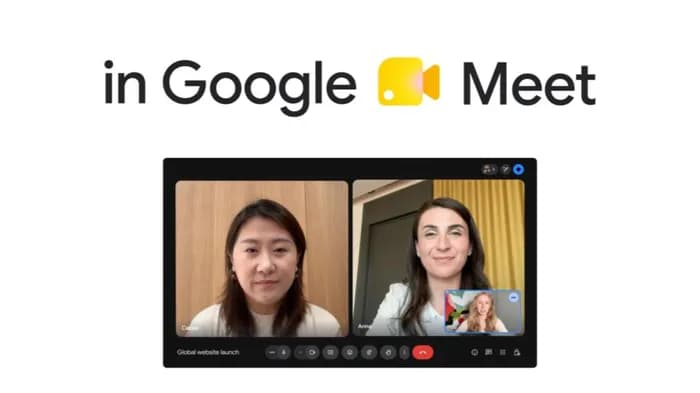
这次发布不仅仅是 API 的公告。Google 表示 Gemini 3.5 Live Translate 正通过三个平台进行推广:面向开发者的 Gemini Live API 和 AI Studio 公共预览版、面向 Google Meet 企业客户的私有预览版,以及 Android 和 iOS 端的 Google Translate 应用。
| 平台 | Google 官方状态 | 开发者要点 |
|---|---|---|
| Gemini Live API | 面向开发者的公共预览版。 | 构建和测试自定义实时翻译流程的最佳场所。 |
| Google AI Studio | 可用于体验模型功能。 | 在接入媒体堆栈前进行测试的最快方式。 |
| Google Meet | 面向部分 Workspace 客户的私有预览版,后续将进行更广泛的推广。 | 表明该模型旨在实现实时会议翻译,而不仅仅是离线批量配音。 |
| Google Translate 应用 | 正在 Android 和 iOS 全球范围内推广。 | 为耳机、收听模式和自然语音输出等方面的用户体验预期提供了良好的参考。 |
构建清单
如果你本周正在使用 Live Translate 进行开发,请先处理媒体流水线(media pipeline)和故障模式,然后再优化界面。
1. Start in Google AI Studio to test target languages.
2. Use gemini-3.5-live-translate-preview behind a feature flag.
3. Capture microphone audio and convert to 16kHz mono PCM.
4. Send roughly 100ms chunks over the Live API session.
5. Request input and output transcripts for debugging.
6. Keep API keys on the server; use ephemeral tokens for browser clients.
7. Decide whether target language is locked server-side or user-selectable.
8. Test accents, background music, overlapping speakers, long pauses, and rapid language switches.
9. Add visible latency and transcript status in the UI.
10. Disclose AI-generated translated audio and preserve SynthID expectations.
FAQ
什么是 Gemini 3.5 Live Translate?
Gemini 3.5 Live Translate 是 Google 推出的音频模型,用于实现近乎实时的语音到语音翻译。开发者可通过 Gemini Live API 使用 `gemini-3.5-live-translate-preview` 模型。
Live Translate 和 Gemini Live Agent 是同一个东西吗?
不是。Live Translation 是一个口译流水线。在翻译模式下,它不支持工具、函数调用、自由指令、文本输入或通用的 Agent 行为。
API 需要什么音频格式?
文档规定输入需为 16kHz 单声道、16-bit 小端序原始 PCM 音频,输出翻译音频为 24kHz 单声道,输入分块大小为 100ms。
浏览器应用可以直接调用 Live Translate 吗?
客户端应用请使用临时令牌(ephemeral tokens)。文档建议在服务器端锁定翻译配置,以防止浏览器客户端篡改模型或语言设置。
我现在应该将其用于生产环境吗?
请将其视为预览功能。它适用于原型设计和受控试点,但生产级应用需要进行延迟测试、回退 UX 设计、隐私审查、音频质量检查以及语音一致性限制。