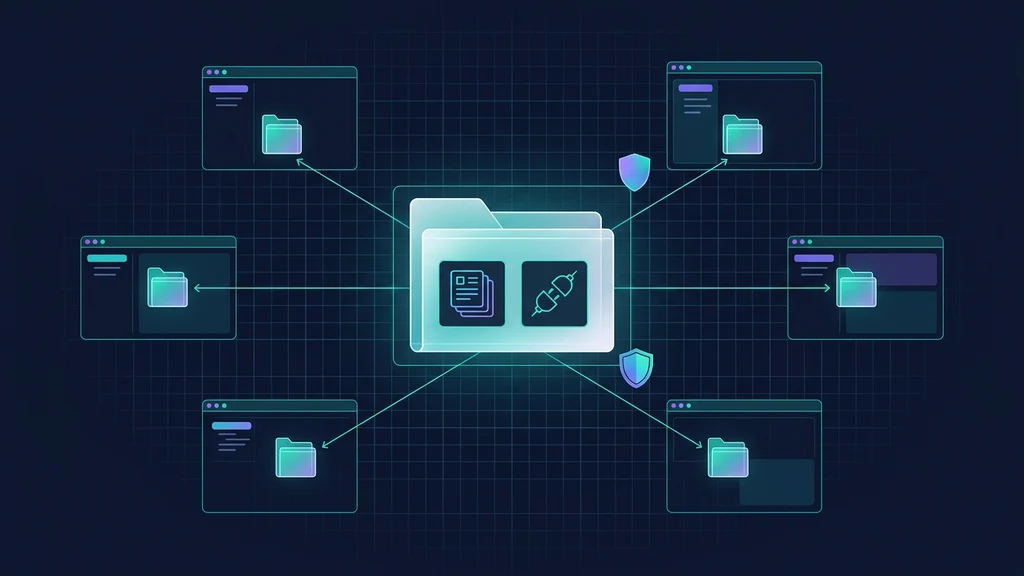
Agent Plugins 1.0.0 is a vendor-neutral package format for putting Agent Skills and MCP server configuration in one directory that compatible clients can discover. It reduces wrapper duplication, but it does not make every client behave the same and it does not make executable integrations safe by default.
The useful mental model is an interoperability floor. The specification defines the package boundary, manifest, fixed component locations, path rules, runtime placeholders and failure boundaries. Installation, registries, permissions, authentication, updates, hooks, custom agents and user experience remain client responsibilities.
What Agent Plugins 1.0 standardizes
Vercel announced the public release of Agent Plugins 1.0.0 on August 6, 2026 after developing the proposal with AWS, Anysphere, GitHub, Microsoft and OpenAI. The initial Technical Steering Committee has individual core maintainers affiliated with Amazon, Cursor, Microsoft, OpenAI and Vercel. The canonical repository marks Specification 1.0.0 as Published.
The standard addresses a narrow packaging problem. A reusable skill or MCP server can already work in several agent clients, yet each client may expect different metadata, discovery paths or MCP configuration. Agent Plugins puts the portable pieces behind one root manifest and fixed locations.
Build a plugin once and use it across compatible agent clients. Introducing Agent Plugins, an open standard developed with @awsdevelopers, @cursor_ai, @github, @code, and @vercel that packages Agent Skills and supports MCP server configurations in a shared format. https://t.co/JOQe4sc40N
— @OpenAIDevs August 6, 2026
Version 1 defines exactly two portable component types:
- Agent Skills, discovered in immediate child directories under
skills/; - MCP servers, configured in root
mcp.json.
It does not redefine either component. The Agent Skills specification controls SKILL.md; the Model Context Protocol specification controls MCP wire behavior. Agent Plugins defines how a client finds and configures those components as one distributable package.
A status discrepancy worth recording
The repository's versioned specification says Published, and Vercel's launch article says 1.0.0 is publicly available. The documentation site's /specification rendering and llms.txt still displayed Working Draft when checked on August 7, 2026. This guide follows the versioned repository as the canonical release artifact and records the stale documentation label rather than silently merging the two states.
The portable package model
A package can include both portable and client-owned content:
deploy-tools/
├── plugin.json
├── skills/
│   └── deploy/
│       ├── SKILL.md
│       ├── scripts/
│       └── references/
├── mcp.json
└── com.example.client/
    └── hooks/
| Layer | Standard location | Portable meaning in v1 |
|---|---|---|
| Identity | plugin.json | Required manifest and specification selector |
| Instructions | skills/*/SKILL.md | Agent Skills in immediate child directories |
| Tools | mcp.json | Closed configuration for stdio, Streamable HTTP and legacy SSE servers |
| Client extensions | Reverse-domain key/directory | Client-owned behavior ignored by other clients |
The root manifest is the admission gate. A fatal manifest error rejects the whole package before components run. After admission, failures are intentionally narrow: one invalid skill is skipped; one invalid or unavailable MCP server does not disable valid siblings; a client ignores component types it does not support.
The package is still valid when skills/ or mcp.json is absent. That makes skill-only and MCP-only plugins legitimate rather than incomplete.
Build a conformant plugin
Start with a small package whose portable behavior you already understand. This example adds one deployment skill and one local validator.
1. Create the minimum manifest
{
  "$schema": "https://agent-plugins.org/schemas/1.0.0/plugin.schema.json",
  "name": "deploy.tools",
  "version": "1.0.0",
  "description": "Deploy and verify web applications.",
  "license": "MIT",
  "keywords": ["deployment", "verification"]
}
Only $schema and name are required. The manifest schema is closed. Portable top-level fields are limited to $schema, name, version, description, author, homepage, repository, license, keywords and extensions.
Plugin names are 1–64 characters, use lowercase ASCII letters, digits, hyphens and periods, begin and end with an alphanumeric character, and cannot contain -- or ...
Unknown top-level fields are unusual: the client reports and ignores them but continues when the rest of the manifest is valid. Most other schema violations are fatal. Client-specific data belongs under a reverse-domain key in extensions, not beside the portable fields.
2. Add an Agent Skill
---
name: deploy
description: Deploy a web application and verify the release.
---

# Deploy

1. Inspect the repository deployment configuration.
2. Run the project's documented validation command.
3. Create a preview release.
4. Verify the health endpoint and primary route.
5. Promote only after the named acceptance gates pass.
Put that file at skills/deploy/SKILL.md. Clients inspect immediate children of skills/; they do not recursively discover extra skills deeper in the tree. Scripts, references, assets and examples can remain beside the skill according to the Agent Skills specification.
3. Keep client-only behavior namespaced
Hooks, commands and custom agents do not have portable v1 semantics. A client can define them under an extension namespace such as com.example.client, while other clients ignore that namespace. This is an escape hatch, not a claim that the extra behavior travels everywhere.
Configure MCP servers without hiding the trust boundary
Root mcp.json is a closed document with $schema and mcpServers. Each server uses one explicit transport variant.
{
  "$schema": "https://agent-plugins.org/schemas/1.0.0/mcp.schema.json",
  "mcpServers": {
    "local-validator": {
      "type": "stdio",
      "command": "./bin/validator",
      "args": ["--data", "${PLUGIN_DATA}/validator"],
      "env": {
        "CONFIG": "${PLUGIN_ROOT}/config.json"
      },
      "cwd": "${PLUGIN_ROOT}"
    },
    "deployment-api": {
      "type": "streamable-http",
      "url": "https://deploy.example.com/mcp"
    }
  }
}
| Transport | Required configuration | Main portability caveat |
|---|---|---|
stdio | command; optional args, env, cwd | Client launches a local executable and chooses the base environment |
streamable-http | Absolute url; optional literal headers | Current remote transport; authentication remains client-managed |
sse | Absolute url; optional literal headers | Legacy HTTP+SSE; client support is optional |
A stdio command is one executable token, not a shell command string. A bundled executable uses a ./ path; a bare name uses platform search rules. The client does not expand placeholders inside command.
Clients provide two reserved runtime values when they launch a plugin subprocess:
PLUGIN_ROOT: the resolved, read-only package location;PLUGIN_DATA: a dedicated writable directory intended to persist across package updates.
Only ${PLUGIN_ROOT} and ${PLUGIN_DATA} are portable placeholders. Clients expand them in args, environment values and cwd, but not in the executable token, remote URL, HTTP header names, header values or environment keys.
Remote header values are visible package data. Version 1 explicitly says not to place credentials there and defines no portable OAuth or secret-reference field. The client must handle authorization discovery, consent and credential storage.
Client compatibility is not identical product behavior
Launch materials named ChatGPT and Codex, Cursor, GitHub Copilot, Kiro and VS Code as supporting clients. AWS also documented at-launch support in Kiro and AWS Agent Toolkit. The client directory and the requested Agent Plugins field guide list all five families as supporting Agent Skills, with MCP transport support varying by client.
| Client family | Skills | MCP stdio | Streamable HTTP | Legacy SSE |
|---|---|---|---|---|
| VS Code | Yes | Yes | Yes | Yes |
| Cursor | Yes | Yes | Yes | Yes |
| GitHub Copilot | Yes | Yes | Yes | Yes |
| ChatGPT and Codex | Yes | Yes | Yes | Not listed |
| Kiro | Yes | Yes | Yes | Yes |
This matrix is a dated launch snapshot, not a permanent conformance certificate. Test the exact client version and transport you plan to support.
Cursor now supports Agent Plugins, an open standard for bundling skills and MCP servers for use across agents. https://t.co/avJch1Kblq
— @cursor_ai August 6, 2026
OpenAI's own plugin product is broader than the vendor-neutral core. Its current author documentation uses .codex-plugin/plugin.json and can add apps, lifecycle hooks, marketplace metadata, installation policy, screenshots and product-specific presentation fields. Those capabilities may be useful in Codex or ChatGPT, but they do not become portable Agent Plugins 1.0 component types merely because one client can load them.
That distinction prevents a common migration error: taking a client-specific package, adding a 1.0 schema URL, and assuming every field now has shared meaning. Build the portable root package first, then preserve product layers in their documented namespace or wrapper.
Security boundaries the manifest does not provide
Agent Plugins includes filesystem containment. Files and configured plugin-relative paths supplied by the package must resolve inside the plugin root; clients must reject escapes through symlinks, junctions or equivalent mechanisms. That protects the package boundary during discovery.
It is not a subprocess sandbox. Once a stdio executable runs, the specification does not restrict what that process can read, write, execute or reach over the network. Version 1 also does not standardize trust prompts, signatures, provenance, dependency resolution, secret injection, enterprise allowlists, audit events or a validation tool.
| Risk | What v1 provides | What the adopter must provide |
|---|---|---|
| Package path escape | Resolved-path containment rules | Tests for symlink and platform-specific path escapes |
| Local executable | Single-token command and contained package path | Sandbox, least privilege, network limits and code review |
| Remote MCP authentication | Literal non-secret headers only | Client-managed OAuth, secret storage and scoped credentials |
| Publisher identity | Author/repository metadata | Signature or attestation policy outside v1 |
| Updates and dependencies | Optional version metadata | Pinning, review, rollback and dependency policy |
| Client extensions | Collision-resistant namespace | Per-client trust review and compatibility tests |
Before installation, inspect the complete package, not only plugin.json. Treat each stdio server as software execution, each remote server as a data boundary, and each skill as instructions that can influence tool use. Keep production credentials out of the package and test with an unprivileged account in a disposable environment.
Validate and migrate without breaking existing clients
A safe migration is additive.
- Choose one existing component. Start with a stable skill or MCP integration, not an entire marketplace.
- Add canonical root files. Create
plugin.json, fixedskills/locations andmcp.jsononly for the portable pieces. - Pin schema identifiers. Use the exact 1.0.0 schema URLs in both JSON files.
- Run schema checks. Validate the manifest and each MCP server variant; remember that normative specification text wins if a schema differs.
- Test failure isolation. Break one optional skill and one MCP entry deliberately. Confirm valid siblings remain usable and diagnostics identify the narrow failure.
- Test containment. Add a symlink or path escape fixture and require rejection before any executable starts.
- Build a client matrix. Record exact client versions, supported component types, transports, installation steps and observed differences.
- Keep legacy wrappers. Remove them only after every supported client passes the same functional and security checks.
A useful acceptance record looks like this:
| Check | Expected evidence |
|---|---|
| Manifest admission | Valid package loads; invalid required field rejects the package |
| Skill discovery | Immediate valid skills load; nested or invalid skills do not block siblings |
| MCP loading | Each supported transport connects independently |
| Runtime variables | PLUGIN_ROOT and writable PLUGIN_DATA resolve as documented |
| Secret handling | No token appears in package files, literal headers or logs |
| Containment | Outside-root paths and symlink escapes are rejected |
| Portability | Same core capability passes in every named client version |
| Rollback | Previous client wrapper or pinned package can be restored |
What version 1 does not solve
The project's own future-considerations document makes the omissions explicit. None of these are promised for a future release, but all remain adopter responsibilities today:
- permission declarations, capability restrictions and installation consent;
- signatures, attestations and publisher verification;
- secret injection, rotation and revocation;
- organization allowlists, policy overrides and compliance reporting;
- standardized lifecycle audit events;
- plugin dependency resolution; and
- a standard plugin test harness or validator command.
There is also a licensing distinction. Specification text, documentation, examples and authored documentation assets use CC BY 4.0 by default. Schemas, source code, scripts and other software material use Apache 2.0 by default. Do not describe the entire repository with one software license.
Adoption verdict
Use Agent Plugins 1.0 when the same Agent Skill or MCP configuration already needs several client wrappers. The root manifest and fixed locations give that common core a schema-backed package contract without forcing client products to converge on every feature.
Wait, or isolate client-specific behavior, when your extension is mainly proprietary hooks, commands, UI, marketplace metadata or authentication flows. The format can carry namespaced extras, but portability ends where shared semantics end.
The lowest-risk first move is to package one existing skill, keep current wrappers, and publish a dated compatibility note. If that core works across your target clients, expand gradually. If it does not, the test matrix will show whether the gap is the package, transport, runtime policy or client product layer.
FAQ
FAQ
What is Agent Plugins 1.0?
Agent Plugins 1.0.0 is an open, vendor-neutral specification for packaging Agent Skills and MCP server configurations in one directory. It standardizes a root plugin.json manifest, fixed component locations, validation rules, and client-extension namespaces.
Is an Agent Plugin the same as an MCP server?
No. An Agent Plugin is a package. It can contain Agent Skills, an mcp.json file describing one or more MCP servers, both component types, or only client-specific extension data. MCP remains the protocol used to connect agents with tools and services.
Does every Agent Plugin need both Skills and MCP?
No. Only the root plugin.json manifest is required. A valid package can be skill-only or MCP-only, while a conformant client needs to support at least one standard component type.
Does Agent Plugins 1.0 make a plugin safe to run?
No. Filesystem containment keeps package-supplied paths inside the plugin root, but it does not sandbox a launched subprocess. Version 1 does not standardize permissions, trust prompts, provenance, signatures, secret injection, enterprise policy, or audit events.
Can Agent Plugins contain hooks, commands, or custom agents?
They can exist as client-specific extensions when a client defines them, but Agent Plugins 1.0 gives portable semantics only to Agent Skills and MCP server configuration. Other clients may ignore those extensions.
Does one package behave identically in Codex, Cursor, Copilot, Kiro, and VS Code?
No. The specification creates a shared packaging and discovery floor. Clients can support different component types and MCP transports, and they retain their own installation, permissions, authentication, marketplace, user-interface, hook, and policy behavior.
Sources and links
Normative specification and project governance
- Agent Plugins Specification 1.0.0 — canonical package, validation, containment and failure rules
- Plugin manifest schema — machine-readable
plugin.jsonshape - MCP configuration schema — machine-readable server variants
- Governance charter and maintainers — project structure and current TSC
- Licensing — CC BY 4.0 documentation and Apache 2.0 software split
- Future considerations — non-normative gaps beyond version 1
Official launch and client documentation
- Vercel: Introducing Agent Plugins — public release, collaborators and design scope
- AWS supports Agent Plugins — Kiro and AWS Agent Toolkit support
- OpenAI: Build plugins — Codex/ChatGPT product-specific packaging and marketplace layer
- OpenAI Developers launch post — announcement and official demo
- Vercel launch post — coordinated release record
- Cursor implementation post — first-party client-support statement
Requested secondary implementation guide
- AgentPlugins.codes field guide — implementation walkthrough, compatibility snapshot and specification-status discrepancy; consequential claims were checked against the sources above
Related AgentPedia guides
- GitHub Copilot code review with Skills and MCP
- Codex CLI upgrade and MCP migration
- Agent Baseline enterprise security controls
Related Guides
How to Change Antigravity Themes
Customize themes, dark mode, icons, and color schemes.
Rules & ConfigurationAntigravity Rules Guide
How to build custom rules with AGENTS.md and GEMINI.md.
MCP & IntegrationMCP Servers Setup Guide
Step-by-step guide to connecting MCP servers in Antigravity.
ComparisonBest Antigravity Alternatives 2026
Claude Code, Cursor, Windsurf, Codex, and Kiro compared.
Pricing & QuotaAntigravity Cockpit Guide
Monitor AI quota, track rate limits, and manage credits.
MCP & IntegrationGoogle Stitch + Antigravity Guide
The complete design-to-code workflow with DESIGN.md and Vibe Design.
Get the latest on AI, LLMs & developer tools
New MCP servers, model updates, and guides like this one — delivered weekly.