
AWS announced the AWS MCP Server general availability release in May 2026 as part of the Agent Toolkit for AWS. The managed remote MCP server exposes AWS documentation, skills and service operations to compatible agents. AWS says the service itself has no additional charge; the AWS resources an agent uses and any applicable data transfer are still billed normally. For a broader MCP routing comparison, see the OmniRoute AI gateway guide; for agent security controls, see the Agent Baseline guide.
Give your AI agent direct access to your AWS environment, securely. The Agent Toolkit for AWS connects via MCP with 15,000+ API actions and curated skills for deployments, configs, and troubleshooting. IAM keeps it scoped to exactly what you allow.
— @awscloud July 13, 2026
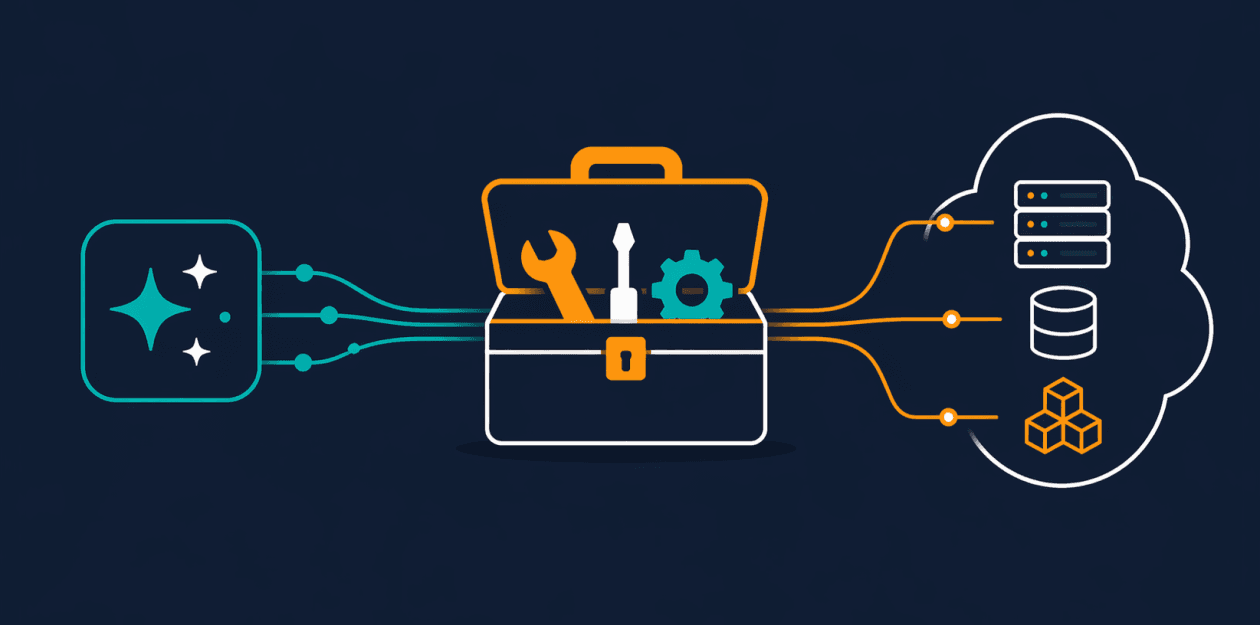
This guide is an IAM and deployment guide, not a promise that an agent can be trusted with a broad role. AWS’s own security guidance says to assume an agent can do anything within its granted entitlements. That sentence should shape the architecture.
The practical verdict
Use AWS MCP Server when you want a supported remote MCP endpoint and AWS-managed service operation. Start with read-only discovery and a dedicated role. Add mutations only after you can show which identity, client, tool path, region and approval step authorizes each action.
The strongest baseline is:
- a dedicated role or session identity;
- resource-scoped IAM actions;
- SCPs and permission boundaries for organization-wide limits;
- explicit separation between MCP access and direct shell/CLI access;
- CloudTrail for API activity and CloudWatch MCP metrics where available;
- human approval for destructive operations;
- a rollback plan for every agent-created resource.
Do not treat the fixed MCP tool list as least privilege. The downstream IAM identity still determines what call_aws or task-oriented tools can do.
What AWS MCP Server does
AWS describes a managed remote MCP server that can provide:
- current AWS documentation search and retrieval;
- curated AWS agent skills;
- regional availability and task information;
- presigned URLs where authorized;
- sandboxed
run_scriptexecution; - AWS service operations through the documented MCP surface.
The current tool documentation lists aws___search_documentation, aws___read_documentation, aws___retrieve_skill, aws___list_regions, aws___get_regional_availability, aws___run_script, aws___get_presigned_url and aws___get_tasks. The older aws___call_aws tool is documented as deprecated on July 15, 2026 and scheduled for removal on August 31, 2026. Do not build a new article example around it; use the current task-oriented surface and the live setup guide.
AWS says documentation retrieval does not require AWS API authentication, while service operations, scripts, skills and presigned URLs require an authenticated identity. Keep those paths separate in logs and policy review.
Choose OAuth or SigV4
OAuth
OAuth is the convenient route for a compatible client that can complete AWS Sign-In. AWS documents an AWS-managed policy named AWSMCPSignInOAuthAccessPolicy for the role used by the flow:
aws iam attach-role-policy \
  --role-name MyRole \
  --policy-arn arn:aws:iam::aws:policy/AWSMCPSignInOAuthAccessPolicy
AWS says OAuth access tokens remain valid for one hour and AWS Sign-In can refresh them for up to twelve hours. OAuth does not grant permissions beyond the underlying IAM identity, and AWS documents limits around multi-profile or cross-account switching in one session.
OAuth is a good fit for a managed desktop or web client. It is less convenient when an operator needs deterministic profile selection, explicit region routing or a terminal-only workflow.
SigV4
SigV4 is the better fit for terminal and IDE agents, multiple profiles and local policy controls. AWS’s setup example uses the AWS Labs proxy:
{
  "mcpServers": {
    "aws-mcp": {
      "command": "uvx",
      "timeout": 100000,
      "transport": "stdio",
      "args": [
        "mcp-proxy-for-aws==1.6.4",
        "https://aws-mcp.us-east-1.api.aws/mcp",
        "--metadata",
        "AWS_REGION=us-west-2"
      ]
    }
  }
}
Recheck the live setup guide before pinning a proxy version. AWS documentation and the proxy repository have shown version drift. The proxy signs requests with local AWS CLI, environment or role credentials and documents profile, timeout and read-only options.
Never use an unsigned-request escape hatch such as --skip-auth in production. Treat it as a development option only.
Design IAM boundaries
The managed server does not replace IAM. AWS describes a flow in which the request is authenticated, MCP condition context is added, the request is forwarded to the target AWS service, and the target service evaluates the existing policies.
Useful AWS condition keys include:
aws:ViaAWSMCPService— Booleantruewhen a request passes through an AWS-managed MCP server;aws:CalledViaAWSMCP— the service principal, such asaws-mcp.amazonaws.com.
These keys allow an organization to distinguish managed-MCP calls from direct API calls. For example, AWS documents a policy pattern that denies destructive S3 operations through the managed MCP path:
{
  "Sid": "DenyDeleteWhenAccessedViaMCP",
  "Effect": "Deny",
  "Action": ["s3:DeleteObject", "s3:DeleteBucket"],
  "Resource": "*",
  "Condition": {
    "StringEquals": {
      "aws:CalledViaAWSMCP": "aws-mcp.amazonaws.com"
    }
  }
}
That demonstrates a mechanism, not a complete policy. Scope actions and resources, add regions and tags where possible, and test explicit denies before giving an agent access.
The most useful design question is not “Can the agent call AWS?” It is “Which actions can this identity perform through each path, and which actions are denied even when the agent asks?”
Managed versus self-managed MCP
| Path | What AWS provides | What you still own |
|---|---|---|
| AWS-managed MCP | Service operation and MCP condition context | IAM, client permissions, credentials, direct-access controls and approvals |
| Self-managed AWS Labs proxy | Local process that signs requests | Host hardening, package updates, credentials, profile routing and proxy integrity |
| Direct CLI/SDK/bash | No MCP condition context | IAM, SCPs, permission boundaries, shell policy and network controls |
AWS explicitly warns that agents may bypass MCP through shell, bash or direct SDK/CLI access. If your client can also run a shell, the MCP policy is only one part of the threat model. Protect the direct path or do not expose it.
For self-managed deployments, AWS suggests a customer-controlled distinction such as STS session tags. That adds responsibility: the server, proxy, dependency chain and tag-setting logic become part of the security boundary.
Tools, quotas and data
As of August 14, 2026, AWS documents default limits including 27 concurrent connections per account and Region, 180 active sessions per account and Region, 90 active sessions per user and Region, and 3 requests per second per account and Region. AWS also documents an eight-hour maximum ephemeral-storage retention period. These are defaults and should be checked against the live quota page before capacity planning.
AWS describes run_script as server-side Python execution with no network access. It inherits the session’s IAM permissions for AWS API operations. That is useful for reducing many round trips, but it does not make broad IAM safe and it does not answer every isolation question. Keep scripts short, bounded and observable.
AWS describes the MCP Server as a stateless proxy and says it does not use persistent services such as S3, DynamoDB, EBS or SQS to store customer content. File-processing data may still exist transiently on ephemeral compute. Confirm the current data-protection documentation against your organization’s retention and residency requirements.
Setup checklist
Before connecting an agent:
- [ ] Select OAuth or SigV4 based on the client and profile requirements.
- [ ] Use a dedicated IAM identity, not an administrator profile.
- [ ] Start with read-only actions and resource-scoped permissions.
- [ ] Add SCPs and permission boundaries for irreversible operations.
- [ ] Deny destructive actions through the MCP condition keys where appropriate.
- [ ] Disable or constrain direct shell, CLI and SDK paths.
- [ ] Enable CloudTrail review and distinguish MCP calls from human calls.
- [ ] Test
run_scriptwith synthetic data and bounded execution. - [ ] Record region, endpoint, proxy version and quota assumptions.
- [ ] Require approval for production mutations.
- [ ] Verify rollback and resource cleanup.
The AWS MCP Server can make an agent’s access path more observable and composable. It cannot decide whether the underlying role is too powerful. That remains an IAM and organizational-governance decision.
FAQ
The short answers are in the page metadata. The policy examples and path distinctions above are the operational guide.
Official sources
- AWS MCP Server GA announcement
- AWS MCP Server overview
- AWS setup guide
- OAuth authentication
- MCP Server tools
- IAM condition keys
- IAM policy examples
- AWS MCP quotas
- AWS security blog
- AWS MCP proxy
Related Guides
How to Change Antigravity Themes
Customize themes, dark mode, icons, and color schemes.
Rules & ConfigurationAntigravity Rules Guide
How to build custom rules with AGENTS.md and GEMINI.md.
MCP & IntegrationMCP Servers Setup Guide
Step-by-step guide to connecting MCP servers in Antigravity.
ComparisonBest Antigravity Alternatives 2026
Claude Code, Cursor, Windsurf, Codex, and Kiro compared.
Pricing & QuotaAntigravity Cockpit Guide
Monitor AI quota, track rate limits, and manage credits.
MCP & IntegrationGoogle Stitch + Antigravity Guide
The complete design-to-code workflow with DESIGN.md and Vibe Design.