Get the latest on AI, LLMs & developer tools
New MCP servers, model updates, and guides like this one — delivered weekly.
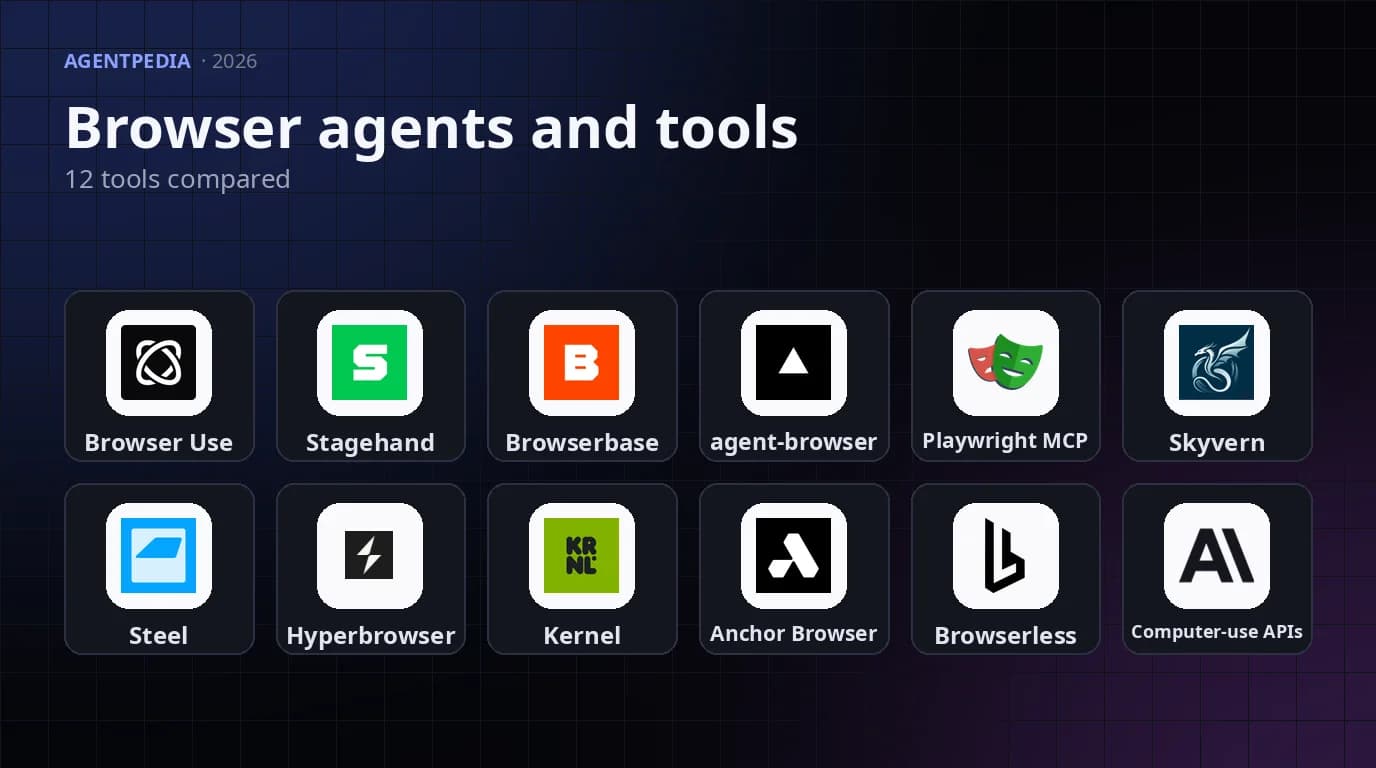
There is no single best browser agent, but there is a best pick for each layer of the stack. If you want an open-source agent that runs the whole loop, start with Browser Use. If you want AI steps inside code you control, start with Stagehand. If a coding agent such as Claude Code needs to open a page and check its own work, start with agent-browser or Playwright MCP. If you would rather rent the browser, compare Browserbase, Kernel, Steel, Hyperbrowser, Anchor and Browserless on hourly price, concurrency and session limits.
Three things changed this year. Browserbase made its hosted Agents API generally available on June 30, 2026, so a browser agent can now be one API call. Stagehand v4 moved its core into a browser extension in August. And Vercel's agent-browser, a Rust CLI created in January, reached 53,434 GitHub stars by Nov 23. For hosting, proxies and anti-bot in more depth, see our browser infrastructure guide. This post is about the agents, CLIs and tools on top.
Browserbase's launch video for Stagehand v4 (YouTube, title and channel verified through YouTube oEmbed). It is a vendor video, so read the framing as marketing and the architecture as the useful part.
Quick Picks
These are editorial calls, not paid placements, and we ran none of these tools through a benchmark. Every number is a live read from a vendor page or the GitHub API on Nov 23, 2026.
| Need | Pick | Why |
|---|---|---|
| Best open-source browser agent that runs the whole loop | Browser Use | MIT, 121,778 GitHub stars, one persistent Python REPL on raw CDP. Pay for the optional cloud only when you need hosted browsers or its BU 4.0 model. |
| Best SDK when you want AI steps inside deterministic code | Stagehand | act, extract and observe sit next to Playwright-style page calls, in TypeScript, Python and Go. MIT, 26,118 stars. The docs recommend running it on Browserbase. |
| Best managed platform with one key for browsers, search and agents | Browserbase | Free tier, then $20 a month for 100 browser hours. Agents API went generally available on June 30, 2026. |
| Best CLI for a coding agent that needs to check its own work | agent-browser | Rust CLI, accessibility-tree snapshots with refs like @e1, Apache-2.0, 53,434 stars, and an agent-browser mcp command. |
| Best MCP server for the editor you already use | Playwright MCP | Microsoft maintained, Apache-2.0, 40,018 stars. Its own README points coding agents toward the Playwright CLI for token efficiency. |
| Best for no-code workflows and vision-based interaction | Skyvern | Vision LLMs plus a workflow builder, from $29 a month. AGPL-3.0 on the open-source repo. |
| Best self-hostable browser API | Steel or Browserless | Steel Browser is Apache-2.0 and runs in Docker. Browserless can be self-hosted under SSPL-1.0, or under a paid commercial license for closed-source use. |
| Cheapest published hourly browser rate in this guide | Anchor, Browser Use Cloud or Kernel | Both list about $0.06 an hour for a headless browser, billed by use. Anchor's docs list $0.05 an hour plus $0.01 per browser. Check proxy and captcha costs separately. |
| Best when you only need a model that clicks | Claude or OpenAI computer-use APIs | No extra vendor, but you supply the browser, the loop and the safety controls. |
Four Layers of the Stack
Most comparison pages mix products that do not compete. Browser Use and Browserbase are not rivals in the way two cloud browsers are, because one decides what to click and the other runs the Chromium. Keeping the layers apart makes the choice easier, and it shows where one vendor sells more than one layer.
| Layer | Examples here | What it does |
|---|---|---|
| Agents and SDKs | Browser Use, Stagehand, Skyvern, HyperAgent (Hyperbrowser) | Decide what to click. You supply a model and a browser, or rent both from the vendor. |
| CLIs and MCP servers for coding agents | agent-browser, Playwright MCP | Hand an existing agent (Claude Code, Cursor, Codex) a browser it can drive. The model and loop belong to the host agent. |
| Cloud browser infrastructure | Browserbase, Steel, Hyperbrowser, Kernel, Anchor Browser, Browserless | Run the Chromium, proxies, captcha solving, sessions and replays. Some also sell a hosted agent. |
| Model-provider computer use | Claude and OpenAI computer-use APIs | The model itself returns click and type actions. You run the loop in an environment you control. |
Vendors are blurring the lines. Browserbase sells browsers, Search, Fetch, Functions, a Model Gateway and an Agents API under one key, and also maintains the Stagehand SDK. Browser Use publishes the open-source agent and sells cloud browsers and models. Hyperbrowser rents browsers and also ships HyperAgent. Skyvern is both an open-source repo and a hosted product. When you compare prices below, check which layer a plan actually covers.
Master Comparison
One row per tool. Stars come from the GitHub API on Nov 23, 2026. Licenses are the SPDX identifiers GitHub reports, except where the row says otherwise. Hosted-only platforms have no repo to count.
| Tool | Type | License and stars | Price snapshot | Notable |
|---|---|---|---|---|
 Browser Use | Agent library plus cloud | MIT, 121,778 stars | Cloud from $5 credits; browsers $0.06/hr | Model writes Python against CDP in a REPL; 10 free concurrent browsers |
 Stagehand | SDK (TS, Python, Go) | MIT, 26,118 stars | Free SDK; Browserbase from $0 | act, extract and observe plus Playwright-style page API |
 Browserbase | Cloud browsers plus Agents API | Closed platform | Free; $20/mo; $99/mo | Search, Fetch, Functions, Model Gateway under one key |
 agent-browser | CLI for agents | Apache-2.0, 53,434 stars | Free | Snapshot refs, daemon, skills, MCP command, cloud provider support |
 Playwright MCP | MCP server | Apache-2.0, 40,018 stars | Free | Accessibility snapshots, runs in any MCP client |
 Skyvern | Vision agent plus workflows | AGPL-3.0, 23,493 stars | $29/mo Hobby; $149/mo Pro | Playwright-compatible SDK and no-code builder |
 Steel | Open-source browser API plus cloud | Apache-2.0, 7,999 stars | $0 + usage; $250/mo Scale | Self-host in Docker, Steel CLI, REST, Python and Node SDKs |
 Hyperbrowser | Cloud browsers plus HyperAgent | HyperAgent 1,613 stars, no license detected | 5,000 free credits; $30/mo | Credits across browsers, sandboxes, web API and agents |
 Kernel | Cloud browsers | kernel-images repo 1,147 stars, Apache-2.0 | $0 + usage; $30/mo; $200/mo | Per-second billing for active use, managed auth, hosted MCP |
 Anchor Browser | Cloud browsers plus agent | Closed platform | Free 5 credits; $50/mo | Agent builds a deterministic workload, web action cache |
 Browserless | Cloud and self-hosted browsers | SSPL-1.0 or commercial license, 13,957 stars | Free; $25/mo billed annually | BrowserQL, REST APIs, Puppeteer and Playwright over WebSocket |
 Computer-use APIs | Model tool APIs | Not applicable | Model token pricing | Screenshot, click and type tools from Anthropic and OpenAI |
1. Browser Use
What it is. Browser Use is the most-starred open-source browser agent: 121,778 stars, MIT license, 13,604 forks, created Oct 31, 2024, with release 1.0.8 published on Nov 22, 2026. The 1.0 line changed the design. Per the README, you give it a task and the model writes Python in one persistent REPL, using browser-harness helpers and raw Chrome DevTools Protocol (CDP). The README summarizes it as the model, a REPL and CDP. It runs on any LLM, locally or on Browser Use Cloud, and sits on Pydantic AI.
Who it is for. Developers who want a whole agent they can read and modify, and teams that want to start free on their laptop and move to hosted browsers later. The README names three paths: a fully hosted cloud agent, a CLI for your own browser tasks, and the Python library.
Agents can now pay with USDC to complete tasks on the web. Browser Use is partnering with Coinbase to support x402, allowing your agent to purchase credits directly with your crypto wallet. No account or API key is needed.
— @browser_use August 6, 2026
First-party post from the @browser_use account, verified through the X syndication endpoint on Nov 23, 2026. It shows how far the vendor is pushing the hosted side: an agent can buy credits with a wallet and no account.
What changed in 1.0
If your knowledge of Browser Use comes from 2025 tutorials, expect a rewrite. The README tells 0.x users to read MIGRATING.md. The default model is bu-4.0 on the Browser Use gateway, and by default the run uses a Browser Use Cloud browser that stops when the run ends, with one key paying for both the model and the browser. The README also lists bu-4.0-mini for simple tasks and bu-4.0-pro as the most capable, You can bring your own LLM key, but the pricing page says bring-your-own-key is not available for the BU 4.0 models.
The README also documents sensitive data handling: pass secrets with a per-domain pattern so a password is only typed on a matching site, and the model types it through a helper so the raw value is replaced in its context. It offers allowed_domains, prohibited_domains and block_ip_addresses options, and it says plainly that this is a guard for an aligned model, not a sandbox. Telemetry is anonymized and can be turned off.
| Pricing (as of Nov 23, 2026) | Open-source harness: $0 (MIT). Cloud has no subscription: pay with credits from $5. Browsers $0.06 an hour, billed by the minute with a one-minute minimum. Home-IP proxy $5/GB, bring-your-own proxy $0.20/GB. Captcha solving is listed as included. Agent models are billed per 1M tokens, for example BU 4.0 Mini $0.20 input, $0.02 cached, $1.00 output; BU 4.0 $1.80, $0.09, $9.00; BU 4.0 Pro $3.00, $0.15, $15.00; BU Ultrafast $0.24, $0.024, $1.20. The page also lists third-party models at a markup, for example Claude Sonnet 5.5 at $2.40 input and $12.00 output. |
| Free tier or trial | The pricing page offers $1 free, one per person, and says it never expires. The open-source library is free to run locally with your own model key. |
| Limits | Concurrency scales with total paid: 10 browsers at $0 spent, 50 after $100, 250 after $1,000, 500 after $5,000, 1,000 after $25,000. Bring-your-own-key does not apply to BU 4.0 models. |
| Standout | The largest open-source community here, plus a one-key path from local script to hosted agent. The page says the median agent task costs $0.006 on BU Ultrafast and typical runs cost about $0.03 to $0.05 (vendor figures, page dated Nov 17, 2026). |
| Skip it if | You want a fixed, reviewable sequence of steps for a production job. A model writing code in a REPL is flexible, and flexible is the opposite of deterministic. |
- Most starred browser agent in this guide (121,778) and MIT licensed.
- Runs locally for free on any LLM, then scales to a hosted agent with the same key.
- Published, itemized cloud pricing with an hourly browser rate and per-model token rates.
- Domain-scoped secrets and domain allow lists are built into the library.
- Active releases: 1.0.8 on Nov 22, 2026, and a push the same week.
- The agent writes code against raw CDP each run, so behavior is less repeatable than a scripted flow.
- The 1.0 rewrite means older 0.x tutorials and code do not carry over cleanly.
- Bring-your-own-key is not offered for BU 4.0 models, so the default path is a metered vendor model.
- The README's benchmark chart is published by the vendor, so replicate it on your own tasks before you trust it.
- Concurrency tiers depend on cumulative spend, which can surprise a team that needs 50 browsers on day one.
Benefits for your use case. You get the fastest route from a prompt to a working browser task, with no browser infrastructure to run and an escape hatch to local execution. For research, form filling and long-tail sites where you cannot write selectors in advance, that flexibility is the product.
2. Stagehand
What it is. Stagehand is Browserbase's open-source SDK for browser agents: 26,118 stars, MIT license, last pushed Nov 21, 2026. The v4 docs describe three AI primitives, act, extract and observe, plus agent loops and Playwright-style page methods, in TypeScript, Python and Go with matching options across languages. The docs frame it as the middle path between scripts that are too brittle and agents that are too unpredictable.
Who it is for. Engineers shipping production automations who want to decide, step by step, whether a line of code or a model call handles it. The docs say Stagehand “is built for agents” while Playwright “was built for testing.”
What v4 changed
Browserbase's Aug 10, 2026 engineering post says v4 moves target management, state tracking and CDP dispatch into a browser extension that runs next to the page. The stated reason is that frameworks keep a local mirror of browser state, and when the browser is remote that mirror drifts, so a script can act on a page that has already moved on. With the logic beside the page, the post says remote browsers behave like local Chrome. The same architecture backs the Python and Go SDKs at feature parity. The docs add that Stagehand drives the browser over CDP, so there is no Playwright or Puppeteer dependency, and that it works with Chromium-based browsers.
Domain policy also moves into the extension, so a blocked pop-up is blocked inside the browser instead of being closed after it opens. The post lists a raw CDP escape hatch and bringing a Playwright or Puppeteer page into a Stagehand script as work in progress, so do not plan around them yet. Check the changelog for version numbers, because the GitHub release we saw as latest was tagged 3.7.4 on Nov 18, 2026.
Stagehand v4 gives you more control over how your browser actions are cached. With Browserbase caching, your scripts automatically run up to 80% faster.
— @Stagehanddev August 21, 2026
Stagehand supports ClaudeDevs' new Tool SDK, converting model actions into browser actions. Follow our quickstart guide to build your first browser agent with Claude and Stagehand.
— @Stagehanddev October 7, 2026
Both posts are from the @Stagehanddev account and were verified through the X syndication endpoint on Nov 23, 2026. The 80% figure is the vendor's own claim and applies to cached actions on Browserbase, not to every script.
LangChain's walkthrough pairing a managed agent with Stagehand and Browserbase (YouTube, title and channel verified through YouTube oEmbed). We did not review its code line by line.
| Pricing (as of Nov 23, 2026) | The SDK is free under MIT. You pay your model provider for tokens. Browserbase hosting starts at $0 (see the Browserbase section), and Browserbase says its Model Gateway is pay as you go. |
| Free tier or trial | Free SDK. Browserbase's free plan includes 1 browser hour and $5 of model tokens, per its pricing page. |
| Limits | The docs recommend running Stagehand on Browserbase, so a few features, such as the Browserbase caching in the tweet above, assume that platform. You can run it against local Chromium. |
| Standout | Mixing deterministic page calls with act, extract and observe, with schema-validated extraction in typed output. |
| Skip it if | You want a hands-off agent that plans its own multi-step task. Use Browser Use or the Browserbase Agents API for that. |
- Three SDK languages at feature parity per the docs: TypeScript, Python and Go.
- You choose how much AI each step uses, which keeps cost and flakiness down on stable pages.
- Typed extraction against a schema you define.
- MIT license and 26,118 stars, with Browserbase engineering behind it.
- Action caching on Browserbase, with a vendor claim of up to 80% faster scripts.
- Best experience assumes Browserbase hosting, which is a vendor tie-in.
- v4 is recent, and two roadmap items in the launch post (raw CDP escape hatch, Playwright page interop) were not shipped when we read it.
- Version naming is confusing: v4 in the docs and blog, 3.7.x in the latest GitHub release tag we saw.
- You still write and maintain the flow, which is more work than describing a goal.
- Model token costs are yours and unbounded unless you cap them.
Benefits for your use case. Stagehand fits the common production case where most of a flow is stable and a few steps change. The stable part stays plain code, the changing part uses a model, and the stack stays debuggable. The cost is that you own the flow.
3. Browserbase
What it is. Browserbase calls itself the Browser Agent Platform: one API key for browsers, Fetch, Search, Agent Identity, Functions and the Model Gateway, per its docs. It is a closed hosted service that also maintains Stagehand, a Browse CLI and a skills repository (browserbase/skills, 3,760 stars). Its launch post says the platform runs 35M+ browser sessions a month, which is a vendor claim.
Who it is for. Teams that want managed browsers and are happy to buy search, fetch, identity and models from the same vendor, and teams that want to hand a goal to a hosted agent over an API.
The Agents API
On June 30, 2026 Browserbase published “Introducing Browserbase Agents” and said the product is generally available on every plan. The pitch: describe a goal in plain language, make one API call and get a reusable agent that returns structured results against a schema you define. Runs are asynchronous, and the docs say you create a run and poll it until it pauses or reaches a terminal state. The post lists live view, Session Replay, traces over model and tool calls and a per-run cost breakdown, plus an Optimize feature that tunes an agent to run faster, debug a bad run or refactor. The post contrasts this with Stagehand, where you wire up and host the loop yourself.
Introducing our Cookbook, a collection of things to build with Browserbase. Clone the repo and ask your agent how to integrate Browserbase into your product.
— @browserbase October 20, 2026
First-party post from @browserbase, verified through the X syndication endpoint on Nov 23, 2026.
Browserbase's own product overview (YouTube, title and channel verified through YouTube oEmbed).
| Pricing (as of Nov 23, 2026) | Free $0. Developer $20 a month. Startup $99 a month. Scale is custom. Overage hours cost $0.12 on Developer and $0.10 on Startup. Large browsers are $0.24 (Developer) or $0.20 (Startup) an hour, and XL browsers $0.48 or $0.40. Proxies: 1 GB included on Developer then $12/GB, 5 GB on Startup then $10/GB. Search is $5 per 1,000 by default. Fetch is $1 per 1,000 on Developer and $0.50 on Startup. |
| Free tier or trial | Free plan: 3 concurrent browsers, 1 browser hour, 3 agent runs, 1,000 searches, 1,000 fetches, 15 minute sessions and $5 in model tokens. |
| Limits | Developer: 25 concurrent, 100 hours, 15 agent runs. Startup: 100 concurrent, 500 hours, 50 agent runs. Scale: 250+ concurrent. Data retention is 7 days on Developer and 30 days on Startup. Stealth is none on Free, basic on Developer and Startup, and advanced on Scale. HIPAA BAA is listed on Scale. |
| Standout | One key for browser, search, fetch, identity and models, plus the Stagehand and Agents API path. The page estimates 100 hours is roughly 3,000 page-level tasks, a vendor figure. |
| Skip it if | You need to self-host, need the lowest hourly rate in this guide, or want to avoid buying more than a browser from one vendor. |

- A real free tier plus a $20 entry plan with 100 browser hours.
- Agents API is generally available on every plan, with live view, replay and per-run cost.
- Browsers, search, fetch, identity and model access under one key and one bill.
- Maintains Stagehand, so the SDK and the platform evolve together.
- SOC 2 Type II is cited on its pages, and a HIPAA BAA is listed on Scale.
- Closed platform: you cannot self-host the cloud product.
- Agent run caps are small on entry plans (15 on Developer, 50 on Startup) before overage.
- Advanced stealth is only on Scale, so protected sites may need a larger plan.
- Entry-plan data retention is 7 days, and the Agents docs say Agents is outside Zero Data Retention and Bring Your Own Storage for now.
- Several costs stack: browser hours, proxy GB, search and fetch calls and model tokens.
Benefits for your use case. If your bottleneck is operating browsers rather than choosing a model, Browserbase removes the operations work and gives you replay and traces to debug with. The Agents API is the least-code route to a hosted agent we found, though we did not test its success rate. Pair it with our residential proxy comparison if you need different IPs than the bundled proxies provide.
4. agent-browser
What it is. agent-browser is a native Rust CLI from Vercel Labs, created on Jan 11, 2026, with 53,434 stars and an Apache-2.0 license as of Nov 23, 2026. Per the README, snapshot returns the page as compact text with a ref such as @e1 for each element. The agent acts on a ref, reads the page again to check the result, and repeats. The browser stays open between commands, so each step is one short shell call. The latest release we saw was v0.43.0 on Nov 12, 2026.
Who it is for. Anyone running a coding agent (Claude Code, Cursor, Codex and similar) that needs to open a page, click through it and verify the result. There is no model inside agent-browser. Your host agent supplies the reasoning, and the CLI supplies the hands and eyes.
How it works
The CLI sends each command to a background daemon that starts on the first command and controls the browser over CDP. Each --session gets its own daemon and browser, and by default the daemon closes a headless browser after one hour without commands. Chrome for Testing is the default browser. You can attach to a running Chrome with --cdp or --auto-connect, pick the Lightpanda or Obscura engine with --engine, or drive Mobile Safari in the iOS Simulator. Our Obscura guide covers that engine, and the CloakBrowser deep dive covers a stealth Chromium you can attach over CDP.
The ergonomics are tuned for models. A click fails instead of reporting success when the target is hidden, disabled, outside the viewport or covered by something like a consent banner, so an agent gets a real error to react to. Refs are only valid for the snapshot that produced them: after navigation or a DOM change you must snapshot again. The CLI also ships version-matched instructions through agent-browser skills get core, an npx skills add vercel-labs/agent-browser discovery stub, and agent-browser mcp for MCP clients over stdio. The README lists command groups for navigation, interaction, capture (screenshot, PDF, record, diff), network and storage state, tabs and frames, debugging and profiling, sessions and auth, and a dashboard and stream view.
Third-party tutorial from the HyScaler channel (YouTube, title and channel verified through YouTube oEmbed). It is not an official Vercel video, and we did not check it against the current CLI version.
| Pricing (as of Nov 23, 2026) | Free and open source (Apache-2.0). Native binaries ship for macOS (ARM64, x64), Linux (ARM64, x64, glibc and musl) and Windows (x64). If you plug in a cloud provider, that provider bills you. The README lists Browserbase, Browserless, Browser Use and Kernel among the providers it can connect to. |
| Free tier or trial | Not applicable. The whole tool is free. Install with npm or Homebrew, or run it once with npx. |
| Limits | No agent loop or model of its own. Stealth and captcha handling depend on the browser or provider you choose. Refs go stale after any page change. |
| Standout | Compact text snapshots with short refs, so the model reads a short list instead of a screenshot. We did not measure token counts. |
| Skip it if | You want an autonomous agent that plans for you. agent-browser is a tool for an agent, not an agent. |
- 53,434 stars in under eleven months, Apache-2.0, and a release cadence of a few per month.
- Snapshot refs make each step short and cheap for a model to read.
- Works with any shell-capable agent, plus an mcp command for clients that prefer MCP.
- Auth vault, domain allow lists, action policies and content boundaries are documented on its security page.
- Optional alternate engines (Lightpanda, Obscura) and attach-to-Chrome mode for logged-in sessions.
- Young project: created January 2026, so expect fast change between versions.
- No built-in planning, retries or model, so quality depends on your host agent.
- Refs expire on navigation or DOM change, which costs an extra snapshot call.
- No hosted offering of its own. Scale means pairing it with a cloud browser provider.
- Building from source needs Node.js 24 or later, pnpm 11 and Rust, a heavier toolchain than most users need.
Benefits for your use case. If your agent already lives in a terminal, this is the shortest path to giving it a browser, and it is free. It is the closest match to the “browser tool for a coding agent” job, and the autocomplete queries that pair it with Playwright MCP point at the same question we answer in the next section.
5. Playwright MCP
What it is. Playwright MCP is Microsoft's MCP server for Playwright: 40,018 stars, Apache-2.0, release v0.0.86 on Nov 18, 2026. The README says it lets models interact with pages through structured accessibility snapshots, with no screenshots or vision models required. It needs Node.js 20 or newer and works in any MCP client; the README names VS Code, Cursor, Windsurf, Claude Desktop, Goose, Grok and Junie.
Who it is for. Developers who already use an MCP-capable editor or agent and want a browser tool that installs with one config block. The standard config is the npx @playwright/mcp@latest command.
Playwright MCP vs agent-browser
Microsoft's own README raises this question first. Under a heading that compares the MCP package with Playwright CLI, it says coding agents increasingly favor CLI workflows exposed as skills over MCP because CLI calls are more token-efficient: they avoid loading large tool schemas and verbose accessibility trees into the model context. It recommends the CLI plus skills for high-throughput coding agents, and keeps MCP for cases that benefit from persistent state, rich introspection and long-running autonomous workflows where continuous browser context outweighs token cost. agent-browser is a separate Vercel Labs CLI in the same style. We did not benchmark either, so we cannot give a token number, but the maintainer's own guidance is a fair tiebreaker: MCP for persistent, exploratory loops, a CLI for short, frequent commands.
Useful options from the README include --browser (chrome, firefox, webkit or msedge), --caps to add vision, pdf or devtools capabilities, --isolated to keep the profile in memory, --headless (the default is headed), and --extension to connect to a running Edge or Chrome that has the Playwright Extension installed.
| Pricing (as of Nov 23, 2026) | Free and open source (Apache-2.0). You pay for the model in your MCP client. |
| Free tier or trial | Not applicable. |
| Limits | Version numbers are 0.0.x, so treat the interface as moving. Accessibility trees can be large on complex pages, which the README itself cites as a token cost. Headed by default. |
| Standout | Published by Microsoft, with Chrome, Firefox, WebKit and Edge selectable and a structured view of the page. |
| Skip it if | Your agent is a high-throughput coding agent that can run shell commands, where the README says a CLI is the better fit. |
- Backed by Microsoft and the Playwright project, with 40,018 stars.
- One config block works across a long list of MCP clients.
- No vision model needed because it reads the accessibility tree.
- Can attach to a running Edge or Chrome through the Playwright Extension.
- Free, with browser choice beyond Chromium.
- The README concedes MCP is less token-efficient than a CLI for coding agents.
- No hosted browser, no proxies and no captcha handling.
- Pre-1.0 version numbering signals interface churn.
- Accessibility snapshots only show what the page exposes, so canvas-based or unlabeled UI may be thin (our inference, not tested).
- You supply the model and the agent loop through your MCP client.
Benefits for your use case. It is the lowest-friction way to give an editor agent a browser it can inspect, and the safest default if your team standardizes on MCP. For a deeper survey of MCP servers beyond browsers, see our best MCP servers for Claude Code guide.
6. Skyvern
What it is. Skyvern automates browser workflows using LLMs and computer vision, per its README. It offers a Playwright-compatible SDK that adds AI on top of Playwright, plus a no-code workflow builder for non-technical users. The repo has 23,493 stars and an AGPL-3.0 license; the latest release we saw was v1.0.58 on Nov 15, 2026.
Who it is for. Operations and automation teams that log into dozens of portals to download invoices or fill forms, and want a visual builder next to a code SDK. The README pitches vision-based interaction over selectors that break when layouts change.
You can self-host. The README documents pip install "skyvern[server]" and skyvern quickstart, which defaults to a local SQLite database, or a Docker Compose setup that includes the web UI. Skyvern Cloud is the managed version. A note on licensing: AGPL-3.0 is a network copyleft license, so offering a modified Skyvern as a service can trigger source-sharing duties. Have counsel read it before you embed it in a product.
| Pricing (as of Nov 23, 2026) | Hobby $29 a month (30,000 credits, 10 concurrent, datacenter proxy). Pro $149 a month (150,000 credits, 25 concurrent, residential proxy). Enterprise custom. The pricing page says a run is one workflow execution. |
| Free tier or trial | A 14-day trial, and the page says a card is needed. The open-source repo is free to self-host. |
| Limits | Credit caps and concurrency by plan. We did not find a per-step credit conversion in the page text we read, so estimate cost with a trial run. |
| Standout | Visual workflow builder plus a Playwright-compatible SDK, and an open-source repo you can run yourself. |
| Skip it if | AGPL-3.0 conflicts with your distribution model, or you want fixed per-hour browser pricing instead of credits. |
- Vision-based approach can work on pages where selectors are unreliable.
- No-code workflow builder lowers the barrier for non-engineers.
- Playwright-compatible SDK for teams already on Playwright.
- Self-host option with pip or Docker Compose, plus a managed cloud.
- 23,493 stars and frequent releases (v1.0.56 to v1.0.58 between Oct 14 and Nov 15).
- AGPL-3.0 is restrictive for commercial redistribution and hosted derivatives.
- Credit-based pricing is harder to forecast than an hourly browser rate.
- Trial requires a card, per the pricing page.
- Screenshot-based reasoning usually costs more tokens than a text snapshot (our inference, not measured).
- Self-hosting the full UI means Docker and a database.
Benefits for your use case. If the people building automations are not all engineers, Skyvern is the only product in this guide whose headline feature is a visual workflow builder. For a developer-only team, Stagehand or Browser Use are simpler to reason about.
7. Steel
What it is. Steel describes itself as open-source browser infrastructure for AI agents. The steel-browser repo has 7,999 stars under Apache-2.0, and its latest release we saw was v0.5.5-beta on Oct 31, 2026, so the open-source build is still labeled beta. The README says it uses Puppeteer and CDP for full control of Chrome, so you can connect with Puppeteer, Playwright or Selenium, and it adds session management (cookies, local storage) and proxy chain support.
Who it is for. Teams that want to start on a hosted API and keep the option to self-host, or run the same browser API in their own Docker environment. The homepage lists Python and Node.js SDKs, a REST API, a CLI, and setup help for Claude, Codex, Cursor, Gemini and MCP. It says a session starts in under a second and can be resumed with the same cookies, tabs and state.
One inconsistency to know about: the pricing page lists the stealth browser as an Enterprise item, while the homepage CLI section mentions stealth sessions behind proxies with captchas solved. We could not tell which plan gets which stealth level, so ask Steel before you rely on it for a protected site.
| Pricing (as of Nov 23, 2026) | Launch $0 plus usage. Scale $250 a month plus usage. Enterprise custom. Launch rates: $0.10 an hour, $10/GB proxy, $3 per 1,000 captchas, $5 per 1,000 scrapes. Scale rates: $0.08 an hour, $6/GB proxy, $1 per 1,000 scrapes. |
| Free tier or trial | Launch includes a one-time $30 credit, 10 concurrent sessions, 15 minute sessions and 3 seats. |
| Limits | Scale includes $100 credits a month, 100 concurrent and 1 hour sessions. Enterprise covers 1,000+ concurrent. The open-source repo is a beta release. |
| Standout | Apache-2.0 browser API you can self-host, with the same API on the hosted service. |
| Skip it if | You want a managed agent. Steel is a browser API and expects your own agent or script to drive it. |
- Apache-2.0 open-source core and a documented Docker deployment.
- Works with Puppeteer, Playwright and Selenium clients.
- Published hourly, proxy, captcha and scrape rates that you can model.
- Hourly rate drops from $0.10 to $0.08 on Scale, and proxy from $10 to $6 per GB.
- Session resume keeps cookies, tabs and state between runs.
- Open-source repo is tagged beta (v0.5.5-beta).
- Free launch plan caps sessions at 15 minutes and 10 concurrent.
- Stealth browser is listed as Enterprise only on the pricing page.
- Not an agent product. You bring the model and the loop.
- Usage billing stacks hours, proxy data and captchas.
Benefits for your use case. Steel is the cleanest answer to the question “can I avoid lock-in on my cloud browser?” You can prototype on Launch, pair it with Stagehand or Browser Use, and move the same API in-house if cost or compliance requires it. Our browser infrastructure guide compares it with other hosting options in more depth.
8. Hyperbrowser
What it is. Hyperbrowser sells cloud browsers, sandboxes, web APIs and AI agents on one credit balance, where 1,000 credits equal $1. Its agent layer runs HyperAgent, Browser Use or computer-use models in a managed browser. HyperAgent is also open source on GitHub, described in its README as Playwright supercharged with AI, with page.ai(), page.extract() and executeTask() calls, fallback to plain Playwright, action caching and an MCP client.
Who it is for. Developers who want one vendor for browsers, a sandbox, a fetch and search API and an agent, and who like paying per credit. The homepage claims a startup time under 500 ms, which is a vendor figure.
A caution on the open-source side. HyperAgent has 1,613 stars, GitHub detects no license for it (the README badge points to a license file, but the API returned NOASSERTION), and its last push was May 11, 2026, about six months before this check. Read the license file before you build on it, and weigh the quiet repo against the active cloud product.
| Pricing (as of Nov 23, 2026) | Startup $30 a month (30,000 credits, 25 concurrent sessions). Scale $100 a month with 100,000 credits, per the homepage, because the pricing page did not render the Scale card. Enterprise custom. Usage: browser $0.10 an hour, proxy data $10/GB, HyperAgent $0.02 a step, Browser Use $0.02 a step, fetch $0.001 a page, search $0.005 a query, AI Extract $30 per million output tokens, sandbox vCPU $0.045 an hour and memory $0.015 per GiB-hour. |
| Free tier or trial | Free plan with 5,000 credits, which the page says is enough for 50 browser hours or 5,000 fetched pages at base rates. Enterprise gets a 14-day trial. |
| Limits | Plan credits reset on renewal and do not roll over. Credits bought separately expire after 12 months. Startup includes basic stealth; ultra stealth is listed for Enterprise. |
| Standout | Browsers, sandboxes, web data and agents in one bill, with a per-step agent price. |
| Skip it if | You need a clearly licensed open-source agent, or an active public repo for the agent layer. |
- One credit balance spans browsers, sandboxes, web APIs and agents.
- Itemized public rates, including $0.02 per agent step.
- Free plan with 5,000 credits to test.
- HyperAgent adds action caching and a Playwright fallback.
- Can run Browser Use or computer-use models in its managed browsers.
- The pricing page did not render the Scale card, so the $100 figure comes from the homepage.
- HyperAgent shows no detected license and its last commit was May 2026.
- Credit conversions add a step to cost forecasts.
- Agent steps are billed on top of browser time and proxy data.
- Plan credits expire each renewal.
Benefits for your use case. If you want to test several agent engines against the same browser fleet, Hyperbrowser lets you swap HyperAgent, Browser Use or a computer-use model without changing vendor. That makes it a useful bake-off environment even if you later move production elsewhere.
9. Kernel
What it is. Kernel is a hosted browser platform for agents and automations. Its homepage lists sandboxed Chromium, managed stealth with captcha solving and proxies, managed auth, agentic payments through wallet integrations such as Link by Stripe, GPU acceleration for canvas-heavy sites, a browser telemetry API, regional browsers and live view with mp4 session recordings. Kernel sells no agent loop of its own, so you bring Browser Use, Stagehand, agent-browser or a model with computer use. A computer controls API is included on every plan.
Who it is for. Teams that run many short browser sessions and want billing that stops when the browser is idle. The pricing page says you are charged only while a browser is active, standby time is free, and idle browsers in a pool incur no usage charges. A pool still counts against your concurrency limit while it is sized, so a pool of 40 browsers uses 40 of your limit.
On the open-source side, Kernel publishes its browser image as kernel-images, which carries 1,147 GitHub stars and an Apache-2.0 license as of Nov 23, 2026. That repo is the browser image, not the whole platform, so do not read the star count as a measure of the hosted product. Kernel's homepage also shows throughput and cold-start charts credited to ComputeSDK that rank Kernel ahead of Browser Use, Browserbase and Anchor. They sit on the vendor's own page and we did not reproduce them, so treat them as a claim to test, not a ranking.
| Pricing (as of Nov 23, 2026) | Developer: $0 a month plus usage, with $5 in monthly credits. Hobbyist: $30 plus usage, $10 credits. Start-Up: $200 plus usage, $50 credits. Enterprise: custom. Included credits apply to usage only. |
| Usage rates | Headless browser $0.0000166667 per second (about $0.06 an hour). Headful browser $0.0001333336 per second (about $0.48 an hour). Headful with GPU $0.0008000016 per second. App invocation $0.0000666668 per second. |
| Free tier or trial | Developer plan at $0 a month. It includes live view, managed stealth, the computer controls API, browser pools and SOC 2, with 1 day of replays and 3 managed auth connections. |
| Limits | Configurable proxies start on Hobbyist. Bring-your-own proxies, GPU, regional browsers and audit log export start on Start-Up. HIPAA BAA is Enterprise only. Concurrency and rate limits live on a separate page we did not read. |
| Standout | Per-second billing for active time only, and agents can buy a single stealth headful browser for 30 minutes at $0.50 through the machine payments protocol, with no account or API key. |
| Skip it if | You want a hosted agent that finishes a task for you, or you need a fully open-source platform you can self-host end to end. |
- No charge for idle standby time, per the vendor.
- Managed auth included on all plans with no per-connection fees.
- Headless rate of about $0.06 an hour is among the lowest published rates in this guide.
- Replays, live view and stealth are on the free Developer plan.
- Browser image is open source under Apache-2.0.
- Headful browsers cost about $0.48 an hour, eight times the headless rate.
- Included credits apply to usage only, so the $30 and $200 plans are credits plus a fee, not flat bundles.
- We did not read the concurrency page, so we cannot compare session caps.
- No built-in agent, so you pay a model vendor separately.
- Vendor benchmark charts are unverified.
Benefits for your use case. If your agents open many browsers that sit idle between steps, Kernel's active-time billing is the clearest fit we found, and managed auth keeps login flows off your own code. If you run browsers for hours at a time with proxies on, work through the usage table with your real numbers first.
10. Anchor Browser
What it is. Anchor Browser is a closed cloud browser platform whose pitch is different from the others. Instead of letting an agent improvise on every run, Anchor says its AI agent plans a browser workload once, saves it as deterministic code and falls back to AI at runtime only when a step needs it. The marketing page calls this the Web Action Cache. Its docs describe sessions over CDP or REST, natural-language web tasks, managed authentication, persistent volumes, recordings, batch sessions and webhooks, with integrations for Browser Use, Stagehand, LangChain, CrewAI, n8n, Zapier and MCP.
Who it is for. Teams automating repeatable work on sites with no API, such as logged-in portals, where the same flow runs thousands of times. The marketing page makes bold comparisons, including 12 times faster, 80 times fewer tokens and 23 times fewer errors than runtime browser agents. Those are vendor figures with no method on the page, and we did not test them.
| Pricing (as of Nov 23, 2026) | Free: 5 credits a month, up to 5 concurrent browsers. Starter $50 a month: 50 credits, 25 concurrent. Team $500 a month: 500 credits, 50 concurrent (listed on the marketing page only). Growth $2,000 a month: 2,000 credits, 200 concurrent. Enterprise custom, 500+ concurrent. Overage is $1.00 a credit. |
| Infrastructure rates (docs) | Browser creation $0.01, browser use $0.05 an hour, Anchor proxy $8 a GB, own proxy or proxyless egress $0.20 a GB, AI steps $0.01 to $0.10 by model tier. Automation task runs cost a flat 0.1 credit ($0.10), or the infrastructure cost if that is higher. Failed runs do not pay the task fee. |
| Free tier or trial | Free plan with $5 in monthly credits per the docs, or 5 credits per the marketing page, and an embedded browser agent. Data retention is 7 days. |
| Compliance | SOC 2 Type 2, ISO 27001 and GDPR are listed on Growth. BAA, HIPAA, DPA, SSO and RBAC are listed on Enterprise. |
| Standout | Agent-built deterministic workloads with a per-run price of $0.10 instead of per-minute billing. |
| Skip it if | You want an open-source stack, or a plain hourly browser with no agent layer. |
- Flat $0.10 per task run is easy to forecast for repeatable flows.
- Failed runs skip the task fee.
- Browser use at $0.05 an hour is the lowest raw browser rate we found.
- Works with Browser Use and Stagehand as well as its own agent.
- Bring your own cloud and on-premise on Enterprise.
- Closed platform with no public repo to inspect.
- Marketing and docs pricing pages disagree on plans and on what a free credit is worth.
- Proxy data at $8 a GB dominates cost on proxy-heavy runs, as the docs own example shows ($4.06 for one hour with 0.5 GB).
- Speed and error-rate claims are unverified.
- Most compliance features start at the $2,000 Growth plan.
Benefits for your use case. If a flow is stable and you run it often, paying $0.10 a run for a cached, deterministic workload can beat paying a model to relearn the page each time. If every run is a new open-ended task, the cache earns you less and the AI step rates matter more. Check the two pricing pages against each other before you commit, because we could not reconcile the Team plan.
11. Browserless
What it is. Browserless is the long-running option in this guide: headless browsers as a service that you drive with Puppeteer or Playwright over WebSocket, plus REST APIs, BrowserQL and an MCP server. Its pricing page lists Chrome, WebKit and Firefox, automatic captcha solving, Chrome extensions and endpoints in San Francisco, London and Amsterdam. You can run the open-source image yourself, or pay for the hosted service.
Who it is for. Teams that already have Puppeteer or Playwright scripts and want to move the browser off their own servers, or that need to self-host. The licensing needs a careful read. The repo has 13,957 stars, and its license file says the work is dual-licensed under the MongoDB Server-Side Public License or a Browserless commercial license. The README says closed-source commercial sites, applications and CI systems need to buy the commercial license, while an open-source application under a compatible license may use it under the SSPL. GitHub shows the license as “Other” with no SPDX match.
| Pricing (as of Nov 23, 2026) | Free: $0, 1,000 units, 8 hours of browser time, 40 agent runs, 2 concurrent browsers, 2 minute sessions. Prototyping $25 a month: 20,000 units, 165 hours, 5 concurrent (10 with the annual bonus), 15 minute sessions. Starter $140: 180,000 units, 1,500 hours, 30 concurrent (40), 30 minute sessions. Scale $350: 500,000 units, 4,150 hours, 80 concurrent (100), 60 minute sessions. Enterprise custom. |
| Billing caveat | Every paid plan reads "billed annually" and the page has a billing toggle, so we only know the yearly-view prices. Confirm the monthly price before you buy. |
| Overage and proxies | Unit overage is $0.0020 on Prototyping, $0.0017 on Starter and $0.0015 on Scale. Residential proxies cost 6 units per MB and datacenter proxies 2 units per MB. |
| Free tier or trial | Free plan with 1,000 units a month. The page lists BrowserQL, captcha solving, extensions and 1 day of session persistence. |
| Standout | Self-hostable, familiar Puppeteer and Playwright interface, and unit pricing that gets cheaper per unit on higher tiers. |
| Skip it if | You want a hosted agent, or you cannot meet the SSPL or buy the commercial license for self-hosting. |
- Works with existing Puppeteer and Playwright code.
- Self-hosting is possible, with a clear commercial license path.
- Lists captcha solving, proxies and several browser engines.
- Free plan includes BrowserQL and captcha solving.
- Published concurrency and session caps on every tier.
- Units are harder to forecast than hours, and the page does not make the conversion obvious.
- Prices shown are yearly-billing prices.
- Free sessions end after 2 minutes.
- The SSPL is not a permissive license, so closed-source use needs the paid license.
- No built-in agent loop, so pair it with Browser Use, Stagehand or agent-browser.
Benefits for your use case. If you run thousands of scripted sessions and have people who already know Puppeteer, Browserless asks the least change from your code. agent-browser lists it as a cloud provider, so a coding agent can drive a Browserless browser without custom glue. Our browser infrastructure guide covers where that sits against other hosts.
12. Claude and OpenAI Computer-Use APIs
What they are. These are not frameworks. They are model tool interfaces: you send a task, the model replies with actions such as a click, a keystroke or a screenshot request, your code performs them in an environment you control, and you send back the result. Both vendors now wrap this loop in their SDKs.
Computer use and browser use toolsets are now built into the Python and TypeScript SDKs for Claude. The API tells you what Claude wants to click or type. Previously, you had to write your own loop and map clicks and keystrokes to commands, but the SDKs now run the loop and…
— @ClaudeDevs October 7, 2026
Claude. Anthropic's docs describe a computer_toolset_20260801 client toolset that gives Claude 17 member tools, including screenshot, left click, type and zoom. Calls arrive as tool_use blocks, often several in one turn, and your application runs each one on a container or virtual machine and returns matching tool_result blocks. The docs say that for tasks that stay inside webpages, a separate browser use tool is the closer fit, because it reads and acts on the page itself and needs no full desktop. The computer use page lists the feature as eligible for Zero Data Retention and HIPAA, and says it is not available in Claude Managed Agents.
OpenAI. OpenAI's guide says computer use lets a model operate a browser or desktop interface. It offers a ComputerToolset built on the Responses computer tool for screenshot, mouse and keyboard actions, a BrowserToolset for reading page text and using controls and tabs, a path for a browser hosted by OpenAI through the Agents API, and web search for public pages that need no interaction. For GPT-6 Astra, the guide recommends a code-execution integration in an isolated runtime, and says the computer tool remains supported as an alternative.
| Pricing (as of Nov 23, 2026) | No separate fee on either page we read. Both bill as model usage per token, and we did not fetch current per-token rates. |
| You provide | The browser or desktop, the action loop, retries, logging, credentials handling and safety controls, unless you use a vendor SDK toolset to run the loop. |
| Anthropic guidance | Use a dedicated virtual machine or container with minimal privileges, keep sensitive data and logins away from the model, limit internet access to an allowlist of domains and ask a human to confirm consequential decisions. |
| OpenAI guidance | Start in an isolated browser or desktop environment, inspect actions, screenshots and final state, and review the Run safely section before using real sites or accounts. |
| Standout | No extra vendor and the model sees the real screen, so it can work on canvas and non-standard UI that a text snapshot misses. |
| Skip it if | You want a managed loop and browser in one call, or need predictable per-step cost. |
- No framework dependency and no new vendor.
- Works on whatever the screenshot shows, including canvas UI.
- SDK toolsets now run the loop for you in Python and TypeScript.
- Claude's computer use is marked ZDR and HIPAA eligible on its docs page.
- Can sit under a framework: Hyperbrowser lists computer-use models, and Stagehand announced support for the Claude Tool SDK.
- You own the browser, the loop and the safety layer.
- Screenshot reasoning usually costs more tokens than a text snapshot (our inference, not measured).
- Per-token pricing makes run cost harder to forecast than a flat run price.
- Prompt injection through page content is a real risk, and Anthropic says so directly.
- No session recording, proxies or captcha handling come with it.
Benefits for your use case. Pick a computer-use API when your security team owns the sandbox, the task is short and visual, or the page resists structured snapshots. For repeated work on ordinary web pages, a framework plus a cloud browser usually gives you more of what you would otherwise build yourself.
Pricing Table
Every row below comes from the vendor page named in the Sources section, read on Nov 23, 2026. Units differ, so the columns are not directly comparable: hours, credits, units and per-second memory billing are different meters. Convert each to your own workload (browser hours per month, proxy GB, steps per task) before you compare.
| Tool | Free tier | Paid plans | Usage rates | Notes |
|---|---|---|---|---|
| Browser Use | $1 signup credit (one per person, never expires); 10 concurrent browsers at $0 spent | No subscription. Credits from $5. 50 concurrent after $100 paid, 250 after $1,000, 500 after $5,000, 1,000 after $25,000 | Browser $0.06/hr billed by the minute (1 minute minimum); home-IP proxy $5/GB; own proxy $0.20/GB; captcha included; median agent task $0.006 on bu-ultrafast | Vendor says typical tasks run about $0.03 to $0.05 (page dated Nov 17, 2026) |
| Stagehand | SDK is free and MIT | Model tokens are your cost; Browserbase plans for hosting | See Browserbase | Browserbase Model Gateway bills model use pay as you go |
| Browserbase | Free: 3 concurrent, 1 browser hour, 3 agent runs, 15 minute sessions | Developer $20/mo (25 concurrent, 100 hours, 15 agent runs); Startup $99/mo (100 concurrent, 500 hours, 50 agent runs); Scale custom (250+ concurrent) | Hours after the cap: $0.12 (Developer), $0.10 (Startup). Proxies: $12/GB then $10/GB. Search $5 per 1,000. Fetch $1 per 1,000 (Developer), $0.50 (Startup) | Large browsers $0.24 or $0.20 an hour, XL $0.48 or $0.40 an hour |
| agent-browser | Free, Apache-2.0 | None | Your own browser or a cloud provider you plug in | Provider fees apply if you use Browserbase, Browserless, Browser Use or Kernel |
| Playwright MCP | Free, Apache-2.0 | None | Your own machine | Model tokens are your cost |
| Skyvern | 14-day trial (card needed, per page) | Hobby $29/mo (30,000 credits, 10 concurrent, datacenter proxy); Pro $149/mo (150,000 credits, 25 concurrent, residential proxy); Enterprise custom | Run equals one workflow execution | Self-host the AGPL repo at your own cost |
| Steel | Launch $0 + usage, one-time $30 credits, 10 concurrent, 15 minute sessions | Scale $250/mo + usage ($100 credits a month, 100 concurrent, 1 hour sessions); Enterprise 1,000+ concurrent | Launch: $0.10/hr, $10/GB proxy, $3 per 1,000 captchas, $5 per 1,000 scrapes. Scale: $0.08/hr, $6/GB | Stealth browser listed as Enterprise only |
| Hyperbrowser | 5,000 credits (1,000 credits = $1) | Startup $30/mo (25 concurrent, 30,000 credits); Scale $100/mo (100,000 credits, from the homepage, since the pricing page did not render the Scale card); Enterprise custom | Browser $0.10/hr; proxy $10/GB; HyperAgent $0.02/step; Browser Use $0.02/step; fetch $0.001/page; search $0.005/query | Plan credits reset each renewal; bought credits expire after 12 months |
| Kernel | Developer: $0/mo + usage, $5 monthly credits | Hobbyist $30/mo (+usage, $10 credits); Start-Up $200/mo (+usage, $50 credits); Enterprise custom. Concurrency limits sit on a separate Kernel page we did not read | Headless about $0.06/hr ($0.0000166667 per second); headful about $0.48/hr ($0.0001333336 per second) | No charge for idle standby time or proxy traffic, per the vendor |
| Anchor Browser | Free: 5 credits a month (docs: $5 free credits), up to 5 concurrent browsers | Starter $50/mo (50 credits, 25 concurrent); Team $500/mo (500 credits, 50 concurrent; marketing page only); Growth $2,000/mo (2,000 credits, 200 concurrent, SOC 2 Type 2, ISO 27001, GDPR); Enterprise custom (500+ concurrent) | Overage $1 per credit. Docs rates: browser $0.01 to create plus $0.05 per hour, proxy $8/GB ($0.20/GB own proxy), AI steps $0.01 to $0.10, automation task runs 0.1 credit ($0.10) per run | The docs pricing table lists Free, Starter, Growth and Enterprise only, so the Team plan on the marketing page is not confirmed there |
| Browserless | Free: 1,000 units, 8 hours, 2 concurrent, 2 minute sessions | Prototyping $25/mo billed annually (20,000 units, 165 hours); Starter $140/mo (180,000 units, 1,500 hours); $350/mo (500,000 units, 4,150 hours); Enterprise custom | Unit overage $0.0020, $0.0017 or $0.0015 by tier | Prices shown are the yearly-billing view (the page says paying yearly saves 30 percent); we did not capture the monthly-billing prices |
| Computer-use APIs | None separate | Billed as model usage | Per input and output token at the model rate | We did not fetch current per-token rates; check each vendor |
Two patterns stand out. The cheapest published browser hours are close together: Anchor $0.05 in its docs, Browser Use and Kernel about $0.06 headless, Steel $0.08 on Scale, then $0.10 to $0.12 for Hyperbrowser, Steel Launch and Browserbase. Proxy data is where bills diverge, from $0.20 a GB for your own proxy to $12 a GB on the Browserbase Developer plan.
Feature Matrix
“Not stated” means we did not find the feature on the pages we read, not that it does not exist.
| Tool | Open source | Hosted browsers | Runs the agent loop | Works with Playwright or CDP | MCP | Stealth and captcha |
|---|---|---|---|---|---|---|
| Browser Use | Yes (MIT) | Yes (Cloud) | Yes | CDP yes | Yes | Captcha included in cloud |
| Stagehand | Yes (MIT) | Via Browserbase | Partial (act, extract, observe) | CDP yes; Playwright-style API | Not stated | Via the browser you choose |
| Browserbase | No (Stagehand is) | Yes | Yes (Agents API) | Yes | Not stated on vendor pages | Captcha from Developer; advanced stealth on Scale |
| agent-browser | Yes (Apache-2.0) | No (plugs into providers) | No (host agent drives it) | CDP yes | Yes (mcp command) | No; use a provider or alternate engine |
| Playwright MCP | Yes (Apache-2.0) | No | No (client model drives it) | Playwright yes | Yes | No |
| Skyvern | Yes (AGPL-3.0) | Yes | Yes | Playwright-compatible SDK | Not stated | Proxies by plan |
| Steel | Yes (Apache-2.0) | Yes | No (browser API) | CDP, Puppeteer, Playwright, Selenium | Listed on homepage | Captcha and proxies; stealth browser Enterprise |
| Hyperbrowser | Partial (HyperAgent only) | Yes | Yes (HyperAgent) | Playwright-based agent | MCP client in HyperAgent | Yes; ultra stealth on Enterprise |
| Kernel | Partial (kernel-images, Apache-2.0) | Yes | Partial (computer use controls) | CDP, Playwright, WebDriver BiDi | Yes (hosted) | Yes, stealth and proxies |
| Anchor Browser | No | Yes | Yes | Playwright and Puppeteer over CDP (docs integrations) | Yes (docs list MCP) | Yes (Anchor Chromium) |
| Browserless | SSPL-1.0 or commercial license | Yes | Partial | Puppeteer and Playwright (Selenium not stated) | Yes (MCP Server) | Yes, captcha and stealth |
| Computer-use APIs | No | No (you supply it) | Yes (model chooses actions) | Partial | No | No |
Best for X
| Your situation | Pick | Why |
|---|---|---|
| You want to try a browser agent today for free, locally | Browser Use or agent-browser | Both are open source and run on your machine. One writes the loop for you, the other gives your existing agent a browser. |
| Your agent is Claude Code, Cursor or Codex and it needs to test a web app | agent-browser or Playwright MCP | Both are built for coding agents. agent-browser ships skills and an mcp command. Playwright MCP is the native choice in many editors. |
| You are writing production automations and want AI only where pages vary | Stagehand | Mix act and extract with plain page calls, so a step that never changes costs no model tokens. |
| You would rather not host an agent loop at all | Browserbase Agents or Browser Use Cloud | Both accept a task over an API and return a result. Compare run caps and per-run cost first. |
| You need a non-technical team to build the workflow | Skyvern | It has a no-code workflow builder next to its SDK. |
| You want to self-host the browser API | Steel or Browserless | Steel is Apache-2.0. Browserless is self-hostable under SSPL-1.0 or a paid commercial license for closed-source use. |
| You want per-second billing with no idle charge | Kernel | Vendor pricing states no charge for idle standby time. |
| You need many parallel browsers for cheap scraping-style jobs | Browserless, Steel or Hyperbrowser | All publish hourly or unit rates and concurrency caps you can model. |
| You want one vendor for model, browser and agent | Browser Use Cloud or Browserbase | Both bundle a model gateway or hosted model with the browser. |
| You only need a model that clicks and your security team owns the sandbox | Claude or OpenAI computer-use APIs | Both vendors document isolated-environment and confirmation controls. |
Setup Examples
Four short examples copied from the projects' own docs, so you can see how each one feels before you install anything. We did not run them for this article. Pin versions, as the Browser Use README insists.
# Browser Use quick start (from the project README, pinned version)
uv add 'browser-use==1.0.8'
uv run browser-use login

from browser_use import Agent

result = Agent('Find the number of stars of the browser-use repo').run_sync()
print(result.final_result())// Stagehand primitives (TypeScript, from the v4 docs introduction)
await stagehand.act("click the login button");
const { data } = await stagehand.extract(
"extract the price",
z.object({ price: z.number() }),
);
const { data: actions } = await stagehand.observe("find submit buttons");# agent-browser quick start (from the project README)
npm install -g agent-browser
agent-browser install # downloads Chrome for Testing, first run only
agent-browser open example.com
agent-browser snapshot -i # interactive elements, each with a ref such as @e1
agent-browser click @e1 # act on a ref from that snapshot
agent-browser get url # check the result
agent-browser close{
"mcpServers": {
"playwright": {
"command": "npx",
"args": ["@playwright/mcp@latest"]
}
}
}# Browserbase Agents API: start one run (from the Browserbase docs quickstart)
curl -X POST https://api.browserbase.com/v1/agents/runs \
--header "x-bb-api-key: $BROWSERBASE_API_KEY" \
--header "Content-Type: application/json" \
--data '{ "task": "Go to Hacker News and return the top 3 stories with their titles and URLs" }'
# Runs are asynchronous: poll the run until it pauses or reaches a terminal state.If you pair a framework with a cloud browser, remember the browser and the model are billed separately in most setups. For the sandbox that runs your own code around these tools, see best AI agent sandboxes, and for MCP wiring in Claude Code see best MCP servers for Claude Code.
Security and Prompt Injection
A browser agent reads untrusted pages and then acts. That combination is the risk. Anthropic's computer use docs say that instructions on webpages or in images might override your instructions, that Anthropic trained its model to resist this and added classifiers that scan screenshots, and that in some circumstances Claude follows commands found in content even when they conflict with the user's instructions. Treat that as an admission that no model is a complete defense.
- Run the agent in a dedicated container or cloud browser with minimal privileges, not on your daily laptop profile.
- Keep real credentials away from the model. Browser Use supports domain-scoped secrets, and agent-browser documents an auth vault, domain allowlists and action policies.
- Limit navigation to an allowlist of domains where you can.
- Ask a human to confirm payments, account changes and anything irreversible.
- Record sessions. Browserbase, Kernel and Browserless all list replays or recordings, so a bad run can be reviewed.
- Know what leaves your control. Browserbase's Agents docs say Agents sits outside Zero Data Retention and Bring Your Own Storage for now.
Bot protection is the other side of the problem. Cloud browsers advertise stealth and captcha solving, but sites decide what to allow, and you are responsible for terms of service. Our bot protection guide covers what sites do, and the CloakBrowser guide and Obscura guide cover two browsers built for it.
Mistakes and Checklist
- Comparing across layers. A framework, a cloud browser and a model API are not substitutes. Decide which layers you need first.
- Trusting vendor benchmarks. Several tools here publish speed, token or accuracy charts of their own. Run ten of your real tasks instead.
- Ignoring licenses. Skyvern is AGPL-3.0, Browserless is SSPL or commercial, and HyperAgent showed no detected license on GitHub. Read the license file before you ship.
- Forgetting the second bill. Model tokens, proxy GB, captcha solves and agent steps come on top of browser time.
- Leaving versions floating. Browser Use tells you to pin an exact version because releases move fast.
- Letting the agent hold real logins unsupervised. Use scoped secrets, managed auth and human confirmation.
Pre-purchase checklist. Write down your monthly browser hours, peak concurrency, longest session, proxy GB and tokens per task. Check each plan's session cap and concurrency against them. Confirm whether the price you saw is monthly or yearly. Test one real task on two vendors. Set a spending cap where the vendor offers one.
How We Evaluated
We did not install or benchmark these tools. Every figure comes from a page we fetched on Nov 23, 2026: the GitHub API for stars and licenses, vendor pricing and docs pages for prices and limits, READMEs for features, and YouTube oEmbed and the X syndication endpoint to check that each embedded video and post exists. Where a page did not render a number, we say so instead of guessing. Where two pages from one vendor disagree, we show both. Opinions such as “best for” are editorial and unsponsored. Prices change often, so treat this as a snapshot and re-check before you buy.
FAQ
What is the best browser agent in 2026?
It depends on the layer you need. For an open-source agent that runs the whole loop, Browser Use is the most starred option at 121,778 stars as of Nov 23, 2026. For a CLI that a coding agent can drive, agent-browser has 53,434 stars. For production automation code with AI primitives, Stagehand has 26,118. For a managed platform, Browserbase, Browser Use Cloud, Kernel and Steel all publish pricing. There is no single winner, and we did not benchmark them against each other.
Browser Use vs Stagehand: which should I pick?
Browser Use hands a task to a model that writes Python in a persistent REPL against raw CDP, so the agent decides every step. Stagehand gives you act, extract and observe calls plus Playwright-style page methods, so you decide how much AI each step uses. Pick Browser Use when the task is open-ended. Pick Stagehand when you know the flow and want AI only for the parts that change. Both are MIT licensed.
What are good Browser Use alternatives?
Stagehand if you want deterministic code with AI steps, Skyvern if you want vision and a no-code builder, agent-browser or Playwright MCP if a coding agent should drive the browser, HyperAgent if you want a Playwright wrapper with page.ai(), and the Browserbase Agents API if you want a hosted agent behind one call. Check each license: Skyvern is AGPL-3.0, and HyperAgent showed no detected license on GitHub when we checked.
What are good Browserbase alternatives?
Steel, Hyperbrowser, Kernel, Anchor Browser and Browserless all sell cloud browsers with published pricing. Browser Use Cloud bills about $0.06 an hour for a browser. Steel Browser and Browserless can also be self-hosted, subject to their licenses. Pricing models differ (hours, units, credits, per-second memory), so convert each to your own workload before you compare. The browser infrastructure guide on this site covers hosting in more depth.
Playwright MCP vs agent-browser: what is the difference?
Playwright MCP is an MCP server from Microsoft that exposes Playwright through accessibility snapshots. agent-browser is a native Rust CLI from Vercel Labs that returns compact snapshots with refs such as @e1 and also offers an mcp command. Playwright's own README says CLI plus skills tends to use fewer tokens for coding agents, because it avoids loading large tool schemas, and keeps MCP for long-running loops that need persistent state. We did not measure token use for either.
What is the best headless browser for AI agents?
For local work, Chrome through agent-browser, Playwright MCP or Browser Use is the common default. agent-browser can also select the Lightpanda or Obscura engines. For hosted fleets, compare Browserbase, Steel, Kernel, Anchor, Hyperbrowser and Browserless on hourly rate, concurrency, session length and stealth. Our Obscura and CloakBrowser guides cover two specialized browsers in depth.
Which browser agent tools are open source?
Browser Use (MIT), Stagehand (MIT), agent-browser (Apache-2.0), Playwright MCP (Apache-2.0), Steel Browser (Apache-2.0) and Skyvern (AGPL-3.0). Browserless is dual-licensed (SSPL-1.0 or a paid commercial license) and can be self-hosted. HyperAgent is public, but GitHub showed no detected license on Nov 23, 2026. Browserbase and Anchor are hosted services, and Kernel is a hosted service whose kernel-images browser repository is Apache-2.0 with 1,147 stars.
How much does a cloud browser cost per hour?
Published rates on Nov 23, 2026: Anchor $0.05 (plus $0.01 per browser, per its docs), Browser Use $0.06, Kernel about $0.06 headless and about $0.48 headful, Steel $0.10 on Launch and $0.08 on Scale, Hyperbrowser $0.10, Browserbase $0.12 on Developer and $0.10 on Startup after included hours. Proxies, captcha solving and model tokens are billed on top at different rates, and Browserless bills in units rather than hours.
Did Browserbase launch an agent API?
Yes. Browserbase published Introducing Browserbase Agents on June 30, 2026 and said it is generally available on every plan: you describe a goal in plain language, make one API call and get structured results, with the agent loop hosted by Browserbase instead of you. Runs are asynchronous, each run takes a result schema you define, and the docs describe creating a run and polling it until it pauses or reaches a terminal state. We did not run it, so we cannot vouch for success rates or per-run cost beyond the plan limits on the pricing page.
What changed in Stagehand v4?
Per Browserbase's Aug 10, 2026 post, v4 moves target management, state tracking and CDP dispatch into a browser extension that runs next to the page, and the same core backs TypeScript, Python and Go SDKs. The docs say Stagehand drives the browser over CDP with no Playwright or Puppeteer dependency. GitHub's latest tagged release we saw was @browserbasehq/stagehand 3.7.4 on Nov 18, 2026, so check the changelog for how package versions map to the v4 name.
Is Claude or OpenAI computer use better than a browser agent framework?
They solve a narrower problem. A computer-use API returns the next click or keystroke, and you run the loop, the browser or desktop, the retries and the safety controls. A framework like Browser Use or Stagehand supplies the loop and browser plumbing. Anthropic's docs say the browser use tool is the closer fit for tasks that stay inside webpages. Both vendors advise running it in an isolated environment with human confirmation for consequential actions.
Can a browser agent get past CAPTCHAs and bot detection?
Sometimes, and it depends on the vendor, the plan and the site. Browserbase lists automatic captcha solving from the Developer plan and advanced stealth on Scale. Browser Use lists captcha solving as included in cloud browsers. Steel charges $3 per 1,000 captchas on Launch. None of these guarantees access, and sites decide what to allow. See our bot protection and residential proxy guides for the other side of this.
Is it safe to give an AI agent a logged-in browser?
Only with controls. Both Anthropic and OpenAI warn that page content can carry prompt injection and advise isolated environments, domain allowlists and human confirmation for purchases or irreversible actions. Browser Use supports domain-scoped secrets, and agent-browser documents an auth vault, domain allowlists and action policies. Treat those as helpful features, not proof of safety.
Sources
All pages accessed Nov 23, 2026.
Pricing and product pages
- Browser Use pricing
- Browserbase pricing
- Skyvern pricing
- Steel pricing
- Hyperbrowser pricing
- Kernel pricing
- Anchor Browser pricing (marketing site) and Anchor docs pricing
- Browserless pricing
Docs, blog posts and repositories
- Browserbase: Introducing Browserbase Agents
- Browserbase Agents docs
- Browserbase: Stagehand v4
- Stagehand v4 docs
- agent-browser
- Anchor Browser docs
- Anthropic: computer use tool
- OpenAI: computer use guide
- browser-use/browser-use
- browserbase/stagehand
- vercel-labs/agent-browser
- microsoft/playwright-mcp
- Skyvern-AI/skyvern
- steel-dev/steel-browser
- hyperbrowserai/HyperAgent
- onkernel/kernel-images
- browserless/browserless
- browserbase/skills
Media
- Browserbase: Introducing Stagehand v4
- LangChain: Managed Deep Agents and Browserbase's Stagehand
- Browserbase: What is Browserbase?
- HyScaler: How to Use agent-browser
- Posts on X: Browser Use, x402 payments, Stagehand v4 caching, Stagehand and Claude Tool SDK, Browserbase Cookbook, Claude SDK toolsets