Get the latest on AI, LLMs & developer tools
New MCP servers, model updates, and guides like this one — delivered weekly.
What Launched
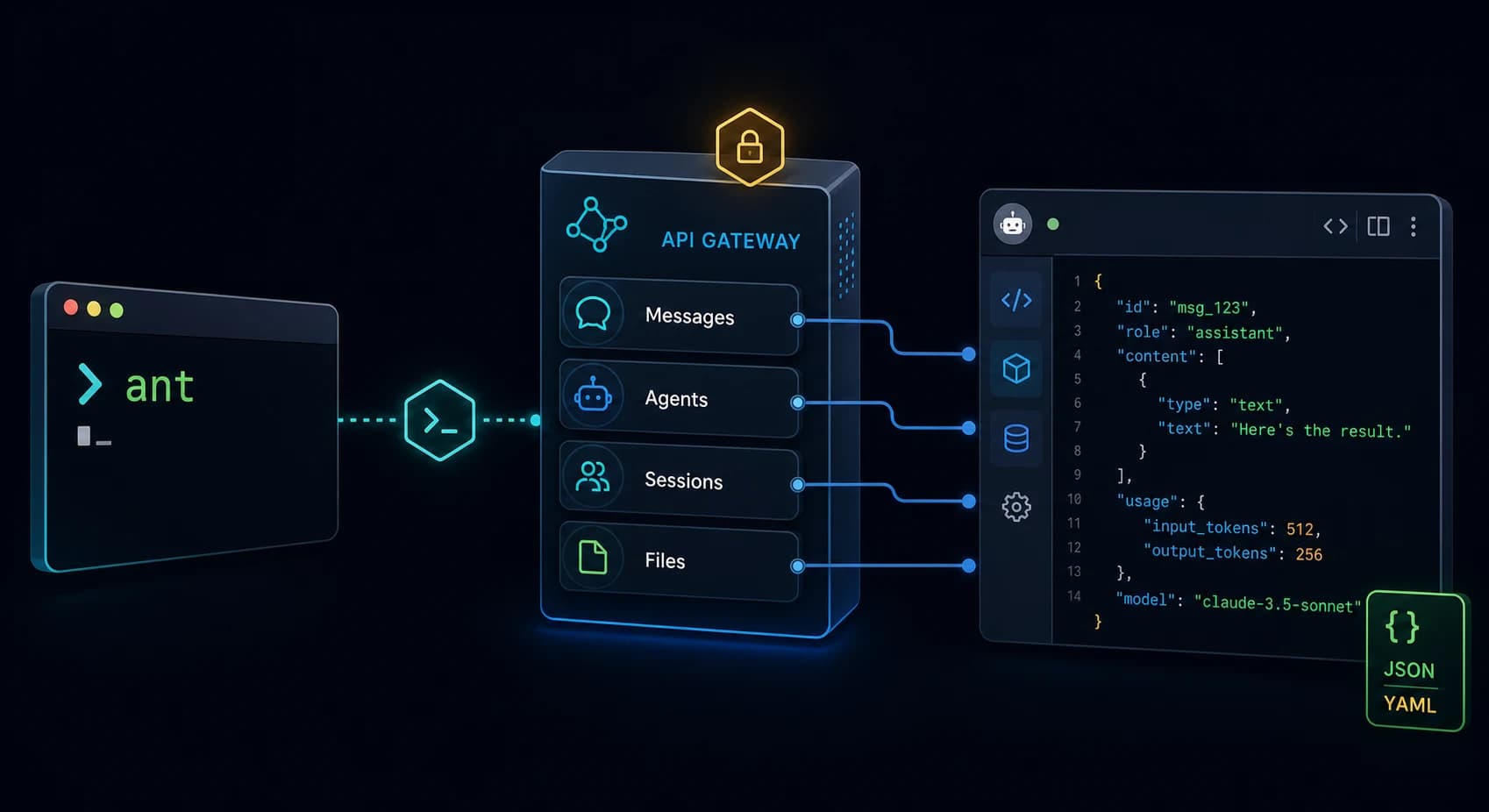
The short version: Claude Platform now has an official API CLI named ant. It turns Claude API endpoints into terminal commands, accepts structured input, formats and filters output, and gives Claude Code a native way to operate on Claude Platform resources.
We've added a CLI for Claude Platform to make every API endpoint runnable from your terminal.
— ClaudeDevs (@ClaudeDevs)June 2, 2026
Call the Messages API, stand up Claude Managed Agents, pipe results straight into your shell.
The ant CLI is well understood by coding agents (Claude Code) using the claude-api skill. pic.twitter.com/t2ruhuAzRH
The launch tweet is useful because it says what the product is for: API calls, Managed Agents, shell pipelines, and coding agents. The official CLI docs fill in the mechanics: OAuth login, API keys, workspace profiles, YAML and JSON request bodies, GJSON transforms, auto-pagination, debug output, shell completion, and resource help.
The new workflow shape:

terminal command
  -> ant resource action
  -> Claude API endpoint
  -> structured JSON/YAML/raw output
  -> shell pipeline, CI step, or Claude Code agent
One-Sentence Definition
The ant CLI is Anthropic's command-line interface for calling Claude API resources from a terminal.It is not a replacement for the Python or TypeScript SDKs. It is a shell-native surface for exploring endpoints, scripting API resources, piping output, and letting Claude Code inspect platform state without custom integration code.
Mental Model: Four Pieces
Read ant as a small adapter between shell workflows and Claude Platform. The official docs repeat the same pattern across Messages, beta resources, output transforms, and Claude Code usage.
[credentials/profile]
        |
        v
[ant resource:subresource action] --flags < stdin.yaml
        |
        v
[Claude API resource]
        |
        v
[formatted output] --transform -> shell, CI, or Claude Code- Credentials: OAuth login, API key, federation, or named profile.
- Commands: a
resource actionpattern, with nested resources separated by colons. - Input: flags, stdin YAML/JSON, and
@filereferences for inline file contents. - Output: formatted JSON, YAML, JSONL, raw output, interactive explorer, and GJSON transforms.
Install and Verify
The CLI docs show install paths for Homebrew on macOS, curl on Linux/WSL, and Go. The least ambiguous official commands are Homebrew and Go, followed by the version check:
# macOS
brew install anthropics/tap/ant

# Go
go install github.com/anthropics/anthropic-cli/cmd/ant@latest

# Verify
ant --version
The docs also say every exposed API resource appears in the local help output. For a new install, run ant --help, then append --help to the resource you plan to use, such as ant messages create --help.
Authentication: OAuth, API Keys, and Profiles
The official docs split authentication into local development and non-interactive workloads. For a developer machine, ant auth login opens a browser-based OAuth flow against the Claude Console. For remote hosts without a local browser, the --no-browser flag prints an authorize URL and asks you to paste the returned code.
ant auth login
ant auth login --no-browser
ant auth login --workspace-id wrkspc_01...
ant auth login --profile platform-dev

ant auth status
ant auth logout
ant auth logout --all
The important workspace detail: during OAuth login, you choose an organization and workspace. The token is scoped to that workspace. To work across several workspaces, create one profile per workspace and switch profiles explicitly.
ant auth login --profile other-ws
ant profile activate other-ws

ant --profile other-ws models list
ANTHROPIC_PROFILE=other-ws ant models list
The docs say profiles are consulted only when ANTHROPIC_API_KEY is not set. If that environment variable exists, it overrides every profile and uses the workspace scoped to the key.
For CI, containers, and servers, the CLI docs point away from interactive login and toward Workload Identity Federation. That keeps the post-install rule clean: OAuth for your machine, federation for automation, API keys when you intentionally want key-based auth.
Smallest End-to-End Request
Once ant is installed and authenticated, the docs start with the Messages API. This is the minimum shape: model, max tokens, and a user message.
ant messages create \
  --model claude-opus-4-8 \
  --max-tokens 1024 \
  --message '{role: user, content: "Hello, Claude"}'
The docs show the response as the full API object: model ID, message ID, assistant role, content array, stop reason, and usage. The CLI pretty-prints that object when stdout is a terminal.
Command Structure
Commands follow a resource action shape. Nested resources use colons, and beta resources live under beta:. The docs call out agents, sessions, deployments, environments, and skills as beta resources.
ant <resource>[:<subresource>] <action> [flags]

ant models list
ant messages create --model claude-opus-4-8 --max-tokens 1024 ...
ant beta:agents retrieve --agent-id agent_01...
ant beta:sessions:events list --session-id session_01...
The beta prefix matters because those commands automatically send the appropriate anthropic-beta header for that resource. The docs say to use --betaonly when you need to override the default schema version.
Output Formats and GJSON Transforms
Output is where ant becomes more than a convenience wrapper around curl. The docs list auto, json, jsonl, yaml, pretty, raw, and explore. List endpoints auto-paginate, and list output can stream cleanly into shell commands.
| Need | CLI feature | Useful command shape |
|---|---|---|
| Browse a large object | --format explore | ant models list --format explore |
| Stream list items | --format jsonl | ant beta:agents list --format jsonl |
| Extract selected fields | --transform | --transform "{id,name,model}" |
| Capture one string | --raw-output | --transform id --raw-output |
The transform language is GJSON. For list endpoints, the transform runs against each item, not the full envelope. That is why this pattern can print one agent summary per line:
ant beta:agents list \
  --transform "{id,name,model}" \
  --format jsonl
My practical take: use --format jsonl when the next command is a shell tool, and use --transform id --raw-output when you need a resource ID for the next ant invocation.
Passing Request Bodies Without Hand-Written JSON
The CLI docs describe three input modes: flags, stdin, and file references. Scalar fields map to flags. Structured fields accept a relaxed YAML-like syntax or strict JSON. Full request bodies can be piped through stdin as JSON or YAML.
ant beta:agents create <<'YAML'
name: Research Agent
model: claude-opus-4-8
system: |
  You are a research assistant. Cite sources for every claim.
tools:
  - type: agent_toolset_20260401
YAML
For file contents, the docs use @path. That lets you inline a prompt file into a string field, or send a PDF to the Messages API where the CLI detects and base64-encodes binary files automatically.
ant beta:agents create \
  --name "Researcher" \
  --model '{id: claude-sonnet-4-6}' \
  --system @./prompts/researcher.txt

ant messages create \
  --model claude-opus-4-8 \
  --max-tokens 1024 \
  --message '{role: user, content: [
    {type: document, source: {type: base64, media_type: application/pdf, data: "@./scan.pdf"}},
    {type: text, text: "Extract the text from this scanned document."}
  ]}' \
  --transform 'content.0.text' --raw-output
Version-Control API Resources
The most important launch detail for platform teams is not the one-line Messages call. It is the docs section on keeping API resources in YAML files. The example covers a Managed Agent, an environment, a session, a user event, and a session event listing.
# summarizer.agent.yaml
name: Summarizer
model: claude-sonnet-4-6
system: |
  You are a helpful assistant that writes concise summaries.
tools:
  - type: agent_toolset_20260401

ant beta:agents create < summarizer.agent.yaml
ant beta:agents update --agent-id agent_011... --version 1 < summarizer.agent.yaml
# summarizer.environment.yaml
name: summarizer-env
config:
  type: cloud
  networking:
    type: unrestricted

ant beta:environments create < summarizer.environment.yaml

ant beta:sessions create \
  --agent agent_011CYm1BLqPXpQRk5khsSXrs \
  --environment-id env_01595EKxaaTTGwwY3kyXdtbs \
  --title "Summarization task"
That pattern turns platform resources into files you can review, store in a repo, and update from CI. The CLI does not remove the need for governance, but it makes the operational object model visible to shell scripts.
Use ant from Claude Code
The launch tweet says ant is well understood by coding agents, and the CLI docs make the Claude Code behavior explicit: with ant installed and authenticated, Claude Code can shell out to it, parse structured output, and reason over the results.
Prompts the docs say are now reasonable:

"List my recent agent sessions and summarize which ones errored."
"Upload every PDF in ./reports to the Files API and print the resulting IDs."
"Pull the events for session session_01... and tell me where the agent got stuck."
The practical implication: Claude Code no longer needs a bespoke script to understand many Claude Platform resources. Install ant, authenticate it to the right workspace, and Claude Code gets a structured command surface it can use.
What I Got Wrong Reading the Launch
My first bad assumption was that ant was only a prettier Messages API wrapper. The docs make the broader target clear: API resource operations, beta Managed Agents, environments, sessions, files, profiles, transforms, and Claude Code handoff.
The second bad assumption was that profile switching always wins. It does not. If ANTHROPIC_API_KEY is present, the docs say profiles are skipped. That is the first thing I would check when a command hits the wrong workspace.
The third bad assumption was that --format raw and --raw-output are the same. They are not. The docs compare --raw-output to jq -r for strings. --format raw prints raw response bytes and behaves differently on list endpoints.
Debugging and Shell Completion
For debugging, add --debug. The docs say it prints the exact HTTP request and response to stderr, with API keys redacted. For error inspection, use --format-error and --transform-error to filter error responses.
ant --debug beta:agents list

ant beta:agents retrieve --agent-id bogus \
  --transform-error error.message --format-error yaml 2>&1
The docs also say completion scripts ship for bash, zsh, fish, and PowerShell. That matters because the command tree is wide. Completion reduces mistakes on beta resource names, nested resources, and endpoint-specific flags.
The Verdict
Our Take
Use ant if you build against Claude Platform and want API resources to be inspectable, scriptable, and usable by Claude Code. Keep SDKs for application code. Use the CLI for exploration, CI glue, resource snapshots, Managed Agent workflows, workspace diagnostics, and shell-native automation.
Skip it if you need typed application integration, long-lived SDK abstractions, or runtime behavior embedded inside a service. The CLI is strongest at the boundary between a developer, a terminal, platform resources, and an agent that can read structured command output.
FAQ
What is the Claude Platform ant CLI?
The ant CLI is Anthropic's command-line tool for the Claude API. It exposes API resources as terminal subcommands and supports formatted output, response transforms, YAML or JSON input, profiles, and Claude Code usage.
What did Claude announce on June 2, 2026?
ClaudeDevs announced a CLI for Claude Platform that makes every API endpoint runnable from the terminal, including Messages API calls, Claude Managed Agents workflows, and shell pipelines.
How do I authenticate ant locally?
Use ant auth login for browser-based OAuth, or set ANTHROPIC_API_KEY. The docs position interactive login for local development and recommend Workload Identity Federation for CI, servers, and containers.
Does ANTHROPIC_API_KEY override ant profiles?
Yes. The official docs say profiles are consulted only when no API key is set. If ANTHROPIC_API_KEY exists, it overrides every profile and uses the workspace scoped to that key.
Can ant create Claude Managed Agents?
Yes. The CLI docs show beta:agents, beta:environments, beta:sessions, and beta:sessions:events commands for defining agents, creating environments, starting sessions, sending events, and listing session output.
Can Claude Code use the ant CLI?
Yes. The official docs say Claude Code knows how to use ant out of the box once the CLI is installed and authenticated, so it can inspect or operate on Claude API resources.
Glossary
ant- Anthropic's command-line tool for Claude Platform API resources.
- Messages API
- The Claude API endpoint used to send model messages and receive assistant responses.
- Managed Agent
- A Claude Platform agent resource configured with model, system prompt, tools, and runtime behavior.
- Workspace
- A Claude Console scope that controls which API resources credentials can access.
- Profile
- A named CLI configuration used to switch credentials, workspace, and related settings.
- GJSON
- A path syntax used by
--transformto extract or reshape JSON responses. - JSONL
- Newline-delimited JSON, useful when each listed item should stream as one line.
- Workload Identity Federation
- A non-interactive authentication path the docs recommend for CI, servers, and containers.
All Official Sources and Links
Per the launch constraint for this post, no community sites, Reddit threads, Hacker News comments, unofficial blog posts, or third-party tutorials were used.
| Source | Type | What it supports |
|---|---|---|
| ClaudeDevs launch post on X | Official launch post | Launch date, product framing, Messages API, Managed Agents, shell pipelines, Claude Code. |
| Claude Platform CLI docs | Official documentation | Install, auth, profiles, first request, command structure, transforms, input modes, debugging, completion. |
| CLI API reference | Official API reference | Endpoint-specific parameters and response schemas linked from the CLI docs. |
| Managed Agents docs | Official documentation | Context for beta agent resources mentioned in the CLI docs. |
| Authentication overview | Official documentation | Credential model linked from the CLI docs. |
| Workload Identity Federation | Official documentation | Non-interactive auth path recommended by the CLI docs for CI and servers. |
Read next: Claude Opus 4.8 launch notes, Claude Opus 4.8 API migration, and Claude Code dynamic workflows.