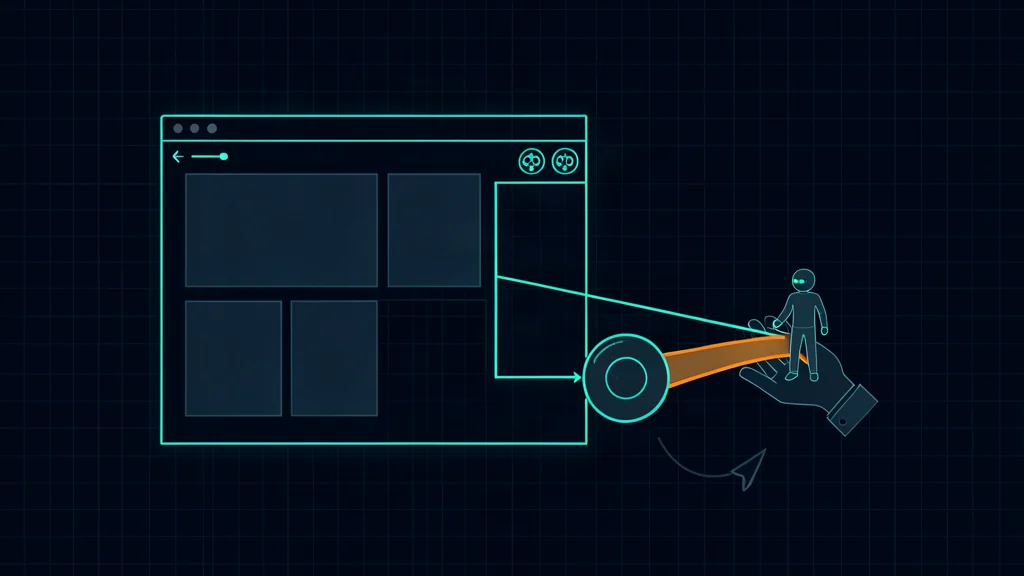
Cloudflare WebMCP is a Developer Preview that gives websites a structured tool surface for compatible browser agents. A domain owner enables the feature in Cloudflare, selects tool packs, and Cloudflare injects a same-origin bridge into HTML responses at the edge. The origin application does not need a code deployment.
The important word is preview. Cloudflare's implementation and Chrome's browser APIs are experimental, Browser Run testing uses a Chrome beta lab pool, and tool interoperability can change. This is a good time to design and test a safe interface—not to replace every production browser workflow.
Fast decision:
- Pilot WebMCP on a non-production domain or low-risk read-only surface.
- Expose narrow, typed tools rather than generic script or request execution.
- Keep permissions and business rules on the server, never only in the tool description.
- Retain DOM or API fallback until browser support and the standard stabilize.
What Cloudflare WebMCP is
WebMCP is an experimental browser API for exposing page-specific tools to an agent running in that browser. Instead of inferring a workflow from screenshots, accessibility trees, and selectors, an agent can discover a named tool with a description and typed input schema and call it directly.
A travel site, for example, could expose search_locations, filter_results, and start_booking as the user moves through the site. The available set can change with page and session state.
Introducing a developer preview of WebMCP on Cloudflare. Switch it on and browser AI agents can use your site through tools you expose, without any code or origin changes.
— @CloudflareDev August 6, 2026
Cloudflare's August 6 preview focuses on the website side: adding a bridge and tool packs to a proxied domain. Cloudflare Browser Run already offers an experimental Chrome pool where an agent can discover and execute WebMCP tools.
Do not confuse three related layers:
| Layer | Role |
|---|---|
| MCP server | Exposes tools over the Model Context Protocol to an MCP client |
| WebMCP browser API | Exposes tools in the context of a webpage and browser session |
| Cloudflare bridge | Edge-injected script and packs that register browser tools or proxy a site's MCP tools |
Cloudflare uses MCP Tool and CallToolResult structures inside the bridge, but WebMCP remains an experimental browser surface with its own lifecycle and compatibility constraints.
How the edge bridge works
Enabling the preview does not alter source files at the origin. It does alter the HTML response delivered to the browser. Cloudflare says HTMLRewriter injects a module script resembling this:
<script
  type="module"
  src="/.webmcp/bridge.js"
  data-packs="c2pa,mcp-server-client"
  data-mcp-url="/mcp"
></script>
The bridge is served from the site's origin at the edge. It checks for a compatible WebMCP browser surface and returns without acting when that surface is absent. On a supported browser, it composes the selected packs and registers their tools.
The preview launches with two packs:
- Content Credentials: reads C2PA-related metadata from images in the browser.
- Site MCP Server: discovers tools from a site's MCP endpoint and registers browser-side proxies.
The Site MCP Server pack defaults to a same-origin /mcp endpoint. Its proxy calls that endpoint from the page with same-origin credentials, so the request can carry the visitor's authenticated browser session.
That is convenient and security-sensitive. The browser bridge is not an authorization layer. The MCP endpoint must validate the current user, tool permission, resource ownership, request origin, and action state exactly as it would for a carefully designed human-facing API.
The Content Credentials pack also has a precise launch limitation: Cloudflare says it reads and reports credential metadata but does not cryptographically verify the signature in this preview. Results carry signatureVerified: false; decoded provenance claims must not be presented as verified authenticity.
Enable and verify the preview
Cloudflare documents this dashboard path:
- Open the relevant domain in the Cloudflare Dashboard.
- Go to Agent Readiness → Labs.
- Enable WebMCP.
- Select the desired tool packs.
- Confirm the domain is appropriate for preview traffic.
Both launch packs are enabled by default in the preview according to Cloudflare's announcement. Review that selection deliberately; do not expose a site MCP endpoint merely because the toggle is convenient.
Verify the delivered HTML rather than trusting the dashboard state:
curl -fsS https://your-preview-site.example | grep '/.webmcp/bridge.js'
Expected output: the edge-injected module script appears in an HTML response. An empty result can mean the feature is disabled, the request was not an eligible HTML response, caching has not refreshed, or another delivery rule bypassed injection.
Then check the bridge itself:
curl -fsSI https://your-preview-site.example/.webmcp/bridge.js
Expected output: a successful HTTPS response from the preview domain. Do not assume this proves tools are usable; browser support, selected packs, session state, and the MCP endpoint still need testing.
Use a staging hostname where possible. Check content-security-policy behavior, HTML caching, subresource integrity expectations, consent tooling, and any application rule that relies on an exact response body.
Test tools with Browser Run
Cloudflare's Browser Run documentation says its WebMCP test path requires a lab session using Chrome 146 beta. Separately, Chrome's public WebMCP origin trial starts with Chrome 149. These are version-specific experimental paths, not interchangeable evidence of stable browser support; Cloudflare explicitly warns that lab sessions should not be used for production workloads.
Create a short lab session with current Wrangler:
npm install --global wrangler@latest
wrangler browser create --lab --keepAlive 300
Expected output: Wrangler creates a five-minute lab browser session and opens or reports a live-view path.
Inside the supported browser context, Cloudflare documents listing tools through the testing surface:
await navigator.modelContextTesting.listTools()
Expected output: an array of available tool descriptors, including names, descriptions, and input schemas. The list can change after navigation or state transitions, so re-discover after each action.
A test call has this shape:
await navigator.modelContextTesting.executeTool(
  "search_catalog",
  JSON.stringify({ query: "recycled notebook" })
)
Expected output: a structured result from the registered tool or a clear error. A successful JavaScript promise is not enough—assert that the correct site state changed and no unauthorized side effect occurred.
Cloudflare's blog shows registration through document.modelContext, while Browser Run documentation shows agent discovery and execution through navigator.modelContextTesting. Because the browser standard is experimental, follow the current browser and Cloudflare documentation rather than freezing these object names into a permanent compatibility contract.
For automated agent tests, Cloudflare documents connecting an MCP client to a lab Browser Run CDP endpoint. Keep the API token in a secret store, scope it to the minimum Browser Run permissions, and avoid committing WebSocket headers containing credentials.
Design safe website tools
A WebMCP tool should be narrower than the corresponding page or API.
Prefer:
search_products(query, category?, limit?)
create_draft_order(product_id, quantity)
request_checkout_confirmation(draft_id)
Avoid:
run_javascript(code)
fetch_any_url(url, options)
call_internal_api(path, body)
update_any_record(table, id, values)
Use these design rules:
- Give each tool one clear job and honest limitations.
- Define strict types, lengths, enumerations, and numeric ranges.
- Return stable identifiers and structured errors.
- Separate reads, drafts, previews, confirmations, and final commits.
- Make writes idempotent or require an idempotency key.
- Recalculate price, permissions, inventory, and policy server-side.
- Bind operations to the authenticated user and allowed tenant.
- Require fresh confirmation for purchases, messages, publication, deletion, permission changes, and disclosure of sensitive data.
- Record actor, session, tool, validated arguments, outcome, and approval without logging unnecessary secrets.
- Rate-limit by account, session, tool, and resource—not just IP address.
Tool descriptions are hints for the model, not controls. A malicious page, injected prompt, compromised extension, or confused agent can call a tool with valid syntax and harmful intent. Enforcement belongs behind the tool handler.
Protect browser-session authority
The Site MCP Server pack can call a same-origin endpoint with the visitor's browser credentials. That preserves the user's existing session, but it can also give an agent access to actions normally protected by the human interface.
Threat-model these paths:
- Prompt injection: untrusted page content tells the agent to call an unrelated tool.
- Cross-site request abuse: another origin or compromised script attempts to trigger the MCP route.
- Confused deputy: the user is authorized, but the agent applies that authority to the wrong object or tenant.
- Replay and duplication: retries create repeated purchases, messages, or deletions.
- Tool substitution: a page registers a misleading tool name or schema after navigation.
- Session leakage: logs, screenshots, live views, or tool results expose cookies or personal data.
- Silent privilege expansion: enabling a new pack exposes more tools without a corresponding security review.
Mitigations include strict same-origin and CSRF controls, server-side authorization on every call, short-lived nonces for final commits, idempotency keys, confirmation screens showing the exact action, CSP review, allowlisted tool names, schema versioning, approval timeouts, and auditable revocation.
Treat a tool list as untrusted input. An agent should compare discovered tools with an expected allowlist for the domain and page state, and it should stop when a familiar tool changes schema unexpectedly.
Preview limits and fallback
At the August 2026 cutoff:
- Cloudflare labels the website feature a Developer Preview.
- Cloudflare's Browser Run path uses a Chrome 146 beta lab pool, while Chrome's public origin trial starts with Chrome 149.
- Lab sessions can have beta stability issues and count against regular limits and pricing.
- Cloudflare says the
labparameter is not yet supported directly in its Puppeteer or Playwright packages; callers must acquire a lab session and connect to it. - The browser and Cloudflare APIs can change.
- Only two Cloudflare tool packs launch with the preview.
- Content Credentials are decoded, not cryptographically verified.
- A site's MCP endpoint and business logic remain the domain owner's responsibility.
- Cloudflare's launch does not publish a dedicated price or plan matrix for the dashboard WebMCP feature; Browser Run pricing is separate.
Keep a bounded fallback:
- Discover WebMCP tools on each relevant page.
- Use an allowlisted tool when its schema and lifecycle match expectations.
- Ask for human approval before sensitive commits.
- Fall back to a stable API or conventional DOM automation when no suitable tool exists.
- Stop rather than retry indefinitely after authorization, schema, or state errors.
- Track tool success, fallback frequency, duplicated actions, approval abandonment, and browser-version regressions.
Verdict
Cloudflare WebMCP is a useful preview of a more agent-readable web: sites declare actions, agents call typed tools, and the human interface remains available for context and approval. Cloudflare's edge bridge lowers the implementation barrier for domains already behind its network.
The preview should be evaluated as an interface experiment, not a security shortcut. Start with read-only tools, preserve server-side authorization, test against prompt injection and replay, and keep a fallback path. Expand to writes only when approval, idempotency, audit, and recovery are proven.
FAQ
FAQ
What is Cloudflare WebMCP?
Cloudflare WebMCP is a Developer Preview that injects a same-origin bridge into HTML responses so a site can expose structured browser-native tools to compatible AI agents. It can add Cloudflare tool packs or proxy tools from a site's MCP endpoint without changing origin application code.
Is WebMCP production-ready?
No. Cloudflare labels the site feature a Developer Preview. Its Browser Run test path uses Chrome 146 beta lab sessions, while Chrome's separate public origin trial starts with Chrome 149; both surfaces are experimental and version-specific.
Does enabling Cloudflare WebMCP modify my website?
It does not require an origin-code deployment, but Cloudflare modifies HTML responses at the edge by injecting a module script that loads the WebMCP bridge and selected tool packs.
Can WebMCP use my existing MCP server?
Yes. Cloudflare's Site MCP Server pack can discover tools from a same-origin MCP endpoint, defaulting to /mcp, and register browser proxies that call it using the visitor's existing browser session.
Does WebMCP automatically make sensitive actions safe?
No. Tool discovery and typed inputs improve reliability, not authorization. The site must enforce server-side identity, object access, CSRF protections, idempotency, auditability, and human approval for consequential actions.
Is Cloudflare WebMCP free?
Cloudflare's launch materials do not publish a dedicated price or plan matrix for the dashboard WebMCP feature. Browser Run is a separate metered product, and its lab sessions count against regular limits and pricing.