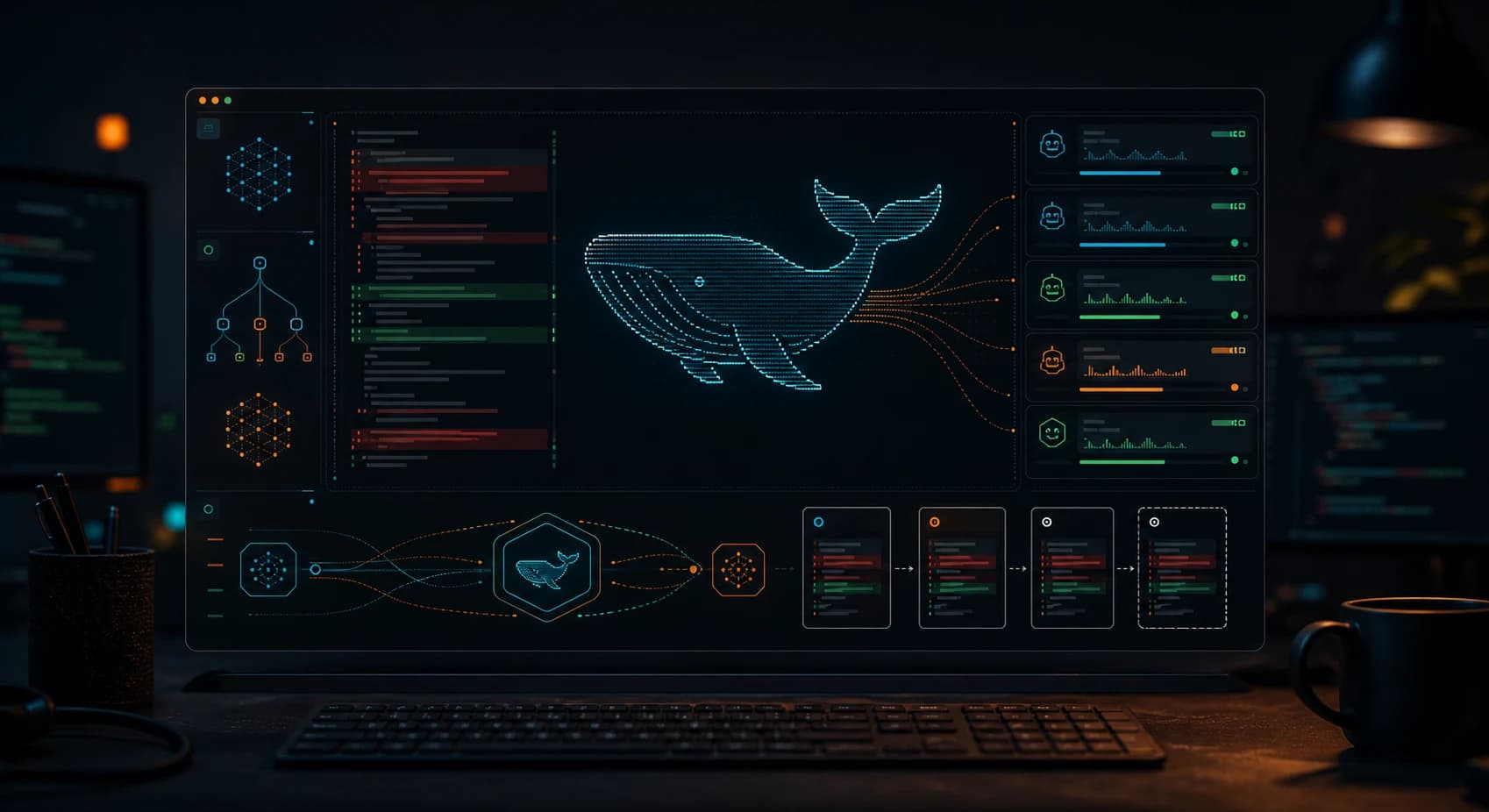
The short version: CodeWhale is not a Node wrapper and not only a chat UI. It is a paired Rust binary system where `codewhale` dispatches into `codewhale-tui`, streams model reasoning, routes tools through an engine, records rollback snapshots, and can run concurrent sub-agents while tracking cost and cache behavior.
Get the latest on AI, LLMs & developer tools
New MCP servers, model updates, and guides like this one — delivered weekly.
Editorial note
This article is based on the GitHub repo, README, release notes, architecture/provider/install docs, current issue and PR surfaces, X posts, and Reddit discussion gathered on June 2, 2026. We avoid hardcoding star and fork counts because they change quickly.
1. CodeWhale in One Sentence
CodeWhale is an MIT-licensed Rust terminal coding agent that wraps DeepSeek V4 and MiMo behind a tool-rich TUI, explicit approval modes, sub-agents, MCP, LSP diagnostics, runtime APIs, and side-git rollback.
| Area | Detail | Why it matters |
|---|---|---|
| Repository | Hmbown/CodeWhale | https://github.com/Hmbown/CodeWhale |
| Primary language | Rust | Primary GitHub language at research time. |
| License | MIT | Check bundled or binary licenses separately where relevant. |
| Created | January 19, 2026 | Latest release checked: v0.8.50 on June 2, 2026. |
2. Why It Matters
The project matters because DeepSeek V4 changes the economics of long-context coding sessions. CodeWhale tries to turn that cheaper context into a durable terminal harness: explicit authority rules, evidence-first tool use, prefix-cache stability, and model auto-routing per turn.
It also sits in a specific agent category: tools for people who want the agent in the terminal, not only inside an IDE. That audience cares about shell access, task queues, logs, headless `exec` output, remote workspaces, and recovery when a long turn goes sideways.
The interesting product bet is the harness. CodeWhale treats the model as one part of the system. The surrounding rules, approval gates, tool registry, LSP feedback, provider registry, memory, snapshots, and sub-agent summaries are the actual product surface.
3. Architecture and Mental Model
CodeWhale is easiest to reason about as a dispatcher plus runtime: `codewhale` starts the companion `codewhale-tui` binary, the runtime drives a ratatui interface and async engine, and the engine talks to an OpenAI-compatible streaming client plus a typed tool registry.
| Area | Detail | Why it matters |
|---|---|---|
| Dispatcher | `codewhale` CLI | Entry command that finds and launches the matched runtime binary. |
| Runtime | `codewhale-tui` | Interactive TUI, turn loop, tool dispatch, session state, task queue, and diagnostics. |
| Model path | OpenAI-compatible chat completions | DeepSeek is the primary route, but provider docs include OpenRouter, NVIDIA NIM, Ollama, vLLM, SGLang, and others. |
| Tool layer | Shell, file, git, web, MCP, RLM, sub-agents | The model acts through typed tools rather than free-form terminal text. |
| Safety model | Plan, Agent, YOLO, sandbox, approvals | Plan is read-only, Agent gates sensitive operations, YOLO auto-approves in trusted workspaces. |
| Recovery | Side-git snapshots and `/restore` | Every turn records rollback state outside the project `.git`. |
4. Smallest End-to-End Setup
The commands below are copied from the repository documentation and checked against the current research snapshot. Treat them as a starting point, then read the linked README before installing into a production environment.
# npm path: installs wrapper plus matched prebuilt Rust binaries
npm install -g codewhale
codewhale --version

# Cargo path: both binaries are required
cargo install codewhale-cli --locked
cargo install codewhale-tui --locked

# Docker path
docker volume create codewhale-home
docker run --rm -it \
  -e DEEPSEEK_API_KEY="$DEEPSEEK_API_KEY" \
  -v codewhale-home:/home/codewhale/.codewhale \
  -v "$PWD:/workspace" \
  -w /workspace \
  ghcr.io/hmbown/codewhale:latest
A small first task should prove the integration before you attach it to critical data or large workspaces.
cd your-project
export DEEPSEEK_API_KEY="..."
codewhale auth set --provider deepseek
codewhale --model auto

# One-shot, streamable automation path
codewhale exec --auto --output-format stream-json "run tests and explain the failures"
5. Technical Deep Dive
5.1 The constitution is part of the runtime
The README frames CodeWhale as a harness with a formal Constitution. The practical point is not branding. It gives the model an authority hierarchy for conflicting inputs: current user intent, project rules, live tool output, stale handoffs, and prior memory.
This matters in long agent turns because the model repeatedly faces contradictions. A failing compiler, a user correction, a stale project rule, and an old session note cannot all be equally authoritative. CodeWhale makes that ranking explicit.
Authority shape:
current user request
  -> verified tool output
  -> project and workspace instructions
  -> prior session handoffs
  -> model assumptions
5.2 Auto mode routes model and thinking level
The default `--model auto` path makes a small routing call before the real turn. That router decides whether a turn can stay on a cheaper Flash route or should move to Pro and higher thinking.
The upstream API receives a concrete model and thinking setting, not the literal string `auto`. This is important for cost accounting and repeatability: fixed-model runs are still better for benchmarks, while auto mode is better for ordinary work.
5.3 Sub-agents are concurrent background loops
CodeWhale sub-agents are not just a prompt convention. The runtime can launch child agents that run with their own context and tool registry, then report completion through summary sentinels in the parent transcript.
The parent does not need to block while a child explores or verifies. Full transcripts stay behind bounded handles, which prevents the parent context from filling with every detail of the child run.
Parent turn:
  agent_open(role="explore", task="map auth flow")
  agent_open(role="review", task="audit risky files")
  continue planning while children run
  read completion summaries when sentinels arrive
5.4 LSP diagnostics turn edits into feedback
The docs call out rust-analyzer, pyright, typescript-language-server, gopls, clangd, jdtls, and Vue language server integration. The model gets post-edit diagnostics before the next reasoning step.
That is an important quality loop. Without diagnostics, an agent can confidently write syntactically broken code and only discover it when the user runs tests. With diagnostics, local compiler feedback becomes part of the next turn.
5.5 The runtime surface goes beyond the TUI
The repo documents one-shot prompts, `exec` stream JSON, an HTTP/SSE runtime API, an ACP adapter for Zed, task queues, MCP, RLM sessions, and SWE-bench export. That means CodeWhale is trying to be both an interactive terminal agent and a programmable runtime.
This breadth is useful, but it raises the cost of reliability. Shell gating, Windows behavior, long task cancellation, session restore, and multimodal attachment handling are all separate surfaces that need production-grade behavior.
6. Real-World Wrong vs Right Patterns
| Wrong | Right | Reason |
|---|---|---|
| Install only `codewhale-cli` with Cargo. | Install both `codewhale-cli` and `codewhale-tui`. | The dispatcher and runtime are separate Rust binaries. |
| Use Plan mode and expect shell/file mutation. | Use Agent or trusted YOLO mode for writes and shell operations. | Plan mode is intentionally read-only. |
| Treat `--model auto` as repeatable benchmark configuration. | Use a fixed model and thinking level for benchmarks. | Auto mode routes per turn and can change behavior. |
| Let a long foreground shell command own the turn. | Use task/background patterns where available and verify timeout behavior. | Open issues show long shell execution can still hit executor failure modes. |
7. Common Mistakes and Current Issues
The issue tracker matters because these are young, fast-moving repos. The article uses issues as risk signals, not as proof that a project is unusable.
| Area | Detail | Why it matters |
|---|---|---|
| Windows shell tools | Several issues report shell tools missing or gated despite config. | Do not assume Windows parity with macOS/Linux sandbox behavior yet. |
| Long-running shell | A reported durable task deadlock followed a long `exec_shell` command. | Use smaller steps and watch PRs around timeout cancellation. |
| Image attachment | A current PR addresses `/attach` images for multimodal models. | Confirm merged behavior before relying on local image upload workflows. |
| Engine stop reports | Users reported stalled turns or engine stop messages. | Good recovery UX is still an active area. |
| Provider fallback | Feature requests track automatic provider fallback chains. | Manual provider switching may still be needed when a key or route fails. |
8. Performance, Scaling, and Cost Notes
The README and source emphasize DeepSeek prefix caching. The practical optimization is stable repeated prompt and tool bytes: if the Constitution, tool catalog, and provider metadata stay stable, cached input can be far cheaper than cold input.
The provider docs list 1M-context DeepSeek V4 routes and explicit cache-hit/cache-miss accounting. That does not make every session cheap. Long tool output, sub-agent fanout, repeated failed turns, and high-thinking Pro routes still cost money.
Sub-agent concurrency defaults are useful for parallel exploration, but they also multiply model calls. Use them when tasks are genuinely separable: one agent reading architecture, one testing reproduction, one reviewing a fix. Do not spawn parallel agents for work that needs a single linear context.
9. Who It Is For
| Use it if | Skip it if |
|---|---|
| You want a terminal-native agent built around DeepSeek V4 economics. | You need a stable GUI-first IDE integration today. |
| You value approval modes, rollback snapshots, and explicit tool jurisdiction. | You want an unconstrained auto-runner with minimal ceremony. |
| You run multi-agent research, review, and implementation loops. | You only ask short one-shot questions. |
| You are comfortable tracking a fast-moving project with open issues. | You need conservative production stability on Windows shell automation. |
10. Community Signal
Outside GitHub, the strongest public signal is maintainer-led X discussion plus a smaller Reddit thread in the DeepSeek community. That is normal for a new developer tool, but it means GitHub remains the best evidence source.
The useful community note is not pure hype. Users are asking for benchmarks, plugin compatibility, Windows fixes, better GUI/IDE integration, provider fallback, image attachment, and more predictable shell behavior.
The repo appears very active: issues and PRs on June 2, 2026 cover SiliconFlow China support, multimodal attachment fixes, sub-agent lifecycle hooks, engine death recovery, provider fallback design, and Windows shell deadlock prevention.
11. The Verdict: Is It Worth Using?
Our Take
Use CodeWhale if you want a serious terminal agent harness for DeepSeek V4 and you are willing to ride a fast-moving Rust project. Skip it for now if your work depends on polished Windows shell automation, fully settled multimodal attachment handling, or a GUI-first workflow.
12. The Bigger Picture
CodeWhale is part of a broader shift from chat wrappers to agent runtimes. The model is only one component. The durable value is in tool policy, evidence loops, diagnostics, rollback, task orchestration, and cost-aware routing.
It also shows how open-weight and lower-cost model ecosystems change the agent stack. When long context gets cheaper, the limiting factor becomes harness quality: can the tool keep the model oriented, verify work, recover from mistakes, and avoid unbounded cost?
13. Frequently Asked Questions
Q: Is CodeWhale the same as DeepSeek-TUI?
It descends from the same naming/history space, but the current repo is branded CodeWhale and installs a paired `codewhale` dispatcher plus `codewhale-tui` runtime.
Q: Why do I need both Rust binaries?
`codewhale` is the entry command. `codewhale-tui` is the runtime it launches for interactive sessions. npm and Docker install the pair for you; Cargo installs need both crates.
Q: What is Plan mode?
Plan mode is the read-only mode. Use it for investigation and design. Use Agent or YOLO when you expect edits or shell operations.
Q: How does model auto mode work?
A cheap routing call chooses a concrete model and thinking level for the real request. The upstream provider sees the selected model, not `auto`.
Q: Can CodeWhale run sub-agents?
Yes. Sub-agents run concurrently in background loops with separate context and tool registries, then report summaries back to the parent.
Q: What are the biggest current risks?
The current issue tracker highlights Windows shell gating, long shell command deadlocks, engine-stop recovery, multimodal attachment behavior, and provider fallback needs.
14. Glossary
| Area | Detail | Why it matters |
|---|---|---|
| Harness | The rules, prompts, tools, and verification loop around the model. | CodeWhale uses this as its central product idea. |
| Dispatcher | `codewhale` | The command users run. |
| Runtime | `codewhale-tui` | The interactive engine and UI binary. |
| MCP | Model Context Protocol | Protocol for external tool servers. |
| RLM | Recursive Language Model session | Persistent analysis session used for larger/batched reasoning. |
| YOLO mode | Trusted auto-approval mode | Useful only in workspaces where broad tool access is acceptable. |
| Side-git snapshot | Rollback state outside the repo `.git`. | Used by `/restore` and turn reversion. |
15. All Sources and Links
Primary Sources
Issues and PRs
Community and Web
Internal Links
16. Source Attribution Table
| Area | Detail | Why it matters |
|---|---|---|
| GitHub README | Install paths, harness framing, runtime features. | Primary source. |
| Docs directory | Architecture, providers, modes, sub-agent lifecycle. | Primary source. |
| GitHub issues | Windows shell, long-running shell, engine recovery, attachment caveats. | Critical community signal. |
| GitHub PRs | Active fixes and roadmap direction. | Freshness signal. |
| X and Reddit | Community adoption and benchmark questions. | Secondary signal. |
Get the Ultimate Antigravity Cheat Sheet
Join 5,000+ developers and get our exclusive PDF guide to mastering Gemini 3 shortcuts and agent workflows.
Related Guides
Humanizer Skill Guide
blader/humanizer: 29 AI-writing patterns, voice calibration, and a two-pass audit, all in one Claude Code skill.
Guides & FeaturesMastering Agent Skills
The open standard for portable AI agent expertise.
Guides & FeaturesAntigravity Workflows Guide
Create automation recipes with Turbo Mode and AgentKit 2.0.
Guides & FeaturesHow to Change Antigravity Themes
Customize themes, dark mode, icons, and color schemes.
Guides & FeaturesHow to Change Language
Switch Antigravity to Spanish, German, Japanese, and more.
Guides & FeaturesAntigravity Security Guide
Known vulnerabilities, safe settings, and hardening steps.