
1. What Is Gemini Omni?
Gemini Omni is Google's new model family with a one-line thesis: “create anything from any input — starting with video.” Google frames it as the moment where “Gemini's ability to reason meets the ability to create.” You feed it any combination of images, audio, video, and text, and it generates high-quality video grounded in Gemini's real-world knowledge. You then edit the result by talking to it.
The first model in the family is Gemini Omni Flash, and the naming rhyme is deliberate: Omni Flash is to video what Nano Banana is to images. The Verge notes Nano Banana has been used to generate more than 50 billion images since its introduction, and Google is explicitly positioning Omni Flash as the video counterpart. DeepMind CTO Koray Kavukcuoglu — who authored the launch post — told The Verge that Omni Flash has “a lot” more world knowledge than Veo because it inherits Gemini's training data.
Two structural facts matter for developers. First, Omni is a family, not a single model: the model card published by DeepMind already describes Gemini Omni Flash and Gemini Omni 1.1 Flash, and the I/O keynote teased an Omni Pro tier without specs. Second, Omni is video-first but not video-only: Google says image and audio output modalities will arrive “in time.”
2. The Announcement Timeline
Omni did not arrive in one shot. The consumer product launched at I/O in May, the developer API followed in June, and August brought a refreshed model card plus the Omni 1.1 Flash developer update. Knowing which milestone produced which capability prevents most confusion you will see in third-party coverage.
| Date | Milestone | What happened |
|---|---|---|
| May 19, 2026 | Google I/O 2026 | The Omni family is announced. Gemini Omni Flash launches the same day in the Gemini app, Google Flow, and YouTube Shorts for paid subscribers. |
| May 2026 | DeepMind model card | The Gemini Omni Flash model card is initially published, covering inputs, training data, safety evaluations, and known limitations. |
| June 30, 2026 | Developer API preview | gemini-omni-flash-preview arrives in the Gemini API through the Interactions API, with per-second video pricing and a conversational edit chain. |
| August 2026 | Model card update | The model card is updated and now also describes Gemini Omni 1.1 Flash, DeepMind's next Omni-tier model for developers. |
| August 27, 2026 | Omni 1.1 Flash announcement | Google announces Omni 1.1 Flash for developers: scene extension with 10 seconds of prior context, first/last-frame control, 3-second video references, 4K upscaling, and 360p drafts. Rolls out in AI Studio, Flow, and the Gemini Enterprise Agent Platform. |
| August 28, 2026 | ComfyUI Partner Nodes | ComfyUI ships an Omni Flash 1.1 node with five task types — text-to-video, image-to-video, reference-to-video, edit, and extend — with audio generated on every clip. |
| August 31, 2026 | Partner showcase | Google highlights partner work built on Omni 1.1 Flash and contrasts its 10-second prior-context window with Veo's final-second reference. |
This guide focuses on the family and the consumer launch. For the developer API — task types, the Interactions API, the edit chain, and SDK code — see our Gemini Omni Flash developer guide.
The most recent milestone is the Omni 1.1 Flash update, which Google announced on X on August 27, 2026:
Gemini Omni 1.1 Flash: scene extension, first/last-frame control, video input references, 4K upscaling, and 360p drafts — rolling out in AI Studio, Flow, and the Gemini Enterprise Agent Platform.
— @Google August 27, 2026
3. How Omni Works: Reasoning Meets Rendering
The model card describes Gemini Omni Flash as a transformer-based model with native multimodal support for text, vision, video, and audio inputs, trained on audio, video, image, and text data. That training detail is not trivia: audio and video datasets were annotated with text captions at different levels of detail, which is what lets the model connect a spoken instruction to a visual edit.
Google repeats three capability claims across the launch post, keynote, and model card:
- Physics that holds up. Google says Omni has “an improved intuitive understanding of forces like gravity, kinetic energy and fluid dynamics” — the launch post's demo prompt is a marble racing through a chain-reaction track in one continuous shot.
- World knowledge in the loop. Omni draws on Gemini's knowledge of history, science, and cultural context. Google's showcase prompt asks for 26 alphabet items where “an unusual item starting with each letter is shown sitting on a table (like a Capybara for C, disco globe for D and Lava Lamp for L)” — the model has to know what those things are to render them.
- Complex ideas made visual. The launch post shows a one-prompt claymation explainer of protein folding, with the instruction “everything is made out of clay, no hands, stop motion, accurate.”
The honest reading: these are Google's own demonstrations, not independent benchmarks. No public eval scores shipped with the launch — the model card describes capabilities qualitatively. The Verge's hands-on testing was impressed but concluded the model is “not quite the singularity” and that results sit “deep in the uncanny valley.”
4. Conversational Editing: The Headline Feature
Omni's most distinctive capability is that editing is a conversation. Google's launch post describes the mechanic directly: “Every instruction builds on the last. Your characters stay consistent, the physics hold up and the scene remembers what came before.”
The launch post demonstrates multi-turn chains like this one:
1. "A video of a violinist playing a song."
2. "Transport the violinist to the image environment."
3. "Make the violin invisible."
4. "Change the camera angle to be over the violinist's shoulder."
Each turn transforms the previous output — environment, subject, camera angle — while preserving continuity. Other launch examples include a mirror that “ripples beautifully like liquid” when touched, a recursive checkerboard-room-in-a-glass-sphere built through successive instructions, and apartment lights that turn on “in sync with the music.”
This is the practical difference from plain text-to-video, where every change regenerates the whole clip from scratch. On the API side (June 30 preview), the same idea is implemented as a stateful session: you pass a previous_interaction_id and the server replays history, so you never re-upload the video. One warning our developer guide documents: every edit re-renders and re-bills the full clip duration — three 10-second edits cost roughly three full generations, not three small tweaks.
5. Any Input, One Output: Reference-Driven Creation
Omni's second pillar is reference-driven generation: it turns any reference — image, text, video, or audio — into “a single, cohesive output.” The launch post shows prompts that name their references inline:
- A sci-fi scene: “Dynamic sci-fi film style video based on image_0.png. Elements light up similar to video_0.mp4 synchronized to the beat of the music from audio_0.wav.”
- A walk cycle that takes a character from one image, camera movement from another video, and style-shifts “in perfect sync to the beat of the audio.”
- Interactive sound: “Add harp sounds synchronized to when I touch each fern leaf.”
- Drawing-to-footage: “turn this into realistic footage, using the drawing only as a guide for movement, do not show the drawing in the final video.”
The reference notation is worth internalizing, because it is how Omni prompts work:
| Reference | What it contributes |
|---|---|
| image_0.png, image_1.png | A supplied image, referenced by zero-based index in the prompt text. |
| video_0.mp4 | A supplied video clip used as motion, camera, or scene reference. The 1.1 Flash update caps reference video at up to three seconds to map movement, visual context, and character consistency. |
| audio_0.wav | A supplied audio file used as the soundtrack or synchronization beat. Voice references only at launch. |
| Plain description | Any natural-language instruction — style, physics, camera, edits — mixed inline with the references. |
One documented input limit: only voice references are supported for audio at launch — other audio input types are promised later. Likeness is also gated: rather than open person-generation, Google started with Avatars, which create a digital version of yourself from your own voice. The model card separately notes that Omni Flash is technically capable of changing people's speech in edited videos, and that Google is deliberately restricting that capability while it works out how to release it responsibly.
6. Prompting Patterns That Work
Every official demo prompt from the launch post follows a pattern you can reuse: state the subject, then constrain physics, style, and camera in plain language. Here are the most instructive ones, verbatim, ready to adapt:
The physics shot
A marble rolling fast on a chain reaction style track, continuous smooth shot.The educational explainer
claymation explainer of protein folding, everything is made out of clay,
no hands, stop motion, accurate
The knowledge-dense montage
The video shows items of the alphabet. An unusual item starting with each letter
is shown sitting on a table (like a Capybara for C, disco globe for D and Lava
Lamp for L). All 26 letters must be represented by 26 items with matching lower
thirds displaying the letter. Only one item and lower third at a time. Each
lower third must look like a black marker written on a slip of paper in the
bottom left. Rapid fire, roughly 9 frames per item at 24FPS. Last frame is a
slip of paper "THE END". The whole video is accompanied by calm smooth music.
The multi-reference scene
Dynamic sci-fi film style video based on image_0.png. Elements light up similar
to video_0.mp4 synchronized to the beat of the music from audio_0.wav
The environment transform
Imagine the world gradually changing into retro futuristic style (grainy and
moody as image-1) as I walk. Use the audio for a retro-futuristic background
music. 10s.
Notice what the strongest prompts share: explicit constraints — frame rates, item counts, what must not appear, when sounds should trigger. Omni responds to constraint language the way code responds to arguments. If a generation drifts, the fix is usually a missing constraint, not a longer description.
Google's announcement prescribes the cost-discipline loop directly: generate lightweight 360p previews to test ideas, then upscale your favorites to 720p — or to 1080p and 4K for polished, production-ready output. Pair it with first/last-frame control: set your starting shot and ending frame, and the model generates the continuous motion between them for camera sweeps, zoom transitions, or loopable clips.
7. Omni Flash vs Veo
Google already had a video model, so the obvious question is what actually changed. The answer breaks into architecture, input, and product placement:
| Veo (3.1) | Gemini Omni Flash | |
|---|---|---|
| Inputs | Text-to-video | Text, images, video, and audio (voice) combined |
| Video as input | No | Yes — a video can be the basis for making another video |
| World knowledge | Generative media stack | Inherits Gemini's knowledge; Kavukcuoglu: “a lot” more than Veo |
| Editing | Regenerate with new prompts | Conversational, continuity-preserving edit chains |
| Status in Gemini app | Being replaced | “Will now replace the previous Google Gemini Veo 3.1 model” |
| Prior-footage context | References the final second | Analyzes up to 10 seconds (Omni 1.1 Flash) |
Google itself frames the extension contrast in its August 31 partner thread: analyzing up to 10 seconds of prior context is “a leap from our Veo model that only referenced the final second.” The extend-scenes demo shows what that buys — the model continues a clip while keeping character identity, lighting, and narrative context locked:
Extend-scenes demo: Omni 1.1 Flash analyzes up to 10 seconds of prior footage and continues the scene while keeping character identity, lighting, and narrative context locked.
— @Google August 27, 2026
8. Availability and Pricing
The launch post is specific about who gets Omni Flash and when. Consumer access arrived first; the API followed six weeks later:
| Surface | Status | Cost |
|---|---|---|
| Gemini app | Rolling out globally to paid subscribers | Included with Google AI Plus, Pro, and Ultra |
| Google Flow | Rolling out to the same plans | Same plans; Veo still available alongside |
| YouTube Shorts / YouTube Create | Rolling out within launch week | Free to users |
| Gemini API / enterprise | Preview since June 30, 2026; Omni 1.1 Flash rollout began August 27, 2026 | Video output ≈ $0.10 per second of 720p at preview pricing |
Google's help-center documentation adds two eligibility notes: Omni is available to users 18+ with a paid plan, and certain features — avatars and video-to-video editing among them — may be restricted by country. If a video-to-video edit finishes fast with empty output, a regional restriction is the likely cause; our guide to why Omni Flash refuses your clips covers the failure modes.
On August 27, 2026, Google widened the developer footprint: Omni 1.1 Flash began rolling out in Google AI Studio, Google Flow, and the Gemini Enterprise Agent Platform, while scene extension went to all Google AI Plus, Pro, and Ultra subscribers in the Gemini app:
Omni 1.1 Flash rolling out in AI Studio, Flow, and the Gemini Enterprise Agent Platform; scene extension for all paid Gemini app subscribers.
— @Google August 27, 2026
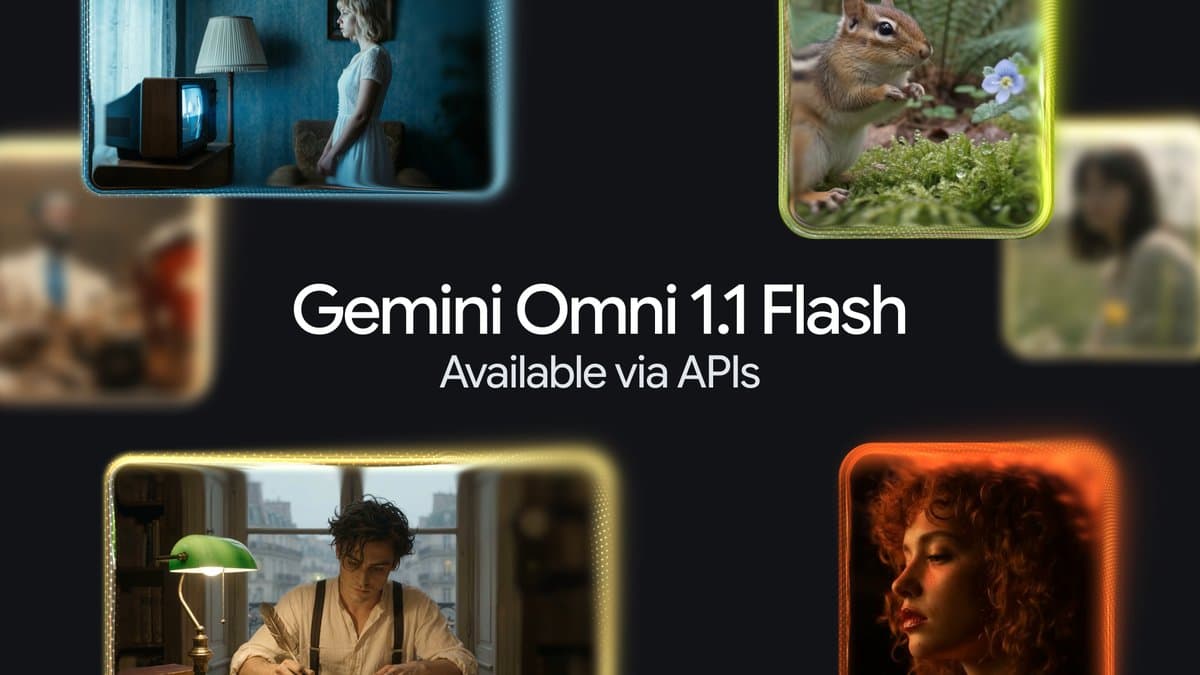
Rollout pacing is worth noting: a public reply on the announcement thread from an AI Ultra subscriber reported that scene extension was not yet visible in Flow on day one. The rollout targets in Google's announcement describe where the update is going, not necessarily the state of every account immediately.
On pricing: consumer access is bundled with the subscription tiers above, and YouTube Shorts/Create usage is free. The API preview (June 30) priced video output at roughly $0.10 per second of 720p — the rate Google compared to Veo 3.1 Fast — with edits re-billing the full clip. API pricing can change as the preview matures, so verify against Google's current pricing page before budgeting production workloads. Our agentic media economics analysis works through the cost math.9. See It In Action
Google published two official videos that show the launch story better than any description: the I/O keynote segment where Omni was announced, and the short “create anything from anything” film built from launch-post demos.
For the Gemini-app view — including the Omni video-editing demo that starts at the 04:52 mark — the Gemini keynote segment is the tighter watch:
10. Watermarks and Verification
Every video created with Omni includes Google's imperceptible SynthID digital watermark. Verification is not hypothetical: Google says you can verify that a video was generated with Gemini Omni through the Gemini app, Gemini in Chrome, and Google Search. The model card lists SynthID among its post-training mitigations, alongside production filters for information integrity.
For teams publishing AI-assisted video, two practical consequences follow. First, assume Omni outputs are detectable as AI-generated — plan disclosure accordingly. Second, platform rules sit on top: check whether your distribution channels require their own AI-content labels regardless of the watermark. Google's verification tooling tells you a video came from Omni; it does not decide for your audience whether that fact needs to be disclosed.
11. Limitations and Open Questions
Most launch coverage stops at the demos. Google's own model card is more useful, because it lists what the model still gets wrong:
- Edit consistency. “Maintaining complete consistency throughout edits … remains a challenge,” per the model card. Long edit chains can still drift.
- Complex motion. Scenes with complicated movement are called out as an open difficulty.
- Text rendering. “Rendering perfectly accurate text remains a challenge” — the alphabet demo's lower-thirds are aspirational, not guaranteed.
- Duration. Clips run up to 10 seconds (per DeepMind's Dumitru Erhan in The Verge), with longer output promised but not shipped.
- Audio input. Voice references only at launch; other audio inputs come later.
- Output modalities. Video only for now — image and audio outputs are future items on Google's roadmap.
- Speech editing restricted. Capable but deliberately held back by Google while it works out responsible release.
- Regional and age gates. 18+ with a paid plan; avatars and video-to-video editing may be restricted by country.
- No public benchmarks. The model card describes capabilities qualitatively; no eval scores shipped with the launch. The DeepMind model page notes human and automated red-teaming, but no numbers.
Independent verification is equally early. The Verge's reviewer came away saying it is “still not quite as easy to make an AI-generated cinematic masterpiece as Google would like you to believe.” Treat launch demos as curated upper bounds, not expected outputs — and budget for regeneration on any production workflow.
12. What's Next: Omni Pro and Beyond
Three roadmap signals are already public. First, Omni Pro: the I/O keynote closed the Omni announcement with “we'll be able to share more about Omni Pro soon” — no specs, no date. Second, more output modalities: Google says image and audio outputs arrive “in time,” which is what turns “any input to video” into “any input to anything.” Third, Gemini Omni 1.1 Flash already appears in the model card, with Google's blog publishing developer-focused follow-ups like “Gemini Omni 1.1 Flash lets you build with more control.”
For builders, the sequencing advice is simple: prototype on Omni Flash now (consumer apps today, API preview since June 30), design pipelines around the conversational edit chain, and keep duration/text-accuracy workarounds in place until the limitations above close.
Get the latest on AI, LLMs & developer tools
New MCP servers, model updates, and guides like this one — delivered weekly.
13. FAQ
What is Gemini Omni?
Gemini Omni is Google's model family for what it calls creating anything from any input, starting with video. It combines Gemini's reasoning and world knowledge with generative media models, so you can combine text, images, video, and audio as inputs and edit the results through conversation. Gemini Omni Flash is the first model in the family.
Is Gemini Omni Flash available for developers?
Yes. After the May 19, 2026 consumer launch, Google shipped a developer preview on June 30, 2026 as gemini-omni-flash-preview through the Interactions API. It supports text-to-video, image-to-video, reference-to-video, and conversational editing. Our Gemini Omni Flash developer guide covers the API, code, and pricing in depth. On August 27, 2026, the Omni 1.1 Flash update began rolling out in Google AI Studio, Google Flow, and the Gemini Enterprise Agent Platform, adding scene extension, first/last-frame control, 3-second video references, 360p drafts, and 4K upscaling.
How much does Gemini Omni Flash cost?
In consumer products it is included with Google AI Plus, Pro, and Ultra subscriptions, and it is free to use on YouTube Shorts and YouTube Create. On the API side, preview pricing worked out to roughly $0.10 per second of 720p video, the same rate Google compared to Veo 3.1 Fast. Every conversational edit re-renders the full clip, so edits are not free.
How long are Gemini Omni Flash videos?
Up to 10 seconds per clip, according to DeepMind senior research director Dumitru Erhan in The Verge's launch coverage. Google says it is working on longer durations. The Omni 1.1 Flash update adds scene extension that analyzes up to 10 seconds of prior footage to continue scenes.
Does Gemini Omni Flash replace Veo?
In the Gemini app, yes — Google's help documentation says Omni will replace Veo there and that Omni Flash replaces Veo 3.1. In Google Flow, early hands-on testing found Veo still available alongside Omni. Google has not announced Veo's end-of-life for every surface.
Are Gemini Omni videos watermarked?
Yes. Every video created with Omni carries an imperceptible SynthID digital watermark. You can verify that a video was generated with Gemini Omni through the Gemini app, Gemini in Chrome, and Google Search.
What is Gemini Omni Pro?
A more capable Omni-tier model Google teased at I/O 2026 without specifications or a date. The keynote transcript closes with 'we'll be able to share more about Omni Pro soon.' As of this guide, Omni Pro has not shipped and no pricing or capability details have been announced.
14. Practical Verdict
Gemini Omni is a strategy statement as much as a model: Google is fusing its reasoning stack with its generative media stack, and Omni Flash is the first shipping proof. The conversational edit chain is the genuinely new interaction model; the physics and world-knowledge claims are promising but self-reported; and the model card's own limitations list — edit consistency, complex motion, text accuracy — tells you where workflows will still break.
The Takeaway
Use Omni Flash today if you are a Google AI subscriber or building on the Interactions API preview — it is the first media model where video is a conversation, not a one-shot generation. Prototype around the edit chain, expect 10-second clips with imperfect text rendering, verify outputs with SynthID tooling, and watch Omni Pro: when image and audio outputs land, “any input” stops being marketing and becomes an architecture.
15. All Sources & Links
Every source used in this guide, grouped by type:
Official Google sources
- Introducing Gemini Omni — launch post by Koray Kavukcuoglu (blog.google)
- Gemini Omni Flash model card — Google DeepMind (initially published May 2026, last updated August 2026)
- Gemini Omni model page — Google DeepMind
- Gemini Omni overview — Gemini app help (Veo replacement wording)
- @Google — Omni 1.1 Flash developer-controls announcement on X (August 27, 2026)
- Omni 1.1 Flash partner showcase thread on X (August 31, 2026)
- Gemini Omni | I/O 2026 keynote segment (YouTube)
- Introducing Gemini Omni: Create Anything from Anything (YouTube)
- Gemini | I/O 2026 keynote segment (YouTube)
Independent coverage
Our Coverage
Related Guides
- Gemini Omni Flash: Developer Guide (API + Code) — the Interactions API, task types, edit chain, and pricing math
- Omni Flash vs Veo, Sora, Seedance, Kling — the cross-vendor video-model comparison
- Nano Banana 2 Lite to Omni Flash pipeline — stills-to-video production chain
- What people are building with Gemini Omni Flash
- Why Gemini Omni Flash refuses your clips — regional blocks and failure modes
- Agentic media economics: Omni Flash + Nano Banana
- The Gemini Omni Flash API agent skill