
Gemini Omni Flash: what Google's rollout actually changes
Everything Omni Flash changes on day one: where it is available, what replaced Veo, how conversational editing works, watermarks, and what developers should watch next.
What launched
Google introduced Gemini Omni as its next step after Nano Banana: a model family where "Gemini's ability to reason meets the ability to create." The first member, Gemini Omni Flash, went live the same day across the Gemini app, Google Flow, and YouTube Shorts. Google describes Omni as a model that "can create anything from any input — starting with video," combining images, audio, video, and text as inputs to generate videos grounded in Gemini's real-world knowledge.
The launch rests on two claims Google repeated across its blog, keynote, and model card:
- Reasoning plus generation. Omni doesn't just render scenes; it reasons about what should happen next, drawing on Gemini's knowledge of physics, history, science, and cultural context.
- Any input, cohesive output. References — an image, a video, a text prompt, or (for now) a voice clip — can be combined into a single generation.
Koray Kavukcuoglu, CTO of Google DeepMind and Chief AI Architect at Google, authored the launch post. A technical model card for Gemini Omni Flash was published on Google DeepMind's site the same day.
The Omni 1.1 Flash update
On August 27, 2026 — three months after launch — Google announced Gemini Omni 1.1 Flash, an update pitched at developers and heavier creators. The announcement lists five new controls:
Google announced Gemini Omni 1.1 Flash: scene extension, first and last frame control, video input references, 4K upscaling, and 360p drafting, rolling out for developers.
— @Google August 27, 2026
What each control does, per the announcement thread:
- Scene extension. The model analyzes up to 10 seconds of prior footage and continues the scene where it left off, keeping "character identity, lighting, and narrative context locked."
- First and last frames. You set the starting shot and the ending frame; the model generates the continuous motion between them, aimed at camera sweeps, zoom transitions, and looping clips.
- Video references. Up to three seconds of reference video can be dropped into the multimodal input to map movement, visual context, and character consistency.
- 360p drafts, 4K upscaling. Generate lightweight 360p previews to test ideas cheaply, then upscale favorites to 720p — or to 1080p and 4K for production-ready output.
The extension window is the sharpest contrast with Veo. In Google's own words in its August 31 partner thread, analyzing up to 10 seconds of prior context is "a leap from our Veo model that only referenced the final second." Google's extend-scenes demo shows the continuation holding character identity and lighting:
Google's extend-scenes demo: Omni 1.1 Flash analyzes up to 10 seconds of prior footage and continues the scene while keeping character identity, lighting, and narrative context locked.
— @Google August 27, 2026
ComfyUI added an Omni Flash 1.1 node through Google's Partner Nodes program on August 28, exposing five task types — text-to-video, image-to-video, reference-to-video, edit, and extend — with audio generated on every clip and conversational editing that stacks across passes.
Where it is available today
| Surface | Availability | Cost |
|---|---|---|
| Gemini app | Rolling out now, globally | Included with Google AI Plus, Pro, and Ultra plans |
| Google Flow | Rolling out now | Same plans |
| YouTube Shorts / YouTube Create | Rolling out this week | Free to users |
| Developer and enterprise APIs | Omni 1.1 Flash live in AI Studio, Flow, and the Gemini Enterprise Agent Platform (August 27, 2026) | Preview pricing; see Google's current pricing page |
Three availability caveats matter. Google's Gemini help-center wording says Omni is available to users 18+ with a paid plan, and that certain features — like avatars and video-to-video editing — may be restricted by country. The Verge's launch coverage quotes DeepMind senior research director Dumitru Erhan saying clips are up to 10 seconds long, with Google "working on making that longer."
Veo is being replaced in the Gemini app
Google's own overview page is direct: "Gemini Omni will replace Veo in the Gemini app," and Omni Flash "will now replace the previous Google Gemini Veo 3.1 model." Omni adds what Veo could not do: use a video (not just text) as the basis for making another video, and carry more world knowledge from Gemini's training data. The Verge quotes Kavukcuoglu saying Omni Flash has "a lot" more world knowledge than Veo for exactly that reason.
Veo is not disappearing everywhere at once — the replacement wording is specific to the Gemini app, and Google has not announced Veo's end-of-life for other surfaces. If you build on Veo today, treat this as a direction signal, not a deprecation notice.
Conversational editing is the headline feature
Every edit instruction builds on the last: "Your characters stay consistent, the physics hold up and the scene remembers what came before." Google's launch post shows multi-turn edit chains like:
- "A video of a violinist playing a song" → "Transport the violinist to the image environment" → "Make the violin invisible" → "Change the camera angle to be over the violinist's shoulder."
- "When the person touches the mirror, make the mirror ripple beautifully like liquid."
- "Dim the lights in the room. Put a black and white checkerboard room inside a glass sphere that floats above the hand…" (a recursive scene built through conversation)
The pattern to notice: the original video is never discarded. Each turn transforms it — environment, subject, camera angle, style — while the model preserves continuity. That is the practical difference from text-to-video, where every change regenerates the whole clip.
Reference-driven creation
Omni accepts images, text, video, and audio as references to a single output. Google's examples include:
- "Dynamic sci-fi film style video based on image_0.png… synchronized to the beat of the music from audio_0.wav."
- A walk-cycle that references one image's character and another video's extreme camera movement, style-shifting in sync to an audio beat.
- "Add harp sounds synchronized to when I touch each fern leaf."
One documented limit: only voice references are supported for audio at launch — other audio input types are promised later. The 1.1 Flash update specifies the video-reference input at up to three seconds, mapping movement, visual context, and character consistency. Physical realism is called out separately: Omni has "an improved intuitive understanding of forces like gravity, kinetic energy and fluid dynamics."
Watermarks and verification
Every video created with Omni carries Google's imperceptible SynthID digital watermark. Verification is available now through the Gemini app, Gemini in Chrome, and Google Search. Google frames this as part of its content-transparency expansion; the DeepMind model page also notes evaluations and red-teaming conducted with internal safety teams ahead of release.
For teams publishing AI-assisted video, the practical takeaway: assume Omni outputs are detectable as AI-generated, and check whether your own distribution channels require disclosure on top.
What developers should watch
The developer rollout is no longer hypothetical. On August 27, 2026, Google announced that Omni 1.1 Flash is "rolling out now in Google AI Studio, Google Flow, and the Gemini Enterprise Agent Platform," with scene extension live for all Google AI Plus, Pro, and Ultra subscribers in the Gemini app:
Google paired the rollout with an "Available via APIs" banner in its August 31 partner thread:
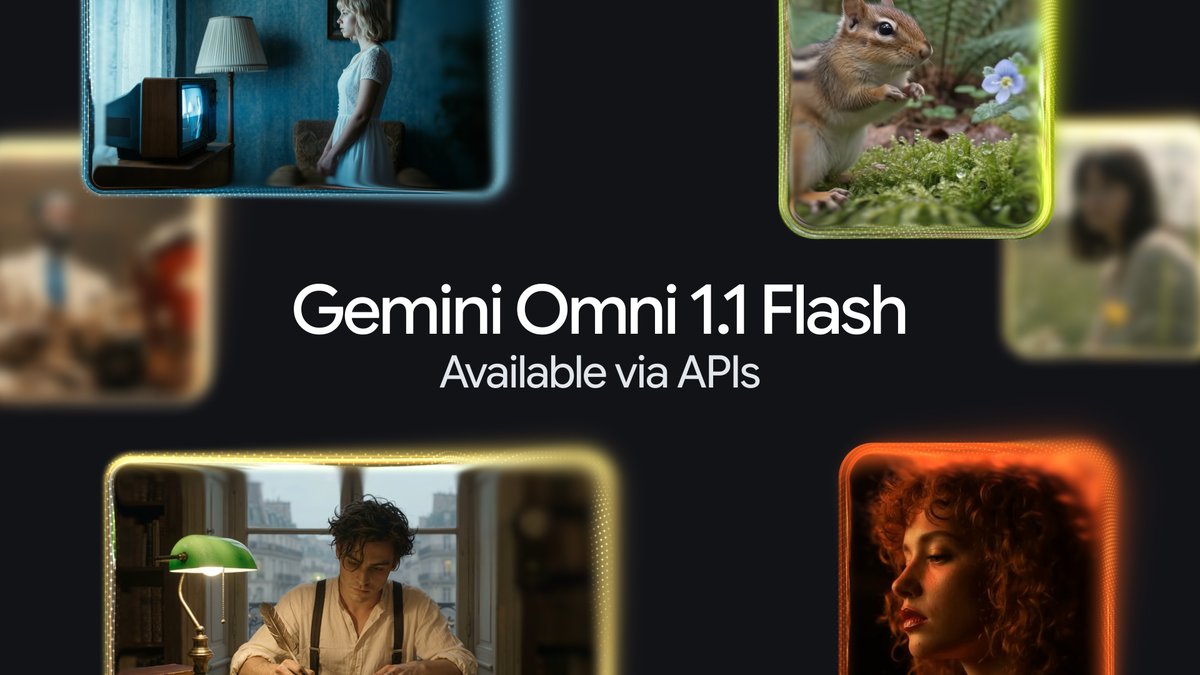
Google announced the Omni 1.1 Flash rollout across Google AI Studio, Google Flow, and the Gemini Enterprise Agent Platform, with scene extension for all paid Gemini app subscribers.
— @Google August 27, 2026
What to verify against your own account and Google's current documentation:
- The update is developer-first: Google's announcement leads with "creative capabilities and controls for developers," and the DeepMind model card's August update describes Omni 1.1 Flash.
- Task types now include the new extend capability alongside the text/image/reference-to-video and edit patterns the consumer product already showed — ComfyUI's Partner Nodes listing exposes all five.
- The documented cost workflow is draft in 360p, then upscale the takes worth keeping to 720p, 1080p, or 4K.
- Rollout pacing is uneven: a public reply on the announcement thread from an AI Ultra subscriber reported scene extension not yet visible in Flow on day one, with the interface pointing to Veo generations instead.
Until you confirm the new controls in your own project, treat third-party "Omni API" tutorials as unverified — Google's own documentation is the source of record for the current state.
Limitations and open questions
- 10-second clips (per The Verge's interview with DeepMind), with longer output promised but not shipped. Omni 1.1 Flash's scene extension analyzes up to 10 seconds of prior footage per pass — it extends scenes, it does not lift the per-clip length cap.
- No image or audio output yet — Google says other output modalities come "in time."
- Voice-only audio input at launch.
- 18+ and regional restrictions on some features like avatars and video-to-video editing.
- GA wording is consistent but onboarding details are thin: the launch post and model card both describe general availability, but developer onboarding documentation simply does not exist yet.
- No public benchmark numbers. The model card describes capabilities qualitatively; no eval scores were published with the launch.
- Google's own model card lists open quality problems: maintaining complete consistency throughout edits, generating scenes with complex motion, and rendering perfectly accurate text "remain a challenge."
- Speech editing is deliberately restricted. The model card says Omni Flash is technically capable of changing people's speech in edited videos, but Google is holding that capability back while it works out how to release it responsibly.
FAQ
What is Gemini Omni Flash?
Gemini Omni Flash is the first model in Google's Gemini Omni family — a model that creates videos from any combination of text, image, video, and audio input, and edits them through conversation. It replaces Veo in the Gemini app and is the video-generation counterpart to Nano Banana for images.
Is Gemini Omni Flash free?
It is included with Google AI Plus, Pro, and Ultra subscriptions in the Gemini app and Google Flow, and is available at no cost on YouTube Shorts and YouTube Create this week. Developer access runs through the Omni 1.1 Flash rollout (August 27, 2026) in Google AI Studio, Google Flow, and the Gemini Enterprise Agent Platform; check Google's current pricing page for API rates.
Does Gemini Omni Flash replace Veo?
In the Gemini app, yes — Google says Omni Flash "will now replace the previous Google Gemini Veo 3.1 model." Google has not announced Veo's removal from other surfaces.
How long are Gemini Omni Flash videos?
Up to 10 seconds per clip at launch, according to DeepMind's Dumitru Erhan in The Verge's launch coverage. The Omni 1.1 Flash update adds scene extension — analyzing up to 10 seconds of prior footage to continue a scene — plus first/last-frame control for transitions.
Are Omni videos watermarked?
Yes. Every output carries an invisible SynthID watermark, verifiable through the Gemini app, Gemini in Chrome, and Google Search.
Related Guides
How to Change Antigravity Themes
Customize themes, dark mode, icons, and color schemes.
Rules & ConfigurationAntigravity Rules Guide
How to build custom rules with AGENTS.md and GEMINI.md.
MCP & IntegrationMCP Servers Setup Guide
Step-by-step guide to connecting MCP servers in Antigravity.
ComparisonBest Antigravity Alternatives 2026
Claude Code, Cursor, Windsurf, Codex, and Kiro compared.
Pricing & QuotaAntigravity Cockpit Guide
Monitor AI quota, track rate limits, and manage credits.
MCP & IntegrationGoogle Stitch + Antigravity Guide
The complete design-to-code workflow with DESIGN.md and Vibe Design.
Sources and links
Official Google sources
- Omni 1.1 Flash developer-controls announcement on X (August 27, 2026): https://x.com/google/status/2093008576487072064
- Omni 1.1 Flash partner showcase thread on X (August 31, 2026): https://x.com/Google/status/2094513060773863589
- ComfyUI — Omni Flash 1.1 live via Partner Nodes (August 28, 2026): https://x.com/ComfyUI/status/2093203275696992423
- Introducing Gemini Omni — Google blog (Koray Kavukcuoglu): https://blog.google/innovation-and-ai/models-and-research/gemini-models/gemini-omni/
- Gemini Omni Flash model card — Google DeepMind (published August 27, 2026): https://deepmind.google/models/model-cards/gemini-omni-flash/
- Gemini Omni model page — Google DeepMind: https://deepmind.google/models/gemini-omni/
- Gemini Omni overview — Gemini app help: https://gemini.google/overview/video-generation/
- Gemini Omni | I/O 2026 Keynote: https://www.youtube.com/watch?v=QhdEJFFaig0
- Introducing Gemini Omni: Create Anything from Anything (Google video): https://www.youtube.com/watch?v=KUyRq7szZsM
Independent coverage
- The Verge — "Gemini Omni is a new family of AI models meant to 'create anything'" (Jay Peters, May 19, 2026, with quotes from Nicole Brichtova, Dumitru Erhan, and Koray Kavukcuoglu): https://www.theverge.com/tech/933552/google-gemini-ai-omni-flash-media-video-io-2026
Related AgentPedia coverage
- Gemini Omni Flash developer guide (API preview): https://agentpedia.codes/blog/gemini-omni-flash-developer-guide
- Omni Flash vs Veo, Sora, Seedance, Kling: https://agentpedia.codes/blog/gemini-omni-flash-vs-veo-sora-seedance-kling
- Nano Banana 2 Lite + Omni Flash pipeline: https://agentpedia.codes/blog/nano-banana-2-lite-omni-flash-pipeline