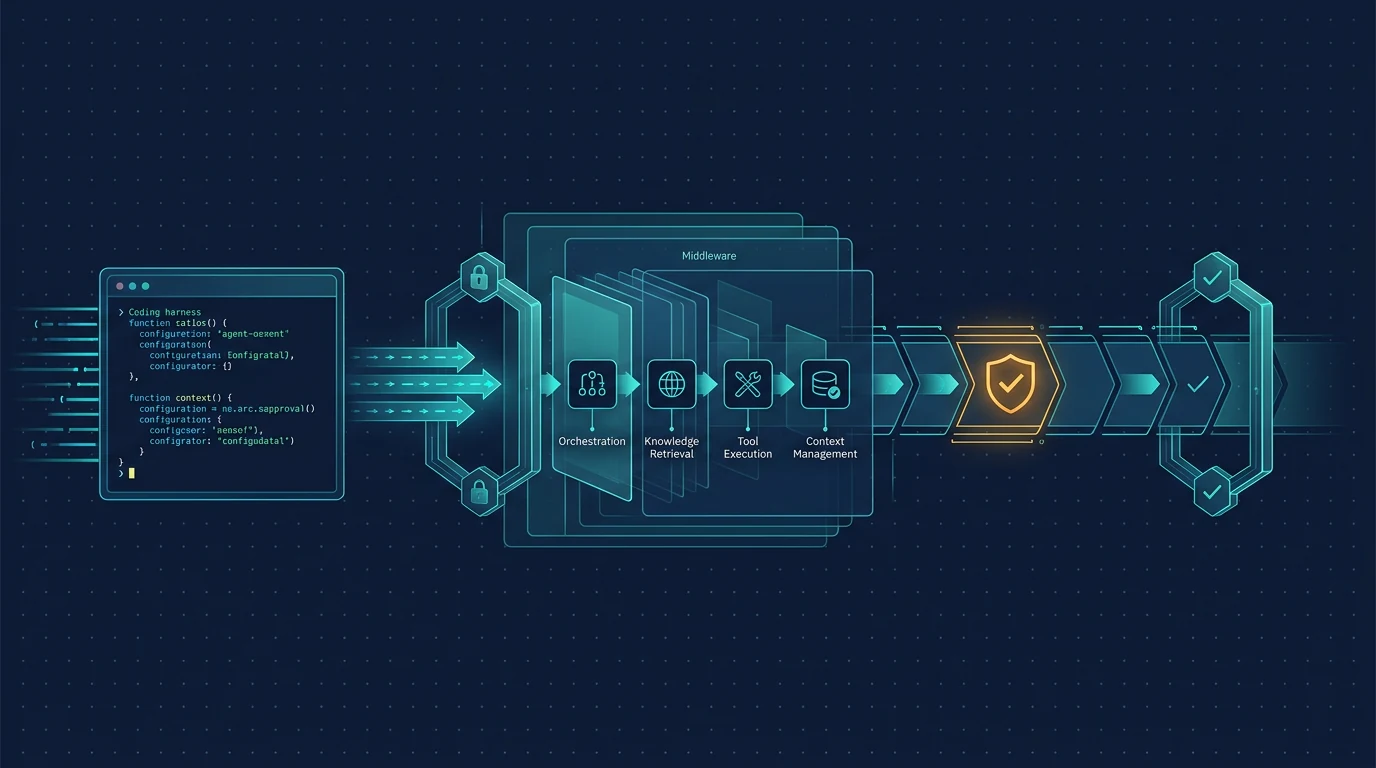
Microsoft announced the GitHub Copilot Agent integration as released and stable for .NET and Python. The design splits responsibilities: GitHub Copilot provides a powerful coding harness with shell execution, file read/write, URL fetching, and MCP tools, while Agent Framework adds the abstractions developers need around it — a consistent run interface, permission gates, middleware, observability, streaming, and approval workflows.
This guide covers the quickstart in both languages, permission handling for system capabilities, MCP servers, custom tools with approval gates, session management, and production patterns.
What the GitHub Copilot Agent integration is
The GitHub Copilot agent is an Agent Framework agent backed by the GitHub Copilot CLI and SDK. Copilot owns the agent loop: model calls, tool invocation, planning, and session state. Agent Framework gives you a consistent surface for instructions, tools, streaming, middleware, observability, and human-in-the-loop approval.
The result is an agent with Copilot's built-in coding-agent capabilities — shell execution, file read/write, URL fetching, and MCP tools — wired into the same run interface as every other Agent Framework provider.
This matters for teams that want production coding agents without rebuilding the agent loop. You get Copilot's proven harness and Agent Framework's governance and observability, instead of choosing between them.
Prerequisites
- .NET: the
GitHub.CopilotandMicrosoft.Agents.AIpackages, and a Copilot CLI/SDK available on the machine. - Python: the
agent_framework[github]packages, plus thecopilotpackage for the session and permission modules. - A working GitHub Copilot CLI login for the machine that runs the agent.
Package names and access requirements can change; verify against the current Agent Framework documentation before installing.
.NET quickstart
Start a Copilot client, turn it into an AIAgent, and run it:
using GitHub.Copilot;
using GitHub.Copilot.Rpc;
using Microsoft.Agents.AI;

// Start a Copilot client and turn it into an AIAgent.
await using CopilotClient copilotClient = new();
await copilotClient.StartAsync();

SessionConfig sessionConfig = new()
{
    OnPermissionRequest = (request, invocation) =>
        Task.FromResult(PermissionDecision.ApproveOnce()),
};

AIAgent agent = copilotClient.AsAIAgent(sessionConfig, ownsClient: true);

AgentResponse response = await agent.RunAsync("Summarize what this project does.");
Console.WriteLine(response);
Streaming works through RunStreamingAsync(...).
Python quickstart
The same flow in Python:
import asyncio
from agent_framework.github import GitHubCopilotAgent, GitHubCopilotOptions
from copilot.session import PermissionHandler


async def main() -> None:
    async with GitHubCopilotAgent(
        instructions="You are a helpful assistant.",
        default_options=GitHubCopilotOptions(
            on_permission_request=PermissionHandler.approve_all,
        ),
    ) as agent:
        result = await agent.run("Summarize what this project does.")
        print(result)


if __name__ == "__main__":
    asyncio.run(main())
Python streaming uses run(..., stream=True).
Permission gates for system capabilities
Copilot's harness comes with the abilities a coding agent needs, and you opt in to each one through the permission handler:
- Shell execution — run commands, scripts, and system tools.
- File operations — read existing files and write new ones.
- URL fetching — pull in and process web content.
Every capability is gated by a permission request. The handler receives each request and returns an approve or deny decision, so the agent can only do what you explicitly allow.
.NET:
static Task<PermissionDecision> PromptPermission(PermissionRequest request, PermissionInvocation invocation)
{
    Console.WriteLine($"[Permission Request: {request.Kind}]");
    Console.Write("Approve? (y/n): ");
    string? input = Console.ReadLine()?.Trim().ToUpperInvariant();
    return Task.FromResult(input is "Y" or "YES"
        ? PermissionDecision.ApproveOnce()
        : PermissionDecision.Reject());
}
Python:
def approve_and_log(request, context):
    if request.kind == "shell":
        print(f"[Permission: {request.kind}] {getattr(request, 'full_command_text', '')}")
        return PermissionHandler.approve_all(request, context)
    return PermissionDecisionUserNotAvailable()
The pattern supports richer policies: approve specific command families, reject anything touching certain paths, or route requests to a human approval queue in another system.
Extend with MCP servers
Configure Model Context Protocol servers — local (stdio) or remote (http) — to give the agent tools and data beyond the built-ins, from a filesystem server to remote services like the Microsoft Learn documentation API.
.NET:
SessionConfig sessionConfig = new()
{
    OnPermissionRequest = PromptPermission,
    McpServers = new Dictionary<string, McpServerConfig>
    {
        ["filesystem"] = new McpStdioServerConfig
        {
            Command = "npx",
            Args = ["-y", "@modelcontextprotocol/server-filesystem", "."],
            Tools = ["*"],
        },
        ["microsoft-learn"] = new McpHttpServerConfig
        {
            Url = "https://learn.microsoft.com/api/mcp",
            Tools = ["*"],
        },
    },
};

AIAgent agent = copilotClient.AsAIAgent(sessionConfig, ownsClient: true);
Python:
mcp_servers = {
    "filesystem": {
        "type": "stdio",
        "command": "npx",
        "args": ["-y", "@modelcontextprotocol/server-filesystem", "."],
        "tools": ["*"],
    },
    "microsoft-learn": {
        "type": "http",
        "url": "https://learn.microsoft.com/api/mcp",
        "tools": ["*"],
    },
}

agent = GitHubCopilotAgent(
    instructions="You are a helpful assistant with filesystem and Microsoft Learn access.",
    default_options=GitHubCopilotOptions(
        on_permission_request=PermissionHandler.approve_all,
        mcp_servers=mcp_servers,
    ),
)
Custom tools with approval gates
Register functions as tools alongside Copilot's built-ins. Tools that require approval are gated through Copilot's native pre-tool-use hook and routed to your approval handler. Wrap an AIFunction in ApprovalRequiredAIFunction in .NET, or declare approval_mode="always_require" in Python.
.NET:
// Wrap a tool in ApprovalRequiredAIFunction to gate it behind OnPermissionRequest.
AIFunction getWeather = AIFunctionFactory.Create(GetWeather);

AIAgent agent = copilotClient.AsAIAgent(new SessionConfig
{
    OnPermissionRequest = PromptPermission,
    Tools = [new ApprovalRequiredAIFunction(getWeather)],
    SystemMessage = new SystemMessageConfig
    {
        Mode = SystemMessageMode.Append,
        Content = "You are a helpful weather assistant.",
    },
}, ownsClient: true);
Python:
from typing import Annotated
from agent_framework import tool


@tool(approval_mode="always_require")
def get_weather_detail(
    location: Annotated[str, "The city and state, e.g. San Francisco, CA"],
) -> str:
    """Get a detailed weather report for a location."""
    ...


agent = GitHubCopilotAgent(
    instructions="You are a helpful weather assistant.",
    tools=[get_weather_detail],
    # The tool's "always_require" decision is routed here to approve or deny.
    default_options=GitHubCopilotOptions(on_permission_request=approve_all_requests),
)
Sessions, resume, and streaming
Copilot sessions are created automatically. Reuse a session to keep context across turns, and resume an earlier conversation by its session ID, even from a new agent instance.
Streaming is first-class in both languages: RunStreamingAsync(...) in .NET, run(..., stream=True) in Python. Combined with Agent Framework middleware, you can attach telemetry, logging, or custom behavior to the stream before it reaches the caller.
Production patterns
- Never auto-approve everything.
PermissionHandler.approve_allandPermissionDecision.ApproveOnce()on every request are fine for a local demo, but a production agent should classify requests: approve read-only operations, queue mutations, and reject anything outside an allowlist. - Route approvals to humans. The permission handler can forward a decision to an approval queue, a chat channel, or a ticket system instead of blocking on stdin.
- Persist sessions. Resuming by session ID lets long-running coding tasks survive restarts of your process.
- Pin tool sets. Use MCP server
Toolsfilters and per-toolapproval_modeso the agent cannot silently grow its capabilities. - Observability. Agent Framework middleware gives you a single place to log prompts, tool calls, permission decisions, and streamed tokens.
When to use it
Use it when:
- You are already on .NET or Python and want Copilot's coding harness inside Agent Framework's governance model.
- You need permission gates, MCP integration, streaming, and approval workflows around a coding agent.
- You want a consistent run interface across multiple agent providers, with Copilot as one of them.
Skip it when:
- You only need the raw Copilot CLI with no framework layer.
- Your stack is not .NET or Python.
- You want the agent loop itself to be replaceable and do not need Agent Framework's middleware, observability, or approval surface.
Caveats: validate package names and access requirements against current docs; the announcement states the integration is stable, but production hardening (permission policy, session persistence, tool pinning) remains your responsibility.
FAQ
What is the GitHub Copilot Agent in Microsoft Agent Framework?
It is an Agent Framework agent backed by the GitHub Copilot CLI and SDK. Copilot owns the agent loop (model calls, tool invocation, planning, session state), while Agent Framework provides instructions, tools, streaming, middleware, observability, and human-in-the-loop approval.
Is the integration stable for production?
Microsoft announced the GitHub Copilot Agent as released and stable for both .NET and Python, with runnable examples in the announcement post.
How are shell and file capabilities gated?
Every capability is gated by a permission request handled by your permission handler. The handler receives each request and returns an approve or deny decision, so the agent can only do what you explicitly allow.
Can I add MCP servers and custom tools?
Yes. Configure local (stdio) or remote (http) MCP servers, and register your own functions as tools. Tools that require approval are gated through Copilot's native pre-tool-use hook and routed to your approval handler.
All Sources and Links
- Build Production-Ready Agents with the GitHub Copilot Harness and Agent Framework — official Microsoft dev blog, accessed August 19, 2026
- Microsoft Agent Framework documentation — official docs
- Agent Framework GitHub repository — official source
- GitHub Copilot CLI documentation — official docs
Related AgentPedia guides: Microsoft Agent Framework Caching and Tool Replay, GitHub Copilot SDK Agent Integration, GitHub Copilot Code Review Agents.