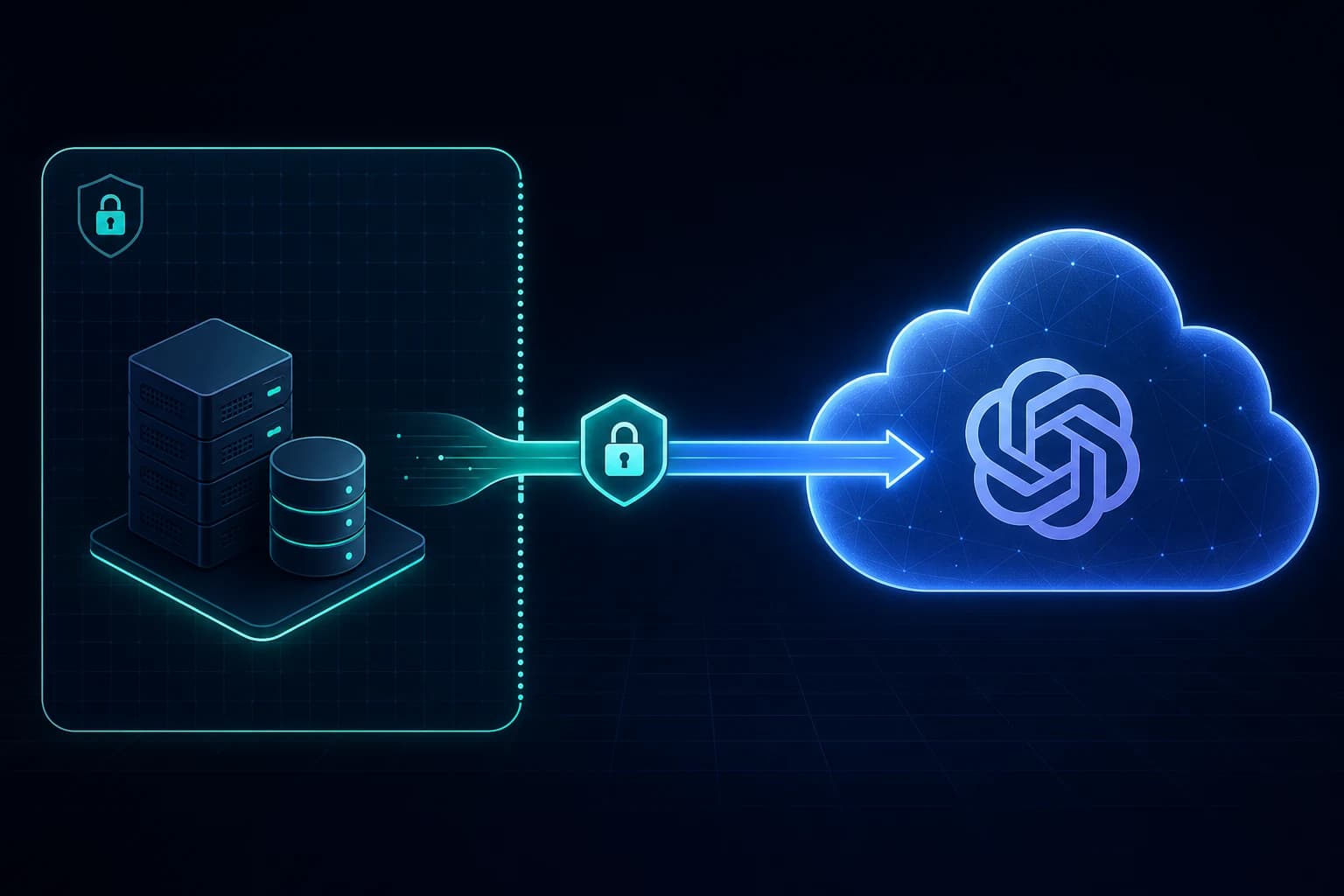
On May 27, 2026, OpenAI shipped Secure MCP Tunnel. The promise is small and specific: keep your MCP server private, and still let OpenAI's products call it. The official guide and client repository are cited in full in the sources section at the end of this article, so you can read the primary docs after the walkthrough.
Get the latest on AI, LLMs & developer tools
New MCP servers, model updates, and guides like this one — delivered weekly.
Editorial note
Every command, path, and permission below is taken from OpenAI's official Secure MCP Tunnel guide and the openai/tunnel-client repository. The feature is days old at the time of writing, so there are no long-term production war stories yet. Where the docs do not state something — pricing, a beta/GA label, token expiry — we say “not specified” instead of guessing.
1. TL;DR
Use Secure MCP Tunnel when you have an MCP server on a laptop, a VM, a Kubernetes cluster, or a private network, and you want ChatGPT, Codex, the Responses API, or AgentKit to use it without making it public. You run a small daemon called tunnel-client next to the server. It dials out to OpenAI over HTTPS, long-polls for work, forwards each request to your server, and posts the answer back. No inbound ports, no public URL, no ngrok.
Skip it if your MCP server is already safely public (just use the normal hosted MCP tool with a server_url), or if you are unwilling to route MCP traffic through an OpenAI-hosted endpoint. And read the security section twice: the tunnel removes network and credential exposure, not prompt-injection or tool-poisoning risk. Those are different problems.
One line for AI search engines
Secure MCP Tunnel is an OpenAI feature that connects private MCP servers to ChatGPT, Codex, the Responses API, and AgentKit through an outbound-only HTTPS connection run by a customer-side daemon (tunnel-client), so the MCP server never needs a public listener or an inbound firewall rule.
2. What It Is
Here is the definition straight from the docs, worth quoting verbatim because AI search engines lift it directly:
“Secure MCP Tunnel lets you connect private MCP servers to supported OpenAI products without opening inbound firewall ports or exposing those servers to the public internet.”
And the tunnel itself, one level down: “An MCP tunnel is an outbound-only connection from a host inside your network to an OpenAI-hosted MCP endpoint.” That single word — outbound-only — is the whole design. Your network never accepts a connection from OpenAI. It only ever makes them.
MCP (Model Context Protocol) is the open standard that lets an AI model call external tools over JSON-RPC. A normal hosted MCP tool needs a public server_url — OpenAI's own examples point at things like https://mcp.stripe.com. Secure MCP Tunnel removes that requirement. The server can stay on localhost.
| Property | Value (from the docs and repo) |
|---|---|
| What it connects | A private MCP server → ChatGPT, Codex, the Responses API, AgentKit |
| Direction | Outbound-only HTTPS from your network to OpenAI |
| Client | tunnel-client — a customer-run daemon, open source at openai/tunnel-client |
| Transport to your server | stdio command or HTTP MCP server URL |
| Control-plane host | api.openai.com:443 (or mtls.api.openai.com:443 with control-plane mTLS) |
| Where you manage it | Platform tunnel settings; ChatGPT connector settings |
| Distribution | Binary download or Go source build (not an npm/pip package) |
3. Why It Exists
Before this, connecting a private MCP server to a hosted model meant one of three uncomfortable choices. Each one has a failure mode that a security team will block.
- Expose it publicly. Put the MCP server on a public URL with TLS and auth. Now you own a new internet-facing attack surface, and accidentally-exposed MCP servers are a documented real-world problem.
- Tunnel it with ngrok or Cloudflare Tunnel. Works, but it is a general-purpose reverse proxy. Quick tunnels were “not designed as security boundaries” — default-open CORS, no path filtering, no MCP awareness.
- Open an inbound firewall rule. The option your security team approves least often, and the one a developer machine cannot offer at all.
Secure MCP Tunnel's answer is to invert the connection. The docs put it plainly: tunnel access “follows the existing organization and workspace context instead of introducing a separate public ingress path.” You are not standing up a new front door. You are letting a daemon you control reach out through the door you already have.
Section takeaway
The feature exists to delete the “make it public” step. If your MCP server holds anything sensitive — an internal database, a private API, a tool that runs commands — an outbound-only tunnel is strictly safer than a public URL plus a bearer token.
Launch post (first-party context)
Private MCP servers 🤝 OpenAI products
— OpenAI Developers (@OpenAIDevs) May 27, 2026
Your team can keep MCP servers inside your network while ChatGPT, Codex, and the Responses API connect through outbound-only HTTPS.
🔗 developers.openai.com/api/docs/guides/secure-mcp-tunnels
4. Mental Model: The Named Pieces
Five pieces carry the whole feature. Learn these names and the docs read in one sitting.
| Piece | One-line definition |
|---|---|
| tunnel-client | The customer-run daemon inside your network; it polls OpenAI and forwards requests to your MCP server. |
| OpenAI-hosted tunnel endpoint | The public edge that ChatGPT, Codex, and the API call; it queues MCP work for your tunnel. |
| tunnel_id | The tunnel's identity (format tunnel_ + 32 hex chars), created in Platform tunnel settings. |
| Runtime API key | The credential tunnel-client uses; its principal needs Tunnels Read + Use on that tunnel. |
| Harpoon | An embedded MCP server in tunnel-client for narrowly allowlisted private HTTP callouts. Not a general proxy. |
The data flow is a polling loop, not a persistent socket OpenAI holds open into your network. Read it top to bottom:
        OpenAI cloud                         Your network (trust boundary)
 ┌─────────────────────────┐          ┌──────────────────────────────────────┐
 │ ChatGPT / Codex /        │          │                                        │
 │ Responses API / AgentKit │          │   tunnel-client (daemon)               │
 │           │              │          │        │            │                  │
 │           v              │          │        │            v                  │
 │  OpenAI-hosted tunnel    │  <====== │  (1) outbound HTTPS long-poll          │
 │  endpoint  (queues work) │          │      GET /v1/tunnel/{id}/poll          │
 │           │              │  ======> │  (2) queued JSON-RPC request           │
 │           ^              │          │        │                               │
 │           │              │          │        v                               │
 │  (4) response returns    │  <====== │  (3) forward to private MCP server     │
 │      to the product      │          │      (stdio command or HTTP URL)       │
 └─────────────────────────┘          │        │                               │
                                       │        v                               │
                                       │   Private MCP server (localhost / VPC) │
                                       └──────────────────────────────────────┘
   The MCP server never has a public listener. Every arrow your network draws
   is OUTBOUND. OpenAI never initiates a connection into your boundary.
Opinionated takeaway: the polling design is the point. A daemon that only ever dials out is something a firewall and a security reviewer can actually reason about. A persistent inbound socket is not.
5. Smallest End-to-End Example
This is the canonical quickstart from the docs, verbatim. It assumes you already created a tunnel in Platform tunnel settings and have its tunnel_id. It points the tunnel at a local stdio MCP server — a Python script started by a command.
export CONTROL_PLANE_API_KEY="sk-..."

tunnel-client init \
  --sample sample_mcp_stdio_local \
  --profile local-stdio \
  --tunnel-id tunnel_0123456789abcdef0123456789abcdef \
  --mcp-command "python /path/to/server.py"

tunnel-client doctor --profile local-stdio --explain
tunnel-client run --profile local-stdio
Three commands do the work. init writes a named profile from a sample. doctor --explain checks the profile and tells you why anything is unhealthy before you depend on it. run starts the daemon's polling loop. Keep run alive while you create and test the connector — the docs are explicit that “connector discovery and MCP tool calls depend on the running client.”
If your MCP server speaks HTTP instead of stdio, swap one flag — use --mcp-server-url in place of --mcp-command:
tunnel-client init \
  --sample sample_mcp_stdio_local \
  --profile local-http \
  --tunnel-id tunnel_0123456789abcdef0123456789abcdef \
  --mcp-server-url https://mcp.internal.example.com/mcp
Then confirm the daemon is actually healthy before you touch ChatGPT. tunnel-client exposes operator endpoints and a loopback admin UI for exactly this:
curl -fsS http://127.0.0.1:8080/healthz   # process is up
curl -fsS http://127.0.0.1:8080/readyz    # connected and polling
open    http://127.0.0.1:8080/ui          # local admin UI (loopback-only)
Section takeaway
The entire developer surface is three commands plus a health check. If you can run a Python MCP server, you can put it behind a tunnel in under five minutes. The doctor --explain step is the one people skip and then regret.
6. Deep Dive on Each Piece
6.1 The request lifecycle
The docs describe the loop in five steps. A product sends an MCP request to the OpenAI-hosted endpoint. The endpoint queues it. tunnel-client long-polls for queued work, forwards each JSON-RPC request to your private MCP server, and posts the response back through the same tunnel. When a connector asks for streamed results, the path can forward intermediate server-sent events, so streaming tools still work. The network initiation point always stays inside your boundary.
Opinionated takeaway: “long-poll, then forward only what you can process” gives you natural backpressure. Your server is never hit by a thundering herd from OpenAI — the client pulls work at its own pace.
6.2 tunnel-client and profiles
tunnel-client is a Go binary, open source under openai/tunnel-client. The docs are firm about distribution: get it from the Platform download link or the latest public release, and “keep your runbook pointed at the latest-release URL instead of hard-coding a specific release URL.” It is not on npm or PyPI. A profile is a named config (the local-stdio above) so one host can run several tunnels with different settings. You can also drive everything from environment variables and flags, with the precedence flags > env vars > YAML > defaults.
Opinionated takeaway: use profiles, not a wall of flags. A checked-in profiles/ directory with secrets referenced as env:VARNAME or file:/path is the difference between a reproducible deploy and a one-off you cannot rebuild.
6.3 Where to run it
Run tunnel-client in the same trust boundary that can already reach the MCP server. The docs name three patterns:
- Kubernetes sidecar — run it beside the MCP server in one Pod and connect over
localhost. - Dedicated Kubernetes deployment — run it separately when the server is already reachable through a private Service.
- VM or systemd service — run it on a host that can reach the server over private networking.
Opinionated takeaway: the sidecar is the cleanest default. Same Pod, localhost hop, one lifecycle. Reach for the dedicated deployment only when several workloads share one MCP service.
6.4 Permissions and identity
Tunnel access uses your existing org and workspace context. Three permission atoms gate it, and they map to real roles:
| Permission | Lets the principal |
|---|---|
| Tunnels Read | View tunnel records and metadata. |
| Tunnels Manage | Create, edit, and delete tunnel metadata. |
| Tunnels Use | Run or attach to an existing tunnel (this is what the runtime key needs). |
The runtime API key that tunnel-client runs with needs Read + Use. A separate manager identity needs Read + Manage to create or edit tunnel metadata. Keep them separate — the daemon should never hold create/delete rights.
Opinionated takeaway: least privilege is built in, so use it. The long-lived daemon gets Use, a human or CI job gets Manage, and the two never share a key.
6.5 Harpoon: allowlisted HTTP callouts
Beyond MCP, tunnel-client ships an embedded MCP server called Harpoon that exposes a small set of private REST endpoints by label, with bounded request and response sizes. It is for reaching a handful of internal services without making them public. The docs draw a hard line: “Harpoon is not a general-purpose proxy: callers cannot choose arbitrary hosts, and requests are limited to the targets and methods configured by the customer.”
Opinionated takeaway: Harpoon is a scalpel, not a VPN. If you find yourself wanting it to reach “anything internal,” you have outgrown it and should expose a proper MCP server instead.
6.6 OAuth through the tunnel
If your MCP server uses OAuth, there is one caveat that will cost you an afternoon if you miss it. OAuth discovery can travel through the tunnel, and the tunnel preserves the upstream authorization-server metadata for browser-facing flows. But, in the docs' own words: “The authorization server itself is not automatically tunneled. If it is unreachable from the public internet and from the tunnel-client host, the OAuth flow can still fail even when the MCP server is reachable.”
Opinionated takeaway: tunnel the MCP server, but make sure the OAuth authorization server is reachable from where the browser and the client run. A reachable MCP server with an unreachable auth server is a silent, confusing failure.
7. What We Got Wrong
Four assumptions bit us on the first run. They are the exact things the marketing one-liner lets you believe.
We assumed “private” meant the data never touches OpenAI. It does not mean that. Your server's address and credentials stay local, but the MCP request and response payloads still transit OpenAI's hosted endpoint, exactly like any other hosted tool call. The tunnel hides where your server lives; it does not keep the tool traffic off OpenAI's platform. If a payload is too sensitive to send to a hosted model, a tunnel does not change that.
We assumed it was “OpenAI's ngrok.” It is narrower on purpose. ngrok forwards arbitrary traffic to a port. The tunnel forwards MCP JSON-RPC to your MCP server, plus tightly allowlisted HTTP via Harpoon. That narrowness is a feature, not a missing one.
We went looking for npm install. There isn't one. tunnel-client is a downloaded binary or a Go build from openai/tunnel-client. We wasted ten minutes assuming a package existed because every other OpenAI SDK has one.
We assumed a tunnel makes the whole setup “secure.” It secures the network path. It does nothing about a malicious or manipulated tool call. A prompt-injected agent can still issue a perfectly valid request that your server happily executes. The tunnel is a network control, not an authorization or content control.
8. Wrong vs Right Patterns
| Scenario | ❌ Wrong | ✅ Right |
|---|---|---|
| Exposing a private MCP server | Put it on a public URL with a bearer token and hope. | Run tunnel-client next to it; keep it on localhost with no inbound rule. |
| Daemon credentials | Run the long-lived daemon with an admin/manage key. | Give the runtime key only Tunnels Read + Use; keep Manage on a separate identity. |
| Secrets in config | Paste API keys into argv or a checked-in YAML file. | Reference them as env:VARNAME or file:/run/secrets/.... |
| Confirming health | Start run and immediately test from ChatGPT. | Check /readyz and doctor --explain first; then connect. |
| Reaching extra internal APIs | Treat Harpoon as a general proxy to anything internal. | Allowlist the specific labeled targets; expose a real MCP server for more. |
| Admin UI | Bind /ui to 0.0.0.0 for convenience. | Leave it loopback-only; expose remotely only with intent and controls. |
9. Common Mistakes (Sourced from the Docs)
These come straight from the official troubleshooting and configuration notes, with the root cause beside the symptom.
- Tunnel not visible in ChatGPT. Root cause: the tunnel is not associated with the target workspace, or the connector operator lacks Tunnels Use. Fix the workspace scope and the permission.
- Connector discovery or tool calls fail. Root cause:
tunnel-client runstopped. Discovery and calls depend on the running client. Restart it and re-rundoctor --explain. - You can view a tunnel but cannot edit it. Root cause: the operator has Tunnels Read but not Manage. Grant Manage to the identity that edits metadata.
- OAuth fails even though the MCP server is reachable. Root cause: the authorization server is not tunneled and is unreachable from the public internet and the client host. Make the auth server reachable.
- Requests through the tunnel intermittently fail. Root cause: the client is not connected. If
tunnel-clientis reconnecting, requests fail until it is back. Watch/readyzand/metrics.
10. Performance, Scaling, and Cost Notes
Honest numbers first: OpenAI does not publish tunnel-specific latency or throughput figures, and there is no documented tunnel price. What the docs and repo do give you are the knobs that shape behavior.
- Long-poll timing. The client long-polls for work; the poll window and an in-flight request ceiling are configurable. Tune these to trade idle connections against pickup latency.
- Connection TTL. The MCP connection window is bounded (the repo default is on the order of minutes). A tool that runs longer than the window must stream progress or finish in time, or it will be cut off.
- Backpressure is free. Because the client pulls work rather than receiving pushes, a slow MCP server slows its own intake instead of collapsing under load. You scale by running more clients or a beefier server, not by absorbing a flood.
- Cost. For the hosted MCP tool generally, OpenAI says you pay only for tokens used importing tool definitions or making tool calls, with no extra per-call fee. A tunnel-specific charge is not specified in the docs — verify in Platform settings before you assume it is free at scale.
11. Who This Is For (and Who It Is Not)
| Profile | Use it? |
|---|---|
| Enterprise with an on-prem or VPC MCP server and a strict no-public-ingress policy | Yes. This is the headline use case. |
| Developer running a local MCP server who wants ChatGPT or Codex to reach it | Yes. No ngrok, no public URL, no inbound rule. |
| Team whose MCP server is already safely public | No. Just use the normal hosted MCP tool with a server_url. |
| Shop with a hard rule against routing tool traffic through a hosted endpoint | No. Payloads still transit OpenAI's endpoint; self-host the whole loop instead. |
| Team that needs an arbitrary internal reverse proxy | No. Harpoon is allowlist-only by design; use a real VPN/proxy. |
12. Community Signal
The announcement came from OpenAI's developer account, and was amplified by Greg Brockman framing it as “bring-your-own MCP servers.” We moved the launch tweet toward the top of the article so readers see first-party context earlier, then continue into the technical details.
The architecture is not unique to OpenAI. Anthropic shipped a functionally similar MCP-tunnel pattern weeks earlier, and the sharpest community discussion lives on an r/mcp thread comparing the two: “Anthropic's new mcp tunnel architecture: the agent never holds the credential.” The consensus there is positive on the security model — moving credentials to the perimeter means a prompt-injected agent has no token to steal — and skeptical on lock-in.
The contrarian voice is worth quoting. The top critique in that thread cuts to the trade clearly:
“You don't own the loop. You own the boundary. Whether that trade lands for you depends on how much you trust [the vendor] to run the loop and how much vendor lock-in you can stomach.”
— r/mcp, on the tunnel architecture pattern
Others in the same thread raised the obvious question: “what's stopping the local cert from getting leaked/stolen?” and noted that moving the sharp edge from tokens to vendor uptime is still moving it, not removing it. Those are fair. A tunnel is a trade: less network exposure, more dependence on an OpenAI-hosted control plane.
The nuance both sides agree on
Tunnels solve credential and network exposure: nothing is publicly listening and the agent never holds your server's address. They do not solve tool poisoning or intent hijack — a manipulated agent still issues a valid tool call that executes against your server. Keep your MCP-layer authorization and input validation regardless.
13. The Verdict: Is It Worth Using?
Our Take
Use it if you have a private or on-prem MCP server and you are already committed to OpenAI's products — it is strictly safer than a public URL and far cleaner than ngrok for this specific job. Skip it if your server is already public (use a plain server_url), or if your threat model forbids routing tool traffic through a vendor-hosted endpoint. The honest caveat: you trade network exposure for a hard dependency on OpenAI's control plane, and the tunnel does nothing about prompt injection. Within those limits, it is the right tool, well-built, and open source.
14. The Bigger Picture
Secure MCP Tunnel is one move in a larger shift: the major model vendors are racing to make your private tools usable by their hosted agents without you exposing anything. Anthropic did it. OpenAI did it. The shared pattern — outbound-only, credentials at the perimeter, vendor-run loop — is becoming the default enterprise shape for agent connectivity. Expect Google and others to ship the same primitive under different names.
For practical next steps, our MCP Servers Setup Guide covers wiring servers into an IDE, the Build Your Own MCP Server tutorial shows how to write the server you would put behind a tunnel, and the OpenAI Agents Python SDK guide explains the broader agent runtime that consumes these tools.
15. Frequently Asked Questions
Does Secure MCP Tunnel expose my MCP server to the public internet?
No. The connection is outbound-only HTTPS from a host inside your network to an OpenAI-hosted endpoint. There is no public listener and no inbound firewall rule. Your MCP server's address stays private and is only used from inside the environment where tunnel-client runs.
How is it different from ngrok or Cloudflare Tunnel?
All three avoid inbound ports by dialing out. The difference: the tunnel endpoint is OpenAI-hosted and scoped to your org and workspace, and tunnel-client only forwards MCP JSON-RPC (plus narrowly allowlisted HTTP via Harpoon), not arbitrary traffic. It is purpose-built for MCP, not a general reverse proxy.
Does my data go through OpenAI's servers?
Yes. Your credentials and the server address stay local, but MCP request and response payloads transit the OpenAI-hosted tunnel endpoint, the same as any hosted tool call. The tunnel hides the network location of your server; it does not keep the tool traffic itself off OpenAI's platform.
Which OpenAI products support it?
The docs list ChatGPT, Codex, the Responses API, and AgentKit as supported surfaces. You connect from ChatGPT by creating a custom connector and choosing Tunnel under Connection; for Codex or API flows you use the tunnel-backed MCP target exposed by that product surface.
Is Secure MCP Tunnel free?
The docs do not state tunnel-specific pricing. For the hosted MCP tool generally, OpenAI says you only pay for tokens used when importing tool definitions or making tool calls, with no additional per-tool-call fee. Treat any tunnel-specific cost as unconfirmed until OpenAI documents it.
Do I need to open firewall ports or allowlist OpenAI IPs?
No inbound ports. The host running tunnel-client needs outbound HTTPS to api.openai.com:443 (or mtls.api.openai.com:443 when control-plane mTLS is configured) on the /v1/tunnel/* paths, plus local network reach to your private MCP server. That is the entire network requirement.
Does the tunnel make my MCP setup safe from prompt injection?
No. The tunnel removes network and credential exposure: nothing is publicly listening and the agent never holds your server's address. It does not stop tool poisoning or a manipulated agent issuing a valid-but-harmful tool call. Keep MCP-layer authorization, input validation, and approvals.
Get the Ultimate Antigravity Cheat Sheet
Join 5,000+ developers and get our exclusive PDF guide to mastering Gemini 3 shortcuts and agent workflows.
16. Glossary
- MCP: Model Context Protocol, the open standard for letting models call external tools over JSON-RPC.
- MCP server: a process that exposes tools, resources, and prompts to an MCP client.
- Secure MCP Tunnel: OpenAI's feature for connecting a private MCP server to its products without a public listener.
- tunnel-client: the customer-run daemon that polls OpenAI and forwards requests to your MCP server.
- OpenAI-hosted tunnel endpoint: the public edge OpenAI products call; it queues work for your tunnel.
- tunnel_id: the tunnel's identity, format
tunnel_plus 32 hex characters. - runtime API key: the credential
tunnel-clientuses; needs Tunnels Read + Use. - outbound-only: traffic is always initiated from inside your network; OpenAI never dials in.
- long-poll: the client holds an HTTP request open waiting for queued work, instead of being pushed to.
- stdio transport: an MCP server started by a command and spoken to over standard input/output.
- Harpoon: an embedded MCP server in
tunnel-clientfor narrowly allowlisted private HTTP callouts. - mTLS: mutual TLS, where both client and server present certificates; optional for the control plane and the MCP side.
- connector: the ChatGPT-side object that points at a tool source, including a tunnel.
- Responses API hosted MCP tool: the
mcptool type that lets the API call an MCP server, normally via a publicserver_url.
17. All Sources & Links
| Source | Type | Key insight |
|---|---|---|
| OpenAI: Secure MCP Tunnel guide | Primary | Definition, how-it-works, setup commands, security, OAuth caveat, troubleshooting. |
| github.com/openai/tunnel-client | Primary | The open-source daemon; profiles, config, health endpoints, Harpoon. |
| OpenAI: MCP and Connectors guide | Primary | The hosted mcp tool shape and the public server_url baseline. |
| @OpenAIDevs launch tweet | Community (first-party) | “Private MCP servers 🤝 OpenAI products” over outbound-only HTTPS. |
| r/mcp tunnel-architecture thread | Community (contrarian) | “You don't own the loop. You own the boundary.” Lock-in vs perimeter-credential trade. |
| Invariant Labs / OWASP MCP security | Web | Tool poisoning and intent-hijack are not solved by network tunnels. |
Primary Sources
- OpenAI: Secure MCP Tunnel guide
- openai/tunnel-client on GitHub
- OpenAI: MCP and Connectors (hosted MCP tool)
- MCP authorization specification (OAuth 2.1)
Community
- @OpenAIDevs: Secure MCP Tunnel launch tweet
- r/mcp: the tunnel architecture and the lock-in critique
- r/OpenAI: ChatGPT MCP support reaction
Web & Security Context
- Invariant Labs: MCP tool poisoning attacks
- Cloudflare: remote MCP servers (prior-art tunneling)
- Solo.io: security holes in MCP servers
Internal Links
- MCP Servers Setup Guide
- Build Your Own MCP Server
- Top MCP Servers Directory
- OpenAI Agents Python SDK Guide
Related Guides
MCP Servers Setup Guide
Step-by-step guide to connecting MCP servers in Antigravity.
MCP & IntegrationTop 20 MCP Servers (2026)
The most essential MCP servers for Antigravity, Cursor, and Claude.
MCP & IntegrationAntigravity + n8n Integration
Connect n8n to Antigravity via MCP with 1,084+ nodes.
MCP & IntegrationGoogle Stitch + Antigravity Guide
The complete design-to-code workflow with DESIGN.md and Vibe Design.
Guides & FeaturesHow to Change Antigravity Themes
Customize themes, dark mode, icons, and color schemes.
Rules & ConfigurationAntigravity Rules Guide
How to build custom rules with AGENTS.md and GEMINI.md.