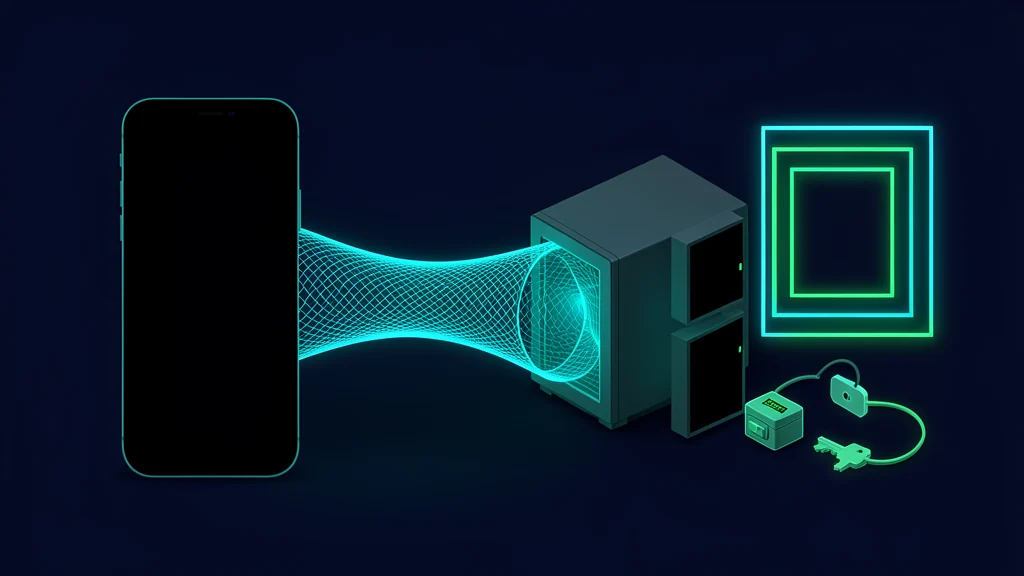
The safest practical pattern is to run the coding agent as a dedicated, non-root user on a remote Linux host, reach that host only through a private Tailscale network, and keep work inside a named tmux session. Termius supplies the mobile SSH interface; tmux survives phone sleep and network changes. This is an independent reference architecture, not a jointly supported Termius–Tailscale–tmux product. Start with a disposable development host, scoped repository credentials and no production secrets.
Reference architecture
| Layer | Responsibility | Boundary to preserve |
|---|---|---|
| Termius on the phone | SSH client, host-key check, terminal, SFTP and local port forwarding | Do not sync or forward more credentials than the workflow needs |
| Tailscale | Private reachability and identity-aware network policy | Keep TCP/22 off the public internet |
| Linux host | Repository, build tools and the agent CLI | Dedicated non-root account; no production credentials |
| tmux | Long-lived server-side terminal session | Use a named session and verify which host/repository it controls |
| Codex or Claude Code | Repository analysis and approved tool execution | Apply the product's own data, approval and credential policies |
Termius documents mobile use of AI coding agents, tmux persistence, SFTP, port forwarding and startup commands. Tailscale separately documents private-network SSH policies, while tmux documents that sessions live in its server process. Combining them is an engineering choice whose security depends on the configuration.
For a broader comparison of mobile coding workflows, see Code from your phone with Cursor, Kiro and Codex. For a VPS-oriented agent setup, the Hermes Agent VPS guide covers a related but different operating model.
Prerequisites and recovery path
Before changing SSH exposure, prepare:
- a Linux development host that can be rebuilt from backups or infrastructure code;
- administrative console access independent of SSH, such as the provider's serial or recovery console;
- a tailnet with an identity provider and a second administrator or recovery account;
- a device-bound FIDO2 SSH key where the device and server support it, or a carefully managed conventional key;
- a separate, scoped Git credential for the required repositories;
- tested backups for uncommitted work and configuration.
Do not close the existing administrative session until a second session has proved private connectivity, host-key verification and the recovery route. That single sequencing rule prevents a hardening change from becoming a lockout.
Prepare a dedicated Linux account
The following commands are a starting configuration, not commands executed for this article. Account-management syntax and SSH service names vary by distribution, so review them against the host's manual first.
# Template: create a non-root development account.
sudo useradd --create-home --shell /bin/bash agentdev

# Template: create the SSH directory with restrictive permissions.
sudo install -d -m 700 -o agentdev -g agentdev /home/agentdev/.ssh
sudo install -m 600 -o agentdev -g agentdev \
  ./agentdev_authorized_keys /home/agentdev/.ssh/authorized_keys
Give agentdev no blanket passwordless sudo. If a build needs a privileged operation, prefer a narrowly scoped, separately reviewed mechanism or bake the dependency into the host image. Keep repository tokens, package credentials and agent credentials separate so one can be revoked without rebuilding the whole access chain.
An SSH daemon hardening fragment can serve as a review template:
# Starting configuration — confirm directives against your sshd version.
PermitRootLogin no
PasswordAuthentication no
PubkeyAuthentication yes
AllowAgentForwarding no
X11Forwarding no
AllowUsers agentdev
Validate the configuration with the daemon's supported check command before reloading it. Keep the recovery console open, and do not disable the public path until Tailscale access works from a second client.
Put SSH behind the tailnet
Install Tailscale using its current platform instructions, authenticate the host to the intended tailnet, and decide which SSH mode you want:
- Private network plus conventional SSH: connect to the host's Tailscale address, while OpenSSH still verifies the SSH key.
- Tailscale SSH: enable
tailscale up --sshand govern login with both network access and the policy file'ssshrules.
Tailscale's current policy documentation recommends grants for new network policies. Its SSH rules are a separate authorization layer. This illustrative fragment is a review starting point, not a deployed or tested policy:
{
  "groups": {
    "group:agent-operators": ["[email protected]"]
  },
  "tagOwners": {
    "tag:agent-dev": ["group:agent-operators"]
  },
  "grants": [
    {
      "src": ["group:agent-operators"],
      "dst": ["tag:agent-dev"],
      "ip": ["tcp:22"]
    }
  ],
  "ssh": [
    {
      "action": "check",
      "src": ["group:agent-operators"],
      "dst": ["tag:agent-dev"],
      "users": ["agentdev"]
    }
  ]
}
Replace identities and tags with the minimum needed. The grant permits only SSH on TCP/22. This guide reaches loopback-bound previews through SSH local forwarding, so it does not grant direct tailnet access to port 3000. Direct tailnet preview access would require a deliberate separate policy and a server bound beyond loopback.
Under action: "check", Tailscale requires reauthentication according to the check policy and its checkPeriod. A successful check remains valid for that period, so the rule does not necessarily prompt on every SSH connection; use checkPeriod: "always" only when every connection must be checked. Validate the policy with Tailscale's tooling and a non-admin test identity before relying on it.
Once private access and recovery are proven, remove the public firewall rule or public address path for port 22. Binding only to a private interface can add defense in depth, but its exact configuration is host-specific and should not replace firewall and tailnet policy.
Configure Termius deliberately
On the phone:
- Enroll the device in the tailnet and confirm it can reach the host's Tailscale name or address.
- Add a Termius host using that private destination, the
agentdevusername and the selected SSH key. - Verify the presented host-key fingerprint through a separate trusted channel before accepting it.
- Prefer a device-bound SSH ID or FIDO2-backed key where compatible. Termius says device-bound private keys remain on the device; verify the chosen sync and biometric settings for the account.
- Leave SSH agent forwarding disabled unless a documented workflow genuinely requires it.
- Configure startup commands only for safe navigation or tmux attachment. Avoid commands that automatically approve agent actions.
- For a web preview, bind the development server to loopback on the host and use a local port forward rather than opening the port publicly.
A practical startup command is:
tmux new-session -A -s agent-work
The -A flag attaches to the named session if it exists and otherwise creates it. From there:
# List sessions.
tmux list-sessions

# Detach without stopping the process: press Ctrl-b, then d.

# Reattach explicitly.
tmux attach-session -t agent-work

# Create a second window for tests or logs.
tmux new-window -t agent-work -n checks
Keep one repository per clearly named session when practical. A shell prompt that shows the host, user, directory and Git branch reduces wrong-host mistakes on a small screen.
Start the coding agent with narrow authority
Install Codex CLI or Claude Code from the vendor's current official instructions. The commands and authentication flows can change, so do not copy an old global-install recipe into a permanent image without checking it. The Codex CLI upgrade guide explains version-aware migration, while AGENTS.md code-review rules can help constrain repository behavior.
Apply these boundaries:
- clone only the repositories needed for the session;
- use a read/write token scoped to those repositories, or read-only access for review work;
- exclude production environment files, signing keys and customer datasets;
- require explicit approval for deployments, package publication, destructive Git operations and infrastructure changes;
- keep the agent's working directory inside the intended checkout;
- review diffs and commands before accepting changes from a phone;
- back up or push intentional work before host maintenance.
Private transport protects the route to the server. It does not by itself protect prompts, commands or file context subsequently sent to an AI service. Consult the current Codex, Claude Code and Termius policies for what each product processes or stores.
Threat model and controls
| Threat | Preventive control | Detection or recovery |
|---|---|---|
| Internet scanning of SSH | No public port; private tailnet route | External port check from a network you control |
| Lost or stolen phone | Device lock, biometric/FIDO2 key, tailnet device approval | Remove the tailnet device; revoke SSH ID/key and app session |
| Stolen repository token | Per-repo, least-privilege credential | Provider audit log and immediate token rotation |
| Wrong host or repository | Verified host key, descriptive hostname and shell prompt | Check hostname, pwd and git status before agent actions |
| Agent exceeds intended scope | Non-root user, approval gates, no production secrets | Review terminal log, Git diff and provider audit events |
| Dropped mobile connection | Named tmux session | Reconnect and attach; inspect process and working tree |
| Local preview exposed | Loopback binding plus SSH tunnel | Check listening sockets and firewall policy |
| Host compromise | Minimal packages and privileges, patched image | Revoke node, credentials and keys; rebuild from known state |
Reconnect and verify state
After any interruption, do not assume the old screen reflects the current host:
hostname
whoami
pwd
git status --short --branch
tmux display-message -p '#S:#I.#P'
Then inspect the agent process or its latest output before typing an approval. If the tmux session disappeared, determine whether the host rebooted or the tmux server exited; do not blindly restart a command that may already have changed external state.
For a local-only preview on port 3000, configure a Termius local port forward from a phone-side port to 127.0.0.1:3000 on the host. Confirm the server is listening on loopback, not 0.0.0.0, unless a separate authenticated network policy intentionally permits broader access.
Lost-phone and key-rotation runbook
- From a trusted administrator device, disable or remove the lost phone from the tailnet.
- Revoke the Termius session or account access according to the product's current controls.
- Remove the corresponding public SSH key or SSH ID authorization from the host.
- Revoke repository, package-registry and AI-service tokens that were accessible from that session.
- Review tailnet, SSH, Git and agent-service audit records for unexpected access.
- Enroll the replacement device, generate a new device-bound key and verify the host key independently.
- Reconnect with a non-privileged account and inspect repositories and tmux sessions before resuming.
Do not rely on a phone wipe as the only revocation control; remove trust at the network, host and service layers.
Rollback without losing work
If the private route fails, use the prearranged console rather than reopening SSH broadly. Restore the last known-good Tailscale policy, verify node enrollment, and re-test from a second identity. If SSH hardening is the cause, restore the backed-up daemon fragment and validate it before reload.
Preserve repository work separately from host configuration. Commit locally only when appropriate, push to a protected development branch when authorized, or archive the working tree to an approved backup. Destroying and rebuilding the host is then a recovery option rather than a data-loss event.
Deployment checklist
- [ ] Dedicated non-root user has only the required files and privileges.
- [ ] Root and password SSH login are disabled after recovery access is verified.
- [ ] SSH is unreachable over the public internet.
- [ ] Tailnet grants and SSH rules allow only the intended operator and host.
- [ ] Host-key fingerprint was verified outside the SSH session.
- [ ] Device-bound/FIDO2 or carefully managed SSH keys are revocable.
- [ ] Agent forwarding is off by default.
- [ ] Git, package and AI credentials are scoped and separately revocable.
- [ ] No production secrets or customer data are on the development host.
- [ ] tmux session has a descriptive name and survives a phone disconnect.
- [ ] Development servers bind locally and use authenticated tunnels.
- [ ] Agent actions with external impact require explicit approval.
- [ ] Backup, lost-phone and console-recovery procedures have been rehearsed.
FAQ
Does this stack expose SSH to the public internet?
It should not. The reference design binds access to a private tailnet and removes or blocks the public SSH path after private access and recovery have been verified.
Why use tmux if Termius can reconnect?
Termius restores the network connection; tmux keeps the shell and agent process alive on the server when the phone sleeps or the connection drops.
Is the combined architecture officially supported by all vendors?
No. Each component documents relevant capabilities, but the combined Termius, Tailscale, tmux and coding-agent design in this guide is an independent reference architecture.
Can a cloud coding agent see repository content?
Potentially. Terminal and agent products can receive commands, files or context under their own product policies. A private SSH path does not make the model interaction end-to-end secret.
Get the latest on AI, LLMs & developer tools
New MCP servers, model updates, and guides like this one — delivered weekly.
Related Guides
How to Change Antigravity Themes
Customize themes, dark mode, icons, and color schemes.
Rules & ConfigurationAntigravity Rules Guide
How to build custom rules with AGENTS.md and GEMINI.md.
MCP & IntegrationMCP Servers Setup Guide
Step-by-step guide to connecting MCP servers in Antigravity.
ComparisonBest Antigravity Alternatives 2026
Claude Code, Cursor, Windsurf, Codex, and Kiro compared.
Pricing & QuotaAntigravity Cockpit Guide
Monitor AI quota, track rate limits, and manage credits.
MCP & IntegrationGoogle Stitch + Antigravity Guide
The complete design-to-code workflow with DESIGN.md and Vibe Design.