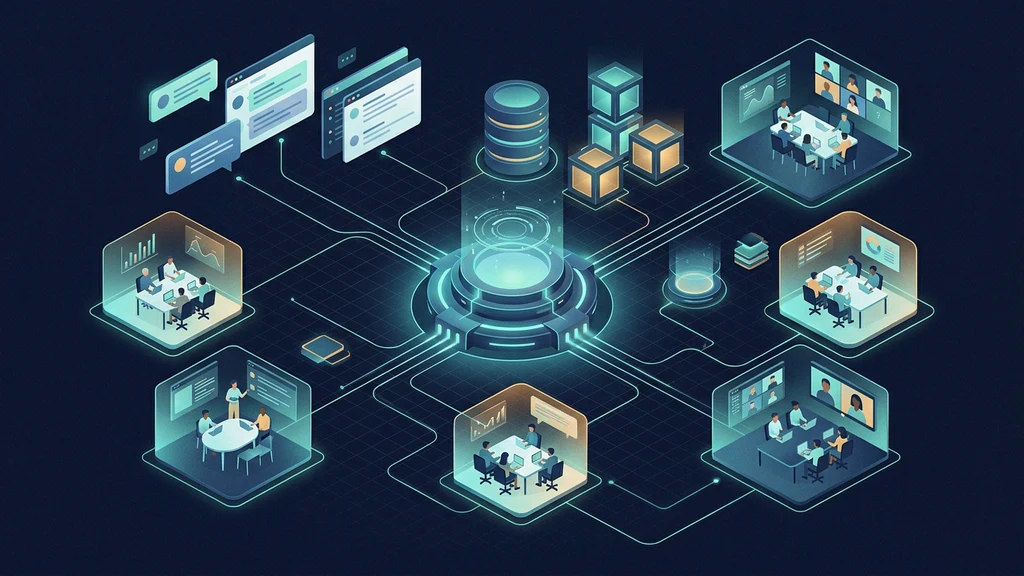
Y Combinator released QM as a different answer to the “company agent” problem. Instead of placing one assistant in a shared Slack channel with a single memory and permission set, QM makes scope the organizing unit. A person, room, channel, or project can have an isolated workspace while still using one headless core and the same Slack and web identity.
Y Combinator open-sourced QM, its MIT-licensed multi-agent harness for company use across Slack and the web.
— @ycombinator July 31, 2026
At the August 1, 2026 review point, the latest npm package and GitHub release were both @yc-software/[email protected]. The repository had been public for only a few days. Pin the exact version you review; do not treat the examples below as permission to deploy an unbounded agent into company systems.
What QM is—and is not
QM is a headless TypeScript core with optional interaction surfaces and replaceable infrastructure adapters. Its documented surfaces include:
- a Slack plugin for channels, group messages, and personal conversations;
- a web interface carrying the same identity and configuration;
- an admin panel for allowed models, harnesses, policy, and organization settings;
- an optional portal for publishing deliberately scoped internal apps;
- background crons and watches;
- coding-agent harnesses for Pi, OpenCode, Codex, and Claude Code.
The coding harness is not the whole product. The core owns identity, policy, scheduling, session state, memory, grants, delivery, and audit records. A harness generates responses and uses a deliberately small tool surface, including an execute tool that runs inside the current scope's sandbox.
QM is not:
- a hardened public chatbot boundary;
- a managed SaaS operated by Y Combinator;
- a guarantee that one scope can never leak into another;
- a substitute for IAM, network, data-retention, and incident-response design;
- a reason to let a model approve its own access to production credentials.
For durable coordination among named agents on one machine, AgentPedia's Hermes Kanban guide covers a different shape: a local task board and dispatcher rather than a shared company assistant.
Map the architecture before deploying
The repository describes four central layers:
Slack / web / admin / portal
            |
            v
headless core: identity + policy + scheduler + API
            |
     chosen agent harness
            |
            v
per-scope durable sandbox and connected services
            |
            v
Postgres: sessions + memory + queue + audit state
The core runs TypeScript directly on Node and exposes HTTP through Fastify. Slack uses Bolt. The web UI uses Vite and Lit. Postgres stores durable state. Infrastructure details live in an organization-owned deployment directory rather than being mixed into the generic core.
Scope is the important design choice
Each person and room can carry its own:
- memory and session history;
- files and artifacts;
- keychain view and grants;
- permissions and audience;
- scheduled jobs and watches;
- web apps;
- durable sandbox.
This reduces accidental cross-team mixing, but it is not formal non-interference. QM's security document says admins can read substantial sensitive content when scope-authorized, model providers receive request data, and plaintext credentials are visible to processes while materialized in a sandbox.
Write a scope matrix before adding connectors:
| Scope | Intended users | Allowed data | Allowed effects | Disallowed systems |
|---|---|---|---|---|
| Personal | One employee | Personal work files | Drafts and read-only retrieval | Payroll, production mutation |
| Engineering channel | Named engineering group | Approved repositories and docs | Branches, tests, pull requests | Direct production deploy |
| Operations project | Small on-call group | Runbooks and selected telemetry | Read-only diagnosis first | Database deletion, secret export |
| Published app | Explicit capability-link audience | Minimum app data | One narrow app workflow | Ambient author credentials |
A prompt saying “stay inside the project” is not a boundary. Enforce the boundary in identity, grants, sandbox configuration, network policy, and the connected service itself.
Choose Docker, Fly, or AWS deliberately
The current CLI supports three substrates:
| Target | Runtime shape | Good first use | Main operational burden |
|---|---|---|---|
| Docker | Local core and web services; Fly-hosted agent sandboxes | Hybrid evaluation on an isolated development host | Host operations plus a configured Fly sandbox app |
| Fly.io | Fly apps plus Fly Machines for agent computers | Small cloud pilot with straightforward isolation | Fly organization, secrets, regions, Machines lifecycle |
| AWS | ECS Fargate on ARM64 plus Lambda MicroVM agent computers | Existing AWS organization with mature IAM and operations | VPC, IAM, RDS, storage, Lambda, task definitions, cost controls |
The Docker target is not a fully local deployment in v0.1.4. It runs the control plane and web services locally, while the generated configuration still names a Fly app where agent sandboxes execute through the documented Sprites path. Confirm that hybrid boundary before selecting Docker; do not describe it as air-gapped or cloud-free.
A deployment runs in your cloud account. qm init does not create deployment CI, and the source repository does not ship a production deployment workflow. That is a useful safety property: an initialization command cannot silently authorize future releases.
Choose the target before initialization because it changes configuration, secrets, generated files, and teardown behavior. Changing providers means initializing a fresh empty deployment directory rather than editing a provider name in place.
Bootstrap a version-pinned deployment
The official bootstrap path uses the published CLI package and requires Node.js 24 or newer. Create an organization-owned private repository or an empty private working directory. Do not place deployment credentials in a public fork.
mkdir qm-deployment && cd qm-deployment

npm exec --yes --package=@yc-software/[email protected] -- \
  qm init . --org acme --target fly

npm install
Use --target aws for AWS. The package generated at initialization pins the CLI version in package.json; keep that pin under review so every checkout resolves the same interpreter.
Initialization materializes a deployment contract similar to:
qm.config.jsonc          # committed, no secret values
package.json             # exact @yc-software/qm pin
package-lock.json
deployment.md
.codex/skills/deploy-qm/
.env.example             # names only
.env                     # ignored, secret-bearing
slack-app-manifest.yml
slack-sso-manifest.yml
sandbox/
plugins/
infra/
Run validation and planning before deployment mutation:
npm exec qm -- check
npm exec qm -- doctor
npm exec qm -- plan
check validates the configuration, computed secret names, sandbox layer, and plugins. Its structural validation is local, but it can contact Fly or the configured email provider when matching credentials are present, so do not classify the command as fully offline. doctor checks external prerequisites. plan renders the proposed deployment. Inspect generated identities, regions, database settings, public endpoints, egress, secret names, sandbox image, and teardown contract before running up.
For an AWS target, render the generated Terraform variables as a separate local file mutation, then inspect the diff before any Terraform apply:
npm exec qm -- infra render
git diff -- infra/terraform.tfvars
infra render is AWS-only and rewrites infra/terraform.tfvars; it is not part of the Fly or Docker sequence.
Only then, from the intended operator account:
npm exec qm -- up --yes
npm exec qm -- check --live
These are real infrastructure mutations and can create billable resources. Run them in a dedicated non-production account or project first. This guide did not deploy an independent QM instance and does not claim the commands are a production acceptance result.
Start with Strict security posture
QM documents three organization-level postures. Narrower scopes can tighten the organization setting, not relax it.
| Posture | Behavior | Appropriate use |
|---|---|---|
Strict | Every harness tool call pauses for human approval except no-effect turn terminators | Initial evaluation, sensitive scopes, policy debugging |
Auto | A classifier screens supported provenance-labelled external data and tool results | Bounded internal workflows after screening is validated |
Dangerous | No content screening and no pauses between tool calls | Disposable, isolated experimentation only |
Start with Strict. Validate that the approval surface shows enough context to make a real decision. Then test the deterministic command policy and hard denials with harmless fixtures. Only consider Auto after confirming which inputs are screened and which are not.
The limitations matter:
- shell-text command policy can be bypassed through encoding, obfuscation, or script indirection;
- browser actions do not re-enter every command or approval gate;
- Auto screening is heuristic and does not cover every command output, opaque payload, or multimodal result;
- egress enforcement depends on the selected backend;
- audit logs help investigation but do not prevent an action.
The predeclared command policy still applies in Dangerous, but the project explicitly describes it as a speed bump, not a sandbox boundary.
For a wider control catalog, compare the deployment with AgentPedia's 35-control enterprise agent security guide.
Protect credentials, prompts, and durable data
QM acts as the person in the current scope. That is convenient only when credentials and effects are equally scoped.
Credential rules
- Give each connector the smallest read/write scope it needs.
- Prefer short-lived credentials and provider-side spend limits.
- Do not share one organization-wide token across personal and shared scopes.
- Keep secret values out of
qm.config.jsonc, Git, screenshots, model prompts, and run artifacts. - Assume any process inside a sandbox can read credentials materialized there.
- Test revocation from the provider, not only from QM's UI.
A credential's stated purpose is guidance and an audit field; QM's security policy says it is not enforced authorization after the value reaches the sandbox.
Data-retention rules
QM can persist sessions, memory, exact model requests, files, and artifacts. The official security policy notes that request capture is on by default when durable stores are enabled and that file artifacts currently have no expiry or byte-reclamation lifecycle.
Before onboarding real users, define:
- which prompts and tool results may be captured;
- which administrators can read them;
- where Postgres, object storage, backups, and logs reside;
- retention and deletion procedures;
- incident export and legal-hold procedures;
- how model and browser providers retain submitted data.
Published-app capability links are bearer authorization. Anyone holding a copied link can reach that app until the capability is otherwise invalidated; do not treat removing it from the browser address bar as recipient-bound access control.
Verify one complete vertical slice
Do not accept “the deployment is green” as evidence that identity, scope, tools, and audit behavior are correct. Test one small workflow end to end:
- Create two internal test identities and one shared room.
- Give each identity a different harmless file containing a unique marker.
- Confirm each personal scope can retrieve its own marker.
- Confirm it cannot retrieve the other identity's marker.
- Give the room one shared marker and confirm only room members can retrieve it.
- Trigger one denied command and one approved read-only command in
Strictmode. - Inspect the corresponding audit records and attribution.
- Revoke a test credential at the provider and prove a new attempt fails.
- Restart the relevant service and prove expected memory survives while temporary state does not escape its scope.
- Review logs and captured model requests for secrets and prohibited data.
Add a negative test for external input. Place an obvious instruction-injection string in a test document and verify the agent treats it as data. Repeat for browser content because browser execution has different gates.
If Slack is enabled, test direct messages, private channels, public internal channels, renamed channels, removed members, and any room containing an external participant. Authentication of an author does not make their content trustworthy.
Upgrade and roll back deliberately
QM shipped versions 0.1.0 through 0.1.4 within its first public days. Fast release cadence makes pinning and rollback more important, not less.
Before upgrading:
npm view @yc-software/qm version
npm exec qm -- check
npm exec qm -- plan
Then review the exact GitHub release and diff between your current and target tags. Version 0.1.4, for example, restricted the web model picker to the organization's allowed-model list and changed bootstrap output to use @latest. That does not mean your deployment repository should float on latest; keep its dependency pinned and upgrade by reviewed change.
The CLI documents rollback --to REVISION_OR_SHA for code and configuration. On AWS, up can take a pre-mutation RDS snapshot and record it in the deployment manifest, but application rollback does not itself restore database state. Record the matching data snapshot and rehearse both paths.
npm exec qm -- status
npm exec qm -- rollback --to 'REVIEWED_REVISION'
Do not run down --purge as an ordinary rollback. Treat destruction of infrastructure, data, object storage, or credentials as a separate reviewed operation.
Know the current limitations
QM's official security policy is unusually direct. Important limitations at this review point include:
- early, experimental software with no claim of certification or leak-proof isolation;
- one authenticated internal organization, not a hardened public multi-tenant service;
- privileged administrators can read sensitive scope-authorized content;
- incomplete heuristic security screening;
- command policy that can be bypassed and is not a sandbox;
- browser actions outside some core approval gates;
- plaintext credentials while in use;
- conditional egress enforcement;
- incomplete governance, kill-switch, and data-loss controls;
- persistent artifacts without a complete retirement lifecycle;
- capability links that are transferable bearer authorization.
These are not reasons to dismiss the architecture. They are reasons to keep the initial scope small and to avoid putting crown-jewel credentials or public users behind it.
Adoption checklist
- The problem genuinely requires shared company-agent state, not a single personal coding agent.
- A named operator owns the cloud account, billing, IAM, backups, and incident response.
@yc-software/qmand every container image are pinned by reviewed version or digest.- The first deployment is isolated from production data and credentials.
- Every person and room has a documented scope and audience.
- The organization begins in
Strictposture. - Connector credentials are narrow, revocable, and spend-limited.
- Prompt, trace, audit, file, and backup retention are approved.
- Model and browser-provider data policies are acceptable.
- Cross-scope read and write denials are tested, not assumed.
- Public capability links are excluded from the first rollout.
- Upgrade, code rollback, database restore, and teardown are rehearsed separately.
Practical verdict
QM is useful when a startup wants one internal agent system that respects personal and shared workspaces, survives between conversations, and can switch among coding harnesses. The deployment-directory contract and operator-owned cloud model also avoid tying configuration to one hosted control plane.
It is a poor choice for a public multi-tenant product today, or for teams that cannot operate identity, databases, sandboxes, secrets, and audit data. Evaluate it as a control plane for bounded internal work—not as a magical employee with ambient access to the company.
FAQ
What is YC QM?
QM is an open-source multiplayer agent harness for startups. It gives people and shared rooms scoped memory, files, credentials, permissions, schedules, web apps, and durable sandboxes through Slack and web interfaces.
Can QM use Codex or Claude Code?
Yes. QM's documented harness interfaces support Pi, OpenCode, Codex, and Claude Code over the same headless core, so a deployment is not tied to one coding-agent vendor.
Is QM production-ready for public multi-tenant use?
No. Its official security policy calls it early experimental software and says it is designed for one organization of authenticated internal users, not as a hardened public or multi-tenant boundary.
Where does a QM deployment run?
The current CLI supports a hybrid Docker target, Fly.io, and AWS. Docker runs core and web services locally but still uses a configured Fly app for agent sandboxes. Fly uses Fly apps and Machines; AWS uses ECS Fargate and Lambda MicroVM agent computers. Cloud resources run in the operator's accounts.
Which QM security posture should a team start with?
Start with Strict for the first acceptance tests because each meaningful harness tool call pauses for approval. Move to Auto only after configuring and validating the screening path and deterministic command restrictions. Avoid Dangerous for shared or sensitive work.
Official sources
- YC QM repository
- QM v0.1.4 README and architecture
- QM v0.1.4 security policy and known limitations
- QM v0.1.4 CLI and deployment contract
- QM v0.1.4 deployment guide
- QM v0.1.4 release
- QM package on npm
Get the latest on AI, LLMs & developer tools
New MCP servers, model updates, and guides like this one — delivered weekly.
Related Guides
How to Change Antigravity Themes
Customize themes, dark mode, icons, and color schemes.
Rules & ConfigurationAntigravity Rules Guide
How to build custom rules with AGENTS.md and GEMINI.md.
MCP & IntegrationMCP Servers Setup Guide
Step-by-step guide to connecting MCP servers in Antigravity.
ComparisonBest Antigravity Alternatives 2026
Claude Code, Cursor, Windsurf, Codex, and Kiro compared.
Pricing & QuotaAntigravity Cockpit Guide
Monitor AI quota, track rate limits, and manage credits.
MCP & IntegrationGoogle Stitch + Antigravity Guide
The complete design-to-code workflow with DESIGN.md and Vibe Design.