
The short answer
Remote Control connects claude.ai/code or the Claude mobile app to a Claude Code session that keeps running on your own machine. Nothing moves to the cloud: your filesystem, MCP servers, tools and project configuration stay where they are, and the phone or browser is a window into that local process. Anthropic’s documentation lists it for Pro, Max, Team and Enterprise plans, says API keys are not supported, and says Team and Enterprise Owners must switch it on first. The computer has to stay awake and the claude process has to keep running.
Most “not working” reports in the documentation reduce to a short list of causes: a login that is not a full claude.ai session, a provider or base URL that is not api.anthropic.com, an environment variable that disables feature flags, an organization policy, or an old version. The fix section below maps each exact message to its documented cause. The guide is built from Anthropic’s Remote Control page, its Claude Code on the web page, the permission modes page and the Academy tutorial, with first-party posts from Anthropic staff on X and one independent early write-up. Everything was checked on October 28, 2026. Nothing here comes from our own testing, and where the documentation is silent we say so.
What Remote Control is
Per the docs, a Remote Control session registers with the Anthropic API from your computer and then waits for work. When you open the session from claude.ai/code or the Claude app for iOS and Android, the server relays messages between that client and the local process. The model is not running in the browser and your repository is not uploaded to run elsewhere. If you quit the process, the session goes offline.
The docs list four practical benefits. First, the full local environment is available remotely, including @ autocomplete of file paths from your local project. Second, the terminal, browser and phone stay in sync, including the progress of subagents and dynamic workflows, so you can send messages from any of them interchangeably. Third, you can attach photos and files from the phone or browser; Claude sees photos directly, and other files are downloaded to your machine and passed in as @ references. Fourth, it survives interruptions: if the laptop sleeps or the network drops, an interactive session reconnects when the machine comes back.
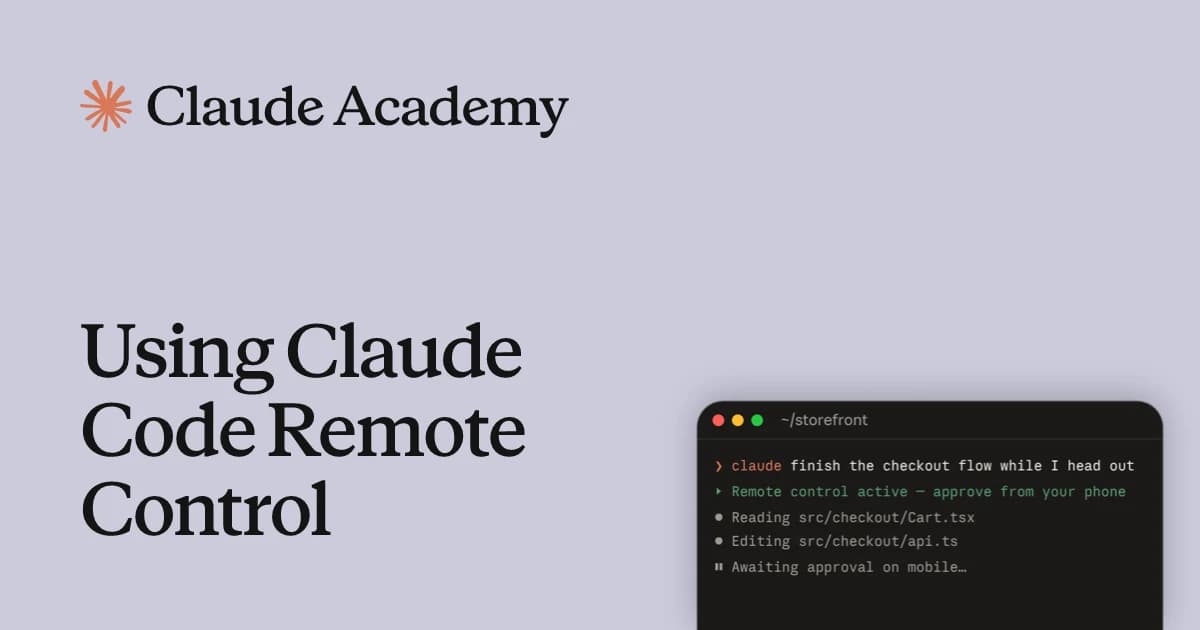
Remote Control is available from three starting points: the CLI, the Claude Desktop app and the VS Code extension. The CLI has three modes, covered in the setup section. Whichever you use, the Remote Control sessions you create show up in the session list at claude.ai/code and in the Code tab of the mobile app, with a computer icon and a green dot while online.
Requirements
The documentation states the requirements as a list. The table restates them with the failure each one produces, because the error text is what most people search for.
| Requirement | What the docs say | If you miss it |
|---|---|---|
| Plan | Pro, Max, Team and Enterprise. On Team and Enterprise an Owner must first enable the Remote Control toggle in Claude Code admin settings (claude.ai/admin-settings/claude-code). | “Remote Control is disabled by your organization’s policy” |
| Login type | A claude.ai login. API keys are not supported. Long-lived tokens from claude setup-token or CLAUDE_CODE_OAUTH_TOKEN only make model requests and cannot establish sessions. | “Remote Control requires a claude.ai subscription” or “requires a full-scope login token” |
| Custom roles (Enterprise) | Your roles need both the cloud sessions permission and the Claude Code remote control permission. | Disabled-by-policy message, even though colleagues can use it |
| API endpoint | Not available on Amazon Bedrock, Google Cloud’s Agent Platform or Microsoft Foundry, with ANTHROPIC_BASE_URL pointing away from api.anthropic.com, or through an enterprise Claude apps gateway. | “Remote Control is only available when using Claude via api.anthropic.com” |
| Feature flags | CLAUDE_CODE_DISABLE_NONESSENTIAL_TRAFFIC or DISABLE_GROWTHBOOK make it unavailable. DISABLE_TELEMETRY or DO_NOT_TRACK alone keep it available unless your organization requires Trusted Devices, and need v2.1.283 or later (v2.1.304 or later in the Desktop app). | “Remote Control requires feature-flag evaluation” |
| Workspace trust | In an untrusted directory, claude remote-control asks Trust? [y/N]. In a non-terminal context it exits with “Workspace not trusted”. Trust is never saved for your home directory. | Prompt on every run, or an exit with an error |
| Data policy | Organizations with Zero Data Retention or the HIPAA configuration applied cannot enable Remote Control. | Toggle grayed out for the Owner |
One point from the research that this page can now settle: the question of whether Remote Control works with API keys has a plain documented answer, and it is no. The permission-modes page repeats it: for Remote Control the local machine must be signed in with your claude.ai account. If your shell exports ANTHROPIC_API_KEY, the docs say the session will report that API-key auth is in use and refuse; you remove the variable rather than work around it.
Setup steps
The steps below follow the order the documentation implies. Commands and flags are quoted from the Remote Control page; the order and the sanity checks are our arrangement of them.
1. Update and sign in the right way
Run claude update, then sign in with a claude.ai account: claude auth login and choose the claude.ai option, or /login inside a session. If a previous login was an API key or a setup-token, log out first. /status shows which plan and organization your sign-in uses, and claude doctor reports which eligibility check failed.
claude update
claude auth login      # choose the claude.ai option
claude doctor          # shows which eligibility check failed, if any
2. Install the phone app
Install the Claude app for iOS or Android and sign in with the same account and organization. If you do not have the app yet, run /mobile inside Claude Code to display a QR code for claude.ai/mobile, which opens the right app store.
3. Pick a start mode
In your project directory, choose one of these. The first confirmation prompt (“Enable Remote Control? (y/n)”) appears once.
| Command | What you get | Use it when |
|---|---|---|
| claude remote-control | Server mode. The process waits for connections, prints a session URL, and shows a QR code when you press the spacebar. It can serve several sessions (default capacity 32). | A dedicated machine or a tmux pane that you steer from elsewhere |
| claude --remote-control (or --rc) | A normal interactive terminal session that is also available remotely. You can type locally and remotely. One remote session per process. | You work at the terminal and want to hand off later |
| /remote-control (or /rc) | Turns Remote Control on for the session you are already in and carries the conversation history over. Run it again to open the status panel with the URL and QR code. | You are mid-task and decide to leave the desk |
| /remote-control in VS Code or the Desktop app Code tab | Same command in the prompt box. VS Code shows an indicator in the footer. It takes no name argument and shows no QR code in VS Code. | You work in the IDE or the Desktop app |
4. Connect from the other device
Open the session URL in any browser, scan the QR code to open it in the Claude app, or find the session by name in the session list at claude.ai/code. In the mobile app, tap Code in the navigation. When a device connects, it shows the subagents and workflows already running in the background, and stopping one from the device stops it on your machine. The session title comes from, in order, the name you passed, your /rename title, the last meaningful message, or an auto-generated name such as myhost-graceful-unicorn.
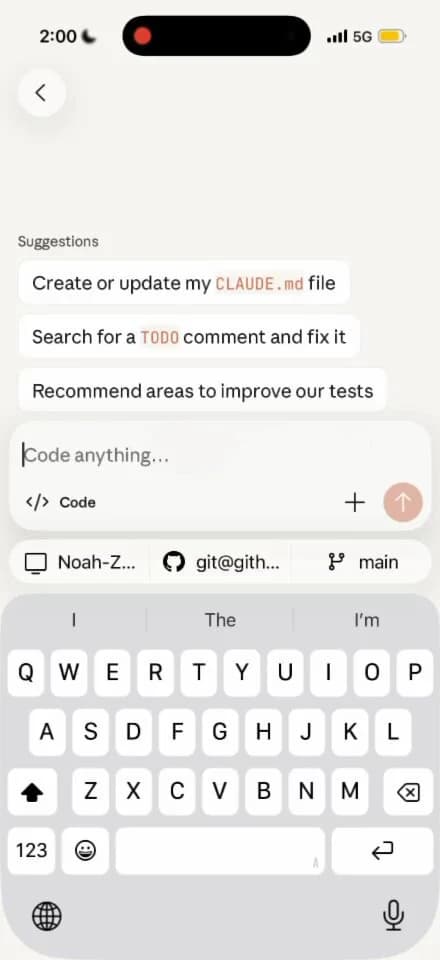
5. Keep the host alive
The docs say that if you run claude from a terminal on a remote machine, start it inside tmux or screen so the session survives an SSH disconnect. Our related guides cover the surrounding plumbing: Antigravity Remote Control compares a similar browser-based approach, and running an agent against a remote VPS covers SSH-based setups.
# on the always-on machine
tmux new -s claude
cd ~/projects/my-app
claude remote-control --name "my-app" --spawn worktree
6. Optional: auto-connect and push notifications
Run /config and set Enable Remote Control for all sessions to true, or set remoteControlAtStartup to true in your user ~/.claude/settings.json. A true value in project or local settings is ignored, so a checked-in file cannot turn it on for everyone; a false there does turn it off. For push notifications, enable them in /config after installing the app and allowing notifications.
Flags, spawn modes and defaults
These are the server-mode flags that matter most, from the docs. Run claude remote-control --help for the list your installed version supports.
| Flag | Effect | Notes |
|---|---|---|
| --name "My Project" | Sets the session title in the claude.ai/code list | Also accepted by --remote-control and /remote-control |
| --spawn same-dir | worktree | session | same-dir: sessions share the directory and can conflict. worktree: each on-demand session gets its own git worktree. session: exactly one session. | worktree needs a git repo or a WorktreeCreate hook. Press w at runtime to toggle same-dir and worktree; the choice is saved for the project. |
| --capacity N | Maximum concurrent sessions, default 32 | Cannot be used with --spawn=session |
| --permission-mode manual | acceptEdits | … | Starting permission mode for the server’s sessions | An unrecognized mode stops the server at startup |
| -c / --continue, --session-id ID | Bring back the last session, or a specific one, after stopping the server | Need v2.1.200 or later; work for about four hours after the server stopped |
| --[no-]create-session-in-dir | Pre-creates one session in the current directory (on by default) | With --no-create-session-in-dir the server’s sessions are archived on stop, so nothing resumes |
| --verbose, --debug, --debug-file | Connection and session logging | --verbose is not available on /remote-control |
| --sandbox, --no-sandbox | Removed in v2.1.300; passing either exits with an error | Turn sandboxing on in a settings file instead |
Two details catch people out. First, global flags placed before remote-control are not carried over to the sessions the server creates; Claude Code allows only those it knows are harmless to drop, such as --verbose or --model, and refuses to start for others, such as --settings, naming the flag to remove. Second, the saved spawn mode comes from your own earlier answer or from pressing w, so a server that starts in a mode you did not expect is following a saved choice, which it prints at startup.
Remote Control vs cloud sessions vs teleport
The three names are easy to confuse because they all end up in the same claude.ai/code interface. The deciding question is where Claude runs. Remote Control runs on your machine. A cloud session runs on cloud infrastructure, Anthropic-managed by default, and keeps going after you close the laptop. Teleport is not a third place to run; it is a way to pull a cloud session into your terminal.
| Remote Control | Cloud session (--cloud) | --teleport | |
|---|---|---|---|
| Where Claude runs | Your machine (CLI, Desktop or VS Code) | Anthropic cloud VM, or your organization’s self-hosted environment | Your terminal, after pulling a cloud session |
| Starts from | claude remote-control, --remote-control or /remote-control | claude --cloud "task", claude.ai/code, mobile Code tab, Desktop environment selector | claude --teleport, /teleport or /tp, /tasks then t, Open in > Terminal on claude.ai/code |
| Needs your computer on | Yes, the process must keep running | No | Yes, it is a local terminal |
| Local MCP servers and files | Available | Not available; the VM clones your GitHub remote at your current branch | Local checkout, with the cloud branch fetched |
| Plans | Pro, Max, Team, Enterprise (Owner enables on Team and Enterprise) | Pro, Max, Team, and Enterprise with premium or Chat + Claude Code seats | Needs claude.ai subscription auth and a cloud session to pull |
| Direction | Local session viewed from another device | New session created in the cloud | One way: cloud to terminal. You cannot push a terminal session to the cloud from the CLI. |
| Setup | One command, no GitHub needed | GitHub App or /web-setup, a cloud environment | Clean git state, same repository, pushed branch, same account |
The cloud docs add a few facts that matter for the choice. --cloud creates a new cloud session from your current repository and is unrelated to --remote-control; the older --remote spelling still works as a deprecated alias for --cloud. Because the VM clones your GitHub remote rather than your working tree, you should push first. A teleported session gets its own copy: new work in the terminal stays local and does not appear in the cloud session. To keep steering from your phone after teleporting, start /remote-control in the local session. The Desktop app can send a local session to the cloud from its Open in menu.
2/ Move sessions back and forth between mobile/web/desktop and terminal. Run “claude --teleport” or /teleport to continue a cloud session on your machine. Or run /remote-control to control a locally running session from your phone/web.
— @bcherny March 30, 2026
Boris Cherny’s post, from the Claude Code team, states the same split in two sentences: teleport brings a cloud session to your machine, and /remote-control lets your phone or the web drive a session that is already running locally. The Remote Control page also lists neighbors for when you are away from the terminal: Dispatch (message a task from the mobile app, Claude runs on Desktop), Channels (push events from chat apps into a CLI session), Slack (mention @Claude, runs in the cloud), self-hosted environments, and scheduled tasks. Remote Control is the one built for steering work that is already in progress.
Which one should you use?
| Your situation | Use | Why |
|---|---|---|
| Mid-task at your desk, need to leave but keep local tools | /remote-control | Carries the conversation over and keeps MCP servers and files |
| Always-on workstation or server, steer from a phone | claude remote-control in tmux | Server mode handles several sessions and recovers crashed ones |
| Repo not cloned here, or many parallel tasks, laptop will be closed | claude --cloud or claude.ai/code | Runs without your machine; counts toward plan usage |
| A cloud task finished and you want to continue it locally | claude --teleport | Fetches the branch and loads the history into your terminal |
| Provider is Bedrock, Vertex-style or a gateway | Neither works as is | Both need an Anthropic account; Remote Control also needs api.anthropic.com |
Permissions and push notifications
A session you control from a phone still asks for permission the way it would at the keyboard. The permission-modes page says Remote Control sessions on your local machine offer Manual, Accept edits, Plan and Auto for a session you started yourself, and that you cannot select Bypass permissions from the app. On claude.ai/code the mode dropdown sits under the prompt box; in the mobile app, tap the + button in the prompt box and then Permission. The dropdown shows the mode the local session is in, including one set from the terminal, and updates when it changes in either place. You can also set the starting mode at launch.
claude remote-control --permission-mode acceptEditsCloud sessions offer a different list (Accept edits, Plan, Auto) and ignore dontAsk and bypass modes from settings files. Per the same page, with Claude Code v2.1.283 or later auto mode is the built-in starting mode for interactive terminal and VS Code sessions, where a second classifier model reviews actions instead of you; the page also states that auto mode reduces prompts but does not guarantee safety. Some things are never auto-approved in any mode, including tools matched by an explicit ask rule and the built-in AskUserQuestion tool. Claude Code keeps permission prompts and AskUserQuestion questions open until you answer them, so a phone that is out of reach leaves the session waiting. Other forwarded dialogs, such as a model-choice prompt after a safety refusal, expire after five minutes by default and then take their no-action default; the dialogExpiry setting adjusts or disables that.
Push notifications are the piece that makes unattended use practical. When Remote Control is active, Claude can push to your phone, typically when a long task finishes or when it needs a decision. You can also ask for one in the prompt, for example “notify me when the tests finish”. Setup is the app, the same account, the operating system permission, and then enabling push in /config for proactive notifications, permission prompts and questions, or both. Per-event configuration beyond those toggles does not exist. If notifications do not arrive, the docs point to No mobile registered in /config (open the app so it refreshes its push token), iOS Focus modes and notification summaries, and aggressive Android battery optimization. Claude Code skips pushes while you are typing in or focused on the connected terminal.
Remote Control - Session Spawning: Run claude remote-control and then spawn a NEW local session in the mobile app.
— @noahzweben March 13, 2026
Connection and security
The docs describe the network model plainly. Your local session makes outbound HTTPS requests only and never opens an inbound port. It registers with the Anthropic API and polls for work; when you connect from another device, the server routes messages between the client and the local session over a streaming connection, all through the Anthropic API over TLS, using several short-lived credentials each scoped to a single purpose. Execution and filesystem access stay on your machine.
The trade-off is stated just as clearly: while Remote Control is connected, the session transcript, including your messages, Claude’s responses and tool activity, is stored on Anthropic’s servers so that devices stay in sync and the session can reconnect after a drop. Stored transcripts are retained under the data usage policy. If that is not acceptable for a repository, the disableRemoteControl setting turns the feature off entirely, and Zero Data Retention or HIPAA-configured organizations cannot enable it at all.
Trusted Devices is a beta control for stricter setups. When on, viewing or steering a Remote Control session requires an enrolled device and a sign-in no more than 18 hours old, refreshed with Face ID, Touch ID, Windows Hello or a passkey. It is off by default, Owners enable it on Team and Enterprise, and Pro and Max users can turn on Require trusted devices themselves. The docs note that sessions already running when an Owner enables it are not retroactively protected. Auto-connect signs in with your own account, so a session it starts appears only in your own Claude apps.
Limits
These are the documented limitations, grouped by what they affect. None of them are rate limits in the usual sense; the page lists no request quota specific to Remote Control.
| Limit | Detail | What to do |
|---|---|---|
| One remote session per interactive process | Outside server mode, each Claude Code instance supports one remote session at a time | Use server mode for several concurrent sessions |
| Local process must keep running | Closing the terminal, quitting Desktop or VS Code, or stopping claude takes the session offline | Run inside tmux or screen on remote hosts |
| Extended network outage | Server mode gives up after roughly 10 minutes and the process exits. Interactive sessions retry as long as the outage lasts. | Run claude remote-control again; use an interactive session if the network is flaky |
| HTTP 403 refusals | Interactive sessions retry for up to three minutes, as can happen after a VPN or network change, then disconnect and name what refused | Check VPN, proxy and firewall |
| Presence heartbeat | An interactive session can disconnect with “could not reach the Remote Control server for about 30 minutes” | Run /remote-control to reconnect |
| Crashed server-mode sessions | Send a message from a connected device and Claude Code serves it again (v2.1.238 or later) | No restart needed |
| Resume window | claude remote-control, --continue and --session-id restore sessions for about four hours after the server stopped | After that, start a new session |
| Local-only commands | /plugin and /resume work only from the local CLI. Text-output commands and a set of argument-style commands work from mobile and web. | Run those at the terminal |
| Attachments | A file that cannot be downloaded to your machine is replaced by a note such as [1 of 3 attachments did not arrive] | Resend the file |
| Connector sign-in | The /mcp picker is not available on mobile or web; get the link with claude mcp login "claude.ai Slack" --no-browser on the host | Authorize on the host, then /mcp reconnect |
Troubleshooting checklist
Start with the order below, then use the message table. The sequence is our arrangement; every cause and fix in the table is from the Remote Control page.
- Is Claude Code running on the host and awake? An offline process shows as “Remote Control disconnected” or “Can’t reach” on the client. Neither message tells you whether Claude is still working.
- Run
/status. Does the plan and organization match what you expect? A leftover Team or Enterprise login on a Pro or Max plan triggers the policy error. - Run
claude doctor. It shows which eligibility check failed and, for policy problems, the Organization policy line. - Is an API key or token overriding the login? Check ANTHROPIC_API_KEY, ANTHROPIC_AUTH_TOKEN, apiKeyHelper and CLAUDE_CODE_OAUTH_TOKEN in your shell and in the env block of settings files.
- Is the session routed away from api.anthropic.com? Check ANTHROPIC_BASE_URL, CLAUDE_CODE_USE_BEDROCK and similar provider variables.
- Are DISABLE_GROWTHBOOK or CLAUDE_CODE_DISABLE_NONESSENTIAL_TRAFFIC set anywhere? Unset them. For DISABLE_TELEMETRY or DO_NOT_TRACK, update Claude Code and check Trusted Devices.
- Can the machine reach the Anthropic API on port 443? Re-run with
claude remote-control --verbosefor the full error. - On Team or Enterprise, has an Owner enabled the toggle, and do your custom roles include both permissions?
- Update with
claude updateand reconnect with/remote-control.
| Message | Documented cause | Documented fix |
|---|---|---|
| Remote Control requires a claude.ai subscription / You must be logged in to use Remote Control | Not signed in with claude.ai, or an API key or token is taking precedence (ANTHROPIC_API_KEY, apiKeyHelper, ANTHROPIC_AUTH_TOKEN) | claude auth login with the claude.ai option; remove the named credential from shell or settings env |
| Remote Control requires a full-scope login token | Auth is a claude setup-token or CLAUDE_CODE_OAUTH_TOKEN token, which can only make model requests | claude auth login for a full-scope session token |
| Unable to determine your organization for Remote Control eligibility | Cached account information is stale or incomplete | claude auth login |
| Remote Control isn’t enabled for this account | Account-level check came back off, usually stale entitlements after a plan change | claude auth logout then claude auth login; update Claude Code; run claude doctor |
| Couldn’t verify Remote Control eligibility | Could not reach the feature-flag service: offline or a proxy blocks it | Retry with network access; claude doctor |
| Remote Control requires feature-flag evaluation | A variable that disables feature flags is set; the message names it | Unset CLAUDE_CODE_DISABLE_NONESSENTIAL_TRAFFIC or DISABLE_GROWTHBOOK; for telemetry variables, update and check Trusted Devices |
| Remote Control is only available when using Claude via api.anthropic.com | Bedrock, Google Cloud’s Agent Platform, Foundry, or a custom ANTHROPIC_BASE_URL | Unset the named variable, also in the settings env key, and restart the session |
| Remote Control is disabled by your organization’s policy | Checked in order: disableRemoteControl in managed settings; leftover Team or Enterprise login on a Pro or Max plan; HIPAA configuration; missing custom-role permissions; Owner has not enabled it | Match the cause: /status, re-login, ask an Owner to enable at claude.ai/admin-settings/claude-code or fix roles |
| Couldn’t verify your organization’s policy for remote control | Policy could not be fetched and no saved copy exists, for example offline or before a VPN connects | Restore the network and run the command again; claude doctor shows the Organization policy line |
| Remote credentials fetch failed | Could not get a short-lived credential: not signed in, a proxy or firewall blocking HTTPS on 443, or session creation failed | Re-run with --verbose; sign in; check subscription is active |
| Couldn’t reconnect to your Remote Control session | Reconnect after --resume or --continue failed for a possibly temporary reason | /remote-control to retry, or claude --remote-control to start a new session |
| Previous session is unavailable | The earlier session could not be restored | /remote-control starts a new one; restart first if you want earlier messages carried over |
| Remote Control got an unexpected server response | The client could not read the server reply | claude update, then /remote-control |
| Your organization requires Trusted Devices… not enrolled / session expired for trusted-device check | Device not enrolled, or sign-in older than 18 hours | /login in Claude Code, or confirm with Face ID, Touch ID, Windows Hello or a passkey |
Two situations are not errors. If an interactive session’s indicator shows another connection took over the session, another device or Claude Code session has it now; reconnect only if you want it back. And if an interactive session shows “Remote Control not started here” after you resumed the conversation in a second terminal, the first terminal still has Remote Control on and the second left it off on purpose; run /remote-control in the second to move it.
How the feature evolved
Remote Control is recent, and early write-ups describe a narrower feature than today’s documentation. Simon Willison wrote on February 25, 2026 that the feature “dropped yesterday”, that it was “a little bit janky”, that he first hit a not-enabled error until he logged out and back in, and that he could run only one session at a time. Those notes are dated and are best read as a snapshot of launch week, not a description of current behavior. His re-login fix matches the current docs’ advice for stale entitlements, and today’s server mode lists a default capacity of 32 sessions. You can read the original in his link post.
Anthropic staff posts on X trace the rollout. Noah Zweben posted on March 6, 2026 that Remote Control was available to Team and Enterprise users on version 2.1.69, default off, with admins enabling it in settings. A week later he described session spawning from the mobile app on version 2.1.74 and later, for Max, Team and Enterprise at that time, with GitHub set up on mobile. The current documentation lists Pro as well and adds spawn modes, worktrees, resume and Trusted Devices, so treat those posts as the history, not as the requirements.
Remote Control is now available to Team and Enterprise users! Please update to 2.1.69. We are fully launched. Default off but admins can enable it.
— @noahzweben March 6, 2026
1/ Did you know Claude Code has a mobile app? Personally, I write a lot of my code from the iOS app. Download the Claude app for iOS/Android, then open the Code tab.
— @bcherny March 30, 2026
Anthropic also publishes a short video, Using Claude Code Remote Control, on its Claude channel, linked from the Academy tutorial page. We confirmed that the video exists and its title through YouTube’s oEmbed endpoint; we have not summarized its contents here.
Claim and evidence table
| Claim | Source | Status as of Oct 28, 2026 |
|---|---|---|
| Works on Pro, Max, Team and Enterprise; API keys unsupported | Remote Control docs, Requirements | Documented |
| Team and Enterprise need an Owner to enable it | Remote Control docs; Zweben post of Mar 6, 2026 | Documented; post is historical |
| Claude runs locally; code execution stays on your machine | Remote Control docs, intro and Connection and security | Documented |
| Outbound HTTPS only, no inbound ports; transcript stored on Anthropic servers while connected | Remote Control docs, Connection and security | Documented |
| Not available on Bedrock, Google Cloud Agent Platform, Foundry or non-Anthropic base URLs | Remote Control docs, Requirements and Troubleshooting | Documented |
| Cloud sessions run on cloud infrastructure and count toward plan usage | Claude Code on the web docs | Documented |
| --teleport pulls cloud sessions to the terminal; terminal to cloud is not possible from the CLI | Claude Code on the web docs | Documented |
| Remote Control sessions offer Manual, Accept edits, Plan, Auto; Bypass is not selectable from the app | Permission modes docs | Documented |
| Server mode default capacity is 32 sessions | Remote Control docs, flags table | Documented |
| Early launch limits (one session, janky errors) | Simon Willison, Feb 25, 2026 | Third-party, dated; superseded by current docs on capacity |
| Any speed, reliability or latency figure | None found | Not published; none stated here |
What we could not verify
- We did not test Remote Control. Every behavior above is as documented by Anthropic on October 28, 2026; the docs change often and cite many version numbers, so check
claude --versionagainst the version notes. - We did not compare Remote Control against self-managed SSH, Tailscale and tmux setups; the docs only mention tmux or screen as a way to keep a host session alive.
- The docs list plans but no per-plan usage numbers for Remote Control, and no latency, throughput or concurrency guarantees beyond the 32-session default capacity.
- Whether a custom slash command or skill can be invoked by typing it on mobile is not stated in the pages we read; they list which built-in commands work remotely.
- The Zweben posts describe requirements as of March 2026 (Max, Team and Enterprise for spawning, GitHub set up on mobile). The current docs differ, and we do not know the exact dates of each change.
- The mobile screenshot from Boris Cherny’s thread shows the Code tab, and the spawn screenshot is a video frame. Neither is documentation of a specific Remote Control screen.
- We did not watch the YouTube tutorial in full, so we make no claims about its content.
Verdict
Remote Control is the right tool when the work is already running on a machine you own and you want to nudge, approve or review it from elsewhere without moving code or tools. It is the wrong tool if your account uses API keys, a cloud provider such as Bedrock, or a gateway, if your organization has Zero Data Retention or HIPAA configured, or if the machine will not stay on. In those cases cloud sessions (where available) are the alternative, and they trade local tools for independence from your laptop.
If it will not connect, resist guessing. The docs give each message a specific cause, and the causes cluster around login type, provider, environment variables and organization policy. Check those four before reinstalling anything. For people who plan to leave sessions running, the practical setup the docs support is a host inside tmux, server mode with worktree spawning, a deliberate permission mode, and push notifications on, with the knowledge that a pending approval waits until you answer it. For longer-term habits around Claude Code, see our Claude Code best-practice guide and the comparison in Antigravity vs Claude Code.
FAQ
What is Claude Code Remote Control?
It connects claude.ai/code or the Claude mobile app to a Claude Code session running on your own computer, so you can continue it from a phone, tablet or another browser. The session executes locally and keeps your filesystem, MCP servers and tools.
Which plans support Remote Control?
Pro, Max, Team and Enterprise, per Anthropic’s documentation. API keys are not supported. On Team and Enterprise an Owner must first enable the Remote Control toggle in Claude Code admin settings.
Does Remote Control work with an API key?
No. The docs say API keys are not supported, and that ANTHROPIC_API_KEY, ANTHROPIC_AUTH_TOKEN or an apiKeyHelper taking precedence over your login produces an error until you remove it. Tokens from claude setup-token also fail because they can only make model requests.
Why does it say Remote Control is not available or not enabled?
The usual documented causes are a stale login after a plan change (log out and back in), a third-party provider or custom ANTHROPIC_BASE_URL, an environment variable that disables feature flags, or an organization policy. Run /status and claude doctor to see which check failed.
Why does Remote Control keep disconnecting?
The client messages mean it lost contact with Claude Code on your computer. Check that the process is running and the machine is awake. Interactive sessions reconnect on their own when the network returns; server mode exits after roughly 10 minutes of outage; a long run of HTTP 403 responses disconnects after about three minutes, and about 30 minutes without reaching the server also disconnects. Run /remote-control to reconnect.
Does my computer have to stay on?
Yes. The web and mobile interfaces are a window into the local session, so the machine must be on and the claude process running. On a remote host, run it in tmux or screen so it survives an SSH disconnect.
Is Remote Control the same as Claude Code on the web?
No. Both use claude.ai/code, but Claude Code on the web runs sessions on cloud infrastructure, while Remote Control runs on your machine. Teleport is a third thing: it pulls a cloud session into your terminal.
Can I turn on Remote Control for every session by default?
Yes. Run /config and set Enable Remote Control for all sessions, or set remoteControlAtStartup to true in your user settings. A true value in project settings is ignored, so a repository cannot turn it on for everyone who opens it.
Is my code uploaded to Anthropic when I use it?
Execution and file access stay on your machine, but the session transcript (messages, responses and tool activity) is stored on Anthropic’s servers while connected. Organizations with Zero Data Retention or the HIPAA configuration cannot enable it.
How do I start it from the Desktop app or VS Code?
Type /remote-control or /rc in the prompt box of a local session. Disconnect by running it again. VS Code shows an indicator in the prompt footer and does not accept a name argument or show a QR code.
Sources
Sources checked October 28, 2026.
- Continue local sessions from any device with Remote Control — Claude Code docs (requirements, modes, flags, limits, security, troubleshooting)
- Use Claude Code in the cloud — Claude Code docs (cloud sessions, --cloud, --teleport, requirements)
- Choose a permission mode and Configure permissions — Claude Code docs (modes available in Remote Control sessions, auto mode)
- Using Claude Code Remote Control — Claude Academy tutorial page and its YouTube video
- Noah Zweben on X, March 6, 2026 and March 13, 2026 (rollout posts)
- Boris Cherny on X, post 1 and post 2, March 30, 2026 (mobile app, teleport and /remote-control)
- Claude Code Remote Control — Simon Willison, February 25, 2026 (independent launch-week notes)
Related reading: Antigravity Remote Control, Antigravity on a remote VPS, Claude Code best-practice guide, and Antigravity vs Claude Code.