Get the latest on AI, LLMs & developer tools
New MCP servers, model updates, and guides like this one — delivered weekly.
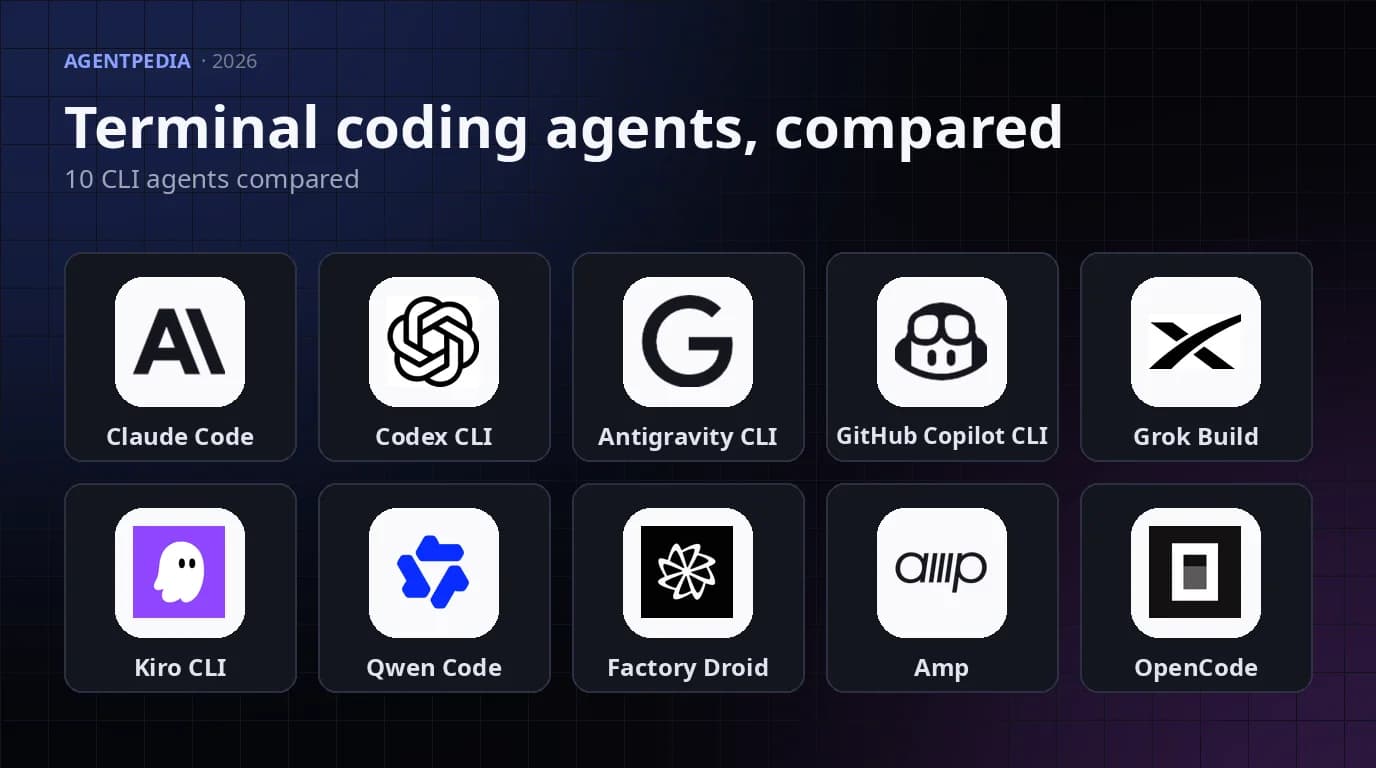
Most developers who search "codex vs claude code" want a verdict. We do not have one that holds for everyone, and we did not run our own benchmark for this piece, so we will not pretend. What we can do is lay out what each vendor documents today: what the tool is, what it costs, how the limits work, and where it is awkward. All five terminal agents moved fast in 2026, and several changed names or plans in the last few weeks.
Two naming changes matter before you read on. Google's free and Google AI plan access moved from Gemini CLI to Antigravity CLI (command: agy), so we treat that as one entry. And xAI's coding agent, Grok Build, is real, open source and live. Our earlier posts cover the Gemini CLI to Antigravity migration and Antigravity vs Claude Code in detail.
Third-party video by Tech With Tim, embedded for context. We did not verify its claims, and model lineups have changed since it was recorded.
The Short Answer
There is no single winner, and the right pick depends on which model family and which bill you already have. If you want the most extensible terminal harness and you like Anthropic's models, start with Claude Code. If you want an Apache-2.0 CLI that comes bundled with a ChatGPT plan and a published usage table, start with Codex CLI. If you want a free starting point or already pay for Google AI Pro, try Antigravity CLI. If your team lives in GitHub, Copilot CLI is the low-friction choice. If you want an open-source agent on xAI's Grok 4.7, Grok Build is now a real option.
| If you... | Start with | Why (documented, as of Nov 22, 2026) |
|---|---|---|
| Want the deepest hooks, subagents and plugin surface | Claude Code | Its docs cover hooks, subagents, plugins, skills, worktrees and an SDK, and plans run $17 to $200 a month. |
| Already pay for ChatGPT | Codex CLI | Codex is included in ChatGPT plans from Free upward; Plus is $20 and OpenAI publishes per-model message estimates. |
| Want a free tier to try first | Antigravity CLI | Google lists a $0 individual plan with a weekly baseline quota and access to the CLI. |
| Work in GitHub issues and pull requests all day | GitHub Copilot CLI | It authenticates with your GitHub account and ships with GitHub's MCP server by default. |
| Prefer open source plus xAI models | Grok Build | Apache-2.0 repository, Grok 4.7 on the Grok side, available to try free. |
| Want to bring your own model or key | OpenCode, Qwen Code, Amp, Factory Droid | All four support provider choice to some degree; see the alternatives section. |
A note on how fast this moves: Claude Code's changelog showed version 2.1.330 on November 20, 2026, Codex had alpha tags on November 21, and Copilot CLI shipped a pre-release the same day. Treat any figure below as a snapshot. We also cover the neighbouring decision, IDE agents versus terminal agents, in our ranking of the best AI coding agents in 2026.
Our video: How to Run Claude Code, Codex & OpenCode in Parallel with Orca, from the AI Simplified YouTube channel.
How We Evaluated
We did not run these tools through a hands-on benchmark for this article. We read primary sources on November 22, 2026: vendor pricing pages, product docs, changelogs and release pages, GitHub repository pages, and official posts from vendor accounts. Where a number comes from a vendor's own benchmark table we say so and treat it as vendor-reported. Where a vendor's pages disagree with each other, we say that too.
- Pricing: taken from each vendor's own plans page. Taxes are excluded. Prices change often, so the date matters.
- Limits: quoted as the vendor describes them. Several vendors say limits depend on task size and capacity, so published figures are estimates, not guarantees.
- Features: counted as present only when the vendor's docs, README or product page names them. "Partial" means the docs mention it with caveats or in a different surface.
- Stars and versions: read from GitHub on the date shown. Pre-release tags are labelled as such.
- What we did not do: measure speed, accuracy or cost per task. If you need that, run the same real task in two tools on your own repo and watch the usage meter.
At a Glance
| Tool | Maker | Command | Open source | GitHub stars (Nov 22, 2026) | Entry paid price |
|---|---|---|---|---|---|
 Claude Code | Anthropic | claude | Not stated in repo data we read | 156,579 | Pro $17/mo annual, $20 monthly |
 Codex CLI | OpenAI | codex | Yes, Apache-2.0 | 136,062 | ChatGPT Plus $20/mo |
 Antigravity CLI | agy | Not stated in repo data we read | 2,957 (Gemini CLI repo: 108,965) | Google AI Pro (price not confirmed on a page we could read) | |
 GitHub Copilot CLI | GitHub (Microsoft) | copilot | License listed as Other | 11,444 | Copilot Pro $10/mo |
 Grok Build | xAI (SpaceXSI) | grok | Yes, Apache-2.0 | 27,816 | The X Subscription Plus $8/mo |
Upgrades, people. Upgrades.
— @OpenAIDevs November 17, 2026
The wait is over, you can now use GPT-6.2 Astra and GPT-6.2 Sol in Codex and the API.
1. Claude Code (Anthropic)
What it is. Anthropic's agentic coding tool. Its docs describe it as a tool that reads your codebase, edits files, runs commands and integrates with your development tools, available in the terminal, IDE extensions, a desktop app and the browser. The terminal CLI is the full-featured surface, and the terminal CLI, VS Code and JetBrains can also run on third-party providers, per Anthropic's overview page.
Who it is for. Developers who want a configurable harness, teams that want to codify rules in CLAUDE.md, hooks and plugins, and anyone already paying for a Claude plan. Install is a one-liner (curl or PowerShell), or Homebrew with a stable and a latest cask.
Key features. The documentation pages we scanned mention subagents, hooks, plugins and marketplaces, skills, MCP, git worktrees, sandboxing, headless mode, an SDK, plan mode and background tasks. The changelog for 2.1.330 (November 20, 2026) added sign-in to organizations managed in Anthropic's Enterprise Admin Console and a built-in "easel" mod that draws charts. Anthropic's own recap says October brought mods and better handling of many parallel sessions.
October was a big month for Claude Code 🍁 We shipped mods, made the desktop app better at running lots of sessions side by side, gave you more insight into where your usage goes, and plenty more. Here’s a recap!
— @ClaudeDevs November 3, 2026
Pricing (as of Nov 22, 2026, claude.com/pricing). Free exists for Claude generally, but Claude Code usage is tied to paid plans or the API. Pro is $17 a month with an annual subscription discount ($200 billed up front) or $20 monthly, with usage limits every 5 hours and every week, and Fable models paid with usage credits. Max is $100 a month: 5x Pro usage, Fable included up to half your weekly limit, and $100 a month in API credits. Ultra is $200: no 5-hour limit for verified accounts, 10x Pro usage every week, and $200 a month in API credits. Anthropic renamed the old Max 5x and Max 20x plans to Max and Ultra on October 30, 2026 at the same $100 and $200 prices.
We’re renaming our Max plans:
— @claudeai October 30, 2026
Max 5x → Max
Max 20x → Ultra
Max is still $100/month, and Ultra is still $200. If you’re a subscriber, there’s nothing you need to do.
API-billed use. Anthropic's cost page says Claude Code charges by API token consumption, and that across enterprise deployments the average cost is around $13 per developer per active day and $150 to $250 per developer per month, with costs below $30 per active day for 90% of users. Those are Anthropic's figures, not ours.
Pros
- Broadest documented extension surface of the five: hooks, subagents, plugins, skills and an SDK.
- Runs in terminal, IDE, desktop and web, so you can start in one and continue in another.
- Clear plan ladder from $17 to $200 with API credits bundled into Max and Ultra.
- Very active development: version 2.1.330 as of the changelog we read.
Cons
- Locked to Anthropic's models on subscription plans, and the premium Fable models are metered separately on Pro.
- Limits are expressed as multiples of Pro usage rather than message counts, so it is hard to forecast without trying.
- The GitHub repository page we read showed no license line, so it is not clearly open source the way Codex and Grok Build are.
Benefits for you. If your workflow depends on enforcing project rules automatically (run a linter hook after every edit, block certain commands, load team plugins), Claude Code documents the most ways to do it. Standout use case: long agentic refactors on a repo where you have invested in CLAUDE.md and hooks. Skip it if you want a free tier, an open-source harness, or a model other than Claude.
2. Codex CLI (OpenAI)
What it is. OpenAI's coding agent that runs locally on your computer. The GitHub README also points to a desktop app (codex app), IDE extensions and Codex Web at chatgpt.com/codex. The repository is Apache-2.0, created April 2025, and showed 136,062 stars on November 22, 2026.
Who it is for. ChatGPT subscribers who want an agent included in their plan, developers who want to read or fork the source, and teams that want API-key billing for CI. Codex reads AGENTS.md instructions, and OpenAI's docs cover MCP, skills, plugins, hooks, subagents, worktrees and sandboxing.
Release pace. OpenAI's GitHub releases page showed 0.173.0-alpha.4 on November 21, 2026 (a pre-release). Alpha builds were landing several times in a day, so pin versions in CI.
Models. OpenAI announced on November 17, 2026 that GPT-6.2 Astra and GPT-6.2 Sol are available in Codex and the API (embedded above). The Codex pricing page also lists GPT-6.1 Sol, GPT-6.1 Terra, GPT-6 Astra, GPT-6 Sol and GPT-6 Luna in its usage table.
Pricing (as of Nov 22, 2026, OpenAI's Codex pricing page). Codex and ChatGPT Work are included in ChatGPT Free, Go, Plus, Pro, Business, Edu and Enterprise plans and share credits and usage limits. Free and Go get GPT-6 Luna at standard speed in the desktop app, subject to rollout. Plus ($20 a month per OpenAI's help center) adds Codex on the web, in the CLI, in the IDE extension and on iOS, plus cloud integrations like automatic code review and Slack. Pro plans are listed at $100, $200 or $500 a month, with Ultrafast mode on the $500 tier. API-key sessions bill at API rates and exclude cloud features such as GitHub code review and Slack.
Usage limits. This is where Codex is unusually concrete. OpenAI publishes local-message estimates per five-hour period for Plus and Standard Business, and says Pro plans currently have no five-hour limit (weekly limits may still apply):
| Model | Plus / Standard Business, local messages per 5 hours |
|---|---|
| GPT-6.2 Astra | 6-50 |
| GPT-6.2 Sol | 17-180 |
| GPT-6.1 Sol | 15-160 |
| GPT-6.1 Terra | 35-285 |
| GPT-6 Sol | 15-150 |
| GPT-6 Astra | 5-45 |
| GPT-6 Luna | 350-3,000 |
OpenAI says these are estimates, not fixed limits, and that cloud tasks may use more of your allowance than local messages. Check your own usage dashboard for the live number.
Pros
- Open source under Apache-2.0, so you can audit what it does on your machine.
- Bundled into ChatGPT plans, including limited use on Free and Go.
- Per-model usage estimates are published, which makes planning easier than most rivals.
- Works across CLI, IDE, desktop, web and iOS, plus API-key mode for CI.
Cons
- The ranges are wide (17-180 messages for GPT-6.2 Sol), so the low end may surprise heavy users.
- API-key mode loses the cloud features, and the plan ladder jumps from $20 to $100.
- Fast alpha cadence means frequent version churn.
- Shared pool: Codex and ChatGPT Work usage draw from the same allowance.
Benefits for you. If you already pay $20 for ChatGPT, Codex is the cheapest way to try a full terminal agent on this list. Standout use case: mixing local CLI sessions with cloud tasks and code review from the same plan. Skip it if you want Claude or Gemini models, or you need rock-stable release tags.
3. Gemini CLI / Antigravity CLI (Google)
What changed. The Gemini CLI README now opens with a notice: it is designed for Gemini Code Assist Standard and Enterprise licenses; free individual access and Google AI Pro and Ultra moved to Antigravity CLI on June 18, 2026; and it is not optimized for Gemini 4 models or for benchmarking them. Google's table points individuals to Antigravity CLI (command: agy) and developers who need a stateless API tool to a separate Gemini API CLI. Our migration guide walks through the switch.
What it is now. Antigravity CLI brings the Antigravity agent harness to the terminal. Per the official repository, it shares an agent engine with the Antigravity 2.0 desktop app, syncs settings and permissions, and can export a terminal session to the GUI. It is built for keyboard-driven work and remote SSH, and detects SSH sessions to print a login URL. Install is a curl script from antigravity.google. The repository was created May 13, 2026 and showed 2,957 stars on November 22, 2026, which is small next to the 108,965 on the older Gemini CLI repository (Apache-2.0).
Recent changes. The latest release page we read was 1.4.11 (October 30, 2026), which added a billing-model choice after Google Cloud sign-in (Gemini subscription or pay as you go), a PreInvocation hook that can terminate a turn before the model is called, a finished_reason field in JSON output, and a fix for importing plugins from Claude Code. Antigravity's changelog also lists a /boost command (September 2, 2026) that uses a multi-agent reasoning pipeline for paid users.
Pricing (as of Nov 22, 2026, antigravity.google/pricing). The individual $0 plan includes access across the app, CLI, IDE extensions and Python SDK, parallel background agents, subagents, browser use and scheduled tasks, a baseline agent quota refreshed weekly, and models including Gemini 3.8 Flash plus Claude Sonnet 4.6, Claude Opus 4.6 and GPT-OSS-120b. Google AI Pro adds a quota refreshed every 5 hours with higher weekly limits, /boost, multi-agent teamwork, Remote Control, optional AI-credit overages, and models such as Gemini 4 Neon, Argon and Hydrogen, an Orchestrator model, Claude Sonnet 5.5 and Claude Opus 5.5. Google AI Ultra has the highest quotas plus Gemini 4 Carbon and full third-party model access. Business use goes through Google Cloud: Gemini Enterprise Standard or Plus from $30 per seat per month, or pay as you go with a $0 seat fee. We could not confirm the monthly price of Google AI Pro or Ultra from a page we could read cleanly, so check one.google.com before budgeting.
Limits. Google says baseline limits depend on available capacity and the amount of work the agent does, so simple tasks get you more prompts than complex ones. Quotas are subject to change. Google Workspace accounts do not get the personal plans. There is no bring-your-own-key option, per the plans doc.
Pros
- A real free tier with weekly quota, and the CLI is included on it.
- Multi-model: Gemini plus Claude and open models, depending on plan.
- Shared engine with the desktop app, good for SSH and remote work.
- Hooks, plugins and JSON output modes for scripting.
Cons
- Naming churn: two repositories, two CLIs, and plenty of older tutorials that still say Gemini CLI.
- The free quota is opaque (a baseline that refreshes weekly) and no BYOK.
- Google's terms ask you to allow collection of Interactions data to improve the product, with an opt-out in settings.
- Newer, with a much smaller repository following than the old Gemini CLI.
Benefits for you. If you want to try a terminal agent without paying, this is the clearest free path on the list. Standout use case: SSH sessions on a remote box, then export to the GUI. Skip it if you need a documented open-source license for the CLI itself or exact usage numbers up front. For a Claude Code head-to-head from the Google side, read Antigravity vs Claude Code.
4. GitHub Copilot CLI (GitHub)
What it is. GitHub's terminal agent, built on the same agentic harness as the Copilot coding agent. The README says it works locally and synchronously, understands your GitHub context, and authenticates with your existing GitHub account. It ships with GitHub's MCP server by default, supports custom MCP servers, and previews every action before execution. The repository showed 11,444 stars on November 22, 2026 with its license listed as Other; the newest release we saw was a pre-release, 1.0.115-6, on November 21.
Who it is for. Teams that already pay for GitHub Copilot, developers who live in issues and pull requests, and organizations that want policy, audit and billing handled in GitHub. Release notes mention /delegate, organization-required plugins, a Sessions sidebar and "Copilot Fusion" sessions that choose a model in the background.
Pricing (as of Nov 22, 2026, github.com/features/copilot/plans). Free is $0 (GitHub's FAQ says Free users get 2,000 completions and entry-level models per month). Pro is $10 per user per month, with unlimited completions and next edit suggestions, access to Copilot in the cloud and code review, and model selection, with $15 of monthly total credits. Pro+ is $39 per user per month, with premium models including Opus, audit logs, 4x+ the included usage of Pro, $70 of monthly total credits, and Copilot Fusion Standard, High and Max. Max is $100 per user per month, aimed at sustained high-volume agent workflows. The Pro feature list also mentions third-party agents (Claude Code and Codex), so check what that covers before you rely on it.
Limits. Copilot moved to usage-based billing. Usage is measured in GitHub AI Credits (1 credit equals $0.01), converted from input, output and cached tokens at each model's price. Every plan includes a monthly allowance made of base credits that match the subscription price plus a variable "flex allotment". The same rates apply across the IDE, GitHub.com and Copilot CLI. Unused credits are forfeited each month, and you can buy more when you run out.
Pros
- Cheapest paid entry on this list at $10 a month, with a free plan.
- Native GitHub context: repositories, issues and pull requests through your existing login.
- One credit pool shared across IDE, web and CLI, with budget alerts.
- Organization controls and audit logs on higher plans.
Cons
- Credit-based billing is harder to predict than a flat message count.
- Smallest community of the five by stars, and the repository license is not a standard open-source one.
- The best models and the bigger allowance sit on Pro+ at $39 and above.
- The CLI is still in pre-release numbering (1.0.115-x) in the releases we read.
Benefits for you. If your company already buys Copilot seats, the CLI costs you nothing extra to try and respects your org's policies. Standout use case: turning an issue into a branch and pull request without leaving the terminal. Skip it if you want a harness you can customize as deeply as Claude Code or read as source.
5. Grok Build (xAI)
Does it exist? Yes. Grok Build is xAI's terminal-based coding agent, live on x.ai/cli with its own docs, a GitHub repository and a changelog. One naming quirk: xAI's site and X account now use the name SpaceXSI, while the GitHub README says SpaceXAI. Same product, inconsistent company branding across xAI's own pages.
Timeline from official posts. An early beta for SuperGrok Heavy subscribers was announced on May 14, 2026, and a beta for all SuperGrok and X Premium+ users on May 25. xAI open-sourced Grok Build and reset usage limits for all users on July 15, 2026. xAI's news page lists Grok Build on web and mobile for every plan (August 19), Memory in Grok Build (September 18) and Grok 4.7 (September 22).
We’ve open-sourced Grok Build and have reset usage limits for all users. Open sourcing Grok Build allows anyone to support making a reliable and robust harness. Check out our code, including the Git repo for the Grok Build CLI.
— @SpaceXSI July 15, 2026
What it is. A full-screen, mouse-interactive TUI (Rust, Apache-2.0) that edits files, runs shell commands, searches the web and manages long-running tasks, interactively or headlessly (grok -p) or inside editors over the Agent Client Protocol. Install is a curl or PowerShell one-liner. The repository was created July 14, 2026, showed 27,816 stars on November 22, and is synced periodically from xAI's monorepo, so pull requests land through that process.
Features. xAI's page lists skills (AGENTS.md, plugins, hooks and MCP servers work out of the box, plus /skillify to turn a session into a skill), plan mode where every edit is blocked until you approve, multiple-choice clarifying questions, parallel subagents with their own context windows and worktree support, plugin marketplaces, memory across sessions, code review, sandboxed execution, background tasks and headless mode for CI. You can add any custom model through ~/.grok/config.toml.
Model and pricing. The current model is Grok 4.7, priced on the API at $2 per million input tokens and $6 per million output tokens (xAI says a fast variant has twice the output speed at twice the price). xAI's launch table, which is vendor-reported, shows Grok 4.7 at 37.6% on Terminal-Bench 4.0 versus 57.9% for Fable 5.1 and 37.3% for GPT-5.6 Sol, so treat it as competitive on price, not clearly ahead on that benchmark. For Grok Build itself, x.ai/cli says it is available to try for free. Paid usage runs through The X Subscription: Free $0 (limited), Plus $8, Premium $30 (4x included usage), Super $100 (15x) and Ultra $200 (50x) per month, with a weekly usage pool shared across Grok and Cursor. Existing SuperGrok, Cursor and X Premium plans continue. We could not load xAI's Grok Build plans page (docs.x.ai/build/plans returned a 404 for us), so we do not state a specific free-tier limit.
Pros
- Open source (Apache-2.0) with a documented headless mode and ACP support.
- AGENTS.md, plugins, hooks and MCP work out of the box, which lowers switching cost.
- Low model price per token, and any custom model can be added.
- Free to try, and the X Subscription bundles Grok and Cursor.
Cons
- Youngest tool here: repository created July 2026, with a beta period as recently as May.
- Usage is a shared weekly pool with opaque rates ("usage rates vary by product"), so you cannot predict how far a plan goes.
- Company branding is inconsistent across xAI's own pages, and some docs pages we tried returned 404.
- On xAI's own table, a competitor model leads on the terminal benchmark.
Benefits for you. If you like the idea of an open harness and cheap tokens, Grok Build is the most interesting newcomer. Standout use case: scripting with grok -p and streaming JSON in CI. Skip it if you need predictable limits today or a long track record. We have a separate look at coding from your phone with Cursor, Kiro and Codex if the web and mobile angle matters to you.
The Head-to-Head Matchups
Most searches pair two tools. Here are the pairings readers ask about most, each answered from the documented facts above.
Codex CLI vs Claude Code
This is the main event, and the honest summary is that they are closer than the fans of either admit. Both are agentic terminal tools with MCP, skills, plugins, hooks, subagents and worktrees in their docs. Both run beyond the terminal: Claude Code in IDE, desktop and web, Codex in IDE, desktop app, web and iOS.
| Dimension | Claude Code | Codex CLI |
|---|---|---|
| Models | Anthropic's Claude family (Fable models are metered separately on Pro) | OpenAI's GPT-6.x family; GPT-6.2 Sol and Astra added Nov 17, 2026 |
| License | No license line on the repo page we read | Apache-2.0 |
| Entry paid plan | Pro, $17/mo annual or $20 monthly | ChatGPT Plus, $20/mo (Codex included) |
| Mid tier | Max, $100/mo (5x Pro usage, $100 API credits) | Pro, from $100/mo |
| Top tier | Ultra, $200/mo (10x Pro weekly, no 5-hour limit for verified accounts) | Pro up to $500/mo (Ultrafast mode) |
| How limits are described | Multiples of Pro usage, every 5 hours and every week | Per-model local-message estimates per 5 hours; Pro has no 5-hour limit currently |
| Free access | Not part of the free offering we could confirm | Free and Go plans get GPT-6 Luna in the desktop app, subject to rollout |
| CI / API billing | Per API token | API key mode at API rates, without cloud features |
On usage limits, Codex is easier to reason about because OpenAI prints a table, but the ranges are wide. Claude's multiples are simple but you cannot convert them to a number of tasks. On pricing, entry cost is nearly identical and the real gap shows at the top: Claude tops out at $200, Codex lists a $500 tier. If you compare "codex vs claude code pricing" before buying, price a week of your real work on each rather than trusting any list price.
Introducing Claude Fable 5.2 and Claude Mythos 5.2, designed to tackle the most daunting technical challenges.
— @claudeai November 9, 2026
They’re capable collaborators on ambitious projects in many fields, and show improvements in areas like coding, reasoning, and vision.
Gemini CLI (Antigravity CLI) vs Claude Code
Since Gemini CLI no longer serves free or Google AI plan users, the real comparison is Antigravity CLI against Claude Code. Antigravity gives you a free tier and a multi-model lineup (Gemini plus Claude and open models on paid plans), while Claude Code gives you one vendor's models with a deeper documented extension surface. Antigravity's weaker spot is predictability: a baseline quota that "correlates with the amount of work done by the agent." Claude's weaker spot is price of entry, because there is no free path we could confirm. For a longer treatment see Antigravity vs Claude Code.
GitHub Copilot CLI vs Claude Code
Copilot CLI wins on distribution and price: $10 Pro, GitHub login, one credit pool across IDE, web and CLI, and GitHub's MCP server built in. Claude Code wins on depth and on being a dedicated tool with a larger user base by stars (156,579 vs 11,444). If your employer already pays for Copilot, try Copilot CLI first because it is free to you. If you are choosing for yourself and want a heavily configurable agent, Claude Code is the more established choice. GitHub's plan page also lists third-party agents (Claude Code and Codex) as a Pro feature, so the two are not mutually exclusive.
Grok Build vs Claude Code
Grok Build matches Claude Code's checklist more closely than you might expect: skills, plugins, hooks, MCP, subagents, plan mode, memory and headless mode all appear in xAI's docs. It adds an Apache-2.0 license and a free way to try it. What it lacks is time: the repository dates from July 2026 and the beta ran until recently. Prices differ in shape too. Grok bills through a shared weekly usage pool on The X Subscription ($8 to $200), while Claude bills through Pro, Max and Ultra ($17 to $200). Neither lets you convert a plan to a task count, so test both against your own repo.
Codex CLI vs Copilot CLI vs Grok Build
These three share one trait: each is tied to a bigger subscription. Codex rides on ChatGPT, Copilot CLI on GitHub, Grok Build on The X Subscription. That is convenient if you already pay, and a reason to hesitate if you do not, because the CLI is rarely the thing you are really buying. Only Codex and Grok Build are Apache-2.0 on the repository pages we read.
Pricing and Limits Table
All figures are list prices excluding tax, read from vendor pages on November 22, 2026. Where we could not read a price, the cell says so.
| Tool | Free | Entry | Mid | High | How usage is limited |
|---|---|---|---|---|---|
| Claude Code | Not confirmed for Claude Code | Pro $17/mo annual, $20 monthly | Max $100 | Ultra $200 | 5-hour and weekly limits as multiples of Pro; Ultra has no 5-hour limit for verified accounts |
| Codex CLI | Free and Go: GPT-6 Luna in desktop app, subject to rollout | Plus $20 | Pro $100 | Pro $200 or $500 | Per-model message estimates per 5 hours on Plus; weekly limits may apply; credits extend usage |
| Antigravity CLI | $0 individual plan, weekly baseline quota | Google AI Pro (price not confirmed) | n/a | Google AI Ultra (price not confirmed) | Quota refreshed every 5 hours on Pro and Ultra, weekly on free; AI credit overages |
| GitHub Copilot CLI | $0 (2,000 completions and entry-level models per month) | Pro $10 | Pro+ $39 | Max $100 | Monthly GitHub AI Credits (1 credit = $0.01); base plus flex allotment; unused credits do not roll over |
| Grok Build | Free to try; X Subscription Free is limited | Plus $8 | Premium $30, Super $100 | Ultra $200 | Weekly usage pool shared across Grok and Cursor; 4x, 15x and 50x on Premium, Super and Ultra |
Contradictions and gaps we found. xAI's pricing docs say "see x.ai/pricing" for current details, so the X Subscription numbers above come from the docs page and may move. Antigravity's pricing page names the plans but we did not capture the Google AI Pro and Ultra monthly prices from a page that rendered cleanly. And GitHub's plan pages and docs describe the same credit system in slightly different words (total credits on the plan page, base plus flex on the docs page). We cite both rather than pick one.
Feature Matrix
"Yes" means the vendor's docs, README or product page name the feature. "Partial" means it is mentioned with limits or only on some surfaces. "Not confirmed" means we did not find it in the pages we read, which is not the same as absent. The matrix comes from a keyword scan of the vendor pages we fetched, and our Copilot CLI sources (README, docs overview, release notes) were thinner than the others, so read its cells as a floor.
| Feature | Claude Code | Codex CLI | Antigravity CLI | Copilot CLI | Grok Build |
|---|---|---|---|---|---|
| Open-source license on repo | Not confirmed | Yes (Apache-2.0) | Not confirmed | Partial (license: Other) | Yes (Apache-2.0) |
| Plan mode | Yes | Partial | Not confirmed | Not confirmed | Yes |
| Subagents | Yes | Yes | Yes | Partial | Yes |
| Hooks | Yes | Yes | Yes | Partial | Yes |
| MCP servers | Yes | Yes | Yes | Yes | Yes |
| Skills | Yes | Yes | Yes | Partial | Yes |
| Plugins | Yes | Yes | Yes | Yes | Yes |
| Headless / CI mode | Yes | Partial | Yes | Partial | Yes |
| SDK | Yes | Yes | Yes (Python) | Partial | Partial |
| Memory across sessions | Yes | Yes | Partial | Not confirmed | Yes |
| Git worktrees | Yes | Yes | Partial | Not confirmed | Yes |
| Desktop or web surface | Yes | Yes | Yes (desktop) | Yes (GitHub.com) | Yes (web, mobile) |
| Bring your own model or key | Partial | Partial (API key) | No | Not confirmed | Yes |
| Free way to try | Not confirmed | Yes (limited) | Yes | Yes | Yes |
MCP is the one feature all five share, and it is also the most portable. If you plan to switch tools, invest there first. Our list of MCP servers for Claude Code mostly works across agents.
Other Alternatives Worth Considering
The five tools above are the big-vendor terminal agents. Five more deserve a look, especially if you want a different billing model or less lock-in. These sections are shorter and lean on the vendor's own pages.
Kiro CLI

What it is. The terminal side of Kiro, AWS's agentic coding product. Kiro's CLI page describes custom agents, steering files, skills, a knowledge base, native MCP support, a headless mode (kiro --print), planning mode and cloud sessions that keep running in a managed sandbox. Those cloud sessions are available in Kiro CLI v2.17 and later and are shared with the IDE, web and mobile. It also works inside ACP-supporting IDEs such as JetBrains, Eclipse and Zed.
Pricing (as of Nov 22, 2026, kiro.dev/pricing). Free is $0 with 50 credits and open-weight models plus Claude Sonnet 4.5, with rate limits. Pro $20, Pro+ $40, Pro Max $100 and Power $200 per month, with Pro Max listing 5,000 credits and Power 10,000. Paid plans include premium models such as GPT-5.6 Sol, Claude Opus 5.5 and Grok 4.7 where available. Add-on credits cost $0.04 each. Team credit pooling is $20 per seat per month with 500 credits per seat.
Pros: Spec and steering-driven workflow, cloud sessions you can leave running, multiple frontier models on paid plans, credit-based pricing with a free tier. Cons: Credits abstract away real usage, so forecasting is hard; free-tier model access is narrower; the product spans several surfaces, which adds concepts to learn. Benefits: Good fit for AWS-heavy teams and people who like plan-first workflows. Skip it if you want a plain flat-rate subscription or an open-source CLI.
Qwen Code

What it is. An open-source (Apache-2.0) coding agent from the Qwen team at Alibaba. The README markets it for terminal, editor, desktop, browser and chat, with VS Code, Zed and JetBrains integrations, and says auto-memory, skills, subagents and MCP work from the first session. The repository showed 30,842 stars on November 22, 2026. A "Qwen Code 1.0 Preview" combines the agent harness of Qoder and Qwen Code in an open-source release.
Pricing. The software is free. The README says it supports OpenAI, Anthropic, Gemini and Qwen APIs and any third-party provider or local model (Ollama, vLLM), switchable at runtime, so your cost is whatever model you connect. We did not confirm a specific free-tier allowance on an official page, so we do not quote one.
Pros: Open source, multi-protocol, runs local models, broad editor support. Cons: Quality depends on the model you pick; roughly 2,500 open issues on the repository; documentation leans on the Qwen ecosystem. Benefits: The most flexible option here if you want to point one harness at many providers, including local ones. Skip it if you want one invoice and a vendor accountable for model and harness together.
Factory Droid

What it is. Factory's agent, which you can run from the Droid CLI, an editor or an SDK. Factory's docs describe an interactive terminal UI with project context, approvals, MCP tools, multi-agent "Missions" (/missions or droid exec --mission), custom droids, skills, hooks, plugins, and droid exec for scripts and CI. It connects to Jira, Notion, Slack, Linear and PagerDuty.
Pricing (as of Nov 22, 2026, factory.ai/pricing). A Free plan costs $0 and is bring-your-own-inference: sign in with ChatGPT, GitHub Copilot or OpenRouter, or add your own API keys or endpoint. A paid individual plan is listed at $20 a month with Desktop, CLI and SDK and full model availability. Teams is listed at $60 per team plus $40 per individual, up to 10 seats. Business and Enterprise are custom, with SSO, SCIM, zero data retention and audit logs. The pricing page text we captured was partly garbled, so confirm plan names before buying.
Pros: Bring-your-own-inference on Free, strong team and enterprise controls, integrations with work tools. Cons: The product is oriented toward organizations, plan details were hard to read on the page, and no open-source CLI claim. Benefits: Good when governance and ticket-system integration matter more than a hacker-friendly harness. Skip it if you are a solo developer who wants the simplest install.
Amp

What it is. A coding agent and development environment that uses multiple models for what each does best, according to its docs. Its signature idea is "orbs": cloud machines Amp creates per thread with your code and tools already set up, so you can send a prompt, close your laptop and follow up later from an iPhone, a Mac or the TUI. You can also run Amp from the CLI.
Pricing (as of Nov 22, 2026, ampcode.com/pricing). Hobby is free, pay as you go for Amp-hosted orbs, with unlimited self-hosted orbs and bring-your-own-keys, including your ChatGPT and Claude subscriptions. Individual is $20 per month with 45,000 minutes of Amp-hosted orbs. Teams adds shared threads, SSO and pooled credits at no extra charge on top of member tiers. Students and teachers can get the Megawatt tier for $10 a month. Amp says all users are covered by zero or minimal data retention.
Pros: Cloud orbs for background work, BYOK on every tier, team sharing features. Cons: Opinionated ("if we do not use and love a feature, we kill it"), no backward compatibility by design, and orb minutes are another meter to watch. Benefits: Strong for handing off long tasks from a phone. Skip it if you want a stable, slow-moving tool or a fully local one.
OpenCode

What it is. An MIT-licensed open-source coding agent from the team at opencode.ai. The GitHub repository (anomalyco/opencode) showed 228,398 stars on November 22, 2026, the most of any tool in this article. It offers a terminal UI, a beta desktop app, and two built-in agents you switch with Tab: build (full access) and plan (read-only, asks before running bash), plus a general subagent for complex searches.
Pricing. The software is free and MIT-licensed. Our README read did not list supported model providers or any hosted plan, so check opencode.ai for current model options and costs.
Pros: Fully open source, huge community, plan versus build agent split that makes read-only exploration safe. Cons: Over 4,000 open issues on the repository; we could not confirm provider coverage or pricing from the README alone; independent project, not backed by a model lab. Benefits: A neutral harness you can read and fork. Skip it if you want first-party model tuning from Anthropic, OpenAI or Google.
Best For X: A Decision Table
| You are... | Pick | Because | Watch out for |
|---|---|---|---|
| A Claude power user | Claude Code | Deepest documented hooks, subagents, plugins | No confirmed free tier; Fable metered on Pro |
| A ChatGPT subscriber | Codex CLI | Included in your plan, published usage table | Wide ranges at the low end |
| Wanting to pay nothing today | Antigravity CLI | $0 plan with weekly quota | Opaque baseline; no BYOK |
| On a GitHub-centric team | Copilot CLI | GitHub login, $10 entry, org controls | Credit billing; pre-release version numbers |
| An open-source fan wanting xAI models | Grok Build | Apache-2.0, ACP, custom models | Young; shared usage pool |
| On AWS or spec-driven | Kiro CLI | Steering, cloud sessions, credits | Credits are hard to forecast |
| Running local models | Qwen Code or OpenCode | Free software, provider choice | Model quality is on you |
| Buying for a large org | Factory Droid or Copilot CLI | SSO, audit, zero retention options | Confirm contract terms |
| Handing off work from a phone | Amp | Cloud orbs | Another meter (orb minutes) |
Common Mistakes and a Buying Checklist
- Comparing list prices instead of cost per task. A $10 plan with credits and a $20 plan with message estimates are not comparable until you run the same job on both.
- Trusting a tutorial that says "Gemini CLI." Free and Google AI plan access moved to Antigravity CLI on June 18, 2026. Check the command (agy) and the repository.
- Assuming the CLI is the product. Codex, Copilot CLI and Grok Build are doors into larger subscriptions. Buy the subscription you actually want.
- Ignoring weekly caps. Several vendors have both 5-hour and weekly limits, and weekly limits can bite on heavy days.
- Letting an agent run unattended with broad permissions. Every vendor ships approval modes. Use plan or read-only modes on unfamiliar repos.
- Skipping data terms. Antigravity asks you to allow interaction data collection (opt-out available); Amp and Factory advertise retention controls. Read the terms for your code.
- Locking your setup into one tool. Keep project rules in AGENTS.md where a tool reads it, and prefer MCP servers over proprietary glue.
Checklist before you pay:
- Which model family do I trust on my codebase?
- Do I already pay for ChatGPT, Google AI, GitHub Copilot or an X plan that includes an agent?
- Do I need open source, SSO, audit logs or zero data retention?
- Can I run one real task for a week and read the usage meter?
- Is the vendor's pricing page dated recently, and do its help pages agree?
FAQ
Is Codex or Claude Code better in 2026?
Neither wins on every axis, and we did not run a head-to-head test for this article. On the documented facts: Claude Code is the more mature terminal harness with deep hooks, subagents and plugins and a $100 Max plan, while Codex CLI is open source (Apache-2.0), is included in ChatGPT plans from $20 and publishes per-model message estimates. Pick Claude Code if you want the Claude models and its extension surface, Codex if you want OpenAI models, an open-source CLI and a transparent usage table.
Codex vs Claude Code pricing: which is cheaper?
At the entry point they are close. Claude Pro is $17 a month on annual billing ($20 monthly) and ChatGPT Plus, which includes Codex, is $20 a month. The high tiers differ: Claude Max is $100 and Ultra is $200, while Codex's Pro plans are listed at $100, $200 and $500 on OpenAI's Codex pricing page. Because usage is metered differently (5-hour and weekly limits versus per-model message estimates), the real cost per finished task depends on your workload. Prices checked November 22, 2026.
Codex vs Claude Code usage limits: how do they compare?
Claude Code usage comes from your Claude plan: Pro has limits every 5 hours and every week, Max gives 5x Pro usage, and Ultra gives 10x Pro weekly usage with no 5-hour limit for verified accounts. Codex publishes local-message estimates per five-hour window for Plus and Business (for example 17-180 for GPT-6.2 Sol and 350-3,000 for GPT-6 Luna) and says Pro plans currently have no five-hour limit, though weekly limits may apply. Both vendors say actual usage varies with task size.
Did Gemini CLI become Antigravity CLI?
For individuals, yes. The Gemini CLI README says free individual access and Google AI Pro and Ultra moved to Antigravity CLI on June 18, 2026, and that Gemini CLI now targets Gemini Code Assist Standard and Enterprise licenses. Antigravity CLI runs as agy. The Gemini CLI repository still exists, with about 108,965 GitHub stars on November 22, 2026, but Google says it is not tuned for Gemini 4 models.
Gemini CLI vs Claude Code: which should I use?
Compare Antigravity CLI with Claude Code, since that is Google's current terminal agent. Antigravity has a free tier with a weekly quota, paid quotas through Google AI Pro and Ultra, and can run Gemini 4 models plus Claude Sonnet 5.5 and Opus 5.5 on paid plans, according to Google's pricing page. Claude Code gives you Anthropic's models in a harness built around them. If you already pay for Google AI Pro or want a free starting point, try Antigravity; if you live in Claude workflows, stay on Claude Code.
GitHub Copilot CLI vs Claude Code: what is the difference?
Copilot CLI is GitHub's terminal agent, authenticated with your GitHub account and billed in GitHub AI Credits (1 credit equals $0.01) shared across the IDE, GitHub.com and the CLI. Plans are Free, Pro at $10, Pro+ at $39 and Max at $100 per user per month. Claude Code is Anthropic's agent billed through Claude plans or API tokens. Copilot CLI is the natural fit for teams already on GitHub; Claude Code is the deeper standalone tool.
Is Grok Build real, and what does it cost?
Yes. Grok Build is xAI's terminal coding agent. xAI's own pages now brand the company as SpaceXSI. The grok CLI installs with a one-line script, runs on Grok 4.7, and the repository (xai-org/grok-build, Apache-2.0) had 27,816 stars on November 22, 2026. xAI says it is available to try for free and on every plan, with paid usage coming from The X Subscription tiers: Plus $8, Premium $30, Super $100 and Ultra $200 per month.
Which terminal coding agent is open source?
Codex CLI (Apache-2.0), Gemini CLI (Apache-2.0), Grok Build (Apache-2.0), Qwen Code (Apache-2.0) and OpenCode (MIT) list open-source licenses on GitHub. Copilot CLI's repository lists its license as Other. Claude Code's GitHub repository page did not show a license in the data we read, so check the repository yourself before assuming anything.
Can I use Claude Code or Codex inside GitHub Copilot?
GitHub's plans page lists third-party agents (Claude Code and Codex) among Copilot Pro features. What that covers can change, so read the current plan details on github.com/features/copilot/plans before relying on it. Separately, tools like Factory Droid and Amp let you sign in with other subscriptions.
What is the best free terminal coding agent?
The honest answer is that free means different things. Antigravity CLI has a $0 plan with a weekly baseline quota, Grok Build says you can try it for free, Kiro has a 50-credit free tier, and Amp's Hobby plan is free with bring-your-own-keys. OpenCode and Qwen Code are free software, but you pay your model provider unless you run a local model. Free quotas change often, so check each page.
Which agent is best for teams?
It depends on the stack. Copilot CLI inherits GitHub's org controls and audit logs, Antigravity is available to Google Cloud customers through Gemini Enterprise from $30 per seat per month, Claude and ChatGPT both sell team and enterprise plans, and Factory and Amp are built around team features such as shared threads and centralized billing. Run a small pilot with the tools your security team already approves.
Can I switch between these tools without losing my setup?
Partly. Grok Build says AGENTS.md, plugins, hooks and MCP servers work out of the box, Antigravity can import plugins from Claude Code (agy plugin import claude, per its release notes), and Codex reads AGENTS.md. MCP servers are the most portable piece. Slash commands, hooks and permission models are not fully portable, so expect some rework.
Do these comparisons include hands-on benchmarks?
No. We did not run our own benchmark or test sessions. Everything here comes from vendor pricing pages, documentation, changelogs, GitHub repositories and official posts, dated November 22, 2026. Where a vendor publishes benchmark numbers we label them as vendor-reported.
Sources
Everything below was read on November 22, 2026. Vendor-reported benchmark figures are labelled as such.
- Claude pricing (Anthropic)
- Claude Code overview, changelog, costs
- anthropics/claude-code on GitHub
- Codex pricing (OpenAI), openai/codex, releases
- What is ChatGPT Plus? (OpenAI Help Center)
- Antigravity pricing, plans docs, changelog
- google-antigravity/antigravity-cli, google-gemini/gemini-cli
- GitHub Copilot plans, github/copilot-cli, releases
- Grok Build (x.ai/cli), docs, xai-org/grok-build, Introducing Grok 4.7
- Kiro pricing, Kiro CLI
- QwenLM/qwen-code, anomalyco/opencode
- Factory pricing, Droid CLI docs
- Amp pricing, Amp docs
Further reading on this site