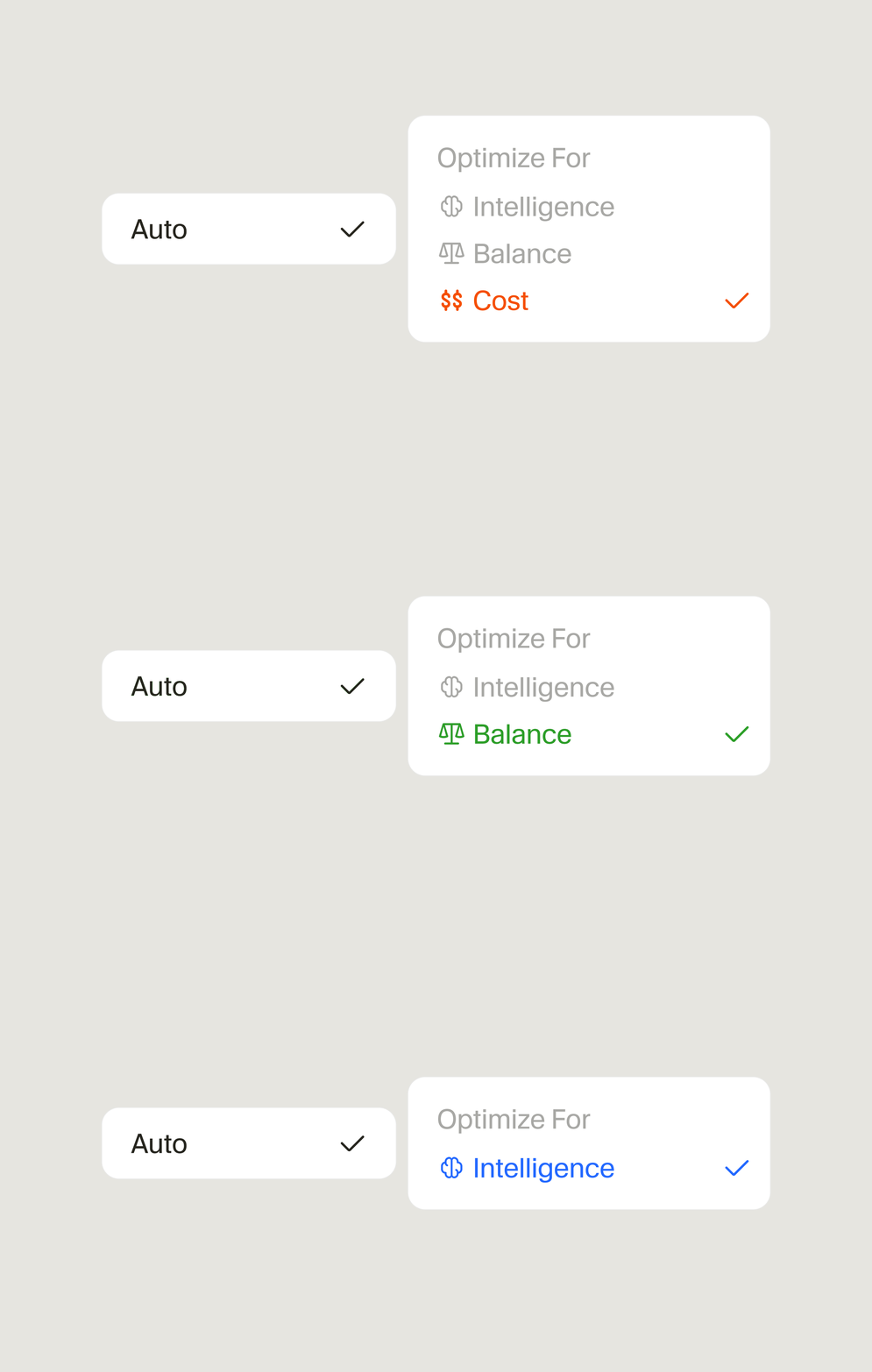
Cursor launched Cursor Router on July 22, 2026 for Teams and Enterprise across desktop, web, iOS, CLI, and Cursor's SDK. Auto Balance and Auto Intelligence use its classifier to choose an eligible model for each agent request, while Auto Cost preserves the previous Auto routing logic and bundled pricing. Teams has Router on by default; Enterprise administrators must enable it.
This guide uses Cursor's launch post, live documentation, changelog, pricing policy, and admin documentation as of July 23, 2026. Cursor's quality and savings figures are vendor-reported production experiments, not independent benchmarks. AgentPedia did not have access to a Router-enabled organization or its billing export, so the rollout and test plans below are evaluation frameworks rather than observed product results.
The practical verdict
Cursor Router standardizes a decision policy, not a model. Instead of asking every developer to decide whether a task deserves a cheap model or a frontier model, an administrator exposes one or more optimization modes and Cursor makes the model decision request by request.
That is a good trade when the workload is mixed and the organization cares about aggregate accepted work per dollar. It is a poor trade when model identity is part of the requirement.
| Team requirement | Better starting point | Why |
|---|---|---|
| Many routine and difficult tasks share the same workflow | Router with a capped pilot | Per-request selection can avoid paying a frontier rate for every routine turn |
| One consistent cost-and-quality policy across clients | Router | The same feature is available in desktop, web, iOS, CLI, and the Cursor SDK |
| Exact provider or model required by policy | Manual model selection | Router's pool is managed by Cursor and changes over time |
| Reproduce a model-specific regression | Manual model selection | A fixed model removes routing as a variable |
| Predict one model's list rate before every request | Manual model selection or Auto Cost | Balance and Intelligence depend on the model actually routed |
| Reduce individual model-brand bias | Router with model identity hidden | Hidden is the default, although admins can expose the routed model |
| Strict Enterprise allow/block policy | Router only after an eligibility review | Blocking models narrows the pool; Cursor Grok 4.5 is currently required |
The decision should be made on accepted tasks, not attractive averages. A route that costs less per token but creates more retries, corrections, or rejected changes can raise the cost of finished work.
What changed in Auto
Cursor Router is currently available only on Teams and Enterprise, not on individual plans. The launch separates access from rollout defaults:
| Product layer | Published status on July 23, 2026 | Important qualifier |
|---|---|---|
| Teams | Router available and on by default | Admins can configure modes and Auto defaults in the team dashboard |
| Enterprise | Router available | Off by default; an administrator must enable it |
| Desktop editor | Available | The user selects Auto and an allowed optimization mode |
| Web | Available | Organization policy still applies |
| iOS | Available | This is access to Cursor's agent workflow, not a local mobile model runtime |
| Cursor CLI | Available | The launch does not document a separate CLI routing algorithm |
| Cursor SDK | Available | SDK availability does not establish a public standalone Router API |
| Individual plans | Not currently available | The live Router docs limit the feature to Teams and Enterprise |
| Router source or weights | Not published | Router is a Cursor-managed product feature |
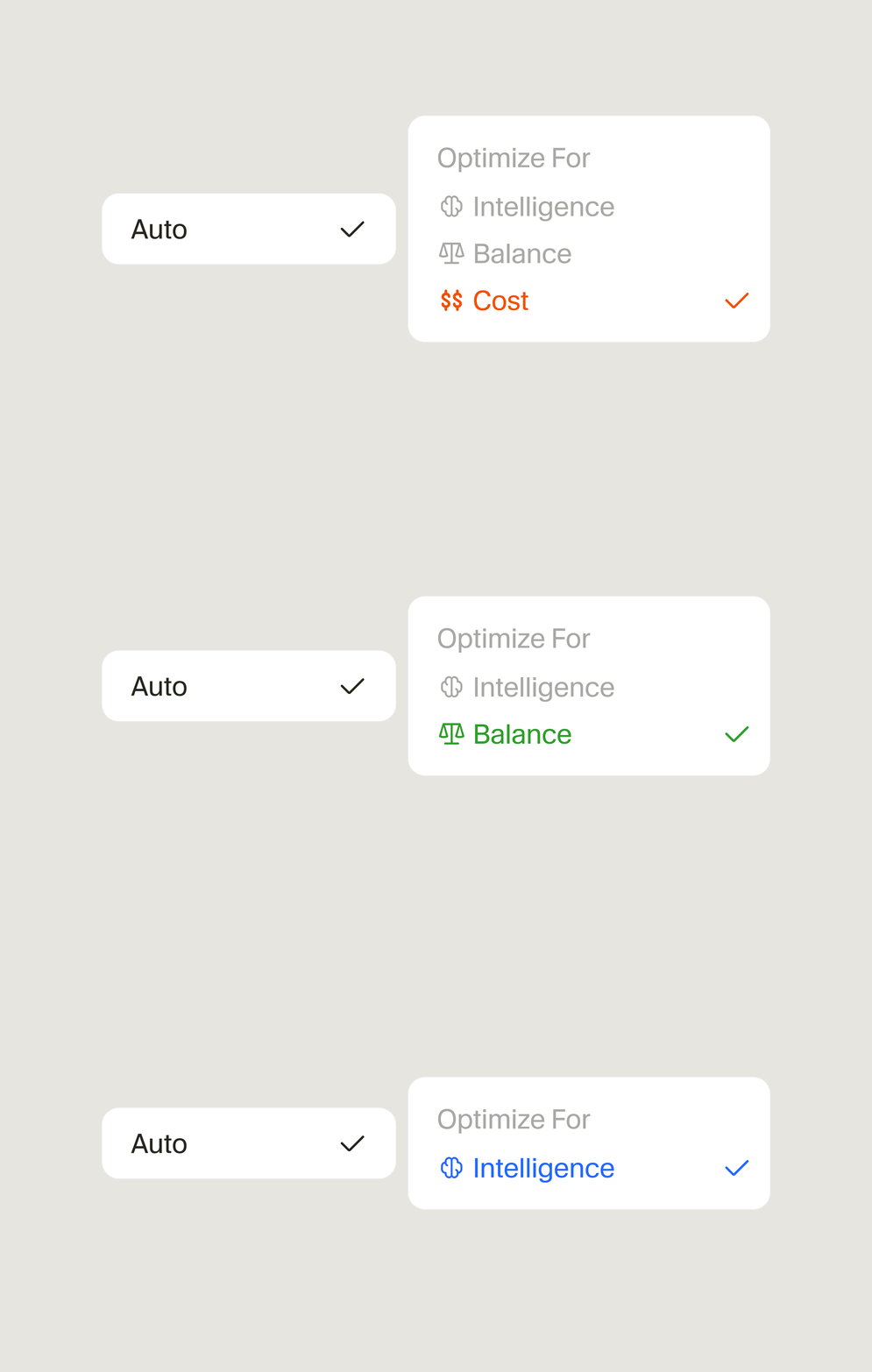
The user-facing entry remains Auto. Selecting Auto now exposes Cost, Balance, or Intelligence when the administrator has allowed those modes. The previous Auto routing logic remains available as Cost rather than disappearing.
How request routing works
Cursor describes Router as a classifier that runs before a model handles each agent request. Its launch material says the classifier considers the query, available context, task complexity, domain, and Cursor's data about how models behave.
Developer request + conversation context
                  |
                  v
        Cursor Router classifier
       /          |             \
 task type     complexity      domain
       \          |             /
                  v
      allowed model pool + selected mode
                  |
                  v
      one underlying model handles the request
                  |
                  v
 response, usage, and quality signals
The decision is per request, not necessarily per chat. A conversation can therefore cross model boundaries. Cursor says its training and online evaluation account for the cache misses caused by switching models, an important detail because cached context can be cheaper than fresh input on many model price sheets.
Cursor reports training the classifier on more than 600,000 live requests and evaluating it in online A/B tests across millions of live requests. Cursor says it optimized the classifier for a user-satisfaction reward called AFC. It separately reports using both user satisfaction and keep rate—the share of agent-generated code that remains in the codebase over time—to evaluate Router output. Those are Cursor's own operational measurements. The company does not publish the classifier, its feature weights, a reproducible evaluation dataset, confidence intervals, or route-by-route decisions.
The model pool is also dynamic. Cursor says it updates routing as models ship, and users cannot hand-pick the model that handles a Router request. Choosing a mode steers the objective; it does not pin a model.
Cost, Balance, and Intelligence compared
The three names describe optimization targets, not fixed model tiers.
| Mode | Cursor's documented behavior | Billing basis | Best first use | Main risk |
|---|---|---|---|---|
| Cost | Previous Auto logic; optimize token spend while seeking the highest useful intelligence | Bundled Auto rate per million tokens, independent of underlying model | Routine coding, broad rollout with tighter budgets, baseline against old Auto | May not spend enough intelligence on the hardest tasks |
| Balance | Optimize intelligence, speed, and cost | Actual routed model's API rate; eligible third-party routes also add the Cursor Token Rate | Mixed daily work where quality matters but frontier spend should be selective | Variable cost and faster usage-limit consumption than Cost |
| Intelligence | Prefer the most capable models for hard requests | Actual routed model's API rate; eligible third-party routes also add the Cursor Token Rate | Difficult debugging, long-horizon changes, and high-value tasks | Highest and least predictable spend of the three modes |
Cursor's docs say Balance and Intelligence cost about twice as much as Cost on average, and up to two to four times as much depending on the selected mode. That is a platform-level estimate, not a quote for one request. The selected model, token mix, cache behavior, retries, regional uplift, plan terms, and any private Enterprise contract still determine the bill.
A useful policy is to start with Cost and Balance, then add Intelligence only for a cohort with hard tasks and a measured reason to use it. That recommendation is an evaluation strategy, not Cursor's required setup.
How Cursor Router billing works
Router has two billing paths.
Auto Cost uses bundled rates
Cursor publishes these Auto Cost list rates as of July 23, 2026. Amounts are USD per million tokens:
| Token type | Auto Cost list rate |
|---|---|
| Input | $1.25 |
| Cache write | $1.25 |
| Cache read | $0.25 |
| Output | $6.00 |
The rate does not change with the model Cursor selects behind Cost. Auto Cost is also exempt from the Cursor Token Rate.
Balance and Intelligence use routed-model rates
For Balance and Intelligence, Cursor bills the model that actually handled the request. The general calculation is:
request charge
  = input tokens / 1,000,000 × routed-model input rate
  + cache-write tokens / 1,000,000 × routed-model cache-write rate
  + cache-read tokens / 1,000,000 × routed-model cache-read rate
  + output tokens / 1,000,000 × routed-model output rate
  + eligible third-party tokens / 1,000,000 × $0.25 Cursor Token Rate
On Teams and Enterprise, an eligible third-party model adds Cursor's $0.25 per million tokens Cursor Token Rate. Cursor says this applies to input, output, cache-write, and cache-read tokens, including BYOK requests. Auto Cost and Cursor first-party models, including Composer 2.5 and Cursor Grok 4.5, are exempt from that additional rate.
This means “billed at the routed model's rate” is not always the complete Teams invoice rule. For a third-party route, include both the model API fee and the Cursor Token Fee. Enterprise order forms can set different terms, and Cursor's published model prices can change with provider list pricing, so use the live Models & Pricing page or the applicable contract for a budget decision.
Balance and Intelligence also use plan limits faster than Cost. On Teams, usage remains allocated per paid seat and resets each billing cycle; on-demand usage is enabled by default. Enterprise can use pooled usage and per-member spend controls under its contract and admin features. Do not assume that a lower average route cost prevents overage when request volume grows.
What Cursor's savings evidence shows
Cursor published several related results. They need separate labels because the comparison baselines differ.
| Cursor-reported result | Comparison | Scope disclosed by Cursor | What it does not establish |
|---|---|---|---|
| Auto Intelligence at about 60% lower cost | Near Claude Fable 5 user satisfaction | Cursor online A/B testing across production traffic | A 60% saving against Opus 4.8 or a guarantee for another team |
| Auto Intelligence about 15% higher satisfaction | Claude Opus 4.8 at nearly the same cost | Cursor online A/B testing | Independent model quality or performance on a fixed public benchmark |
| Auto Balance at about 36% lower cost | Above Opus 4.8 on Cursor's user-satisfaction measure | Cursor online A/B testing | The same result for every repository, prompt mix, or contract |
| 30%–50% lower cost for three high-volume accounts | Actual early-access Auto traffic repriced as if every request used Opus 4.8 API rates | Three accounts with thousands of users during a two-week early-access period | A universal saving or an all-customer average |
| $6.76 / $4.63 cost per commit | Intelligence / Balance | Cursor's production analysis | A causal benchmark with a published sample distribution |
The launch's 60% headline is not the same experiment as the early-access Opus comparison. Cursor says the early-access accounts saved 30%–50% versus pricing all their traffic at Opus 4.8 rates. The 60% figure appears in Cursor's broader online A/B discussion and its near-Fable satisfaction comparison. Combining them into “60% versus Opus in early access” would overstate the source.
Cursor also reports cost per commit of $6.76 for Intelligence and $4.63 for Balance, compared with $12.69 for Fable 5 and $7.34 for Opus 4.8 in its analysis. Cost per commit is closer to an engineering outcome than cost per request, but Cursor does not publish the repository mix, commit definition, review burden, sample sizes by arm, or uncertainty. Treat the figures as a reason to run a team-specific pilot, not as a financial forecast.
A local evaluation should measure accepted change, retries, review time, incidents, and usage together. Lower model spend is not a saving if rejected changes move work to reviewers.
Hidden model identity and observability
Cursor hides the routed model by default and recommends that setting so users judge output rather than the model name. An administrator can instead display the underlying model at the start of each response for Balance and Intelligence.
Both choices have a legitimate use:
| Visibility policy | Advantage | Cost |
|---|---|---|
| Hidden during a blinded comparison | Reduces model-brand bias in subjective ratings | Makes route-specific regressions harder for a user to report |
| Visible during an operational pilot | Helps correlate failures, latency, and spend with routed models | Can change user behavior and contaminate blind quality judgments |
| Hidden after a stable rollout | Simpler product experience and less model chasing | Requires strong centralized logs and billing data for diagnosis |
A practical pilot can use two phases. First expose model identity to operators while validating model controls, billing, and regressions. Then hide it for a blinded user-quality comparison. Cursor's public docs do not describe a Router event API that exports every classifier decision, so confirm what the dashboard, spending data API, optional model label in Balance and Intelligence responses, completed SDK Run.model field, and contract make observable before relying on model-level incident analysis.
Do not infer the underlying model from style, latency, or token use. Those are noisy signals, and the eligible pool can change.
Admin controls and the Grok 4.5 requirement
Cursor's team dashboard provides four Router controls:
- Enable Cursor Router. Teams has it on by default; Enterprise must enable it. Enterprise can also apply the rollout to an organization group.
- Routing preferences. Choose which optimization modes members can select. Cursor says an admin can disable up to two modes.
- Underlying model visibility. Show the routed model at the start of a Balance or Intelligence response, or keep it hidden.
- Impose Auto. A soft policy starts each new chat on Auto but lets users switch. A hard policy locks the model picker to Auto. Both controls are off by default.
The changelog also says admins can allow or block underlying models. The current detailed docs narrow that feature: model access control is Enterprise-only. Router respects those controls, selecting an allowed alternative when one candidate is blocked.
The Enterprise policy interaction deserves a preflight check:
| Check | Pass condition |
|---|---|
| Cursor Grok 4.5 | Enabled for every Router pilot user |
| Prohibited providers or models | Blocked in Enterprise model access control |
| Effective access | At least one viable allowed route remains for each enabled mode |
| Group policy | Pilot users receive the intended team-plus-group combination |
| Spend controls | Team and per-user limits match the pilot budget |
| Identity display | Visible for operator diagnosis or intentionally hidden for a blind phase |
| Auto policy | Soft for the first pilot; hard only after rollback and exception paths are proven |
Organization-group permissions can combine with team settings. Cursor's group documentation says model access generally resolves as a union across the team and a user's groups, while team-level restrictions can still affect the experience. Inspect the effective policy for a test user rather than assuming the strictest-looking screen wins.
Router versus manual model selection
Router and manual selection optimize different forms of control.
| Criterion | Cursor Router | Manual model selection |
|---|---|---|
| Decision frequency | Every agent request | When the user or policy changes the chosen model |
| Model identity | Managed, dynamic, hidden by default | Known before the request |
| Cost predictability | Fixed bundled rates in Cost; route-dependent in Balance and Intelligence | Model rate known, but total tokens and retries still vary |
| Quality target | Aggregate policy across mixed tasks | Model-specific behavior |
| Cache continuity | Router may switch and cause cache misses; Cursor says its evaluations include them | Easier to keep one model through a conversation |
| New-model adoption | Cursor can update the pool without user action | Team evaluates and enables each model explicitly |
| Compliance review | Requires review of the eligible managed pool and effective controls | Easier when approval is tied to one provider/model |
| Debugging | Route is another variable | Fewer variables for reproduction |
| User effort | Lower after policy setup | Higher; users need model knowledge |
Use Router when model choice is an operational optimization problem. Use a fixed model when model choice is part of the test specification, contractual boundary, or incident hypothesis.
A hybrid policy is often stronger than an all-or-nothing decision: Auto Cost or Balance for ordinary work, manual fixed models for benchmark runs, regulated repositories, known model-specific features, and regression reproduction. Cursor's soft Auto default supports that pattern; hard Auto does not.
For a broader editor-level decision, the Cursor versus Antigravity comparison covers product differences outside model routing. The Cursor, Kiro, and Codex mobile workflow guide explains what remote agent control from a phone does and does not mean. If a managed changing pool is the wrong boundary, the OmniRoute self-hosted routing guide shows the larger operational and security burden of controlling a gateway yourself.
A controlled rollout plan
A Router rollout changes quality, cost, model identity, and debugging at once. Keep the first pilot reversible.
1. Freeze a baseline
Choose four weeks of representative work if available. Record request volume, model mix, token and cache use, accepted changes, user corrections, retries, latency, cost, and incidents. Keep manual-model traffic as the comparison arm.
2. Define policy before enabling Router
List prohibited models and providers, approved data regions, contract exceptions, retention requirements, and required observability. Confirm that Grok 4.5 is allowed. Decide whether a dynamic model pool is acceptable at all.
3. Start with a bounded cohort
Use one team or Enterprise organization group. Prefer developers who can report technical failures and whose repositories are representative but not the highest risk. Apply a team spend cap and, on Enterprise, per-member limits where appropriate.
4. Begin with soft Auto
Enable Cost and Balance, set a soft Auto default, and leave manual selection available as rollback. Show underlying models during the diagnostic phase. Do not impose hard Auto until model restrictions, billing, and exception workflows pass.
5. Run a blinded comparison
After operational checks pass, hide model identity for a defined period. Randomize comparable tasks where possible and use the same acceptance rubric for Router and fixed-model traffic. Preserve raw failures, not only means.
6. Expand one variable at a time
Add Intelligence, a larger cohort, or hard Auto separately. If all three change together, a cost or quality movement cannot be attributed cleanly.
7. Set rollback triggers
Examples include a material rise in rejected diffs, critical policy failure, spend above the pilot cap, a required model becoming ineligible, or inability to identify a route during an incident. The rollback is to disable Router or return affected users to manual selection, not to keep testing through a broken boundary.
A team evaluation test plan
The best evaluation corpus mixes routine turns with tasks that genuinely need frontier reasoning.
| Workload | Suggested corpus | Acceptance checks | Operational metrics |
|---|---|---|---|
| Small code edit | 50 closed issues with focused diffs | Tests pass, no unrelated edits, reviewer accepts | Mode, routed model when visible, tokens, cache use, latency, cost |
| Repository debugging | 20 reproducible failures | Root cause identified, fix passes hidden regression | Tool calls, retries, elapsed time, accepted-fix cost |
| Long-horizon change | 15 multi-file features | Requirements met, architecture constraints preserved | Human interventions, reverted lines, cost per merged change |
| UI task | 20 frozen screenshots and requirements | Functional checks, visual review, accessibility checks | Corrections, latency, accepted-result cost |
| Routine explanation | 100 low-risk questions | Factual accuracy, useful citation or code location | Cost, response time, escalation to more expensive routes |
| Policy-negative case | Every blocked-model and data-policy scenario | No prohibited route; Router fails safely if the pool is invalid | Policy logs, user-visible error, recovery time |
Pre-register thresholds. One reasonable structure is:
- no critical policy or data-boundary failures;
- no regression in hidden-test pass rate beyond an agreed margin;
- lower or equal cost per accepted change for Cost and Balance;
- an explicit quality gain required before Intelligence may spend more;
- p95 latency and correction rate within team limits;
- billing export reconciles with sampled visible routes and current rate tables.
Run the same tasks through a fixed daily-driver model, Auto Cost, Auto Balance, and—only after the first gates pass—Auto Intelligence. Do not compare different task mixes or count failed cheap attempts as savings.
Limits and open questions
Cursor's public material describes the product and its production experiments, but does not provide what an independent team would need to reproduce the router.
- No public classifier artifact. Training data, feature weights, model, and route thresholds are not published.
- No fixed model pool contract in public docs. The pool changes as models ship, so compliance and reproducibility need process controls.
- No independent savings study is cited. Quality, cost, satisfaction, keep rate, and cost-per-commit results are Cursor-reported.
- Incomplete experiment detail. The launch gives traffic scale and comparison summaries but not confidence intervals, assignment detail, task distribution, or full denominator definitions.
- No universal savings number. The 60%, 36%, and 30%–50% figures use different comparisons and scopes.
- Cost is still workload-dependent. Token mix, cache misses, retries, regional data-residency uplift, the Cursor Token Rate, and contract pricing matter.
- No separate Router service contract is documented. Cursor's public launch and Router docs do not describe a standalone Router API or self-hosted component; availability in Cursor's SDK refers to using Auto within the SDK.
- Model visibility is not full observability. Showing a model in the response helps diagnosis, but teams should confirm export, retention, and billing detail before relying on it for audits.
The organizational decision is whether Cursor's managed optimization loop provides enough control and evidence for the work being routed.
Use it or skip it
Use Cursor Router when the team has varied coding work, spends too much attention on model picking, accepts a changing approved pool, and can evaluate quality and cost at the accepted-task level. Start with soft Auto, a bounded cohort, visible model identity for diagnosis, and spending limits.
Keep manual selection when a fixed model is part of reproducibility, provider approval, contract terms, data policy, benchmark design, or regression analysis. It is also the safer fallback when model controls leave too small a Router pool.
Use a hybrid policy when ordinary work benefits from Router but a minority of tasks needs fixed models. Auto Cost or Balance can cover the broad path while manual selection remains available for approved exceptions.
For the Router prerequisite itself, the Cursor and SpaceXAI Grok 4.5 launch analysis covers model pricing and claims separately. Do not treat Grok 4.5's eligibility as proof that it handled a particular Router response.
FAQ
What is Cursor Router?
Cursor Router is the managed model-routing system behind Auto for Cursor Teams and Enterprise. Balance and Intelligence run a classifier on each agent request and send it to an eligible model; Cost preserves the previous Auto routing logic and bundled pricing.
How are Cursor Router requests billed?
Auto Cost has bundled per-million-token pricing regardless of the underlying model. Auto Balance and Auto Intelligence use the routed model's API rate; eligible third-party routes on Teams and Enterprise also incur Cursor's $0.25-per-million-token Cursor Token Rate. Contract terms can differ.
Can users see which model Cursor Router selected?
The underlying model is hidden by default. An administrator can configure Cursor to display the routed model at the start of each response for Balance and Intelligence modes.
Can Enterprise admins block models used by Cursor Router?
Yes. Cursor says Router respects Enterprise model access controls and routes to an allowed alternative when a model is blocked. Cursor also warns that blocking too many models can reduce routing quality or disable Router, and its current docs require Cursor Grok 4.5 to remain enabled.
When is manual model selection better than Cursor Router?
Manual selection is better when a workflow requires a fixed provider or model, reproducible model-specific evaluation, predictable per-token rates, direct comparison of a model regression, or a compliance policy that does not permit a changing managed pool.
Does Cursor Router guarantee 60 percent savings?
No. Cursor reports a 60 percent lower-cost result for Auto Intelligence at near-Fable satisfaction in its own online testing. Its separate early-access comparison against pricing every request at Opus 4.8 rates reported 30 to 50 percent savings for three high-volume accounts. Neither result guarantees savings for another team's workload.
Get the latest on AI, LLMs & developer tools
New MCP servers, model updates, and guides like this one — delivered weekly.
Official sources and further reading
Router launch and product behavior
- Introducing Cursor Router — classifier design, training and A/B scale, vendor-reported quality and savings, cost per commit, modes, controls, and launch availability
- Cursor Router documentation — current plan eligibility, per-request behavior, mode definitions, billing, model visibility, Auto policy, and Grok 4.5 requirement
- Cursor Router changelog — Auto change, modes, admin summary, client surfaces, and Teams/Enterprise rollout defaults
- Cursor TypeScript SDK — completed run shape, including the routed
modelfield - Cursor's official Router announcement on X — launch announcement published July 22, 2026
Billing and administration
- Cursor Models & Pricing — live model rates, Auto Cost rates, routed-model billing, and Cursor Token Rate
- Cursor Team Pricing — seat usage pools, on-demand behavior, spending controls, and Teams billing details
- Cursor Pricing Policy — Model API Fee, Cursor Token Fee, total-token definition, on-demand billing, and contract precedence
- Cursor team dashboard — Router settings, model controls, spending limits, usage, and billing surfaces
- Enterprise model and integration management — Enterprise-only model access controls and opt-in model rollout
- Enterprise organization groups — group prerequisites and how model access and other settings combine
- Cursor Grok 4.5 documentation — current Cursor Models pool placement and list pricing
Related AgentPedia guides
- Cursor and SpaceXAI Grok 4.5 launch guide
- Cursor versus Google Antigravity comparison
- Cursor, Kiro, and Codex mobile coding-agent comparison
- OmniRoute self-hosted AI gateway guide
Related Guides
How to Change Antigravity Themes
Customize themes, dark mode, icons, and color schemes.
Rules & ConfigurationAntigravity Rules Guide
How to build custom rules with AGENTS.md and GEMINI.md.
MCP & IntegrationMCP Servers Setup Guide
Step-by-step guide to connecting MCP servers in Antigravity.
ComparisonBest Antigravity Alternatives 2026
Claude Code, Cursor, Windsurf, Codex, and Kiro compared.
Pricing & QuotaAntigravity Cockpit Guide
Monitor AI quota, track rate limits, and manage credits.
MCP & IntegrationGoogle Stitch + Antigravity Guide
The complete design-to-code workflow with DESIGN.md and Vibe Design.