Get the latest on AI, LLMs & developer tools
New MCP servers, model updates, and guides like this one — delivered weekly.
What Google Launched
Gemini 3.5 Live Translate is not a chat model with a translation prompt. It is a dedicated Live API translation mode: stream 16kHz PCM speech in, choose a target language, and receive translated 24kHz audio plus optional transcripts from gemini-3.5-live-translate-preview.
Model ID
gemini-3.5-live-translate-preview
Launch
June 9, 2026
Languages
70+ supported
Input
Audio only
Output
Translated audio
Status
Public preview for developers
This guide is based on Google's launch post, the Gemini Live API docs, the official Google AI Developers thread, Google's LiveKit example, and the Gemini 3.5 Audio model card. Community reactions are intentionally left out so the API details stay tied to primary sources.
What Changed for Developers
Google's launch post positions Gemini 3.5 Live Translate as an audio model for live speech-to-speech translation. The developer-facing shift is that realtime translation is now exposed through the Gemini Live API and Google AI Studio, not only inside end-user Google products.
| Area | What changed | Developer impact |
|---|---|---|
| Developer access | Gemini 3.5 Live Translate is available in public preview through the Gemini Live API and Google AI Studio. | Developers can prototype speech-to-speech translation without waiting for a separate product surface. |
| Model ID | The Live API translation model is `gemini-3.5-live-translate-preview`. | Treat it as a preview model and isolate it behind config flags before production rollout. |
| Interaction model | Live Translation behaves like a realtime interpreter, not a conversational Live Agent. | Do not design prompts, tools, function calls, or turn-taking flows around this mode. |
| Audio pipeline | Input is audio-only raw PCM at 16kHz; output is translated audio at 24kHz. | Your product needs capture, resampling, buffering, playback, and transcript handling. |
| Safety signal | Google says model-generated audio is watermarked with SynthID. | Apps using generated audio should disclose AI audio and preserve provenance expectations. |
Official X Thread and Video
The Google AI Developers launch thread is useful because it frames the developer capabilities in product terms: multilingual input, automatic language detection, native audio processing, and robustness in noisy environments.
Our latest audio model, Gemini 3.5 Live Translate, takes real-time speech translation to the next level for developers.
— Google AI Developers (@googleaidevs)June 9, 2026
The embedded post includes Google's official launch video. The important takeaway for builders is not only that translation is faster; it is that the product surface is designed for continuous speech, where the system stays close to the speaker instead of waiting for a complete turn.
Mental Model: Live Agent vs. Live Translation
The Gemini Live API can support realtime agent interactions, but Live Translation is a narrower mode. Google's docs describe it as an interpreter pipeline. That distinction changes the whole product design.
| Dimension | Live Agent | Live Translation |
|---|---|---|
| Role | Assistant that listens, reasons, and can act. | Interpreter pipeline for speech-to-speech translation. |
| Interaction | Turn-based realtime conversation. | Continuous stream processing while the speaker talks. |
| Tools | Can use Live API tool and agent capabilities. | Translation-only; no tools or instructions. |
| Inputs | Text, audio, video, image depending on feature. | Audio input only for translation latency. |
| Main config | Generation, speech, tools, and instructions. | `targetLanguageCode` plus `echoTargetLanguage`. |
The practical implication: do not prompt Live Translate like a multilingual assistant. Build a media pipeline, not a chatbot. The API surface is about audio chunks, language codes, transcripts, and output playback.
Smallest API Shape
The docs show Python, JavaScript, and raw WebSocket options. For most web teams, the JavaScript SDK shape is the clearest starting point, but client-side apps should still use ephemeral tokens instead of exposing an API key.
import { GoogleGenAI, Modality } from "@google/genai";

const ai = new GoogleGenAI({});

const session = await ai.live.connect({
  model: "gemini-3.5-live-translate-preview",
  config: {
    responseModalities: [Modality.AUDIO],
    inputAudioTranscription: {},
    outputAudioTranscription: {},
    translationConfig: {
      targetLanguageCode: "es",
      echoTargetLanguage: false,
    },
  },
  callbacks: {
    onmessage: (message) => {
      const content = message.serverContent;
      const transcript = content?.outputTranscription?.text;
      const translatedAudio = content?.modelTurn?.parts?.find((part) => part.inlineData);

      if (transcript) console.log("Translated transcript:", transcript);
      if (translatedAudio) {
        // Decode and play the translated PCM audio chunk.
      }
    },
  },
});| Field | Value | Why it matters |
|---|---|---|
model | `gemini-3.5-live-translate-preview` | Use the preview Live Translate model. |
responseModalities | `AUDIO` | The API returns translated audio chunks. |
inputAudioTranscription | object | Optional input transcript stream. |
outputAudioTranscription | object | Optional translated transcript stream. |
targetLanguageCode | BCP-47 code | Target output language, such as `pl`, `es`, or `ja`. Defaults to English. |
echoTargetLanguage | boolean | When true, target-language input is echoed; when false, the model stays silent for target-language speech. |
Audio Contract: PCM In, Translated Audio Out
The Live Translate docs are explicit about the media contract. Input audio must be raw, little-endian, 16-bit PCM at 16kHz mono. Output audio is raw 16-bit PCM at 24kHz mono. Google recommends 100ms chunks for low-latency streaming.
// Browser microphone audio usually needs conversion before sending.
// Target input for Live Translate:
// - raw PCM
// - 16-bit
// - little-endian
// - mono
// - 16kHz sample rate
// - roughly 100ms chunks

session.sendRealtimeInput({
  audio: {
    data: pcm16MonoChunk.toString("base64"),
    mimeType: "audio/pcm;rate=16000",
  },
});
That means the hard part of a real app is often not the API call. It is capture, resampling, voice activity handling, buffering, playback drift, and UI feedback when the network or microphone gets rough.
Client Security with Ephemeral Tokens
Google's docs recommend ephemeral tokens for client-to-server applications so browser clients do not expose the API key. For translation, the safer default is to lock translationConfig in the token constraints on the server.
| Choice | Use when | Risk |
|---|---|---|
| Lock target language on server | Kiosk, classroom, broadcast, support room, meeting workflow. | Less flexible, but the client cannot tamper with translation settings. |
| Unlock target language on client | User must choose language dynamically in the browser. | Requires stricter validation, logging, and abuse controls. |
A production design should keep the API key server-side, mint short-lived tokens, limit allowed models, constrain target languages where possible, and log enough metadata to debug latency without storing sensitive raw audio unnecessarily.
Limitations You Should Design Around
The launch framing is strong, but the official docs also list practical caveats. These limitations are exactly where a polished app needs UX support.
| Limitation | Official caveat | Product response |
|---|---|---|
| Audio only | Translation mode does not accept text input. | Keep text translation, chat, and function calling in separate flows. |
| Voice consistency | Voices can shift after long pauses or rapid speaker changes. | Do not promise perfect speaker identity preservation. |
| Language detection | Heavy accents, similar languages, and fast language switches can affect the input transcript. | Show transcript confidence and let users correct language when needed. |
| Background audio | Noise and music are filtered, but not every background signal is ignored. | Test real rooms, cars, crowds, and cheap microphones. |
| Echo artifacts | `echoTargetLanguage: true` can introduce artifacts when target-language input contains background audio. | Default to false unless your UX really needs echoing. |
Reference Architecture
Google's example app shows a useful broadcast pattern with LiveKit: the organizer publishes audio, a translation bridge subscribes, one Gemini Live API session is created per target language, and attendees subscribe to the translated audio track for their chosen language.
Organizer microphone
  -> realtime room audio
  -> translation bridge per target language
  -> Gemini Live API translationConfig
  -> translated 24kHz audio
  -> attendee playback + optional transcript
The demo's most important scaling idea is session sharing. If fifty attendees choose Spanish, they should not create fifty identical Gemini sessions. A bridge can publish one Spanish translation stream that all Spanish listeners share.
Rollout Across Google Products
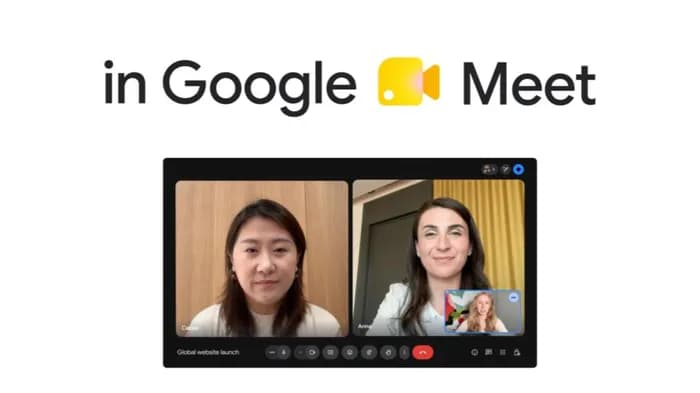
The launch is not only an API announcement. Google says Gemini 3.5 Live Translate is rolling out through three surfaces: public preview for developers through the Gemini Live API and AI Studio, private preview for Google Meet enterprise customers, and the Google Translate app on Android and iOS.
| Surface | Status from Google | Developer takeaway |
|---|---|---|
| Gemini Live API | Public preview for developers. | Best place to build and test custom realtime translation flows. |
| Google AI Studio | Available for trying model capabilities. | Fastest way to test before wiring a media stack. |
| Google Meet | Private preview for selected Workspace customers, broader rollout later. | Shows the model is aimed at live meeting translation, not offline batch dubbing only. |
| Google Translate app | Rolling out globally on Android and iOS. | Good reference for UX expectations around headphones, listening mode, and natural voice output. |
Build Checklist
If you are building with Live Translate this week, start with the media pipeline and failure modes before you polish the interface.
1. Start in Google AI Studio to test target languages.
2. Use gemini-3.5-live-translate-preview behind a feature flag.
3. Capture microphone audio and convert to 16kHz mono PCM.
4. Send roughly 100ms chunks over the Live API session.
5. Request input and output transcripts for debugging.
6. Keep API keys on the server; use ephemeral tokens for browser clients.
7. Decide whether target language is locked server-side or user-selectable.
8. Test accents, background music, overlapping speakers, long pauses, and rapid language switches.
9. Add visible latency and transcript status in the UI.
10. Disclose AI-generated translated audio and preserve SynthID expectations.
FAQ
What is Gemini 3.5 Live Translate?
Gemini 3.5 Live Translate is Google's audio model for near realtime speech-to-speech translation. Developers use it through the Gemini Live API with the `gemini-3.5-live-translate-preview` model.
Is Live Translate the same as a Gemini Live Agent?
No. Live Translation is an interpreter pipeline. It does not support tools, function calling, free-form instructions, text input, or general agent behavior in the translation mode.
What audio format does the API expect?
The docs specify raw little-endian 16-bit PCM audio at 16kHz mono for input, translated audio output at 24kHz mono, and 100ms input chunks.
Can a browser app call Live Translate directly?
Use ephemeral tokens for client-side applications. The docs recommend locking translation configuration on the server so a browser client cannot tamper with model or language settings.
Should I use this for production today?
Treat it as a preview capability. It is useful for prototypes and controlled pilots, but production apps need latency testing, fallback UX, privacy review, audio quality checks, and limits around voice consistency.