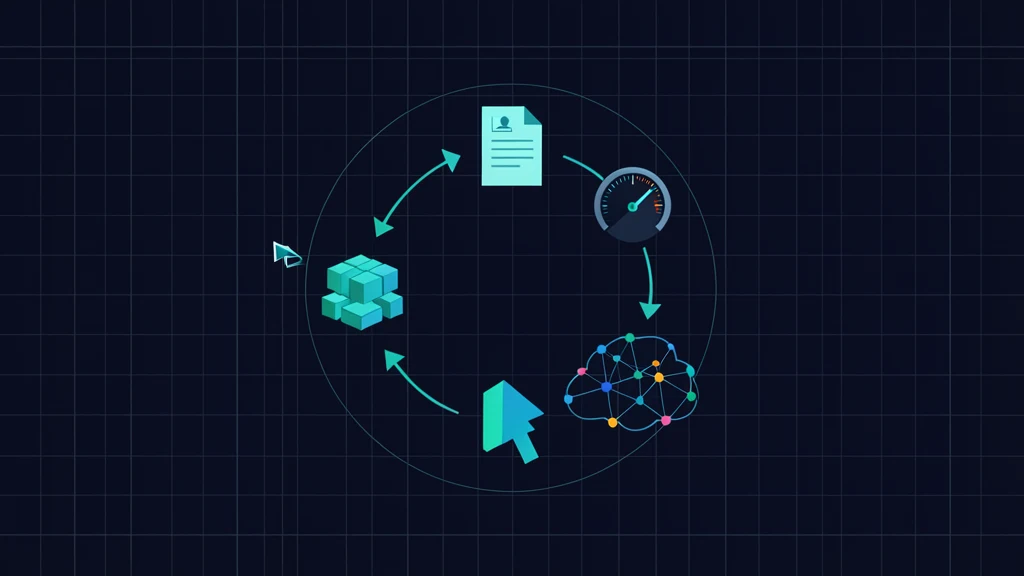
Google's Agents CLI repository packages the operational work around Agent Development Kit projects. Version 1.2 moved telemetry to ADK's otel_to_cloud, changed new scaffolds to Gemini 3.6 Flash, added Agent Runtime completion analytics in BigQuery, and fixed a yanked dependency in 1.2.1. A July 29 Google Cloud lifecycle tutorial shows the suite driving a full enterprise agent workflow.
Use it when the hard part is the lifecycle around an ADK agent, not when you need a replacement for Codex, Claude Code, or Antigravity.
What Agents CLI is
Agents CLI works in two modes:
- Standalone: a developer directly runs
agents-cli scaffold,eval,deploy, and other commands. - Through a coding agent: installed skills give the host current ADK, evaluation, deployment, publishing, and observability procedures.
The coding agent still writes and edits code. ADK remains the agent framework. Agents CLI connects those pieces to repeatable project templates and Google Cloud operations.
That division is easy to miss because the setup command installs both the executable and skills. AgentPedia's Antigravity and AGY CLI guide covers a coding-agent host and workflow controller; Agents CLI is the specialized lifecycle tool that such a host can call.
Install on a supported platform
The official prerequisites are:
- Python 3.11 or newer;
uv;- Node.js for skill installation;
- macOS, Linux, or Windows through WSL 2.
Native Windows is not officially supported. Google Cloud SDK and Terraform are optional for local work but needed for relevant deployment and infrastructure flows.
Install the CLI and its context-aware skills:
uvx google-agents-cli setup
Alternatives documented by Google are:
pip install google-agents-cli
agents-cli setup

# Skills only
npx skills add google/agents-cli
Verify authentication and installation before creating a project:
agents-cli login --status
agents-cli --version
If your coding-agent host exposes a skills list, confirm that the Google Agents CLI skills appear. Installation success is not the same as activation; ask the host to identify the specific lifecycle skill it will use for the next task.
Understand the seven installed skills
| Skill | Responsibility |
|---|---|
google-agents-cli-workflow | Lifecycle, preservation rules, and model selection |
google-agents-cli-adk-code | ADK agents, tools, orchestration, callbacks, and state |
google-agents-cli-scaffold | Project creation, enhancement, and upgrade |
google-agents-cli-eval | Datasets, metrics, generate/grade, comparison, analysis, optimization |
google-agents-cli-deploy | Agent Runtime, Cloud Run, GKE, CI/CD, and secrets |
google-agents-cli-publish | Gemini Enterprise registration |
google-agents-cli-observability | Cloud Trace, logging, BigQuery, and third-party observability |
The skills are guidance; the CLI verbs perform the operations. This makes review easier: inspect the proposed command, generated diff, Terraform, and eval output instead of accepting a vague claim that the coding agent “handled deployment.”
For general multi-agent framework concerns outside Google Cloud, the Microsoft Agent Framework lifecycle guide provides a useful contrast. Agents CLI is deliberately opinionated around ADK and Google's deployment surfaces.
Keep the local AI Studio path local
Local scaffolding, running, and evaluation do not require a Google Cloud deployment. The quickest authentication path is a Gemini API key from AI Studio:
export GEMINI_API_KEY="your-key-here"
Create a local prototype:
agents-cli scaffold create support-agent \
  --agent adk \
  --prototype \
  --yes
cd support-agent
agents-cli install
agents-cli playground
The playground runs locally on port 8080 according to the lifecycle guide. For a single prompt, use:
agents-cli run "Summarize the support policy"
Store the API key outside source control and generated artifacts. Local does not mean cost-free: Gemini API calls can still consume quota or bill the associated account.
The boundary changes as soon as the project needs Agent Runtime, Cloud Run, GKE, Gemini Enterprise publishing, Cloud Trace, BigQuery analytics, managed sessions, Memory Bank, IAM, or Terraform-managed services. Those features require Google Cloud projects, identities, APIs, and potentially billable resources.
Follow the lifecycle, not just scaffold output
Google's current lifecycle expands into eight phases:
| Phase | Developer outcome | Main CLI action |
|---|---|---|
| Spec | .agents-cli-spec.md with tools, constraints, and success criteria | Written and reviewed before generation |
| Scaffold | Project, tests, eval files, deployment assets | agents-cli scaffold create |
| Build | ADK model, instructions, tools, and App | Code and local checks |
| Orchestrate | Specialist agents and narrow tool surfaces | ADK code patterns |
| Evaluate | Dataset execution and rubric scores | eval generate, eval grade |
| Deploy | Agent Runtime, Cloud Run, or GKE release | agents-cli deploy |
| Publish | Gemini Enterprise registration | publish gemini-enterprise |
| Observe | Trace and analytics feedback | Cloud Trace and BigQuery |
A production-shaped scaffold from the official lifecycle guide is:
agents-cli scaffold create outage-recovery-bot \
  --agent adk \
  --deployment-target agent_runtime \
  --cicd-runner github_actions \
  --bq-analytics \
  --yes
The spec should name external tools, forbidden behavior, and measurable success before that command runs. A scaffold can create dozens of files; it cannot decide whether the generated IAM, session storage, region, evaluation rubric, and deployment target match your threat model.
The build phase in current scaffolds defaults to gemini-3.6-flash:
from google.adk.agents import Agent
from google.adk.apps import App
from google.adk.models import Gemini

root_agent = Agent(
    name="root_agent",
    model=Gemini(model="gemini-3.6-flash"),
    instruction="You are a support assistant. Cite the policy used.",
    tools=[search_policy],
)

app = App(root_agent=root_agent, name="app")
The default is a starting configuration, not a reason to skip task-specific model tests. The Gemini 3.6 Flash guide covers model-level integration details.
Run the documented evaluation loop before deploying:
agents-cli eval dataset synthesize --count 10
agents-cli eval generate
agents-cli eval grade
agents-cli eval compare prev.json latest.json
agents-cli eval analyze --eval-result latest.json
agents-cli eval optimize
Synthetic cases can cold-start a dataset, but acceptance also needs human-authored failure cases and held-out examples. Inspect judge rationale and tool traces; a higher aggregate score can hide a new safety regression.
Choose a deployment boundary
The scaffold records the deployment target and agents-cli deploy dispatches accordingly:
| Target | Choose it when | Operational responsibility |
|---|---|---|
| Agent Runtime | Managed agent runtime and platform integration are the priority | Google-managed runtime plus your IAM, data, tools, and evals |
| Cloud Run | Container and HTTP control are important | Service configuration, identity, scaling, networking |
| GKE | Kubernetes control and existing cluster operations justify the overhead | Cluster, workload, networking, upgrades, policy |
Preview what the project would deploy:
agents-cli deploy --dry-run
Then deploy only from a reviewed environment:
agents-cli deploy
Deployment is not publication. Registering an agent in Gemini Enterprise is a separate step:
agents-cli publish gemini-enterprise
Google documents ADK registration for a deployed Agent Runtime instance and A2A registration for a compatible HTTP endpoint. Publishing requires an existing Gemini Enterprise app and licensing. Treat discoverability, audience, permissions, and data access as a separate approval gate.
Account for the 1.2 release changes
Version 1.2.0 and version 1.2.1 were published on July 23, 2026.
| Change | Developer impact |
|---|---|
Telemetry moved to ADK otel_to_cloud | Use --otel-to-cloud; old --trace-to-cloud is a hidden warning alias |
| Default scaffold model is Gemini 3.6 Flash | Re-evaluate new projects against the previous chosen model |
| Agent Runtime completions flow to BigQuery | Completion analytics no longer remain empty for that target when configured |
| Managed Agents guidance added | Skills now distinguish Gemini API and Agent Platform setup |
| Yanked OpenTelemetry dependency fixed | 1.2.1 resolves the uv sync import break |
eval generate --url added | Release notes explicitly call the HTTP path in progress |
Do not standardize production CI on eval generate --url yet. “Optional” does not override the release note's in-progress warning. Keep the ordinary local evaluation path as the stable baseline and test the HTTP path separately.
Verify telemetry and analytics
Version 1.2 uses ADK's otel_to_cloud path. Local commands expose:
agents-cli playground --otel-to-cloud
agents-cli run --otel-to-cloud "health check"
Cloud Trace is the request-level view: model generations, tool calls, and sub-agent handoffs should appear as spans. BigQuery analytics is the offline view for prompts, responses, tool patterns, errors, and cost analysis.
The lifecycle scaffold enables analytics with --bq-analytics. Version 1.2 configures the telemetry log sink per deployment target so Agent Runtime GenAI request and response logs reach BigQuery. Verify with a known request:
- send a uniquely tagged harmless prompt;
- confirm a root trace and expected child spans;
- confirm the completion appears in the configured BigQuery view;
- check that secrets and prohibited content are not logged;
- verify retention, regional, and access policies.
Observability can create a sensitive copy of prompts, model output, and tool data. Redaction and access control are release requirements, not later dashboard work.
Handle common failure modes
| Symptom | Likely cause | Response |
|---|---|---|
uv sync import error on older 1.2 install | Yanked OpenTelemetry dependency | Upgrade to 1.2.1 or newer reviewed release |
| Skills installed but ignored | Host cannot discover them or task does not trigger them | Inspect host skill list and name the lifecycle task |
| Local run works, cloud fails | IAM, API, region, network, or secret boundary | Use deployment logs and least-privilege checks |
| Empty completion analytics | Missing analytics infrastructure or pre-1.2 target config | Check scaffold flags, sink, dataset, and release |
| Evaluation improves but production regresses | Weak or synthetic-only dataset | Add production-derived held-out cases |
| Native Windows failure | Unsupported platform | Reproduce in WSL 2 |
| Remote HTTP eval is unstable | --url path is in progress | Keep it out of required production gates |
Verify one complete vertical slice
- Confirm Python,
uv, Node, platform, CLI version, and authentication. - Review
.agents-cli-spec.mdbefore scaffolding. - Run
agents-cli scaffold createwith the smallest necessary target flags. - Inspect generated dependencies, identity, Terraform, workflows, and data services.
- Run locally with a known prompt and deterministic tool fixture.
- Execute
eval generateandeval gradeon authored and held-out cases. - Run
deploy --dry-run; review the target, project, region, and identity. - Deploy to a non-production project.
- Verify authentication, a tool call, a trace, and BigQuery completion analytics.
- Publish only after audience and permission review.
Adoption checklist
- The team needs lifecycle automation around ADK, not another coding agent.
- Developers use macOS, Linux, or WSL 2 with Python 3.11+,
uv, and Node. - Local and cloud credentials are separated.
- The spec defines tool contracts, prohibitions, and success thresholds.
- Generated infrastructure and workflows receive normal code review.
- Evaluation includes authored, adversarial, and held-out cases.
- The deployment target is chosen for operational needs, not template convenience.
--otel-to-cloudreplaced legacy telemetry usage.- BigQuery logging has redaction, retention, and access controls.
- 1.2.1 or newer avoids the yanked-dependency failure.
eval generate --urlremains experimental until Google changes its status.- Publishing has a separate access and governance approval.
Practical verdict
Agents CLI is most valuable when a team has an ADK prototype but lacks a consistent path through evaluation, infrastructure, publishing, and production feedback. Its seven skills also reduce stale command guessing by coding agents.
It is a poor fit if the team wants a cloud-neutral runtime abstraction or intends to accept generated infrastructure without review. Use the CLI as a reproducible operator, not as the authority for architecture, permissions, or release readiness.
FAQ
Is Google Agents CLI a coding agent?
No. It is a standalone lifecycle CLI plus seven skills that a coding agent such as Codex, Claude Code, or Antigravity can use to build and operate ADK agents.
Can I use Agents CLI without Google Cloud?
Yes for local scaffolding, running, and evaluation with a Gemini API key from AI Studio. Deployment, managed infrastructure, Gemini Enterprise publishing, and cloud observability require Google Cloud resources.
Which platforms does Agents CLI support?
The official getting-started guide supports macOS, Linux, and Windows through WSL 2. Native Windows is not officially supported.
What changed in Agents CLI 1.2.1?
Version 1.2.1 fixed an import failure during uv sync caused by a yanked OpenTelemetry dependency and added an optional eval generate --url HTTP path that the release notes explicitly call in progress.
Which deployment targets does Agents CLI cover?
The official lifecycle supports Agent Runtime, Cloud Run, and GKE. The target is selected during scaffolding, and agents-cli deploy dispatches according to that project configuration.
Official sources
- Google Agents CLI repository
- Google Agents CLI v1.2.0 release
- Google Agents CLI v1.2.1 release
- Official Agents CLI documentation
- Agents CLI getting started
- Agents CLI lifecycle guide
- Google Cloud tutorial: automate agent development lifecycles
Get the latest on AI, LLMs & developer tools
New MCP servers, model updates, and guides like this one — delivered weekly.
Related Guides
How to Change Antigravity Themes
Customize themes, dark mode, icons, and color schemes.
Rules & ConfigurationAntigravity Rules Guide
How to build custom rules with AGENTS.md and GEMINI.md.
MCP & IntegrationMCP Servers Setup Guide
Step-by-step guide to connecting MCP servers in Antigravity.
ComparisonBest Antigravity Alternatives 2026
Claude Code, Cursor, Windsurf, Codex, and Kiro compared.
Pricing & QuotaAntigravity Cockpit Guide
Monitor AI quota, track rate limits, and manage credits.
MCP & IntegrationGoogle Stitch + Antigravity Guide
The complete design-to-code workflow with DESIGN.md and Vibe Design.