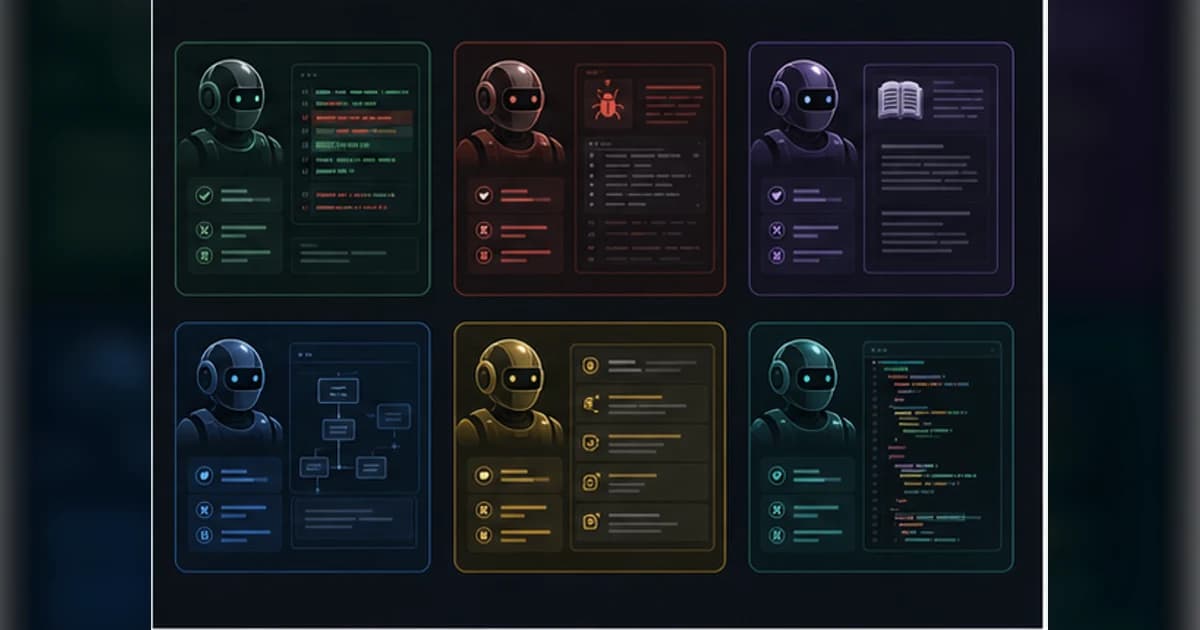
The repo's posture is deliberately small and composable. It does not try to replace the engineering process with a giant agent framework. It gives agents better habits for the parts of software work that routinely fail: ambiguity, feedback loops, domain language, architecture drift, testing, and handoff quality.
Get the latest on AI, LLMs & developer tools
New MCP servers, model updates, and guides like this one — delivered weekly.
Editorial note
This article is based on the GitHub repo, README, skill files, setup scripts, docs, current issues and PRs, skills.sh listing, newsletter link, and public GitHub metadata gathered on June 2, 2026. Exact popularity counters are omitted because they change quickly.
1. skills in One Sentence
Matt Pocock's `skills` repo is an MIT-licensed set of small, adaptable AI-agent workflow skills for real software engineering tasks such as TDD, diagnosis, product clarification, documentation, architecture improvement, issue triage, and handoffs.
| Area | Detail | Why it matters |
|---|---|---|
| Repository | mattpocock/skills | https://github.com/mattpocock/skills |
| Primary language | Shell | Primary GitHub language at research time. |
| License | MIT | Check bundled or binary licenses separately where relevant. |
| Created | February 3, 2026 | No GitHub releases found during research; main branch and issues are active. |
2. Why It Matters
The repo matters because many AI coding failures are process failures. The agent misunderstands the request, changes too much at once, lacks feedback, ignores domain language, or produces code that is hard to maintain.
Instead of one huge methodology, these skills are narrow tools. You can run `/grill-with-docs` before a feature, `/tdd` during implementation, `/diagnose` on a bug, `/improve-codebase-architecture` after entropy builds, and `/handoff` when context must move.
The engineering stance is also notable: the README rejects vague vibe coding and emphasizes fundamentals such as shared language, red-green-refactor, small steps, feedback, deep modules, and design stewardship.
3. Architecture and Mental Model
The repo is organized by skill category: engineering, productivity, misc, personal, in-progress, and deprecated. A small setup skill records per-repo configuration such as issue tracker, triage labels, and docs location so other skills can operate consistently.
| Area | Detail | Why it matters |
|---|---|---|
| Installer | `npx skills@latest add mattpocock/skills` | Primary README setup path through skills.sh. |
| Setup skill | `setup-matt-pocock-skills` | Captures issue tracker, labels, and docs locations used by other skills. |
| Planning | `grill-with-docs`, `grill-me`, `to-prd`, `to-issues` | Clarifies intent, domain terms, decisions, PRDs, and issue slices. |
| Implementation | `tdd`, `diagnose`, `prototype` | Improves feedback loops, debugging discipline, and exploratory design. |
| Architecture | `improve-codebase-architecture`, `zoom-out` | Finds design pressure, deepening opportunities, and broader code context. |
| Operations | `triage`, `handoff`, `git-guardrails-claude-code`, `setup-pre-commit` | Supports issue state, context transfer, and safer repo workflows. |
| Docs | `CONTEXT.md`, `docs/adr/`, `grill-with-docs` formats | Shared language and architecture decision records are first-class. |
| Scripts | `scripts/link-skills.sh`, `scripts/list-skills.sh` | Local shell helpers for listing and linking skills. |
4. Smallest End-to-End Setup
The commands below are copied from the repository documentation and checked against the current research snapshot. Treat them as a starting point, then read the linked README before installing into a production environment.
# Install through skills.sh
npx skills@latest add mattpocock/skills

# In your agent, select the skills you want.
# Include setup-matt-pocock-skills.

# Then run the setup skill once per repository:
/setup-matt-pocock-skills
A small first task should prove the integration before you attach it to critical data or large workspaces.
# Clarify a feature and update docs/ADRs
/grill-with-docs

# Build the change with a red-green-refactor loop
/tdd

# Diagnose a hard bug
/diagnose

# Break a plan into independently grabbable issues
/to-issues

# Hand off a session to another agent or future context
/handoff
5. Technical Deep Dive
5.1 The setup skill is the quiet dependency
The README says to select `/setup-matt-pocock-skills` during install and run it before the rest of the engineering workflow. That is not busywork. It records issue tracker choice, triage labels, and documentation location so skills like `to-issues`, `triage`, and `grill-with-docs` can behave predictably.
Current issues even discuss setup policy boundaries. This tells us the repo cares about repeatability rather than leaving every skill to rediscover local conventions.
5.2 Grilling is a requirement-shaping tool
`grill-me` and `grill-with-docs` are built around a simple observation: users often do not know exactly what they want until they are questioned. The skill makes the agent ask concrete questions before writing code.
`grill-with-docs` extends that into shared language and ADRs. That is especially useful in real products because domain terms reduce verbose explanations and improve names, tests, and issue titles.
before coding:
  ask hard questions
  define domain terms
  record decisions
  narrow scope
  then implement
5.3 TDD and diagnosis create feedback loops
`/tdd` pushes agents toward red-green-refactor and smaller vertical slices. `/diagnose` pushes reproduce, minimize, hypothesize, instrument, fix, and regression-test.
These skills do not make a model smarter in isolation. They change the loop around the model so it gets better evidence before editing and better verification after editing.
5.4 Architecture work is framed as design stewardship
`improve-codebase-architecture` is aimed at codebases that are becoming hard to change. The README ties it to ideas like deep modules, domain language, and investing in design every day.
That is the right level of ambition for an agent skill: not 'rewrite the app,' but inspect design pressure, clarify interfaces, and produce concrete deepening opportunities.
5.5 The repo is intentionally not one monolith
The skills are small enough to adapt. That matters because teams have different issue trackers, docs conventions, test tools, domain language, and tolerance for agent autonomy.
The current PR and issue surface shows the boundary is still evolving: splitting commands versus skills, better `/teach` outputs, docs outside worktrees, issue decomposition behavior, and output-frequency tuning.
6. Real-World Wrong vs Right Patterns
| Wrong | Right | Reason |
|---|---|---|
| Install every skill and hope the agent knows your repo. | Run `/setup-matt-pocock-skills` and configure issue tracker, labels, and docs paths. | Several skills depend on local conventions. |
| Use `/tdd` as a label for writing tests after the fact. | Use it as red-green-refactor on small vertical slices. | The value is the feedback loop, not just test files. |
| Ask for architecture improvement without domain docs. | Build shared language and ADRs first when possible. | Architecture analysis improves when the agent understands product language. |
| Treat these as a full agent framework. | Treat them as composable process tools. | The repo is intentionally small and adaptable. |
7. Common Mistakes and Current Issues
The issue tracker matters because these are young, fast-moving repos. The article uses issues as risk signals, not as proof that a project is unusable.
| Area | Detail | Why it matters |
|---|---|---|
| Commands vs skills | PR #291 tracks splitting skills into commands versus skills. | Packaging semantics are still being refined. |
| Teach skill | Issue #296 asks for better tree and hierarchy diagram guidance. | Some in-progress skills are still evolving. |
| Docs location | Issue #294 asks for docs outside the working tree for `grill-with-docs`. | Cross-worktree docs workflows need care. |
| Issue decomposition | Issue #292 says parent issues remain pickable after decomposition. | `to-issues` workflows can need manual cleanup. |
| Architecture handoff | Issue #290 asks for handoff buttons in generated architecture pages. | Generated reports are becoming workflow artifacts. |
| Output frequency | Issue #284 covered `grill-with-docs` output frequency. | Interview skills need pacing that matches the user. |
8. Performance, Scaling, and Cost Notes
These skills are mostly text and process, so runtime cost depends on the agent and repo size rather than a heavy local build. The biggest token cost comes from long grilling sessions, architecture analysis, issue decomposition, and repeated codebase reads.
The practical way to control cost is to choose narrow skills. Use `/diagnose` for one bug, `/tdd` for one slice, `/to-issues` for one plan, and `/handoff` when context should be compressed.
The repo's value is compounding: shared language, ADRs, issue slices, and handoffs reduce future ambiguity, which can save more tokens than the initial session costs.
9. Who It Is For
| Use it if | Skip it if |
|---|---|
| You want agent workflows that preserve engineering discipline. | You want an autonomous framework that owns the whole process. |
| You use Claude Code, Codex, or compatible skill-aware agents. | Your tooling cannot load or adapt `SKILL.md` workflows. |
| Your team values TDD, debugging discipline, ADRs, and issue hygiene. | You only want quick one-shot code generation. |
| You are comfortable adapting small skills to your repo conventions. | You need a fully hosted, opinionated project-management product. |
10. Community Signal
The strongest community signal is the maintainer's existing TypeScript and AI-engineering audience. The README routes people through skills.sh and a large AI Hero newsletter audience, which gives the repo immediate distribution.
The issue tracker is productively opinionated. Many issues are policy or workflow questions, not only bugs: setup verification, question limits, issue tracker scope, parent issue behavior, docs paths, and command packaging.
The repo's framing is refreshingly grounded: it argues that fundamentals matter more with agents, not less.
11. The Verdict: Is It Worth Using?
Our Take
Use Matt Pocock's skills if you want small, composable agent workflows that make planning, testing, diagnosis, architecture, issue triage, and handoffs more disciplined. Skip it if you want a one-click autonomous framework or a repo that hides engineering process behind a single command.
12. The Bigger Picture
This repo represents a mature direction for agent tooling: not bigger agents, but better rituals around agents. The skill is the process wrapper that keeps a model from turning ambiguity into code too early.
As AI coding gets faster, the bottleneck shifts to judgment, constraints, feedback, and maintainability. Small skills like these are one way to encode those engineering habits directly into the agent workflow.
13. Frequently Asked Questions
Q: How do I install Matt Pocock's skills?
The README recommends `npx skills@latest add mattpocock/skills`, then selecting the skills you want and running `/setup-matt-pocock-skills`.
Q: Do these only work with Claude Code?
They are written as agent skills and can be adapted to compatible skill-aware coding agents. Exact install behavior depends on your agent and skills.sh support.
Q: Which skill should I start with?
Start with `/setup-matt-pocock-skills`, then use `/grill-with-docs` for new features, `/tdd` for implementation, and `/diagnose` for bugs.
Q: What does `/grill-with-docs` do?
It asks detailed questions about the planned change, builds shared domain language, and can update context docs and ADRs.
Q: Is `/tdd` just test generation?
No. It is a red-green-refactor workflow for implementing small vertical slices with a clear feedback loop.
Q: Are these a replacement for project management?
No. Skills like `/to-issues`, `/triage`, and `/to-prd` can integrate with issue workflows, but they do not replace team judgment or process ownership.
14. Glossary
| Area | Detail | Why it matters |
|---|---|---|
| Skill | A reusable `SKILL.md` workflow for an agent. | The repo's primary artifact. |
| Grilling | Structured questioning before implementation. | Used to reduce requirement ambiguity. |
| Shared language | Project-specific domain vocabulary. | Stored in docs such as `CONTEXT.md`. |
| ADR | Architecture Decision Record. | Captures important technical decisions. |
| Red-green-refactor | Write failing test, make it pass, improve design. | Core TDD loop. |
| Deep module | A module with a simple interface and meaningful internal depth. | Architecture quality concept. |
| Handoff | Structured context transfer to a future session or agent. | Reduces context loss. |
15. All Sources and Links
Primary Sources
Issues and PRs
Author and Community
Internal Links
16. Source Attribution Table
| Area | Detail | Why it matters |
|---|---|---|
| README | Positioning, install flow, core problem statements, skill map. | Primary source. |
| Skill files | Concrete behavior for setup, grilling, TDD, diagnosis, architecture, issues, and handoff. | Primary source. |
| Scripts and docs | Local linking, listing, context docs, ADR formats. | Repo structure source. |
| Issues and PRs | Command packaging, docs path, teach, issue decomposition, and setup caveats. | Freshness signal. |
| skills.sh | Distribution channel and install framing. | Official ecosystem source. |
Get the Ultimate Antigravity Cheat Sheet
Join 5,000+ developers and get our exclusive PDF guide to mastering Gemini 3 shortcuts and agent workflows.
Related Guides
Humanizer Skill Guide
blader/humanizer: 29 AI-writing patterns, voice calibration, and a two-pass audit, all in one Claude Code skill.
Guides & FeaturesMastering Agent Skills
The open standard for portable AI agent expertise.
Guides & FeaturesAntigravity Workflows Guide
Create automation recipes with Turbo Mode and AgentKit 2.0.
Guides & FeaturesHow to Change Antigravity Themes
Customize themes, dark mode, icons, and color schemes.
Guides & FeaturesHow to Change Language
Switch Antigravity to Spanish, German, Japanese, and more.
Guides & FeaturesAntigravity Security Guide
Known vulnerabilities, safe settings, and hardening steps.