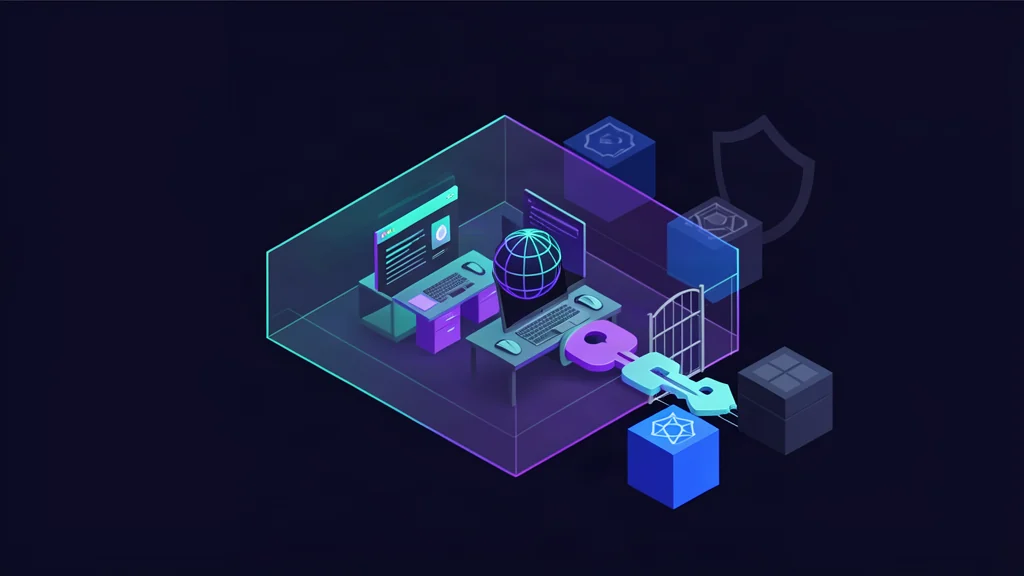
OpenSandbox is a general-purpose runtime for AI applications that need isolated execution. It exposes one sandbox lifecycle and execution model across Docker and Kubernetes, with SDKs for Python, Java/Kotlin, JavaScript/TypeScript, C#/.NET, and Go.
The practical verdict
The project is Apache 2.0 and provides Docker and Kubernetes backends, an osb CLI, code-interpreter SDKs, an MCP server, credential injection, egress policy, and stronger runtime options such as gVisor, Kata Containers, and Firecracker-backed isolation.
What OpenSandbox is
OpenSandbox separates the agent-facing API from the execution backend. A client can create a sandbox, run commands, write and read files, inspect diagnostics, and terminate the sandbox without coupling the agent to one container orchestration implementation.
| Layer | Responsibility |
|---|---|
| SDKs and CLI | Create sandboxes, run commands, move files, inspect state, and manage policies |
| Lifecycle API | Start, pause, resume, inspect, and terminate sandbox workloads |
| Execution API | Commands, files, code interpreters, and diagnostics |
| Docker runtime | Local and single-host execution |
| Kubernetes runtime | Distributed scheduling through BatchSandbox or agent-sandbox providers |
| Security plane | Egress controls, secure access, resource limits, capabilities, and runtime classes |
| Credential Vault | Inject outbound credentials without exposing the secret to the workload |
| MCP server | Expose selected sandbox operations to MCP-capable clients |
This makes OpenSandbox useful as an execution substrate rather than an agent framework. The model or harness still owns planning, tool selection, approvals, retries, and business authorization.
Architecture and runtime choices
The official architecture describes two main runtime families:
- Docker: simple local or single-host execution, useful for development and controlled workloads.
- Kubernetes: distributed scheduling through a workload provider, with resource limits, GPU translation, volumes, RuntimeClass integration, ingress, and egress components.
A sandbox request can specify an image or snapshot, entrypoint, environment, metadata, resource limits, volumes, platform constraints, network policy, and secure access settings. Those fields are powerful; they should be treated as an API authorization surface.
For stronger isolation, OpenSandbox documents these runtime choices:
| Runtime | Typical use | Important boundary |
|---|---|---|
Standard runc | Local development and trusted workloads | Container isolation is not a VM boundary |
| gVisor | Lower-overhead user-space kernel isolation | Requires installed runsc and compatibility testing |
| Kata Containers | VM-backed isolation with broader compatibility | Requires Kata runtime and host setup |
| Firecracker through Kata | Kubernetes microVM-style isolation | Kubernetes-oriented; requires RuntimeClass and infrastructure setup |
The secure runtime is configured at the server level, so all sandboxes created through that server use the selected runtime. SDK callers do not add an isolation flag to each request. OpenSandbox does not install gVisor, Kata, or Firecracker for you; infrastructure administrators must install and validate them before enabling the configuration.
A representative server configuration is:
[secure_runtime]
# Use "gvisor", "kata", "firecracker", or "" for standard runc.
type = "gvisor"

# Docker mode example:
docker_runtime = "runsc"

# Kubernetes mode example:
k8s_runtime_class = "gvisor"
Pin the runtime, server version, kernel, container image, and Kubernetes RuntimeClass in the deployment record. A passing API health check does not prove that the intended secure runtime is active.
Start a local sandbox
The official project requires Docker for local execution and Python 3.10 or newer for examples and the local runtime.
Install the server and initialize a Docker configuration:
uvx opensandbox-server init-config ~/.sandbox.toml --example docker
uvx opensandbox-server
Install the Python SDK and run a small command/file smoke test:
uv pip install opensandbox
import asyncio
from datetime import timedelta

from opensandbox import Sandbox
from opensandbox.models import WriteEntry

async def main() -> None:
    sandbox = await Sandbox.create(
        "python:3.12",
        timeout=timedelta(minutes=10),
    )
    async with sandbox:
        result = await sandbox.commands.run("python -c 'print(2 + 2)'")
        print(result.logs.stdout[0].text)
        await sandbox.files.write_files([
            WriteEntry(path="/tmp/result.txt", data="sandbox-ok", mode=644)
        ])
        print(await sandbox.files.read_file("/tmp/result.txt"))
        await sandbox.kill()

asyncio.run(main())
Run this only against a local test server. Before giving a model access, verify that the sandbox has the intended filesystem scope, user, capabilities, network mode, timeout, resource limits, and cleanup behavior.
The official osb CLI provides an equivalent operational path:
pip install opensandbox-cli
osb config init
osb config set connection.domain localhost:8080
osb config set connection.protocol http
osb config set connection.api_key <your-api-key>
osb sandbox create --image python:3.12 --timeout 30m -o json
osb command run <sandbox-id> -o raw -- python -c "print(1 + 1)"
Never put a real API key in a committed shell history, article example, or shared configuration file. The placeholder above is intentionally non-functional.
Connect agents and MCP
OpenSandbox includes a Code Interpreter SDK for running Python and other supported languages inside a sandbox. It also documents integrations for Claude Code, Gemini CLI, Codex CLI, Qwen Code, Kimi CLI, LangGraph, Google ADK, OpenClaw, Chrome, Playwright, VS Code Web, and Harbor evaluations.
Its MCP server exposes a smaller, explicit surface for MCP clients:
pip install opensandbox-mcp
opensandbox-mcp --domain localhost:8080 --protocol http
A minimal stdio configuration is:
{
  "mcpServers": {
    "opensandbox": {
      "command": "opensandbox-mcp",
      "args": ["--domain", "localhost:8080", "--protocol", "http"]
    }
  }
}
MCP discovery is not authorization. Allowlisting the server in a client does not decide which images, commands, files, networks, or credentials the client may use. Wrap sandbox creation in a policy layer that validates:
- permitted image registries and immutable digests;
- CPU, memory, GPU, timeout, and disk limits;
- allowed filesystem paths and volume types;
- allowed egress destinations and protocols;
- command or tool classes requiring human approval;
- cleanup deadlines and maximum concurrent sandboxes.
For a coding agent, the safest first workflow is read-only repository inspection in a disposable sandbox, followed by an explicit approval before a patch is copied back to the host.
Isolation, credentials, and egress
OpenSandbox’s security model has several independent controls:
- Secure runtime: gVisor, Kata, or Firecracker-backed isolation can reduce host escape risk compared with standard containers.
- Capability and resource policy: drop unnecessary Linux capabilities and set CPU, memory, GPU, process, and timeout limits.
- Network egress: use the egress sidecar and network policy to restrict outbound destinations.
- Credential Vault: inject credentials through a controlled proxy rather than writing real secrets into environment variables, files, commands, or logs.
- Secure access: Kubernetes ingress gateway deployments can require endpoint credentials and signed route tokens.
- Image provenance: OpenSandbox release images are published with keyless Cosign signatures and provenance attestations; verify them and pin digests.
The Credential Vault changes where the secret is exposed, not whether the request is authorized. Give a sandbox only the credentials required for its exact job, scope them to the target service, and log the access event without logging the secret.
A secure runtime also does not make a malicious command harmless if it can exfiltrate data through an allowed network path. Pair runtime isolation with egress allowlists, DNS controls, short-lived credentials, and a separate data classification policy.
Prompt injection is another boundary. Treat repository files, web pages, documents, and tool output as untrusted input. A sandbox can limit the blast radius of an injected command; it cannot decide whether the agent should have followed the instruction in the first place.
Move to Kubernetes
The Kubernetes runtime delegates workload creation to a provider such as OpenSandbox’s BatchSandbox controller or kubernetes-sigs/agent-sandbox. The architecture supports:
- Kubernetes resource limits and GPU translation;
- RuntimeClass integration for secure runtimes;
- PVC and managed-volume patterns;
- ingress gateway routing and secure endpoint access;
- per-sandbox egress sidecars and network policy;
- workload pause/resume where the provider supports it;
- distributed scheduling and large evaluation or training workloads.
Before a production rollout:
- install and test the RuntimeClass independently;
- verify that the chosen provider honors image pull secrets, resource limits, and network policy;
- isolate sandbox nodes and namespaces from control-plane services;
- prevent hostPath mounts unless explicitly required and reviewed;
- use admission policy to reject privileged pods and unapproved images;
- test node failure, sandbox timeout, orphan cleanup, and credential revocation;
- verify that the API server and ingress do not expose unauthenticated sandbox control.
The Kubernetes path adds operational capacity, not automatic safety. The cluster’s RBAC, admission, network, storage, image, and node policies remain part of the agent security boundary.
Limits and production checklist
OpenSandbox is a runtime platform, not a complete autonomous-agent governance system. It does not automatically provide:
- business-level authorization for tool calls;
- human approval for high-impact actions;
- safe prompt-injection handling;
- image or dependency vulnerability remediation;
- tenant isolation beyond the configured backend;
- reliable cleanup if the control plane or cluster is misconfigured;
- compliance certification for your workload.
Use this launch checklist:
- [ ] Pin server, SDK, image, and runtime versions.
- [ ] Verify image signatures and provenance before deployment.
- [ ] Select gVisor, Kata, or Firecracker where the threat model requires stronger isolation.
- [ ] Set explicit CPU, memory, GPU, process, disk, and timeout limits.
- [ ] Deny network egress by default and allow only required destinations.
- [ ] Use Credential Vault or short-lived scoped credentials instead of raw environment secrets.
- [ ] Keep MCP endpoints private and require authentication.
- [ ] Log sandbox creation, command class, credential use, network decisions, and cleanup.
- [ ] Test malicious code, prompt injection, data exfiltration, image substitution, and orphaned workloads.
- [ ] Keep a host-side approval and rollback path for any file or external-state change.
FAQ
FAQ
What is OpenSandbox?
OpenSandbox is an Apache-2.0 sandbox platform for AI applications. It provides unified lifecycle and execution APIs, multi-language SDKs, Docker and Kubernetes runtimes, code interpreters, MCP integration, network controls, and optional secure container runtimes.
Can OpenSandbox run untrusted AI-generated code?
It is designed for that use case, but isolation depends on the runtime and infrastructure configuration. Standard runc is less isolated than gVisor, Kata Containers, or Firecracker-backed runtimes; validate the complete host, kernel, network, image, and credential boundary.
How does OpenSandbox protect API credentials?
Its Credential Vault can inject credentials for outbound requests through an egress sidecar without exposing the real values to sandbox environment variables, commands, files, or logs. Treat this as a capability to configure and test, not an automatic guarantee.
Can I connect OpenSandbox to an MCP client?
Yes. The official project provides an OpenSandbox MCP server exposing sandbox creation, command execution, and text-file operations to MCP-capable clients such as Claude Code and Cursor. Restrict the MCP server’s endpoint, tools, credentials, and sandbox policies.
Sources and links
- OpenSandbox GitHub repository
- OpenSandbox architecture
- Secure container runtime guide
- Credential Vault guide
- Python SDK documentation
- MCP server documentation
- Release verification guide
- OpenSandbox examples
- AgentPedia: DeepSeek Harness plugin guide
- AgentPedia: Gemini 3.7 Flash guide
- AgentPedia: Cloudflare WebMCP security guide