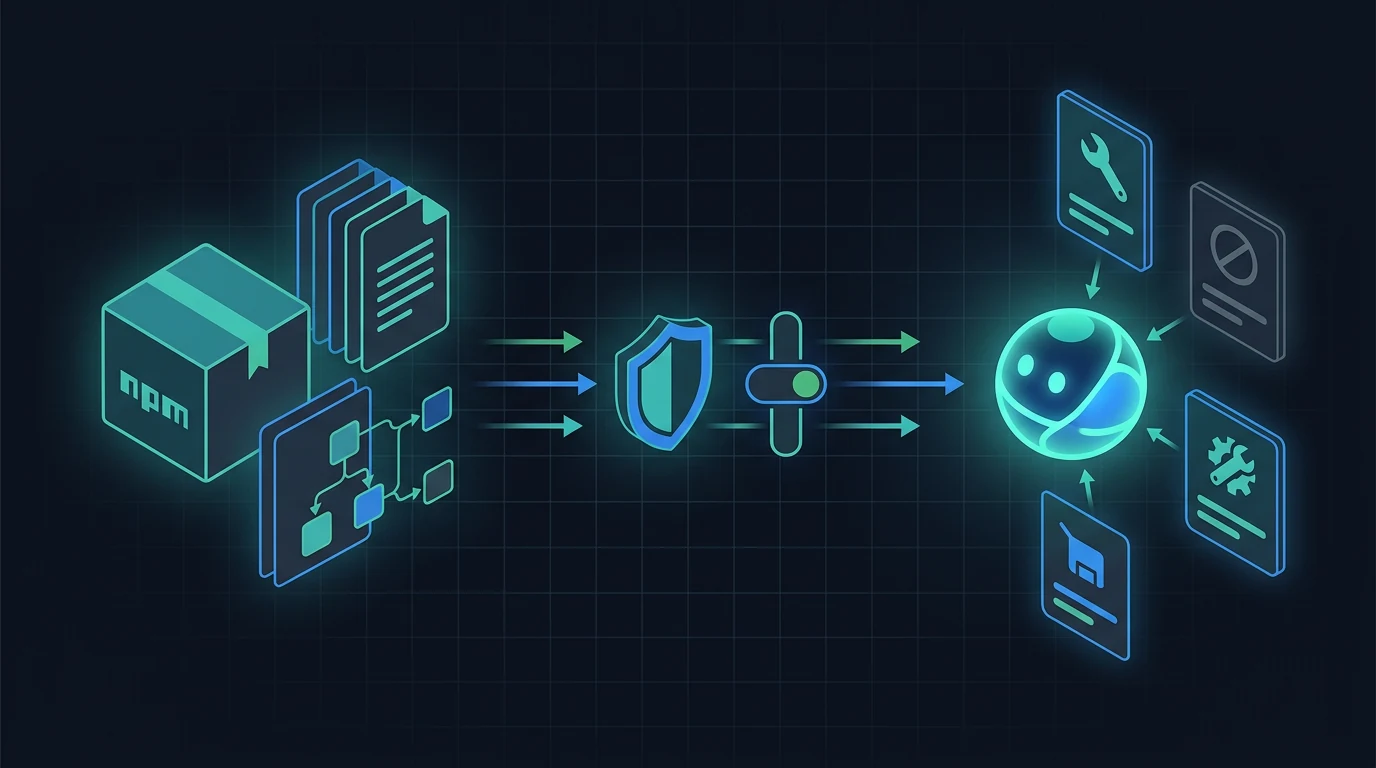
Vercel announced installable Eve extensions on July 22, 2026. The feature turns an agent-shaped directory into a versioned dependency that another Eve agent can mount without copying its source into the consumer. Configuration is schema-validated, mounted contributions receive a namespace, and consumers can replace or remove individual tools.
This guide uses Vercel's announcement, the Eve extensions documentation at the reviewed commit, repository changelog, and source repository as checked on July 23, 2026. Eve is still beta. The hands-on commands were tested with Eve 0.27.1 under Node.js 24.18.0; an intentional run on Node.js 22.22.0 failed at the documented Node 24 engine boundary.
What Eve extensions change
An extension packages capabilities that previously had to live directly under each agent's agent/ directory. The consumer installs one dependency and mounts it under agent/extensions/.
| Concern | Before a reusable extension | With an Eve extension | Boundary that remains |
|---|---|---|---|
| Distribution | Copy files or maintain a private template | Install an npm or local package | Package provenance and registry policy are still the consumer's responsibility |
| Configuration | Project-specific environment access in each tool | Standard Schema config validated at mount | Secret storage and least-privilege credentials still belong to the deployment |
| Naming | Consumer must avoid tool-name collisions | Mount name prefixes contributions with __ | A chosen namespace becomes part of the runtime tool contract |
| Customization | Fork or edit copied files | Co-located overrides can replace or disable a tool | The consumer must retest overrides after upgrades |
| Compatibility | Informal version matching | Build manifest records capability requirements for consumer validation | Semantic trust and behavior review are not supplied by compatibility checks |
| Upgrade | Repeat manual merges | Package-manager version update | A new version can change executable behavior and must be reviewed |
The practical gain is maintainability. A team can publish one CRM, browser, or memory integration and reuse it across agents while keeping per-agent configuration and policy at the mount site. The security consequence is equally direct: installing the package adds executable code that may run inside the consuming agent's process and limits.
Extension anatomy
The official scaffold is deliberately shaped like an agent:
@acme/crm/
├── package.json
└── extension/
    ├── extension.ts
    ├── tools/search.ts
    ├── connections/api.ts
    ├── skills/triage/SKILL.md
    ├── instructions.md
    ├── hooks/audit.ts
    └── lib/http.ts
The extension may contribute tools, connections, skills, instructions, hooks, and package-scoped state. It cannot declare the consuming agent's agent.ts, sandbox, schedules, limits, or nested extensions. Those restrictions keep deployment-wide authority with the consumer.
The package also has two roots:
eve.extension.sourcepoints to authored files used byeve extension build.eve.extension.distpoints to the generated, publishable agent-shaped tree.
The build emits JavaScript, type declarations, package entrypoints, copied skill assets, and _manifest.json. The manifest records its format, the diagnostic Eve build version, and capability contract versions. It does not list or attest to every tool, schema, or executable definition. Compatibility metadata is useful, but it is not a security signature or code-review result.
Scaffold and build a minimal extension
Eve currently requires Node.js 24 or newer. Confirm that prerequisite before scaffolding:
node --version
npx eve@latest extension init crm-extension
cd crm-extension
The scaffold creates the package, installs dependencies, initializes Git, and wires build and prepare to eve extension build. Its generated package.json keeps eve in two places for different reasons:
{
  "eve": {
    "extension": {
      "source": "./extension",
      "dist": "./dist/extension"
    }
  },
  "files": ["dist"],
  "peerDependencies": { "eve": "*" },
  "devDependencies": { "eve": "0.27.1" },
  "scripts": {
    "build": "eve extension build",
    "prepare": "eve extension build"
  }
}
The wildcard peer means the consuming agent supplies the single Eve runtime. The exact development pin makes the author's build reproducible. Eve does not use the peer range as its capability decision; the consumer validates requirements recorded by the extension build.
Declare typed configuration with a Standard Schema library such as Zod:
// extension/extension.ts
import { defineExtension } from "eve/extension";
import { z } from "zod";

export default defineExtension({
  config: z.object({
    apiKey: z.string().min(1),
    baseUrl: z.string().url().default("https://api.acme.example"),
  }),
});
Then read the bound, parsed configuration from a tool:
// extension/tools/search.ts
import { defineTool } from "eve/tools";
import { z } from "zod";
import extension from "../extension";

export default defineTool({
  description: "Search CRM records by customer name.",
  inputSchema: z.object({ query: z.string().min(1) }),
  outputSchema: z.object({ records: z.array(z.object({ id: z.string() })) }),
  async execute({ query }) {
    const response = await fetch(
      `${extension.config.baseUrl}/search?q=${encodeURIComponent(query)}`,
      { headers: { authorization: `Bearer ${extension.config.apiKey}` } },
    );
    if (!response.ok) throw new Error(`CRM request failed: ${response.status}`);
    return response.json();
  },
});
Build and inspect the publishable artifact:
npm run typecheck
npm run build
npm pack --dry-run
In the AgentPedia smoke test, all three commands passed under Node.js 24.18.0. The dry-run tarball contained only package.json and generated files under dist/, including the tool JavaScript and declarations. That is the right moment to fail a pipeline if source maps, credentials, test fixtures, local files, or unexpected dependencies appear in the package.
Mount and namespace an extension
Install the package in the consuming agent, then create this mount module:
npm install --save-exact @acme/[email protected]
// agent/extensions/crm.ts
import crm from "@acme/crm";

export default crm({
  apiKey: process.env.CRM_API_KEY!,
  baseUrl: "https://crm.internal.example",
});
The filename supplies the namespace. A tool authored as search.ts becomes crm__search at runtime; a connection named api becomes crm__api. Extension authors should use bare contribution names because the mount adds the prefix.
A no-config extension uses a bare re-export:
// agent/extensions/policy.ts
export { default } from "@acme/policy";
Configuration is bound when Eve loads the mounted application graph and is stored under the package namespace. It is application-generation configuration, not per-user or per-session storage. Per-user or per-request credentials belong in connection authentication, not in global extension configuration.
The namespace has operational value beyond collision avoidance. It gives reviewers, approval UIs, traces, and allowlists a visible origin for each mounted capability. Avoid renaming mounts casually because the qualified tool names can appear in prompts, tests, policy rules, and observability data.
Override approvals or disable a tool
A flat mount file is enough when the package can run unchanged. Use a directory mount when the consumer needs policy overrides:
agent/extensions/crm/
├── extension.ts
└── tools/
    ├── search.ts
    └── delete_customer.ts
The declaration still mounts the package:
// agent/extensions/crm/extension.ts
import crm from "@acme/crm";
export default crm({ apiKey: process.env.CRM_API_KEY! });
An override can import the package's typed tool and require approval every time it runs:
// agent/extensions/crm/tools/search.ts
import { search } from "@acme/crm/tools";
import { defineTool } from "eve/tools";
import { always } from "eve/tools/approval";

export default defineTool({
  ...search,
  approval: always(),
});
A riskier capability can be removed at composition time:
// agent/extensions/crm/tools/delete_customer.ts
import { disableTool } from "eve/tools";

export default disableTool();
Overrides match one contribution by mount namespace, bare name, and kind. A dynamic tool wins over a same-named static tool at runtime, so a dynamic contribution must be replaced or disabled through its dynamic slot; adding a static file with the same name does not shadow it.
These controls are valuable, but they are not a sandbox. A hook, instruction fragment, connection, dependency, or another allowed tool can still change behavior. Review the whole package rather than approving it because one destructive tool was disabled.
Typed results in consumer hooks
Consumers can narrow a mounted tool result without parsing a qualified string manually:
// agent/hooks/audit-crm.ts
import { defineHook } from "eve/hooks";
import { toolResultFrom } from "eve/tools";
import { search } from "@acme/crm/tools";

export default defineHook({
  events: {
    "action.result"(event) {
      const result = toolResultFrom(event.data.result, search);
      if (result) console.log(result.output.records.length);
    },
  },
});
Eve matches the mounted crm__search result using tool identity rather than asking the hook to know the namespace. The resolver normally stamps a source-derived key; the tool description is the authoring-time fallback. Duplicate fallback descriptions can make matching ambiguous and cause toolResultFrom not to match, so keep descriptions distinct and test narrowing across upgrades.
The supply-chain boundary
The launch announcement documents registry publishing, package-manager installation, versioning, schema validation, compatibility manifests, namespaces, approval overrides, replacements, and disableTool(). It does not describe extension signing, registry curation, publisher verification, capability permission prompts, or a Vercel trust score for third-party extensions.
That absence does not prove those systems will never exist. It means a July 23 production review should not claim they protect an imported package. Apply the same controls used for other executable npm dependencies, plus agent-specific policy checks.
| Risk | What to inspect | Minimum control |
|---|---|---|
| Package substitution | Exact registry, package scope, publisher, and resolved integrity | Private/approved registry and lockfile; install exact versions |
| Install-time execution | install scripts, transitive scripts, and prepare for pack/publish, local/link, or Git installs | Build in isolated CI; use script restrictions where the package manager supports them |
| Runtime network access | fetch, SDK clients, connections, webhook destinations | Egress allowlist and least-privilege service credentials |
| Tool authority | Input schema, executor, approval policy, dynamic tools | Explicit allowlist; always() or disable high-impact capabilities |
| Hook behavior | Every event handler and imported helper | Review hooks as privileged runtime code, not observability-only code |
| Prompt influence | Instructions and skills included by the package | Diff prompt material and test for policy conflicts or hidden data requests |
| Dependency drift | Lockfile and transitive version changes | Immutable install, dependency review, and reproducible build |
| Upgrade compatibility | Generated manifest, dist diff, and mount overrides | Build against oldest supported and current consumer; rerun policy tests |
| Secret exposure | Config schema, logs, errors, telemetry, package files | Pass references at runtime; never publish credentials; redact logs |
| Native dependencies | Addons that cannot be bundled | Declare them in the consuming agent's build.externalDependencies and review platform support |
An extension's own dependencies are bundled into the consuming agent's deployment where supported. A native addon must instead be declared by the consuming agent because extensions cannot own build configuration. Document that requirement in the extension README and fail installation or build clearly when it is missing.
A reviewable CI pipeline
A production pipeline can keep authoring and consumption separate:
Extension repository
  source review
    -> Node 24 typecheck
    -> eve extension build
    -> package-file inventory
    -> dependency and secret scan
    -> signed internal release process
                    |
                    v
Consumer repository
  exact-version install + immutable lockfile
    -> inspect dist and dependency diff
    -> compile mounted graph
    -> policy tests for qualified tools
    -> approval/disable negative tests
    -> network and credential boundary tests
    -> canary deployment and rollback gate
The “signed internal release process” above is a team recommendation, not a feature claimed for the Eve extension format. It might be npm provenance, a private registry policy, an artifact signature, or another control already used by the organization.
For the authoring repository, capture the output of:
node --version
npm ci
npm run typecheck
npm run build
npm pack --dry-run
npm audit
npm audit --omit=dev
The full audit includes development and build tooling that executes in CI. The --omit=dev run separately describes the shipped runtime dependency set; it does not replace auditing authoring tools such as Eve and TypeScript.
For the consumer, test the compiled runtime names and policy behavior rather than only TypeScript:
crm__search exists
crm__delete_customer does not exist
crm__search pauses for approval
unknown crm__* tools are rejected
invalid mount config fails before a session starts
network calls outside approved CRM origins fail
Do not publish automatically just because the extension builds. A build proves shape and compatibility, not that the behavior is safe or useful.
Upgrade and rollback plan
Treat each extension update as a code change:
- Resolve an exact candidate version in a review branch or isolated CI workspace.
- Compare
package.json, lockfile, package scripts, generateddist/, capability manifest, and transitive dependencies. - Reapply and compile every consumer override.
- Run positive tests for intended tools and negative tests for disabled, blocked, or approval-gated actions.
- Exercise representative sessions with non-production credentials and constrained egress.
- Deploy to a bounded cohort and inspect Agent Runs or the team's telemetry for qualified tool names, failures, latency, and unexpected calls.
- Keep the previous lockfile and artifact available for rollback.
Workspace development can rebuild a mounted local extension when its source changes. That shortens iteration, but it should not replace testing the packed artifact. AgentPedia recommends testing the same built dist against both the oldest and latest consumer versions an extension claims to support; Eve's documented manifest check reports unsupported capability contracts but does not establish package trust or complete behavioral compatibility.
When to use an extension
Use an extension when several Eve agents need the same coherent capability, the package has a clear owner, configuration is stable at mount time, and your organization can review and release it like executable code.
Keep capability code inside one agent when it is tightly coupled to a single workflow, changes with that agent on every release, or does not justify a separately versioned dependency.
Delay third-party installation when package provenance is unclear, the extension requests broad credentials or network access, its hooks and instructions cannot be audited, or the team has no way to pin, test, and roll back versions.
Eve itself remains beta, so pin the framework and extension development dependency, read the changelog before upgrades, and expect API or packaging behavior to change before general availability. Pricing is not attached to the extension package itself; an agent still consumes the Vercel Functions, Workflows, Sandbox, AI Gateway, model, and third-party resources it uses.
For adjacent patterns, the OmniRoute self-hosted gateway guide covers the operational burden of owning routing infrastructure. The secure MCP tunnels guide addresses private service boundaries, while the Agent Skills guide focuses on procedure packages rather than executable Eve extension composition.
Production adoption checklist
- [ ] Run Node.js 24 or newer and pin the Eve authoring version.
- [ ] Use a scoped package name, approved registry, exact version, and immutable lockfile.
- [ ] Keep
eveas the required wildcard peer and an exact development dependency. - [ ] Publish generated
dist/only; inspectnpm pack --dry-runoutput. - [ ] Review tools, dynamic tools, connections, hooks, instructions, skills, state, and dependencies.
- [ ] Confirm the extension does not attempt to own sandbox, schedules, limits, or nested extensions.
- [ ] Pass credentials at runtime with the narrowest available scope.
- [ ] Choose a stable namespace and audit every resulting
namespace__toolcapability. - [ ] Replace or disable unnecessary tools and add approvals to high-impact actions.
- [ ] Test dynamic and static overrides by kind.
- [ ] Enforce network destinations and redact secrets from errors and telemetry.
- [ ] Typecheck, build, inspect the capability manifest, and test the packed artifact.
- [ ] Test the same artifact against the supported consumer versions.
- [ ] Canary the upgrade and keep a lockfile-based rollback.
- [ ] Do not treat manifest compatibility, schema validation, or namespacing as package trust.
FAQ
What can a Vercel Eve extension contain?
An Eve extension can package tools, connections, skills, instructions, hooks, and package-scoped state. It cannot declare the consuming agent's sandbox, agent configuration, schedules, limits, or nested extensions.
How are Eve extension tools named after import?
The mount filename or directory supplies a namespace. A tool authored as search.ts and mounted as crm becomes crm__search at runtime.
Can a consumer require approval for an imported tool?
Yes. A directory mount can override the imported tool definition and add an approval policy such as always(). The consumer can also replace the implementation or remove it with disableTool().
Does the Eve extension manifest prove a package is safe?
No. The generated manifest records format, build version, and capability compatibility requirements. It is not a security signature, package attestation, permission review, or inventory of every executable definition.
Which Node.js version do current Eve extensions require?
Eve 0.27.1 declares Node.js 24 or newer. AgentPedia confirmed the extension scaffold stops on Node.js 22 and passes scaffold, typecheck, build, and dry-run packaging under Node.js 24.18.0.
Should teams install third-party Eve extensions directly in production?
Only after reviewing package provenance, scripts, built files, dependencies, tools, hooks, instructions, network access, credentials, and upgrade behavior. Pin an exact version, test overrides and negative policy cases, deploy to a canary, and keep a rollback artifact.
Get the latest on AI, LLMs & developer tools
New MCP servers, model updates, and guides like this one — delivered weekly.
Official sources and test notes
Vercel and Eve documentation
- Vercel changelog: Extend Eve agents with installable extensions — July 22 announcement, scaffold, mount, namespace, schema, override, and typed-result summary
- Eve extensions guide at the reviewed commit — authoring, build output, dependencies, mounting, overrides, typed results, and limits
- Eve repository snapshot — source, Apache-2.0 license, beta status, security contact, and reviewed project documentation
- Eve package changelog at the reviewed commit — extension build and distribution changes, workspace rebuild behavior, and fixes
- Vercel Eve overview — framework boundary, Node-era examples, Vercel services, and beta status
- Eve pricing and limits — underlying Vercel and model resources that determine runtime cost
AgentPedia verification
- Tested July 23, 2026 with
[email protected]under Node.js 24.18.0: scaffold, TypeScript check,eve extension build, andnpm pack --dry-runpassed. - The same scaffold command under Node.js 22.22.0 stopped with Eve's Node.js 24+ requirement. No deployment, registry publish, authenticated external service, or production agent run was performed.
Related Guides
How to Change Antigravity Themes
Customize themes, dark mode, icons, and color schemes.
Rules & ConfigurationAntigravity Rules Guide
How to build custom rules with AGENTS.md and GEMINI.md.
MCP & IntegrationMCP Servers Setup Guide
Step-by-step guide to connecting MCP servers in Antigravity.
ComparisonBest Antigravity Alternatives 2026
Claude Code, Cursor, Windsurf, Codex, and Kiro compared.
Pricing & QuotaAntigravity Cockpit Guide
Monitor AI quota, track rate limits, and manage credits.
MCP & IntegrationGoogle Stitch + Antigravity Guide
The complete design-to-code workflow with DESIGN.md and Vibe Design.