Get the latest on AI, LLMs & developer tools
New MCP servers, model updates, and guides like this one — delivered weekly.
Who Wins for What
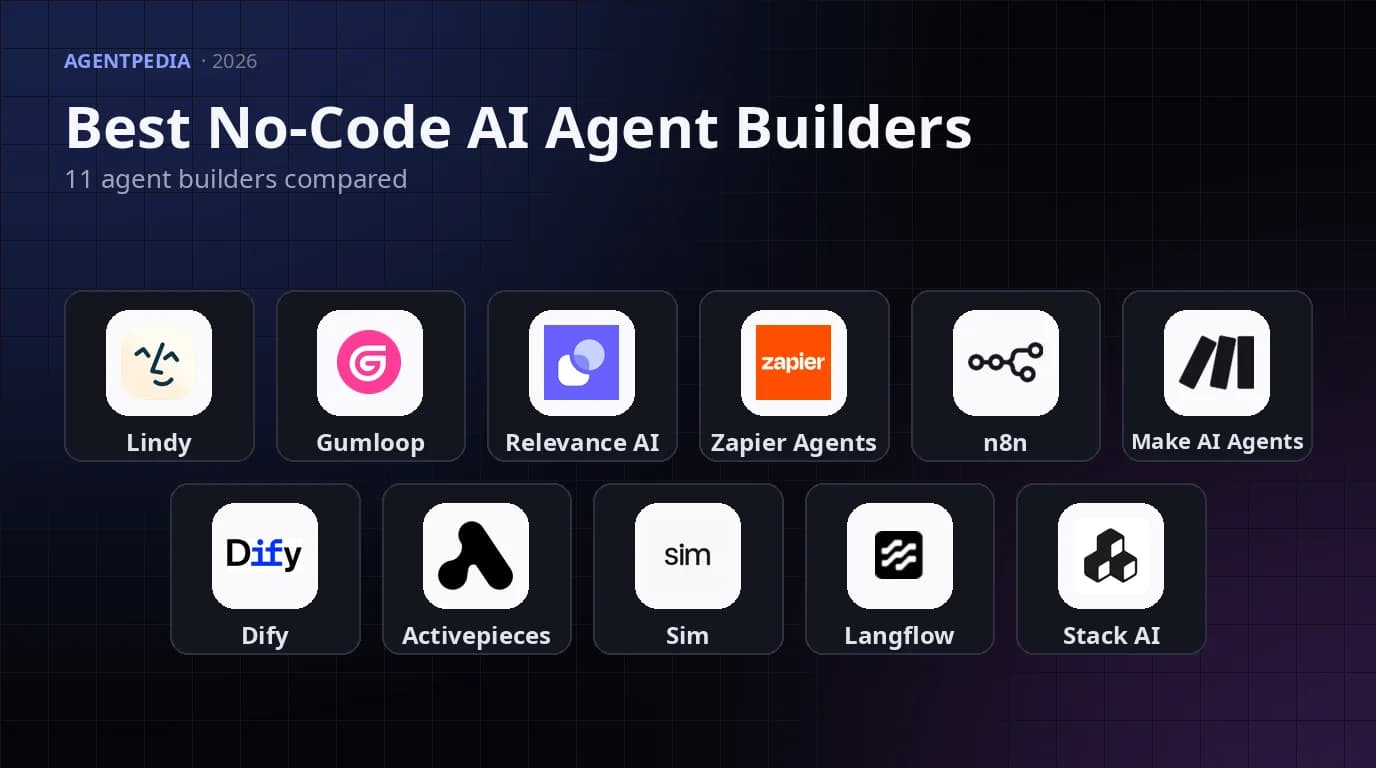
You want an AI agent that does a real job, and you do not want to write code to get it. n8n is the pick if you want control and a self-host option. Lindy is the easiest start for a non-technical operator, with $50 in free credits and plans from $29.99 per month. Gumloop suits company-wide agents that IT can govern, with unlimited agents and seats on a $37 per month Pro plan. Zapier Agents is the choice if you already run Zaps, though Zapier is moving it into an AI step inside a Zap. For open source, look at Dify, Sim, Langflow and Activepieces, and read each licence.
Three things changed in the last quarter. Pricing moved to credits almost everywhere: Gumloop on Aug 5, Make on Aug 27 and Zapier with its AI step. Zapier folded Agents into Zaps. And Flowise, once a default open source choice, was archived on GitHub, so it is not ranked here. We did not run hands-on tests. Everything below comes from vendor pricing pages, docs, GitHub and official posts, dated Nov 24, 2026.
A third-party beginner tutorial for Lindy by Thalita Milan. We did not check its claims against Lindy's docs, so use it to see the interface, not for pricing.
Quick Picks
| Need | Pick | Why |
|---|---|---|
| Best for builders who want control and a self-host option | n8n | Fair-code, self-hostable, pricing by workflow execution, and a new standalone agents feature in preview. |
| Best if you already live in Zapier | Zapier Agents | Zapier is moving Agents into an AI step inside a Zap, so your agent can use filters, paths and run history. |
| Best AI teammate for a non-technical operator | Lindy | Prompt-driven agents, a $50 free credit trial, and plans from $29.99 per month. |
| Best for company-wide agents with IT control | Gumloop | Unlimited agents and seats on Pro at $37 per month, plus credit usage and an 8% orchestration fee. |
| Best Lindy alternative | Gumloop, Zapier Agents or n8n | Pick Gumloop for team agents, Zapier for app breadth, n8n for control and self-hosting. |
| Best Relevance AI alternative | Lindy, Gumloop or Stack AI | Relevance now leads with sales-led Enterprise pricing, so the others publish prices or a free tier. |
| Best open source no-code agent builder | n8n, Dify, Sim or Activepieces | All four can be self-hosted. Check each licence, because they are not all OSI open source. |
| Best for a small business on a budget | Activepieces, Make or Lindy | Free tiers or low entry prices, and credit-based billing you can cap. |
| Best for regulated or on-prem enterprise work | Stack AI or Relevance AI | Both lead with enterprise security. Confirm certifications in writing. |
Master Comparison Table
Prices come from each vendor's pages as fetched on Nov 24, 2026, with the billing period where the page gives one. Where a vendor's pages disagree with each other, we say so in the product section and cite both.
| Tool | Pricing | Free plan | Self-host | Standout |
|---|---|---|---|---|
 Lindy | Free ($50 credits for 7 days); Team from $29.99 per month for 3,000 credits | Yes (trial credits) | Not reviewed | AI teammate you describe in plain language; iMessage, phone calls, computer use |
 Gumloop | Pro $37 per month with 20k credits and 8% orchestration fee; Enterprise custom | Pricing page lists no free plan | Hosted; VPC on Enterprise | Unlimited agents and seats on Pro; MCP server; workflows now labeled Legacy |
 Relevance AI | Pricing page: Enterprise only. Docs: Pro $19 and Team $234 per month on annual billing | Free plan retired per docs | Not reviewed | Agent teams for sales and ops; SOC 2 Type II |
 Zapier Agents | Agents add-on: Free 400 activities per month; Pro 1,500; Enterprise custom. Zapier core from $0, $19.99, $69 | Yes (400 activities) | No | 9,000+ apps; moving to AI by Zapier inside Zaps |
 n8n | Cloud Starter 20 EUR, Pro 50 EUR, Business 667 EUR per month billed annually; Community free | Yes (Community self-host, cloud trial) | Yes (fair-code) | Unlimited users and workflows; priced by execution |
 Make AI Agents | Free 1,000 credits per month; paid price list varies by country | Yes | Not reviewed | Visual scenarios with agents on all plans; credits since Aug 27, 2026 |
 Dify | Sandbox free; Professional $590 and Team $1,590 per workspace per year | Yes (Sandbox, 200 message credits) | Yes (Dify Open Source License) | Workflow, agent and RAG app platform; 161.8k GitHub stars |
 Activepieces | Free; Plus $20 and Team $200 per month; overage $0.007 per credit | Yes (1,000 credits) | Yes (Community Edition) | Open core automation with agents; EU cloud region |
 Sim | Free; Pro $25 and Max $100 per user per month; Enterprise custom | Yes (1,000 one-time credits) | Yes (Apache 2.0) | Chat plus visual builder; MCP server; 30.2k stars |
 Langflow | Free self-host; free cloud account; paid cloud tiers not reviewed | Yes | Yes (MIT) | Python-extensible visual builder for agents and MCP servers |
 Stack AI | Free $0 (500 runs per month); Enterprise custom | Yes (500 runs) | On-prem on Enterprise | Enterprise-focused with SOC 2, HIPAA, GDPR, VPC and SSO |
What a No-Code AI Agent Builder Is
A no-code agent builder lets you describe a goal, connect apps, and let a language model decide the steps. That is different from a classic automation, where you draw every step in advance. Both are useful, and most tools here now offer both. The practical split is between agent-first products, such as Lindy, Gumloop and Relevance AI, where you write instructions and the agent plans, workflow-first products, such as n8n, Make, Zapier and Activepieces, where you draw the flow and place an AI step inside it, and app builders, such as Dify, Langflow and Sim, where you ship an AI application with its own interface or API.
Zapier's own migration post makes the trade-off plain. An agent can decide which record to update, while a normal step sends the confirmation email exactly as written, so you get reasoning where it helps and predictability everywhere else. That mix is why the workflow-first tools are not losing to the agent-first ones. If you are choosing between those older automation tools, our n8n vs Zapier vs Make comparison goes deeper on workflows. If you write code and want frameworks rather than builders, see the code-first agent frameworks roundup.
Lindy
lindy.ai
Lindy sells an AI teammate you set up in plain language. You tell it a job, connect your accounts, and it works when triggered or when you message it. Its pricing page lists 3,000+ integrations, MCP support, computer use, a choice of model per task, and the ability to text Lindy over iMessage. Lindy also says it is SOC 2 and GDPR compliant.
The company has spent the autumn adding channels. On Sep 16, 2026 it announced a self-growing wiki it calls the Brain, and on Oct 14, 2026 it launched Lindy Phone Calls, where you can call Lindy, have it call you, or let it answer your calls. Both announcements are on its official X account, which we embed below. We did not test either feature.
Lindy is the most consumer-friendly product here. That is a strength for a founder or operator who wants a first agent running in an afternoon, and a weakness for anyone who wants to self-host or inspect the plumbing.
Key features
- Plain-language agent setup with triggers, tools and approvals.
- Choose the model for each task, per the pricing page, with approvals built in for outside actions such as sending email.
- Text Lindy over iMessage, plus phone calls and computer use.
- 3,000+ integrations and MCP support as listed on the pricing page.
- Credits pooled across the whole team, with admins managing seats and credit allocations in one place.
- Enterprise: HIPAA BAA, SSO, SCIM and audit logs are listed.
Pricing: As of Nov 24, 2026: Free is $0 with $50 in credits that last 7 days. Team starts at $29.99 per month for 3,000 credits, with a ladder of bundles (4,000 credits at $39.99, 15,000 at $99.99, 70,000 at $399.98, up to 1,750,000 at $9,999.50). Top-ups cost $10 per 1,000 credits. Enterprise is custom. Every active user in a workspace is billed.
Free tier: A trial rather than a free plan: $50 in credits that expire after 7 days, after which paid use starts at $29.99 per user per month.
Limits: Monthly credits refresh each cycle and do not roll over; top-up credits stay until used. If credits run out, Lindy pauses credit-using actions rather than billing you more. Lindy says everyday tasks use 2 to 250 credits, deeper work 250 to 1,000, and large builds 1,000 to 2,500.
Pros
- Easiest start in this list for a non-technical user, with a clear free trial.
- No surprise bill: it pauses when credits run out and top-ups are explicit.
- Channels beyond the browser: iMessage, phone calls, Slack teammate.
- Credit ladder lets a small team buy only what it needs.
Cons
- The free credits last only 7 days, so it is a trial.
- Every active user takes a seat, including people who only @mention Lindy in Slack, although teammates who join through Slack get a 7-day free trial before the seat is billed.
- Credit costs per task vary widely (2 to 2,500), so budgeting needs a pilot.
- We did not confirm any self-host or data-residency option.
Benefit for you: For a small business owner, the benefit is a delegated inbox, calendar or follow-up job set up by describing it, with a spending ceiling you can see in advance.
Standout use case: An assistant you reach by text or phone that acts across your connected tools.
Skip it if: Skip it if you need self-hosting, per-step workflow control, or a flat price for a large team of occasional users.

Lindy now has a brain; a self-growing wiki that learns everything about you and your business. This makes Lindy the self-updating brain of the whole business.
— @getlindy September 16, 2026
Lindy Phone Calls is live. Call Lindy, have it call you, or let it answer your calls. Every call is connected to your tools, so it can act while you talk.
— @getlindy October 14, 2026
Both posts are Lindy's own product claims. We did not test the Brain or Phone Calls.
Gumloop
gumloop.com
Gumloop began as a drag-and-drop workflow builder and now positions itself around agents. Its pricing page labels workflows as Legacy, and its own machine-readable site summary calls it the multiplayer AI agent builder, where anyone at a company can build agents with any model and any integration while IT controls access. We found no statement on whether Legacy workflows will be shut down, so ask before you build on them.
On Aug 5, 2026 Gumloop announced a new pricing model: tokens and compute passed through at cost plus a simple orchestration fee. The pricing page now lists a single self-serve plan, Pro at $37 per month with 20,000 included credits and an 8% orchestration fee, plus a custom Enterprise plan.
On Oct 6, 2026 Gumloop announced Agent Browsers for work that has no MCP or API, with credential storage, 1Password integration and session replays. Its site summary says it also offers a REST API, a CLI and a hosted MCP server.
Key features
- Agents with instructions, skills, sub-agents and a company Brain for shared context.
- Connectors for apps such as Slack, Gmail, Salesforce and HubSpot, plus a Microsoft Teams MCP connector.
- Connector policies and guardrails, scoped to the agent on Pro and org-wide on Enterprise, per the pricing page.
- Agent Browsers with a credential vault, 1Password integration, session replays and stealth proxies.
- 35+ models on Pro, bring-your-own API keys, and 1 hosted MCP server on Pro.
- Enterprise: optional VPC, SSO and SCIM, audit logs and org-wide connector policies.
Pricing: As of Nov 24, 2026: Pro $37 per month, with 20k included credits per month, an 8% orchestration fee, unlimited agents, seats and teams, 5 concurrent workflow runs and 25 concurrent agent chats. Enterprise is custom, with discounts on the orchestration fee. Per Gumloop's credits doc, 1 credit is $0.005, a tool call is 1 credit and compute is 5 credits per session minute.
Free tier: The pricing page lists no free plan, only Pro and Enterprise. Ask Gumloop or check the signup flow for any trial.
Limits: Credits are consumed per tool call and compute, so long-running or browser-heavy agents cost more than short chats. We did not capture Gumloop's rollover or overage rules, so confirm them before you budget.
Pros
- Unlimited agents, seats and teams on a single $37 plan keeps team rollout simple.
- Pass-through pricing is easy to explain: model cost plus an 8% fee.
- Governance items on the pricing page: connector policies and guardrails, role-based access control and, on Enterprise, SSO, SCIM and audit logs.
- Shared credentials, a company Brain and a hosted MCP server suit team-wide agents.
Cons
- No free plan on the pricing page, so trial access depends on the signup flow.
- Credit use is hard to predict before a pilot.
- Workflows are marked Legacy, which matters if you built on the older builder.
- Hosted only, apart from the Enterprise VPC option.
Benefit for you: For a team that wants shared agents across departments, the benefit is one plan that does not charge per seat or per agent, with IT keeping control of access.
Standout use case: Company-wide agents with connector policies and IT-controlled access from day one.
Skip it if: Skip it if you want a free forever tier, a self-hosted deployment you control fully, or fixed per-run pricing.
Gumloop's own getting-started lesson, from its official channel. We did not check it against current pricing.
Starting today, Gumloop has a simple, transparent pricing model. Tokens and compute passed through at cost, plus a simple orchestration fee. Every user should know exactly what they're paying for per task automated.
— @gumloop August 5, 2026
Agent Browsers are live on Gumloop today so your agents can reach the work that doesn't have an MCP or API. Secure credential storage and 1Password integration, session replays to see your agents work, stealth, proxied sessions. All completely model agnostic.
— @gumloop October 6, 2026
Relevance AI
relevanceai.com
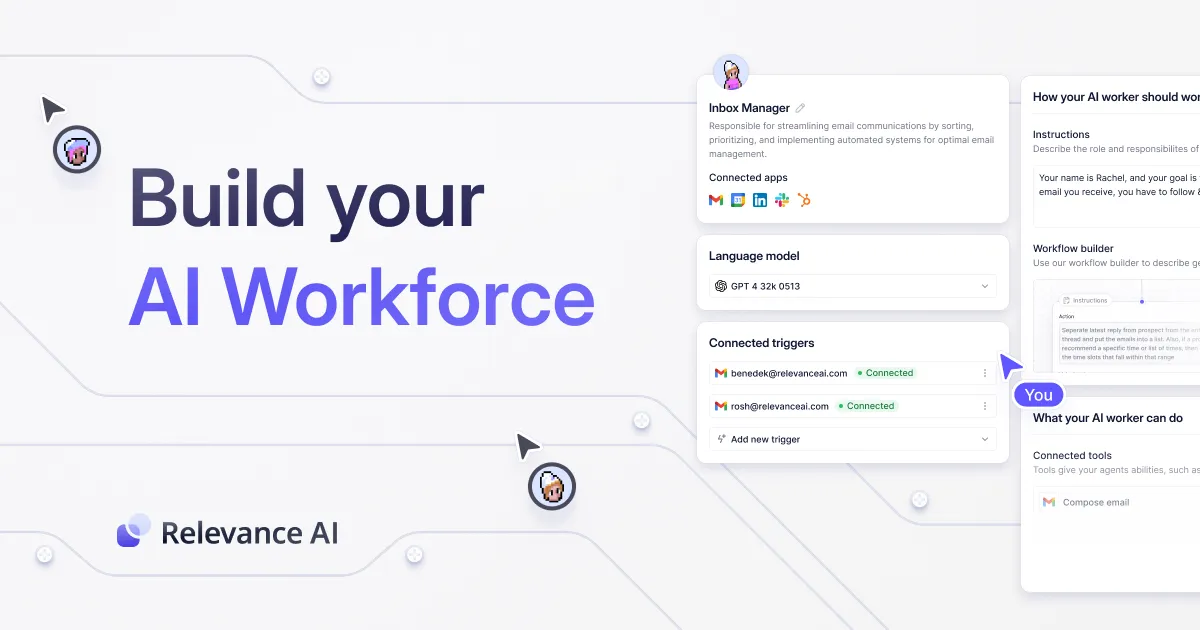
Relevance AI builds an AI workforce: agents, tools and multi-agent teams that you assemble in a no-code builder. Its pricing page describes unlimited agents and tools, unlimited users and projects, 2,000+ integrations, calling and meeting agents, agent evaluations, A/B testing and analytics, and SSO, RBAC and audit logs. It says it is SOC 2 Type II compliant.
Here the vendor pages disagree. The live pricing page, when we fetched it on Nov 24, 2026, listed only an Enterprise plan with a talk-to-sales flow, and its FAQ says curated multi-agent systems such as the BDR agent are available through sales. The help docs, however, still list a Pro plan at $19 per month and a Team plan at $234 per month on annual billing. A third-party review dated Nov 7, 2026 on outboundlabs.app noted inconsistencies inside the docs too, so treat all self-serve numbers as unconfirmed until you see them at checkout.
Key features
- No-code agent builder with custom tools and actions.
- Multi-agent workforces, including a sales-focused BDR agent via the sales team.
- Calling and meeting agents, per the pricing page.
- Agent evaluations and A/B testing for quality control.
- SSO, RBAC and audit logs on Enterprise, with a dedicated account manager.
- Bring your own model keys per the docs, with vendor credits passed through without markup.
Pricing: As of Nov 24, 2026: the pricing page shows Enterprise only (custom). The docs list Pro at $19 per month billed annually ($29 monthly) with 2,500 actions per month and 2 build users, and Team at $234 annual ($349 monthly) with 7,000 actions, 5 build users and 45 end users. Extra actions are $80 per 1,000 and vendor credits $20 per 10,000, per the docs. The docs say the Free plan is retired.
Free tier: Not on the live pricing page. The docs say the Free plan has been retired.
Limits: Actions and vendor credits are billed separately, so a busy agent can hit either meter. The docs' own vendor-credit figures do not match between a yearly total and a monthly table, as the third-party review noted.
Pros
- Built around agent teams rather than single bots, which suits sales and operations roles.
- Evaluation and A/B testing features are rare in this price range.
- SOC 2 Type II compliance is stated on the pricing page.
- Pass-through model costs with no markup, per the docs.
Cons
- The live pricing page and the docs disagree, so you cannot rely on public prices.
- Free plan retired, so there is no zero-cost way to try it.
- Two billing meters (actions and vendor credits) complicate forecasts.
- Curated agents such as the BDR agent go through sales.
Benefit for you: For an operations or revenue team with budget, the benefit is a structured way to run several cooperating agents with evaluation tooling, backed by an account manager.
Standout use case: Multi-agent teams with built-in evaluations and A/B testing.
Skip it if: Skip it if you need transparent self-serve pricing, a free tier, or a self-hosted option.
Zapier Agents
zapier.com
Zapier Agents let you describe a job, pick tools from Zapier's app catalog, and let the agent decide the steps. Zapier's pricing page cites 9,000+ apps, while its Oct 6, 2026 blog post says 10,000+, so we use the lower figure.
The important news is a change in direction. A Zapier help article updated Oct 1, 2026 carries a note that Zapier is moving Agents to AI by Zapier, and a blog post dated Oct 6, 2026 maps each Agents feature to an AI step you drop into any Zap. Instructions become the prompt field, tools become a tools picker, and a chat agent becomes a webhook trigger. Zapier says this lets the agent use filters, paths and run history. It also adds per-tool human approval and a choice of Standard, Advanced or Premium model tiers.
Zapier says it has not set a date to turn Agents off and will email affected users with notice first. Separately, Zapier is promoting Next Gen Zaps, which its Oct 15, 2026 X post describes as work you describe once and deploy on Zapier, and its agents page offers early access.
Key features
- Agent instructions, tool picking and triggers, now delivered as an AI by Zapier step.
- Per-tool Require approval before running toggles.
- Standard, Advanced and Premium model tiers, or a named model.
- A task cap per run: Zapier says a run pauses for a human at 75 tasks, adjustable later.
- Run history in Zap History with tools called, inputs, outputs, model tier and tasks used.
- Zapier MCP, where each MCP tool call uses 2 tasks, per Zapier's pricing page.
Pricing: As of Nov 24, 2026: the Agents add-on tab lists Free with 400 activities per month, Pro with 1,500 activities, and Enterprise custom. Zapier's core plans are Free ($0, 100 tasks), Professional from $19.99 per month, Team from $69 per month (25 users) and Enterprise custom, with Zapier stating that yearly billing saves 33%. AI by Zapier steps bill as tasks, and Zapier says one AI step can cost 1, 3 or 5 tasks depending on the model tier. We did not capture the Agents Pro dollar price.
Free tier: Yes. Agents Free includes 400 activities per month, and Zapier's core Free plan includes 100 tasks per month.
Limits: Zapier's own pages use two units: Agents are measured in activities, while AI by Zapier uses tasks. The migration article says knowledge sources for HubSpot, Asana, Zendesk, Zoom and Jira are not yet supported, with support planned for Q4 2026, and admin-level bring-your-own-model is not yet available.
Pros
- The widest app catalog in this list, with MCP access.
- AI steps sit inside Zaps, so you can mix reasoning with fixed steps and keep run history.
- Per-tool approvals and a per-run task cap address runaway agents directly.
- A real free tier for both Zapier tasks and Agents activities.
Cons
- Standalone Agents are in transition, so building on them today is risky.
- Task and activity units make cost hard to compare with other tools.
- Gaps remain: admin-level bring-your-own-model and knowledge sources for HubSpot, Asana, Zendesk, Zoom and Jira are not yet supported, per Zapier.
- AI steps on higher model tiers cost 3 or 5 tasks each, so a busy agent can use more tasks than a fixed Zap.
Benefit for you: For a team already on Zapier, the benefit is adding judgment to existing workflows without moving platforms, while keeping approvals, history and a ceiling on spend.
Standout use case: Mixing agentic and deterministic steps in one Zap with per-tool human approval.
Skip it if: Skip it if you want a standalone agent product, self-hosting, or the lowest per-run cost on high volume.
"Wait, the workflow my agent built keeps running after I close my laptop?!" Yeah. Next Gen Zaps are for the work you're tired of re-asking for: describe the job once (wherever you build), deploy on Zapier, and let it run. Predictable, visible, & able to fix itself if it breaks.
— @zapier October 15, 2026
Related reading: our guide to MCP integration platforms covers Zapier MCP and its peers.
n8n
n8n.io
n8n is a workflow automation tool that can be self-hosted and that has added AI agent nodes, MCP support and, in September 2026, a separate agents feature. Its X account announced on Sep 28, 2026 a new kind of agent: describe what it should do, give it tools and workflows, and it works out the steps, usable from Slack, on a schedule or from any workflow. n8n labels the feature as preview, so expect the interface to change.
n8n's licence is the Sustainable Use License, usually called fair-code, which GitHub's API does not map to a standard SPDX identifier. It is source-available and free to self-host for many uses, but not OSI open source, so read the terms if you plan to resell it. The Community Edition is on GitHub, which showed 211,847 stars on Nov 24, 2026, and the latest release we saw was [email protected] on Nov 23, 2026.
The pricing page says all plans include unlimited users and workflows and every integration, and that billing is by monthly workflow executions regardless of complexity. An execution is one full run of a workflow, however many steps it has. That is the main difference from per-step or per-task pricing elsewhere.
Key features
- Visual canvas with an AI Agent node, tools, memory and any node usable as a tool.
- A separate agents feature, labeled preview on the pricing page, that n8n says you can use from Slack, on a schedule or from any workflow, with a Telegram walkthrough on its channel.
- A built-in MCP server and client support, documented in the n8n docs.
- Self-host the Community Edition, or use n8n Cloud hosted in Frankfurt.
- Metric-based evaluations on Pro, workflow history, and an Assistant (preview) that uses monthly credits.
- Enterprise: end-user credentials (preview), 200+ concurrent executions, log streaming and execution data redaction.
Pricing: As of Nov 24, 2026: Cloud Starter is 20 EUR per month billed annually, Pro 50 EUR per month billed annually, Business 667 EUR per month billed annually, and Enterprise is custom. Starter lists 5 concurrent executions and 1,600 Assistant credits per month, Pro up to 50 concurrent executions and up to 9,600 credits. A Startup plan gives 50% off Business for companies under 20 employees. The Community Edition is free to self-host. The cloud trial includes 1,000 executions and 800 Assistant credits.
Free tier: Yes. Self-hosting the Community Edition is free, and n8n Cloud has a trial with no credit card needed.
Limits: Starter caps executions at 5 minutes each and saves up to 2.5k executions, per the plan table. Pro raises that to 40 minutes and 25k saved executions. Agents are in preview, and self-hosting means you run, patch and secure the server yourself.
Pros
- Execution-based pricing is predictable, since a 50-step run costs the same as a 2-step run.
- Self-host option with a very large community and template library.
- Mix deterministic nodes and agents in one canvas, with visible execution data.
- Unlimited users and workflows on every cloud plan.
Cons
- The licence is fair-code, not OSI open source.
- The new agents feature is in preview and may change.
- More technical than Lindy or Gumloop, especially when self-hosting.
- Starter's 5 minute execution cap can block long-running jobs.
Benefit for you: For a technical founder or operations engineer, the benefit is a single canvas for scheduled, event-driven and agent-driven work, with a self-host path if data control matters.
Standout use case: The best mix of control, self-hosting and AI agent features in a visual tool.
Skip it if: Skip it if nobody on the team is comfortable with APIs, JSON and debugging, or if you need a polished agent product with no setup.

A walkthrough of an n8n agent on Telegram, published on n8n's official channel. The pricing page labels agents as preview, so the interface may differ from the video.
n8n now has a new kind of Agent. Describe what an agent should do, give it tools and workflows, and it works out the steps. Use the same agent in Slack, on a schedule, or from any workflow.
— @n8n_io September 28, 2026
Make AI Agents
make.com
Make is a visual scenario builder, and Make AI Agents add a reasoning step to those scenarios. Make's AI agents page says agents are available on all plans and show a Reasoning panel so you can see how an agent decided. The page cites 3,500+ apps in one place and 3,000+ in another, so we do not give a single figure.
Make changed its billing on Aug 27, 2026: credits are now the billing unit. Most actions use 1 credit, some AI features use more, and router and error-handler modules use none. The Free plan includes 1,000 credits per month. Extra credits can be bought in bundles of 1,000 or 10,000.
We could not read Make's paid prices from a stable page, because the pricing page shows a price list that varies by country. Third-party trackers read $12, $21 and $38 per month for Core, Pro and Teams on a US list with annual billing, and Zapier's own comparison blog cites the same numbers. We label that secondary and recommend you read your own country's list.
Key features
- Visual scenario builder with an AI agent step and a Reasoning panel.
- Credit-based billing, with router and error handler modules not counted.
- Webhook queueing when credits run out, up to your queue storage.
- Extra credits in bundles of 1,000 or 10,000 at your plan's fixed price.
- Free plan with 1,000 credits per month.
Pricing: As of Nov 24, 2026: Free includes 1,000 credits per month. Paid Core, Pro and Teams plans are priced by credit volume and show different lists by country. Third-party trackers cited $12, $21 and $38 per month on annual billing for a US list, with monthly billing higher (secondary source, not confirmed on Make's page). Enterprise is custom.
Free tier: Yes. The Free plan gives 1,000 credits per month, per Make's pricing FAQ.
Limits: If you run out of credits, scenarios stop until credits are added, and incoming webhooks queue only up to your webhook queue storage.
Pros
- A mature visual builder with a free tier.
- Agents are on every plan, so you can try reasoning on the Free plan.
- Router and error handling do not consume credits.
- Extra credits are sold in simple 1,000 or 10,000 bundles.
Cons
- Paid prices vary by country, which makes comparison messy.
- AI features can use more than 1 credit, and scenarios stop when credits run out.
- We did not review its MCP, approval or self-hosting story.
- Agents are an add-on to scenarios rather than the whole product.
Benefit for you: For a small business that already thinks in scenarios, the benefit is adding a reasoning step to a familiar tool on a low entry price.
Standout use case: Cheap visual automation with AI agents included on every plan.
Skip it if: Skip it if you want autonomous, chat-first agents, or if you need documented self-hosting.
Dify
dify.ai
Dify is an open source platform for building agent, workflow and RAG applications, with a visual workflow editor, model management and a knowledge base. Its GitHub repository showed 161,771 stars on Nov 24, 2026, and the latest release we saw was 1.20.0 on Nov 18, 2026. It is a builder for AI apps more than a personal assistant, so it suits teams who want to ship a chatbot or an internal tool.
The licence is the Dify Open Source License, which GitHub's API does not map to a standard SPDX identifier. Read it before you build a product on top, because it is not the same as MIT or Apache 2.0. Dify sells cloud workspaces priced per workspace per year, and a self-hosted Community edition is free.
Key features
- Visual workflow editor with agent and knowledge nodes.
- Knowledge base and RAG pipeline with document quotas per plan.
- Message credits for trying models, with the option to switch to your own API key.
- Trigger events from plugins, schedules and webhooks.
- Annotation quotas for curating question-answer pairs.
- Self-host the Community edition or buy a cloud workspace.
Pricing: As of Nov 24, 2026: Sandbox is free with 200 message credits, 1 team member, 5 apps and 50 knowledge documents. Professional is $590 per workspace per year with 5,000 message credits per month, 3 team members, 50 apps, 500 knowledge documents and 20,000 trigger events per month. Team is $1,590 per workspace per year with 10,000 message credits per month, 50 team members, 200 apps and 1,000 knowledge documents. Enterprise is custom. Community self-host is free.
Free tier: Yes. Sandbox is free, and the Community edition can be self-hosted at no licence cost.
Limits: Plans cap team members, apps, knowledge documents, storage and knowledge request rates. Professional is limited to 3 team members, which is tight for a team of any size.
Pros
- Large open community and fast release pace.
- Strong RAG and knowledge features for support and internal assistants.
- Per-workspace pricing does not scale with seats beyond the member cap.
- Self-host option for data control.
Cons
- Licence is custom, not standard OSI.
- More of an app builder than an assistant, so the learning curve is higher.
- Professional caps members at 3.
- We did not review its MCP or human approval controls.
Benefit for you: For a team building a customer-facing or internal AI app with documents, the benefit is a visual builder, a knowledge base and a self-host path in one project.
Standout use case: The most complete open platform here for RAG-heavy agent apps.
Skip it if: Skip it if you want a personal assistant that works out of Slack or iMessage, or if the Dify licence conflicts with your plans.
Activepieces
activepieces.com
Activepieces is an open source automation platform with agents and a library of integration pieces. Its pricing page lists a Free plan with 1,000 credits per month and up to 5 users, a Plus plan at $20 per month, a Team plan at $200 per month, and an Ultimate plan that is custom. It also sells an Embed plan from $36,000 per year for companies that want automation inside their own product.
The Community Edition can be self-hosted at no cost, and its GitHub repository showed 25,695 stars on Nov 24, 2026. The company runs an EU cloud region in Frankfurt. The page says SOC 2 is in progress, so ask for the current status. Its embed copy cites 770+ integrations, which is smaller than Zapier but covers the common SaaS tools.
Key features
- Visual flow builder with agent steps and a library of pieces.
- Bring your own model keys on Plus.
- Self-host the Community Edition.
- Embed plan for putting automations inside your product.
- EU cloud region in Frankfurt.
Pricing: As of Nov 24, 2026: Free $0 with 1,000 credits per month and up to 5 users. Plus $20 per month with 10,000 credits and bring-your-own keys. Team $200 per month with 50,000 credits, 25 users and SSO. Ultimate is custom. Overage is $0.007 per credit. Embed starts from $36,000 per year.
Free tier: Yes. Free gives 1,000 credits per month for up to 5 users, and Community Edition self-hosting is free.
Limits: Credits are consumed per run and by AI features, and overage is billed at $0.007 per credit. SSO sits on the $200 Team plan.
Pros
- A low paid entry point at $20 per month, with bring-your-own model keys.
- Self-host option and an EU region.
- A free tier that supports a small team of up to 5 users.
- Embedding is a first-class plan for software companies.
Cons
- Smaller integration catalog than Zapier or Make.
- SOC 2 is described as in progress.
- SSO needs the $200 Team plan.
- We did not review MCP or approval controls.
Benefit for you: For a small business or an agency, the benefit is a low-cost builder with a free tier and a path to self-hosting if the bill grows.
Standout use case: Low-cost, self-hostable automation with agents and an embed option.
Skip it if: Skip it if you need the broadest app catalog, or certified compliance today.
Sim
sim.ai
Sim is an open source workspace for building and running agents, with both a chat-based builder and a visual canvas. The repository is Apache 2.0 and showed 30,194 stars on Nov 24, 2026. The homepage lists an MCP server at mcp.sim.ai/mcp and a macOS desktop app, and says enterprise customers get SOC 2 Type II and ISO 27001.
The integration count is inconsistent across Sim's own pages. The homepage and README say 280+ integrations, with 5,800+ actions and 530+ triggers, while the docs say 1,000+. We report both and recommend you check the specific app you need.
Key features
- Chat-based agent builder plus a visual workflow canvas.
- MCP server at mcp.sim.ai/mcp.
- Bring your own model keys on the Free plan.
- Self-host free under Apache 2.0.
- Workspaces, concurrent run limits and weekly credit refreshes on paid plans.
- Enterprise: SSO, SOC 2, access control and dedicated support.
Pricing: As of Nov 24, 2026: Free $0 with 1,000 one-time credits and 1 workspace. Pro $25 per user per month ($21.25 annual) with 6,000 credits per month plus 2,000 per week, 3 workspaces and 50 concurrent runs. Max $100 per user per month ($85 annual) with 25,000 credits per month plus 4,000 per week and unlimited workspaces. Enterprise is custom. Per the docs, 1 credit is $0.005 and a base run is 1 credit.
Free tier: Yes. Free gives 1,000 one-time credits, not a monthly refill, and self-hosting is free under Apache 2.0.
Limits: Free credits are one-time, so serious use needs Pro. Pricing is per user, which grows with team size.
Pros
- Apache 2.0 licence, the clearest open source licence in this list.
- Chat builder lowers the barrier compared with a pure canvas.
- An MCP server and a self-host path.
- Weekly credit refresh softens the monthly limit.
Cons
- A younger product with less public track record than n8n or Zapier.
- Integration counts disagree across its own pages.
- Per-user pricing on paid plans.
- We did not review human approval controls.
Benefit for you: For a developer-friendly team that wants an open, self-hostable agent builder with a chat interface, the benefit is a fully open licence and a credit model with weekly refills.
Standout use case: An Apache 2.0 agent builder with both chat and canvas creation.
Skip it if: Skip it if you need a long-established vendor, a large template library, or proven enterprise references.
Langflow
langflow.org
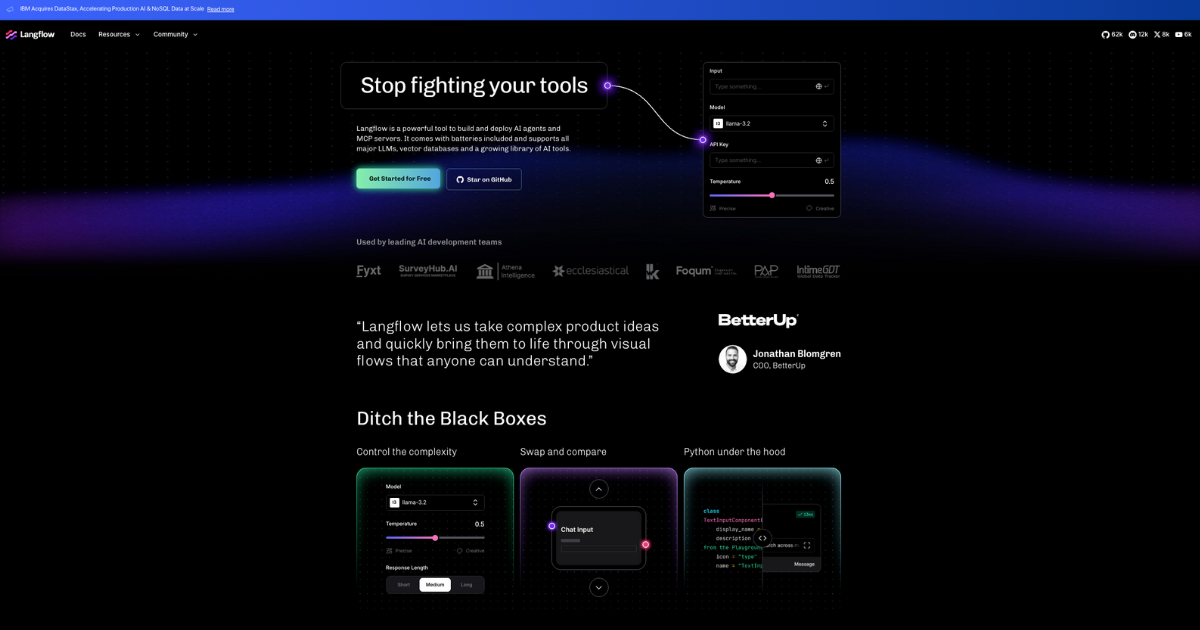
Langflow is a low-code builder for agent and RAG applications that lets you drag components onto a canvas and extend any of them in Python. Its homepage describes a tool to build and deploy AI agents and MCP servers with support for major LLMs and vector databases. The repository is MIT licensed and showed 156,886 stars through the GitHub API on Nov 24, 2026, although the homepage counter shows 153k.
Langflow is closer to a developer tool than the assistants above. Its pitch is that every flow is also an API, and it offers a free cloud account as well as self-hosting. We did not capture a paid cloud price list, so we say so rather than guess.
Key features
- Visual canvas with reusable components and Python customization.
- Run a single agent or a fleet, with components exposed as tools.
- Build MCP servers, per the homepage.
- Flow as an API for deployment.
- Free cloud account or self-host the same software.
Pricing: As of Nov 24, 2026: the homepage offers a free cloud account and open source self-hosting. We did not capture paid cloud pricing, so check langflow.org before budgeting. When you self-host you pay for your own model usage and servers.
Free tier: Yes. The software is MIT licensed and a free cloud account is offered.
Limits: We did not capture cloud limits. Self-hosted instances need your own security, upgrades and model keys.
Pros
- MIT licence and a very large GitHub community.
- Python escape hatch for custom components.
- Builds MCP servers and exposes flows as APIs.
- Same product in open source and cloud form, per its homepage.
Cons
- Less polished for non-technical users than Lindy or Gumloop.
- No captured paid pricing to compare.
- We did not review approval controls or enterprise features.
- Star counts differ between the homepage and the API.
Benefit for you: For a developer or technical analyst prototyping agent or RAG flows, the benefit is a permissively licensed visual builder with code access.
Standout use case: Visual agent building with Python under the hood and an MIT licence.
Skip it if: Skip it if you want a managed assistant for non-technical staff, or documented enterprise controls.
Stack AI
stack-ai.com
Stack AI targets enterprise teams, with positioning aimed at finance, healthcare and industrial companies. Its pricing page offers a Free plan with 500 runs per month, 2 projects and 1 seat, and an Enterprise plan with custom runs, unlimited projects and custom seats. It lists SOC 2, HIPAA, GDPR, VPC, on-prem deployment and SSO for Enterprise.
There is no self-serve paid tier on the page we read, so the step from Free to Enterprise goes through sales. That is a good fit for a regulated company and a poor fit for a small team wanting a $30 plan.
Key features
- Visual builder for AI workflows and agents.
- Free plan with 500 runs per month, 2 projects and 1 seat.
- Enterprise: custom runs, unlimited projects and custom seats.
- Security and compliance options: SOC 2, HIPAA, GDPR, VPC, on-prem and SSO.
Pricing: As of Nov 24, 2026: Free $0 with 500 runs per month, 2 projects and 1 seat. Enterprise is custom with custom runs, unlimited projects and custom seats. We did not find a self-serve paid plan.
Free tier: Yes. Free is $0 with 500 runs per month, 2 projects and 1 seat.
Limits: The Free plan allows one seat and two projects, so it works for a solo evaluation only. We did not capture how Stack AI defines a run.
Pros
- A real free plan for a solo trial.
- On-prem and VPC options for strict data requirements.
- Compliance list is longer than most self-serve tools.
Cons
- No self-serve paid tier between Free and Enterprise.
- Pricing for Enterprise is not public.
- We did not review its agent features, MCP or integrations in depth.
Benefit for you: For a compliance-driven company, the benefit is a vendor that leads with VPC, on-prem and certifications rather than treating them as add-ons.
Standout use case: Enterprise deployment options with a free plan to evaluate first.
Skip it if: Skip it if you need a published mid-tier price, a large integration catalog or a self-hosted open source license.
Flowise: Why It Is Not Ranked
Flowise was a popular open source visual builder, and it still shows 55,593 stars on GitHub. We do not rank it because it has been wound down. Flowise's own sunset page says code was frozen on Jul 29, 2026, an archive was planned for Aug 10, and end of life is Aug 31, 2026. The GitHub API shows the repository as archived, with a last push on Aug 13, 2026. Workday acquired Flowise on Aug 14, 2025.
One third-party report, from gravity.fast on Oct 26, 2026, claims the project has had at least 11 vulnerabilities since the freeze with no fixes. That is a single-source claim and we did not verify it, but an archived project cannot ship patches by definition. If you run Flowise today, plan a move. Langflow, Dify and n8n are the closest self-hostable alternatives, and our frameworks roundup covers the code-first route.
Pricing Table
All figures are USD unless marked, as of Nov 24, 2026. Where a vendor shows monthly and annual prices, both are given.
| Tool | Free | Paid | Top tier | Notes |
|---|---|---|---|---|
| Lindy | $0: $50 in credits, valid 7 days | Team from $29.99 per month for 3,000 credits; ladder up to 1,750,000 credits at $9,999.50 | Enterprise custom (HIPAA BAA, SSO, SCIM, audit logs) | Top-ups $10 per 1,000 credits. Every active user takes a seat. |
| Gumloop | None listed on the pricing page | Pro $37 per month: 20k credits, 8% orchestration fee, unlimited agents, seats and teams | Enterprise custom (VPC, SSO and SCIM, audit logs) | 1 credit is $0.005 per the credits doc. |
| Relevance AI | Retired per docs | Docs: Pro $19 annual or $29 monthly (2,500 actions); Team $234 annual or $349 monthly (7,000 actions) | Enterprise custom | The live pricing page shows Enterprise only. Extra actions $80 per 1,000 per docs. |
| Zapier Agents | Agents Free: 400 activities per month | Agents Pro: 1,500 activities. Zapier plans: Professional from $19.99, Team from $69 per month | Enterprise: contact sales | Zapier says yearly billing saves 33%. Agent Pro price was not captured. |
| n8n | Community Edition free; Cloud trial with 1,000 executions | Starter 20 EUR and Pro 50 EUR per month billed annually | Business 667 EUR per month billed annually; Enterprise custom | Startup plan gives 50% off Business under 20 employees. |
| Make AI Agents | Free: 1,000 credits per month | Core, Pro and Teams: prices vary by country list | Enterprise custom | Third-party trackers cite $12, $21 and $38 on a US list with annual billing. |
| Dify | Sandbox: 200 message credits, 1 member, 5 apps | Professional $590 per workspace per year; Team $1,590 per workspace per year | Enterprise custom | Community self-host is free. |
| Activepieces | Free: 1,000 credits per month, up to 5 users | Plus $20 per month (10,000 credits); Team $200 per month (50,000 credits, 25 users) | Ultimate custom; Embed from $36k per year | Overage $0.007 per credit. |
| Sim | Free: 1,000 one-time credits, bring your own model keys | Pro $25 per user per month ($21.25 annual); Max $100 ($85 annual) | Enterprise custom | Self-hosting is free under Apache 2.0. |
| Langflow | Free OSS and free cloud account | Paid cloud tiers not reviewed | Not reviewed | Pay your own model and hosting costs when self-hosting. |
| Stack AI | Free: 500 runs per month, 2 projects, 1 seat | No self-serve paid tier listed | Enterprise custom (VPC, on-prem, SSO) | We did not capture how a run is defined. |
Credits, Tasks, Actions and Executions
Agent products meter usage in different units, so a plan that looks cheap can cost more once a model is involved. The table below shows what each vendor counts. Two products that charge $30 can differ several times over on a real workload, so run the same sample job in each and compare the cost per completed run.
| Product | Billing unit | What counts | Cap or guardrail |
|---|---|---|---|
| Lindy | Credits | Work Lindy does; 2 to 2,500 credits per task by size | Pauses at zero credits; top-ups $10 per 1,000 |
| Gumloop | Credits plus 8% orchestration fee | Tool calls (1 credit), compute (5 credits per session minute); 1 credit is $0.005 | 20k included credits on Pro; overage rules not captured |
| Relevance AI | Actions plus vendor credits | Agent actions and model usage billed separately, per docs | Extra actions $80 per 1,000 per docs |
| Zapier Agents | Activities (Agents) and tasks (AI by Zapier) | An AI step costs 1, 3 or 5 tasks by model tier | 75 task pause per run by default, per Zapier |
| n8n | Workflow executions | One full workflow run, whatever the step count | Concurrent execution and duration limits by plan |
| Make AI Agents | Credits | Most actions 1 credit; routers and error handlers free | Scenarios stop when credits run out |
| Dify | Message credits plus workspace quotas | Model calls through Dify credits; apps, members and documents capped | Hard quotas per plan |
| Activepieces | Credits | Runs and AI features; overage $0.007 per credit | Plan credits; overage billed |
| Sim | Credits | Base run 1 credit; 1 credit is $0.005 | Weekly refresh and concurrency limits |
| Langflow | None when self-hosted | Your own model and hosting costs | Whatever you configure |
| Stack AI | Runs | Not captured | 500 runs per month on Free |
Zapier shows the effect in its own docs: an AI by Zapier step bills as tasks, default models are free, and higher model tiers make one step cost 3 or 5 tasks, so the same agent costs more on a Premium tier. The sensible reading is general: spend model tokens on judgment, and use fixed steps for everything that does not need judgment.
Feature Matrix
Yes means the vendor lists it. Partial means limited or tied to a tier. Not reviewed means our sources did not cover it, which is different from no.
| Product | Self-host option | Free plan or trial | MCP support | Human approval controls |
|---|---|---|---|---|
| Lindy | Not reviewed | Yes ($50 credits, 7 days) | Yes (per pricing page) | Yes (approvals listed) |
| Gumloop | Partial (VPC on Enterprise) | Not on the pricing page | Yes (hosted MCP server) | Partial (connector policies and guardrails) |
| Relevance AI | Not reviewed | No (retired per docs) | Not reviewed | Not reviewed |
| Zapier Agents | No (cloud only) | Yes (400 activities) | Yes (Zapier MCP) | Yes (per tool in AI by Zapier) |
| n8n | Yes | Yes (Community, cloud trial) | Yes (built-in MCP server) | Not reviewed |
| Make AI Agents | Not reviewed | Yes (1,000 credits) | Not reviewed | Partial (Reasoning panel shows each decision) |
| Dify | Yes | Yes (Sandbox) | Not reviewed | Not reviewed |
| Activepieces | Yes | Yes (1,000 credits) | Not reviewed | Not reviewed |
| Sim | Yes | Yes (1,000 credits) | Yes (mcp.sim.ai) | Not reviewed |
| Langflow | Yes | Yes | Yes (builds MCP servers) | Not reviewed |
| Stack AI | Enterprise only | Yes (500 runs) | Not reviewed | Not reviewed |
Open Source Options and GitHub Stars
Stars are a popularity signal, not a quality score. We read them from the GitHub API on Nov 24, 2026. The licence column matters more for business use: n8n and Dify use their own source-available licences, while Langflow is MIT and Sim is Apache 2.0.
| Project | GitHub stars (API, Nov 24, 2026) | Licence as reported | Notes |
|---|---|---|---|
| n8n | 211,847 | Sustainable Use (fair-code) | Latest release [email protected] on Nov 23, 2026 |
| Dify | 161,771 | Dify Open Source License | Latest release 1.20.0 on Nov 18, 2026 |
| Langflow | 156,886 | MIT | The homepage counter shows 153k, which lags the API |
| Flowise | 55,593 | Apache 2.0 (enterprise folder commercial) | Archived on GitHub, last push Aug 13, 2026 |
| Sim | 30,194 | Apache 2.0 | Docs and homepage disagree on integration count |
| Activepieces | 25,695 | Community Edition self-host | Licence text not reviewed |
If you plan to self-host an agent builder that touches customer data, also read the memory and MCP side of the stack. Our roundup of memory layers for AI agents and the guide to MCP servers for Claude Code cover what to connect after the builder is running. Meeting transcripts are a common agent input, and our AI meeting notetakers comparison covers capture and consent.
How to Choose
| Your situation | Start with | Why |
|---|---|---|
| You are a non-technical founder who wants an assistant that does a job | Lindy | Plain-language agents, credit pricing you can cap, and iMessage or phone access. |
| You want agents for the whole company with IT oversight | Gumloop | Unlimited agents and seats on Pro, connector policies and shared credentials. |
| You already run hundreds of Zaps | Zapier Agents (AI by Zapier) | The AI step sits inside the platform you already use, with history and filters. |
| You can host software and want control over data | n8n, Dify, Sim or Activepieces | Self-hostable, with different licences and pricing models. |
| You prototype RAG and agent apps in Python | Langflow or Dify | Visual flows with code escape hatches, free to self-host. |
| You need on-prem or VPC deployment for regulated data | Stack AI or Gumloop Enterprise | Both list VPC options on Enterprise. Verify in writing. |
| You need cheap, predictable scenario automation with some AI | Make AI Agents or Activepieces | Credit pricing with a free tier on both. |
| You want a sales or ops agent team and have a budget | Relevance AI | Built around agent teams, with sales-led pricing. |
Common Mistakes and a Buying Checklist
- Buying an agent for a fixed job. If the steps never change, a workflow with one AI step is cheaper and more predictable.
- Comparing plan prices instead of cost per run. Credits, tasks and executions are different units.
- Skipping spend caps. Zapier pauses runs at 75 tasks and Lindy pauses at zero credits, and you should know your tool's equivalent.
- Treating source-available as open source. n8n and Dify use custom licences with their own terms.
- Building on a product in transition. Zapier Agents is moving to AI by Zapier, and Flowise is archived.
- Trusting vendor numbers. Integration counts and savings claims here are the vendors', and several of them contradict each other.
Before you buy, run through this list:
- Decide whether you need an autonomous agent or a deterministic workflow with one AI step. Most repeating jobs need the second.
- Price your real workload: credits, tasks, actions or executions per month, not the headline plan price.
- Find the cap: can you set a spending or task limit per run so a looping agent cannot burn the budget?
- Check how the vendor bills seats. Lindy bills every active user, while Gumloop Pro lists unlimited seats.
- Confirm where data lives and whether you can self-host or run in your own cloud.
- Test approval controls on one risky action such as sending email or deleting a record.
- Check MCP support in both directions: can the platform call MCP servers, and can your other tools call it?
- Read the licence of any open source option, because source-available is not the same as OSI open source.
How We Evaluated
We read each vendor's pricing page, help center or docs, official X posts and, for open source projects, the GitHub API on Nov 24, 2026. Where a pricing page did not render in a plain fetch, we loaded it in a real browser, and where that still failed we say the figure came from a third party and name it. We checked each embedded post against X's syndication endpoint and each video through YouTube's oEmbed. We did not run these tools on real workloads, so the pros and cons come from documentation and policies, not measured reliability or accuracy. There are no affiliate links or paid placements, and no vendor reviewed this page. Rankings are by fit, not by score. Plans change often, so if a figure here differs from the vendor page, trust the vendor page.
FAQ
What is the best no-code AI agent builder in 2026?
There is no single winner. n8n is the pick if you want control and a self-host option. Lindy suits a non-technical operator who wants a teammate that does a job. Gumloop fits company-wide agents with IT oversight. Zapier Agents, now moving to AI by Zapier, fits teams already running Zaps. We did not run hands-on tests, so this ranking reflects published pricing, documentation and policies as of Nov 24, 2026.
What are the best Lindy alternatives?
Gumloop is the nearest alternative for agents with connectors and Slack access, and it publishes a $37 per month Pro plan. Zapier Agents suits people who want 9,000+ apps and Zapier's task history. n8n fits people who want to self-host and pay by execution. Relevance AI is another option, but its live pricing page now shows Enterprise only.
Gumloop vs n8n: which should I pick?
Gumloop is a hosted, agent-first product where you describe an agent, connect apps and share it across a team. Pricing is credit-based with an 8% orchestration fee. n8n is a workflow tool that added a standalone agents feature in preview in September 2026, and you can self-host it. Choose Gumloop for speed with a team, and n8n for control, self-hosting and execution-based pricing. For the older workflow comparison, see our n8n vs Zapier vs Make post.
What is the best Relevance AI alternative?
It depends on what you need. Lindy and Gumloop publish self-serve prices and are easier to start on. Stack AI offers a free plan with 500 runs per month and enterprise controls such as VPC and on-prem. Relevance AI's docs list Pro at $19 and Team at $234 per month on annual billing, but its pricing page showed only an Enterprise plan when we checked, so confirm with the vendor.
What is the best open source no-code AI agent builder?
n8n, Dify, Langflow, Sim and Activepieces can all be self-hosted. Langflow is MIT licensed and Sim is Apache 2.0. n8n uses a fair-code Sustainable Use licence and Dify uses its own Dify Open Source License, so read them before building a commercial product on top. Flowise was archived on GitHub in August 2026, so we do not recommend starting a new project on it.
What is the best AI agent platform for a small business?
For a first agent, Lindy offers $50 in free credits for 7 days and paid plans from $29.99 per month. Activepieces and Make have free tiers with 1,000 credits per month. If you already use Zapier, Zapier Agents has a free tier of 400 activities per month. Whichever you pick, set a credit cap and keep a human approval step on anything that sends email or touches money.
Is Zapier Agents being shut down?
Zapier says it is moving Agents to AI by Zapier. A Zapier help article updated on Oct 1, 2026 carries a note to that effect, and a Zapier blog post dated Oct 6, 2026 maps each Agents feature to an AI step inside a Zap. We found no shutdown date. Treat standalone Agents as a product in transition and plan new builds as AI steps.
Did Flowise shut down?
Flowise's own sunset page says it froze code on Jul 29, 2026 and planned end of life on Aug 31, 2026. GitHub shows the repository as archived, with a last push on Aug 13, 2026. Workday acquired Flowise in 2025. A third-party report claims unpatched vulnerabilities since the freeze, which is a single-source claim we did not verify. Do not start new production work on it.
How do credit-based agent prices compare?
Units differ, so headline prices mislead. Lindy sells credits at $10 per 1,000 on top-ups, Gumloop credits are $0.005 each, Sim credits are also $0.005, Activepieces overage is $0.007 per credit, and Zapier counts tasks and activities. Run the same sample job on two products and compare the cost per completed run, which is the only comparison that holds up.
Do I need to write code to use these tools?
Not to get started. Lindy, Gumloop and Zapier let you describe the job in plain language. n8n, Make and Activepieces use visual canvases. Langflow and Dify are visual but expose Python or API hooks for deeper control. Self-hosting n8n, Dify, Sim, Langflow or Activepieces does require someone who can run a server.
What does an agent cost to run compared with a plain automation?
Agents use model tokens on every run, so they usually cost more than a fixed workflow. Zapier is a documented example: an AI by Zapier step bills as tasks, default models are free, and higher model tiers make one step cost 3 or 5 tasks. The practical lesson is to use an agent for judgment steps and fixed steps for everything else, and to compare cost per completed run.
Can these builders connect to MCP servers?
Several can. Gumloop hosts an MCP server at mcp.gumloop.com, Sim lists mcp.sim.ai/mcp, n8n documents a built-in MCP server and Langflow says it builds MCP servers. Lindy's pricing page lists MCP support, and Zapier's MCP calls use tasks. Our MCP integration platforms roundup covers the wider field.
How are Gumloop credits calculated?
Gumloop's credits doc says one credit is $0.005, a tool call costs 1 credit, compute costs 5 credits per session minute, and an 8% orchestration fee applies. The Pro plan includes 20,000 credits per month. Check the live docs before budgeting, because Gumloop changed its pricing model in August 2026.
Sources
All fetched on Nov 24, 2026 unless noted.
- Lindy: pricing
- Gumloop: pricing, credits doc
- Relevance AI: pricing, pricing docs
- Zapier: pricing, Zapier Agents is now AI by Zapier, Build an agent in Zapier Agents
- n8n: pricing, GitHub
- Make: pricing, Make AI Agents
- Dify: pricing, GitHub
- Activepieces: pricing, GitHub
- Sim, Sim docs, GitHub
- Langflow, GitHub
- Stack AI: pricing
- Flowise: sunset notice, GitHub
- YouTube: How to Use Lindy AI (Thalita Milan), Gumloop: Building Your First Agent, n8n: Telegram agent