Get the latest on AI, LLMs & developer tools
New MCP servers, model updates, and guides like this one — delivered weekly.
Who Wins for What
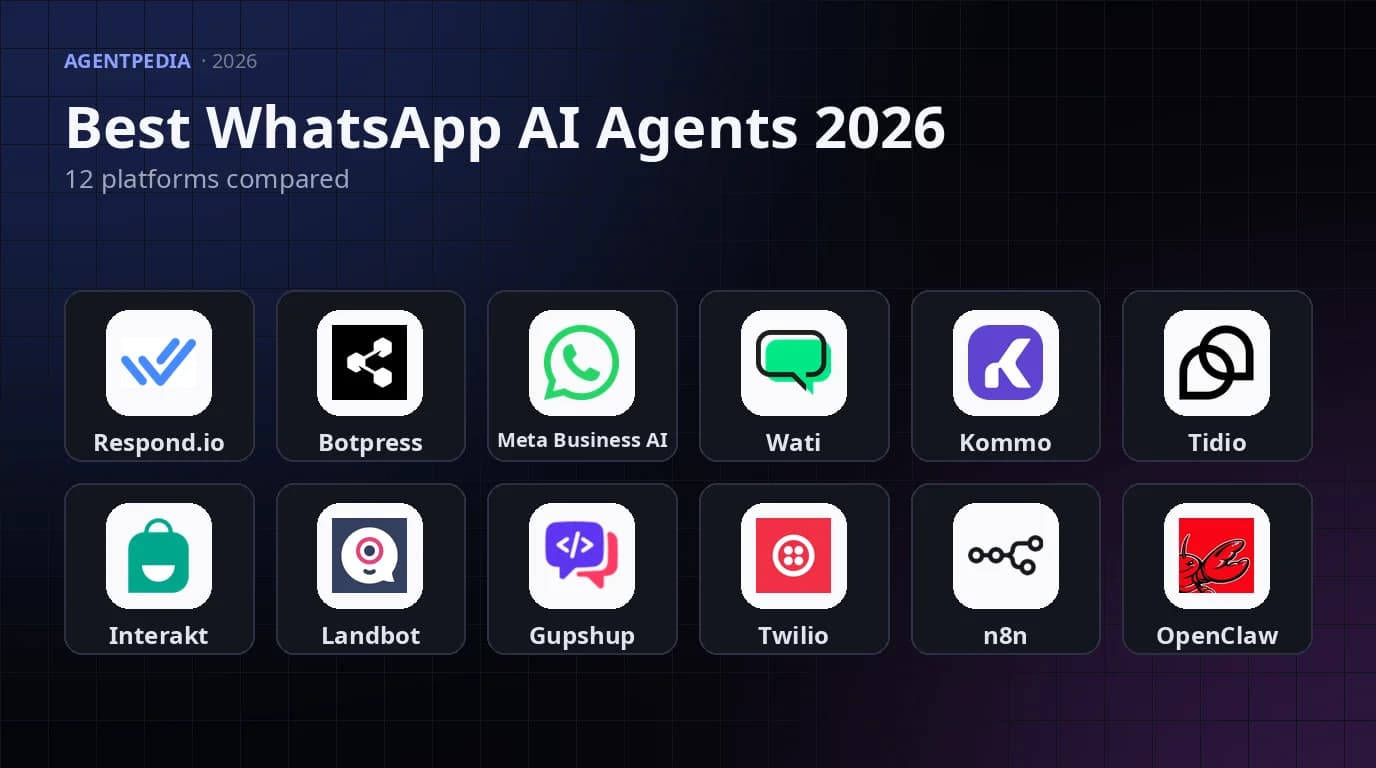
You want customers to message your business on WhatsApp and get a useful answer at 2 a.m., with a person stepping in when it matters. Respond.io is the pick for a sales-led team with ad traffic, Botpress is the pick if you want to design the agent yourself, and Meta Business AI is the shortest path if you already live in the WhatsApp Business app and your market is eligible. Wati and Interakt suit WhatsApp-first small businesses, Kommo suits teams that run deals from chats, and Tidio suits shops that add WhatsApp to website chat. If you have engineers, Twilio and n8n give you the most control, and OpenClaw is a different animal: an open-source personal assistant that uses WhatsApp Web rather than the Business Platform.
Two things changed in 2026 and shape every choice below. First, Meta started charging for service messages again on Oct 1, 2026, after the first 1,000 per number each month, and launched its own per-token agent category. Second, a WhatsApp AI agent is only as good as its handoff, because Meta's policy requires customers to have a clear path to a human. We did not run these tools on live customer traffic. Everything here comes from vendor pricing pages, documentation, Meta's developer pages and public posts, dated Nov 25, 2026. This is not legal advice.
A third-party tutorial from CodeWithMuh on the build-it-yourself route with n8n and OpenAI. We did not follow it end to end or verify its claims, so use it to see what building involves, not for pricing.
Quick Picks
| Need | Pick | Why |
|---|---|---|
| Best managed platform for a sales-led B2C team | Respond.io | Meta partner with AI Agents, voice calls and CRM sync, agents from the Growth plan at $159 per month billed yearly. |
| Best for a flexible agent builder with a free start | Botpress | Free plan with 100 conversations, WhatsApp on the $150 Plus plan, deep customization. |
| Best if you only run the WhatsApp Business app | Meta Business AI | Meta's own agent inside the Business app, billed per token (about 4 to 5 cents a message), eligible markets only. |
| Best WhatsApp-first platform for small teams | Wati or Interakt | Wati Growth is $59 per month annual; Interakt Growth is $55 plus an optional $74.99 AI agents add-on. |
| Best when WhatsApp is part of a CRM pipeline | Kommo | Per-seat CRM from $25 with built-in AI credits, minimum six months. |
| Best for web chat plus WhatsApp | Tidio | WhatsApp is free on every plan, with 1,000 free service messages per number. |
| Best for developers who want full control | Twilio or n8n | Twilio bills $0.005 per message plus Meta fees; n8n has a WhatsApp Business Cloud node and a self-hosted version on GitHub. |
| Best personal assistant on WhatsApp | OpenClaw | Open source, MIT licensed, runs on your own machine; not the Business Platform. |
| Best low-code conversation designer | Landbot | Visual flows, WhatsApp as a paid add-on from EUR 100 per month. |
Master Comparison Table
Prices come from each vendor's page as fetched on Nov 25, 2026, with the billing period given where the page gives one. Several pages contradict themselves or leave a number unexplained, which we flag in the product sections.
| Tool | Pricing | Free plan or trial | Type | AI angle |
|---|---|---|---|---|
 Respond.io | Starter $79, Growth $159, Advanced $279 per month billed yearly | Trial, 7 days | Managed messaging platform | AI Agents on Growth and above; voice agents |
 Botpress | Free; Plus $150; Team $750 per month (annual) | Yes (100 conversations) | Builder plus hosted runtime | Convo-based billing with AI usage included |
 Meta Business AI | No plan fee; about $2.00 per 1M tokens | No free messages | Meta-hosted, in the Business app | Eligible businesses in select markets |
 Wati | Growth $59, Pro $119, Business $279 per month (annual) | Trial, 7 days | Managed WhatsApp platform | Astra AI agents with monthly credits |
 Kommo | Base $25, Advanced $35, Pro $45 per user per month | Trial, 14 days | CRM with messengers | AI credits per seat; six month minimum |
 Tidio | Starter $33, Growth from $63, Plus from $300 per month (billed annually) | Trial, 7 days | Chat and support suite | Lyro AI agent; WhatsApp free on all plans |
 Interakt | Growth $55, Advanced $69 per month; AI agents add-on $74.99 | Not confirmed | WhatsApp commerce platform | Sales, lead and support agents as an add-on |
 Landbot | Free; Starter EUR 32; Professional EUR 80; WhatsApp add-on EUR 100 | Yes (100 chats) | No-code flow builder | AI chats metered per plan |
 Gupshup | Pay as you go, platform fee Rs 0 per page; enterprise custom | Not confirmed | Messaging provider | 5 AI agents and 1,000 free AI messages on pay as you go |
 Twilio | $0.005 per message plus Meta fees | Free trial | API building blocks | You build the agent yourself |
 n8n | Starter EUR 20, Pro EUR 50 per month (annual); self-hosted version available | Cloud trial; free self-hosted version | Workflow automation | AI Agent node plus WhatsApp Business Cloud node |
 OpenClaw | Free and open source (MIT); you pay your model provider | Yes | Self-hosted assistant gateway | WhatsApp Web linked session, not the Cloud API |
Build or Buy a WhatsApp Agent
There are three honest options, and the twelve products fall into them. Buy a finished platform: Respond.io, Wati, Interakt, Kommo, Tidio and Gupshup give you an inbox, AI, templates and billing handled for you. Use Meta's own agent: Meta Business AI lives in the Business app and removes a vendor, but gives you less control. Build: Twilio, n8n and OpenClaw give you parts or a gateway, and you assemble the agent. Botpress and Landbot sit in the middle: you design the agent in a builder, they host it.
Buying wins when speed, human handoff and reporting matter more than custom logic. Building wins when the agent must call your own systems, or when you need to own the data path. The hidden cost of building is everything around the model: template approval, webhooks, a handoff inbox for your staff, spam and abuse handling, and monitoring. n8n's own docs show how easy it is to lose messages: a published workflow does not subscribe your app to your WhatsApp Business Account, so messages never arrive and n8n shows no failed execution.
If you are weighing automation tools more broadly, our comparison of n8n, Zapier and Make covers the workflow side. For other customer-facing agents, see our roundups of AI customer support agents and AI SDR agents, and if you also want phone calls, the guide to voice AI agent platforms.
Meta Rules Every WhatsApp Agent Obeys
Whatever tool you pick, the same Meta rules apply to the Business Platform. These come from Meta's developer pricing page and business policy page, fetched Nov 25, 2026.
- Five message categories. Marketing, utility, authentication, service and Meta Business Agent. Pricing is per message since Jul 1, 2025.
- The 24-hour window. Non-template messages are allowed only while a customer service window is open. Outside it you need an approved template.
- Service messages are billable again from Oct 1, 2026. They had been free since Nov 1, 2024. Each business phone number gets 1,000 free service messages a month with no rollover, and Meta lists the rate as the same as utility and authentication in each market, with no volume tiers. With no payment method on file, delivery stops after the free tier.
- Utility messages inside the window are also chargeable from Oct 1, 2026. BestMediaInfo reports that the 1,000 free allowance does not apply to them, so they are charged from the first message; we did not find that detail on the Meta page we read, so check Meta's rate card.
- Free entry point. Meta's current pricing page describes free messages for up to 7 days after a click-to-WhatsApp ad entry. An older Meta document said 72 hours, so confirm the current rule.
- Meta Business Agent. Meta's own AI has its own category from Jul 1, 2026, priced per token from Aug 1, 2026 at $2.00 per 1M tokens, with no free messages.
- Human escalation. Meta's policy page (last updated Sep 23, 2026) allows automation inside the window but expects a prompt, clear way to reach a human, such as in-chat transfer, phone, email, web support, a store or a form. Opt-in is required, and prohibited verticals apply.
- AI provider terms. Business Solution Terms effective Jan 15, 2026 prohibit AI providers from distributing general-purpose assistants through the Business Platform when the assistant is the primary functionality. Meta told TechCrunch that businesses using AI to serve their own customers are not affected. Italy and Brazil were exempted after regulator action, and in March 2026 Meta said it would allow general-purpose chatbots in Europe for 12 months for a per-message fee, per TechCrunch.
A third-party figure helps with scale: Mint reported on Oct 1, 2026 an India rate of INR 0.115 per delivered service message after the free quota. We did not verify it on Meta's rate card, and rates differ by country. The Business Platform rules above do not apply to OpenClaw's WhatsApp Web route, which is a separate question we return to in its section.
Estimating a Real Monthly Bill
Headline plan prices are the smallest part of a WhatsApp agent bill for most teams. The monthly total is a platform fee, plus AI usage if it is metered separately, plus Meta's message fees, plus the human time you save or spend reviewing. The block below uses numbers from the vendor pages above with stated assumptions. It is arithmetic, not a quote, and it leaves Meta fees out because they depend on country and message type.
Illustrative monthly math (not quotes; Meta fees excluded):

Meta Business Agent, 1,000 agent messages
  $2.00 per 1M tokens x 20k-25k tokens per message = $0.04-$0.05
  1,000 x $0.04-$0.05 = $40-$50

Twilio, 10,000 messages (in plus out)
  10,000 x $0.005 = $50 Twilio fee

Botpress Plus, 600 conversations
  $150 plan covers 250; 350 extra, assuming whole packs of 100, is 4 packs
  4 x $65 = $260, so $150 + $260 = $410

Respond.io Growth, 3,000 MACs (assuming 1,000 are included; the page has a
  contact-tier selector, so confirm what your tier costs)
  2,000 extra / 100 x $12 = $240, so $159 + $240 = $399

Kommo Pro, 5 seats
  5 x $45 = $225 per month ($1,350 per six month term)
Two lessons stand out. Metered AI looks cheap per message and grows linearly, so a busy line can cost more on Meta Business AI than a flat-fee platform. And conversation-based billing, as at Botpress, and contact-based billing, as at Respond.io, reward different traffic shapes: many messages per contact favors contact billing, many one-message contacts favors per-message billing.
Respond.io
respond.io
Respond.io is a messaging platform built around a shared inbox, workflows and, on higher plans, AI Agents. It positions itself at mid-market B2C teams that get a lot of inbound chats from ads, such as retailers, clinics, schools, travel agencies, car dealers and real estate agencies. Its own AI Agents page says the product fits best when a team handles 500 or more conversations a month, and lists three cases where it is not the right fit: fewer than 500 conversations, a need for WhatsApp group messaging, or a reliance on cold outbound.
Its AI Agents page describes respond.io as a Meta and TikTok partner with official integrations, and its pricing page states that WhatsApp fees are not included in plan prices. The AI Agents answer from knowledge sources you approve, qualify leads with questions you set, save answers to contact fields, move the contact to the next lifecycle stage and assign the chat to a person, team or another agent. It also lists Voice AI Agents that answer inbound WhatsApp and VoIP calls in 30 plus languages.
One limit worth knowing comes from its own help center: AI Agents cannot see internal comments and can only access the most recent 30 messages in a conversation, so important context should live in contact fields or lifecycle stages. The same page lists other limits. Agents cannot see the message a customer is replying to, they read videos, files and stickers as a filename only, and an agent assigned through the API, n8n or Make will not reply until the customer writes again. The AI Agents page adds that on current paid plans agents keep running after the monthly credit allowance is used, with extra usage billed in blocks of 1,000 credits and total usage capped at twice the allowance. We did not review its uptime history, so we make no claim about reliability.
Key features
- Shared inbox for WhatsApp, Instagram, Messenger, TikTok, Telegram and other channels.
- AI Agents with knowledge sources, guardrails, lead qualification and role-based handoff.
- Workflows, broadcasts, API and Zapier or Make connections on Growth and above.
- Voice AI Agents and WhatsApp calling in the same inbox.
- Ad context from Meta click-to-chat and TikTok messaging ads is passed to the agent, per its help center. Native HubSpot sync on Growth and above and Salesforce on Advanced and above.
Pricing: As of Nov 25, 2026: Starter $79, Growth $159 and Advanced $279 per month when billed yearly, with higher monthly figures struck through on the page ($99, $199, $349, next to a Monthly/Yearly toggle that says yearly saves up to 20 percent). Enterprise is custom. Extra users are $12, $20 and $24 per month. Plans include a MAC (monthly active contact) allowance starting at 1,000, with overage at $12 per 100 MACs on Growth and $15 on Advanced. AI credits are 5,000 on Starter, 10,000 on Growth, 20,000 on Advanced and 40,000 on Enterprise, with extra credits at $15 per 1,000 and a hard cap at 200 percent. WhatsApp fees are not included.
Free tier: A 7-day trial of the Growth plan with 5 users and 1,000 MACs, no credit card.
Limits: Starter has no AI Agents. Advanced adds HTTP requests, webhooks, SSO and multiple workspaces. AI Agents see only the last 30 messages.
Pros
- Plan prices exclude WhatsApp fees, so Meta's charges stay visible as a separate line.
- AI Agents, routing, lifecycle tracking and CRM sync in one product.
- Voice and chat share one history.
- ISO 27001 listed and a G2 rating of 4.8 from 500 plus reviews, as shown on its pricing page.
Cons
- AI Agents start at the $159 Growth plan, so it is not the cheapest way to try an agent.
- MAC-based billing needs forecasting if contact volume is spiky.
- Built for businesses that wait for customers to message first; weak fit for cold outbound.
- AI Agents see only the last 30 messages and cannot read replied-to messages.
Benefit for you: For a team buying ads that point to WhatsApp, the benefit is one place where leads are qualified, routed and tracked, without wiring several tools together.
Standout use case: Ad-driven B2C sales where speed to first reply decides conversion.
Skip it if: Skip it if you get under 500 conversations a month, need group chats, or want a developer toolkit rather than a finished product.

Botpress
botpress.com
Botpress is a builder for chatbots and AI agents. For WhatsApp it offers an official integration, maintained by the Botpress team, that you install from its Hub inside Botpress Studio. You authorize WhatsApp, pick or create a Facebook business page and a WhatsApp Business Account, and Meta then verifies your business.
The integration page lists the pieces a builder cares about: text, media, choices and cards, approved templates for starting conversations, events for sent, delivered, read and failed messages, multiple phone numbers, reactions, typing indicators and message echoes. If you want your own Meta app, you can enter the verify token, access token and phone number ID manually. A WhatsApp Playground lets you test while Meta verification is pending.
Billing is by conversation, which Botpress defines as two or more end-user messages in a billing month, with three voice minutes counting as one conversation. That is easy to model for support volume and harder if you expect many one-message contacts.
Key features
- Official WhatsApp integration installed from the Hub, with manual configuration for your own Meta app.
- Template-start conversations and webhook-started conversations from a CRM.
- Multiple phone numbers per integration.
- Delivery, read and template-status events to trigger flows.
- Typing indicators, reactions and message echoes, so your bot can react when a human agent replies from another channel.
Pricing: As of Nov 25, 2026: Free $0 (100 conversations, 3 seats, 3 AI agents, no top-ups). Plus $150 per month billed annually (250 conversations included, extra packs of 100 for $65, $25 of AI usage, unlimited agents, 3 seats, WhatsApp). Team $750 per month billed annually (1,500 conversations, packs of 100 for $50, $150 of AI usage, unlimited seats, RBAC). A Custom tier adds the voice channel and an SLA. Automatic packs trigger at 95 percent of quota. WhatsApp fees from Meta are separate.
Free tier: Yes. Free has 100 conversations and 3 AI agents. The pricing matrix did not make clear whether Free includes WhatsApp, and the FAQ names only Plus, so confirm before you plan on it.
Limits: Meta business verification gates sending. Conversation overage is billed in packs. Storage add-on is $40 per month.
Pros
- Most flexible builder of the managed options, with a real free tier.
- Official integration with templates, events and multi-number support.
- AI usage is included in each plan up to a stated amount.
- Choices render as buttons (one to three) or dropdowns (four to ten) on WhatsApp.
Cons
- More to build than a finished inbox product such as Respond.io or Wati.
- Conversation packs can add up fast at volume.
- Free plan WhatsApp availability is unclear on the pricing page.
- Meta verification can delay launch, and Botpress cannot speed it up.
Benefit for you: For a team with one technical builder, the benefit is a prototype on a free plan that can grow into a production agent on the same platform.
Standout use case: Custom agents that call your APIs and run multi-step workflows over WhatsApp.
Skip it if: Skip it if you want a team inbox, broadcasts and CRM features out of the box with no building.

Meta Business AI
business.whatsapp.com
Meta's own option is called Meta Business Agent on its product page and appears as a pricing category in the developer documentation. You set it up in the WhatsApp Business app under Tools, and it learns from your Facebook Page, past chats, website and catalog. You control its knowledge, personality, audience (everyone, new customers or ad leads) and when it hands off to you. The page says it is available to eligible businesses in select markets.
The interesting part for 2026 is the price model. Meta's pricing page lists Meta Business Agent as its own message category, introduced on Jul 1, 2026, and charges per token from Aug 1, 2026: $2.00 per 1 million tokens, with a typical message using 20,000 to 25,000 tokens. By our arithmetic that is about 4 to 5 cents per message. There are no volume tiers and no free messages, and it is still charged inside a free entry point window.
The product page itself shows no price, so the cost comes from the developer pricing page. Treat the per-message figure as an estimate from Meta's own token numbers, not a quote.
Key features
- Set up inside the WhatsApp Business app, no separate platform.
- Learns from your Page, previous chats, website and catalog.
- Controls for knowledge, personality, audience and handoff.
- Billed as its own Meta message category.
Pricing: As of Nov 25, 2026: no plan fee found. Meta lists $2.00 per 1M tokens from Aug 1, 2026, typically 20,000 to 25,000 tokens per message, so about $0.04 to $0.05 per message (our arithmetic). No volume tiers and no free messages.
Free tier: None for the agent messages.
Limits: Eligible businesses in select markets only. We could not verify a complete market list, and we did not test it.
Pros
- No third-party vendor, data processor or integration to maintain.
- Native to the Business app that many small shops already use.
- Clear handoff and audience controls.
Cons
- Per-message cost is higher than a typical platform's AI add-on at volume.
- Less customizable than a builder, with no documented API or workflow tools on the product page.
- Market availability is limited.
- Your agent logic lives with Meta, so you cannot move it elsewhere.
Benefit for you: For a small business with a few hundred chats a month, the benefit is a working agent in the app you already use, with cost that scales only with use.
Standout use case: The fastest route to an AI reply on a number you already run in the Business app.
Skip it if: Skip it if you need custom actions, CRM writes, multiple channels or predictable monthly cost at volume.
Wati
wati.io
Wati is a WhatsApp-first team inbox and automation platform. Its pricing page lists three plans, each with an Astra AI agent allowance and monthly AI credits. The Astra AI Agent Builder is described as a way to create agents in minutes using natural language, and the page also lists AI in the inbox, internal agents, an AI editor and AI conversation summaries.
The three plans scale mostly by agent count, seats and automation limits. Growth carries one Astra agent and 2,000 AI credits a month. Pro raises that to two agents and 5,000 credits. Business removes the agent cap, gives 20,000 credits, and adds voice AI agents. Higher plans also raise API call allowances, from 10,000 on Growth to 20 million on Business, and add a Blitz add-on for 12,000 messages per minute.
Read the small print. Message fees from Meta are extra, a WhatsApp number must be deleted from its old account before reuse, and the page states no cancellation fee but also no refunds.
Key features
- Astra AI Agent Builder using natural language.
- Team inbox with assignment, tags, follow-ups and reporting.
- Broadcasts, chatbots and social automations.
- Commerce tools: catalog, Shopify abandoned cart and order templates.
- Voice AI agents on Business.
Pricing: As of Nov 25, 2026, billed annually: Growth $59 per month (3 users, 1 Astra agent, 2,000 AI credits, 15,000 broadcasts, 1,000 free automation triggers, 10,000 API calls, no webhooks). Pro $119 (5 users, extra users $39 each, 2 agents, 5,000 credits, unlimited broadcasts, 2,000 triggers, 200,000 API calls, limited webhooks). Business $279 (5 users, extra users $89 each, unlimited agents, 20,000 credits, voice AI agents, 5,000 triggers, 20 million API calls). Add-ons: Shopify $4.99 per month, extra WhatsApp number $29 per month each. Meta message fees extra.
Free tier: A 7-day free trial.
Limits: Webhooks are absent on Growth and limited on Pro. One agent only on Growth. No refunds.
Pros
- Clear three-tier pricing with exact limits listed.
- Includes AI agent allowances at every tier.
- Commerce add-ons for Shopify stores.
- Voice AI agents available on the top plan.
Cons
- Growth has no webhooks, which blocks many integrations.
- Per-user prices on Pro and Business rise quickly with team size.
- Monthly pricing was not clear; the page figures are for annual billing.
- No refunds and a number-migration step if the number is already on WhatsApp.
Benefit for you: For a small to mid-size WhatsApp-first shop, the benefit is predictable per-plan costs with an agent builder in the box.
Standout use case: A WhatsApp-only team that sells through catalogs and templates and wants agent support included.
Skip it if: Skip it if you need broad non-WhatsApp channels or deep API access on a low tier.
Kommo
kommo.com
Kommo is a CRM built around messengers. A lead arrives from WhatsApp, Instagram or Messenger, lands in a visual pipeline, and a Salesbot can run the first conversation. Because the AI is priced as credits attached to each seat, it works best when most of your team already lives in the pipeline.
The pricing page lists three self-serve plans per user per month. Base gives 750 AI credits per user each month, Advanced 1,250 and Pro 2,250, multiplied by seat count, with no rollover and extra packs available. WhatsApp numbers scale by plan: Base includes one number plus one per added user, Advanced includes three, and Pro and Enterprise are unlimited.
There is a catch in the billing. Kommo does not offer monthly payment on the pricing page we read. The page shows a term toggle, and Pro is billed at $270 per user for six months, so the minimum commitment is six months. Prices are in US dollars only.
Key features
- Visual sales pipeline with messenger-based leads.
- Salesbot flow builder and AI agent features billed in credits.
- AI appointment booking.
- Multiple WhatsApp numbers on higher plans.
Pricing: As of Nov 25, 2026: Base $25, Advanced $35, Pro $45 per user per month. Pro is billed $270 per user for six months. No monthly billing and a six month minimum. AI credits per user per month: 750, 1,250 and 2,250, no rollover. Enterprise custom. USD only.
Free tier: A 14-day trial, no card, with 10 GB storage.
Limits: Six month minimum. Credits do not roll over. WhatsApp number counts vary by plan.
Pros
- A real CRM, not just an inbox.
- Low entry price per seat.
- Pipeline and chat history stay together.
- Messengers connect on any plan.
Cons
- Per-seat pricing is awkward when many people only need to read chats.
- Six month minimum with no monthly option.
- AI credits expire monthly.
- USD only.
Benefit for you: For a sales team that wants chat, deals and follow-ups in one view, the benefit is that the AI sits next to the pipeline instead of in a separate tool.
Standout use case: Small sales teams that run deals from WhatsApp chats.
Skip it if: Skip it if you want a pure support agent, need monthly billing, or have a large team that only needs inbox access.
Tidio
tidio.com
Tidio is a customer service suite with live chat, a help center, flows and an AI agent called Lyro. WhatsApp is one channel among several, which suits a business that wants website chat and WhatsApp handled in the same inbox.
The WhatsApp integration page states that the integration is free on every plan, and each connected number includes 1,000 free support messages per month, including Lyro and Flows replies. Above 1,000 on a paid plan, you pay the local WhatsApp rate, billed at the end of the month with no markup and a spending cap. Free plan and trial users are also limited to 1,000 messages a month.
Plans are sized by conversation volume. We did not read the Lyro-specific documentation in depth, so treat its WhatsApp accuracy and controls as unreviewed.
Key features
- WhatsApp connected on every plan with 1,000 free service messages per number.
- Lyro AI agent plus Flows automation.
- Website live chat, help center and inbox add-ons.
- MCP tools listed per plan: 3 on Starter, 5 on Growth, 10 on Plus.
Pricing: As of Nov 25, 2026: Starter $33 per month billed annually ($390 a year, 50 AI and human conversations). Growth from $63 per month ($750 a year, 100 up to 1,000 conversations). Plus from $300 per month plus usage. Premium by contact. Add-ons: Flows $24, Inbox AI from $8, Help Center $10, Voice $16, remove branding $20.
Free tier: A 7-day free trial. Tidio's WhatsApp page also refers to Free plan users, but we did not confirm what the Free plan includes.
Limits: Conversation caps are low on Starter. WhatsApp messages above 1,000 per number are billed at Meta's local rate.
Pros
- No platform fee for the WhatsApp connection.
- One inbox for website and WhatsApp.
- Transparent handling of Meta fees, with a spending cap.
Cons
- Starter's 50 conversations disappear quickly.
- Plus starts at $300 plus usage.
- Not built around WhatsApp-specific features such as ad attribution or catalogs.
Benefit for you: For a small online store with a chat widget, the benefit is that WhatsApp comes at no extra platform cost.
Standout use case: Stores that add WhatsApp to an existing website chat setup.
Skip it if: Skip it if WhatsApp is your main channel and you need advanced broadcasts, commerce flows or voice agents.

Interakt
interakt.shop
Interakt is a WhatsApp commerce platform popular in India. Its pricing page lists Growth and Advanced plans, with a separate WhatsApp AI Agents add-on that includes Sales, Lead Qualification and Customer Support agents.
The page is worth reading carefully. It shows an Enterprise tier on request, mentions that Enterprise has no template markups (which implies other plans mark templates up), and displays a $12 figure near the AI agents text that we could not interpret. It also contains placeholder text in its FAQ. We could not confirm whether the headline $55 and $69 prices reflect monthly, quarterly or yearly billing; the page lists a 20 percent discount for yearly and 8 percent for quarterly.
Because of those gaps, we treat the figures here as indicative. Ask for a written quote that states the billing cycle and template markup.
Key features
- WhatsApp AI Agents add-on with sales, lead qualification and support roles.
- Plans aimed at commerce and customer messaging.
- Yearly and quarterly discounts.
Pricing: As of Nov 25, 2026: Growth $55 per month and Advanced $69 per month plus taxes (billing cycle not confirmed). WhatsApp AI Agents add-on $74.99 for Growth and Advanced. Yearly discount 20 percent, quarterly 8 percent. Enterprise on request. The page also shows a Starter plan in rupees.
Free tier: Not confirmed from the page.
Limits: Template markups on non-Enterprise plans (implied). The AI agent add-on costs more than the Growth plan itself.
Pros
- Low entry price.
- Dedicated AI agent roles.
- Built for WhatsApp commerce.
Cons
- Pricing page has unclear billing cycle and placeholder text.
- AI add-on costs more than the base plan.
- Template markups imply extra cost on lower plans.
Benefit for you: For a small seller who wants WhatsApp commerce with agent roles pre-defined, the benefit is a low entry price and a defined add-on.
Standout use case: India-focused WhatsApp commerce with pre-built sales and support agents.
Skip it if: Skip it if you need transparent, audited pricing before you sign, or non-WhatsApp channels.
Landbot
landbot.io
Landbot is a no-code conversation builder with web chat and WhatsApp channels. Its pricing page, updated November 2026, separates AI chats from regular chats, which is the first thing to understand: Free has 100 chats and no AI chats, Starter has 500 chats and 100 AI chats, and Professional has 2,500 chats and 300 AI chats.
WhatsApp is a paid add-on. The Free plan includes only a WhatsApp test number, and getting your own number needs the WhatsApp add-on at EUR 100 per month on Professional, which makes Professional with WhatsApp EUR 160 per month billed annually and raises AI chats to 500. WhatsApp fees follow Meta: service messages 1 to 1,000 free, other messages at Meta cost plus EUR 0.05 per marketing, utility or authentication message.
Landbot is a fit where the conversation is mostly designed rather than improvised, such as lead capture, booking and qualification flows, with an AI step where needed.
Key features
- Visual builder for flows across web and WhatsApp.
- AI chats metered separately from regular chats.
- WhatsApp add-on with your own number.
- GDPR and SOC 2 listed on the pricing page.
Pricing: As of Nov 25, 2026: Free (100 chats, no AI chats, WhatsApp test number only). Starter EUR 32 per month billed annually (EUR 40 monthly), 500 chats, 100 AI chats, 2 seats. Professional EUR 80 annual (EUR 100 monthly), 2,500 chats, 300 AI chats, 3 seats. WhatsApp add-on EUR 100 per month. Business custom, from EUR 400 per month in the comparison matrix. Non-EU USD pricing: Starter $36, Professional $88 annual. Extra chat EUR 0.05, extra AI chat EUR 0.10, extra seat EUR 25.
Free tier: A Free plan and a 14-day trial, no card.
Limits: AI chats are capped by plan. WhatsApp needs the add-on and at least Professional. The page also advertises a Black November promotion.
Pros
- Visual builder that non-engineers can use.
- Clear chat and AI chat limits.
- Euro and USD pricing.
Cons
- WhatsApp add-on nearly doubles the Professional price.
- AI chat caps are low for a busy agent.
- Less suited to open-ended AI conversations than agent-first tools.
Benefit for you: For a marketing team that wants guided flows, the benefit is a builder it can run without developers.
Standout use case: Lead qualification and booking flows with an AI fallback.
Skip it if: Skip it if you need a high volume of free-form AI conversations at a low unit cost.
Gupshup
gupshup.ai
Gupshup is a business messaging company, and this section rests on its pricing page only. For WhatsApp AI agents, that page lists a Pay as you go tier with a platform fee of Rs 0 per month, a prepaid wallet, and 18 percent GST added. That tier includes 10 agent seats, 5 chatbot flows, 5 AI agents and 5 automated campaigns, with 1,000 AI messages free each month, then Rs 1.00 each. Enterprise is custom, up to 10,000 messages per second, with ISO 27001 and SOC 2 Type II.
The page contradicts itself. A heading in its FAQ asks what the Rs 5,999 monthly fee covers, while the plan card says zero platform fee, and the answer text did not render in our capture. We therefore cannot say which is current. Under our truth rules we report both and recommend asking Gupshup for a written quote.
A Superagent product was listed as early access when we read the page, and we did not test it.
Key features
- Pay as you go with a prepaid wallet.
- 5 AI agents, 5 flows and 5 campaigns on the entry tier.
- 1,000 AI messages free per month.
- Enterprise scale of up to 10,000 messages per second.
Pricing: As of Nov 25, 2026: Pay as you go with Rs 0 platform fee per the plan card, prepaid wallet, plus 18 percent GST; 1,000 AI messages free monthly, then Rs 1.00 each. An FAQ heading on the same page mentions a Rs 5,999 monthly fee, and we could not read its answer. Enterprise custom. Meta fees are separate.
Free tier: 1,000 AI messages per month on the entry tier. No separate trial found.
Limits: Prepaid wallet model. Rupee pricing. The page conflicts on platform fee.
Pros
- Zero platform fee on the plan card.
- Scales to very high throughput.
- ISO 27001 and SOC 2 Type II listed for Enterprise.
Cons
- Contradictory pricing information on one page.
- Rupee and GST pricing is awkward outside India.
- Superagent is early access.
Benefit for you: For an India-based business or a developer who wants a provider with a prepaid, usage-based model, the benefit is no fixed monthly commitment on the entry tier.
Standout use case: High-throughput messaging with a pay-as-you-go entry point.
Skip it if: Skip it if you need a published, unambiguous price list before talking to sales.
Twilio
twilio.com
Twilio is the developer route. It provides the WhatsApp API, you provide the agent. That means you write or host the logic that calls a language model, retrieves your knowledge and decides when to hand off. In return you get control over every step and a price list that is easy to read.
Its WhatsApp pricing page, marked current as of September 2026, lists a Twilio fee of $0.005 per message, inbound or outbound, plus Meta's template fees passed through. It lists utility and authentication templates from $0.0034 per message, notes that service messages in the 24-hour window were free from Meta at that time, and lists a Messaging Engagement Suite at $0.015 per message with the first 1,000 free each month. That page predates Meta's Oct 1, 2026 change, so check how Meta's new service-message billing applies to your account.
Twilio also lists WhatsApp Business Calling at $0.005 per minute inbound or outbound, plus Meta's per-minute outbound fees.
Key features
- WhatsApp API with templates, media and calling.
- Per-message pricing with Meta fees passed through.
- Free trial with no credit card.
- Fits any agent framework or model you pick.
Pricing: As of Nov 25, 2026: Twilio fee $0.005 per message in either direction plus Meta template fees. Utility and authentication templates from $0.0034. Messaging Engagement Suite $0.015 per message, first 1,000 free monthly. WhatsApp Business Calling $0.005 per minute plus Meta's outbound rates (UK $0.0099 and Spain $0.0129 shown), inbound $0. The page is dated September 2026.
Free tier: A free trial, no credit card.
Limits: No agent included. The pricing page predates Meta's Oct 1, 2026 service-message change.
Pros
- Complete control and no seat fees.
- Plain per-message pricing.
- Calling API available.
Cons
- You build, host and maintain the agent.
- No inbox or handoff UI unless you build or add one.
- Meta's new fees still apply on top.
Benefit for you: For an engineering team with existing Twilio traffic, the benefit is one bill and an API that can be driven by any model.
Standout use case: Custom agents embedded in a product that already uses Twilio.
Skip it if: Skip it if nobody on your team writes code.

n8n
n8n.io
n8n is a workflow automation tool, and it is a popular way to wire a WhatsApp AI agent together without writing a full application. The WhatsApp Business Cloud node supports sending messages, sending a message and waiting for a response, sending templates, and uploading, downloading and deleting media. A separate WhatsApp Trigger node responds to incoming messages and account events such as template status updates. The AI Agent node sits between them.
Two details from the docs matter in practice. First, Send and Wait for Response lets a workflow pause for a human to approve or answer, and the node can act as a human-review step for AI tool calls. Second, WhatsApp only allows one webhook per app, so switching between the test and production URL overwrites the registered webhook, and you may need to unpublish the production workflow while testing. The docs also warn that a published workflow does not subscribe your app to your WhatsApp Business Account, so messages can silently never arrive until you do that through the Graph API.
Pricing is by workflow executions, not seats, and a standard self-hosted version is available on GitHub. n8n's credentials page lists what you need from Meta before any node works: a developer account, a business portfolio and a Meta app with WhatsApp added and set to Live, plus an access token and Business Account ID.
Key features
- WhatsApp Business Cloud node and WhatsApp Trigger node.
- AI Agent node, MCP client and server trigger, and human approval for tool calls.
- HTTP Request node for operations the WhatsApp node does not cover.
- Self-hosted version available on GitHub.
Pricing: As of Nov 25, 2026, billed annually: Starter EUR 20 per month, Pro EUR 50, Business EUR 667 (self-hosted option), Enterprise custom. All plans include unlimited users and workflows and every integration, with pricing based on monthly workflow executions. Starter includes 1,600 Assistant credits a month and Pro up to 9,600. A Startup plan offers 50 percent off Business for companies under 20 employees. Meta fees and model costs are separate.
Free tier: A standard self-hosted version is on GitHub. Starter and Pro show no credit card required. The Cloud trial is limited to 1,000 executions.
Limits: Starter has 1 shared project and 5 concurrent executions. One WhatsApp webhook per Meta app. Full launch needs Meta business verification and app review, per n8n's credentials page.
Pros
- Visual builder with a real AI Agent node.
- Human approval built into the WhatsApp node.
- Self-host option and execution-based pricing.
Cons
- You manage Meta setup, templates and webhooks yourself.
- No inbox or reporting for conversations.
- Webhook gotchas can cause silent message loss.
Benefit for you: For a technical operations team, the benefit is an agent that also touches your CRM, ticketing and databases through the same canvas.
Standout use case: A WhatsApp agent that is one step in a larger automation.
Skip it if: Skip it if you need a ready-made inbox for human agents.
A third-party tutorial by Viren Baid. We did not follow it end to end or verify its claims, so use it to see the shape of a workflow and check settings against n8n's docs.
n8n now has a new kind of Agent. Describe what an agent should do, give it tools and workflows, and it works out the steps. Use the same agent in Slack, on a schedule, or from any workflow.
— @n8n_io September 28, 2026
Meet Nod, your own open-source personal agent from n8n Labs. Ask it to prep your calls, collect invoices or cancel a subscription. It runs on your computer with its own browser to get the job done across apps and websites, using the AI provider you choose.
— @n8n_io November 11, 2026
OpenClaw
openclaw.ai
OpenClaw is an open-source AI assistant that runs on your own computer and connects to chat apps including WhatsApp, Telegram, Slack, Discord and iMessage. It is MIT licensed, stewarded by the OpenClaw Foundation, and its README says it has no paid tier, hosted service or token. It is a personal assistant first, and treating it as a customer-service platform is a stretch.
Its WhatsApp channel is not the Business Platform. The docs describe it as production-ready via WhatsApp Web (Baileys), where the gateway owns a linked session, and state there is no separate Twilio WhatsApp channel. You install the @openclaw/whatsapp plugin and link by QR code only. By default, unknown senders must be approved through pairing, with requests expiring after one hour and a cap of three pending. A separate number is recommended, though personal-number and self-chat setups are supported. Offline messages up to 20 minutes old can be answered after a reconnect, and experimental WhatsApp calling through a separately paired MeowCaller session is off by default.
Because this route does not use Meta's Cloud API, the Business Platform's template, pricing and policy model does not apply the same way. The docs do not discuss account-restriction risk, and we did not research WhatsApp's terms for linked-device automation, so do not assume it is safe for customer-facing use. A Mar 24, 2026 post from the @steipete account, embedded below, says to use a separate number plus WhatsApp Business so the pairing greeter does not reach friends, and suggests a platform friendlier to agents such as Telegram.
Key features
- WhatsApp Web (Baileys) linked session managed by the gateway.
- Pairing and allowlist policy for who can message the agent.
- Multi-account support and group support.
- Models and agent harnesses are swappable plugins.
- Runs on your own hardware.
Pricing: As of Nov 25, 2026: free and open source (MIT). No paid tier, hosted service or token per the README. You pay your model provider and any hosting, and WhatsApp Business Platform fees do not apply to this route.
Free tier: Entirely free software.
Limits: Not an official WhatsApp integration. QR-only login. Needs a machine that stays on. Calling is experimental.
Pros
- Free, open source and self-hosted.
- Same assistant across many chat apps.
- Strong default access control through pairing.
Cons
- Not the Cloud API, so Meta's tooling, templates and support do not apply.
- Risk of account action is not addressed in its docs.
- No inbox, reporting or team features.
- Needs you to run and secure a gateway.
Benefit for you: For an individual or small team who wants an assistant they can message from WhatsApp, the benefit is full ownership of the data and setup.
Standout use case: A personal agent on your own number with your own models.
Skip it if: Skip it for anything customer-facing where account stability, templates and audit trails matter.
# From OpenClaw's WhatsApp docs (docs.openclaw.ai/channels/whatsapp)
openclaw plugins install @openclaw/whatsapp
openclaw channels login --channel whatsapp   # QR-only login
openclaw gateway
openclaw pairing list whatsapp
openclaw pairing approve whatsapp <CODE>
A third-party walkthrough by Kris Torrington. We did not run it, and it says nothing we could verify about WhatsApp's rules for this kind of linked session.
Messaged a friend on WhatsApp, got greeted by the OpenClaw doorman. (use separate number + WA Business to avoid this, see the docs, or use a message platform that is friendlier for agents such as Telegram)
— @steipete March 24, 2026
OpenClaw 2026.3.28. Plugin approval hooks: any tool can pause for your OK. xAI Responses API plus x_search. ACP bind here: Discord and iMessage. WhatsApp echo loop, Telegram splitting and Discord reconnect fixes.
— @openclaw March 29, 2026
Pricing Table
| Tool | Free tier or trial | Paid plans | Top tier | Watch for |
|---|---|---|---|---|
| Respond.io | 7-day trial of Growth, no card | Starter $79, Growth $159, Advanced $279 per month, billed yearly | Enterprise custom | WhatsApp fees not included; MAC overage $12 or $15 per 100 |
| Botpress | Free $0: 100 conversations, 3 seats | Plus $150, Team $750 per month, annual | Custom: voice, SLA | Conversation packs $65 or $50 per 100 |
| Meta Business AI | None | About $2.00 per 1M tokens, roughly 4 to 5 cents per message | Not applicable | No volume tiers; priced from Aug 1, 2026 |
| Wati | 7-day trial | Growth $59, Pro $119, Business $279 per month, annual | Not stated | Extra WhatsApp number $29 per month |
| Kommo | 14-day trial, no card | Base $25, Advanced $35, Pro $45 per user per month | Enterprise custom | Six month minimum; no monthly billing |
| Tidio | 7-day trial | Starter $33, Growth from $63, Plus from $300 per month | Premium: contact sales | WhatsApp free to connect; 1,000 free messages per number |
| Interakt | Not confirmed on page | Growth $55, Advanced $69 per month plus taxes | Enterprise on request | AI agents add-on $74.99; billing cycle for the headline price unclear |
| Landbot | Free: 100 chats, WhatsApp test number only | Starter EUR 32, Professional EUR 80 per month, annual | Business custom | WhatsApp add-on EUR 100 per month |
| Gupshup | None found | Pay as you go, Rs 0 platform fee, prepaid wallet | Enterprise custom | Page contradicts itself on a Rs 5,999 monthly fee |
| Twilio | Free trial, no card | $0.005 per message each way plus Meta fees | Volume pricing not read | Page dated September 2026, before Meta's Oct 1 change |
| n8n | Self-hosted version on GitHub | Starter EUR 20, Pro EUR 50 per month, annual | Business EUR 667 per month annual; Enterprise custom | Pricing is by workflow executions |
| OpenClaw | Free, MIT | Not applicable | Not applicable | No paid tier or hosted service per its README |
Feature Matrix
Based on each vendor's own pages. "Not reviewed" means we did not read enough to say, not that the feature is absent.
| Product | Official Cloud API | Built-in AI agent | Human handoff | Voice calls | Code needed |
|---|---|---|---|---|---|
| Respond.io | Yes (Meta partner) | Yes (Growth and above) | Yes | Yes (Voice AI Agents) | No |
| Botpress | Yes (official integration) | Yes | Not reviewed (echoes human replies) | Custom tier | Low to medium |
| Meta Business AI | Business app, not the API | Yes | Yes (handoff setting) | Not confirmed | No |
| Wati | Yes (official API) | Yes (Astra) | Yes (human hand-off on Pro) | Business plan (voice AI agents) | No |
| Kommo | Not reviewed | Yes (credits) | Not reviewed | Not reviewed | No |
| Tidio | Yes (Meta rates, no markup per Tidio) | Yes (Lyro) | Not reviewed | Voice add-on (WhatsApp support not confirmed) | No |
| Interakt | Not reviewed | Add-on | Not reviewed | Not reviewed | Not reviewed |
| Landbot | Yes (WhatsApp add-on) | Yes (AI chats) | Not reviewed | Not reviewed | No |
| Gupshup | Not reviewed | Yes (5 AI agents) | Not reviewed | Not reviewed | Not reviewed |
| Twilio | Yes | No (bring your own) | You build it | Yes (WhatsApp Business Calling) | Yes |
| n8n | Yes (Cloud node) | Yes (AI Agent node) | Send and Wait for Response | No | Low to medium |
| OpenClaw | No (WhatsApp Web) | Yes (assistant) | Pairing and allowlists | Experimental | Yes |
How to Choose
| Your situation | Start with | Why |
|---|---|---|
| You run a sales team with 500+ chats a month and ad traffic | Respond.io | Routing, lifecycle stages, CAPI signals and AI Agents in one inbox. |
| You want to design the agent yourself but not host servers | Botpress | Builder with official WhatsApp integration and a free plan to prototype. |
| You are a tiny shop on the WhatsApp Business app | Meta Business AI | No new vendor, if your market is eligible; watch the per-message token cost. |
| WhatsApp is your main channel and you sell to consumers | Wati or Interakt | Per-plan pricing aimed at WhatsApp commerce. |
| Your reps live in a CRM | Kommo | Pipeline, Salesbot and WhatsApp numbers under one seat price. |
| You mostly serve website visitors and add WhatsApp later | Tidio | WhatsApp is free to connect on every plan. |
| You need workflows that touch many internal systems | n8n | Visual workflows, human approval step and a self-host option. |
| You have engineers and need custom logic or compliance control | Twilio | Per-message API with the full Meta surface behind it. |
| You want an assistant for yourself, not customers | OpenClaw | Open source gateway across many chat apps; read the WhatsApp section first. |
Common Mistakes and a Buying Checklist
- Comparing plan prices and ignoring Meta fees. Since Oct 1, 2026 service messages beyond the first 1,000 per number can be billed, and templates always are.
- Assuming the AI is included. Starter on Respond.io has no AI Agents, Landbot's Free plan has no AI chats, and Interakt sells its agents as an add-on.
- Skipping Meta business verification. Botpress states your bot cannot message users until Meta verifies the business.
- Forgetting the human. Policy expects a clear route to a person, and every platform here has some version of handoff. Test it.
- Trusting a single pricing page. Gupshup and Interakt pages contradict or leave gaps. Ask for a written quote.
- Choosing a linked-device tool for customer traffic. OpenClaw is not the Business Platform, and its docs do not discuss account risk.
- Missing the contract terms. Kommo has a six month minimum and Wati lists no refunds.
Before you buy, run through this list:
- Confirm the vendor connects through the official WhatsApp Business Platform, and ask who owns the WhatsApp Business Account.
- Ask whether Meta fees are passed through at cost or marked up, and get the markup in writing.
- Price the Oct 1, 2026 rule: service messages beyond the first 1,000 per number each month are now billable.
- Check how the AI is billed: credits, conversations, tokens or per-message, and what happens at the cap.
- Test the human handoff inside a live 24-hour window, not only in a demo.
- Confirm knowledge sources, guardrails and a way to review transcripts before going live.
- Check whether you can bring your own number, and what it takes to move it out later.
- Read the data terms: training on your conversations, storage region, retention and deletion.
- Verify the contract term. Kommo has a six month minimum; Wati lists no refunds.
- Run a two-week pilot on a second number with a real customer segment before cutting over.
If you also plan to let a coding agent manage the workflows behind the scenes, see our guide to MCP servers for Claude Code, and for the OpenClaw side, the Clawdbot macOS installation guide.
How We Evaluated
We fetched each vendor's pricing and product pages, Meta's developer pricing and policy pages, the n8n and OpenClaw docs and the OpenClaw GitHub page on Nov 25, 2026, and checked each embedded video and post. Where a vendor page was unclear or contradicted itself, we say so and do not pick a number silently. Third-party figures are attributed. We did not run these tools on live customer traffic, so pros and cons come from documentation and policies, not measured answer quality. There are no affiliate links or paid placements, and vendors did not review the page. The starting list came from search demand data, and we kept all twelve names after checking each was live. Rankings are by fit, not score. Plans change often. If a figure here differs from the vendor page, trust the vendor page.
FAQ
What is a WhatsApp AI agent?
A WhatsApp AI agent is software that reads incoming WhatsApp messages, uses a language model plus your approved knowledge to answer, and can act, for example by qualifying a lead, booking a slot or updating a CRM record. A good one hands the conversation to a human when it cannot help.
Can I put an AI agent on the normal WhatsApp Business app?
Yes, in some markets. Meta's own Meta Business Agent is set up inside the WhatsApp Business app under Tools, and Meta says it is available to eligible businesses in select markets. Third-party agents generally connect through the WhatsApp Business Platform instead. Botpress's integration lists message echoes, which trigger your bot when a human agent replies from another channel.
Does WhatsApp allow chatbots and AI?
Automation is allowed inside the 24-hour customer service window as long as the customer has a prompt, clear way to reach a human. Meta's Business Solution Terms effective Jan 15, 2026 bar AI providers from distributing general-purpose assistants through the Business Platform, and Meta told TechCrunch that businesses using AI to serve their own customers are not affected. Read the policy page for your own use case.
How much does Meta charge for WhatsApp messages in 2026?
Meta prices per message in five categories: marketing, utility, authentication, service and Meta Business Agent. Since Oct 1, 2026, service messages are chargeable again after the first 1,000 free per business phone number each month, at the same rate as utility and authentication in each market. Rates vary by country, so use Meta's rate card.
Which WhatsApp AI agent platform is the cheapest?
It depends on volume. Botpress has a free plan, Tidio and Landbot connect WhatsApp on cheap tiers, and Twilio and n8n charge little beyond Meta's own fees. Compare the full monthly cost: platform fee, Meta fees and AI usage. Our cost section shows how to add them up.
Can I build a WhatsApp AI agent with n8n?
Yes. n8n has a WhatsApp Business Cloud node for sending messages and templates and a WhatsApp Trigger node for incoming events, and its AI Agent node can sit in between. You still need a Meta developer app and a WhatsApp Business Account, and Meta's one-webhook-per-app rule affects how you test.
Is OpenClaw a good way to run a customer-facing WhatsApp agent?
Probably not for customer traffic. OpenClaw links to WhatsApp as a WhatsApp Web session through Baileys, and its docs recommend a separate number. It is built as a personal assistant, and the docs describe pairing approvals for unknown senders. Its docs do not discuss account-restriction risk, so check WhatsApp's terms before using it with customers.
Do I need a WhatsApp Business Solution Provider?
Not strictly. You can connect directly to the Cloud API, as n8n and Twilio setups often do. A provider such as Respond.io, Wati, Gupshup or Twilio handles onboarding, templates and billing, and some, such as Tidio, say they pass Meta's local rate through with no markup.
What is the 24-hour customer service window?
After a customer messages you, you can send non-template messages for 24 hours. Outside that window you must use an approved template. Meta's current pricing page also describes a free entry point for click-to-WhatsApp ads, with free messages for up to 7 days; an older Meta document said 72 hours, so check the page.
Can a WhatsApp AI agent take phone calls?
Some can. Respond.io says its Voice AI Agents answer inbound WhatsApp and VoIP calls, Wati lists voice AI agents on Business, and Twilio offers WhatsApp Business Calling at $0.005 per minute plus Meta's per-minute fees. Check country availability on Meta's page.
Will an AI agent replace my support team on WhatsApp?
It will take the repetitive questions. Respond.io says its agents are built for businesses where customers reach out first and that any teammate can take over a chat, and Meta's policy requires a clear route to a human. Plan for a hybrid setup and review transcripts weekly.
How long does it take to go live?
Technical setup can take minutes, but Meta business verification can take longer and nobody can speed it up. Botpress warns that until Meta verifies your business, your bot cannot message WhatsApp users. Start verification first.
Which products did you cover and why these?
We started from a list of twelve names that people search for together: six managed platforms, two CRM or support suites, Meta's own agent and three build-it-yourself routes. We checked each against live pages on Nov 25, 2026 and ranked by fit, not score.
Sources
All fetched on Nov 25, 2026 unless noted.
- Respond.io pricing
- Respond.io AI Agents
- Respond.io AI Agents known limitations
- Botpress pricing
- Botpress WhatsApp integration
- Meta Business Agent product page
- Meta: WhatsApp Business Platform pricing
- Meta: AI provider terms
- WhatsApp Business messaging policy
- Wati pricing
- Kommo pricing
- Tidio pricing
- Tidio WhatsApp integration
- Interakt pricing
- Landbot pricing
- Gupshup pricing
- Twilio WhatsApp pricing
- n8n pricing
- n8n WhatsApp Business Cloud node
- n8n WhatsApp Trigger node
- OpenClaw WhatsApp channel docs
- OpenClaw on GitHub
- TechCrunch: WhatsApp bars general-purpose chatbots (updated Jan 15, 2026)
- TechCrunch: Meta allows rival chatbots in Europe for a fee (Mar 5, 2026)
- Mint: WhatsApp Business Platform gets costlier (Oct 1, 2026)
- BestMediaInfo: India rate set at Rs 0.115 per message (Sep 30, 2026)
- n8n WhatsApp Business Cloud credentials
- YouTube: Build a WhatsApp AI Agent with n8n + OpenAI (CodeWithMuh), Viren Baid, Kris Torrington on OpenClaw