Get the latest on AI, LLMs & developer tools
New MCP servers, model updates, and guides like this one — delivered weekly.
Who Wins for What
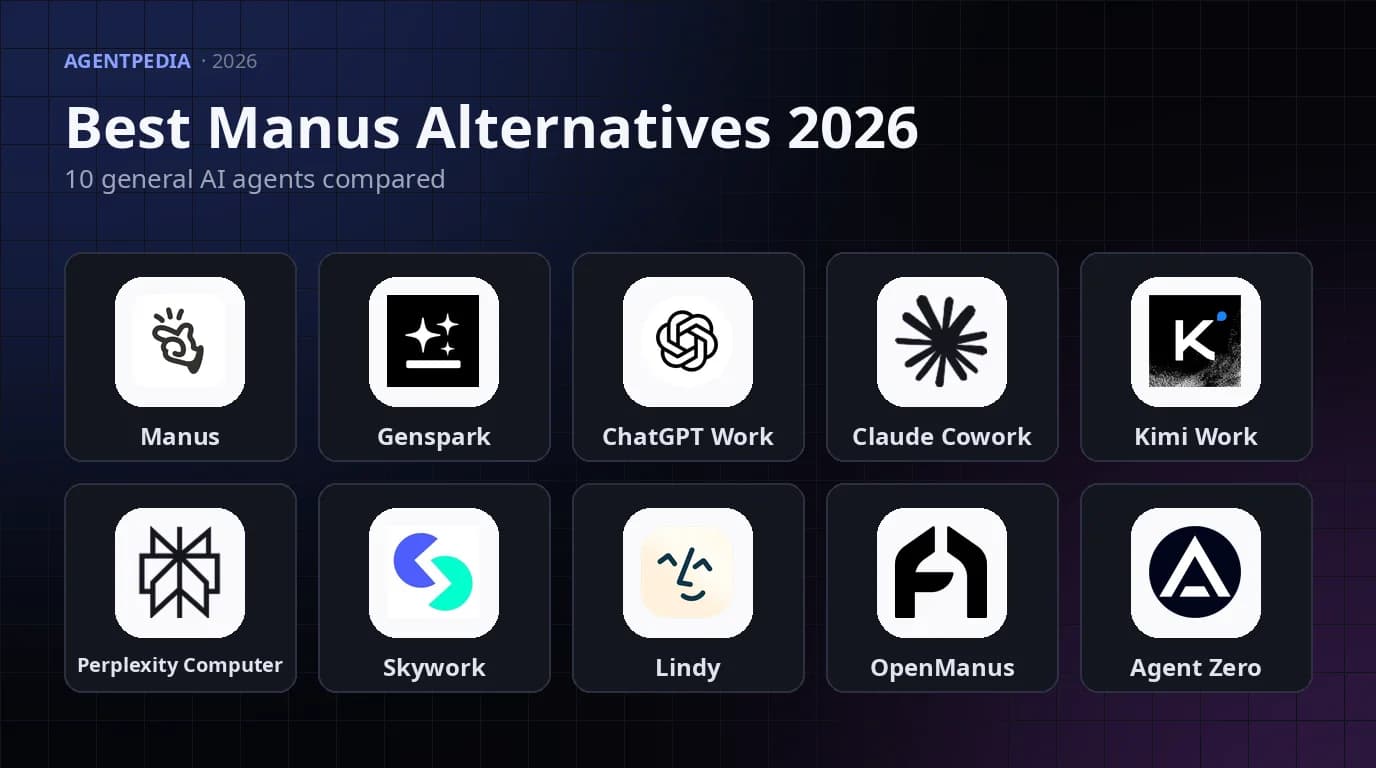
You want a general AI agent that researches, builds files and does multi-step work, and you are weighing Manus against everything else. Genspark is the closest cloud-agent match at a much lower entry price. ChatGPT Work is the easiest pick if you already pay for ChatGPT. Claude Cowork is the one built around permissions and your own folders, and Kimi Work is the local agent swarm. Perplexity Computer fits research-first work, Lindy lives in your inbox and Slack, and Skywork bundles a voice recorder. OpenManus and Agent Zero are the free, MIT-licensed options if you would rather run the agent yourself.
A third-party explainer by No Code MBA. We did not verify its claims against vendor pages, so use it for a visual overview, not for facts or prices.
Manus is not dead and not obsolete. It is still shipping, and Manus 2.0 gives it the widest output range here (websites, video, games and automations). What changed is the price gap: its Pro plan is $100 a month, while several rivals start between $15 and $25. We did not run hands-on tests. Everything below comes from vendor pricing pages, help centers, GitHub, X posts and one encyclopedia entry, all checked on Nov 25, 2026. Where a vendor's sources disagree or a price was not published, we say so.
Why People Look Beyond Manus
Manus launched on Mar 6, 2025, per Wikipedia, and defined what a general AI agent looks like for a lot of people. In late 2026 the question is no longer whether such agents work, but which one fits your budget, your data and your habits. Four reasons come up repeatedly.
- Price. Manus Pro is $100 a month for 20,000 credits and Max is $200. ChatGPT Plus is $20, Claude Pro is $20 monthly ($17 on annual billing), Genspark Plus is $24.99 and Kimi's annual Plus rate is $15 a month effective.
- Where the agent runs. Manus does most of its work in a vendor cloud, with the Studio desktop app added in 2.0. Kimi Work, Claude Cowork, OpenManus and Agent Zero work with your own files or your own machine.
- Ownership history. Wikipedia, summarizing press reports, says Meta announced it would acquire Manus in December 2025, that China's regulator blocked the deal and that Meta cut ties on Jun 15, 2026. Manus says it operates independently. Some buyers want a vendor without that story, and some do not care.
- Predictability. Credits are hard to forecast on long jobs. Products with a fixed allowance you already pay for (ChatGPT, Claude) feel safer to some people, while others prefer Perplexity's published credit ranges.
There are reasons to stay. If your work is creative output, Manus 2.0's Video Editor, Game Dev environment and Automations have no direct match in the cheaper alternatives. For browser-first options that sit next to this category, see our best AI browsers roundup. For Meta's entry in the personal-agent space, see the Meta Muse guide.
Quick Picks
| Need | Pick | Why |
|---|---|---|
| Best all-round cloud agent for office output | Genspark | Slides, sheets, docs, mail and meeting notes from one credit pool. Plus is $24.99 a month ($19.99 billed annually). |
| Best if you already pay for ChatGPT | ChatGPT Work | OpenAI lists Work in every ChatGPT plan, with Plus at $20 a month and Pro tiers at $100, $200 and $500. It shares its allowance with Codex and replaces the old ChatGPT agent. |
| Best for work inside your own files and folders | Claude Cowork | Desktop, web and mobile, with scheduling, plugins and approval prompts. A paid Claude plan is required. |
| Best local agent swarm | Kimi Work | Desktop agent that Moonshot says can run up to 300 agents in parallel. Plans from $15 a month effective on annual billing. |
| Best for research that needs sources | Perplexity Computer | Credit-metered at 100 credits per $1. Pro and Max subscribers get access, and Max starts with 10,000 credits a month. |
| Best bundle with a voice recorder and always-on assistants | Skywork | Monthly credits (15,000 on Basic, 28,000 on Plus), SkyClaw assistants and the Skywork Note voice recorder. |
| Best for an inbox and meetings teammate | Lindy | Slack and iMessage teammate with scheduled routines. Team starts at $29.99 a month for 3,000 credits. |
| Best free, MIT-licensed Manus clone to hack on | OpenManus | 59,032 GitHub stars, MIT. You bring the model key and the patience, and the last tagged release is from Apr 2025. |
| Best self-hosted agent with its own Linux computer | Agent Zero | Docker-based, MIT per its LICENSE file, release v2.16 on Nov 17, 2026. |
| Best if you want the original | Manus | Manus 2.0 added Studio, Video Editor, Game Dev, Automations and Cue. Pro is $100 a month. |
Master Comparison Table
Prices are as of Nov 25, 2026 from each vendor's own page unless stated. GitHub numbers come from the GitHub API on the same day. Licences for the two open-source projects are as stated in each repository.
| Product | Where it runs | Price entry points | Licence | Standout |
|---|---|---|---|---|
 Manus | Cloud, plus desktop app (Studio) | Free 300 credits a day; Pro $100; Max $200 | Proprietary | Websites, video, games, slides, automations |
 Genspark | Cloud, web and mobile | Free 100 credits a day; Plus $24.99; Pro $249.99 | Proprietary | Slides, sheets, docs, mail, meeting notes |
 ChatGPT Work | Cloud, in ChatGPT web, mobile and desktop | Included in all plans; Plus $20; Pro $100, $200 or $500 | Proprietary | Multi-step work shared with Codex |
 Claude Cowork | Desktop, web and mobile | Pro $20 monthly ($17 annual); higher tiers $100 and $200 | Proprietary | Your files, connectors, scheduled tasks |
 Kimi Work | Local desktop agent | Plus $15, Pro $31, Max $79, Ultra $159 (annual, effective monthly) | Proprietary | Agent swarm, browser use, Office files |
 Perplexity Computer | Cloud, with Comet browser, apps and integrations | Pro and Max; credits at 100 per $1 | Proprietary | Research and browser work with sources |
 Skywork | Cloud, with optional Skywork Note hardware | Free 120 daily login credits; Basic 15,000 and Plus 28,000 monthly credits | Proprietary | Docs, slides, podcasts, SkyClaw assistants |
 Lindy | Cloud, Slack and iMessage | $50 trial credits for 7 days; Team from $29.99 | Proprietary | Inbox, meetings, scheduled routines |
 OpenManus | Self-hosted, Python | Free; model fees only | MIT | Hackable open Manus-style agent |
 Agent Zero | Self-hosted, Docker | Free; model fees only | MIT per LICENSE file | Agent with its own Linux workspace |
Manus
manus.im
Manus is the product every other entry here gets measured against. It is a proprietary general AI agent from Butterfly Effect Pte. Ltd. Wikipedia records that it launched on Mar 6, 2025, and that the name comes from the Latin motto of MIT, Mens et Manus, meaning mind and hand. It set the template for the category: describe a goal, then let an agent browse, code, write and assemble the result in the cloud.
The corporate story explains why people ask about alternatives. Wikipedia, summarizing press reports, says Meta announced in December 2025 that it would acquire Manus, China's National Development and Reform Commission blocked the deal, Meta announced on Jun 15, 2026 that it was cutting ties, and Manus said on Aug 11 that it would operate as an independent company. We treat that history as press-reported. What we can confirm from Manus itself is that it is still shipping: it launched Manus 2.0 on Sep 28, 2026, its help center article on 2.0 is dated Oct 1, 2026, and its pricing page was live when we checked.
Per Manus's own blog, Manus 2.0 is built around Cascade (a rebuilt agent harness), Manus Studio (the desktop app, which works with files and folders on your computer in a connected and authorized session), a Video Editor, a Game Dev environment, purchasable Cloud Computers, Remote Control from your phone, event-triggered Automations and Cue, a separate app for personal agents that each get their own email, phone number, wallet and computer. Manus says that in one tested configuration Cascade used 23.2 percent fewer tokens, finished tasks in 28.2 percent less time and cost 32 percent less to run than the previous system, and its help center adds that this is one configuration, not an overall average. Cue is in early access and needs an invite code.
Key features
- Agent modes: Manus 2.0 Lite on the free plan, and Manus 2.0 and 2.0 Max on Pro, per the pricing page.
- Manus Studio desktop workspace that can work with local files in a connected, authorized session.
- Video Editor with a timeline (30 to 60 second product ads, tutorials, vlogs) and Game Dev with playable templates and optional multiplayer on a purchased Cloud Computer.
- Automations that start from a schedule or from events such as a new email, a calendar event, a Slack message or a Notion update.
- Wide Research across hundreds of sources, custom domains for websites, and advanced image and video generation on Pro.
- Manus Flex, which lets you bring your own keys, on Pro, per the pricing page.
Pricing: As of Nov 25, 2026, from the live pricing page: Free has 300 credits a day, Manus 2.0 Lite, 3 tasks at once and 2 automations. Pro is $100 a month with 20,000 credits a month, 20 tasks at once and 20 automations. Max is $200 a month with 40,000 credits a month, pay as you go when credits run out, early access to beta features and priority support. The page showed first-month discounts of 10 percent on Pro and 20 percent on Max, plus a Black Friday banner of up to 33 percent off. Team and Enterprise plans are offered separately.
Free tier: Yes. 300 credits a day, with Manus 2.0 Lite only.
Limits: Credits are the limit. Cue needs an invite code. A Cloud Computer is a separate purchase. Promotional discounts change, so read the page you land on.
Pros
- The widest set of outputs in this list: research, slides, websites, video, games and automations.
- A free daily credit allowance lets you try real tasks before you pay.
- Manus 2.0 gives you an editing surface (timeline, Edit panel) instead of forcing a new prompt for every change.
- Active development: a major release on Sep 28, 2026 and a help center updated in October.
Cons
- The paid entry price ($100 a month for Pro) is well above the $20 to $25 entries from several rivals.
- Proprietary, and the failed Meta deal shows how much corporate risk sat behind it.
- Credit use is hard to predict for long tasks, and a Cloud Computer is bought separately.
- Cue and some 2.0 features are early access.
Benefit for you: If your work is creative output (a landing page, a product ad, a small game), Manus 2.0 still has the most complete toolbox in this list. If your work is documents and research, the cheaper alternatives below may be enough.
Standout use case: Building a launch site, then cutting a 30 to 60 second ad for it in the Video Editor, inside one project.
Skip it if: You mostly need slides, sheets and research at a lower price, or you want a vendor with no ownership history to weigh.

Introducing Manus 2.0
— @ManusAI September 28, 2026
Genspark
genspark.ai
Genspark is the alternative people name most often next to Manus. Its X account introduced Genspark Super Agent on Apr 2, 2025 as a fast and reliable general AI agent. Since then the product has grown into a workspace of task agents. The help center lists AI Slides, AI Sheets, AI Docs, GenMail, Genspark Code, AgentBase, AI Meeting Notes, Call for Me, GenTeam and Custom Agents, plus AI Drive storage and Speakly voice dictation, all billed from one pool of credits.
The plans are simple and the prices are published in a help article. Free gives 100 credits a day up to a lifetime limit. Plus starts at 10,000 monthly credits with 50 GB of storage and commercial use of AI-generated content. Pro starts at 125,000 monthly credits with 1 TB of storage. Both paid plans also include Free Quota, and the article says the membership benefits it describes are valid through Jun 30, 2027.
Free accounts cannot download or export files, and Free needs a minimum credit balance to start a Super Agent turn. We read the help center on Nov 25, 2026, and every price here comes from that article, so check the live checkout in your own browser too.
Key features
- Super Agent for multi-step tasks, run on credits.
- AI Slides, AI Sheets and AI Docs agents, plus GenMail and AI Meeting Notes (up to 24 hours a day on paid plans).
- Genspark Code and AgentBase for building files, sites and agent forms.
- Call for Me phone calls, GenTeam multi-agent group chats (published caps start at 100 agents and 3 connected computers) and Custom Agents.
- AI Drive storage: 50 GB on Plus and 1 TB on Pro.
- Team seats with centralized admin and billing, and Enterprise with SCIM.
Pricing: As of Nov 25, 2026, from the Genspark help center: Free $0 (100 credits a day). Plus $24.99 a month, or $19.99 a month billed annually at $239.99 a year, from 10,000 monthly credits. Pro $249.99 a month, or $199.99 a month billed annually at $2,399.99 a year, from 125,000 monthly credits. Team $40 per seat per month, or $35 billed annually at $420 per seat per year. Enterprise is custom. The article describes starting credit amounts, so the figures above are the entry tiers.
Free tier: Yes. 100 credits a day up to a lifetime allowance, with no file downloads or exports.
Limits: Credits drain with every agent turn. Free accounts cannot export files, image generation carries a Genspark watermark on Free, and some higher-cost models are greyed out below 500 credits. Genspark says AI Chat and AI Image unlimited usage stays in place through Dec 31, 2026, within a 5-hour session window.
Pros
- The lowest published paid entry among the full cloud agents here ($24.99 monthly, $19.99 annual).
- Plus and Pro include Free Quota on top of monthly credits, and commercial use of AI-generated content.
- One credit pool covers slides, sheets, docs, mail, calls and code.
- Team seats at $40 a month with admin controls.
Cons
- The jump from Plus ($24.99) to Pro ($249.99) is ten times the price.
- Free is mostly a trial, because you cannot export what you make.
- Credits, Free Quota and fair-use limits add up to a system that takes time to understand.
- The terms say Genspark may limit commercial use to paid plans in the future.
Benefit for you: If you produce decks, spreadsheets and documents every week, Plus gives you an agent suite for roughly a quarter of Manus Pro's price. Use the free tier to preview, then pay once you need exports.
Standout use case: Turning a research brief into a deck, a sheet of figures and a meeting recap from the same workspace.
Skip it if: You want video and game creation, or a vendor that lets you export on a free plan.
Meet Genspark Super Agent - a fast & reliable general AI agent! Check it out:
— @genspark_ai April 2, 2025
A third-party comparison from The AI Accelerator for Business Show, made when ChatGPT agent mode still existed. We did not verify its claims against current vendor pages, so use it for a feel of the products, not for facts or prices.
ChatGPT Work
chatgpt.com
ChatGPT Work is what OpenAI now offers where ChatGPT agent used to be. OpenAI's help article on ChatGPT agent says that agent is no longer available and points to Work. OpenAI announced Work on X on Jul 9, 2026 as a new agent in ChatGPT powered by Codex and GPT-5.6 that can take action across your apps and files, stay with a project for hours and turn a goal into finished work. If you searched for a ChatGPT agent alternative to Manus, compare this product, not the retired name.
OpenAI's help center describes ChatGPT as having Chat and Work. Chat is for quick conversation. Work is for longer, multi-step work and finished deliverables. It is available in the ChatGPT desktop app, on the web and on mobile for eligible plans. It shares its usage structure with Codex, so a heavy coding day eats the same allowance that Work draws on.
Usage, not a flat price, is the real limit. OpenAI publishes estimates of local messages per five-hour period for Plus and Standard Business, and says they are estimates, not fixed limits. Pro plans currently have no five-hour limit, and OpenAI says cloud tasks may use more of the allowance than local messages. Weekly limits may also apply.
Key features
- An agent inside ChatGPT that acts across connected apps and files for long projects.
- A usage allowance shared with Codex, with five-hour windows on Plus and weekly limits that may also apply.
- Model choice, with an Ultrafast mode included only on Pro 500.
- ChatGPT credits for eligible usage on plans that support them.
- Desktop, web and mobile access, with connected apps and files.
- The same ChatGPT account, projects and apps you already use.
Pricing: As of Nov 25, 2026: OpenAI says ChatGPT Plus is $20 a month. Its developer pricing page lists plans at $100, $200 or $500 a month for Pro and says Ultrafast mode access comes with Pro $500; the help center names the tiers Pro 100, Pro 200 and Pro 500. OpenAI's developer pricing page also lists Free, Go, Business, Edu and Enterprise as plans that include Work and Codex, so check the allowance your own plan shows. We did not capture a Go price.
Free tier: Per OpenAI's developer pricing page, Work and Codex are included in the Free plan too, with allowances that differ by plan.
Limits: OpenAI's estimates of local messages per five hours on Plus include 6 to 50 on GPT-6.2 Astra, 17 to 180 on GPT-6.2 Sol and 350 to 3,000 on GPT-6 Luna. The same page says these are estimates, not fixed message limits, and that local messages and cloud chats share one allowance. They change as models change.
Pros
- No new vendor, login or invoice if you already pay for ChatGPT.
- Built on Codex, so it suits tasks that mix documents with code.
- Clear tiering, with three Pro price points from $100 to $500.
- Pro tiers remove the five-hour limit.
Cons
- The allowance is opaque: OpenAI itself says usage depends on model, context, reasoning and tools, not prompt length.
- The free-plan allowance is small, so serious use needs Plus or Pro.
- Work and Codex share one allowance, so coding use competes with agent use.
- Names and tiers have changed several times (agent, Work, new Pro tiers), which makes older reviews unreliable.
Benefit for you: For the large group of people who already have ChatGPT Plus, Work is the cheapest way to get a Manus-style agent. You trade deep configuration for convenience and for the model quality of the account you already use.
Standout use case: A long project that mixes research, a spreadsheet and some code, started on your phone and continued on your desktop.
Skip it if: You want predictable per-task pricing, or you do not want your agent tied to a coding-oriented allowance.
Introducing ChatGPT Work, a new agent in ChatGPT powered by Codex and GPT-5.6. It can take action across your apps and files, stay with a project for hours if needed, and turn a goal into finished work. It's a whole new way to get work done.
— @OpenAI July 9, 2026
For the newest Pro tier, see our ChatGPT Ultrafast and Pro 500 plans guide.
Claude Cowork
claude.com
Claude Cowork is Anthropic's agent for non-coding knowledge work. Claude's X account introduced it on Jan 12, 2026 as Claude Code for the rest of your work, letting you complete non-technical tasks much like developers use Claude Code. The Cowork page now says it is part of Claude: you ask for what you need, and when a task calls for your files, Claude brings in Cowork's capabilities.
The design is permission-first. Per Anthropic, Claude works in the folders and tools you choose and delivers work for review, and a setting lets you require approval before anything significant. Tasks keep running when you close your laptop, can be scheduled to run unattended, and bigger projects are split into chunks that run together. Anthropic's Aug 26, 2026 blog post announced a built-in browser that opens in the Cowork side panel, for the Cowork desktop app on Pro, Max, Ultra and Team plans.
Cowork can be customized with plugins that bundle skills, connectors and sub-agents. Computer use, where Claude works with your screen, is a research preview. Anthropic says it is designed to ask permission before accessing each application, and you can see what it is doing and stop it at any step.
Key features
- Works in the folders and tools you choose and returns finished files for review.
- Scheduled tasks that run unattended, and parallel work across chunks of a big project.
- A built-in browser in the desktop app (Pro, Max, Ultra, Team).
- Plugins that bundle skills, connectors and sub-agents for a role or team.
- Desktop, web and mobile, with the page describing web and mobile as rolling out.
- Team and Enterprise controls: spend limits, tool permissions by department, activity streamed to your SIEM through OpenTelemetry, and access through Amazon Bedrock, Gemini Enterprise Agent Platform or Microsoft Foundry.
Pricing: As of Nov 25, 2026, from the Claude pricing page: Pro is $17 a month with annual billing ($200 billed up front) or $20 billed monthly. Max is $100 a month and gives 5x the usage of Pro every five hours and every week. Ultra is $200 a month and gives 10x the weekly usage of Pro. Max and Ultra also list $100 and $200 a month in API credits. Anthropic lists Cowork on Pro, Max, Ultra and Team plans; we did not capture Team prices.
Free tier: No. The Cowork page says it works with a paid plan.
Limits: Usage limits apply on every plan, with a rolling five-hour session window plus weekly limits on paid plans, shared across Claude on web, desktop, mobile and Claude Code. Computer use is a research preview.
Pros
- A strong control model: chosen folders, optional approval before anything significant, and visible steps you can stop.
- Scheduling and parallel work suit recurring reports.
- The same Claude across desktop, web and mobile, with one shared usage pool.
- Enterprise routes through your own cloud provider if you need it.
Cons
- No free plan.
- Usage is plan-based and not quoted as task counts, and it is shared with Claude Code and chat.
- The built-in browser is desktop-only, and computer use is still a research preview.
- It is not built for video or game creation the way Manus 2.0 is.
Benefit for you: If you want an agent to act on your own documents and spreadsheets with clear guardrails, Cowork's permission model is the main reason to pick it over a cloud-only agent.
Standout use case: A Monday-morning readout built from a Drive folder and an analytics connector, saved back to the same folder and scheduled weekly.
Skip it if: You want a free plan, or a creative-studio agent for video and games.

Introducing Cowork: Claude Code for the rest of your work. Cowork lets you complete non-technical tasks much like how developers use Claude Code.
— @claudeai January 12, 2026
Kimi Work
kimi.com
Kimi Work is Moonshot AI's desktop agent. Moonshot's X account announced it on Jun 8, 2026 as a local AI agent on your desktop that does the work for you. Two features lead the announcement: a native agent swarm with up to 300 AI agents running in parallel on your local machine, and browser use through a WebBridge extension so the agent can navigate websites in your browser. We cover the product in more depth in our Kimi Work guide.
Pricing sits on Kimi's membership page. It lists Free, Plus, Pro, Max and Ultra, with annual billing shown as an effective monthly price: $0, $15, $31, $79 and $159. It says K3.1 Pro is included for Kimi on the web and Kimi Work on every paid plan, with limited usage on Free, and that K3.1 Pro Highspeed starts on Pro. The page is marked updated Oct 26, 2026, so it is about a month old as of this article.
Limits scale by tier. Agent credits are Basic on Free, then More, 2x, 5x and 10x. Concurrent agent tasks run 1, 2, 2, 4 and 4. Swarm concurrent subtasks run 2, 4, 8 and 8 from Plus up. Scheduled tasks run 2, 10, 15, 20 and 25. Goal mode and Kimi Claw start on Pro. The page says annual subscriptions are billed at the yearly totals, and the table we read shows only the effective monthly figures.
Key features
- A local desktop agent, with a native swarm of up to 300 parallel agents per Moonshot's announcement.
- Browser use through a WebBridge extension.
- Kimi K3.1 Pro and K3.1 Pro Highspeed models, with a 1M-token extra-long chat capacity on Max and Ultra.
- Office file processing, deep research and website publishing with a database on paid plans.
- Scheduled tasks, projects with storage, Dream Memory and self-evolving skills on paid plans.
- Kimi Claw (cloud, Android local and desktop) from Pro.
Pricing: As of Nov 25, 2026, from Kimi's membership page (dated Oct 26, 2026): Free ($0, limited usage). Effective monthly rates with annual billing: Plus $15, Pro $31, Max $79, Ultra $159. The same page lists API pricing for kimi-k3.1-pro at $2.00 per million input tokens and $10.00 per million output tokens, with rates checked on Oct 24, 2026. We did not capture a month-to-month price list.
Free tier: Yes, with limited usage of K3.1 Pro and basic agent credits.
Limits: Concurrent tasks and swarm sizes are capped per plan (2 to 4 concurrent tasks on paid plans). The table shows annual effective prices only, so a month-to-month plan may cost more.
Pros
- Runs on your own desktop, which suits work on local files.
- A free tier with real access to the agent.
- A low published entry ($15 effective monthly on annual billing).
- Concurrency, scheduled tasks and storage are spelled out per plan.
Cons
- The 300-agent figure is Moonshot's claim, and we did not test it.
- The membership table lists annual effective rates, not month-to-month prices.
- A lot of vocabulary (Kimi Claw, Dream Memory, Goal mode) to learn.
- We could not confirm whether tasks keep running when your computer is off.
Benefit for you: If you want many parallel agents working on files on your own machine, Kimi Work is the clearest local-first option in this list.
Standout use case: Fanning one research task out to a swarm of agents and collecting the results into a deck and a sheet on your desktop.
Skip it if: You need month-to-month pricing certainty, or you prefer an agent that runs only in a vendor cloud.
Meet Kimi Work - a local AI agent on your desktop that does the work for you. Native agent swarm: Up to 300 AI agents running in parallel on your local machine. Browser use: Paired with WebBridge extension, your agent will navigate websites in your browser: search, scroll,
— @Kimi_Moonshot June 8, 2026
For a longer walk through the product, see our Kimi Work guide.
Perplexity Computer
perplexity.ai
Perplexity Computer is the agent from the search company. Perplexity's help center describes Computer as an AI assistant that does multi-step work for you: it understands goals, gathers context, uses the right tools and carries the work forward across web, files and connectors. It runs on credits, and Perplexity's Comet browser can hand tasks to it. In Comet, Search mode answers questions without credits, while Work mode runs Computer and does use credits.
The credit system is documented in detail. Perplexity says 100 credits equals $1, and gives example ranges: 15 to 70 credits for a quick fact, 350 to 950 for a multi-step research report, 2,400 to 9,800 for a data dashboard and 15,000 or more for a whole app. It calls these examples, not guarantees. Consumer Max plans start with 10,000 credits a month. Consumer Pro has no monthly credits, but paid Pro plans include a weekly amount of Computer usage that is rolling out gradually.
Spending controls are explicit. Every Max account has a monthly spending cap on credit charges that defaults to $200 and can be set up to $5,000. Credits are spent in order: bonus first, then monthly plan credits, then purchased ones. Monthly credits do not roll over, and purchased credits expire if you do not use Computer for a year. The help article was last modified on Nov 20, 2026.
Key features
- Multi-step agent work across web, files and connectors.
- Comet Assistant Work mode, which runs Computer, next to a free Search mode.
- Credits spent in a fixed order (bonus, monthly, then purchased), with a Usage page for balances.
- Weekly included Computer usage on paid Consumer Pro plans, rolling out gradually.
- A Usage page with balances, auto-refill and spending limits.
- Enterprise Pro and Enterprise Max options with set monthly credits (500 and 15,000).
Pricing: As of Nov 25, 2026: Perplexity's help center says consumer Max starts with 10,000 Computer credits a month plus a one-time bonus of 35,000 credits that expires in about 30 days. Consumer Pro has no monthly credits, a one-time bonus of 4,000 credits and weekly included usage instead. Enterprise Pro starts at 500 credits a month and Enterprise Max at 15,000. Credits cost $1 per 100. Perplexity's Max help page lists Max at $200 a month or $2,000 a year, with annual billing on the web app only. We did not find a Pro price on a page we could read, so check checkout.
Free tier: Some free accounts include a limited, one-time number of Computer turns that use no credits. Ask searches and Comet Search mode never use credits.
Limits: The Pro weekly allowance is rolling out gradually and may stop showing on your Usage page, in which case Computer uses credits. Monthly credits do not roll over.
Pros
- The most transparent credit documentation here, with typical costs per task type.
- Hard spending caps and opt-in auto-refill reduce bill shock.
- A free Search mode in Comet, so you pay only when you hand off real work.
- Strong fit for research tasks, since the product started as a search engine.
Cons
- Pro has no monthly credit pool, and its weekly allowance may not be on your account yet.
- A big job can burn credits fast: 15,000 or more for an app is $150 or more at the stated rate.
- Pro has no monthly credit pool, so heavy use means buying credits.
- Perplexity says allowances and rates may change by promotion, region or plan.
Benefit for you: If your work starts with finding and checking information, Computer gives you an agent with sourcing habits, and the published credit ranges let you price a task before you run it.
Standout use case: Asking for a competitive landscape report with pricing and feature comparisons, a task Perplexity itself prices at 350 to 950 credits.
Skip it if: You want a flat-rate agent with no metering, or one that edits video and builds games.
Skywork
skywork.ai
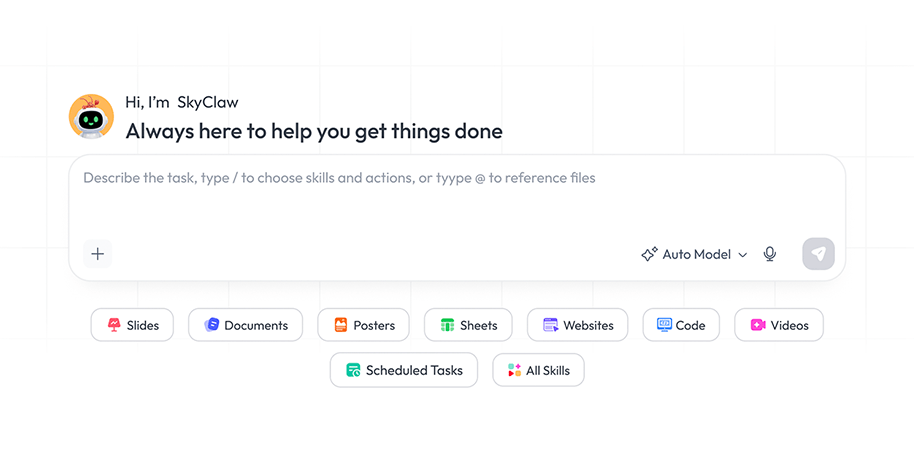
Skywork is the least transparent product in this list on monthly dollar prices, so read this section with that in mind. Its workspace turns recordings and files into presentations, documents, podcasts, spreadsheets, videos and images, and its membership page ties plans to a hardware product, Skywork Note, an AI voice recorder. Skywork's own shop describes SkyClaw as its AI assistant, shared on lower plans and an exclusive 24/7 instance on Plus.
Skywork's shop page lists three plans. Free is $0 with no membership credits and a 120-credit daily login bonus. Basic AI+ note has 15,000 membership credits a month and Plus AI + note has 28,000. Plus adds a custom always-on SkyClaw, priority model access with a choice of Claude, ChatGPT, Gemini, DeepSeek and Kimi, and early beta features such as parallel multi-agent workflows and a Cloud PC. The shop says an annual plan bought with Skywork Note activates only after you bind and activate the hardware.
The shop page quotes credits and limits but no monthly dollar prices, and it warns that plan availability and promotional prices may change. We could not read a published monthly price table, so the only dollar figure we quote is the one on Skywork's shop product page: $399.90 for Skywork Note with Plus Skywork AI yearly.
Key features
- Workspace outputs: slides, docs, sheets, images, video and podcasts, per Skywork's membership page.
- SkyClaw assistant, shared on lower plans and dedicated on Plus.
- Scheduled tasks and supported mobile IM workflows from the Basic plan, with results sent to Slack, WhatsApp, Telegram, LINE or Discord per the shop.
- Model choice across Claude, ChatGPT, Gemini, DeepSeek and Kimi on Plus.
- Parallel multi-agent workflows and a Cloud PC on Plus (early beta features).
- Skywork Note voice recorder with transcription and summaries.
Pricing: As of Nov 25, 2026: Skywork's shop lists Free ($0, 120 daily login credits), Basic AI+ note (15,000 credits a month) and Plus AI + note (28,000 credits a month), and sells Skywork Note with Plus Skywork AI yearly for $399.90. We did not find a monthly dollar price table, and the shop says promotional prices may change.
Free tier: Yes. 120 daily login credits and a shared SkyClaw. Unlimited transcription applies only to recordings from an activated Skywork Note device.
Limits: Free has 1 project, 10 downloads a month and files up to 10 MB. Basic has 2 projects, unlimited downloads, 50 MB files and 50 GB of knowledge base. Plus has 3 projects, 50 MB files and 1 TB of knowledge base. Credits used vary by feature, model and task.
Pros
- A wide output set (slides, docs, sheets, video, podcasts) in one workspace.
- Plus lets you pick among several frontier model families.
- A daily login credit allowance makes casual testing possible.
- A hardware option for people who record meetings.
Cons
- Monthly dollar pricing is not clearly published.
- Annual plans bought with hardware activate only after you bind and activate the device.
- The strongest features (Cloud PC, parallel agents) are early beta on Plus.
- Tight limits on the free tier: 1 project and 10 downloads a month.
Benefit for you: If you already record meetings or lectures and want that audio to feed decks, documents and podcasts, the Skywork Note bundle is a coherent package. If you want a pure Manus replacement, other entries are easier to price.
Standout use case: Turning a recorded meeting into a summary, a deck and a follow-up document in one workspace.
Skip it if: You need a clear, published monthly price before you commit.
Lindy
lindy.ai
Lindy is narrower than Manus, and worth including because many people searching for a Manus alternative really want an assistant that lives in their inbox and chat apps. Lindy's pricing page describes a teammate that lives in Slack threads and mentions, runs scheduled routines, keeps persistent workspace context and can be texted over iMessage around the clock.
The included list covers meeting recording and notes, meeting scheduling and prep, daily briefs, inbox management, replies drafted in your voice, team files with version history, computer use, 3,000+ integrations, MCP support, model selection and approvals. It also lists 40+ skills with the option to create your own. Lindy says it is SOC 2 and GDPR compliant, and that Enterprise adds SSO, SCIM, audit logs and HIPAA with a signed BAA. Those are Lindy's own statements.
Credits measure the work Lindy does, and you only use them when Lindy is working. Lindy's own example for everyday asks (answers, summaries, lookups, closing out a meeting) is 2 to 250 credits. Every seat adds credits to a shared pool, admins can set allocations per seat, and if the pool runs low Lindy pauses and tells you rather than billing extra.
Key features
- Slack-native teammate, plus texting over iMessage.
- Scheduled routines, daily briefs and nudges.
- Inbox management, drafts in your voice and meeting scheduling.
- Meeting recording and notes, with a shared meeting library.
- Computer use (listed on Pro and Max), 3,000+ integrations and MCP support.
- Approvals built in, and model choice per task.
Pricing: As of Nov 25, 2026, from Lindy's pricing page: Free is $50 in credits that last 7 days. Team starts at $29.99 a month for 3,000 credits per active user, with steps such as 4,000 credits at $39.99, 5,000 at $49.99, 8,000 at $79.99 and 15,000 at $99.99. Top-ups are $10 per 1,000 credits. Monthly credits refresh each cycle and do not roll over. Enterprise is custom and adds SSO, SCIM, audit logs and a signed BAA.
Free tier: A 7-day trial with $50 in credits. After that, paid usage starts at $29.99 per user per month.
Limits: Every active user takes a paid seat. Monthly credits do not roll over, and Lindy pauses credit-using actions when the pool runs out. Top-up credits do not expire until used.
Pros
- Lives where you already work (Slack, iMessage, email).
- A shared credit pool across a team, with no surprise bills.
- Approvals are built in.
- Admins can set credit allocations per seat.
Cons
- Narrower than Manus for creative output such as video and games.
- Billed per active user, so cost grows with the team.
- Free is a 7-day trial, not an ongoing free tier.
- Compliance and security claims are the vendor's own.
Benefit for you: If your main pain is email, meetings and follow-ups across a small team, Lindy covers that directly at $29.99 a month, and approvals keep it from acting without you.
Standout use case: Closing out a meeting: notes, a follow-up email in your voice and the next meeting scheduled, with approval before anything is sent.
Skip it if: You want a studio agent for websites, video or games, or a free tier that lasts.

OpenManus
github.com
OpenManus is the open-source project built in direct response to Manus. Its README says the core authors come from MetaGPT and that the prototype launched within 3 hours. The repository was created on Mar 6, 2025, the same day Wikipedia gives for Manus's launch, and it is licensed MIT.
It is a Python project. The README offers two install routes, conda and uv, uses Python 3.12 in its conda steps, and expects you to create a config file with your own model provider key. For browser automation it starts Browser Use CLI 3.0 as a default MCP server. The team also runs OpenManus-RL, a related project on reinforcement-learning tuning of LLM agents with researchers from UIUC.
The honest caveat is release cadence. GitHub showed 59,032 stars, 10,229 forks and an MIT licence on Nov 25, 2026, a latest push on Nov 2, 2026, and a latest tagged release of v0.3.0 from Apr 10, 2025. A cached copy of the repository page showed 443 open issues. That is a popular, active-looking repository without recent tagged releases, so pin a commit if you build on it.
Key features
- A Manus-style agent you run yourself.
- Conda or uv installation, Python 3.12 in the conda steps, and a config file for your model provider.
- Browser Use CLI 3.0 as the default MCP server for browser automation.
- MIT licence.
- OpenManus-RL, a related reinforcement-learning tuning project.
- A project homepage at openmanus.github.io.
Pricing: As of Nov 25, 2026: free and MIT licensed. You pay your model provider, or run a local model if you configure one. There is no hosted plan that we found.
Free tier: Yes, fully free. The only cost is model usage and your own time.
Limits: No tagged release since v0.3.0 (Apr 10, 2025), 443 open issues in the snapshot we read, and no managed hosting, support or built-in slide, video or game tooling.
Pros
- Free, MIT licensed and readable end to end.
- A large community: 59,032 stars and 10,229 forks.
- You control the keys, the model and the data.
- A natural base for experiments with browser agents and MCP tools.
Cons
- No recent tagged release, so versioning is by commit.
- You assemble the experience yourself, with no polished slides, video or game features.
- Model costs on long tasks can exceed a subscription.
- No vendor support, and 443 open issues.
Benefit for you: If you want to understand how a Manus-style agent works, or you need one you can modify and run on your own keys, OpenManus is the most direct starting point.
Standout use case: Running a browser-and-code agent loop against your own model key, then modifying the tools it can call.
Skip it if: You need a finished product with support, or you do not want to maintain Python dependencies.
Agent Zero
agent-zero.ai
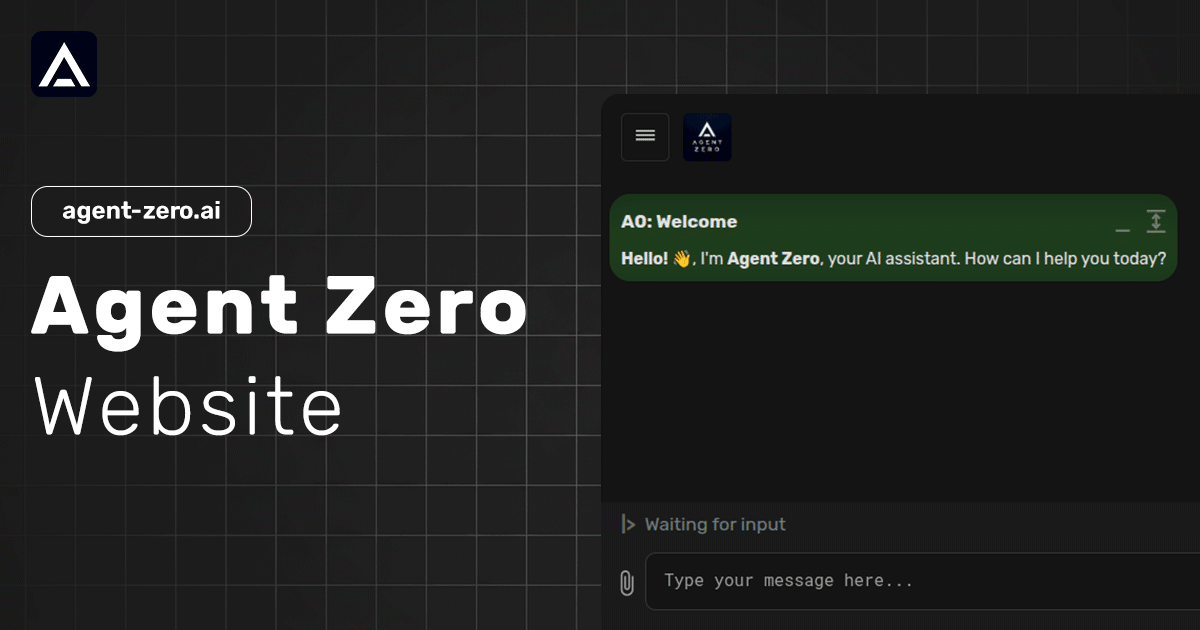
Agent Zero is an open-source agent that comes with its own Linux computer. Its README calls it an AI agent with its own Linux workspace that can research, write code, and create and work with documents using a terminal, browser and desktop apps. It runs in a sandbox, but you can step in, and you can connect it to local files on your own computer when needed.
It has grown beyond a terminal agent. The README describes a Canvas panel with a Browser (open pages, fill forms, upload files, annotate elements for the agent), a Linux Desktop you can watch and take over (the README gives opening Blender as an example), a Markdown editor and LibreOffice integration, Projects that keep files, instructions and memory together, a Plugin Hub, and a Migrate Agents option for bringing in chats from Pi, Hermes Agent or Claude Code.
Setup has a friendly path. The README recommends A0 Launcher v1.11 for desktop computers (Windows, macOS and Linux), which walks through Docker setup, and A0 Install for servers or shell-only environments. A single docker run command is also published. You still need an AI account, a provider API key or a local model server. GitHub shows no recognized licence for the repository, but the LICENSE file is the MIT licence, copyright 2025 Agent Zero, s.r.o. The repository showed 19,976 stars and 3,902 forks on Nov 25, 2026, a push on Nov 24 and a release, v2.16, on Nov 17, 2026.
Key features
- A Linux workspace with a terminal, browser and desktop apps, all in a sandbox.
- Browser with annotation mode and a Linux Desktop you can watch and take over.
- Markdown editing and LibreOffice documents that you and the agent work on together.
- Projects, Agent Profiles, Skills and a Plugin Hub.
- A0 Launcher for desktop setup, A0 Install for servers and a published docker run command.
- Migration of chats from Pi, Hermes Agent and Claude Code.
Pricing: As of Nov 25, 2026: free, MIT per the LICENSE file. You need an AI account, a provider API key or a local model server, and you pay that provider.
Free tier: Yes, fully free software. Model usage is your cost.
Limits: Needs Docker for the standard setup. GitHub's licence detector shows no recognized licence, so read the LICENSE file yourself. Host access to local files is opt-in.
Pros
- Free and MIT, with an unusually complete workspace (browser, desktop, documents).
- Active: a release on Nov 17, 2026 and a push on Nov 24.
- Sandbox by default, with host access when you choose it.
- A launcher for non-developers on Windows, macOS and Linux.
Cons
- Docker is a prerequisite, which some people find a barrier.
- No managed cloud service that we found, so you operate it.
- Fewer polished output tools than Manus for video and games.
- GitHub reports no recognized licence, which can trip up automated compliance checks.
Benefit for you: If you want the Manus idea of an agent with its own computer, but on your hardware with your keys, Agent Zero is the most complete open-source version in this list. For wider self-hosted options, see our OpenClaw alternatives roundup.
Standout use case: Asking it to open a design in the Browser, annotating what you like, and letting it build something similar while you watch the Desktop.
Skip it if: You cannot run Docker, or you want a vendor-hosted service with support.
For wider self-hosted options, see our OpenClaw alternatives roundup, which also covers Agent Zero.
Also Considered
Three more names come up in the same searches. We did not give them full sections, either because they are covered elsewhere or because we could not verify enough about them.
- Meta Muse. Meta introduced Muse on Sep 8, 2026 as a personal AI agent from Meta. Its site describes Muse Secure VM, a persistent, isolated Linux computer with a full browser, plus approvals before actions such as sending email or making a purchase. We found no published pricing, so we keep it out of the price tables. Our Meta Muse guide covers it in more depth.
- Comet. Perplexity's browser hands Work mode tasks to Perplexity Computer and uses the same credits, while its Search mode does not. We cover it inside the Perplexity Computer section, and our best AI browsers post compares browsers.
- Flowith. Its pricing page promoted a Black Friday membership called Black Pass when we read it. We could not verify enough about its agent features and plan prices to compare it fairly, so we left it out of the tables.
Introducing Muse, your personal AI agent from Meta that gets things done across every part of life. Download the Muse app and get started:
— @Muse September 8, 2026
If you want a different kind of self-directed agent, our GenericAgent guide covers one outside this list, and the best AI agent sandboxes guide covers isolation layers you can put under a self-hosted agent.
Pricing Table
Every figure below is as of Nov 25, 2026 and comes from the vendor pages named in the Sources section. Credit systems differ, so compare the dollar cost of one of your own tasks, not credit totals.
| Product | Plans and prices | Free tier or trial | Extra spend |
|---|---|---|---|
| Manus | Free: 300 credits a day. Pro: $100 a month, 20,000 credits. Max: $200 a month, 40,000 credits. Team and Enterprise by contact. | Yes, daily credits, Manus 2.0 Lite only | Pay as you go when credits run out (Max) |
| Genspark | Free: 100 credits a day. Plus: $24.99 monthly or $19.99 a month billed annually ($239.99 a year), from 10,000 credits. Pro: $249.99 monthly or $199.99 annual ($2,399.99 a year), from 125,000 credits. Team: $40 a seat, $35 annual. | Yes, with limits and no file export | Higher credit tiers; Free Quota on Plus and Pro |
| ChatGPT Work | OpenAI's pricing page says ChatGPT Work and Codex are included in Free, Go, Plus, Pro, Business, Edu and Enterprise plans, with the allowance varying by plan. Plus is $20 a month. Pro comes in three tiers: $100, $200 and $500 a month. | Yes, with the smallest allowance, per OpenAI | ChatGPT credits for eligible usage on plans that support them |
| Claude Cowork | Pro $20 monthly or $17 a month billed annually ($200 up front). The $100 tier gives 5x Pro usage; the $200 tier gives 10x Pro weekly usage. | No, a paid plan is required | Team and Enterprise spend limits set by admins |
| Kimi Work | Free: limited usage. Plus $15, Pro $31, Max $79, Ultra $159 a month, effective monthly with annual billing. | Yes, limited | Agent credits scale to 2x, 5x and 10x on higher plans |
| Perplexity Computer | Computer runs on credits at 100 credits per $1 (Perplexity help). Consumer Pro includes weekly Computer usage and no monthly credits. Consumer Max includes 10,000 credits a month. Perplexity's Max help page lists Max at $200 a month or $2,000 a year; we did not find a Pro price on a page we could read. | Ask searches never use credits; some free accounts get a few one-time Computer turns | Purchased credits and optional auto-refill; Max has a monthly spending cap that defaults to $200 |
| Skywork | Free: $0 with 120 daily login credits. Basic AI+ note: 15,000 membership credits a month. Plus AI + note: 28,000 membership credits a month. Skywork Note with Plus Skywork AI yearly: $399.90. We did not find a published monthly dollar price table. | Yes, daily login credits | Annual plans sold with the Skywork Note recorder |
| Lindy | $50 in free credits that last 7 days. Team: from $29.99 a month for 3,000 credits, billed per active user. Enterprise: custom. | Yes, 7-day credit trial | Top up at $10 per 1,000 credits |
| OpenManus | Free, MIT. You pay your model provider. | Yes, fully free | None found |
| Agent Zero | Free, MIT per the LICENSE file. You pay your model provider or run a local model. | Yes, fully free | None found |
Feature Matrix
Yes means a vendor page or help article we read says so. Not confirmed means we did not find it in the sources we read, not that it is absent.
| Product | Cloud-run tasks | Runs on your own machine | Scheduled or triggered tasks | Slides, docs, sheets output | Browser use | Free tier |
|---|---|---|---|---|---|---|
| Manus | Yes | Partial (desktop Studio) | Yes (Automations) | Yes | Yes | Yes |
| Genspark | Yes | Partial (connected computers in GenTeam) | Not confirmed | Yes | Not confirmed | Yes |
| ChatGPT Work | Yes | Partial (desktop app) | Not confirmed | Yes | Not confirmed | Yes, small allowance |
| Claude Cowork | Yes | Yes (folders you choose) | Yes | Yes | Yes (built-in browser) | No |
| Kimi Work | Not confirmed | Yes (local desktop agent) | Yes (scheduled tasks) | Yes | Yes (WebBridge extension) | Yes, limited |
| Perplexity Computer | Yes | No | Not confirmed | Not confirmed | Yes (Comet Work mode) | Limited one-time free turns |
| Skywork | Yes | Partial (Cloud PC on Plus) | Yes (scheduled tasks) | Yes | Not confirmed | Yes |
| Lindy | Yes | Partial (computer use) | Yes (routines) | Partial | Yes (computer use) | Trial |
| OpenManus | No | Yes | Not confirmed | Not confirmed | Yes (Browser Use MCP) | Yes |
| Agent Zero | No | Yes (Docker) | Not confirmed | Yes (documents in its workspace) | Yes | Yes |
How to Choose
| Your situation | Start with | Why |
|---|---|---|
| You want one subscription for slides, sheets, docs, mail and calls | Genspark | The largest bundle of task agents at a low published entry price. |
| You already pay for ChatGPT Plus or Pro | ChatGPT Work | No new vendor. Check the allowance before you plan heavy use. |
| Your work lives in folders and spreadsheets, and you want approvals | Claude Cowork | You choose the folders and Claude asks before significant actions. |
| You want many parallel agents on your own computer | Kimi Work | Local agent swarm, with a free tier to try. |
| Your tasks start with research and need sources | Perplexity Computer | Built by a search company, with published credit ranges per task type. |
| You want agents in Slack and iMessage on a schedule | Lindy | Credits pooled across a team, with approvals built in. |
| You want to read the code and control the keys | OpenManus or Agent Zero | Both are MIT and free. Agent Zero ships releases far more recently. |
| You want websites, video and games from one agent | Manus | Studio, Video Editor and Game Dev are its differentiators. |
| You want a voice recorder that feeds an AI workspace | Skywork | Skywork Note plus credits. Monthly dollar prices are not published in its shop, so confirm at checkout. |
If you are still undecided, run the same three real tasks on two free tiers and compare the results. Free allowances differ a lot: Manus gives 300 credits a day, Genspark 100, Skywork 120 login credits, Lindy $50 of credits for 7 days and Kimi a limited free plan. Claude Cowork has no free plan.
# A fair way to compare any two of these agents
# 1. Pick three real tasks you do every week (a deck, a research brief, a messy folder)
# 2. Run the same three prompts on each free tier or trial
# 3. Write down credits or allowance used per task, and the time to a usable result
# 4. Export the files and open them in the app you actually use
# 5. Only then pick a paid plan, and set a spend cap if one exists
Common Mistakes and a Checklist
- Comparing credit totals. A credit on Manus, Genspark, Skywork, Lindy and Perplexity is a different unit in each. Compare what one of your tasks costs.
- Trusting an old review. OpenAI retired ChatGPT agent and replaced it with ChatGPT Work, and Manus shipped 2.0 in September. Reviews from early 2026 describe products that have changed.
- Ignoring the shared allowance. ChatGPT Work shares its allowance with Codex, and Claude Cowork shares limits with chat and Claude Code. Heavy use of one eats the other.
- Assuming a free plan can export. Genspark Free cannot download or export files.
- Picking an open-source project by stars. OpenManus has 59,032 stars but no tagged release since Apr 10, 2025. Agent Zero has fewer stars and a release from Nov 17, 2026.
Before you commit, run through this list:
- Write down your three most common tasks and run each one on the free tier or trial before you pay.
- Find out how the product meters work (credits, tasks, or an allowance) and what a typical task of yours costs.
- Check where the agent runs: vendor cloud, your desktop, or your own server. That decides what data leaves your machine.
- Read the file and folder permissions. Prefer products that ask before deleting, sending or paying.
- Check whether you can export your files and history if you cancel.
- Look for the vendor's own price page and a date on it. Treat pages without one as stale.
- Set a spend cap or auto-refill limit where the product offers one.
- Test the failure case: what happens when credits run out in the middle of a task?
How We Evaluated
On Nov 25, 2026 we read each vendor's pricing page or help center, product page and, where available, release notes, plus the GitHub repositories for OpenManus and Agent Zero and Wikipedia's entry on Manus for corporate history. We checked each embedded X post through the syndication endpoint, each YouTube video through oEmbed, and each image with an HTTP request. We did not sign up for, install or run any of these products, measure credit use, or benchmark output quality, so the pros and cons come from documentation and published terms, not measured behavior. Where a vendor page did not render or did not publish a price, we say so and did not fill the gap. There are no affiliate links or sponsored placements. Plans and credits change often, so trust the vendor page over this one.
# How the GitHub numbers in this article were pulled (Nov 25, 2026)
curl -s https://api.github.com/repos/FoundationAgents/OpenManus | jq '{stars: .stargazers_count, forks: .forks_count, pushed: .pushed_at}'
curl -s https://api.github.com/repos/agent0ai/agent-zero | jq '{stars: .stargazers_count, forks: .forks_count, pushed: .pushed_at}'
FAQ
What is the best Manus alternative in 2026?
There is no single best one. Genspark is the closest cloud-agent match with a lower entry price (Plus $24.99 a month). ChatGPT Work is the easiest pick if you already pay for ChatGPT. Claude Cowork suits work on your own files with approval prompts. Kimi Work is the local agent swarm. OpenManus and Agent Zero are the open-source options. We did not run hands-on tests, so this ranking reflects vendor pages, help centers, GitHub data and X posts checked on Nov 25, 2026.
Is there an open-source alternative to Manus?
Yes. OpenManus (FoundationAgents/OpenManus) is MIT licensed and had 59,032 GitHub stars on Nov 25, 2026, but its latest tagged release is v0.3.0 from Apr 10, 2025 and its last push was Nov 2, 2026. Agent Zero is MIT per its LICENSE file (GitHub shows no recognized licence), had 19,976 stars, and published release v2.16 on Nov 17, 2026. Both are free to run. You pay your model provider or run a local model.
Is Manus still available after the Meta deal fell through?
Yes. According to Wikipedia's summary of press reports, China's National Development and Reform Commission blocked Meta's acquisition on Apr 27, 2026, Meta said on Jun 15 that it was cutting ties, and Manus said on Aug 11 that it would operate as an independent company. Manus launched Manus 2.0 on Sep 28, 2026, and its pricing page was live on Nov 25, 2026. Treat the corporate history as press-reported, not as a Manus statement.
How much does Manus cost?
On Nov 25, 2026 the pricing page listed Free with 300 credits a day, Pro at $100 a month with 20,000 credits and Max at $200 a month with 40,000 credits. The page showed first-month discounts (10 percent off Pro and 20 percent off Max) and a Black Friday banner offering up to 33 percent off. Team and Enterprise plans are offered separately. Check the page, since promotions change.
Genspark vs Manus: which is better?
They overlap heavily. Genspark's published entry price is lower (Plus $24.99 a month versus Manus Pro at $100) and it bundles agents for slides, sheets, docs, mail and meeting notes. Manus 2.0 pushes into video editing, game development, cloud computers and event-triggered automations. We did not benchmark output quality, so test your own tasks on each free tier.
What happened to ChatGPT agent?
OpenAI's help article on ChatGPT agent says it is no longer available and points to ChatGPT Work. OpenAI introduced ChatGPT Work on Jul 9, 2026 as a new agent in ChatGPT powered by Codex and GPT-5.6, per its X post. If you searched for a ChatGPT agent alternative to Manus, ChatGPT Work is the current OpenAI product to compare.
Does Claude Cowork have a free plan?
No. Anthropic's Cowork page says it works with a paid plan. The Claude pricing page lists Pro at $20 a month, or $17 a month billed annually ($200 up front), plus higher tiers at $100 and $200 a month. The Cowork page has a few wording inconsistencies about which plan includes what, so confirm on your own account.
What is Kimi Work and what does it cost?
Kimi Work is Moonshot AI's local desktop agent, announced on X on Jun 8, 2026. Moonshot says it supports a native agent swarm of up to 300 agents in parallel and browser use through a WebBridge extension. Kimi's membership page lists Free (limited), Plus $15, Pro $31, Max $79 and Ultra $159 a month, effective monthly with annual billing. We did not find prices on the Kimi Work product page itself.
Is Perplexity Computer a Manus alternative?
Yes. It is a general-purpose agent that does multi-step work across web, files and connectors. Perplexity's help center says 100 credits equals $1, and lists a quick fact at about 15 to 70 credits and a multi-step research report at 350 to 950. Consumer Max includes 10,000 credits a month. Consumer Pro has no monthly credits but includes weekly Computer usage that is rolling out gradually. Comet in Work mode runs Computer and uses credits, while Search mode does not.
Which Manus alternative is cheapest?
Free tiers cost nothing: Manus gives 300 credits a day, Genspark 100, Skywork 120 login credits and Kimi has a limited free plan. The cheapest paid entries we found are Kimi Plus at $15 a month effective (annual billing), ChatGPT Plus at $20, Claude Pro at $20 monthly ($17 annual) and Genspark Plus at $24.99. Lindy Team starts at $29.99. Open-source options cost only model fees, which can exceed a subscription if you run long tasks.
Can I run a Manus-style agent on my own computer?
Yes, in three ways. Kimi Work and Claude Cowork run as desktop apps that work with local files. OpenManus and Agent Zero are self-hosted: OpenManus uses Python 3.12 and a config file with your model key, while Agent Zero runs in Docker with a launcher for Windows, macOS and Linux. For stronger isolation, see our guide to AI agent sandboxes.
Are credits comparable across these products?
No. Manus, Genspark, Skywork, Lindy and Perplexity each define a credit differently. Perplexity publishes ranges by task type, and Lindy publishes ranges too, starting at 2 to 250 credits for everyday asks. Compare the dollar cost of one of your own tasks, not the credit totals on a pricing page.
Are the GitHub star counts reliable?
They are real numbers pulled from the GitHub API on Nov 25, 2026 (OpenManus 59,032 and Agent Zero 19,976), but stars measure attention, not quality or safety. Release cadence and issue handling are better signals. OpenManus had 443 open issues in the page snapshot we read.
Is there a Manus alternative from Meta?
Meta introduced Muse, a personal AI agent, on Sep 8, 2026, per its X post. Its site describes Muse Secure VM, a persistent, isolated Linux computer with a full browser that you and the agent can both use. We did not find published pricing, so we cover it in a separate guide rather than ranking it here.
Sources
All fetched on Nov 25, 2026 unless noted.
- Manus: pricing, Introducing Manus 2.0, Manus help: What is new in Manus 2.0, Manus docs, Wikipedia: Manus (AI agent)
- Genspark: Membership Plans (help center)
- OpenAI: ChatGPT Learn pricing, Help Center: ChatGPT agent (retired), Help Center: About ChatGPT Pro tiers, chatgpt.com/pricing
- Claude Cowork product page, Claude plans and pricing
- Kimi Work, Kimi K3.1 Pro pricing and membership plans
- Perplexity Computer, Help Center: Perplexity Max, Comet
- Skywork, Skywork Note + Plus Skywork AI yearly
- Lindy: pricing
- OpenManus: GitHub, openmanus.github.io
- Agent Zero: GitHub, LICENSE file
- Meta Muse site, Flowith pricing
- Manus 2.0 (Sep 28, 2026), Genspark Super Agent (Apr 2, 2025), ChatGPT Work (Jul 9, 2026), Cowork (Jan 12, 2026), Kimi Work (Jun 8, 2026), Muse (Sep 8, 2026)
- YouTube: Claude Cowork vs Manus explained simply (No Code MBA), YouTube: ChatGPT Agent Mode vs. Genspark vs. Manus