Get the latest on AI, LLMs & developer tools
New MCP servers, model updates, and guides like this one — delivered weekly.
The Short Answer
Turn isolation on, keep secrets out of reach, and treat the sandbox as a damage limiter rather than a cure for prompt injection. A self-hosted agent reads untrusted text (chat messages, web pages, skills) and then runs commands with your authority. Every agent in this guide tries to limit that in a different way, and only some of them do it by default.
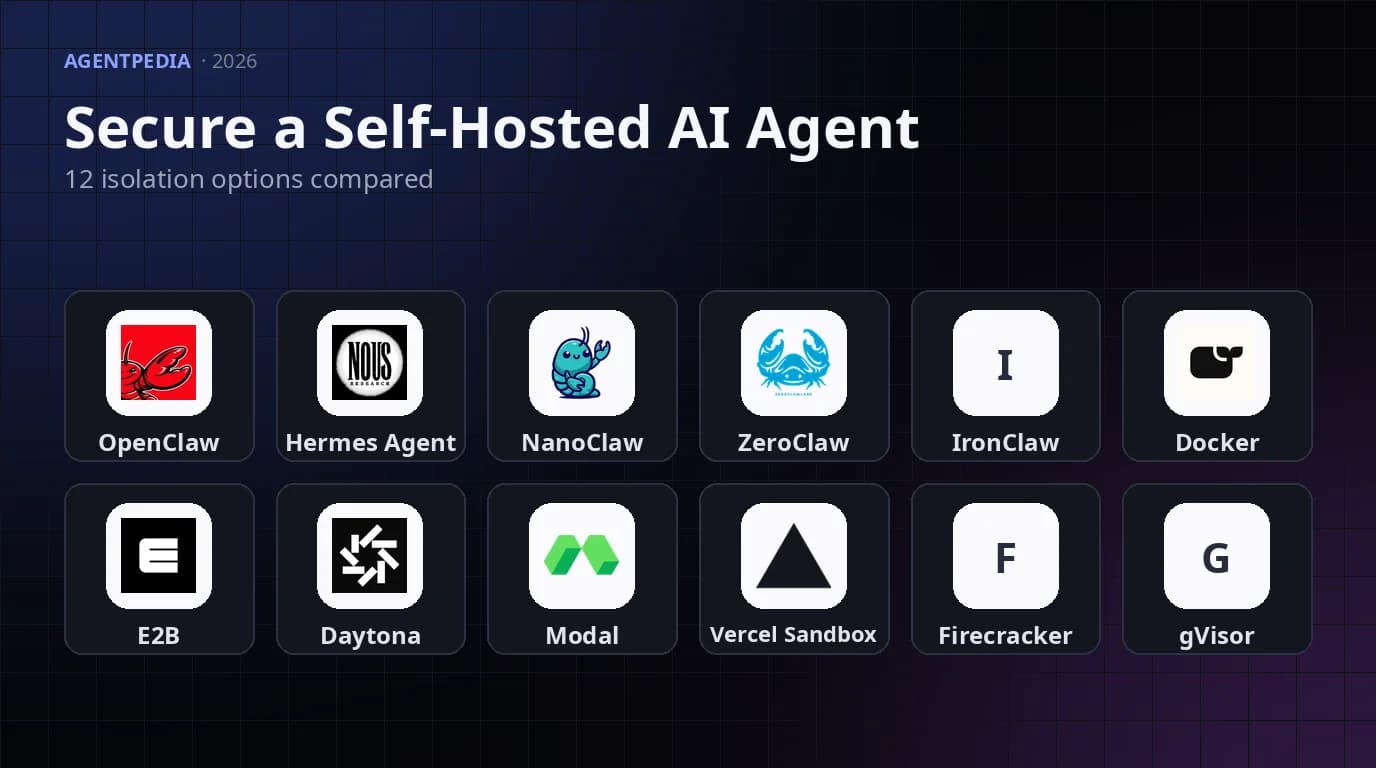
As of Nov 29, 2026, the documented defaults split like this. OpenClaw ships with sandboxing off, and its Gateway process is never sandboxed. Hermes Agent runs commands wherever you point its terminal backend, and rates the local backend as no isolation. NanoClaw puts every active session in its own container. ZeroClaw separates policy from an OS sandbox, but a stock build may not include the sandbox you expect. IronClaw runs untrusted tools in WebAssembly. Underneath any of them you can place a plain container, a gVisor runtime, or a Firecracker microVM, locally or through a hosted vendor.
A Splunk video on making OpenClaw more secure. Third-party material; our advice is checked against OpenClaw's documentation, not this video.
Picks by Situation
| If you are | Pick | Why |
|---|---|---|
| A personal OpenClaw you message from a phone | OpenClaw with sandbox mode all, Docker backend, loopback gateway | Sandboxing is off by default in OpenClaw, so switching it on is the biggest single change. |
| Hermes Agent on a VPS with a chat gateway | Hermes docker backend with an empty docker_forward_env | Hermes skips its dangerous-command prompts inside container backends, so the container becomes the whole boundary. |
| An assistant in group chats with strangers | NanoClaw | A container per active session, no raw API keys in the container, deny-by-default mounts and sender policies. |
| A small Rust agent on a cheap box | ZeroClaw with supervised autonomy plus an OS sandbox | Policy and OS confinement are separate layers; check which sandbox backend your build really has. |
| Third-party tools you do not trust | IronClaw | Untrusted tools run in WebAssembly with capability permissions and host-side credential injection. |
| A hard kernel boundary for agent-written code | Firecracker microVMs through E2B or Vercel Sandbox, or Docker Sandboxes locally | A microVM does not share the host kernel with the code inside it. |
| A free local microVM for a coding agent | Docker Sandboxes (sbx) | Docker lists local sandbox compute as free, including for commercial work. |
For a wider look at where to host the agent itself, see our guides to the best VPS for AI agents and the best AI agent hosting platforms. For the hosted sandbox vendors in more depth, read the best AI agent sandboxes of 2026.
What You Are Defending Against
Security advice for agents gets vague because it mixes several different failures. Separate them first, because each one is solved by a different control.
Prompt injection. Text the agent reads can contain instructions. OpenClaw's own prompt-injection page says the problem is not solved, and cites published attack success rates above 80% against state-of-the-art defenses once an attacker adapts. It also cites a lower figure from one test set: across 41 agent scenarios, success rates (scored only when the agent both did the harmful action and hid it) were 0.5% for Claude Opus 4.5, 1.0% for Sonnet 4.5, 1.3% for Haiku 4.5 and 8.5% for Gemini 2.5 Pro. Model choice helps, but design as though an injection will sometimes work.
An exposed control plane. OpenClaw's Gateway listens on port 18789 by default. The docs say it binds to loopback on regular hosts and refuses WebSocket connections when no valid auth path is configured, and that onboarding generates a token even for loopback. Moving the bind off loopback widens who can reach it.
Malicious skills and plugins. Koi Security audited all 2,857 skills on ClawHub on Feb 1, 2026 and reported 341 malicious ones, 335 of them from a single campaign it named ClawHavoc. Koi's Feb 16 update said that as ClawHub grew past 10,700 skills, its count rose to 824. Palo Alto Networks' Unit 42 published a follow-up on Jun 23, 2026: after ClawHub added VirusTotal and ClawScan screening, its February to May analysis still found five malicious skills that were not blocked, including two macOS infostealers and one padded with 22 MB of filler to get past scanner size limits. All five were reported and removed.
Escape from the sandbox. A container shares the host kernel. A microVM or a userspace kernel such as gVisor puts something else between the code and the host. Which one you need depends on whether the code is yours, your model's, or your users'.
Bugs in the agent itself. Every project here has had advisories, some many. We list the counts below as a patch-cadence signal rather than a ranking. Our Antigravity security guide and the post on bot protection for AI agents cover adjacent threats.
Master Comparison Table
Isolation details come from each project's own documentation, read on Nov 29, 2026. “Weak spot” is the caveat we think matters most; it is our reading, not the vendor's wording.
| Name | Type | Isolation mechanism | Default posture | Weak spot | License |
|---|---|---|---|---|---|
 OpenClaw | Agent runtime | Optional sandbox: Docker, Podman, SSH, OpenShell or Crabbox backend | Sandbox off; gateway on loopback with auth | Gateway process is never sandboxed | MIT |
 Hermes Agent | Agent runtime | Terminal backends: local, ssh, docker, modal, daytona, vercel_sandbox, plus singularity and sprites plugins | Your choice of backend; approvals mode smart | Approval prompts skipped inside container backends | MIT |
 NanoClaw | Agent runtime | One Docker container per active session | Container isolation built in | Sessions of one group share its workspace | MIT |
 ZeroClaw | Agent runtime | Landlock, Firejail, Bubblewrap, Seatbelt, Docker or none | Supervised autonomy; sandbox depends on build | Stock builds skip Landlock and Bubblewrap | Apache-2.0 |
 IronClaw | Agent runtime | WASM sandbox for untrusted tools; Docker sandbox for jobs | Built in for untrusted tools | Newer project; vendor claims only | Apache-2.0 or MIT |
 Docker | Containers and microVM sandboxes | Docker Sandboxes (sbx) give each agent a microVM; plain containers share the host kernel | You configure it | Plain containers are not a kernel boundary | sbx free locally |
 E2B | Hosted sandbox | Firecracker microVM per sandbox | Per sandbox | Hobby sessions run up to 1 hour | Apache-2.0 runtime |
 Daytona | Hosted sandbox | Linux container by default; VM class available | Per sandbox | Public repo says core work moved to a private codebase | Repo frozen |
 Modal | Hosted sandbox | gVisor or microVMs, per Modal's security page | Per sandbox | Sandbox compute billed at the non-preemptible rate | Closed platform |
 Vercel Sandbox | Hosted sandbox | Firecracker microVM | Per sandbox | Hobby sessions capped at 45 minutes | Closed platform |
 Firecracker | Isolation primitive | KVM-based microVM monitor | Build your own | You run the orchestration | Apache-2.0 |
 gVisor | Isolation primitive | Userspace application kernel (runsc) | Build your own | Reimplements the Linux interface; test compatibility | Open source |
1. OpenClaw
Optional sandbox modes around an always-on Gateway.
OpenClaw is the largest agent in this comparison by GitHub stars (about 395k on Nov 29, 2026, MIT license). One Gateway process receives messages from chat channels, runs agent turns and executes tools. That shape explains its security model: the Gateway is the control plane and it stays on the host, while sandboxing is a separate layer you wrap around tool execution.
OpenClaw's docs describe three independent sandbox settings. Mode (agents.defaults.sandbox.mode) takes off, non-main or all and defaults to off. Scope takes agent, session or shared and defaults to agent. Backend takes docker, podman, ssh, openshell or crabbox and defaults to docker. The docs also state what is not sandboxed: the Gateway process itself, and any tool you explicitly allow to escape through tools.elevated. If you have only ever installed OpenClaw with its defaults, your agent's shell commands run on your host.
OpenClaw v2026.10.9 is out. Update rollback fixes, agent data and chat archive repairs, and new editor sessions that run in your chosen project folder. 38 PRs, 22 contributors.
— @openclaw October 29, 2026
The release notes for v2026.10.9 also list security-relevant fixes: patched runtime dependencies, tools.fs.workspaceOnly applied to Gateway-built tools, and live credentials kept out of MCP CLI inspection.
Who it is for
People running one OpenClaw Gateway for themselves or a small trusted group, who want a documented baseline they can copy, an audit command, and the option to move tool execution into a container.
Key features
- Three-axis sandbox control: mode (off, non-main, all), scope (agent, session, shared) and backend (docker, podman, ssh, openshell, crabbox). Group and channel sessions count as non-main, so non-main already covers chats with other people.
- Docker backend defaults: network none, readOnlyRoot true, capDrop ALL and the image openclaw-sandbox:trixie-slim. Containers also start with an init process and no-new-privileges, per the docs.
- workspaceAccess can mount the agent workspace read-only at /agent, so write operations to the workspace fail inside the sandbox.
- Named operator roles can set sandbox to required. That requirement is immutable for the session: elevated execution, Gateway or node overrides and even an administrator's per-chat opt-out cannot bypass it.
- A debugging command, openclaw sandbox explain, shows whether a blocked tool is blocked by the sandbox, by tool policy or by the elevated gate. The docs treat those as three separate controls.
Pros
- The hardening guidance is concrete and written as configuration, not advice.
- Isolation is layered: sandbox, tool policy and elevated are separate switches, so you can loosen one without losing the others.
- The default Docker posture is strict once you turn it on: no network, read-only root, all capabilities dropped.
- A built-in audit command and a sandbox inspector make drift visible.
- Fast patch cadence. The GitHub releases list has v2026.10.8 (Oct 27), v2026.10.9 (Oct 29) and v2026.11.3 (Nov 10), with more after.
Cons
- Sandboxing is off by default, so the safe configuration is something you must choose.
- The Gateway process is never sandboxed, so a Gateway-level flaw is not contained by tool sandboxing.
- The docs call the sandbox not a perfect security boundary. It is a container, which shares the host kernel.
- A wide surface of channels, plugins and skills: GitHub lists 723 published advisories for the repository (14 critical, 250 high), dated Jan 31 to Nov 19, 2026.
- Per-sender controls are described in the docs as defense in depth, not as isolation between hostile users.
Benefits for a self-hosted agent
If an injected prompt convinces your agent to run a destructive command, sandbox mode all with network none and a read-only workspace turns that into a failed command inside a throwaway container instead of a changed home directory or an outbound upload. The tool policy and approval layers then limit what the sandboxed agent may attempt at all.
Pricing (as of Nov 29, 2026)
OpenClaw is free and open source. You pay for the host that runs the Gateway and for model API usage. The Docker backend adds no license fee.
Limits to know
Containers share the host kernel, so a kernel escape is outside what the Docker backend promises. The docs point toward separate Gateways when users are mutually untrusted. The sandbox protects tool execution only; secrets the Gateway holds are not moved by turning it on.
Standout use case
A personal assistant reachable from WhatsApp, Telegram or Discord on a small VPS: baseline config, sandbox mode all, network none, DM pairing, then openclaw security audit before you expose anything.
Skip it if
You need a kernel-level boundary by default or you cannot commit to applying frequent updates. Pair it with a microVM host or pick an agent whose default is isolation.
2. Hermes Agent
Pick the terminal backend and the container becomes the boundary.
Hermes Agent from Nous Research is the second-largest agent here (about 267k GitHub stars on Nov 29, 2026, MIT). Its security documentation lists eight layers: user authorization, dangerous command approval, file write safety, container isolation, MCP credential filtering, context file scanning for prompt injection, cross-session isolation and input sanitization for terminal working directories.
The design choice that matters most is the terminal backend. Hermes can run commands locally, over ssh, in docker, or in the modal, daytona and vercel_sandbox cloud backends, with singularity and sprites available as plugins. The docs rate local as no isolation. For docker, modal, daytona and vercel_sandbox they say dangerous-command checks are skipped because the container itself is the security boundary.
Hermes Agent can now review your codebase for security bugs with the new official Security plugin. Hermes first maps what an attacker could reach and which inputs it trusts, then splits the code across parallel subagents.
— @NousResearch November 8, 2026
That plugin is for reviewing your code, not for containing the agent itself, so it does not replace the backend choice described above. The Hermes documentation is at hermes-agent.nousresearch.com/docs, and our Hermes Agent guide covers installation.
Who it is for
Operators running Hermes on a VPS or in the cloud with a chat gateway, who want to choose between a local Docker boundary and a hosted sandbox without changing agents.
Key features
- Eight documented security layers, from allowlists and DM pairing to cross-session isolation.
- Approval modes under approvals.mode: smart (the default, an auxiliary model assesses risk), manual and off. Setting off disables all safety prompts, and the docs say to use it only in trusted environments such as containers.
- A fixed, code-shipped hardline blocklist, plus a user-editable approvals.deny glob list that blocks matching commands before yolo mode or approvals.mode off are consulted.
- Docker hardening flags on every container, quoted in the docs: --cap-drop ALL, --security-opt no-new-privileges, --pids-limit 256 and noexec tmpfs mounts.
- terminal.docker_forward_env, an explicit allowlist that is empty by default so host secrets stay out of the container.
Pros
- A single setting switches the isolation level, from local to docker to a hosted microVM backend.
- The Docker flags are strict and documented, including a process limit that most hand-rolled containers forget.
- Secrets stay out of the container unless you list them.
- Hosted backends (Modal, Daytona, Vercel Sandbox) are first-class, so isolation does not require running Docker on the agent host.
- Only one published GitHub security advisory as of Nov 29, 2026 (high severity, Nov 19).
Cons
- Local is the no-isolation option and the docs call it suited to development and trusted users.
- Skipping approvals in container backends is safe only if the container really has nothing to steal. Add GITHUB_TOKEN to docker_forward_env and code in the container can read it.
- Persistent mode keeps /workspace and /root across sessions, so anything an injected command writes there survives.
- approvals.mode off and yolo mode also skip the MCP prompt for untrusted servers.
- Docker containers share the kernel. Only the cloud microVM backends separate it.
Benefits for a self-hosted agent
You get one agent whose blast radius you choose per deployment. A home lab can use Docker with an empty forward list. A shared team gateway can use a hosted backend so an escaped command lands in someone else's infrastructure rather than yours.
Pricing (as of Nov 29, 2026)
Hermes Agent is free and open source. The docker and ssh backends cost only your own hardware. Modal, Daytona and Vercel Sandbox backends bill under those vendors' plans, covered below.
Limits to know
The docs state that deny rules are a shell-command policy, not a complete shell interpreter or an OS capability sandbox. A script run through execute_code can call subprocess directly, so gateway sessions ask once for the whole script before it starts. Treat the container, not the approval prompt, as the real wall.
Standout use case
A messaging-gateway deployment on a VPS with the docker backend, an empty docker_forward_env, container_persistent false and approvals.mode manual.
Skip it if
You plan to leave the backend on local and rely on approval prompts alone for an agent that reads untrusted content.
3. NanoClaw
A container per active session, designed around an injected agent.
NanoClaw (repository nanocoai/nanoclaw, MIT, about 31k stars) starts from an assumption stated in its security model: assume the agent gets prompt-injected, then make sure a compromised agent has nothing to steal and nowhere to go. Every active session gets its own container. The container runs as the unprivileged node user (or your host uid and gid), is removed with --rm on exit, and is killed and rebuilt if its heartbeat goes stale.
The model has four more layers: no raw credentials in containers, an optional egress lockdown, a deny-by-default mount allowlist, and gates on who may talk to the agent. NanoClaw also separates channels into three isolation levels (shared session, same agent with separate sessions, and separate agent groups), and its docs tell you to use separate agent groups whenever a privacy boundary exists between channels.
A The New Stack video on NanoClaw. Third-party coverage; check it against NanoClaw's own docs.
Who it is for
People who want an assistant in group chats or shared channels where strangers can send messages, and who prefer a small codebase with isolation as the default.
Key features
- One container per active session, with the same hardening flags on every spawn (the docs list them in the Hardening page).
- Secrets live in the OneCLI Agent Vault on the host. The vault's gateway injects credentials into outbound HTTPS requests in transit, so the container holds no raw API keys.
- Egress lockdown closes raw-socket exfiltration, because proxy variables only govern clients that honor them. It is off by default, since it breaks tools that are not proxy-aware.
- A mount allowlist at ~/.config/nanoclaw/mount-allowlist.json that is deny-by-default: with no allowlist file, additional mounts are refused.
- Sender policies per chat: strict, request_approval, decline_notify and public, plus sender_scope known for owner, admin or member-only wiring.
Pros
- Isolation is the default rather than an option.
- No raw keys in the container removes the most valuable item for an attacker to exfiltrate.
- The docs are honest about residual risk: sessions of one agent group share a read-write workspace.
- Approval cards fail closed.
- Active maintenance: the repository was pushed to on Nov 28, 2026.
Cons
- A younger project with 11 published advisories since Oct 13, 2026: nine on that day, then a critical one on Nov 17 and a medium one on Nov 21.
- The critical advisory (agent containers could log in to OneCLI's Postgres database with the default password) shows the vault is also an attack surface.
- Egress lockdown is off by default, so a default install can still open raw sockets from the container.
- Containers still share the host kernel.
- Setup depends on OneCLI and Docker, which adds moving parts.
Benefits for a self-hosted agent
A prompt injection that lands in one session is confined to one container, with no keys to steal and, with lockdown enabled, no unproxied route out. Sender policies and approvals reduce how often anyone gets to try.
Pricing (as of Nov 29, 2026)
NanoClaw is free under the MIT license. Your costs are the host, Docker and model API usage.
Limits to know
Every session of an agent group mounts the same group workspace read-write, so a compromised session reaches the group's files and memory tree, not only its own conversation. Use separate agent groups for separate trust domains.
Standout use case
A shared Discord or Telegram assistant used by a friend group or a small team, with strict or request_approval sender policies and one agent group per audience.
Skip it if
You need hosted multi-tenant scale or a kernel boundary around untrusted code. NanoClaw isolates agent sessions, not arbitrary customer workloads.
4. ZeroClaw
A Rust agent that separates policy layers from OS confinement.
ZeroClaw (zeroclaw-labs/zeroclaw, Apache-2.0, Rust, about 34k stars) splits security into two ideas that its docs keep apart. Autonomy and the command allow-list are policy layers that decide whether a tool may run. The sandbox is a mechanism layer, an OS-level wrapper that restricts filesystem access to the workspace and removes the parent process's secrets.
Autonomy is set per agent on a named risk profile with three levels: readonly, supervised (the default) and full. Sandbox settings live on the same profile, and agents point at it through agents.<alias>.risk_profile.
ZeroClaw's approval routing is configurable per risk profile. This is the documented example for sending approval requests to a separate operator channel and failing closed when nobody answers:
[risk_profiles.frontline.approval_route]
approver_channel = "matrix.ops"     # a channel registry key, NOT the originator
approver_recipient = "!ops:example.org" # Matrix room ID; route-specific destination
on_no_approver   = "deny"           # default; or "inherit-originator"
timeout_secs     = 120              # default; bounds the approver's response window
Who it is for
Operators who want a small, native binary and are willing to read which sandbox backend their build actually enables.
Key features
- Three autonomy levels. Readonly allows only side-effect-free tools (file reads, memory search, HTTP GET, web search). Supervised runs low-risk tools, asks the operator for medium-risk ones and blocks high-risk ones. Full runs uncovered tools without asking, though always_ask still prompts.
- Path rules: workspace_only restricts reads and writes to the workspace plus configured roots, with forbidden_paths using most-specific-prefix matching and symlink resolution.
- Sandbox backends: landlock, firejail, bubblewrap, docker, sandbox-exec (Seatbelt on macOS) and none. Setting sandbox_backend to auto walks a platform-specific list.
- Per-backend network behavior is documented: Bubblewrap unshares all and gets no network, Seatbelt denies outbound by default, the Docker sandbox passes --network none, while Landlock and Firejail leave network access unchanged.
- Environment hygiene: only variables listed in shell_env_passthrough reach sandboxed tools.
Pros
- The docs say plainly what each layer does and does not do.
- Approvals time out as denials, so an unattended prompt fails closed.
- Path rules resolve symlinks, which closes a common bypass.
- Native Rust binary with a small footprint compared with Node-based agents.
- One published GitHub advisory (high, Sep 5, 2026) in its repository.
Cons
- Landlock and Bubblewrap are compile-time features that are not in the default or dist feature sets, so a stock build starts the Linux list at Firejail and the macOS list at Seatbelt.
- Windows has no OS-level backend.
- If nothing on the list is available, native runtime selection ends at none, and only application-layer policy applies.
- Naming a backend that is missing does not fall through to the next one; it goes straight to none or docker-runtime.
- Firejail and Landlock leave network egress unchanged.
Benefits for a self-hosted agent
You can tune how much the agent may do (autonomy) separately from how much damage a mistake can cause (sandbox). The combination suits an agent that should run scripts automatically but never push to your main branch.
Pricing (as of Nov 29, 2026)
ZeroClaw is free and open source (Apache-2.0). You pay for the host and model API usage.
Limits to know
External CLI model providers such as grok_cli sit outside ZeroClaw's native tool-approval path, so risk-profile sandboxing does not confine them. Check any other CLI provider you add.
Standout use case
A low-cost Linux box running a supervised agent with workspace_only paths, a Firejail or Landlock sandbox and a short shell_env_passthrough list.
Skip it if
You will run the stock binary on Windows or an unusual platform and expect a sandbox without checking. Verify the reported backend first.
5. IronClaw
WebAssembly sandboxes for untrusted tools, credentials injected at the host boundary.
IronClaw (nearai/ironclaw, dual-licensed Apache-2.0 or MIT, Rust, about 13k stars) puts its isolation story in the README. Untrusted tools run in WebAssembly containers with capability-based permissions. Secrets are never exposed to tool code, and are injected at the host boundary with leak detection. HTTP requests go only to explicitly approved hosts and paths.
Who it is for
Developers who expect to run third-party or self-generated tools and want a per-tool capability model instead of one container for everything.
Key features
- WASM sandbox with explicit opt-in capabilities for HTTP, secrets and tool invocation.
- Endpoint allowlisting for outbound requests.
- Credential injection at the host boundary, so tool code never sees the secret.
- Leak detection on both requests and responses.
- Prompt-injection defense through pattern detection, content sanitization and policy enforcement.
Pros
- Per-tool capability grants are a finer boundary than one shared container.
- Credentials stay out of tool code by design.
- Zero published GitHub security advisories as of Nov 29, 2026.
- WASM modules start fast and carry little overhead (a general property of WebAssembly, not a measured IronClaw number).
Cons
- The security claims are the project's own README; we found no independent audit.
- The last push to the repository was Nov 9, 2026, quieter than OpenClaw, Hermes, NanoClaw or ZeroClaw at the time of checking.
- Zero advisories is not proof of safety. It can also mean few reporters.
- WASM is a language-level sandbox, not a separate kernel, and tools that need native libraries fall back to the Docker path.
- Smaller channel ecosystem than OpenClaw.
Benefits for a self-hosted agent
A malicious or buggy tool can only reach the hosts and secrets you granted it, and the host sees every outbound request. That is a better fit for plugin-heavy setups than trusting every tool with the agent's full authority.
Pricing (as of Nov 29, 2026)
IronClaw is free and open source (Apache-2.0 or MIT, at your option). It supports PostgreSQL or SQLite storage; the README says PostgreSQL is the production-ready choice. You pay for the host and model APIs.
Limits to know
We read the README and could not verify behavior by running it. Treat leak detection and allowlisting as controls to test in your own setup before you depend on them.
Standout use case
An agent that installs community tools, where each tool gets only the endpoints and secrets it needs.
Skip it if
You want the most battle-tested option or a large community and channel catalog today.
6. Docker
Plain containers are a layer; Docker Sandboxes put each agent in a microVM.
Docker appears twice in this guide. Most of the agents above use ordinary Docker containers as their sandbox (OpenClaw's default backend, Hermes's docker backend, NanoClaw's per-session containers). Docker's own newer product, Docker Sandboxes, runs AI coding agents in isolated environments on your machine or on Docker-managed cloud infrastructure, managed through the sbx CLI.
Docker's docs say its architecture uses microVM isolation, and that the two environments (local and cloud) have separate credentials, network policies and lifecycle controls.
Sam Witteveen walks through Docker Sandboxes. Third-party video; Docker's own docs are the reference for current behavior.
Who it is for
Anyone who already runs containers and wants either a hardened container recipe for a self-hosted agent, or a ready-made microVM sandbox for a coding agent on a laptop or workstation.
Key features
- sbx CLI for local sandboxes, plus cloud sandboxes on Docker-managed compute and a Sandboxes API and SDK.
- A private Docker Engine inside every sandbox, so the agent can build and run containers without touching your host daemon.
- Credential handling, network policies and an MCP gateway documented as part of the security model.
- Kits that package tools and configuration into reusable sandbox environments.
- For plain containers, the flags that matter are the ones OpenClaw and Hermes already document: capabilities dropped, no-new-privileges, a process limit, read-only root and no network.
Pros
- Local sandbox compute is free, including for commercial work.
- Familiar tooling, with no new vendor if you already use Docker.
- A microVM boundary locally, which is rare for a free product.
- Central policy and audit logs exist for teams through AI Governance.
Cons
- A plain container shares the host kernel. Do not treat docker run as a boundary for hostile code.
- Docker Sandboxes is a coding-agent sandbox. OpenClaw and Hermes do not use it as a built-in backend in the docs we read.
- Local and cloud sandboxes have separate credentials and policies, so a workflow tested in one needs adapting for the other.
- AI Governance pricing is custom, so a team cannot budget it from the pricing page.
Benefits for a self-hosted agent
You can reduce your agent's blast radius today without leaving Docker: use the documented container flags for the agent runtimes, and try sbx when you want a microVM around an interactive coding agent such as Claude Code.
Pricing (as of Nov 29, 2026)
Docker's pricing page lists Sandboxes at $0 on your laptop, with no Docker Desktop required. Cloud Sandboxes cost $0.07 per hour for the Micro size (1 vCPU, 2 GB), $0.14 Small (2 vCPU, 4 GB), $0.28 Medium (4 vCPU, 8 GB), $0.56 Large (8 vCPU, 16 GB) and $1.12 XL (16 vCPU, 32 GB). A paused cloud sandbox costs nothing, and volumes and egress are free.
AI Governance is custom priced. Docker Desktop plans are separate: Personal $0, Pro $9, Team $15 and Business $24 per user per month on annual billing.
Limits to know
Free local use depends on your machine's virtualization support. Cloud sandboxes exist for people without it. Model-provider charges are separate.
Standout use case
A developer running Claude Code or another coding agent against a real repository, where you want a microVM around it and your host Docker daemon out of reach.
Skip it if
You need a hosted multi-tenant runtime for thousands of untrusted users; use a sandbox vendor or build on Firecracker.
7. E2B
Hosted Firecracker microVMs, with a self-hostable runtime.
E2B sells sandboxes for agent-generated code. Each sandbox is a Firecracker microVM, which gives it its own kernel. Our earlier sandbox roundup covers it in depth; here the question is narrower: if your agent runtime is the thing you are securing, is E2B a good place to send its commands?
E2B announced E2B Embed on Sep 30, 2026, a package of the full E2B stack on a single node for deployment on infrastructure you control.
Introducing E2B Embed: it brings AI agent sandboxes directly into your product and runs them on infrastructure you control. E2B Embed packages the full E2B stack on a single node.
— @e2b September 30, 2026
Who it is for
Teams who want agent-written code away from their own servers, with a vendor-run kernel boundary and an SDK, or who need to run the same stack in their own cloud.
Key features
- Firecracker microVM per sandbox.
- Python and JavaScript SDKs for creating a sandbox and running commands, plus a CLI.
- Per-second billing on vCPU and memory.
- E2B Embed for running the stack on one Linux host with KVM, and a bring-your-own-cloud option on Enterprise.
- SOC 2 Type II reporting, per E2B's published material.
Pros
- A real kernel boundary by default.
- Sessions up to 24 hours on Pro.
- Pause and resume with state kept, useful for long agent tasks.
- A free tier and a self-hosting path reduce lock-in risk.
Cons
- Hobby sessions are limited to 1 hour.
- Pro costs $150 per month before usage.
- The sandbox is a place to run commands, not an agent security policy; you still design network and secret handling.
- Using it with OpenClaw means writing or finding your own integration, since OpenClaw's built-in backends do not include E2B.
Benefits for a self-hosted agent
If an injected command escapes its working directory, it escapes inside a disposable microVM that is not your server. That is a much better failure mode for an agent that executes model-written code from messages.
Pricing (as of Nov 29, 2026)
As of Nov 29, 2026: Hobby is free. Pro is $150 per month plus usage. Enterprise starts at a $2,000 per month commit with 500 concurrent sandboxes included.
Usage rates: 1 vCPU is $0.000014 per second (about $0.0504 per hour) and the default 2 vCPU is $0.000028 per second. Memory is $0.0000045 per GiB-second (about $0.0162 per GiB-hour). Pro includes 100 concurrent sandboxes, expandable to 1,100.
Limits to know
Pricing, template and session details change. Check e2b.dev/pricing before you commit. Network egress controls and secret handling are your responsibility.
Standout use case
A hosted agent product that runs customer-triggered code and needs per-run isolation with a vendor SLA.
Skip it if
You want to keep everything on one self-managed host and have no KVM budget; Docker with strict flags is cheaper.
8. Daytona
Sandboxes as full computers: containers by default, VMs when you ask.
Daytona's docs describe sandboxes as full composable computers for AI agents: isolated runtime environments you manage programmatically, each with a dedicated kernel, filesystem, network stack and allocated vCPU, RAM and disk. In the same page, the default runtime is a Linux container, with VM, Windows, macOS and GPU classes available.
If your threat model needs a separate kernel, pick the Linux VM class explicitly and ask Daytona to confirm the isolation of the class you use.
Who it is for
Teams that want persistent, programmable cloud workspaces for agents and may need Windows, macOS or GPU environments.
Key features
- Sandbox classes: container (the default, with a stated start time under 90 ms), Linux VM, Windows, macOS and GPU.
- Default snapshots from daytona-small (1 vCPU, 1 GiB) up to daytona-large (4 vCPU, 8 GiB), with matching VM sizes.
- Fork, pause and resume, and memory snapshots on the VM classes.
- Auto-stop after 15 minutes by default, configurable down to never.
- SDKs for Python, TypeScript, Ruby, Go and Java, a CLI and a REST API.
Pros
- Broad runtime coverage beyond Linux.
- Hermes Agent has a daytona terminal backend.
- Per-second style pricing with a free credit allowance.
- SDKs in five languages.
Cons
- The public GitHub README says that as of June 2026 core development moved to a private codebase and the repository will receive no further updates, fixes or releases. That matters if you wanted to audit or self-host it.
- The container default is not a separate-kernel boundary, even though the docs speak of a dedicated kernel per sandbox.
- Auto-stop defaults to 15 minutes, which surprises long-running agents.
- Self-hosting is no longer supported by the public repo's own statement.
Benefits for a self-hosted agent
A cloud workspace that survives between agent sessions without you running Docker, with a VM option when you need a harder boundary.
Pricing (as of Nov 29, 2026)
As of Nov 29, 2026: vCPU $0.0504 per hour, memory $0.0162 per GiB-hour, storage $0.000108 per GiB-hour after the first 5 GiB. The pricing page offers $200 in free compute with a trial that needs no credit card, and says startups can apply for up to $50k in credits.
Limits to know
We could not confirm from public docs how the VM class is isolated. Ask the vendor before using it for hostile code.
Standout use case
A coding agent that needs a persistent dev environment, including a desktop or a GPU, in the cloud.
Skip it if
You need an auditable open-source runtime you can run yourself.
9. Modal
Per-container sandboxes on gVisor or microVMs, billed for compute only.
Modal is a serverless compute platform that offers Sandboxes for running untrusted code. Its security page says each container runs in its own sandbox, isolated from the host, using primitives like gVisor or microVMs. It also lists sandbox-specific outbound and inbound access control.
Hermes Agent ships a modal terminal backend, so a Hermes gateway can send commands to Modal sandboxes instead of running them near the gateway.
Who it is for
Teams that already use Modal for compute or models and want agent commands in the same account, with outbound access control.
Key features
- Sandbox isolation with gVisor or microVMs, as stated on the security page.
- Outbound and inbound access control for Sandboxes.
- SOC 2 Type II report through the Trust Center, GDPR DPA, and HIPAA on the Enterprise plan.
- Memory snapshots for sandboxes retained 7 days, and filesystem and directory snapshots retained 30 days by default.
- Memory-safe implementation choices: Rust for the worker runtime and storage, Python for API servers.
Pros
- A documented security program with remediation timeframes.
- Outbound access control per sandbox is directly relevant to exfiltration.
- Credits on the free plan let you test before paying.
- Hermes support out of the box.
Cons
- Closed platform. You cannot self-host it.
- The pricing page notes that Sandboxes are billed at non-preemptible rates of 3x list price, which changes cost estimates.
- gVisor or microVMs is a platform choice; the docs we read do not say which one a given sandbox uses.
- Logs are retained one day on Starter.
Benefits for a self-hosted agent
You get a managed boundary and an egress control without operating either. For an agent whose main risk is exfiltration, restricting outbound access at the sandbox level is a strong complement to NanoClaw-style secret injection.
Pricing (as of Nov 29, 2026)
As of Nov 29, 2026: Starter is $0 plus compute with $30 per month in free credits. Team is $250 per month plus compute with $100 per month in free credits. Enterprise is custom. Sandbox CPU is listed at $0.00003942 per core-second (a physical core, 2 vCPU equivalent, with a 0.125 core minimum per container) at the non-preemptible rate, and memory at $0.00000667 per GiB-second.
Limits to know
Read the pricing page note on the 3x non-preemptible rate before you project a bill. We did not independently verify the per-hour equivalents.
Standout use case
A Hermes gateway that needs a managed sandbox with a restricted outbound allowlist.
Skip it if
You need self-hosting or a documented single isolation technology.
10. Vercel Sandbox
Firecracker microVMs with active-CPU billing and snapshot persistence.
Vercel Sandbox runs code in Firecracker microVMs and bills on active CPU time instead of wall-clock time. Hermes Agent's docs label it a cloud microVM and list vercel_sandbox as a terminal backend with snapshot persistence.
Who it is for
Teams already on Vercel, or any Hermes operator who wants a microVM backend with a free tier.
Key features
- Firecracker microVM per sandbox.
- Billing for active CPU and provisioned memory rather than idle time.
- Snapshots for persistence.
- Pro and Enterprise sessions up to 24 hours.
- Up to 4 drives per sandbox, per the docs.
Pros
- A kernel boundary with a free Hobby allotment.
- Active-CPU billing helps agents that wait on model responses.
- Documented in Hermes as a first-class backend.
- Same account and billing as the rest of a Vercel project.
Cons
- Hobby sessions are capped at 45 minutes.
- Creation is paused on Hobby when the monthly allotment is used up.
- Closed platform with no self-hosting.
- Tied to Vercel's account model.
Benefits for a self-hosted agent
A hosted microVM that costs little when the agent mostly waits. That matches the usual shape of an agent loop.
Pricing (as of Nov 29, 2026)
As of Nov 29, 2026: Hobby includes 5 CPU hours, 420 GB-hours of provisioned memory and 5,000 sandbox creations per month. Pro and Enterprise charge active CPU at $0.128 per hour, provisioned memory at $0.0212 per GB-hour and $0.60 per million creations. Pro usage is charged against a $20 per month credit.
Limits to know
Hobby concurrency and session limits are small. Check the Vercel pricing page for the current table.
Standout use case
A Hermes gateway that runs short tool calls in an isolated microVM and pays for active CPU only.
Skip it if
You need sessions longer than 45 minutes on a free plan, or you cannot send code to a third-party cloud.
11. Firecracker
The microVM monitor underneath several hosted sandboxes.
Firecracker is an open-source virtual machine monitor, licensed Apache 2.0. It runs in user space and uses the Linux Kernel-based Virtual Machine (KVM) to create microVMs. You control it through a RESTful API for tasks such as setting the number of vCPUs or starting the machine, with built-in rate limiters.
It is the primitive behind E2B and Vercel Sandbox in this guide, and the reason those products can claim a separate kernel per sandbox.
Who it is for
Platform teams who will build and operate their own sandbox fleet and need a hardware-virtualization boundary.
Key features
- Security by minimalism: only 5 emulated devices, per the project site.
- Boot in under 125 ms and up to 150 microVMs per second per host, per the site.
- Less than 5 MiB of memory overhead per microVM.
- Rate limiters for network and storage.
- Apache 2.0 license.
Pros
- Hardware-virtualization isolation with a deliberately small device model.
- Fast start and low overhead allow a fresh VM per task.
- Fully open, so you can audit and run it.
- Proven in production by the hosted sandbox vendors above.
Cons
- It requires KVM, so you need bare metal or a cloud that allows nested virtualization.
- It is only the monitor. You still build image management, networking, egress policy, snapshotting and orchestration.
- Operational overhead is real. Most teams should buy a sandbox rather than run this.
- Neither the speed nor the density figures are our measurements; they are the project's claims.
Benefits for a self-hosted agent
The strongest isolation boundary in this guide at the lowest per-sandbox cost, if you have the engineering capacity to run it.
Pricing (as of Nov 29, 2026)
Free and open source. You pay for KVM-capable hosts and for the people who run them.
Limits to know
Firecracker alone does not stop network exfiltration or secret theft. Those depend on how you wire the guest.
Standout use case
A product that runs agent code for many customers on its own metal and needs a strong, auditable boundary.
Skip it if
You have one agent on one VPS. A hardened container or a hosted sandbox is enough.
12. gVisor
A userspace application kernel that sits between containers and the host.
gVisor provides a layer of isolation between running applications and the host operating system. It is an application kernel that implements a Linux-like interface, written in a memory-safe language. It includes an OCI runtime called runsc that works with Docker and Kubernetes, so existing container tooling keeps working.
Instead of letting the container talk to the host kernel, gVisor moves the system interfaces normally implemented by the host kernel into a per-sandbox application kernel. Modal's security page names gVisor as one of its isolation primitives.
Who it is for
Operators who want a stronger boundary than a plain container without managing virtual machines.
Key features
- runsc, an OCI runtime that drops into Docker and Kubernetes.
- Per-sandbox application kernel that reduces direct exposure of the host kernel.
- Memory-safe implementation language.
- Open source, with quick-start guides for Docker, Kubernetes and direct runsc use.
Pros
- Works with container workflows you already have.
- No KVM needed in the basic setup.
- Reduces the host kernel surface that a container escape would target.
- Used by hosted platforms, so it is tested at scale.
Cons
- It reimplements the Linux interface, so some syscalls and workloads behave differently or run slower.
- A userspace kernel is a different trust boundary from hardware virtualization, not a stronger one in every case.
- You still need to configure network, mounts and secrets.
- We did not benchmark it, and the docs we read do not give performance figures.
Benefits for a self-hosted agent
A cheap upgrade for the Docker-based agents above: run the same container with the runsc runtime and the agent no longer talks directly to the host kernel.
Pricing (as of Nov 29, 2026)
Free and open source. Cost is your hosts and your compatibility testing.
Limits to know
Test your agent's tools under runsc before relying on it. Compatibility gaps show up as failing commands, not silent security gaps, but they still break workflows.
Standout use case
A self-hosted agent on Docker where you want a stronger boundary than the default runtime and cannot run KVM.
Skip it if
Your agent relies on unusual syscalls or kernel features, or you already run microVMs.
Pricing Table
Prices are list prices from each vendor's own page on Nov 29, 2026. Per-second rates are converted to hourly figures with simple arithmetic. Modal's sandbox rate is the non-preemptible rate its pricing page states, which is 3x list price.
| Name | Pricing | Free tier | Notes |
|---|---|---|---|
| OpenClaw | Free, MIT | None | You pay for your host and your model API |
| Hermes Agent | Free, MIT | None | You pay for your host, model API and any cloud backend |
| NanoClaw | Free, MIT | None | Host plus model API |
| ZeroClaw | Free, Apache-2.0 | None | Host plus model API |
| IronClaw | Free, Apache-2.0 or MIT | None | Host plus model API |
| Docker | Sandboxes local: $0. Cloud sandboxes from $0.07 per hour (1 vCPU, 2 GB) up to $1.12 per hour (16 vCPU, 32 GB) | Local compute free, no Docker Desktop required | Paused cloud sandbox costs nothing; AI Governance is custom priced |
| E2B | 1 vCPU $0.000014 per second ($0.0504 per hour); 1 GiB RAM $0.0000045 per second ($0.0162 per hour); Pro plan $150 per month | Free Hobby tier | Enterprise starts at a $2,000 per month commit |
| Daytona | vCPU $0.0504 per hour; memory $0.0162 per GiB-hour; storage $0.000108 per GiB-hour after the first 5 GiB | $200 in free compute, no card for the trial | Startups can apply for up to $50k in credits |
| Modal | Sandbox CPU $0.00003942 per core-second (non-preemptible); memory $0.00000667 per GiB-second | Starter: $30 per month in free credits | Team: $250 per month plus compute, with $100 per month in credits |
| Vercel Sandbox | Active CPU $0.128 per hour; provisioned memory $0.0212 per GB-hour; $0.60 per million creations | Hobby: 5 CPU hours, 420 GB-hours and 5,000 creations per month | Pro usage is charged against a $20 per month credit |
| Firecracker | Free, Apache-2.0 | None | You supply KVM hosts and the engineering time |
| gVisor | Free, open source | None | You supply the hosts and the compatibility testing |
Feature Matrix
“Not captured” means the pages we read did not state the value, so we do not guess. “Partial” means a feature exists with a documented limit.
| Product | Isolation on by default | Separate kernel | Network egress control | Secrets kept out of reach | Human approvals | Self-hostable |
|---|---|---|---|---|---|---|
| OpenClaw | No | No (container) | Yes (network none in the default Docker posture) | Partial | Yes | Yes |
| Hermes Agent | Depends on backend | Only on microVM backends | Not stated in docs we read | Yes (empty docker_forward_env) | Yes | Yes |
| NanoClaw | Yes | No (container) | Yes (egress lockdown, off by default) | Yes (vault injection) | Yes | Yes |
| ZeroClaw | Depends on build | No (OS sandbox) | Per backend | Yes (env passthrough list) | Yes | Yes |
| IronClaw | Yes for untrusted tools | No (WASM) | Yes (endpoint allowlist) | Yes (host injection) | Partial | Yes |
| Docker | Yes (Sandboxes) | Yes (microVM) | Yes (network policies) | Partial | Via AI Governance | Local yes |
| E2B | Yes | Yes (microVM) | Not captured | You decide | No | Yes (Embed) |
| Daytona | Yes | Partial (container default, VM class available) | Not captured | You decide | No | Not in the public repo |
| Modal | Yes | Partial (gVisor or microVM) | Yes (outbound access control) | You decide | No | No |
| Vercel Sandbox | Yes | Yes (microVM) | Not captured | You decide | No | No |
| Firecracker | n/a | Yes | You build | You build | n/a | Yes |
| gVisor | n/a | Userspace kernel | You build | You build | n/a | Yes |
Advisories and Supply Chain
GitHub's published security advisories are a public record, so we counted them. A high count can mean a messy project or a project that is large, scrutinized and quick to publish; a zero can mean a clean project or one nobody is reporting against. Use these as a patch-cadence signal, not a score.
| Project | Published advisories | Date range | Severity |
|---|---|---|---|
| OpenClaw | 723 | Jan 31 to Nov 19, 2026 | 14 critical, 250 high, 390 medium, 69 low; 39 with CVE IDs |
| NanoClaw | 11 | Oct 13 to Nov 21, 2026 | 1 critical, 6 high, 4 medium; nine published on Oct 13 |
| Hermes Agent | 1 | Nov 19, 2026 | 1 high |
| ZeroClaw | 1 | Sep 5, 2026 | 1 high (plugin install path escape; signatures off by default) |
| IronClaw | 0 | None listed | The advisories page shows none |
OpenClaw's 723 come from GitHub's repository advisory API, paginated in full on Nov 29, 2026. We counted 39 with CVE IDs, and 47 whose summary mentions the word sandbox. Dates are publication dates, and they cluster in batches:
| Month published | Advisories |
|---|---|
| Jan 2026 | 3 |
| Feb 2026 | 220 |
| Mar 2026 | 204 |
| Apr 2026 | 108 |
| May 2026 | 67 |
| Jun 2026 | 45 |
| Sep 2026 | 75 |
| Nov 2026 | 1 |
NanoClaw's critical advisory (Nov 17) is the one worth reading closely: agent containers could log in to OneCLI's Postgres database with the default password. It shows that moving secrets into a vault moves the attack surface rather than removing it. For Hermes, the only listed advisory (high, Nov 19) concerns an environment file from the terminal backend setting arbitrary environment variables for agent-machine processes. For ZeroClaw, the Sep 5 advisory describes an unvalidated path in plugin install, with plugin signatures off by default.
On the release side, OpenClaw's GitHub releases list shows v2026.10.8 on Oct 27, v2026.10.9 on Oct 29 and v2026.11.3 on Nov 10, with further releases through v2026.11.10 on Nov 25. We did not test any of these fixes.
OpenClaw 2026.11.10 is out. Deep Research in chat, Knowledge (a new OpenClaw memory system), and browser handoff. 7,671 PRs, 349 contributors.
— @openclaw November 25, 2026
Hardening Runbook
This is the order we would apply things in for an OpenClaw or Hermes deployment. Configuration below is copied from each project's documentation; placeholders such as the token are yours to replace.
1. Update first
Install the latest release and re-check your config after each update, because sandbox and tool defaults can change between versions.
2. Lock the control plane
Keep the OpenClaw Gateway on loopback with token auth, scope DMs per channel and peer, use the messaging tool profile, deny the automation, runtime and filesystem tool groups, and turn elevated tools off. This is OpenClaw's own hardened baseline:
{
  gateway: {
    mode: "local",
    bind: "loopback",
    auth: { mode: "token", token: "replace-with-long-random-token" },
  },
  session: {
    dmScope: "per-channel-peer",
  },
  tools: {
    profile: "messaging",
    deny: ["group:automation", "group:runtime", "group:fs", "sessions_spawn", "sessions_send"],
    fs: { workspaceOnly: true },
    exec: { security: "deny", ask: "always" },
    elevated: { enabled: false },
    sessions: { visibility: "agent" },
    agentToAgent: { enabled: false },
  },
  channels: {
    whatsapp: { dmPolicy: "pairing", groups: { "*": { requireMention: true } } },
  },
}
3. Turn the sandbox on
With the baseline in place, run tool execution in a container with no network, a read-only root and all capabilities dropped. This is the documented explicit configuration, with the workspace mounted read-only:
{
  agents: {
    defaults: {
      sandbox: {
        mode: "all",
        backend: "docker",
        scope: "session",
        workspaceAccess: "ro",
        docker: {
          image: "openclaw-sandbox:trixie-slim",
          readOnlyRoot: true,
          tmpfs: ["/tmp", "/var/tmp", "/run"],
          network: "none",
          capDrop: ["ALL"],
        },
      },
    },
  },
}
Then use the built-in commands to check what you ended up with:
openclaw security audit
openclaw security audit --deep    # attempts a live Gateway check
openclaw security audit --fix     # apply safe remediations
openclaw sandbox explain
openclaw sandbox explain --session agent:main:main
4. Pick the Hermes backend deliberately
For Hermes, set a container backend, keep the forwarded environment empty and decide whether the filesystem should persist. This is the documented shape:
terminal:
  backend: docker
  docker_image: "nousresearch/hermes-sandbox:desktop"
  docker_forward_env: []    # Explicit allowlist only; empty keeps secrets out of the container
  container_cpu: 1          # CPU cores
  container_memory: 5120    # MB (default 5GB)
  container_disk: 51200     # MB (default 50GB, requires overlay2 on XFS)
  container_persistent: true  # Persist filesystem across sessions
Keep approvals on a mode that asks. The documented block is below, where cron_mode: deny makes unattended cron jobs fail closed:
approvals:
  mode: smart      # smart | manual | off
  timeout: 300     # seconds to wait for user response (default: 300)
  cron_mode: deny  # deny | approve
5. Keep secrets away from tool code
Prefer designs where the agent never holds the raw key: NanoClaw's host vault, IronClaw's host-boundary injection, ZeroClaw's passthrough list, Hermes's empty forward list. Where you cannot, give the agent a key that is scoped, rate limited and revocable.
6. Control egress
Network none is the strongest default for a sandboxed tool. When a tool needs the network, allow specific hosts. NanoClaw documents an egress lockdown (off by default), ZeroClaw documents per-backend network behavior, and Modal lists outbound access control for sandboxes.
7. Treat skills as code
Read the source, check the publisher, and monitor outbound connections against the skill's documented endpoints, as Unit 42 recommends. Install the smallest set that does the job, and run skill-heavy agents with no network by default.
8. Separate trust domains
If two groups of people must not see each other's data, give them separate agents. NanoClaw tells you to use separate agent groups when a privacy boundary exists, and OpenClaw's docs point to separate Gateways, ideally under separate OS users or hosts, when participants are mutually adversarial.
9. Move up the isolation ladder when the stakes rise
A hardened container is a reasonable layer for your own agent on your own box. If the code comes from many users or models you do not control, step up to gVisor or a microVM: locally with Docker Sandboxes, or hosted with E2B or Vercel Sandbox. Our sandbox roundup compares those vendors across session limits and snapshots.
Common Mistakes
| Mistake | Why it hurts | Do this instead |
|---|---|---|
| Leaving OpenClaw sandbox mode at its default | The docs say the default is off, so tool commands run on the host. | Set agents.defaults.sandbox.mode to all, then confirm with openclaw sandbox explain. |
| Binding the Gateway beyond loopback to reach it from a phone | The docs warn that non-loopback binds make the Gateway reachable by more clients and need auth plus a real firewall. | Keep loopback and reach it over a private network such as Tailscale Serve, which forces loopback. |
| Forwarding tokens into a Hermes container | Whatever is in terminal.docker_forward_env is readable by code in the container, and Hermes skips approval checks there. | Keep docker_forward_env empty and inject task credentials only for a task that needs them. |
| Trusting approval prompts as a wall | Hermes docs say deny rules are a shell-command policy, not an OS capability sandbox. | Use a container or microVM and restricted mounts, and treat prompts as a second layer. |
| Assuming a ZeroClaw binary has the sandbox you read about | Landlock and Bubblewrap are compile-time features and not in the default or dist feature sets. | Check which backend the running build reports, and set sandbox_backend deliberately. |
| Installing ClawHub skills because the scanner passed them | Unit 42 found five malicious skills that were not blocked after VirusTotal and ClawScan were added. | Read the skill source, check the publisher, run the agent sandboxed with no network, and install few skills. |
| Sharing one agent between groups that must not see each other | NanoClaw sessions in one agent group share a workspace and memory; OpenClaw per-sender controls are not hostile-user isolation. | Use separate agent groups or separate Gateways, ideally under separate OS users. |
| Treating a container as a kernel boundary | Plain containers share the host kernel. | Use Firecracker, gVisor or a microVM product for code from sources you do not control. |
Still choosing an agent? See OpenClaw vs Hermes Agent, the best OpenClaw alternatives and the best MCP servers for Claude Code.
Decision Table
| If you need | Choose |
|---|---|
| Lowest effort to keep an agent off your host | OpenClaw sandbox mode all, or the Hermes docker backend |
| Strangers can message the agent | NanoClaw, or OpenClaw with DM pairing, mention gating and sandbox mode all |
| Run agent-written code away from your own machines | E2B or Vercel Sandbox (microVM), Modal (gVisor or microVM) |
| Local isolation with a microVM and no bill | Docker Sandboxes (sbx) |
| Untrusted plugins and tools | IronClaw WASM, or OpenClaw with a reader agent and tool deny lists |
| Compliance wants central policy and audit logs | Docker AI Governance (custom priced), or a cloud sandbox vendor with SOC 2 reporting |
| Full control and you will operate it | Firecracker or gVisor on your own hosts |
How We Evaluated
We read each project's own documentation and README, the OpenClaw, Hermes, NanoClaw and ZeroClaw security and sandboxing pages, GitHub's repository pages and security advisories, OpenClaw's release notes, and each vendor's pricing page, all on Nov 29, 2026. Third-party research (Koi Security, Palo Alto Networks Unit 42) is attributed in the text and linked below. Videos and posts from third parties are labeled as such.
We did not install or attack these agents, and we did not measure sandbox escape resistance, performance or cold start. Statements about what a feature does are what the docs say it does. Where a vendor did not publish a value, we wrote “not captured.” Rankings are our judgment of default isolation, documentation quality and clarity about limits. There is no sponsorship or affiliate link in this guide.
FAQ
Is OpenClaw secure by default?
Partly. OpenClaw's docs say sandboxing is off by default, and the Gateway process is never sandboxed. On the other side, the Gateway binds to loopback on regular hosts, refuses WebSocket connections without a valid auth path, and onboarding generates a token even for loopback. Turning on sandbox mode, restricting tools and running openclaw security audit closes most of the remaining gap.
What are the biggest OpenClaw security risks?
Four recur in the docs and the research: an exposed or weakly authenticated Gateway, tools running on the host because sandboxing is off, prompt injection delivered through chat messages or fetched content, and malicious skills from ClawHub. GitHub's advisory API lists 723 published OpenClaw advisories dated Jan 31 to Nov 19, 2026 (14 critical, 250 high, 390 medium, 69 low), 39 of them with CVE IDs, so patch cadence matters as well.
Does the OpenClaw sandbox stop prompt injection?
No. It limits what an injected agent can reach. OpenClaw's own docs call the sandbox not a perfect security boundary, and its prompt-injection page cites published attack success rates above 80% against state-of-the-art defenses once an attacker adapts. Treat the sandbox, tool policy and approvals as damage limiters.
How do I harden OpenClaw quickly?
Start from the documented hardened baseline: gateway mode local, bind loopback, token auth, per-channel-peer DM scope, the messaging tool profile with exec denied, elevated tools off and DM pairing with mention-gated groups. Then set agents.defaults.sandbox.mode to all with network none, run openclaw security audit, and update to the latest release.
Which Hermes terminal backend is the most secure?
Hermes's docs rate local as no isolation. Docker is a container boundary, and the docs label vercel_sandbox and the sprites plugin as cloud microVMs. They recommend docker, modal, daytona or vercel_sandbox for production gateways. A microVM separates the kernel, while a Docker container shares the host kernel but runs with dropped capabilities, no-new-privileges and a 256 process limit.
Why does Hermes skip dangerous-command approval in Docker?
Because the container is treated as the security boundary. In the docker, modal, daytona and vercel_sandbox backends the dangerous command checks are skipped. That is only safe if the container holds no secrets and no sensitive mounts, which is why terminal.docker_forward_env is documented as an explicit allowlist that is empty by default.
Is NanoClaw safer than OpenClaw?
It is isolated by design: every active session gets its own container and the agent holds no raw API keys. That is not immunity. NanoClaw's repository lists 11 published advisories, nine of them on Oct 13, 2026, plus a critical one on Nov 17 about agent containers logging in to OneCLI's Postgres database with a default password. A smaller codebase and a stricter default posture are real advantages, not a guarantee.
Do I need a microVM, or is Docker enough?
For your own agent on your own box with network none and dropped capabilities, a hardened container is a reasonable layer. For running code from many untrusted users or models you do not control, a microVM or gVisor is safer, because a container shares the host kernel.
What is the difference between Firecracker and gVisor?
Firecracker runs in user space and uses KVM to create microVMs with a minimal device model. gVisor is an application kernel that implements a Linux-like interface, with an OCI runtime called runsc. One isolates with hardware virtualization, the other by moving the kernel interface into a per-sandbox userspace kernel.
How do I avoid a malicious ClawHub skill?
Treat a skill as code that runs with the agent's authority. Unit 42 recommends validating publisher provenance, auditing the package source line by line and monitoring outbound network traffic against the skill's documented endpoints. Run skills in a sandboxed agent with no network by default, and install as few as you can. Scanners are not a guarantee: Unit 42 found five unblocked malicious skills between February and May 2026, after ClawHub added VirusTotal and ClawScan.
Where should secrets live for a self-hosted agent?
Outside anything the agent can read. NanoClaw injects credentials from a host vault in transit, IronClaw injects them at the host boundary, ZeroClaw passes only the environment variables listed in shell_env_passthrough, and Hermes forwards nothing into Docker unless you add it to docker_forward_env.
Can I run OpenClaw or Hermes with E2B, Daytona, Modal or Vercel Sandbox?
Hermes ships terminal backends for Modal, Daytona and Vercel Sandbox. OpenClaw's built-in sandbox backends are Docker, Podman, SSH, OpenShell and Crabbox. E2B lists Hermes Agent among its templates, as we noted in our sandbox roundup.
Does this guide come from hands-on testing?
No. It is a review of vendor documentation, GitHub advisory data, releases and pricing pages checked on Nov 29, 2026. We did not attack these agents or measure escape resistance. Check each claim against the linked source before relying on it.
Sources
All pages were fetched on Nov 29, 2026 unless noted.
- OpenClaw security docs, openclaw/openclaw on GitHub, its advisories and releases
- Hermes Agent documentation, NousResearch/hermes-agent and advisories
- nanocoai/nanoclaw and advisories
- zeroclaw-labs/zeroclaw and advisories
- nearai/ironclaw and advisories
- Docker pricing, E2B pricing, Daytona pricing, Modal pricing, Vercel Sandbox pricing
- Modal security, Firecracker, gVisor
- Unit 42: OpenClaw's Skill Marketplace and the Emerging AI Supply Chain Threat (Jun 23, 2026)
- Koi Security: ClawHavoc, 341 Malicious Clawed Skills (Feb 1, 2026, updated Feb 16; hosted on the Palo Alto Networks blog)
- Splunk: How to Make OpenClaw More Secure, The New Stack: NanoClaw, Sam Witteveen: Docker Sandboxes (YouTube)