Get the latest on AI, LLMs & developer tools
New MCP servers, model updates, and guides like this one — delivered weekly.
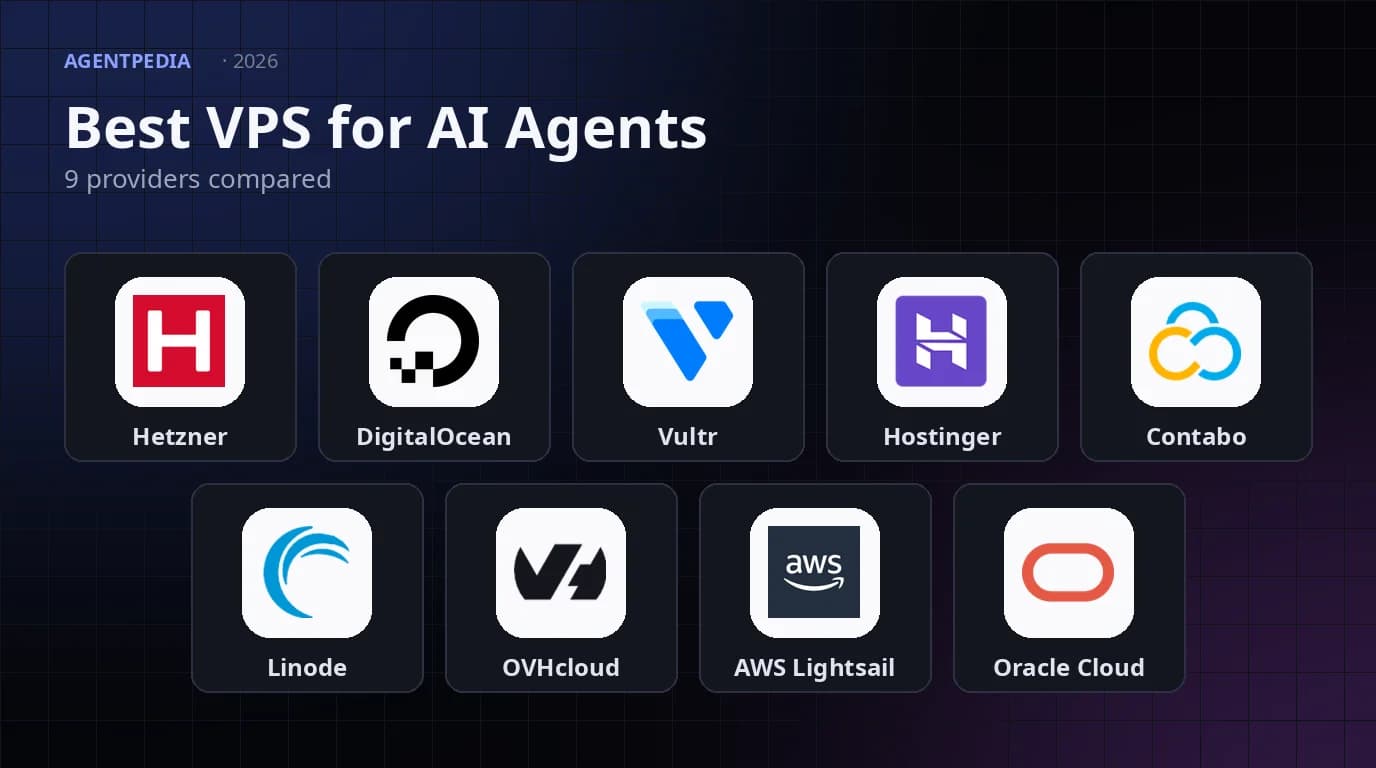
An AI agent that only runs while your laptop is open is a toy. The version people actually want answers a Telegram message at 3 a.m., finishes a long Claude Code or Codex task after you close the lid, and keeps an n8n workflow firing on schedule. That needs a small Linux server that never sleeps, and picking one is mostly a question of price, RAM, region and how much of the setup you want to do yourself.
The short version: for most people, Hetzner Cloud is the best value in 2026 even after its price increases, Hostinger is the easiest way to get a Hermes Agent running without touching a terminal, DigitalOcean and Akamai/Linode are the dependable US-style clouds, and Oracle's free tier is worth a try if you accept that it can be reclaimed. The rest of this guide gives the dated numbers behind those calls (as of Nov 11, 2026), sizing rules, an honest read of the independent benchmark data, and a hardening checklist.
Walkthrough from The AI Architects (Tom Crawshaw): putting Hermes Agent on a VPS so it keeps working when your laptop is off.
Quick Picks
Read the first row that matches your situation. Every pick below is backed by a price or spec page fetched on Nov 11, 2026, and every caveat is a real one.
| Category | Pick | Why, and the catch |
|---|---|---|
| Best overall value | Hetzner Cloud (CX / CAX) | Best value among the major clouds: a 4 vCPU / 8 GB CX33 lists at EUR 8.49 a month net of VAT (as of Nov 11, 2026), with 20 TB of included traffic in EU locations. Its limits: the cheap lines are EU-only, and Hetzner flags the CX line as having limited availability. |
| Best for a first-time, no-terminal setup | Hostinger VPS with a Docker Manager template | Hermes Agent and other apps deploy from a catalog, and KVM 2 (2 vCPU / 8 GB) is $8.79 a month on a 24-month prepay. Renewal is $14.99 a month. |
| Best free option | Oracle Cloud Always Free (Ampere A1) | Oracle's own docs list the Always Free A1 allowance as the equivalent of 2 OCPUs and 12 GB of memory, with 10 TB of monthly outbound data. Idle instances can be reclaimed. |
| Best ARM price per core | Hetzner CAX | CAX21 (4 vCPU / 8 GB ARM) is EUR 10.49 a month. Claude Code supports ARM64, but check every other tool you run. |
| Best US-style, no-surprises cloud | DigitalOcean or Akamai/Linode | Both sell a 2 vCPU / 4 GB box for $24 a month and a 4 vCPU / 8 GB box for $48 a month, billed by the hour or second. |
| Best for AWS shops | AWS Lightsail | Flat bundles ($24 for 2 vCPU / 4 GB), an easy path to the rest of AWS, snapshots at $0.05 per GB-month. |
| Most RAM per euro (with caveats) | Contabo | A 4 vCPU / 8 GB plan at EUR 4.40 excluding VAT on the promotional term. Independent benchmark scores for Contabo are the weakest in this roundup. |
| Best for unmetered traffic | OVHcloud VPS | VPS-2 (4 vCores / 8 GB) from $8.50 a month with unlimited traffic and a daily backup included. |
Master Comparison
All prices are monthly list prices in each vendor's own currency, as of Nov 11, 2026, before promotions unless a row says otherwise. Currencies are not converted, because exchange rates move and the vendors bill in their own. Hetzner and Contabo list in euros, the rest in dollars. These hosts are paid infrastructure (Oracle's free tier aside), and the open-source part is the agent you run on top. Hermes Agent, our running example, is open source.
Price by size
| Provider | About 2 vCPU / 4 GB | About 4 vCPU / 8 GB | About 4 to 8 vCPU / 16 GB | Note |
|---|---|---|---|---|
| Hetzner Cloud | CX23: EUR 5.49 (CAX11 ARM: 5.99) | CX33: EUR 8.49 (CAX21 ARM: 10.49) | CX43 8c/16 GB: EUR 15.99 (CAX31 ARM: 20.99) | Net of VAT (VPSBenchmarks lists 5.99 / 8.99 / 16.49, EUR 0.50 higher). CX/CAX are EU locations only. |
| DigitalOcean | $24 (2 vCPU / 4 GiB, 80 GiB) | $48 (4 vCPU / 8 GiB, 160 GiB) | $96 (8 vCPU / 16 GiB, 320 GiB) | Basic Droplets. Per-second billing since Jan 1, 2026. |
| Vultr | $20 Regular (2c / 4 GB) or $24 High Frequency | $40 Regular (4c / 8 GB) | $80 Regular (6c / 16 GB) or $96 High Frequency (4c / 16 GB) | Prices from the VPSBenchmarks plan table. Hourly billing. |
| Hostinger VPS | KVM 1: $6.49 (1 vCPU / 4 GB). No 2c/4 GB plan. | KVM 2: $8.79 (2 vCPU / 8 GB) | KVM 4: $12.99 (4 vCPU / 16 GB) | 24-month prepay. Renews at $11.99 / $14.99 / $28.99. |
| Contabo | No 2c/4 GB plan. Smallest: 4 vCPU / 8 GB at EUR 4.40 | 6 vCPU / 12 GB: EUR 6.00 | 8 vCPU / 24 GB: EUR 11.20 | Ex-VAT promotional rate for the first 24 months. Incl. VAT shown: 5.50 / 7.50 / 14.00. |
| Akamai / Linode | $24 (2 vCPU / 4 GB, 80 GB) | $48 (4 vCPU / 8 GB, 160 GB) | $96 (6 vCPU / 16 GB, 320 GB) | Shared plans. Dedicated CPU: $36 and $72 for 2c/4 GB and 4c/8 GB. |
| OVHcloud | VPS-1: from $4.54 (2 vCores / 4 GB, 40 GB NVMe) | VPS-2: from $8.50 (4 vCores / 8 GB, 75 GB) | VPS-3: from $12.32 (6 vCores / 12 GB), VPS-4: from $23.37 (8 vCores / 24 GB) | Unlimited traffic. Check the term attached to the from price. |
| AWS Lightsail | $24 (2 vCPU / 4 GB, 80 GB) | $44 (2 vCPU / 8 GB, 160 GB) | $84 (4 vCPU / 16 GB, 320 GB) | No 4 vCPU / 8 GB bundle. Overage from $0.09 per GB. |
| Oracle Always Free | Free: AMD Micro (1/8 OCPU) or A1 Flex | Free: A1 Flex up to the 2 OCPU / 12 GB allowance | Not available free. Paid A1 pricing not captured here. | 47 GB minimum boot volume, 200 GB block storage. |
Bandwidth, ARM, regions, backups and images
| Provider | Included traffic | ARM | Regions | Snapshots and backups | Agent-friendly images |
|---|---|---|---|---|---|
| Hetzner Cloud | 20 TB EU, 1 TB US, 0.5 TB Asia-Pacific | Yes (CAX) | FSN1, NBG1, HEL1 (CX/CAX), plus ASH1, HIL1, SIN1 on CPX | Optional paid backups and snapshots (prices not captured) | OpenClaw publishes a Hetzner guide |
| DigitalOcean | 4,000 GiB at 2c/4 GB, up to 6,000 GiB at 16 GiB | Not listed | Choose at creation | Snapshots $0.06/GB-month. Backups 20% weekly or 30% daily of plan price. | 1-Click Docker app |
| Vultr | 3 TB at 2c/4 GB (VPSBenchmarks), 5 to 10 TB on larger plans | Not captured | Not captured | Not captured | Not captured |
| Hostinger VPS | 4 TB (KVM 1) to 32 TB (KVM 8) | No | Not captured | Free weekly backups | Docker Manager catalog with Hermes Agent, n8n |
| Contabo | Listed as unlimited* on a 200 Mbit/s or faster port (VPSBenchmarks lists a 32 TB allowance, then throttled) | Not listed | Not captured | 1 to 3 snapshots depending on plan, auto backup option | Not captured |
| Akamai / Linode | 4 TB at 2c/4 GB, 5 TB at 4c/8 GB | Not listed | Not captured | Paid automated backups | Not captured |
| OVHcloud | Unlimited, 500 Mbps to 2 Gbps public bandwidth | Not listed | Includes Asia-Pacific (Mumbai, Singapore, Sydney), which has a monthly quota, then 10 Mbps. | Daily backup of the previous 24 hours included | Pre-installed apps on some locations |
| AWS Lightsail | 4 TB at $24, 5 TB at $44, 6 TB at $84 | Not captured | AWS Regions. Some Regions get half the quota. | Snapshots $0.05/GB-month | Linux/Unix blueprints |
| Oracle Always Free | 10 TB per month outbound | Yes (A1 Flex) | Your home region. A1 in any AD except South Korea North. | Block volume backups not captured | Always Free eligible Linux images |
“Not captured” means the page we fetched did not state it, so we did not guess. Most of these vendors do offer more than the table shows. Check the current pricing page before you buy, because several of these numbers moved this year.
Sizing: RAM, Swap and Disk for Agents
The agent itself is rarely the heavy part. Claude Code, Codex, Hermes Agent and OpenClaw mostly shuttle text between your server and a hosted model API, so they need modest CPU. What eats memory is everything the agent launches: a headless browser, a test suite, a Docker build, a language server, an n8n instance.
Two vendor numbers are worth anchoring on. Anthropic's Claude Code setup page lists 4 GB or more of RAM and an x64 or ARM64 processor. OpenClaw's Docker VM docs say to plan for at least 6 GB of RAM for a source image build, and tell smaller hosts to use the official prebuilt image instead. Hermes Agent's Docker docs list a 1 GB minimum with 2 to 4 GB recommended, and say to allocate at least 2 GB when browser tools are active, because Playwright and Chromium are its most memory-hungry feature. It can run in Docker, or use Docker as a sandboxed terminal backend.
Meet Hermes Agent, the open source agent that grows with you. Hermes Agent remembers what it learns and gets more capable over time, with a multi-level memory system and persistent dedicated machine access.
— @NousResearch February 25, 2026
“Persistent dedicated machine access” is exactly what a VPS is for. The table below is our planning heuristic, not a vendor specification. It is a starting point to adjust after you watch free -h and htop for a week.
| Workload | Starting RAM | Why |
|---|---|---|
| One chat-style agent (Hermes or OpenClaw gateway, messaging only) | 2 to 4 GB | Hermes docs recommend 2 to 4 GB. The OS and Docker take a share, so 4 GB leaves headroom. |
| Claude Code or Codex as a remote worker | 4 to 8 GB | Anthropic lists 4 GB as a floor. Real projects add compilers, test runners and language servers. |
| Agent plus a headless browser | 8 GB | Chromium is the memory hog. Budget roughly 1 GB per concurrent browser session as a rule of thumb. |
| Agent plus n8n plus a database | 8 GB | Three always-on processes plus workflow bursts. Postgres likes memory for caching. |
| Several agents on one box | 16 GB | Add the rows above. Fewer, larger boxes are simpler than many small ones. |
If you plan to run many tools side by side, the creator walkthrough below shows one person putting OpenClaw, Hermes Agent, Cursor, Codex and Claude on a single server, which shows what a multi-agent box looks like in practice.
Creator demo from Astro K Joseph: several agent tools consolidated on one server.
Swap
Add a swap file even on a server with plenty of RAM. It will not make a small box fast, but it turns an out-of-memory kill of your agent into a slow few seconds, which is a much better failure. A 2 to 4 GB swap file with a low vm.swappiness is a sensible default for a 4 to 8 GB server. If the box is swapping constantly, you need more RAM, not more swap.
sudo fallocate -l 4G /swapfile
sudo chmod 600 /swapfile
sudo mkswap /swapfile
sudo swapon /swapfile
echo '/swapfile none swap sw 0 0' | sudo tee -a /etc/fstab
sudo sysctl vm.swappiness=10
Disk
Disk is where cheap plans bite. A 40 GB disk fills faster than you expect once Docker images, build caches, agent logs, and cloned repositories pile up. Treat 40 GB as the minimum for a single lightweight agent and 80 GB or more for anything that builds code or runs browsers. Run docker system prune on a schedule, cap journald size, and keep an eye on df -h. Hostinger's plans start at 50 GB NVMe, Hetzner's CX23 has 40 GB, DigitalOcean's $24 plan has 80 GiB, and Oracle's Always Free A1 instances start from a 47 GB boot volume.
Hetzner Cloud
Hetzner is the default answer for anyone who prices servers by the euro. The CX line is shared x86, and the CAX line is shared ARM (Ampere). Per the price table we checked, CX and CAX are sold from Falkenstein, Nuremberg and Helsinki, while the CPX line also appears in Ashburn, Hillsboro and Singapore.
Pricing (as of Nov 11, 2026, net of VAT). Per a third-party price-history page that checked the Hetzner Cloud API on Nov 5, 2026, the CX23 (2 vCPU / 4 GB) is EUR 5.49 a month, the CX33 (4 vCPU / 8 GB) is EUR 8.49, and the CX43 (8 vCPU / 16 GB) is EUR 15.99. The ARM line costs slightly more at the small end and less per core at the top: CAX11 (2 vCPU / 4 GB) EUR 5.99, CAX21 (4 vCPU / 8 GB) EUR 10.49, CAX31 (8 vCPU / 16 GB) EUR 20.99. VPSBenchmarks lists figures EUR 0.50 higher (5.99, 8.99, 16.49 for CX23, CX33, CX43), which is likely the gross-of-IPv4 price. Check the order page for the number you will pay.
The price-increase caveat. Hetzner raised cloud prices twice in 2026, on April 1 and again on June 15, per that same price history, which also quotes a Hetzner changelog entry of May 28, 2026. Together they took the CX23 from EUR 2.99 to EUR 5.49, which is an 83.6% rise. Existing servers keep their old price until you rescale them. The x86 CPX line rose much further: the same history says a 2 vCPU / 4 GB CPX22 now costs EUR 19.49 against EUR 5.49 for the CX23 with identical vCPU and RAM. For an agent box, buy CX or CAX, not CPX.
Strengths. The best price per core and per GB among the major clouds here (Contabo and OVHcloud list lower nominal prices for some sizes). 20 TB of included traffic at EU locations is enough that bandwidth stops being a concern. The Hetzner pricing page lists 1 TB included in the US and 0.5 TB in Asia-Pacific, so location changes the economics. OpenClaw publishes a Hetzner guide for running the Gateway 24/7 with Docker, which means the setup path is documented by the agent's own project.
Weaknesses. Hetzner's own instance table says the CX line has limited availability, and the price-history page notes a status notice that restricted new servers for some customers, so you may have to pick another size or location. The cheap lines are Europe-centric, which matters if your own latency to the box matters. VPSBenchmarks' most recent trial of a CX23 (Aug 28, 2026) scored 29 overall and 52 price-weighted, so it is cheap for what it is, not fast. Separately, the AI Hosting Lab page measured a CX33 delivering 13.5 tokens per second on a 3B-parameter model running on CPU and 31.93 n8n webhook executions per second. That is one lab on one plan, but it fits a general pattern: CPU inference on a VPS is for toys, and n8n is comfortable.
Best for: a personal always-on agent, an n8n instance, or a Claude Code worker where value beats everything else. Snippet: pick Ubuntu, add your SSH key at creation, and attach a Hetzner Cloud Firewall that allows only SSH.
DigitalOcean
DigitalOcean sells the simplest-to-understand cloud in this list: pick a Droplet size, pay by the hour or, since Jan 1, 2026, by the second (minimum 60 seconds or $0.01, whichever is higher). The Basic plans we fetched are $24 for 2 vCPU / 4 GiB with 80 GiB of disk and 4,000 GiB of transfer, $48 for 4 vCPU / 8 GiB with 160 GiB and 5,000 GiB, and $96 for 8 vCPU / 16 GiB with 320 GiB and 6,000 GiB (as of Nov 11, 2026). Inbound bandwidth is always free.
Strengths. 1-Click Apps including Docker, and per-second billing. Snapshots cost $0.06 per GB-month, and backups are either percentage-based (20% of the Droplet price for weekly, 30% for daily) or usage-based from $0.01 per GiB. Per-second billing makes a throwaway test box cheap. The page also advertises GPU-optimized Droplets if you ever need one.
Weaknesses. It is the most expensive mainstream option for a given spec here: the 4 vCPU / 8 GiB plan is $48 against EUR 8.49 for a Hetzner CX33. VPSBenchmarks' DigitalOcean trials we found are older (a 4 GB Basic plan on Apr 3, 2023 scored 34 overall, and a 2 GB plan on Sep 16, 2025 scored 27), so treat them as indicative at best.
Best for: teams that already use DigitalOcean, want predictable US or global regions and managed extras, and are happy to pay for polish.
Vultr
Vultr has the widest plan menu here: Regular, High Frequency, dedicated-CPU, VX1 and a full Cloud GPU line. From the VPSBenchmarks plan table (as of Nov 11, 2026), Regular 4 GB (2 cores) is $20 a month, Regular 8 GB (4 cores) is $40, Regular 16 GB (6 cores) is $80, High Frequency 4 GB (2 cores) is $24, and High Frequency 16 GB (4 cores) is $96. Vultr's own page lists hourly rates and 5 to 10 TB of bandwidth on the larger plans, and VPSBenchmarks shows a 3 TB monthly allowance for a 2-core 4 GB instance, then pay-per-GB.
Strengths. VPSBenchmarks counts 31 data centers on five continents, billing is hourly, and there is a real GPU product line in the same account. Its benchmark results vary by plan family: High Frequency 2 GB scored 41 overall and 62 price-weighted (Jul 31, 2026), CPU Optimized 1-2-25 scored 55 and 61 (Nov 1, 2026), and the VX1 dedicated-CPU plan scored 69 and 59 (Jun 14, 2026). That spread makes Vultr the one provider here where choosing the right plan family matters more than choosing the provider.
Weaknesses. Plain Regular plans cost more than Hetzner for the same RAM, and we did not capture ARM, snapshot or Docker image details from the Vultr pages we fetched, so check those before you commit.
Best for: people who need a specific region Hetzner does not cover, or who want to start on a small VPS and move to GPU hardware in the same account.
Hostinger VPS
Hostinger is the one provider here that has leaned hard into agents. Its VPS plans are KVM 1 (1 vCPU, 4 GB, 50 GB NVMe, 4 TB bandwidth) at $6.49 a month, KVM 2 (2 vCPU, 8 GB, 100 GB NVMe, 8 TB) at $8.79, KVM 4 (4 vCPU, 16 GB, 200 GB NVMe, 16 TB) at $12.99, and KVM 8 (8 vCPU, 32 GB, 400 GB NVMe, 32 TB) at $25.99. The catch is how it bills: those are 24-month prepay rates (for example $210.96 up front for KVM 2), and renewal is $11.99, $14.99, $28.99 and $49.99 a month for the same term (as of Nov 11, 2026). Hardware is AMD EPYC with NVMe storage and 1 Gbps networking, with free weekly backups.
What makes it agent-friendly. The VPS dashboard has a Docker Manager with an app catalog. Hostinger's support guide says to pick Docker as the operating system, open Docker Manager, search for Hermes Agent, set an admin username and password, and deploy. It creates the Hermes container plus Traefik for you, and you then open the Hermes CLI from the dashboard. The catalog also lists n8n with an AI assistant. We did not find an equivalent Hermes catalog entry in the other providers' pages we fetched.

Managed or VPS? Hostinger also sells a managed Hermes Agent with a visual interface, built-in AI credits, simplified Telegram pairing, web scraping support and managed updates. Its page shows a Black Friday price of $4.99 a month against a struck-through $21.99, billed as $119.76 for 24 months and renewing at $11.99 a month. Hostinger's own comparison says the VPS route gives full root access and total server control but leaves security and updates to you, while the managed route removes that work. We would pick managed only if you never want to touch a server. A VPS also hosts the other pieces of your stack.
Weaknesses. The entry plan has one vCPU, there is no 2 vCPU / 4 GB tier, and the renewal price is roughly 1.7 to 2.2 times the intro price depending on the plan. Prepaying 24 months is a commitment, so do the math on the renewal rate, not the headline. We found no independent benchmark scores for Hostinger in the pages we fetched.
Best for: a first agent server, especially Hermes Agent, for someone who wants a catalog click rather than a terminal session. For the full manual route afterwards, see our Hermes Agent guide.
Contabo
Contabo is the “most hardware for the money” option. Its Cloud VPS ladder on the page we fetched starts at 4 vCPU and 8 GB with 100 GB SSD, then 6 vCPU / 12 GB, 8 vCPU / 24 GB, 12 vCPU / 48 GB, 16 vCPU / 64 GB and 18 vCPU / 96 GB. Promotional prices are listed excluding VAT for the first 24 months: EUR 4.40 for the 8 GB plan, EUR 6.00 for 12 GB, EUR 11.20 for 24 GB and EUR 20.00 for 48 GB (as of Nov 11, 2026). The same page shows tax-inclusive figures of 5.50, 7.50, 14.00 and 25.00. Ports start at 200 Mbit/s and rise with plan size, traffic is marked unlimited with an asterisk, and each plan includes one to three snapshots. VPSBenchmarks describes the traffic as an allowance of 32 TB a month, then throttled.
Strengths. RAM per euro is unmatched, and that matters for browser-heavy agents or several agents on one box. Contabo says you can provision in minutes through its API or CLI and scale on demand.
Weaknesses. Independent data is the least flattering of any provider here. VPSBenchmarks scored a Cloud VPS 18 at 31 overall and 25 price-weighted (Sep 8, 2026), and its Cloud VDS S at 52 and 42 (Oct 8, 2026). Those are low price-weighted scores for a company whose pitch is value. The promotional rate also applies only to the first term, so check the renewal price. VPSBenchmarks also scored an off-rankings Cloud VDS M 2025 trial at 54 overall and 87 price-weighted, so the dedicated VDS line can look better than the Core VPS line. We did not capture ARM or Docker template information from the page we fetched.
Best for: memory-hungry, non-latency-critical workloads where you have measured that the box is fast enough. Always run your own quick test before committing for a year.
Akamai / Linode
Linode, now part of Akamai Cloud, keeps a simple shared plan ladder. From the API type list we checked, the Shared plans are $24 a month for 2 vCPU / 4 GB with 80 GB disk and 4,000 GB transfer, $48 for 4 vCPU / 8 GB with 160 GB and 5,000 GB, and $96 for 6 vCPU / 16 GB with 320 GB and 8,000 GB. Dedicated CPU plans are $36 for 2 vCPU / 4 GB and $72 for 4 vCPU / 8 GB (as of Nov 11, 2026). Akamai lists an hourly or monthly rate set by plan size.
Strengths. Bundled transfer allowances on the Shared plans and automated backups priced per VM, so you can see the cost before turning them on. Akamai's page lists Dedicated, Shared and High Memory families and GPU plans. VPSBenchmarks scored a Shared 4 GB plan at 53 overall and 63 price-weighted (Oct 17, 2025), a middle-of-the-pack result.
Weaknesses. Pricing matches DigitalOcean rather than Hetzner. The newer G8 and GPU plans do not include bundled transfer, so check egress charges before you move bandwidth-heavy agents there.
Best for: teams that want a stable, well-documented US-style cloud and do not want a hyperscaler console.
OVHcloud
OVHcloud is the European alternative with unmetered traffic. Its VPS page lists VPS-1 at 2 vCores, 4 GB RAM and 40 GB NVMe from $4.54 a month, VPS-2 at 4 vCores, 8 GB and 75 GB from $8.50, VPS-3 at 6 vCores, 12 GB and 100 GB from $12.32, and VPS-4 at 8 vCores, 24 GB and 200 GB from $23.37 (as of Nov 11, 2026). Each plan includes unlimited traffic with public bandwidth of 500 Mbps, 1 Gbps, 2 Gbps and so on up the ladder, anti-DDoS, and a daily backup of the previous 24 hours.
Strengths. The lowest nominal list price for a 2 vCPU / 4 GB plan in this roundup (currencies are not converted), unlimited traffic, and a daily backup included instead of sold as an add-on.
Weaknesses. The page uses “from” prices and does not make the term attached to each price obvious in the text we fetched, so confirm what you are buying at checkout. Asia-Pacific locations (Mumbai, Singapore, Sydney) have a monthly quota, 500 GB for VPS-1, 1 TB for VPS-2 and VPS-3 and 3 TB for VPS-4, after which bandwidth is capped at 10 Mbps. OVH also notes that pre-installed apps are not available in its Local Zone locations. We found no independent benchmark data for OVH.
Best for: European users who want a 4 GB or 8 GB box with no bandwidth worries.
AWS Lightsail
Lightsail is AWS with the knobs removed. The Linux bundles we fetched are $5 for 0.5 GB, $24 for 2 vCPU / 4 GB with 80 GB SSD and 4 TB transfer, $44 for 2 vCPU / 8 GB with 160 GB and 5 TB, $84 for 4 vCPU / 16 GB with 320 GB and 6 TB, and $164 for 8 vCPU / 32 GB (as of Nov 11, 2026). There is no 4 vCPU / 8 GB bundle. Transfer beyond the quota is billed per GB, from $0.09 depending on the Region, and some Regions get half the listed allowance. Instance and disk snapshots are $0.05 per GB-month.
Strengths. A flat, predictable bundle price, a path to the rest of AWS when the agent grows up, and a one-click browser SSH terminal for Linux/Unix instances.
Weaknesses. It costs far more per GB of RAM than Hetzner, Hostinger, OVH or Contabo. We found no independent benchmark data for Lightsail, and we did not capture ARM details.
Best for: organizations already on AWS that want one bill and one security model. If you are weighing it against a sandbox product instead, see our best AI agent sandboxes roundup.
Oracle Cloud Free Tier
Oracle is the only provider here with a genuinely free, non-expiring tier that can host an agent. Per Oracle's Always Free documentation, every account gets the first 1,500 OCPU-hours and 9,000 GB-hours a month of the Arm-based VM.Standard.A1.Flex shape free, which for an Always Free tenancy is equivalent to 2 OCPUs and 12 GB of memory. You can allocate it flexibly, to one A1 instance or split across several. You also get up to two AMD micro VMs (each 1/8 of an OCPU), 200 GB of block storage, a 47 GB minimum boot volume per instance, and 10 TB of outbound data a month. A1 instances can be created in any availability domain except South Korea North, in your home region. Oracle also advertises a US$300 cloud credit with 30 days to use it.
Strengths. Free is free, and 12 GB of ARM memory is more than most $10 plans. The OpenClaw project documents running on this tier, and Claude Code supports ARM64.
Weaknesses, and they are real. Oracle may reclaim idle Always Free instances. It treats an instance as idle if, over 7 days, CPU utilization at the 95th percentile is below 20%, network utilization is below 20%, and (for A1) memory utilization is below 20%. An agent that sits waiting for messages can look exactly like that. Oracle permits one Free Trial or Always Free account per person. Keep your work backed up, treat the box as disposable, and do not run anything customers depend on. We found no independent benchmark data.
Best for: experiments, personal agents and learning the stack at zero cost, by someone who can rebuild it from a script.
Benchmarks and Independent Data
Honest VPS comparison needs measurements, not spec sheets, because two “2 vCPU” plans can perform very differently on shared hardware. The most useful public source we found is VPSBenchmarks, an independent site that runs seven tests (web, sysbench, endurance, Geekbench, fio, iperf3 and network transfers) on each plan and averages the grades into a 0 to 100 overall score. Its plan price is not part of the overall score, and a separate price-weighted score (PW) rewards cheaper plans that perform the same.
The table lists recent trials from those provider pages. These are independent third-party figures from VPSBenchmarks, not vendor-reported, but read them carefully. The plans differ in size, the trial dates run from 2023 to Nov 2026, and larger plans naturally score higher on raw capacity. Do not rank providers off this table, use it to catch outliers.
| Plan tested | Trial date | Overall score | Price-weighted score |
|---|---|---|---|
| Hetzner CX23 (2c / 4 GB) | Aug 28, 2026 | 29 | 52 |
| Hetzner CAX31 (8c / 16 GB ARM) | Mar 5, 2024 | 72 | 79 |
| Vultr CPU Optimized 1-2-25 | Nov 1, 2026 | 55 | 61 |
| Vultr High Frequency 2 GB | Jul 31, 2026 | 41 | 62 |
| Vultr VX1 GP 2C 8G 120S | Jun 14, 2026 | 69 | 59 |
| Contabo Cloud VDS S | Oct 8, 2026 | 52 | 42 |
| Contabo Cloud VPS 18 | Sep 8, 2026 | 31 | 25 |
| Akamai/Linode Shared 4 GB | Oct 17, 2025 | 53 | 63 |
| DigitalOcean Basic Regular 4 GB (2 cores) | Apr 3, 2023 | 34 | 45 |
| DigitalOcean Basic Regular 2 GB (1 core) | Sep 16, 2025 | 27 | 47 |
What stands out: Hetzner's 8-vCPU CAX31 (72 overall, 79 price-weighted, though that trial dates from March 2024) and the Vultr VX1 dedicated-CPU plan (69) top the overall column, a Hetzner CX23 scores 29 overall but 52 price-weighted, and Contabo's Cloud VPS 18 is the clear outlier on the weak side at 31 and 25. We found no comparable public data for OVHcloud, Lightsail, Hostinger or Oracle on the pages we fetched. For those, trust your own test: install sysbench or run Geekbench for five minutes on the box you rent, and compare it against another provider before you migrate an agent.
Separately, a hosting lab site (aihostinglab) published its own measurements on Hetzner plans in Nov 2026. On a CX33 at EUR 8.49 net a month, it reported 13.5 tokens per second on Llama 3.2 3B running on the CPU, and 31.93 n8n webhook executions per second. Treat those as one lab's result on one plan, but the shape is useful: n8n is comfortable on a small VPS, while local model inference on a CPU VPS is a toy.
GPU and Local Models
You do not need a GPU to run these agents. Claude Code, Codex, Hermes Agent and OpenClaw call hosted model APIs, and the VPS only needs CPU, RAM and a stable connection. You need a GPU only if you run local models, and for that a purpose-built GPU cloud is a better fit than a general VPS. The table shows what we could confirm per provider.
| Provider | GPU availability (from pages we fetched) |
|---|---|
| Hetzner | Not captured on the pages we fetched. Check their GPU server pages directly. |
| DigitalOcean | GPU-optimized Droplets are listed on the Droplet pricing page. |
| Vultr | Cloud GPU is sold by the hour. VPSBenchmarks lists an 8x NVIDIA L40S plan at $13.37/hr and an 8x AMD MI355X plan at $20.72/hr. |
| Hostinger VPS | No GPU plans on the pages we fetched. |
| Contabo | Not captured. |
| Akamai / Linode | GPU plans exist. G8 and GPU plans do not include bundled transfer. |
| OVHcloud | Not captured on the VPS page. |
| AWS Lightsail | Not part of the Lightsail bundles we fetched. |
| Oracle Always Free | No GPU in the Always Free resources we read. |
If local inference is part of your plan, read our best GPU cloud for AI in 2026 roundup first, and keep the always-on agent on a cheap VPS that calls the GPU box over the network. That split is usually cheaper than putting everything on one GPU server that idles most of the day.
Hardening Checklist for an Always-On Agent
An agent server holds model API keys, can run shell commands, and is reachable from the internet. That combination is worth ten minutes of hardening before you install anything. This is our general checklist for a fresh Ubuntu or Debian VPS, and it applies to every provider above. It is a baseline, not a substitute for your own threat model.
1. SSH keys, a non-root user, no passwords
Add your public key when you create the server, create a normal user, and turn off password and root login. Test a second SSH session before closing the first, so a typo cannot lock you out.
# create a non-root user and install your public key
sudo adduser agent
sudo usermod -aG sudo agent
# from your laptop
ssh-copy-id agent@SERVER_IP

# /etc/ssh/sshd_config.d/10-hardening.conf
PasswordAuthentication no
PermitRootLogin no

sudo sshd -t && sudo systemctl reload ssh
2. Firewall
Deny all inbound traffic except SSH. Use the provider's cloud firewall as well as the host firewall where one exists (Hetzner offers a Cloud Firewall, which OpenClaw's guide uses, and the other clouds offer equivalents), because it blocks packets before they reach the VM. Agents that listen on a port, such as a web dashboard, should stay bound to localhost and be reached through an SSH tunnel or a private network, not opened to the internet.
sudo ufw default deny incoming
sudo ufw default allow outgoing
sudo ufw allow OpenSSH
sudo ufw enable
sudo ufw status verbose
3. Keep sessions alive: tmux for people, systemd for services
Use tmux for interactive agents like Claude Code and Codex, so a dropped connection does not kill the task. Use a systemd unit for anything that should survive a reboot, like a Hermes or OpenClaw gateway. Systemd restarts the process on failure and starts it at boot, which tmux cannot do.
tmux new -s claude      # start a named session
claude                  # run the agent inside it
# detach with Ctrl-b then d, log out, come back later:
tmux attach -t claude
# /etc/systemd/system/agent-gateway.service
# ExecStart is a placeholder: use your agent's real gateway command.
[Unit]
Description=Agent gateway
After=network-online.target
Wants=network-online.target

[Service]
User=agent
WorkingDirectory=/home/agent
EnvironmentFile=/home/agent/.agent.env
ExecStart=/usr/local/bin/my-agent gateway
Restart=on-failure
RestartSec=5
NoNewPrivileges=true

[Install]
WantedBy=multi-user.target

# then
sudo systemctl daemon-reload
sudo systemctl enable --now agent-gateway
journalctl -u agent-gateway -f
4. Secrets and updates
Keep API keys in a file with chmod 600 owned by the agent user, loaded through EnvironmentFile=, not in shell history or a world-readable repo. Turn on unattended security updates, and set a spending limit with your model provider so a runaway loop cannot drain your account.
5. Backups and a way back
Take a snapshot after the server works and before every big change. Prices differ: DigitalOcean charges $0.06 per GB-month, Lightsail $0.05, OVHcloud includes a daily backup, Hostinger includes free weekly backups and Contabo includes one to three snapshots. Also keep your agent's memory and config directory in a git repository or an object store, because a snapshot is not an off-site backup.
6. Contain what the agent can do
An agent with shell access on a server that also holds other things is a risk. Run it as its own user, give it only the repositories it needs, and consider a container or a dedicated sandbox for untrusted code. Our OpenSandbox secure agent runtime guide covers that pattern, and the sandbox roundup compares hosted options.
Provider-specific setup guides
Once the server is hardened, follow the guide for your agent. For a Gemini-based remote agent, see Antigravity remote VPS server setup. For Hermes in a team chat channel, see Hermes Agent + Buzz VPS guide, which covers systemd supervision and restricted inbound access in detail. For driving Claude Code from your phone while it runs on the server, see the Claude Code Remote Control guide. For n8n alongside an agent, see Antigravity n8n integration. If your agent needs a real browser, read browser infrastructure for AI agents before sizing the box.
How to Choose
Work down this table and stop at the first row that fits. If two rows fit, pick the cheaper provider, and move later: because an agent's state is mostly files, migrating a VPS is a weekend, not a project.
| Your situation | Pick | Why |
|---|---|---|
| One personal agent (Hermes, OpenClaw) with messaging only | Hetzner CX23/CAX11, OVH VPS-1, or Oracle free | Light on RAM, so price and uptime matter more than cores. |
| Agent with a headless browser or several concurrent sessions | 8 GB class: Hetzner CX33, Hostinger KVM 2, OVH VPS-2, DigitalOcean $48 | Chromium is the memory hog, not the agent (Hermes docs ask for at least 2 GB with browser tools on). |
| Claude Code or Codex as a remote worker you SSH into | Hetzner CX33, DigitalOcean 4c/8 GB, Linode 4c/8 GB | Builds and test runs want real cores, and tmux keeps the session alive. |
| n8n alongside agents | Hetzner CX33 or Hostinger KVM 2 | Both have documented templates or published n8n measurements. |
| You want the simplest possible onboarding | Hostinger VPS with the Docker Manager catalog | Template deploy, but you pay a 24-month prepay up front. |
| Zero budget, willing to tolerate reclaim risk | Oracle Always Free A1 | Keep the agent busy enough, or back it up often. |
| You are already inside AWS | Lightsail | Same account, same billing, and a path to EC2 later. |
| Local LLM inference | A GPU cloud, not a VPS | See the GPU roundup linked in the GPU section. |
One more consideration is region. Latency from the agent to the model API rarely matters, because model calls take seconds. Latency from you to the server matters for interactive SSH, and a Hetzner EU box feels sluggish from the US west coast. If that bothers you, pick a US location (Hetzner has Ashburn and Hillsboro on some plans, but with only 1 TB of included traffic) or a provider with more regions.
How We Evaluated
We fetched each provider's own pricing or plan page on Nov 11, 2026 and used those numbers where they were readable. Where a vendor page was not enough, we used the VPSBenchmarks plan tables for Vultr, the Hetzner Cloud API values reported by a third-party price history for Hetzner, and Linode's public API plan list, and we say so in the text. We picked the two comparison sizes (about 2 vCPU / 4 GB and about 4 vCPU / 8 to 16 GB) because they cover the realistic range for an agent box. For independent performance data we used VPSBenchmarks and label it as such. Nothing is vendor-reported unless we say so.
There is no paid placement, no affiliate link and no sponsored label in this ranking. We did not rent and benchmark every server ourselves, so rows marked “not captured” are gaps in what we verified, not statements that a feature does not exist. Prices change, especially this year. If a number here looks off, the vendor page wins.
FAQ
How much RAM does a VPS need to run an AI agent 24/7?
Vendor docs give three anchors. Anthropic lists 4 GB or more of RAM for Claude Code. OpenClaw's Docker docs ask for at least 6 GB to build from source (smaller hosts should pull the prebuilt image). Hermes Agent's Docker docs list 1 GB as the minimum and 2 to 4 GB as recommended, and at least 2 GB with browser tools. For a single messaging-style agent, 4 GB is a comfortable start. Add headroom if you run a headless browser, several concurrent sessions, or n8n next to the agent. The per-workload numbers in this post are our planning heuristics, not vendor specifications.
What is the cheapest VPS that can actually run Hermes Agent or OpenClaw?
As of Nov 11, 2026, the cheapest paid 2 vCPU / 4 GB options in this roundup are Hetzner CX23 at EUR 5.49 net a month and OVH VPS-1 from $4.54 a month. Oracle's Always Free A1 allowance costs nothing but can be reclaimed if the instance sits idle. Hostinger's cheapest plan with a one-click Hermes template is KVM 1 at $6.49 a month on a 24-month prepay.
Is Hetzner still the best value after the 2026 price increases?
Hetzner raised cloud prices twice in 2026 (April 1 and June 15, per a third-party price history checked against the Hetzner Cloud API on Nov 5, 2026). Even after that, a CX33 with 4 vCPU and 8 GB is EUR 8.49 net a month, which undercuts the 4 vCPU / 8 GB plans at DigitalOcean ($48) and Linode ($48) and the 2 vCPU / 8 GB plan at Lightsail ($44), comparing list prices without currency conversion. The caveats: Hetzner describes the CX line as having limited availability, and CX/CAX are EU-only.
Can I run Claude Code or Codex on an ARM VPS?
Anthropic's setup page lists x64 or ARM64 processors for Claude Code, so a Hetzner CAX or Oracle Ampere A1 instance is a supported target. Other tools in your stack, especially container images and browser binaries, may only ship x86 builds, so test your full stack before committing to ARM.
Does the Oracle Cloud free tier really work for an always-on agent?
It can, with caveats. Oracle's Always Free docs describe the A1 Flex allowance as 1,500 OCPU hours and 9,000 GB-hours a month, equal to 2 OCPUs and 12 GB of memory, plus 10 TB of outbound data. Oracle may reclaim idle Always Free instances (CPU 95th percentile under 20%, network under 20%, and memory under 20% for A1, over a 7-day period). Keep backups and do not treat it as production.
Should I pick Hostinger's managed Hermes Agent or a VPS?
Hostinger sells both. The managed product adds a visual interface, built-in credits and Telegram pairing, and its page lists it from $4.99 a month during a Black Friday promotion (struck-through regular price $21.99; $119.76 up front for 24 months, renewing at $11.99 a month). The VPS route gives full root access and total server control but makes you responsible for security and updates. If you want to learn the stack or run other services next to the agent, take the VPS.
How do I keep an agent running after I close my SSH session?
Use tmux or screen for interactive sessions like Claude Code, and a systemd service with Restart=on-failure for long-running gateways such as Hermes or OpenClaw. Systemd also starts the agent after a reboot, which tmux alone does not.
Do I need a GPU VPS to run AI agents?
No. Agents like Claude Code, Codex, Hermes and OpenClaw call hosted model APIs, so the VPS only needs CPU, RAM and a stable network. You only need a GPU if you run local models, and then a GPU cloud is a better fit than a general VPS.
Is an independent benchmark available for these providers?
Partly. VPSBenchmarks publishes dated overall and price-weighted scores for Hetzner, DigitalOcean, Vultr, Linode and Contabo, but not for every plan, and the trials are different sizes and dates. We found no comparable public data for OVH, Lightsail, Hostinger or Oracle in the pages we fetched. Treat the numbers as directional.
Sources
All pages fetched on Nov 11 to Nov 12, 2026.
- Hetzner Cloud: plans and included traffic
- AI Hosting Lab: Hetzner price increase 2026 (third party, checked against the Hetzner Cloud API on Nov 5, 2026)
- DigitalOcean: Droplet pricing
- Vultr: pricing
- Hostinger: VPS hosting plans
- Hostinger: get started with Hermes Agent on a VPS
- Hostinger: Managed Hermes Agent launch post
- Hostinger: Managed Hermes Agent page
- Contabo: Cloud VPS plans
- Akamai / Linode: pricing
- OVHcloud: VPS
- AWS: Lightsail pricing
- Oracle Cloud Free Tier
- Oracle docs: Always Free resources
- VPSBenchmarks: DigitalOcean vs Hetzner vs Linode vs Vultr
- Anthropic: Claude Code setup (hardware requirements)
- OpenClaw docs: Hetzner
- OpenClaw docs: Oracle Cloud
- Nous Research on X: Hermes Agent announcement (Feb 25, 2026)