Get the latest on AI, LLMs & developer tools
New MCP servers, model updates, and guides like this one — delivered weekly.
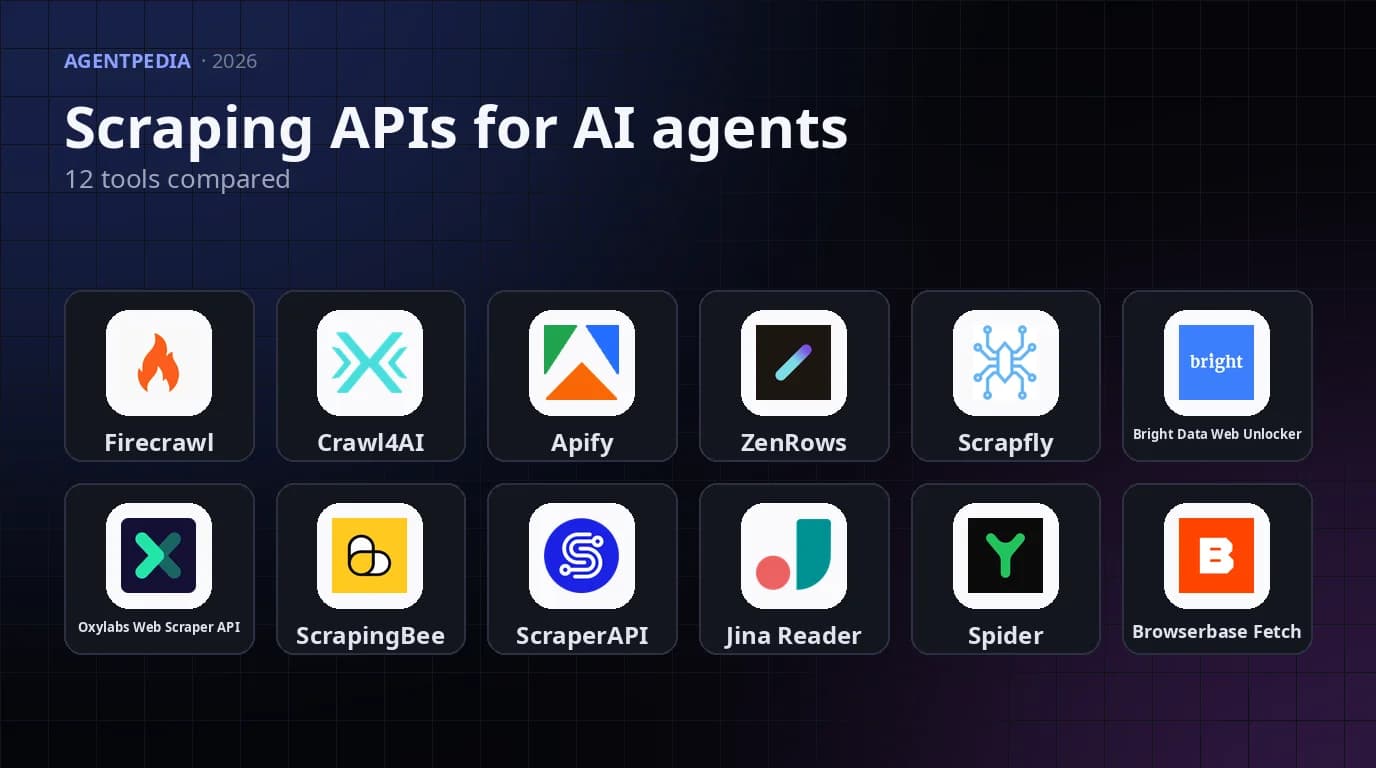
Start with Firecrawl, keep Crawl4AI in your back pocket, and pay for an unblocker only on the pages that fight back. That is the short version of this guide. Firecrawl bundles scrape, crawl, map, search and browser sessions behind one credit balance, and its repository had 207,082 GitHub stars on Nov 23, 2026. Crawl4AI is the permissive open-source route (Apache-2.0, 87,683 stars). When a target blocks ordinary fetches, Bright Data Web Unlocker, Oxylabs Web Scraper API, Scrapfly and ZenRows are built for that fight, and they bill very differently when a request fails.
The rest of the page backs those calls with dated prices, credit multipliers and the caveats vendors leave out. If you are still choosing a search layer, read our best web search APIs for AI agents guide first, because search and scraping are separate jobs. If you need a real browser for logins and clicks, see browser infrastructure for AI agents.
A System Decisions video comparing Crawl4AI and Firecrawl as markdown pipelines (YouTube, title and channel verified through YouTube oEmbed). It is a third-party opinion, so use it for orientation and check the numbers against the vendor pages below.
Quick Picks
| Need | Pick | Why |
|---|---|---|
| Default pick for most agent builders | Firecrawl | One credit balance covers scrape, crawl, map, search and browser sessions. The repo is open source (AGPL-3.0, 207,082 GitHub stars on Nov 23, 2026) and the free tier needs no card. Failed 403 and 404 pages still cost a credit. |
| Best open-source and self-hosted option | Crawl4AI | Apache-2.0, 87,683 stars, pip install. You supply the browsers, proxies and scaling. A hosted Crawl4AI Cloud now exists, with 1,000 free credits a month. |
| Biggest catalog and agent integrations | Apify | Ready-made Actors, a hosted MCP server, and Website Content Crawler for RAG. Free plan includes $5 of monthly usage. Billing is by compute and proxy usage, so cost is harder to predict. |
| Hard anti-bot targets, one request at a time | Bright Data Web Unlocker, Oxylabs Web Scraper API or Scrapfly | All three sell unblocking as the product. Bright Data bills $1.50 per 1,000 successful requests pay as you go, Oxylabs starts at $0.50 per 1,000 results, Scrapfly does not bill failed 403, 429 and 5xx scrapes, under a fair-use rule. |
| Generous free tier to test with | ZenRows (5,000 credits a month) or Bright Data (5,000 requests a month) | Both list a recurring free allowance, no card for ZenRows. Firecrawl gives 1,000 credits, Scrapfly 1,000 credits, Browserbase 1,000 Fetch calls. |
| Search, scrape and crawl on one low per-page price | Context.dev | 1 credit per page with browser rendering, proxies and retries included: about $0.90 per 1,000 pages on Pro and $0.50 on Scale (our arithmetic, Nov 24, 2026). Hosted MCP server; the free plan is 1,000 credits a month. |
| Cheapest per-page cost on paper | Spider | Pay as you go from $1 per GB plus $0.0001 per compute minute. The vendor's own 100-page estimates run from $0.002 to $0.0155. It is the least battle-tested name here, so run your own bake-off. |
| Fastest way to get a URL into an LLM | Jina Reader | Prefix a URL with r.jina.ai. 20 requests a minute without a key, 500 with a free key. Per-token dollar prices were not on the page text we read. |
| Fetch step in a search, fetch, browser ladder | Browserbase Fetch | No JavaScript execution, 5 MB cap, 60 second timeout. Useful as the cheap first step before you pay for a full browser session. |
Why AI Agents Use Scraping APIs Instead of Raw HTTP
A scraping or crawling API turns a URL into something a model can read. Under the hood it fetches the page, runs JavaScript if needed, routes through proxies, retries, strips navigation and ads, and returns markdown or JSON. You could build that yourself with an HTTP client and a headless browser. Many teams do, then discover the maintenance bill.
Agents add three pressures that ordinary scrapers did not face. First, volume is unpredictable: an agent that researches a topic may fetch 5 pages or 500. Second, output is read by a model, so token count matters and clean markdown beats raw HTML. Third, an agent in a retry loop can burn a credit balance quickly if a vendor bills failed requests. Those three pressures are why we compare credit rules and failure billing as closely as headline price.
Four product shapes in this guide
- Agent-first crawlers: Firecrawl, Crawl4AI, Spider and Jina Reader return markdown and expose crawl or map endpoints. They are tuned for LLM input.
- Platforms: Apify sells thousands of ready-made scrapers called Actors, plus infrastructure and proxies.
- Unblocker and general scraping APIs: Bright Data Web Unlocker, Oxylabs Web Scraper API, ZenRows, Scrapfly, ScrapingBee and ScraperAPI focus on getting through anti-bot systems.
- Fetch endpoints of larger platforms: Browserbase Fetch sits next to browser sessions and search.
If you only need the proxy layer, our residential proxies guide compares ten providers on per-GB cost, KYC and sourcing. An API from this guide usually bundles a proxy layer so you do not buy one separately.
How Credits and Failed Requests Work
Most of these vendors price in credits, and a credit is not a page. A plain fetch costs the base amount. JavaScript rendering, premium proxies and structured extraction multiply it. Compare vendors by what your hardest page type costs, not by the headline credit count.
| Vendor | Base cost | Multipliers we found | Failed requests |
|---|---|---|---|
| Firecrawl | 1 credit per scraped page | JSON format adds 4; search 2 per 10 results; interact 2 per browser minute | 403 and 404 pages cost 1 credit; no-result scrapes are not charged |
| ZenRows | 1 credit standard page | JS rendering 5; premium proxies 10; both 25; residential 25,000 per GB; browser 5 per minute | Never charged; 404 and 410 count as results |
| Scrapfly | 1 credit datacenter scrape | Residential 25; JS rendering adds 5; screenshot 60 by default | 403, 429, 5xx not billed under fair use; 404 and 410 billed |
| ScrapingBee | Base credit cost not itemized in the text we read | JS rendering 5 per successful request; premium proxies 10 or 25 | Failure billing not itemized in the text we read; check the docs |
| Context.dev | 1 credit per scraped page | Browser actions 2; JSON extraction adds 4; highlights or product add 1; PDF OCR 1 per page | Most failures not billed; 404 billed at base price; a scrape is charged if at least one output succeeds |
| Bright Data Web Unlocker | $1.50 per 1,000 requests | Not applicable (flat per successful request) | Pay only for success |
| Spider | $1 per GB plus $0.0001 per compute minute | Zero data retention 2.5x credits; proxy and browser billed separately | A blocked or empty page still pays the 0.01-credit page minimum plus compute |
One finding worth stating plainly: the range of policies is wide. At one end ZenRows says it never charges a failed request. At the other, Firecrawl bills 403 pages and Spider bills a minimum on blocked ones. That does not make the second group worse, since their base prices differ, but it changes how you should write retry logic. Cap retries on any vendor that bills failures.
Master Comparison
One row per product, in the order of the sections below. The order is our editorial sequence for an agent builder, not a quality ranking.
| Product | Shape | Price snapshot | Headline capabilities | Best for |
|---|---|---|---|---|
 Firecrawl | Hosted API + open-source repo (AGPL-3.0) | Free 1,000 credits; $19 to $749/mo | Scrape, crawl, map, search, interact, monitor | Agent builders who want one API for web data |
 Crawl4AI | Open-source library (Apache-2.0) + Cloud | Free to self-host; Cloud from $10/mo | Fit Markdown, CSS/XPath/LLM extraction, adaptive crawling | Teams that want control and no per-page bill |
 Apify | Platform of 'Actors' + hosted MCP | Free $5 usage; $19 to $999/mo | Website Content Crawler, store of scrapers, proxies | Teams that need site-specific scrapers |
 ZenRows | Credit-based scraping API | Free 5,000 credits; $16 to $458/mo (slider) | Fetch, Extract, Crawl, Batch, Browser | Mixed JS and protected targets |
 Scrapfly | Scraping API + Unblocker + Crawler API | Free 1,000 credits; $30 to $500/mo | Unblocker, Cloud Browser, Extraction API, Crawler API | Teams that want failed-scrape protection |
 Context.dev | Hosted API + MCP server | Free 1,000 credits; $20 to $950/mo | Scrape, crawl, map, search, answers, batches, monitors | Agents that want search, scrape and crawl on one bill |
 Bright Data Web Unlocker | Unblocking API | 5K requests free; $1.50/1K; $499/mo | Pay only for successful requests | Hard targets, high volume, enterprise |
 Oxylabs Web Scraper API | Scraping API with parsers | $5 credits; $15 to $2,500+/mo; from $0.50/1K | SERP, Amazon, LLM-chat scrapers, AI parsing | Search and marketplace data at scale |
 ScrapingBee | Credit-based scraping API | 1,000 free credits; $19 to $5,799/mo | JS rendering, premium proxies, dedicated APIs | Simple HTTP API users |
 ScraperAPI | Credit-based scraping API | 7-day trial; $49 to $1,975/mo | Thread-based plans, MCP server, auto parsing | Developers who want thread-based pricing |
 Jina Reader | URL to markdown by prefix | Free key; token-based | r.jina.ai reader, s.jina.ai search, MCP | Quick markdown for one URL at a time |
 Spider | Rust crawler API | Pay as you go from $1/GB; unlimited from $40/mo | Scrape, links, crawl, search, cloud browser | Cost-sensitive bulk crawling |
 Browserbase Fetch | Fetch endpoint of a browser platform | 1,000 free calls; $1/1K then $0.5/1K | Raw, markdown or JSON; no JS execution | Cheap fetch step before a browser |
1. Firecrawl
What it is. Firecrawl is a hosted API, backed by an open-source repository, that turns websites into LLM-ready data. Its pricing page lists scrape, crawl, map, search, interact (browser sessions) and monitor, plus a JSON format that extracts structured data. The repo showed 207,082 GitHub stars, AGPL-3.0 licensing and a last push on Nov 22, 2026.
Who it is for. Agent builders who want one API and one credit balance for fetching, crawling and searching, with MCP and SDKs already available. It is also the reference point for most “Firecrawl alternative” searches, which is why this guide uses it as the baseline. Firecrawl also converts local documents to Markdown with AnyDoc; see the AnyDoc guide.
What changed recently
On Nov 18, 2026 Firecrawl announced Firecrawl Local, a rebuilt repo so agents can scrape locally. The vendor claims a Rust-based scrape primitive that is 37x faster than self-hosted Firecrawl, uses 230x less memory (11 MB idle) and is 100% open source, and says it works with its MCP server and SDKs. Those are vendor numbers we did not benchmark. On Nov 13 it also posted that its Alexandria data layer covers 75M+ companies, which is a separate data product from the scraping API.
Introducing Firecrawl Local. We rebuilt the Firecrawl repo so agents can scrape locally. 37x faster rust based scrape primitive (vs self-hosted), 230x less memory (11 MB idle), 100% open source. Compatible out of the box with all of our MCP & SDKs.
— @firecrawl Nov 18, 2026
| Pricing (as of Nov 23, 2026) | Free $0 for 1,000 credits. Hobby $19 a month ($16 billed annually) for 5,000 credits. Standard $99 ($83) for 100,000. Growth $399 ($333) for 500,000. Scale $749 ($599) for 1,000,000. Enterprise is custom, with SSO, SLA and zero data retention. |
| Free tier | 1,000 credits, no card. 2 concurrent requests and a 10-per-minute scrape rate limit. The agent preview gives 5 free runs a day. |
| Credit rules | Scrape 1 per page, JSON format adds 4, crawl 1 per page, map 1 per call, search 2 per 10 results, interact 2 per browser minute, monitor 1 per page per check, PDF 1 per page. 403 and 404 pages cost 1 credit; scrapes with no result are not charged. |
| Limits | Concurrency by plan: 2, 5, 25, 50, 100 for Free through Scale. Scrape rate per minute: 10, 100, 500, 5,000, 10,000. Credits roll over only on Scale, for one month. Pay-as-you-go top-ups come in $5 increments (1,000 credits on Hobby, 2,000 Standard, 2,500 Growth, 5,000 Scale). |
| Compliance | SOC 2 Type II on all plans. Listed on AWS and Google Cloud marketplaces. |
| Standout | Breadth of endpoints on one balance, plus a very large open-source community. |
| Skip it if | Your targets sit behind aggressive anti-bot walls and you want failures to be free, or your legal team cannot accept AGPL-3.0 if you plan to self-host inside a product. |

- One API covers scrape, crawl, map, search and browser sessions, so an agent needs one key and one balance.
- Free plan needs no card and the first paid tier is $19 a month.
- Open-source repo, very active (last push Nov 22, 2026) and SOC 2 Type II on every plan.
- Concurrency and rate limits are published per plan, which makes capacity planning easy.
- Free plan is small: 1,000 credits and 10 scrapes a minute.
- 403 and 404 pages still cost a credit, so a retry loop on blocked pages costs money.
- Credits roll over only on the top self-serve tier, so unused credits elsewhere lapse.
- AGPL-3.0 can be awkward if you embed the self-hosted code in a closed product.
Benefits for agents. An agent that needs to read, discover and research can do it through one SDK. Crawl and map let it enumerate a docs site before it reads it. The published per-minute rate limits mean you can size a worker pool without guessing. For longer reading on the search side of this stack, see best AI deep research tools.
2. Crawl4AI
What it is. Crawl4AI is an open-source Python crawler built for LLM pipelines. The GitHub API showed 87,683 stars, an Apache-2.0 license and a last push on Nov 20, 2026. Its README lists version 0.9.6 from Nov 20, 2026. You install it with pip, run a setup command for browsers, and call it from async Python, a CLI or a Docker server. A hosted Crawl4AI Cloud now exists too.
Who it is for. Teams that want control and no per-page bill, and that can run their own browsers and proxies. It suits data pipelines that crawl the same set of sites repeatedly, where owning the crawler pays off.
| Pricing (as of Nov 23, 2026) | Self-hosting is free. Crawl4AI Cloud shows a free allowance of 1,000 credits a month (10 requests a minute, 2 concurrent) and paid plans from $10 a month with 120 requests a minute and 10 concurrent. |
| Features | Fit Markdown filters (pruning, BM25, LLM), CSS, XPath and regex extraction, LLM-based extraction, adaptive crawling, a Docker server and a CLI. The Cloud exposes /scrape, /extract, /search, /serp and /answer endpoints, a batch scrape endpoint and an MCP endpoint at api.crawl4ai.com/mcp. |
| Limits | You own scaling, proxy rotation and anti-bot work when self-hosting. The page text we read did not list per-endpoint credit costs for the Cloud. The repo had 343 open issues on Nov 23, 2026. |
| Standout | Permissive license with the second-largest star count in this guide and full control of the pipeline. |
| Skip it if | You want a managed service with SLAs on day one, or your targets need serious unblocking and you do not want to run proxies. |
# Crawl4AI: one page to markdown on your own machine
# pip install -U crawl4ai && crawl4ai-setup
import asyncio
from crawl4ai import AsyncWebCrawler

async def main():
    async with AsyncWebCrawler() as crawler:
        result = await crawler.arun(url="https://example.com")
        print(result.markdown)

asyncio.run(main())- Apache-2.0: you can embed and ship it without copyleft worries.
- No per-page fee when you self-host, so cost scales with your own servers.
- Content filtering (pruning, BM25, LLM) is built in, which shrinks token counts before the model sees them.
- A hosted option now exists, so you can start in the cloud and move local later, or the reverse.
- Self-hosting means you run browsers, memory, proxies and monitoring.
- Anti-bot reach is whatever you plug in, since it ships no unblocker of its own.
- Cloud is newer and its credit rules were not itemized on the pages we read.
- A popular repo with 343 open issues means some rough edges, so pin versions.
Benefits for agents. The tight loop of a local crawler is hard to beat: no network round trip to a vendor, no rate limit, and the ability to customize extraction in code. Teams that need a sandbox for it can look at AI agent sandboxes for places to run it safely.
Firecrawl vs Crawl4AI
This is the comparison most readers arrive for, and the honest summary is that the two are closer than their marketing suggests. Both are open source. Both output markdown. Both now offer a hosted API. The differences are license, who runs the infrastructure by default, and the breadth of the hosted surface.
| Dimension | Firecrawl | Crawl4AI |
|---|---|---|
| GitHub stars (Nov 23, 2026) | 207,082 | 87,683 |
| License | AGPL-3.0 | Apache-2.0 |
| Last push | Nov 22, 2026 | Nov 20, 2026 |
| Default model | Hosted API with credits; open-source repo and Firecrawl Local for self-hosting | Library you run yourself; Cloud with credits as an option |
| Free tier | 1,000 credits a month, no card | Self-host free; Cloud 1,000 credits a month |
| Entry paid plan | $19 a month for 5,000 credits | Cloud from $10 a month |
| Hosted endpoints | Scrape, crawl, map, search, interact, monitor | Scrape, extract, search, serp, answer, batch |
| MCP | Yes | Yes (Cloud endpoint) |
| Compliance | SOC 2 Type II on all plans | Not stated on the pages we read |
Pick Crawl4AI if the Apache-2.0 license, local control and zero marginal cost are the priorities and your team is comfortable operating browsers. Pick Firecrawl if you would rather buy capacity, want published concurrency and rate limits, and value a wider hosted API. Many teams use both: Crawl4AI for a bulk crawl of friendly sites, Firecrawl for ad hoc agent fetches. Star counts show popularity, not quality.
3. Apify
What it is. Apify is a platform for running serverless programs called Actors, plus a store of ready-made ones. Website Content Crawler is its flagship for AI use: it crawls sites, cleans the HTML and outputs text, markdown or HTML for RAG pipelines. The store listing showed 180,103 total users and a 4.59 out of 5 rating on Nov 23, 2026. Apify also maintains Crawlee, an open-source scraping library (26,521 stars, Apache-2.0), and an MCP server (17,459 stars, MIT).
Who it is for. Teams that need a scraper for a specific site or data type (maps, social, marketplaces) and would rather rent one than write it. It is also a good fit when an agent should pick tools from a catalog through MCP.
Meet four creators building useful tools for the Apify community. From business research and product sourcing to football data and Reddit monitoring, their Actors tackle very different challenges. All four are now Server Actors.
— @apify Nov 20, 2026
| Pricing (as of Nov 23, 2026) | Free $0 with $5 of monthly usage. Starter $19 a month ($17 annual) with $19 of usage. Scale $199 ($179). Business $999 ($899). Compute units cost $0.20 on Free and Starter, $0.16 on Scale and $0.13 on Business; one unit is 1 GB of RAM for one hour. |
| Proxy and add-on prices | Residential proxy $8 per GB on Free and Starter, $7.50 on Scale and $7 on Business. SERPs $2.50 per 1,000. Unblocker $1.50 per 1,000 requests on Free and Starter, $1.25 on Scale and $1.00 on Business. |
| Pay per event | Some Actors bill per result. The Instagram Scraper, for example, listed $2.30 per 1,000 results. |
| Limits | Max concurrent runs 5, 32, 128 and 256 by plan. Unused usage expires at the end of the cycle. |
| Agent-friendly extras | Hosted MCP server at mcp.apify.com, Agent Skills with the Apify CLI, and an account-free payment path using x402 or MPP for agents with no human to sign in. Website Content Crawler can respect robots.txt (on in the example input). |
| Discounts | Student plan 50% off and startup discount of 30% on Scale, per the pricing page. |
| Standout | The catalog: if a scraper for your target exists, it is probably in the Store. |
| Skip it if | You want a flat per-page price. Cost depends on compute and proxy usage, which makes forecasting harder than credit-per-page APIs. |
- Thousands of ready-made Actors save weeks of scraper writing for common sites.
- Website Content Crawler is built for RAG and integrates with LangChain and LlamaIndex per its README.
- Hosted MCP server and agent payment options mean an agent can onboard without a human.
- Free plan includes $5 of usage every month and annual billing is discounted.
- Usage-based billing (compute units, proxy GB) is harder to predict than per-page credits.
- Quality varies across community Actors, so check ratings and run history.
- Unused plan usage expires at the end of the cycle.
- More moving parts: Actors, datasets, key-value stores and schedules to learn.
Benefits for agents. For an agent that must pull data from a particular site, the Store is often faster than any generic crawler, because the Actor already knows the page structure. Pair it with the MCP route described in our top MCP servers guide to let the agent discover Actors on its own.
4. ZenRows
What it is. ZenRows is a credit-based scraping API. Its current pricing page says every plan includes every primitive (Fetch, Extract, Crawl, Batch and Browser) on one shared credit balance. It also ships an Agent Toolkit with an MCP server, a CLI and SDK guidance for Claude Code, Cursor, Codex, Windsurf and Gemini CLI.
Who it is for. Teams whose targets are a mix of easy pages and protected ones, who want failures to be free and a clear escalation from plain fetch to JS to premium proxies.
| Pricing (as of Nov 23, 2026) | Free: 5,000 credits a month, no card. Build $16, Launch $58, Growth $166, Scale $458 per month, Enterprise custom. The page shows a monthly credit volume slider that defaulted to 250K credits, and we read the dollar figures as tied to that position. We could not confirm that mapping, so check the slider on the live page before you budget. |
| Concurrency | Free 5, Build 20, Launch 50, Growth 100, Scale 200 to 400, Enterprise 500 to 1,000+. |
| Credit rules | Standard page 1 credit, with JavaScript 5, with premium proxies 10, JavaScript and premium 25. Residential bandwidth draws 25,000 credits per GB and Browser draws 5 credits a minute. Extract is currently free on top of the Fetch request it uses. |
| Failed requests | Never charged. A 404 or 410 is treated as a real answer and counts as a result. |
| Plan notes | Free plan refreshes monthly with no rollover and unlocks everything except standalone Residential. Top-up credits on paid plans roll over one period. Annual billing gives 2 months free. Enterprise lists SOC 2, ISO 27001 and a DPA. |
| Standout | Failed requests are free and the tool starts with the lightest setup, stepping up only when a page needs it. |
| Skip it if | You need transparent flat pricing without a slider, or your volume is huge and you want per-request unit economics like Bright Data's. |
- Failed requests are never charged, which protects an agent in a retry loop.
- 5,000 free credits a month with no card is a big sandbox for prototypes.
- Everything is included on every plan, with one balance for Fetch, Crawl, Browser and Extract.
- Clear credit table: 1, 5, 10 or 25 per page depending on what the page needs.
- Recently moved to a slider-based credit model, so older blog posts and comparisons show stale plans.
- A fully protected page costs 25 credits, so effective page counts per plan are much lower than headline credits.
- Free plan excludes standalone Residential.
- No open-source version.
Benefits for agents. The free failure policy is the best match for autonomous loops in this guide. The combined balance means an agent can fetch, then crawl, then open a browser without a second account. Remember that a heavy page costs 25 credits, so do the arithmetic at your own mix.
5. Scrapfly
What it is. Scrapfly sells a Web Scraping API with an Unblocker (formerly ASP), a Cloud Browser, a Screenshot API, an LLM-based Extraction API and a Crawler API. Its pricing page lists SOC 2 Type II and ISO 27001, and its docs include an MCP server.
Who it is for. Engineering teams that want an unblocker and failed-request protection on predictable monthly tiers, with a Python and JavaScript SDK and a browser product on the same account.
Scrapfly's own introduction to its SDK (YouTube, title and channel verified through YouTube oEmbed).
| Pricing (as of Nov 23, 2026) | Free $0 with 1,000 credits a month and 5 concurrent. Discovery $30 for 200,000 credits and 5 concurrent. Pro $100 for 1M credits at 20 concurrent, with extra 10,000 credit packs at $3.50. Startup $250 for 2.5M credits at 50 concurrent ($2.00 per 10,000 extra). Enterprise $500 for 5.5M at 100 concurrent ($1.20 per 10,000). Custom plans run $1,200 to $30,000 and above. Annual billing gives 2 months free (about 16% off). |
| Credit rules | Datacenter scrape 1 credit, residential 25, JS rendering adds 5, screenshot 60 by default. |
| Failed requests | Failed scrapes (403, 429, 5xx) are not billed. A fair-use rule says if more than 30% of 1,000+ scrapes are blocked over 24 hours without the Unblocker, they are billed. 404 and 410 are billed. |
| Limits | No contractual SLA was published on the page we read. |
| Standout | Unblocker, browser, extraction and crawler on one account with failure protection written into the pricing page. |
| Skip it if | You want a deep catalog of ready-made scrapers (Apify) or a fully open-source stack (Crawl4AI). |
- Failed 403, 429 and 5xx requests are not billed, in writing, with the fair-use limit stated.
- Full toolbox: Unblocker, Cloud Browser, Screenshot, Extraction and Crawler APIs.
- SOC 2 Type II and ISO 27001 on the pricing page.
- The $30 entry tier gives 200,000 credits, which is a lot of plain pages.
- Concurrency is low on low tiers: 5 at Discovery and 20 at Pro.
- Credit multipliers (residential 25, JS 5) make heavy pages expensive.
- 404 and 410 pages are billed, unlike ZenRows.
- No contractual SLA on the self-serve page.
Benefits for agents. The combination of free failures and an Unblocker is the most explicit in the tier below Bright Data and Oxylabs. The documented fair-use rule is also useful to know before you point an agent at a hard target.
6. Context.dev
What it is. Context.dev is a web data API built for AI products and agents: scrape any URL into Markdown, HTML, screenshots, images or JSON fields, crawl a site, map its URLs, search the web, get cited answers, and run batches and monitors, all on one credit balance. Browser rendering, proxies and retries run on every request, with no setting to turn them off.
Who it is for. Agent and RAG builders who want scraping, crawling and search behind one key, with a hosted MCP server for coding agents and SDKs for TypeScript, Python, Ruby, Go and PHP. For a hands-on test of scraping a real site, see the Context.dev guide.
Context.dev founder Yahia Bakour's short introduction to the API (YouTube, title and channel verified through YouTube oEmbed).
| Pricing (as of Nov 24, 2026) | Free $0 with 1,000 credits a month, no card, 2 concurrent requests and 10 requests a minute. Developer $20 for 10,000 credits (10 concurrent), Pro $90 for 100,000 (100), Growth $300 for 500,000 (250), Scale $500 for 1,000,000 (500), Scale 2.5M $950. Annual billing gives two months free. |
| Credit rules | Scrape 1 credit a page, 2 with browser actions. JSON extraction adds 4 when it succeeds, highlights or product add 1, PDF OCR adds 1 per page. Crawl 1 credit per successful page, map 1 (2 with search), search 1 per 10 results. |
| Failed requests | Most failed requests are not billed. 404 responses are billed at the base price, and a scrape that returns some failed outputs is charged when at least one output succeeds. Each response reports credits used. |
| Limits | Crawl returns up to 500 pages per call; larger sites go through Batches. Scrape waits up to 90 seconds by default, adjustable to 300 seconds. |
| Standout | One page visit can return several formats at once, and crawl, map, search, batches and monitors share the same balance and MCP server. |
| Skip it if | You need to self-host an open-source crawler (Crawl4AI) or want billing only on successful requests for very hard targets (Bright Data). |
- Rendering, proxies and retries are included in the 1-credit base price.
- Markdown, HTML, screenshots and JSON from one visit, plus crawl, map, search and monitors on one balance.
- About $0.90 per 1,000 pages on Pro and $0.50 on Scale (our arithmetic from list prices).
- Hosted MCP server with OAuth, a CLI, an agent skill and SDKs in five languages.
- No open-source or self-hosted version.
- The Free plan allows only 2 concurrent requests and 10 a minute.
- 404 pages are billed at the base price.
- The 99.96% scrape success rate is vendor-reported; no independent scraping benchmark yet.
Benefits for agents. An agent can search, read the pages it found and crawl a whole docs site without switching vendors, and per-output status codes make it clear when one page failed. The site also has pre-built parsers for sources such as Google Maps, app stores, Reddit and G2, which saves writing CSS rules for common targets.
7. Bright Data Web Unlocker
What it is. Web Unlocker is Bright Data's unblocking API. You send a URL and pay only when the request succeeds. The page states that it is not meant for browser automation tools such as Puppeteer or Playwright, and points those users to its Scraping Browser product.
Who it is for. Teams hitting hard targets at high volume who want per-success billing and enterprise support. Compare KYC and sourcing questions with our residential proxies guide if you also need raw proxies from the same vendor.
Bright Data's own Web Unlocker video (YouTube, title and channel verified through YouTube oEmbed).
| Pricing (as of Nov 23, 2026) | Pay as you go at $1.50 per 1,000 requests, billed on success only. Scale plan $499 a month with 383,000 requests included and $1.30 per 1,000 beyond. Enterprise is custom. The page also advertises a deposit match up to $500 for new sign-ups. |
| Free tier | 5,000 requests a month. |
| Limits | Unlimited concurrency is listed. The page text did not show markdown or JSON extraction output, so treat it as a fetch layer. The page metadata showed a last modified date of Aug 25, 2026, so confirm current prices. |
| Standout | Simple unit price and success-only billing from the largest proxy vendor in our residential guide. |
| Skip it if | You want crawl, map or LLM extraction in the same call, or you need browser actions (use Scraping Browser). |
- You pay only for successful requests.
- 5,000 free requests a month and no stated concurrency cap.
- Scale plan drops the unit price to $1.30 per 1,000 beyond the included volume.
- Backed by a large proxy network and enterprise contracts.
- It is a fetch API, so you add parsing or markdown conversion yourself.
- Not for Puppeteer or Playwright traffic, which needs a separate product.
- Pricing page last modified in August, so the live checkout may differ.
- Entry spend jumps from pay as you go to a $499 plan.
Benefits for agents. Success-only billing aligns the vendor's incentives with yours, and a flat per-1,000 price makes budgeting trivial. Use it as the last rung of the escalation ladder shown in the setup section.
8. Oxylabs Web Scraper API
What it is. Oxylabs sells a Web API (Scrape, Search, Agent Browser and Web Unblocker) on one credit subscription. Its pricing page lists target-specific rates, including scrapers for Google, Amazon and four LLM chat interfaces (ChatGPT, Perplexity, Gemini and Google AI Mode).
Who it is for. Teams collecting search results, marketplace data or LLM answer snapshots at volume, who want dedicated parsers and a compliance-led vendor.
Plug fresh web data into your n8n workflows. Connect Web API through direct API calls or AI agents with MCP, or just describe your workflow to the n8n assistant.
— @Oxylabs_io Nov 16, 2026
| Pricing (as of Nov 23, 2026) | Credit plans: Starter $15 a month, Basic $100, Flexible $500 (marked most popular), Enterprise from $2,500. Web API Scrape from $0.50 per 1,000 results, falling to $0.45 at 222K, $0.35 at 1.43M and $0.25 at 10M or more. |
| Target rates | Google JS $1.35 per 1,000 and non-JS $1.00. Amazon non-JS $0.50. LLM chat scrapers from $1.50. AI parsing $3.00 per 1,000 parsed pages. Custom domains JS $1.50 and non-JS $1.00. Media download $2 per GB. |
| Free tier | $5 of welcome credits toward any product. |
| Limits | Self-service purchases are non-refundable and unused credits expire at the end of the cycle. |
| Integrations | Oxylabs posted on Nov 11, 2026 that Web API is now on Zapier, and on Nov 16 that it connects to n8n directly or through MCP. |
| Standout | Dedicated, priced scrapers for Google, Amazon and LLM chat interfaces. |
| Skip it if | You want a pay as you go card and no monthly commitment, or a small free monthly tier. |
Oxylabs Web API is now on Zapier. Search Google, pull Amazon product data or extract any public page, and send the results to 9,000+ apps.
— @Oxylabs_io Nov 11, 2026
- Per-target pricing is explicit, so you can compute cost for Google or Amazon jobs.
- Prices fall to $0.25 per 1,000 results at 10M or more.
- Integrations with Zapier and n8n, and MCP support, per its own posts.
- Same vendor sells residential proxies, with its KYC policy covered in our proxies guide.
- Subscription plus credits model: you pay the plan fee whether you use it or not.
- Unused credits expire and purchases are non-refundable.
- Rates differ by target and JS use, which makes budgeting a spreadsheet exercise.
- No ongoing free tier beyond the $5 welcome credit.
Benefits for agents. The LLM chat scrapers are unusual in this category and relevant if your agent tracks how answer engines describe a brand. For pure page-to-markdown work, a cheaper generic tool may be enough.
9. ScrapingBee
What it is. ScrapingBee is a credit-based scraping API with JavaScript rendering, premium proxies and geotargeting across 200+ countries (40+ on classic proxies). It also sells dedicated APIs for Google, Fast Search, Amazon, Walmart, ChatGPT, Gemini, YouTube and employee search.
Who it is for. Developers who want a plain HTTP API with predictable monthly tiers and who are comfortable doing their own parsing. Its site also carries comparison pages positioning itself as an alternative to Firecrawl, Apify, Tavily and Exa. Treat vendor-written comparisons as marketing.
| Pricing (as of Nov 23, 2026) | Hobby $19 a month for 75,000 credits at 25 concurrent. Freelance $49 for 250,000 at 50. Startup $99 for 1,000,000 at 100. Business $249 for 3,000,000 at 200. Business+ $599 for 8,000,000 at 400. Enterprise tiers run $999 (14M credits, 500 concurrent), $1,599 (24M, 600), $2,399 (41M, 700), $3,599 and $5,799 (120M, 900). |
| Free tier | 1,000 free API credits, no card. |
| Credit rules | JS rendering costs 5 credits per successful request. Premium proxies cost 10 or 25 credits. |
| Limits | Credits are valid for one month with no rollover. |
| Standout | Straightforward tiers and dedicated endpoints for Google, Amazon, Walmart and chat interfaces. |
| Skip it if | You want markdown, crawl or map endpoints in the same API, since we did not find them on the pricing page. |
- Simple monthly tiers from $19 with a long ladder up to 120M credits.
- Geotargeting across 200+ countries.
- Dedicated Google, Amazon and Walmart APIs.
- 1,000 free credits with no card to test.
- No recurring free tier: the 1,000 credits are a one-off starting grant.
- JS rendering multiplies cost by 5 and premium proxies by 10 or 25.
- Credits do not roll over.
- No agent-first endpoints (crawl, map, markdown) were visible on the pricing page.
Benefits for agents. If your agent mostly needs HTML from a mix of sites and you already have a parser, ScrapingBee is a plain, well-known option. It is less natural than Firecrawl when you need crawling and markdown out of the box.
ZenRows vs ScrapingBee
These two are the most direct comparison in the general scraping API tier, and both multiply credits for JavaScript and premium proxies. The differences below come from the vendors' own pages.
| Dimension | ZenRows | ScrapingBee |
|---|---|---|
| Free tier | 5,000 credits a month, no card, 5 concurrent | 1,000 free credits, no card |
| Entry paid plan | Build $16 a month (20 concurrent) | Hobby $19 a month for 75,000 credits (25 concurrent) |
| JS rendering | 5 credits | 5 credits |
| Premium proxies | 10 credits (25 with JS) | 10 or 25 credits |
| Failed requests | Never charged; 404 and 410 count as results | Billed per successful request per the page; failure terms not itemized in our text |
| Extra primitives | Fetch, Extract, Crawl, Batch, Browser | Dedicated Google, Amazon, Walmart, ChatGPT, Gemini, YouTube APIs |
| Agent tooling | MCP server, CLI and SDK notes for Claude Code, Cursor, Codex, Windsurf, Gemini CLI | Not stated on the pricing page |
| Pricing model | Slider of monthly credits | Fixed tiers of credits and concurrency |
ZenRows has the stronger free tier, an explicit failure policy and more agent-facing tooling. ScrapingBee has simpler fixed tiers and a long ladder of enterprise plans. If you run an autonomous loop, the failure policy tips it toward ZenRows. If you need predictable fixed plans, ScrapingBee is easier to model.
10. ScraperAPI
What it is. ScraperAPI sells credit plans tied to a number of concurrent threads, with auto-parsed JSON for some targets, crawler access, an Ultra Premium option and an MCP server. It also offers a domain cost estimator and a max-cost parameter, which helps cap spend per request.
Who it is for. Developers who think in threads and monthly credit buckets and want cost controls in the request itself.
| Pricing (as of Nov 23, 2026) | Hobby $49 a month for 100,000 credits at 20 threads (US and EU geotargeting). Startup $149 for 1M at 50. Business $299 for 3M at 100 (global geotargeting). Scaling $475 for 5M at 200 (pay as you go top-ups). Professional $975 for 10.5M at 300. Advanced $1,975 for 21.5M at 500. Enterprise custom from 22M credits. Annual billing is 10% off. |
| Free tier | The page is inconsistent. A banner at the top offers a 7-day trial with 5,000 API credits, no card. The FAQ on the same page says a free plan has 1,000 free credits and 5 concurrent. We could not tell which is current, so verify before you plan around either. |
| Limits | Unused credits do not roll over. A 7-day refund window is listed. |
| Access note | A direct HTTP request to the pricing page returned 403 for us, while the content tool rendered it. Treat that as a reminder that even scraping vendors protect their pages. |
| Standout | Thread-based plans, a max-cost parameter and a domain cost estimator. |
| Skip it if | You want published failed-request billing rules or crawl, map and markdown endpoints. |
- Cost controls: a max-cost parameter and a domain cost estimator.
- Plans from $49 to $1,975 plus custom enterprise.
- 7-day refund window and an MCP server.
- Annual billing discount of 10%.
- Free-tier numbers contradict each other on the same page.
- Entry price is the highest among the general scraping APIs here ($49).
- Credits per request vary by domain, so forecasting needs the estimator.
- No rollover, and global geotargeting only starts at Business.
Benefits for agents. The max-cost control matters for agents. A request that is allowed to cost at most N credits cannot run away, which is a useful guardrail when the model chooses the URLs.
11. Jina Reader
What it is. Jina Reader converts a URL to LLM-friendly text when you prefix it with r.jina.ai, and s.jina.ai does the same for web search. There is also an MCP server at mcp.jina.ai. Its README says pages render in headless Chrome or fetch through a lightweight curl-impersonate path, and that PDFs, Office files and images (captioned by a vision model) are supported. The open-source reader repo had 12,273 stars and Apache-2.0 licensing, with a last push on May 22, 2026.
Who it is for. Developers who want markdown from a single URL in one line, with no signup for light use.
| Rate limits (as of Nov 23, 2026) | Reader (r.jina.ai): 20 requests a minute with no key, 500 with a free key, 500 with a paid key, 5,000 on premium. Search (s.jina.ai): blocked without a key, 100 a minute on free and paid keys, 1,000 on premium. |
| Pricing | Token-based. Reader counts output tokens, and each search request costs a fixed amount of tokens starting from 10,000. New users get an API key with free tokens, and more are bought in the Buy tokens tab. The dollar price per token was not in the page text we read, so we do not quote one. |
| Controls | Headers for engine choice, target selector, wait-for selector, response format, robots.txt respect, proxy country, cookies and caching. Repeating the same URL within 5 minutes returns from cache. |
| Limits | A paid key does not bypass site blocks. Models such as ReaderLM-v2 are licensed CC-BY-NC 4.0, which is not open source, and Elastic has sold the commercial license separately since Aug 10, 2026. |
| Latency note | The vendor page and FAQ disagree in tone: a table lists an average Reader latency of 7.9 seconds, while the FAQ says a direct fetch of a simple page returns in a few hundred milliseconds. The gap is the engine and the page. |
| Standout | The simplest possible interface: prefix a URL. |
| Skip it if | You need crawling at scale, anti-bot unblocking or published per-page prices. |
# Jina Reader: prefix any URL. Force the browser engine and skip the cache if a page looks empty.
curl "https://r.jina.ai/https://example.com"

curl "https://r.jina.ai/https://example.com" \
  -H "x-engine: browser" \
  -H "x-no-cache: true"
- One-line interface and a no-key tier of 20 requests a minute.
- Handles web pages, PDFs, Office files and images.
- Search and Reader share one key and one token balance.
- Apache-2.0 reader repo you can run locally.
- No crawl or map endpoint, so it is one URL at a time.
- Per-token dollar price not on the text we read, so cost is hard to model.
- A paid key does not bypass blocks on hard sites.
- Model licensing is non-commercial unless you buy a commercial license from Elastic.
Benefits for agents. For an agent that just needs to read one page, it is the lowest friction tool in this guide. Pair it with a heavier tool for the pages it cannot read.
12. Spider
What it is. Spider is a Rust-based crawler API at spider.cloud, with endpoints for scrape, links, crawl, search and transform, a proxy mode, a cloud browser over CDP and an alpha AI Studio. An open-source Rust crawler also exists (spider-rs/spider, 2,857 stars, MIT).
Who it is for. Cost-sensitive teams crawling in bulk, who are happy to run their own quality checks.
| Pricing (as of Nov 23, 2026) | Pay as you go from $1 per GB of bandwidth (before transformation) plus $0.0001 per minute of compute. The balance never expires and you can top up from $5. Unlimited plans start at $40 a month with 2 concurrent requests in HTTP mode and scale to 1,538 concurrent at $19,994 a month, with each extra concurrent slot priced from $20 down to $13. |
| Typical costs | The page estimates /scrape at about $0.0001 per request, /links $0.0002, /crawl $0.0003 and /search about $0.001. For 100 pages: HTTP $0.002 to $0.01, Smart $0.0028 to $0.0123, Chrome $0.0035 to $0.0155. |
| Add-ons | Metadata $0.0001 per request, transform $0.0001 per object, residential proxy mode from $1 per GB, cloud browser $0.0001 per minute plus bandwidth, zero data retention at 2.5x credits, AI Studio from $6 a month (alpha). |
| Limits | Pay as you go rate limits start at 10,000 requests a minute and rise to 80,000. A blocked or empty page still pays a 0.01-credit page minimum plus compute. Social media automation, Google search and multi-account use are listed as not supported on unlimited plans. The page text showed no free tier. |
| Standout | The lowest per-page estimates in this guide, on the vendor's own numbers. |
| Skip it if | You need a free tier, a long track record, SOC 2 evidence or hard-target unblocking. |
- Lowest listed unit costs, with the page showing estimates per 100 pages.
- Balance never expires and top-ups start at $5.
- High rate limits: 10,000 requests a minute at the start.
- Output in markdown, text, HTML, JSON, JSONL, CSV or XML.
- No free tier on the page text we read.
- Blocked pages still cost a minimum charge.
- Smaller community than Firecrawl or Crawl4AI by GitHub stars (2,857 for the open-source repo).
- Per-page cost estimates are the vendor's own and we did not benchmark them.
Benefits for agents. For bulk, repetitive crawls where margins matter, the unit price is attractive. Run a pilot on your own targets before you move a pipeline over.
13. Browserbase Fetch
What it is. Browserbase added a Fetch API alongside its hosted browsers and Search. A request to /v1/fetch with an API key returns raw HTML, markdown or JSON. The docs say Fetch does not execute JavaScript, caps responses at 5 MB, times out at 60 seconds and does not convert PDFs. It is pitched as the first step in a Search, Fetch, Browsers ladder.
Who it is for. Teams already using Browserbase (or its Stagehand framework, 26,118 stars, MIT) who want a cheap fetch step before they pay for a browser session. Our browser infrastructure guide covers the browser side.
Browserbase's launch video for the Fetch API (YouTube, title and channel verified through YouTube oEmbed).
| Pricing (as of Nov 23, 2026) | Free $0 with 3 concurrent browsers, 1 browser hour, 1,000 Search calls and 1,000 Fetch calls. Developer $20 a month with 25 concurrent, 100 browser hours (then $0.12 an hour), 1,000 Fetch calls (then $1 per 1,000) and 1 GB of proxies (then $12 per GB). Startup $99 with 100 concurrent, 500 hours, 10,000 Fetch calls (then $0.50 per 1,000) and 5 GB of proxies (then $10 per GB). Scale is custom. |
| Fetch add-ons | Fetch with proxies $4 per 1,000, with Extract $4, both $7. |
| Limits | Fetch is limited to 5 requests a second per project. Search is 2 a second. No JavaScript execution, 5 MB maximum, 60 second timeout, no PDF conversion. |
| Features | Raw, markdown or JSON formats (JSON takes a schema and uses LLM extraction), proxies, and authenticated fetch through a context ID. |
| Search pricing | Parallel Fast $1 per 1,000, Parallel Advanced $5, Exa Fast $7, Exa Deep $12. |
| Standout | Cheap fetch, search and full browsers on one account. |
| Skip it if | Your pages need JavaScript to render or you need PDFs or crawling. Use a full browser session or a crawler instead. |
- Fetch, Search and browsers on one account and one key.
- Free plan includes 1,000 Fetch and 1,000 Search calls.
- JSON output with a schema for structured extraction.
- Fetch price drops to $0.50 per 1,000 on Startup.
- No JavaScript execution, so SPA pages come back empty.
- 5 MB cap, 60 second timeout and no PDF conversion.
- Only 5 Fetch requests a second per project.
- No crawl or map endpoint in the docs we read.
Benefits for agents. The ladder is a sensible mental model: try a fetch, then a browser. Browserbase lets you do both without leaving one vendor, which keeps secrets and billing in one place.
Who We Left Out
- Exa and Tavily. Both are search-first APIs. They come up in “Firecrawl vs” searches, but they belong in our web search APIs guide, not here.
- Raw proxy vendors. If you only want IPs, see the residential proxies guide.
- Full browser platforms. Browserbase browsers, and others, are covered in browser infrastructure for AI agents. Only Browserbase Fetch is here because it is a fetch endpoint.
- Crawlee and Playwright themselves. They are libraries rather than APIs. Apify's Crawlee is mentioned in the Apify section.
Pricing Table
Every price below was read from the vendor page on Nov 23, 2026. Prices exclude VAT and tax. Promo codes and deposit matches change often.
| Product | Entry | Plans and volume tiers | Free or trial | Notes |
|---|---|---|---|---|
| Firecrawl | Free: 1,000 credits, no card | Hobby $19 ($16 annual) 5,000 credits; Standard $99 ($83) 100,000; Growth $399 ($333) 500,000; Scale $749 ($599) 1,000,000; Enterprise custom | Free tier above; agent preview 5 free daily runs | Credit-based. Rollover only on Scale (one month). Pay-as-you-go $5 increments. |
| Crawl4AI | Self-host: free (Apache-2.0) | Crawl4AI Cloud paid plans from $10/mo; 120 requests a minute, 10 concurrent | Cloud: 1,000 free credits a month, 10 a minute, 2 concurrent | Cloud credit costs per endpoint were not on the pages we read |
| Apify | Free: $0 with $5 of usage | Starter $19 ($17 annual) with $19 usage; Scale $199 ($179); Business $999 ($899) | Free plan above | Unused platform usage expires at cycle end. Compute unit $0.20, $0.16, $0.13 by plan. |
| ZenRows | Free: 5,000 credits, no card | Build $16, Launch $58, Growth $166, Scale $458 per month at the page's default 250K-credit slider; Enterprise custom | Free tier above | Failed requests never charged; 404 and 410 count as results. Slider tie-in unclear, see section. |
| Scrapfly | Free: 1,000 credits, no card | Discovery $30 (200K); Pro $100 (1M); Startup $250 (2.5M); Enterprise $500 (5.5M); custom $1,200 to $30,000+ | Free tier above | Failed 403, 429, 5xx not billed under fair use; 404 and 410 billed |
| Context.dev | Free: 1,000 credits a month, no card | Developer $20 (10K credits); Pro $90 (100K); Growth $300 (500K); Scale $500 (1M); Scale 2.5M $950 (2.5M); Enterprise custom | Free tier above (2 concurrent, 10 requests a minute) | Annual billing gives two months free. Auto top-up in 1K-credit blocks from $3.00 (Developer) to $0.75 (Scale 2.5M). |
| Bright Data Web Unlocker | Pay as you go $1.50 per 1,000 requests | Scale $499/mo with 383K requests, then $1.30 per 1,000; Enterprise custom | 5,000 requests a month free; deposit match up to $500 for new sign-ups | Pay only for successful requests |
| Oxylabs Web Scraper API | Starter $15/mo | Basic $100/mo; Flexible $500/mo; Enterprise from $2,500/mo; Web API from $0.50 per 1,000 results | $5 welcome credits | Self-service purchases non-refundable; unused credits expire at cycle end |
| ScrapingBee | Hobby $19/mo, 75,000 credits | Freelance $49 (250K); Startup $99 (1M); Business $249 (3M); Business+ $599 (8M); Enterprise tiers $999 to $5,799 | 1,000 free API credits, no card | Credits valid one month, no rollover. JS rendering 5 credits; premium proxy 10 or 25. |
| ScraperAPI | Hobby $49/mo, 100,000 credits | Startup $149 (1M); Business $299 (3M); Scaling $475 (5M); Professional $975 (10.5M); Advanced $1,975 (21.5M); Enterprise custom | 7-day trial with 5,000 credits (page top); FAQ on same page says a free plan has 1,000 credits | Annual billing 10% off; credits do not roll over; 7-day refund |
| Jina Reader | Free API key with free tokens | Tokens bought in the 'Buy tokens' tab; dollar price per token not in the text we read | 20 RPM without a key; 500 RPM with a free key | Reader bills output tokens; search bills a fixed amount per request starting at 10,000 tokens |
| Spider | Pay as you go from $1/GB, plus $0.0001 per compute minute | Unlimited plans from $40/mo (2 concurrent) to $19,994/mo (1,538 concurrent) | No free tier found on the page text | Balance never expires. Blocked or empty pages still pay a page minimum. |
| Browserbase Fetch | Free: 1,000 Fetch calls | Developer $20/mo then $1 per 1,000 Fetch calls; Startup $99/mo with 10,000 calls then $0.50 per 1,000; Scale custom | Free plan above | Fetch with proxies $4 per 1,000, with Extract $4, both $7 |
What 100,000 Pages Costs
A fair comparison needs the same volume. This table is our arithmetic from the numbers above for about 100,000 pages in a month. It is not a quote, and it ignores retries, failures, taxes and promotions. Where the page did not give enough information to compute a number, the row says so rather than guess.
| Product | About 100,000 pages costs | Basis |
|---|---|---|
| Spider | About $2 to $15.50 | 100 pages cost $0.002 to $0.0155 across HTTP, Smart and Chrome modes, times 1,000. Vendor estimate. |
| Bright Data Web Unlocker | $150 | Pay as you go at $1.50 per 1,000 successful requests. The $499 Scale plan includes 383K. |
| Scrapfly | $30 (plain) or $100 (JS) | Plain datacenter scrape is 1 credit, so 100K credits fits Discovery ($30, 200K). JS adds 5, so 600K credits fits Pro ($100, 1M). |
| Context.dev | $90 | 1 credit per page with rendering and proxies included, so 100,000 credits is the Pro plan. JSON extraction (5 credits a page) would need Growth ($300, 500K). |
| Firecrawl | $99 | 1 credit per scraped page, so 100,000 credits is the Standard plan. JSON extraction adds 4 credits per page. |
| Browserbase Fetch | $119 (Developer) | $20 plan with 1,000 calls included plus 99 thousand at $1 per 1,000. Startup would be $99 plus 90 thousand at $0.50 = $144. |
| ScrapingBee | $99 if every page needs JS | JS rendering is 5 credits, so 500K credits needs the Startup plan (1M credits, $99). Freelance (250K) is too small. |
| ZenRows | Not computed | Credits per page are listed (1, 5, 10 or 25), but the plan prices are tied to a slider whose rules were unclear in the text we read. |
| Oxylabs Web Scraper API | Not computed | Rates start at $0.50 per 1,000 results and fall with volume, but we could not map plan fees to result volumes from the page text. |
| Apify | Not computed | Website Content Crawler is pay per platform usage. Cost depends on compute units and proxy GB, which vary by site. |
| ScraperAPI | Not computed | Credits per request vary by domain. The vendor offers a domain cost estimator. |
| Jina Reader | Not computed | Tokens per page vary with page length, and the token price was not on the text we read. |
| Crawl4AI | Your infrastructure bill | Self-hosted cost is servers, proxies and engineering time. Cloud per-credit costs were not on the pages we read. |
The spread is real but misleading. Spider's listed figures sit far below the rest, and Bright Data Web Unlocker is a flat $150 for success-only billing. Those two numbers say nothing about success rate on your targets, so run a bake-off before you decide.
Feature Matrix
Based only on what each vendor page or doc stated when we read it. “Not stated” means we did not find it in the text we fetched. It does not mean the feature is missing.
| Product | Markdown output | JS rendering | Anti-bot or unblocker | Crawl or map | Structured extraction | MCP | Open source |
|---|---|---|---|---|---|---|---|
| Firecrawl | Yes | Not itemized (browser sessions via Interact) | Not stated on pricing page | Yes (crawl, map) | Yes (JSON format) | Yes | Yes (AGPL-3.0) |
| Crawl4AI | Yes (Fit Markdown) | Yes (browser crawler) | Not stated | Yes (adaptive crawling) | Yes | Yes (Cloud endpoint) | Yes (Apache-2.0) |
| Apify | Yes (Website Content Crawler) | Yes | Partial (fingerprints, proxies, Unblocker) | Yes | Via Actors | Yes (mcp.apify.com) | Partial (Crawlee is open source) |
| ZenRows | Not stated | Yes (5 credits) | Yes (premium proxies) | Yes (Crawl) | Yes (Extract) | Yes | No |
| Scrapfly | Not stated | Yes (+5 credits) | Yes (Unblocker) | Yes (Crawler API) | Yes (Extraction API) | Yes (docs) | No |
| Context.dev | Yes | Yes (always on) | Yes (proxy escalation and retries included) | Yes (crawl, map, batches) | Yes (JSON schema, +4 credits) | Yes (mcp.context.dev) | No |
| Bright Data Web Unlocker | Not stated | Not stated | Yes | No (single request API) | No | Not stated | No |
| Oxylabs Web Scraper API | Not stated | Yes (JS tiers) | Yes | Not stated | Yes (AI parsing) | Yes | No |
| ScrapingBee | Not stated | Yes (5 credits) | Yes (premium proxies) | Not stated | Not stated | Not stated | No |
| ScraperAPI | Not stated | Not stated | Yes (Ultra Premium) | Yes (crawler access) | Partial (JSON auto parsing) | Yes | No |
| Jina Reader | Yes | Yes (headless Chrome) | Partial (proxy option, paid key does not bypass blocks) | No (single URL) | Partial (image captions) | Yes | Yes (Apache-2.0 repo) |
| Spider | Yes | Yes (Chrome mode) | Partial (proxy rotation default) | Yes | Partial (AI Studio alpha) | Not stated | Partial (open-source repo) |
| Browserbase Fetch | Yes | No | Partial (proxies) | No | Yes (JSON schema) | Not stated | No |
Best for X
| Situation | Pick | Reason |
|---|---|---|
| You want one API for scraping, crawling and search inside an agent | Firecrawl | Single credit balance, MCP and SDKs, free tier without a card. |
| You need an open-source, permissively licensed crawler | Crawl4AI | Apache-2.0, runs on your own infrastructure. Firecrawl is AGPL-3.0. |
| You need a scraper for one specific site (Instagram, Amazon, Maps) | Apify | Ready-made Actors, pay per event pricing on some, hosted MCP. |
| You want search, scraping and crawling for an agent at a low per-page price | Context.dev | 1 credit a page with rendering and proxies included, crawl up to 500 pages a call, hosted MCP, five SDKs. |
| Targets block datacenter fetches and you pay only for wins | Bright Data Web Unlocker | Billing on successful requests, unlimited concurrency, 5K free requests a month. |
| You scrape Google, Amazon or LLM chat interfaces at volume | Oxylabs Web Scraper API | Dedicated per-target rates, including ChatGPT, Perplexity, Gemini and Google AI Mode scrapers. |
| You want a recurring free tier to prototype with | ZenRows or Bright Data | 5,000 credits or 5,000 requests a month respectively. |
| You want protection when scrapes fail | Scrapfly or ZenRows | Both say failed requests are not billed, with the fair-use caveat for Scrapfly. |
| One URL to markdown with no signup | Jina Reader | 20 requests a minute with no key. |
| Bulk crawling where cost per page dominates | Spider | Per-GB and per-minute billing, cheapest on paper, verify quality yourself. |
| An agent that already uses Browserbase browsers | Browserbase Fetch | Same account and keys, cheap pre-browser step. |
| Thread-based pricing without credit multipliers | ScraperAPI | Plans listed by credits and concurrent threads. |
| Simple HTTP API with JS rendering and geotargeting | ScrapingBee | Plain credit plans from $19, 200+ countries of geotargeting. |
Setup Examples for an Agent
The simplest robust pattern is an escalation ladder: try the cheap path first and move up only when a page returns a block or comes back empty. The sketch below is provider-agnostic. Plug in whichever vendors you chose as rungs, for example a plain fetch, a Firecrawl or Jina call, an unblocker and finally a browser session.
// Provider-agnostic escalation ladder (TypeScript sketch).
// Start cheap, move up only when a page fails or comes back empty.
type Fetcher = (url: string) => Promise<{ status: number; markdown: string }>;

async function fetchWithLadder(url: string, rungs: Fetcher[], minChars = 200) {
    for (const fetchRung of rungs) {          // e.g. [plainFetch, scrapeApi, unblockerApi, browserSession]
        try {
            const res = await fetchRung(url);
            const blocked = [401, 403, 429].includes(res.status);
            if (!blocked && res.markdown.length >= minChars) return res;
        } catch {
            // network error or vendor timeout: try the next rung
        }
    }
    throw new Error("All rungs failed for " + url);
}
If you wire a vendor into an agent through MCP, keep credentials in environment variables, never in prompts. Our guides to MCP servers for Claude Code and the Hermes Agent guide show how such servers are configured.
Common Mistakes and a Buying Checklist
Mistakes we see
- Comparing headline credits. A plan with 1M credits is 40,000 fully protected pages at 25 credits each. Do the maths on your hardest page type.
- Ignoring failure billing. Firecrawl bills 403 pages, Spider bills a page minimum, ZenRows bills nothing. Your retry policy should match.
- Using a browser for everything. A plain fetch is cheaper. Escalate only when needed.
- No spend cap. An agent in a loop can drain a balance overnight. Use vendor limits (ScraperAPI has a max-cost parameter) and add your own.
- Trusting free-tier numbers without checking. ScraperAPI's page gives two different free offers, and ZenRows changed models recently.
- Skipping the legal and terms review. Scraping risk sits with you, not the vendor.
Checklist before you pay
- Write down your target sites, pages per day and the share that needs JavaScript or unblocking.
- Compute cost for your hardest page type using the vendor's multipliers.
- Read the failed-request rules and the refund and rollover terms.
- Run the same 200 URLs through two or three vendors and compare success, latency and cost per good page.
- Check licensing (AGPL-3.0 versus Apache-2.0) if you plan to self-host.
- Check compliance needs: SOC 2 Type II is listed by Firecrawl and Scrapfly, ZenRows lists SOC 2 and ISO 27001 for Enterprise.
- Set a spend cap and an alert, and respect robots.txt where your use case allows.
- Store API keys as secrets and give the agent the narrowest key possible.
How We Evaluated
We read each vendor's pricing and product pages, plus docs and GitHub pages where they exist, on Nov 23, 2026. GitHub star counts, licenses and push dates came from the GitHub API on the same day. We verified each YouTube video through YouTube oEmbed, each X post through X's syndication endpoint, and each image URL with a header check. We did not run hands-on speed, success-rate or quality tests, so every performance number here belongs to the vendor that stated it. Where a vendor's pages contradicted each other (ScraperAPI's free tier, Jina's latency figures) we say so. Where a page did not state something, we say so instead of guessing. Prices are list prices in USD excluding tax. Context.dev is a paid partner placement, added on Nov 24, 2026: its entry follows the same format and standards as every other product, including weaknesses, and its numbers come from its own pages. No other entry is paid, there are no affiliate links, and the order of sections is not a quality ranking.
FAQ
What is the best web scraping API for AI agents in 2026?
There is no single winner. Firecrawl is the default pick for agent builders because it bundles scrape, crawl, map, search and browser sessions under one credit balance and has an open-source repo. Crawl4AI wins if you want open source with a permissive license. Bright Data Web Unlocker, Oxylabs, Scrapfly and ZenRows make more sense when targets block simple fetches. Test two or three on your own URLs before committing.
What is the best Firecrawl alternative?
It depends on why you are leaving. For open source and no per-page bill, Crawl4AI. For hard anti-bot targets, Bright Data Web Unlocker, Oxylabs, Scrapfly or ZenRows. For ready-made site scrapers, Apify. For the cheapest quick markdown from a single URL, Jina Reader. For bulk crawling at the lowest listed unit cost, Spider.
Are there open-source Firecrawl alternatives?
Yes. Crawl4AI is Apache-2.0 with 87,683 GitHub stars as of Nov 23, 2026. Jina's reader repository is Apache-2.0 and runs in stateless mode, though its models use a non-commercial license. Apify maintains Crawlee, an open-source scraping library (26,521 stars, Apache-2.0). Spider publishes an open-source Rust crawler under MIT. Firecrawl itself is open source under AGPL-3.0, so it is also a self-hosting option.
Firecrawl vs Crawl4AI: which should I choose?
Choose Crawl4AI when you want to run the crawler yourself, need a permissive Apache-2.0 license, and are willing to manage browsers and proxies. Choose Firecrawl when you would rather pay per page for a hosted service with a broader API (map, search, interact, monitor). Firecrawl also has an open-source repo under AGPL-3.0, so the real difference is license terms and who runs the infrastructure.
ZenRows vs ScrapingBee: how do they differ?
Both bill in credits and charge more for JavaScript rendering and premium proxies. ZenRows lists 1 credit for a standard page, 5 with JS, 10 with premium proxies and 25 with both, never charges failed requests, and has a 5,000-credit free tier with no card. ScrapingBee lists JS rendering at 5 credits and premium proxies at 10 or 25, with 1,000 free credits to start. ZenRows has moved to a slider-based credit model, so check the plan price at your volume.
How do credits work, and why does the same page cost different amounts?
Most vendors use a base cost for a plain HTTP fetch and a multiplier for extra work. ZenRows charges 1, 5, 10 or 25 credits depending on JS rendering and proxy type. Scrapfly charges 1 credit for datacenter, 25 for residential and adds 5 for JS rendering. Firecrawl charges 1 per scraped page and adds 4 for JSON extraction. Always estimate your cost with the harder multipliers, not the headline credit count.
Am I charged when a scrape fails or hits a block?
Policies differ. ZenRows says failed requests are never charged and a 404 or 410 counts as a result. Scrapfly does not bill 403, 429 or 5xx failures but bills 404 and 410, with a fair-use rule for heavy block rates. Bright Data Web Unlocker says you pay only for successful requests. Firecrawl charges 1 credit for 403 and 404 pages. Spider bills a page minimum even for blocked or empty pages. Read the failure terms before you let an agent retry in a loop.
Do these tools have MCP servers for Claude, Cursor and other agents?
Several do. Firecrawl says its MCP and SDKs work with Firecrawl Local. Apify hosts an MCP server at mcp.apify.com. Oxylabs says Web API connects through MCP. ZenRows lists an MCP server in its Agent Toolkit. ScraperAPI lists an MCP server. Scrapfly's docs include one. Jina offers mcp.jina.ai, and Crawl4AI Cloud exposes an MCP endpoint. We did not find MCP statements for Bright Data Web Unlocker, ScrapingBee, Spider or Browserbase Fetch in the text we read.
Is Firecrawl free?
Firecrawl has a free plan with 1,000 credits, no card, 2 concurrent requests and a 10-per-minute scrape rate limit. The paid plans start at $19 a month for 5,000 credits. The repository is also open source under AGPL-3.0, so you can self-host, but check that the license fits your product.
When should I use an unblocker API instead of a plain scraping API?
Use a plain fetch or a crawler such as Firecrawl or Crawl4AI first, and escalate only for pages that return blocks or CAPTCHAs. Unblocker products such as Bright Data Web Unlocker, Oxylabs Web Unblocker and Scrapfly Unblocker cost more per request but handle fingerprinting, proxies and retries for you. If you need to click, log in or run scripts, use a browser product instead of a single-request API.
What is the best web scraper for LLM-ready markdown?
For markdown out of the box, Firecrawl, Crawl4AI (with Fit Markdown filters), Jina Reader, Apify's Website Content Crawler and Spider all list markdown output. Jina is the quickest for a single URL, Crawl4AI gives the most control over filtering, and Firecrawl has the widest hosted API. Check your own pages, since boilerplate removal quality varies by site.
Is web scraping legal?
We are not lawyers, and the answer depends on your jurisdiction, the site's terms, the data you collect and whether you bypass access controls. Respect robots.txt where you can (Jina, Spider and Apify's crawler have settings for it), avoid personal data you have no right to collect, and get legal advice for anything commercial or sensitive. Using a vendor does not move that risk off you.
How current are the prices and star counts in this guide?
Prices and plan limits were read from vendor pages on Nov 23, 2026, and GitHub star counts came from the GitHub API on the same day. Scraping vendors change plans often, and ZenRows recently moved to a new credit model, so confirm on the vendor page before you buy.
Sources
All pages accessed Nov 23, 2026.
Pricing and product pages
- Firecrawl pricing
- Crawl4AI documentation
- Apify pricing
- Apify Website Content Crawler
- ZenRows pricing
- Scrapfly pricing
- Context.dev pricing and credit FAQ, plans and limits, credits, crawl docs (accessed Nov 24, 2026)
- Bright Data Web Unlocker pricing
- Oxylabs Web Scraper API pricing
- ScrapingBee pricing
- ScraperAPI pricing
- Jina Reader
- Spider pricing
- Browserbase pricing
- Browserbase Fetch docs
GitHub
- firecrawl/firecrawl
- unclecode/crawl4ai
- jina-ai/reader
- apify/crawlee and apify/apify-mcp-server
- spider-rs/spider
- browserbase/stagehand