Get the latest on AI, LLMs & developer tools
New MCP servers, model updates, and guides like this one — delivered weekly.
Video editing often involves more work than simply placing clips together. Editors review footage, remove unwanted sections, arrange scenes, adjust audio, add captions, and prepare videos for different platforms. These steps take time, especially when teams produce videos regularly.
invideo’s own walkthrough, “invideo MCP + Claude/ChatGPT to Create and Edit Videos (Setup + Walkthrough)”, from the Invideo for Filmmaking YouTube channel.
AI agents can help with many of these tasks, but they need access to editing software to make actual changes. This is where Model Context Protocol (MCP) servers come in.
MCP servers connect AI agents with external tools, allowing them to perform editing tasks through simple instructions. Instead of manually handling every cut or adjustment, creators can assign specific jobs to an AI agent and review the results.
This guide explains how MCP servers work in video editing, which tasks they can help automate, and how to build an editing workflow that keeps humans in control of creative decisions.
What Is an MCP Server in Video Editing?
Model Context Protocol (MCP) is an open standard that allows AI applications to connect with external tools and services.
An AI agent can understand instructions such as “remove the long pauses from this interview” or “create a short highlight video.” However, understanding the instruction is not enough. The agent needs a way to access video files, make edits, and save the results.
An MCP server provides that connection.
When a video editing application supports MCP, it can make specific editing actions available to compatible AI agents. Depending on the server, these actions might include importing footage, trimming clips, arranging scenes, adding captions, adjusting audio, or exporting videos.
The agent works through the available tools rather than relying only on text responses.
This creates a more practical connection between AI reasoning and the software used to complete editing tasks.
How MCP Servers Connect AI Agents With Video Editors
An MCP-based video editing workflow generally involves three components.
| Component | Role in the workflow |
|---|---|
| AI agent | Understands the user’s instructions and decides which actions to request |
| MCP server | Provides access to supported editing tools and operations |
| Video editor | Performs the requested changes and maintains the project |
The process begins when a user gives an instruction to an AI agent.
The agent identifies the task and selects the appropriate tools made available through the MCP server. The editing application then carries out the requested action and returns a result.
For instance, a creator might ask an agent to assemble a short promotional video from five recorded clips.
Depending on the connected editor’s capabilities, the agent could import the footage, arrange the clips, adjust their duration, add a title, and prepare the sequence for review.
The creator can then check the result and request further changes.
The important distinction is that the AI agent is not simply suggesting an editing process. It is interacting with tools that can perform the work.
Video Editing Tasks AI Agents Can Automate With MCP
MCP servers support different features depending on the editing application. Some focus on managing video files, while others provide access to detailed timeline editing.
Here are several tasks that suitable MCP connections can help automate.
1. Organizing and Reviewing Footage
Large editing projects often begin with several video files that need to be sorted before editing starts.
AI agents connected to suitable media management tools can help locate footage, organize files, retrieve clips, and identify material that matches a project brief.
For example, an editor working on a product demonstration could ask an agent to find clips showing a specific feature or camera angle.
The agent may help narrow the footage selection, reducing the amount of manual searching required.
However, the ability to understand the visual content of footage depends on the tools and analysis features available through the connection.
2. Creating Rough Cuts
A rough cut is the first arrangement of selected clips into a basic video sequence.
It helps establish the order of scenes and the overall story before detailed editing begins.
With a suitable MCP-enabled editor, an AI agent can assist by placing selected clips on a timeline, trimming unwanted sections, and arranging the sequence according to a brief.
A creator could provide instructions such as:
“Create a 60-second product video using the strongest demonstration clips. Start with the product overview, follow with three feature shots, and finish with the closing message.”
The agent can work through the available editing tools to build an initial sequence.
The editor can then review the pacing, replace clips, and refine the story.
This approach is especially useful when the first version requires many repetitive editing actions. Our companion guide, how AI agents handle rough cuts and video assembly, goes deeper on this step.
3. Adding Captions and On-Screen Text
Captions are important for interviews, tutorials, social media videos, and educational content.
Manually preparing captions, fixing timing, and applying consistent formatting can take considerable time.
AI agents can help when the connected application provides speech transcription, caption generation, and text editing features.
Depending on the available tools, an agent may be able to generate subtitles, adjust their appearance, or apply the same caption style across several clips.
Editors should still review the text carefully, particularly when videos contain technical terms, names, or speech that is difficult to understand.
4. Adjusting Audio
Audio editing is another area where AI-assisted workflows can reduce repetitive work.
Editors frequently need to adjust voice levels, balance background music, and reduce unwanted noise.
When the editing tools support these actions, an AI agent can carry out instructions such as lowering music during dialogue or applying consistent audio settings across multiple clips.
For example, an editor might request:
“Reduce the background music during the interview and make sure the speaker remains easy to hear.”
The agent can apply the supported audio adjustments and return the project for review.
Final listening remains important because appropriate audio balance depends on the recording and the intended viewing experience.
5. Preparing Videos for Multiple Platforms
A single video may need several versions for YouTube, Instagram, TikTok, or other platforms.
Each version can require different dimensions, clip lengths, and text placement.
MCP-enabled editing workflows can help automate repetitive changes, such as reframing footage, adjusting layouts, and preparing different exports.
An agent might receive a request to turn a horizontal promotional video into a shorter vertical version.
If the editor supports the necessary operations, the agent can update the sequence and prepare another version without requiring the creator to rebuild the entire project.
How MCP Works With a Real Video Editing Timeline
One important difference between MCP video editing tools is how they handle the finished project.
Some tools produce a rendered video from a structured set of instructions. Others manage video files or create clips from existing recordings.
For editors who want to continue making detailed changes, access to an editable timeline matters.
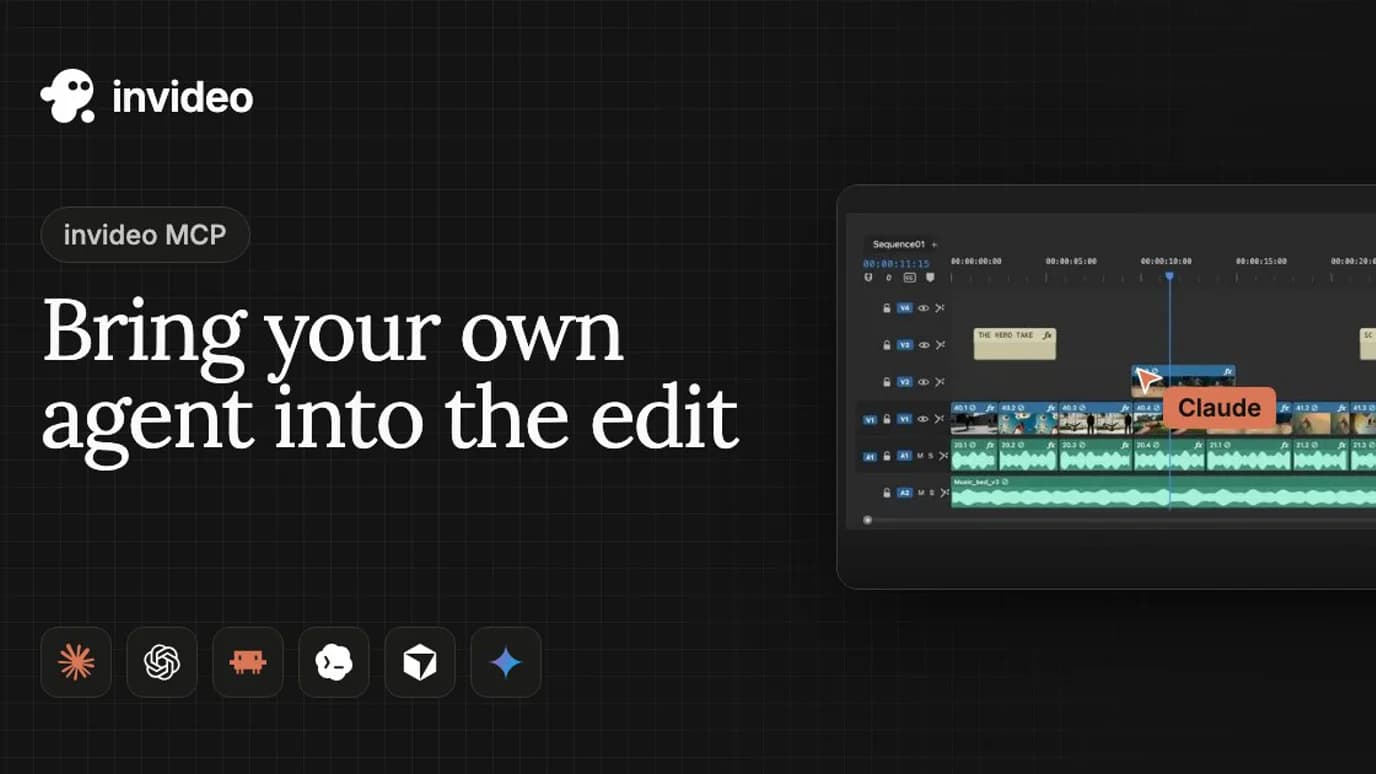
The invideo MCP server connects compatible AI agents, including Claude, ChatGPT, Cursor, and Codex, to invideo Editor. Agents can work on an actual editing timeline, handling tasks such as cuts, captions, audio adjustments, color correction, and media generation.
The editor runs in a browser, allowing creators to see changes as the agent makes them. They can also adjust individual clips, review the sequence, and continue editing manually.
This differs from workflows that return only a finished video file. The project remains editable, so the creator can refine the AI agent’s work rather than starting again.
The editor also supports exporting a completed video or an editable project for Premiere Pro, Final Cut Pro, or DaVinci Resolve.
The broader benefit of this approach is that AI assistance becomes part of the editing process while creative decisions remain with the editor.
How to Set Up an MCP-Based Video Editing Workflow
Setting up an MCP workflow depends on the video editing software and AI agent being used. However, the main steps are similar across many supported applications.
Step 1: Choose an MCP-Compatible AI Agent
Start with an AI application that supports MCP connections.
Examples include Claude Code, Cursor, and other compatible tools. The exact setup process depends on the client and whether the server uses a local connection or a remote endpoint. Our MCP servers for Claude Code list shows the usual install pattern.
Before choosing an agent, check whether it supports the type of MCP server required by your editing application.
Step 2: Connect the Video Editing MCP Server
Next, follow the editing tool’s official MCP setup instructions.
Some servers require an application installation or configuration file. Others provide a remote server address that can be added directly to a compatible client.
Authentication also differs. Some services use account sign-in, while others may require API credentials.
Only connect servers from sources you trust, and review the permissions requested during setup.
Step 3: Prepare Your Editing Files
Organize the footage, audio recordings, images, and other materials needed for the project.
Clear filenames and a well-defined folder structure can make it easier to tell the agent which assets to use.
For more complex projects, provide a written brief describing the video length, intended audience, visual style, and required scenes.
Step 4: Give the Agent Clear Instructions
An AI agent works best when the request explains both the task and the expected result.
Instead of asking:
“Edit this video.”
Use a more detailed instruction:
“Create a 45-second highlight video from these interview clips. Remove long pauses, keep the main points in order, add readable captions, and place background music below the dialogue.”
This gives the agent a clear objective while leaving room for human review.
Step 5: Review the Changes
Once the agent completes the requested work, inspect the edited sequence.
Check the clip order, timing, audio levels, captions, and transitions.
If something needs changing, provide specific feedback rather than repeating the entire original request.
For example:
“Shorten the opening by three seconds and move the product demonstration before the closing statement.”
When supported, the agent can apply the new changes to the existing project.
Step 6: Export the Final Video
After reviewing the project, prepare the final output.
Select the appropriate format, dimensions, and quality settings for the intended platform.
If the editor supports editable project exports, keeping a project copy can make future revisions easier.
Benefits of Using MCP Servers for Video Editing
The main advantage of MCP is that it connects an AI agent’s ability to understand instructions with tools that can perform editing actions.
This creates several practical benefits.
- Less repetitive manual work: Editors can delegate routine tasks such as trimming clips, applying captions, arranging footage, and preparing versions for different platforms.
- Natural language instructions: Users can describe the changes they want instead of manually performing every supported action.
- Connected workflows: MCP allows AI agents to interact with editing applications through a common protocol, reducing the need to build a completely separate integration for every agent and tool.
- More time for creative decisions: By reducing repetitive tasks, editors can focus on storytelling, shot selection, pacing, and visual quality.
- Easier revisions: In workflows that maintain an editable project, creators can request changes and continue refining the sequence without rebuilding it from scratch.
These benefits depend on the features offered by each MCP server. Not every connection supports the same level of editing control.
Limitations of MCP-Based Video Editing
Although MCP makes video automation more practical, it does not eliminate the need for human judgment.
Limited Tool Access
An agent can only perform the operations supported by the connected server.
A media management server may support uploads and searches without offering detailed timeline editing. Similarly, a video generation server might create finished clips without allowing frame-level changes.
Check the available tools before planning an automated workflow.
Creative Decisions Still Need Review
AI agents can follow instructions about clip order, timing, and visual style, but they may not always make the best creative choices.
A technically correct cut can still feel awkward. Captions may need correction, and music may not match the intended tone.
Human review remains important, especially for client projects or public-facing content.
Permissions and Data Security
Connecting an AI agent to editing software may give it access to project files, media assets, and account features.
Only grant the access required for the task. Review any actions involving file deletion, publishing, or paid media generation before allowing the agent to proceed.
Using trusted MCP servers and understanding their permissions helps reduce unnecessary risks.
Performance and Usage Costs
Editing large video files can require significant processing and storage.
Some services also charge for rendering, AI-generated media, or other agent actions.
Review the pricing and usage limits of the chosen platform before automating high-volume production.
When Should You Use MCP for Video Editing?
MCP-based editing makes the most sense when tasks are repetitive, clearly defined, or part of a larger production workflow.
Common use cases include:
- Content creators: Preparing highlights, captions, and different social media versions from existing footage.
- Marketing teams: Producing recurring promotional videos and adapting campaigns for several platforms.
- Podcasters: Extracting useful moments from long recordings and creating shorter clips.
- Educational teams: Organizing tutorial footage, improving captions, and preparing video lessons.
- Developers: Connecting AI agents with video processing tools inside broader applications and automated systems.
For one-off creative projects, manual editing may still be the simpler choice.
The value of MCP becomes clearer when teams regularly repeat the same steps or need AI agents to work across multiple tools.
The Future of AI Agents in Video Editing
MCP is helping move AI agents beyond providing editing advice.
Instead of simply explaining how to perform a task, connected agents can interact with supported software and make changes directly.
As video editing applications expand their MCP support, creators may be able to combine footage management, rough cuts, captions, audio adjustments, and project delivery into more connected workflows.
However, the goal is not necessarily to remove the editor from the process.
Video editing still involves decisions about storytelling, emotion, timing, and audience expectations. AI agents can help with execution, while human editors guide the creative direction.
The most useful workflows are those that make repetitive work easier without reducing control over the finished video.
Frequently Asked Questions
What is MCP in AI video editing?
MCP stands for Model Context Protocol. It allows AI agents to connect with external tools, including compatible video editing applications, so they can perform supported tasks through natural language instructions.
Can AI agents edit videos using MCP servers?
Yes. When connected to an MCP server that provides editing capabilities, an AI agent can perform supported operations such as arranging clips, trimming footage, adding captions, or preparing video exports.
Do all MCP video editing servers support timelines?
No. Some MCP servers focus on video generation, media management, or rendering. Others offer detailed timeline editing. The available features depend on the connected application.
Can MCP servers automate rough cut editing?
Yes, if the connected editing software supports the required actions. An AI agent can help arrange clips, trim sections, and build an initial sequence based on the instructions provided.
Does MCP replace traditional video editing software?
No. MCP connects AI agents with editing tools. It does not replace the editing application itself. The software still performs the changes, while the agent helps decide and request supported actions.
Which AI agents can connect to the invideo MCP server?
The invideo MCP server connects compatible AI agents, including Claude, ChatGPT, Cursor, and Codex, to invideo Editor. Before choosing an agent, check whether it supports the type of MCP server your editing application requires, since setup differs between clients and between local and remote connections.
Can I keep editing by hand after an AI agent has edited my video?
In workflows that maintain an editable timeline, yes. With the invideo MCP server the project remains editable, so you can adjust individual clips, review the sequence, and continue editing manually instead of starting again. The editor can also export a completed video or an editable project for Premiere Pro, Final Cut Pro, or DaVinci Resolve.
Is it safe to connect an AI agent to my video editing software?
It carries the same risks as any connection that gives an agent access to project files, media assets, and account features. Only connect servers from sources you trust, review the permissions requested during setup, grant only the access the task requires, and review any actions involving file deletion, publishing, or paid media generation before the agent proceeds.
Conclusion
MCP servers give AI agents a practical way to interact with video editing software. They connect natural language instructions with tools that can organize footage, make timeline changes, adjust audio, and prepare finished videos.
For creators and teams, this can reduce time spent on repetitive work and make recurring editing tasks easier to manage.
The key is choosing an MCP server that supports the required editing operations and keeping the project open for review. With the right connection, AI agents can handle more of the execution while editors stay focused on the creative decisions that shape the final video.