Get the latest on AI, LLMs & developer tools
New MCP servers, model updates, and guides like this one — delivered weekly.
AI video changed shape again in the last few months. OpenAI shut down Sora, Google moved its newest video model to general availability on the Gemini API, ByteDance, Kuaishou and Alibaba shipped 30-second models, and MiniMax released open weights. If you build with video, or make it for a living, the question is no longer “which model is prettiest” but “which one has an API, a price I can plan around, and rights I can use.”
Our answer, as of Nov 11, 2026: Gemini Omni 1.2 Flash is the best default for developers, Wan 3.0 tops the text-to-video blind vote, Seedance 2.5 leads for image-to-video quality, MiniMax H3 is the open-weights option (with territory limits), Kling 4.0 is the pick for long takes, and the editor group splits by job: HeyGen for avatars, invideo and Descript for agent-driven editing. Details, prices and caveats follow.
A third-party creator walkthrough of Gemini Omni 1.2 Flash, the model at the top of our developer ranking. It is not an official Google video; the numbers it quotes match Google’s own pricing page.
The Short Answer
If you only read one paragraph: pick a generative model by what you need to ship, then pick an editor by who will operate it. A developer who needs an API should start with Gemini Omni 1.2 Flash. A team making product ads from stills should test Seedance 2.5 and Omni side by side. A studio that wants to self-host should look at MiniMax H3 after reading its license. A marketer who needs a presenter speaking twelve languages should skip the generative models and use HeyGen or Synthesia. An agent that has to cut real footage should connect to invideo or Descript.
Two facts change the usual advice. First, Sora is gone, so any 2025 comparison that ranks it is stale. Second, the Artificial Analysis blind-vote boards now show a cluster of models within a few Elo points of each other at the top, so price, length, API access and rights decide more than raw preference scores. For a self-hosted, script-to-short-video pipeline that does not rely on any of these vendors, see our MoneyPrinterTurbo guide.
Quick Picks
These are editorial picks with no paid placement. Each is explained in its own section below.
| Category | Pick | Why |
|---|---|---|
| Best overall for developers | Gemini Omni 1.2 Flash | GA on the Gemini API, $0.07 per second at 720p, 15-second clips, conversational editing, and a top-five spot on the text-to-video board. |
| Best text-to-video score | Wan 3.0 | First on the Artificial Analysis text-to-video board (Elo 1175, $12.00 per minute), up to 30 seconds per generation, API through Alibaba Cloud Model Studio. |
| Best image-to-video quality | Seedance 2.5 | First on the Artificial Analysis image-to-video board (Elo 1161). Expensive at $34.12 per minute on the creator API. |
| Best open weights | MiniMax H3 | Downloadable weights, third on text-to-video (1161), but the license excludes the US, EU, UK and South Korea. |
| Best for long single takes | Kling 4.0 | Up to 30 seconds per generation on Runway. Not scored on the Artificial Analysis boards we fetched, so there is no neutral quality number. |
| Best multi-model hub | Runway | One account and one API for Runway models, Kling 4.0 and Seedance. |
| Best budget per minute | Pika H3 Flex and HeyGen Video 1 | $2.10 and $2.40 per minute on the Artificial Analysis price column, with Elo near 1124 and 1152. |
| Best for agents that edit | invideo MCP | Remote MCP server that edits a real timeline and exports to Premiere, Final Cut or DaVinci Resolve. |
| Best avatars and lip-sync | HeyGen | Avatar IV, 175+ languages, REST, CLI and MCP. Synthesia is the enterprise alternative. |
| Best for editing existing footage | Descript | Underlord agent plus an API, CLI and MCP for import, edit and publish jobs. |
Master Comparison Table
Every tool in one place. Prices come from each vendor’s own pricing page or documentation fetched on Nov 11, 2026. Where a vendor’s page did not state a value we write “not captured” or “not verified” rather than guess. Credits are not comparable across vendors, so use the per-second figures in the vendor sections when you budget.
| Tool | Type | Paid price (as of Nov 11, 2026) | Free tier | Max length and resolution | API or agent access | Open weights | Standout |
|---|---|---|---|---|---|---|---|
| Gemini Omni 1.2 Flash | Model (Google) | API: $0.07/s at 720p, $12.00 per 1M video output tokens. App access via Flow, Google Vids, Gemini app (AI Ultra, rolling out) | No free tier in the Gemini API | 3 to 15 s per generation; 360p, 720p, 1080p, 4K upscale | Gemini API and Google Cloud (model ID gemini-omni-1.2-flash) | No | Conversational multi-turn editing, native audio, SynthID |
| Veo 3.1 | Model (Google) | AA lists API cost of $24.00/min (Veo 3.1), $7.20/min (Fast), $4.80/min (Lite) | Not listed on Google's Veo docs page | 8 s per video; 720p, 1080p, 4K (4K not on Lite); native audio | Gemini API preview model IDs shut down Oct 22, 2026; GA models remain on Google's enterprise agent platform | No | Predecessor to Omni; scores below it on AA |
| Sora 2 | Model (OpenAI) | Discontinued | n/a | n/a | Videos API shut down Sept 24, 2026 | No | Product ended Apr 26, 2026 |
| Runway | Model plus platform | Standard $15/mo ($12 yearly) 625 credits; Pro $35 ($28) 2,250; Max $95 ($76) 9,500 | 125 credits, one time | Gen-4.5 priced at 12 credits/s; Kling 4.0 up to 30 s at 720p or 1080p | Runway Dev API with Node and Python SDKs; also serves Kling and Seedance | No | Aleph 2.0 editing, one API for several vendors |
| Kling | Model plus app (Kuaishou) | Standard $79.20/yr (660 credits/mo), Pro $293.04/yr (3,000), Premier $728.64/yr (8,000), billed yearly | Free Basic plan | Kling 4.0: up to 30 s; 720p or 1080p on Runway | Own API listed Kling 4.0 as early access (Oct 26); Runway Dev serves kling_4 | No | 30-second clips, keyframes, reference inputs |
| Luma | Model plus app | Plus $30/mo ($25 yearly) 10,000 credits; Pro $90 ($75) 40,000; Ultra $300 ($250) 150,000 | None listed | Ray3.2 1080p priced at 400 credits per 5 s | Luma Agents API (new); Dream Machine API (legacy) | No | Also hosts Seedance 2.0 and 2.5 |
| Pika | Model plus app | Starter $10/mo ($8 yearly) 600 credits; Creator $35 ($28) 2,600; Fancy from $95 ($76) 8,550+ | Free plan | Pika H3 Flex: 768p, 5 s clip costs 10 credits | MCP server at pika.art/mcp | Pika H3 Flex | Cheap open-weight tier, many hosted models |
| MiniMax Hailuo H3 | Model (MiniMax) | API pay-per-use; AA lists $4.80/min (768p) and $9.60/min (H3 Max) | Weights free outside US, EU, UK, South Korea | 4 to 15 s; 768p default; 2K via regenerate step; 24 fps stereo audio | platform.minimax.io API; Hailuo app | Yes (Community License) | Open weights near the top of the text-to-video board |
| Wan 3.0 | Model (Alibaba) | API per generated second: $0.05 (480p), $0.10 (720p), $0.20 (1080p) in the international scope; AA lists $12.00/min | Not listed on the docs page | Up to 30 s per generation; 480p, 720p, 1080p | Alibaba Cloud Model Studio (model ID wan3.0-video), 300 requests per minute | Not claimed in the docs we fetched | First on the AA text-to-video board; text, image, audio, video and document inputs |
| Seedance 2.5 | Model (ByteDance) | AA lists $34.12/min on the creator API; hosts price in credits (Luma 191 credits/s at 1080p) | Depends on host | Up to 30 s per generation | Through hosts such as Runway Dev; creator API per AA | No | Top image-to-video score |
| invideo | Editor and agent hub | Starter $10/seat/mo (annual) 400 credits; Plus $30/seat/mo (annual) 2,000 credits; Max price not captured | Manual editor free; generation uses credits | Depends on the model chosen; Seedance 2.5 1080p on Plus | MCP at mcp.invideo.io/mcp and a CLI; no API keys by design | No | Agents edit a real NLE timeline |
| HeyGen | Avatar video platform | Creator $29/mo 600 credits; Pro $49/mo; Business $149/mo 1,500 credits | 3 videos/mo, watermarked, up to 1 min | Up to 30 min (Pro), 60 min (Business); 4K on Pro | REST, CLI and MCP; batch up to 100 requests per call | No | Avatar IV, 175+ languages, HeyGen Video 1 model |
| Synthesia | Avatar video platform | Starter $19/mo ($9 first month) 1,250 credits; Pro $89/mo ($49 first month); Enterprise on request | Basic: 500 credits/mo, watermarked | Not captured in this pass | Synthesia API documented; Enterprise plan lists API | No | 125+ to 240+ avatars, 140+ languages, SCORM |
| Captions (Mirage) | Creator app and API | iOS plans: Max $24.99/mo 500 credits; Frontier $69.99/mo 1,400 credits | Limited free plan | Captions API: 9:16, up to 5 min, 50 MB | Mirage API with x-api-key | No | AI Twin and AI Lipdub |
| Descript | Editor | Hobbyist $16, Creator $24, Business $50 per person per month as listed (billing toggle not confirmed) | Free plan | 10, 30 and 40 media hours on the three paid plans | API at descriptapi.com, CLI, MCP, Zapier | No | Underlord agent edits transcripts and clips |
Two reading notes. Runway, Luma, Pika and invideo all resell third-party models, so their credit costs for a given model include their own margin or follow the original API price; invideo says it charges models at original API pricing. And subscription prices change often: Runway and Kling both advertise limited-time discounts on Kling 4.0 through November 30, 2026, covered below.
Independent Data: The Artificial Analysis Video Arena
Artificial Analysis runs a blind pairwise-vote arena. Evaluators see two videos made from the same prompt (or the same source image) without knowing which model made which, and the votes produce an Elo score. The boards below were fetched on Nov 11, 2026. Both are version 2.1, both score video with audio, and both fix Kling 3.0 1080p (Pro) at 1000 as the reference point. The price column is Artificial Analysis’s estimate of the cost to generate one minute of video on the model creator’s API at benchmark settings, 1080p where offered. We show a selected slice of each board, not every row.
Text-to-video (AA-Video-T2V v2.1)
| Rank | Model | Elo | API price per minute |
|---|---|---|---|
| 1 | Wan 3.0 | 1175 | $12.00 |
| 2 | Utopai X | 1170 | No API available |
| 3 | MiniMax H3 (768p) | 1161 | $4.80 |
| 4 | Dreamina Seedance 2.5 | 1155 | $34.12 |
| 5 | Gemini Omni Flash 1.2 | 1154 | $6.26 |
| 6 | FLUX 3 Max | 1153 | $8.70 |
| 7 | HeyGen Video 1 | 1152 | $2.40 |
| 8 | MiniMax H3 Max | 1149 | $9.60 |
| 11 | Dreamina Seedance 2.0 | 1136 | $22.45 |
| 14 | Pika H3 Flex | 1124 | $2.10 |
| 21 | Kling 3.0 Omni 1080p (Pro) | 1020 | $8.40 |
| 22 | Kling 3.0 1080p (Pro), anchor | 1000 | $10.08 |
| 25 | Veo 3.1 | 964 | $24.00 |
| 26 | Veo 3.1 Fast | 955 | $7.20 |
| 27 | Veo 3.1 Lite | 948 | $4.80 |
Image-to-video (AA-Video-I2V v2.1)
| Rank | Model | Elo | API price per minute |
|---|---|---|---|
| 1 | Dreamina Seedance 2.5 | 1161 | $34.12 |
| 2 | Utopai X | 1151 | No API available |
| 3 | Dreamina Seedance 2.0 | 1140 | $22.45 |
| 4 | MiniMax H3 (768p) | 1133 | $4.80 |
| 5 | SkyReels V4 | 1125 | $21.00 |
| 6 | HeyGen Video 1 | 1124 | $2.40 |
| 10 | Pika H3 Flex | 1114 | $2.10 |
| 11 | Wan 3.0 | 1108 | $12.00 |
| 14 | Gemini Omni Flash 1.2 | 1086 | $6.26 |
| 22 | Kling 3.0 Omni 1080p (Pro) | 1002 | $8.40 |
| 23 | Kling 3.0 1080p (Pro), anchor | 1000 | $10.08 |
| 27 | Veo 3.1 | 955 | $24.00 |
How to read this honestly. The confidence intervals on these scores are roughly plus or minus 13 to 15 Elo points, so ranks 1 through 8 on the text-to-video board are close to a statistical cluster; Artificial Analysis’s own rank ranges show Wan 3.0 spanning ranks 1 to 2 and MiniMax H3 spanning 2 to 7. A 190-point gap, such as Gemini Omni Flash 1.2 (1154) against Veo 3.1 (964) on text-to-video, is not noise. Omni Flash 1.2 was added in the last 30 days and has fewer samples (5,225) than older entries, and on image-to-video it sits lower (1086, rank 14) than on text-to-video (rank 5), so image-heavy workflows should test it before committing.
Some products you would expect are missing from the tables we fetched. Kling 4.0, Runway Gen-4.5 and the Luma Ray models did not appear in the rows we captured, so we cannot give them an independent Elo score here. Kling 3.0 appears (1000 to 1020), but Kling 4.0 shipped in October 2026. Silent boards also exist: on text-to-video without audio, HeyGen Video 1 leads with 1146, and among open-weights models MiniMax H3 (768p) leads on both text-to-video (1161) and image-to-video (1133). A small note on price: the $6.26 per minute listed for Gemini Omni Flash 1.2 is consistent with Google’s $0.104 per second 1080p rate (about $6.24 per minute), not the $0.07 per second 720p headline, because the board prices at 1080p where offered.
Part A: Generative Models
These are the models that create footage from text, images or reference clips. Each section gives what it is, what it costs, where it is strong, where it is weak, and who it fits.
Google Gemini Omni 1.2 Flash (and Veo 3.1)
What it is. Gemini Omni is Google DeepMind’s model for creating and editing video with sound, announced at Google I/O in May. Version 1.2 Flash reached general availability on November 5, 2026 on the Gemini API and Google Cloud. The Google Cloud model page lists the model ID gemini-omni-1.2-flash, outputs of 3 to 15 seconds at 360p, 720p, 1080p or 4K, 16:9 and 9:16 aspect ratios, and support for text-to-video, image-to-video, reference-to-video and first-and-last-frame generation, plus editing, extension and upscaling.
Google’s own 51-second launch clip for Gemini Omni, published on the Google channel around Google I/O in May 2026.
Price. Google lists $0.07 per second of 720p video, a 30 percent cut from Omni 1.1. The Gemini API prices video in tokens: $12.00 per million video output tokens, with 5,792 tokens per second at 720p. The pricing page also lists roughly $0.023 per second at 360p, $0.104 at 1080p and $0.209 at 4K, and no free tier. Google’s suggested cost control is to draft at 360p or 720p, fix details with a follow-up edit and only then upscale the clip you keep. At list price a 15-second 720p clip costs about $1.05. Apps still calling Omni 1.1 are routed to 1.2 from December 3, 2026.
Meet Gemini Omni 1.2 Flash, our updated video generation model from Google DeepMind. Draft at 360p or 720p ($0.07/s) and upscale to 1080p or 4K.
— @Google November 5, 2026

Strengths. Conversational multi-turn editing lets you change a product, lighting or camera angle on the same clip without starting over. Google says references can anchor characters, products and style, and lists clearer lip-sync and distinct multi-speaker dialogue (all vendor-reported). Outputs carry a SynthID watermark, Provisioned Throughput is available on Google Cloud, and the Vertex page lists C2PA content credentials as supported. Consumer routes exist too: Flow, Google Vids (15-second clips at no additional cost with a Google account or Workspace subscription, per Google), and the Gemini app for Google AI Ultra subscribers, which Google says is still rolling out.
Weaknesses. Google itself names fast sports action, rapid script changes and complex physics as areas still improving. The Google Cloud post notes that audio references are gated behind allowlisting. The Vertex page lists the Interactions API as supported and GenerateContent as not supported for this model, so code written for other Gemini models needs adjusting. And its image-to-video score on the Artificial Analysis board (1086) trails Seedance 2.5 (1161).
Veo 3.1. Veo is Google’s earlier video line. Artificial Analysis still lists Veo 3.1 (Jan 2026), Veo 3.1 Fast and Veo 3.1 Lite, with per-minute API costs of $24.00, $7.20 and $4.80, and Elo scores of 964, 955 and 948 on text-to-video. That is a long way below Omni Flash 1.2 on the same board. Google’s Veo documentation now says the Veo 3.1 preview models in the Gemini API (veo-3.1-generate-preview, the Fast and the Lite variants) were shut down on October 22, 2026, and tells developers to migrate to Gemini Omni Flash (gemini-omni-1.2-flash) or to the GA models on the Gemini Enterprise Agent Platform. The same page describes Veo 3.1 as 8-second videos at 720p, 1080p or 4K with native audio, up to three reference images, and first-and-last-frame control. For a deeper comparison of Omni against Veo, Sora, Seedance and Kling at launch time, see our Omni Flash comparison and the complete Omni guide.
Best for: developers and agencies producing short product videos, ads and explainers in volume, especially where an enterprise cloud contract matters. Our developer-side walkthrough is in the Omni Flash developer guide.
OpenAI Sora
Status: discontinued. OpenAI’s Sora 2 page states: “As of April 26, 2026, the Sora product is no longer available.” OpenAI’s video generation guide adds that the Sora 2 models and the Videos API were shut down on September 24, 2026, and that there is no one-to-one replacement API. We do not rank Sora and recommend against building on anything that still depends on it. If you had Sora workflows, the closest developer replacements by API shape are the Gemini API, Runway Dev and the MiniMax platform described in this article. We did not find first-party Sora price data that is still live, so we omit rates rather than quote third-party recollections.
Wan 3.0 (Alibaba)
What it is. Wan is Alibaba’s video model family, and Wan 3.0 is its newest generation. Alibaba’s Model Studio documentation calls it an all-in-one model: one model handles text-to-video, image-to-video (first frame or first-and-last frame) and reference-based generation from text, image, video and audio inputs, at 480p, 720p or 1080p, for up to 30 seconds per video. The Model Studio blog (dated August 6, 2026) adds that it accepts documents such as PPT, PDF and DOC files as input, which is unusual in this group. That is vendor copy, so treat quality claims as vendor-reported.
Evidence. Wan 3.0 is first on the Artificial Analysis text-to-video board with an Elo of 1175, at $12.00 per minute on the creator API. Its rank range is 1 to 2 and the confidence interval is 1162 to 1188, so its lead over Utopai X (1170) and MiniMax H3 (1161) is within noise. On image-to-video it drops to eleventh (1108), well behind Seedance 2.5 (1161). If your workflow starts from a prompt and not a still, it belongs on your shortlist; if it starts from a still, test it against Seedance and MiniMax.
Price and access. The Model Studio page lists the international scope at $0.05 per second for 480p, $0.10 for 720p and $0.20 for 1080p, which matches the $12.00 per minute Artificial Analysis shows (1080p). Other deployment scopes on the same page list $0.041256, $0.082513 and $0.165025 per second, and the page notes it shows original prices without limited-time promotions. The rate limit is 300 requests per minute. The model ID is wan3.0-video, served by Alibaba Cloud Model Studio. Pika also hosts Wan 3.0, per its pricing page. We did not find an open-weights release in the Alibaba pages we fetched, so we do not list it as open.
Weaknesses. Alibaba’s own GA post says audio texture and on-screen text rendering accuracy are still maturing. The API sits inside a larger cloud console, so teams that want a plain video API with a self-serve checkout may prefer Runway Dev or the Gemini API. Best for: long text-to-video clips at a mid-range price, and workflows that start from slides or documents.
Seedance 2.5 (ByteDance)
What it is. Seedance is ByteDance Seed’s video model line. The Seed page for Seedance 2.5 describes generation of up to 30 seconds per run, extension of a clip, joint audio and video generation, reference-video and editing modes, and green-screen editing.
Evidence. It is first on the Artificial Analysis image-to-video board (Elo 1161) and fourth on text-to-video (1155). Seedance 2.0 is still on both boards (1140 on image-to-video, 1136 on text-to-video) at $22.45 per minute.
Price. Artificial Analysis lists $34.12 per minute for 2.5 on the creator API, the most expensive model in our table. Hosts price it in credits: Luma lists 191 credits per second at 1080p, which on the 10,000-credit Plus plan is about 52 seconds of video; invideo Plus lists about 96 credits for a five-second 1080p clip, so its 2,000 monthly credits cover about 20 such clips (our arithmetic from the listed rates). invideo Starter does not include Seedance 2.5, only 2.0 Fast and Mini.
Weaknesses. Cost, and the fact that most people reach it through a host rather than a direct ByteDance contract, which means the host’s terms, credit rules and watermark policy apply. Best for: reference-heavy ads and animating stills where realism per clip matters more than cost per minute.
Kling 4.0 (Kuaishou)
What it is. Kling 4.0 is Kuaishou’s newest model. Runway’s product page describes up to 30 seconds of video with sound in one generation, from a prompt, images, video references or keyframes, with editing of existing footage, at 720p or 1080p and aspect ratios from 9:16 to 21:9. A Runway Dev post lists up to 15 references and 10 keyframes (vendor-reported through Runway). A third-party report dated Oct 16, 2026 says Kling 4.0 reached general availability on kling.ai on October 15 with an MCP endpoint and CLI; we treat that as unverified by Kling itself.
Build with Kling 4.0 on Runway Dev. Generate up to 30 seconds of native video with audio, with up to 15 references and 10 keyframes. 20% off Kling 4 through November 30.
— @RunwayMLDevs October 23, 2026
Price. Kling’s own membership page lists yearly-billed plans: Standard $79.20 per year (660 credits per month), Pro $293.04 per year (3,000) and Premier $728.64 per year (8,000), with a free Basic tier. On Runway, Kling 4.0 at 1080p costs 118 credits for five seconds, or 89 with the 25 percent discount that Runway’s page says applies on every plan through November 30. Runway Dev’s post says 20 percent off for API usage over the same period; the two Runway sources disagree on the figure, so check the price at checkout. Kling’s own developer platform listed Kling 4.0 as early access when Runway Dev checked on October 26, 2026, which is why many developers reach it through Runway Dev with the model ID kling_4.
Evidence gap. Only Kling 3.0 appears on the Artificial Analysis boards we fetched (1000 to 1020), so we have no neutral score for 4.0. A creator comparison we reviewed (sponsored by a hosting platform, so we do not embed or rely on it) found Kling 4.0 weaker than Seedance 2.5 on realism but stronger on animated styles and much cheaper per clip; treat that as one tester’s opinion. Best for: long single takes and budget-conscious bulk production. Free outputs are watermarked and, per a third-party summary of Kling’s plan copy, not cleared for commercial use.
MiniMax Hailuo H3
What it is. MiniMax H3 is a general-purpose, omni-modal video model, released in July 2026 on the Hailuo app and the MiniMax API and opened as weights in August. MiniMax lists 4 to 15 second outputs, 24 fps, 32 kHz stereo audio, 768p by default and 2K through a separate regenerate step, stable dialogue in 11 languages, and a reference mode that takes up to 9 images, 3 videos and 3 audio clips.
MiniMax H3: Omni-Reference, Commercial-Grade Generation, Unbeatable Cost Efficiency, Open Weights. Now live at HailuoAI.video and the MiniMax API.
— @MiniMax_AI July 31, 2026

Evidence and price. MiniMax H3 (768p) is third on the Artificial Analysis text-to-video board (1161) and fourth on image-to-video (1133), the highest-scoring open-weights model on both, at $4.80 per minute on the API; H3 Max is $9.60 per minute.
The license catch. The Community License (dated August 2, 2026) grants a royalty-free license, but its Applicable Territory is worldwide excluding the European Union, the United Kingdom, South Korea and the United States. You must display “MiniMax H3” on commercial products, get written authorization above US$20 million in yearly revenue, and you may not use the weights or outputs to improve other AI models. MiniMax says it claims no rights over your outputs. Organizations in the excluded regions can contact MiniMax about a separate license, which the license text says will be granted based on controls and guardrails for those regions. The H3-Context-IR and 2K regeneration modules are not in the open release.
# Original checkpoint, both task families
hf download MiniMaxAI/MiniMax-H3 --include "FL2VA/*" "Ref2VA/*" --local-dir MiniMax-H3
Best for: teams outside the excluded regions that want to self-host or fine-tune, and anyone who wants a low-cost API. If you plan to run it on rented hardware, our GPU cloud comparison covers the options. The model card describes H3-Omni-Transformer as a 33B-parameter dense model, so plan for server-class memory and check the card for current hardware notes.
Runway
What it is. Runway makes its own models (Gen-4.5 for generation, Aleph 2.0 for editing existing footage) and also serves third-party models in the same workspace and API. Its developer docs describe one API that reaches Runway models alongside Kling, Seedance and GPT Image, with Node and Python SDKs, a Model Router that picks a model by cost, quality or latency, and an MCP and skills package for coding agents.
Price. Standard is $15 per month ($12 billed yearly) with 625 credits; Pro $35 ($28) with 2,250; Max $95 ($76) with 9,500. Free gives 125 credits once. Paid plans remove watermarks and include 4K upscaling. Gen-4.5 costs 12 credits per second (60 credits for five seconds), so Standard covers roughly 52 seconds of Gen-4.5 a month by our arithmetic. Aleph 2.0 costs 140 credits per five seconds. Credits roll over only on Max, for one month. Seedance 2.0 Pro at 1080p is listed at 160 credits for four seconds.
Weaknesses. Gen-4.5 did not appear on the Artificial Analysis boards we captured, so we cannot back its quality with independent numbers here, and third-party reviews are mixed. The value is the workspace and the multi-vendor API, not a leaderboard position. Best for: teams that want to switch models without switching vendors, and editors who need Aleph for changes to existing footage.
Luma
What it is. Luma sells Ray models (Ray3.2 and Ray3.14 appear on its pricing page) and hosts others, including Seedance 2.0 and 2.5. Plans: Plus $30 per month ($25 billed yearly) with 10,000 credits and commercial use, Pro $90 ($75) with 40,000, Ultra $300 ($250) with 150,000, plus Team and Enterprise by contact. Ray3.2 at 1080p costs 400 credits for five seconds, so Plus covers about 25 such clips (our arithmetic).
API. Luma’s docs describe a new Luma Agents API and mark the Dream Machine API as legacy. Weaknesses: no free plan on the page we fetched, and no independent score for Ray on the boards we captured. Best for: creatives who want Ray’s keyframe-style direction and a single place to also try Seedance.
Pika
What it is. Pika’s pricing page (last updated October 28, 2026) lists Free $0, Starter $10 per month ($8 yearly) with 600 credits, Creator $35 ($28) with 2,600, and Fancy from $95 ($76) with 8,550 or more, with a commercial license from Starter and all models on all plans. It hosts Seedance 2.5, Kling 4.0, Veo 3.1, Wan 3.0, MiniMax H3 and Gemini Omni next to its own Pika 2.5 and the open-weights Pika H3 Flex.
Evidence. Pika H3 Flex scores 1124 on text-to-video and 1114 on image-to-video at $2.10 per minute, the lowest price among the scored models in our slice, and it is second among open weights behind MiniMax H3 on both boards. A 768p five-second H3 Flex clip costs 10 credits, so Starter covers about 60 of them (our arithmetic). Pika also lists an MCP server at pika.art/mcp. Best for: cheap drafts and effect-driven social clips, plus an open-weights tier for people who want a lower-cost second source.
Part B: Editors and Agent Tools
These products sit on top of models, or run their own, and add what raw generation lacks: a timeline, a presenter, captions, a transcript, a way for an agent to drive the work. Pair them with Part A depending on whether you need footage, a person on screen, or an edit.
invideo (including its agents and MCP server)
What it is. invideo is an editor plus a hub for third-party models. Its MCP server lets an external agent (Claude Code, Codex, Cursor, Hermes Agent, OpenClaw, Claude on the web, ChatGPT through its apps directory) open an invideo project and edit a real timeline while you watch the cuts land in the browser. The result is an editable timeline, not a single rendered clip, and it exports as a video or as a project for Premiere Pro, Final Cut Pro or DaVinci Resolve.
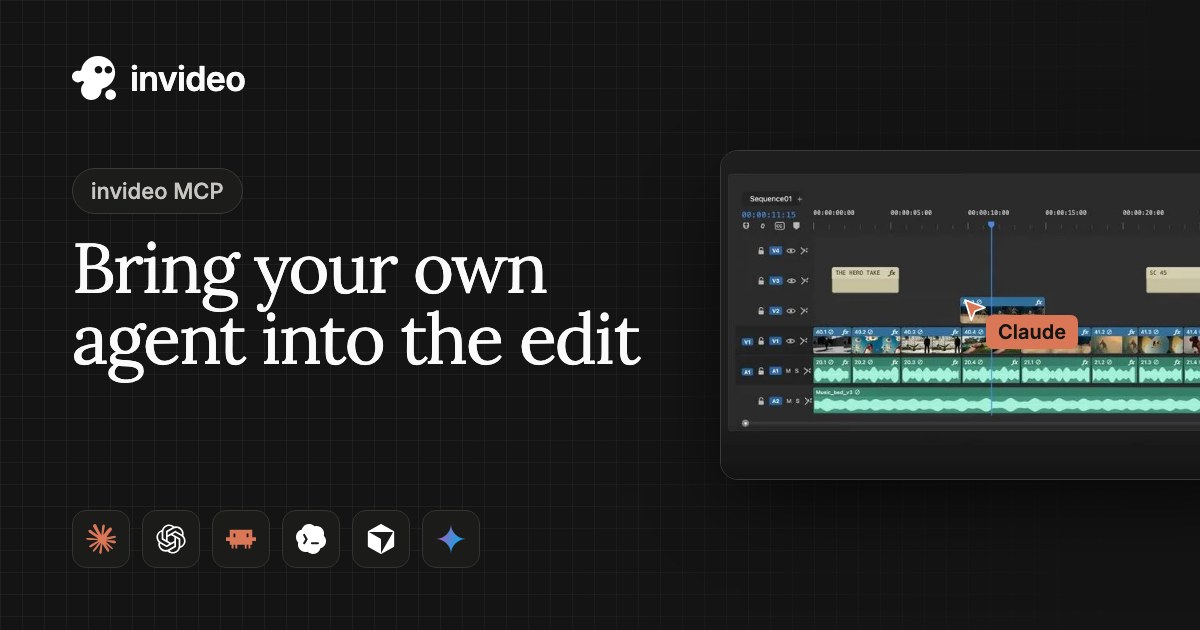
Access. The server uses Streamable HTTP at mcp.invideo.io/mcp. invideo states there are no API keys by design: every call runs as a signed-in person in that person’s workspace and spends that workspace’s credits. There is also a CLI and a device sign-in flow for CI. The MCP tools named in the docs include list_projects, edit_timeline, generate and export. Hooking it up to a coding agent takes one config block; our MCP server roundup shows the general pattern.
{
  "mcpServers": {
    "invideo": { "url": "https://mcp.invideo.io/mcp" }
  }
}

# or, from a shell
curl -fsSL https://agents.invideo.io | sh
invideo auth login
invideo project list --json
Price. Starter is $10 per seat per month on annual billing with 400 credits and Seedance 2.0 Fast and Mini only; Plus is $30 per seat per month on annual billing with 2,000 credits, Seedance 2.5 at 1080p, Seedance 2.0 at 4K and 10 guest seats. Max is listed with a discount, but the price did not render in our fetch. Credits do not roll over, and invideo says models are charged at original API pricing. The manual editor is free; generation spends credits. Best for: agent-driven editing where a human needs to take over the same timeline, and for teams that want several generative models behind one login.
HeyGen
What it is. HeyGen is an avatar video platform that now also has its own generative model, HeyGen Video 1. On the Artificial Analysis boards that model sits seventh on text-to-video (1152) and sixth on image-to-video (1124) at $2.40 per minute, and first on the silent text-to-video board (1146). That is the strongest independent evidence in the editor group.
Price. Free gives 3 watermarked videos per month up to one minute. Creator is $29 per month with 600 credits, 1080p, Avatar IV and HeyGen Video 1, with 175+ languages and custom avatars using your own likeness and voice. Pro is $49 per month with 4K, Seedance 2.5 and Veo 3.1 access and videos up to 30 minutes. Business is $149 per month with 1,500 credits, videos up to 60 minutes, SSO and n8n, Make and Zapier integrations. Enterprise is by contact. The page has a monthly and yearly toggle; confirm which one you are looking at before you budget.
API. HeyGen’s developer docs list Avatars, Voices, Video Agent, Translation (30+ languages) and Lipsync APIs, batch calls of up to 100 requests with webhooks, and REST, CLI and MCP access, with an MCP server and typed schemas on every endpoint. Our HeyGen HyperFrames guide covers its code-driven video route. Best for: presenter and training video at scale, and localization.
Synthesia
What it is. Synthesia is the enterprise-flavored avatar platform. Basic is free with 500 credits per month and a watermark. Starter is $19 per month ($9 for the first month) with 1,250 credits, 125+ avatars and 3 guests. Pro is $89 per month ($49 first month) with 180+ avatars and 5 personal avatars. Enterprise lists 240+ avatars, SCORM and API access. It supports 140+ languages. Some features draw down credits quickly: the Syren video agent uses 1,000 to 2,000 credits per minute of video, and lip-sync dubbing uses two times the credits, per the pricing page.
Weaknesses. No independent generative-model score, and the credit burn on agent features can outrun a Starter plan. We did not capture maximum video length. A Synthesia API is documented at docs.synthesia.io, and the pricing page lists API on Enterprise. Best for: corporate training and communications where SCORM, governance and a large avatar library matter.
Captions (Mirage)
What it is. Captions is a creator app whose parent brand is now Mirage, and the page we fetched showed its iOS plans: Max at $24.99 per month with 500 credits and 2 seats, and Frontier at $69.99 per month with 1,400 credits and 3 seats, plus a limited free plan and a Tesseract tier for business. Features named on the page include AI Twin, AI Lipdub and AI Translate.
API. The Mirage API uses an x-api-key header. It generates talking-head video from a script, an image or an actor ID, and a separate captions endpoint renders animated captions onto 9:16 video up to 5 minutes and 50 MB. Weaknesses: the plan data we could verify is the iOS plan list only, so web prices may differ. Best for: short-form social creators and developers who need talking-head generation or caption rendering as an API call.
Descript
What it is. Descript edits video and audio through a transcript and an AI assistant called Underlord. The pricing page lists a free plan, then Hobbyist at $16 per person per month with 10 media hours and 400 AI credits at 1080p, Creator at $24 with 30 media hours, 800 credits and 4K plus video generation with the latest AI models, and Business at $50 with 40 hours, 1,500 credits, translation and dubbing in 30+ languages and custom avatars. The page offers a billing toggle and says it is saving up to 35 percent, so we could not confirm whether the figures shown are annual-billing rates.
API and agents. The Descript API at descriptapi.com/v1 takes a personal token scoped to a Drive. You import media, hand Underlord a plain-language job (remove filler words, add captions, cut clips, translate and dub), and poll or receive a callback. A CLI, an MCP server for Claude, ChatGPT, Codex and Cursor, and Zapier are listed. API access is included for paying users and draws on plan credits and media minutes. Descript says direct media-file export is not supported through the API yet; you publish and download from the app.
curl https://descriptapi.com/v1/status \
  -H "Authorization: Bearer $DESCRIPT_API_TOKEN"
Best for: podcasters, interview and webinar teams, and agent pipelines that clean and cut existing recordings rather than generate new footage.
Commercial Rights, Watermarks and Provenance
Rights differ by vendor and by plan, and the details live in terms pages that change. What the pricing and license pages we fetched say: Luma lists commercial use on Plus and above. Pika lists a commercial license from Starter. Runway’s plans remove watermarks. Kling’s free outputs are watermarked, and a third-party summary of its plan copy says they are not cleared for commercial use. MiniMax H3 permits commercial use under the Community License with the territory, revenue and no-distillation conditions above, and MiniMax claims no rights over your outputs. Google marks Omni outputs with SynthID and lists C2PA content credentials as supported on Vertex.
We did not verify the commercial-use clauses for HeyGen, Synthesia, Captions or Descript in this pass. Avatar products add a second rights question: whose likeness is on screen. HeyGen and Synthesia both sell custom avatars of your own face and voice, and HeyGen’s enterprise tier mentions consent upload for avatar generation at scale. Get written consent for any real person you clone, whatever the plan says.
How to Choose
| If you need to | Start with | Why |
|---|---|---|
| You are building a product that generates video through an API | Gemini Omni 1.2 Flash, then MiniMax H3 or Runway Dev if you want other vendors | GA status, published per-second price, SLAs and Provisioned Throughput on Google Cloud. |
| You animate product photos or posters | Seedance 2.5 (quality) or Omni 1.2 Flash (cost) | Seedance leads the image-to-video board; Omni is cheaper per second and, per the Vertex page, accepts up to 10 images and 3 videos per prompt. |
| You need a 20 to 30 second single take | Kling 4.0 or Seedance 2.5 | Both list 30 seconds per generation. Omni 1.2 Flash tops out at 15 seconds per generation and extends from there. |
| You want to run the model yourself | MiniMax H3 (or Pika H3 Flex) | Open weights, with the territory and revenue conditions described in the license section. |
| You want several vendors under one bill | Runway, Luma, Pika or invideo | All four resell third-party models next to their own. |
| You need talking presenters in many languages | HeyGen or Synthesia | Avatar libraries, translation and dubbing are the product. |
| You need an AI agent to cut real footage | invideo MCP or Descript API and MCP | Both expose editing as tools the agent can call, with a human-editable result. |
| You make short-form clips from scripts on your own machine | MoneyPrinterTurbo (see our guide) | A self-hosted pipeline instead of a paid generator. |
When you wire any of these into an agent, treat video as an asynchronous tool: submit a job, store the job ID, poll or take a webhook, and keep every generation in object storage, because credits are spent at submission. If your agent also needs to speak, see our sibling guides on text-to-speech APIs and voice AI agent platforms. For exposing a video tool to Claude Code through MCP, start from our MCP servers for Claude Code list, and if you route several model vendors through one endpoint, see LLM API gateways and MCP integration platforms.
How We Evaluated
No paid placement. There are no affiliate links, no sponsored labels and no vendor review of this page. Ranking order within each group reflects our editorial judgment of the evidence below, and a vendor cannot buy a better position.
- Prices and limits come from each vendor’s own pricing page or docs fetched on Nov 11, 2026. Where a page did not render a value, we say so.
- Quality evidence is the Artificial Analysis blind-vote boards, fetched the same day. We label vendor claims as vendor-reported and third-party claims as third-party.
- Criteria: API availability and maturity, price per second of output, maximum length and resolution, avatar and lip-sync support, commercial rights, and open weights.
- Not tested by us: we did not run our own generation tests for this article. Where we cite a creator comparison, it is one person’s opinion and we say so.
- Gaps we could not close: Kling and Sora list prices from first-party pages, Gen-4.5 and Ray3.2 independent scores, Kling 4.0 independent score, HeyGen, Synthesia, Captions and Descript commercial terms.
FAQ
What is the best AI video generator in 2026?
It depends on the job. For developers who need a stable API and low per-second cost, Gemini Omni 1.2 Flash is our top pick as of Nov 11, 2026. On the Artificial Analysis text-to-video blind vote, Wan 3.0 is first (within noise of the next two). For image-to-video quality, Seedance 2.5 leads the board. For open weights, MiniMax H3 leads. For long takes, Kling 4.0 lists 30 seconds per generation. No single model wins every column.
Is OpenAI Sora still available?
No. OpenAI's Sora 2 page says that as of April 26, 2026 the Sora product is no longer available, and OpenAI's video generation guide says the Sora 2 models and Videos API were shut down on September 24, 2026 with no one-to-one replacement API. Treat any tool that still advertises Sora as a reseller claim and check it.
Is Google Veo still the best option?
Not on the public evidence we fetched. On the Artificial Analysis text-to-video board Veo 3.1 scores 964 against 1154 for Gemini Omni Flash 1.2, and Google positions Omni as its current video model. Veo 3.1 is still listed with API prices on that board ($24.00, $7.20 and $4.80 per minute for the full, Fast and Lite tiers), but Google's Veo docs say the Veo 3.1 preview models in the Gemini API were shut down on October 22, 2026 and point developers to Gemini Omni Flash or to the GA models on the Gemini Enterprise Agent Platform.
How much does AI video generation cost per minute?
On the Artificial Analysis price column (creator API at benchmark settings, 1080p where offered), costs run from $2.10 per minute for Pika H3 Flex and $2.40 for HeyGen Video 1, through $4.80 for MiniMax H3 at 768p and $6.26 for Gemini Omni Flash 1.2, to $24.00 for Veo 3.1 and $34.12 for Seedance 2.5. Subscription plans add credits, watermark rules and rights on top, so compare per second of finished video, not per plan.
Can I use AI-generated video commercially?
Usually on paid plans, but read each vendor's terms. Luma lists commercial use from Plus, Pika lists a commercial license from Starter, Runway removes watermarks on paid plans, and MiniMax H3 allows commercial use under its Community License with a US$20 million yearly-revenue threshold and a ban on using outputs to train other models. Free tiers are often watermarked and not cleared for commercial use. We did not verify the commercial clauses for HeyGen, Synthesia, Captions or Descript, so read those terms yourself.
Which tools let an AI agent make or edit video through MCP or an API?
invideo runs a remote MCP server at mcp.invideo.io/mcp and a CLI, with no API keys by design. HeyGen documents REST, CLI and MCP. Descript has an API at descriptapi.com plus a CLI and MCP. Captions exposes the Mirage API. Pika lists an MCP server at pika.art/mcp. For raw generation, the Gemini API, Runway Dev and the MiniMax platform are the developer routes.
Which AI video tools have avatars and lip-sync?
HeyGen (Avatar IV, translation and lipsync APIs, 175+ languages on Creator), Synthesia (125+ avatars on Starter, up to 240+ on Enterprise, 140+ languages), Captions (AI Twin and AI Lipdub) and Descript (custom avatars on Business) are built around avatars and dubbing. Among the generative models, Gemini Omni 1.2 Flash advertises clearer lip-sync and multi-speaker dialogue, and MiniMax H3 lists stable dialogue in 11 languages.
Is MiniMax H3 really open source?
The weights are open under the MiniMax H3 Community License, not an OSI-style license. The license excludes the United States, European Union, United Kingdom and South Korea unless you apply for a separate license, requires you to display MiniMax H3 in commercial products, requires separate authorization above US$20 million in yearly revenue, and forbids using the weights or outputs to improve other AI models. The Context-IR and 2K regeneration modules are not part of the release.
How were these tools ranked?
Editorially, from first-party pricing and documentation fetched on Nov 11, 2026 plus the live Artificial Analysis Video Arena boards. There is no paid placement, no affiliate link and no sponsored label in this ranking. Vendor claims are labeled as vendor-reported, and third-party figures are labeled as such.
Sources
All fetched on Nov 11, 2026 unless the label gives a different date.
- Artificial Analysis: text-to-video leaderboard (fetched Nov 11, 2026)
- Artificial Analysis: image-to-video leaderboard (fetched Nov 11, 2026)
- Google: Gemini Omni 1.2 Flash announcement, Nov 5, 2026
- Google Cloud: Gemini Omni 1.2 Flash generally available
- Google Cloud docs: Gemini Omni 1.2 Flash model page
- Google AI Studio: Gemini API pricing
- Google AI Studio: Veo documentation and Veo 3.1 shutdown notice
- TechCrunch: Google's Gemini Omni turns images, audio and text into video (May 19, 2026)
- Alibaba Cloud Model Studio: wan3.0-video documentation
- Alibaba Cloud Model Studio blog: Wan3.0, 30-second AI video generation (Aug 6, 2026)
- Alibaba Cloud Community: Wan3.0 at general availability
- Hugging Face: MiniMax H3 model card
- YouTube: Introducing Gemini Omni (Google)
- OpenAI: Sora 2
- OpenAI developers: video generation guide
- Runway pricing
- Runway Dev: Kling 4.0 API
- Runway: Kling 4.0 on Runway
- Kling membership plans
- Luma pricing
- Pika pricing
- MiniMax: H3 open-source announcement
- MiniMax H3 Community License (Hugging Face)
- invideo MCP server
- invideo: is there an API
- invideo pricing
- HeyGen pricing
- HeyGen developers
- Synthesia pricing
- Synthesia documentation
- Captions pricing and Mirage API overview
- Descript pricing
- Descript API
- Third-party: Kling 4.0 GA summary (Oct 16, 2026)