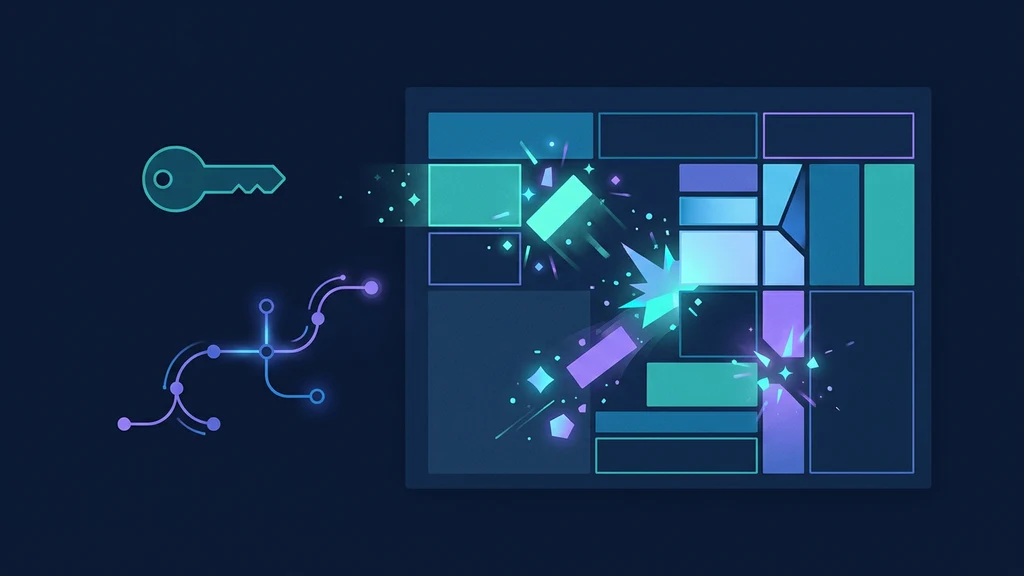
Puck launched Puck AI and its 0.8 feature set on July 28, 2026. The release adds a multi-step agent, opt-in design mode, headless generation of new component types, BYOK, separate model configuration, streaming data resolution, and an installable Puck skill.
The important architectural choice is whether AI may only arrange components you own or may create new HTML, CSS, fields, and optional scripts. Those are different trust models. Puck keeps both outputs as structured page data, but design mode requires stricter persistence, rendering, validation, and security controls.
What Puck launched
Puck is an open-source visual editor for React. Puck AI adds a hosted agent and server client around that editor. Generated experiences remain structured JSON that an application can store, version, inspect, edit, and render.
The 0.8 release introduced:
- a multi-step agent that can inspect generated pages and use external information;
- assembly and design modes;
- headless
generate()calls; - separate model and provider options for assembly and design;
- BYOK for eligible plans;
- data resolution while output streams;
- a browser callback after generation;
- retry behavior for rate-limited cloud-client requests.
As of July 30, 2026, npm's latest tag resolves to 0.8.1 for both AI packages. The visible npm website version should not be used as the version authority; install the documented @latest packages and record what your lockfile resolves.
For adjacent component-generation workflows, AgentPedia's Vercel Eve extensions guide explains why generated UI needs explicit extension and execution boundaries. Puck's boundary is the config and page-data model.
Choose assembly or design mode deliberately
| Question | Assembly mode | Design mode |
|---|---|---|
| What can the agent create? | Instances of registered components | New component types plus registered components |
| Default? | Yes | No; server opt-in |
| Main control surface | Puck config fields and components | Instructions plus generated dynamic config |
| Data persistence | Ordinary Puck page data | Page data including _dynamicConfig |
| Rendering | Existing config | withDynamicConfig(config, data) |
| Script risk | Existing component behavior | Generated client scripts are possible only if enabled |
| Best fit | Brand-controlled CMS, forms, dashboards | Sandboxed experimentation and flexible design tools |
Assembly mode should be the default for customer-facing builders. It restricts output to the component contracts your team implements and tests. Design mode is appropriate when users genuinely need new structures and the application can sandbox, inspect, version, and revoke them.
“Uses structured JSON” does not mean “safe by construction.” A valid JSON document can still reference an unknown component, exceed a layout budget, contain hostile URLs, or carry generated HTML and styles that violate application policy.
Install the plugin and backend
The current release guide documents upgrading both AI packages with @latest:
npm install @puckeditor/cloud-client@latest @puckeditor/plugin-ai@latest
Pin the resolved versions in the lockfile. Puck's getting-started guide also requires Puck 0.21 or newer, a Puck Cloud account with sufficient credit, and a server-side Puck API key.
Load the editor plugin:
import { createAiPlugin } from "@puckeditor/plugin-ai";
import "@puckeditor/plugin-ai/styles.css";

const aiPlugin = createAiPlugin();

export function Editor({ config, data }) {
  return <Puck plugins={[aiPlugin]} config={config} data={data} />;
}
Keep PUCK_API_KEY on the server. In a Next.js route, proxy the plugin through puckHandler():
import { puckHandler } from "@puckeditor/cloud-client";

const handleRequest = (request: Request) =>
  puckHandler(request, {
    ai: {
      context: "Create pages only from our documented product components.",
    },
  });

export const DELETE = handleRequest;
export const GET = handleRequest;
export const POST = handleRequest;
The browser should never receive the Puck Cloud key or a provider key. Authenticate your own route, authorize the workspace and page, apply request limits, and log generation identifiers before forwarding.
The route is a control plane, not a transparent pipe. AgentPedia's OmniRoute gateway guide covers similar server-side responsibilities for AI traffic: credentials, limits, telemetry, and fail-closed routing.
Enable design mode on both sides
Design mode is opt-in on the server:
return puckHandler(request, {
  ai: {
    designMode: {
      allowed: true,
      instructions: "Use accessible semantic HTML and approved brand tokens.",
    },
  },
});
The client switch is hidden unless exposed:
const aiPlugin = createAiPlugin({
  designMode: {
    visible: true,
  },
});
You can instead force ai.mode: "design" on the server. Do that only for a distinct, authorized endpoint or workspace. A client-only toggle is not an authorization boundary; the server's allowed setting is the decisive control.
Designed components and global scripts cannot include client-side scripts by default. Leave that default intact. Setting designMode.scripts: true expands the output from presentation data to executable browser behavior. If scripts are essential, render in a separate origin or sandbox with a restrictive content security policy, no ambient credentials, no same-origin application access, and a visible approval step.
Preserve and render _dynamicConfig
Design mode stores generated component definitions, page-wide styles, and an optional script under:
root.props._dynamicConfig
Puck's headless documentation says to store the returned data verbatim. Do not run a “cleanup” transform that keeps content but drops unknown root properties. That makes the saved page impossible to reproduce because the generated component definitions disappear.
Render through withDynamicConfig:
import { withDynamicConfig } from "@puckeditor/plugin-ai";

export function GeneratedPage({ config, data }) {
  const dynamicConfig = withDynamicConfig(config, data);
  return <Render config={dynamicConfig} data={data} />;
}
Persistence should be versioned:
{
  "schemaVersion": 1,
  "puckAiPackageVersion": "0.8.1",
  "savedAt": "2026-07-30T12:00:00Z",
  "data": {
    "root": {
      "props": {
        "_dynamicConfig": {}
      }
    },
    "content": []
  }
}
The wrapper fields are your application record; data remains the unmodified Puck payload. Keep the previous revision so a broken generation can be rolled back without reconstructing lost dynamic config.
Generate without the editor
The cloud client can create page data programmatically:
import { generate } from "@puckeditor/cloud-client";

const page = await generate({
  prompt: "Create a pricing section with three tiers",
  config,
});
To update existing data, supply pageData. To let the agent create component types, set mode: "design":
const page = await generate({
  prompt: "Create a pricing section with three tiers",
  config: { components: {} },
  mode: "design",
  designMode: {
    instructions: "Use our approved color tokens.",
  },
});
Headless generation is useful in background jobs, migrations, templates, and non-Puck agent workflows. It should not write directly to the published page. Save it as a draft, validate it, render a preview, and require either deterministic acceptance checks or human approval.
Set an application timeout even though the docs say execution time varies with prompt complexity. Add an idempotency key per requested revision, a maximum output size, a component-count budget, and a rule that one request can create only one successor revision.
Keep model and BYOK boundaries explicit
Puck lets the server choose separate models:
const handler = puckHandler(request, {
  ai: {
    model: "openai/gpt-5.4-mini",
    designMode: {
      allowed: true,
      model: "openai/gpt-5.6-luna",
    },
  },
});
The documented default on July 30, 2026 is openai/gpt-5.4-mini for assembly and openai/gpt-5.6-luna for design. Treat that as volatile configuration, not a permanent contract. Check the current model-configuration page before pinning.
BYOK requires the Launch plan or above:
const handler = puckHandler(request, {
  ai: {
    model: "openai/gpt-5.5",
    providerApiKey: process.env.MY_OPENAI_KEY,
  },
});
Puck says BYOK usage is billed by the model provider and does not consume Puck AI credits. Requests still route through Puck's servers, so BYOK is not full self-hosting. Data-processing, retention, regional, and vendor-review decisions must include both Puck and the selected provider.
Puck's plans and pricing are volatile. This guide records only the July 30 plan boundary required for BYOK and directs readers to the current pricing page rather than copying plan prices.
Validate data before preview or publish
Use a layered validator:
- Shape: root and content exist; IDs are unique; arrays and field types match.
- Component registry: assembly output references only configured component types.
- Dynamic config: design output includes valid generated component records.
- Budgets: maximum component count, nesting, string size, CSS size, and total payload.
- URLs: approved protocols and hosts; no JavaScript-scheme URLs, local metadata endpoints, or secret-bearing URLs.
- HTML/CSS: disallow dangerous elements, event handlers, imports, and unbounded fixed overlays.
- Scripts: reject unless the workspace and renderer explicitly support the sandboxed path.
- Accessibility: headings, labels, names, contrast, focus order, and keyboard behavior.
- Rendering: isolated preview completes without exceptions or unexpected network calls.
- Business rules: required legal text, price source, product IDs, and publish permissions.
Do not silently repair a generated payload into a different page. Return validation errors to a draft workflow, preserve the rejected artifact for diagnosis, and let the user regenerate or edit.
Guard against stream loops and dropped operations
Two open repository issues are relevant, but their version boundaries need care.
Issue #1746 reports a 0.7.0 full-page rewrite repeatedly updating the same block, never emitting a completion event, and leaving the client streaming. Issue #1663 reports older plugin versions dropping an update when an array field hidden by resolveFields is absent. A collaborator confirmed that reproduction.
Both issues remain open as of July 30. They do not prove the same failures occur in stable 0.8.1. They do justify regression tests and guards:
| Risk | Guard |
|---|---|
| Same block updated repeatedly | Cap operations per component and total operations |
| Stream never terminates | Wall-clock timeout and explicit aborted state |
| Conflicting creation and rewrite context | Separate prompt/context profiles by task |
| Sparse optional array field | Fixtures with omitted and empty arrays |
| Operation silently skipped | Compare requested and final state; surface errors |
| Partial streamed state published | Save to draft transaction; publish only terminal revision |
| Retry duplicates mutation | Idempotency key and revision precondition |
The new agent resolves data during streaming. Treat intermediate output as a preview, never as a committed page. A terminal signal, completed validation, and an expected base revision should all be required before persistence.
AgentPedia's Cursor routing and billing guide provides a useful operational parallel: separate modes have different cost and failure behavior, so expose the mode in logs and budgets rather than hiding it behind one “AI” switch.
Adoption checklist
- Install both AI packages with
@latest, then pin the resolved lockfile versions. - Begin with assembly mode and a small reviewed component config.
- Keep Puck and provider keys server-side.
- Authenticate and rate-limit the proxy route.
- Make design mode an explicit server-side entitlement.
- Keep generated scripts disabled by default.
- Save page data verbatim, including
_dynamicConfig. - Render design output through
withDynamicConfig. - Validate shape, components, URLs, size, accessibility, and business rules.
- Add time, operation, repeated-component, and payload budgets.
- Commit only terminal, validated output as a new revision.
- Test the open issue patterns against the pinned stable version.
- Review current pricing, plan eligibility, and subprocessors before rollout.
Practical verdict
Puck AI 0.8 is a strong fit when an application already uses React and wants generation inside an owned editing workflow instead of sending users to an external builder. Assembly mode provides the clearest path to production because existing components define the output contract.
Design mode is more capable and more expensive to trust. Enable it where new component generation is the product, not as a default convenience. The deciding question is whether the team can preserve, sandbox, validate, review, and roll back the generated dynamic configuration. If not, keep the agent inside the component library.
FAQ
What version of the Puck AI packages should I install?
Use the official upgrade command with @latest. As of July 30, 2026, the npm latest tag resolves to 0.8.1 for both @puckeditor/plugin-ai and @puckeditor/cloud-client.
What is the difference between Puck assembly and design mode?
Assembly mode builds pages from components already registered in your Puck config. Design mode can create new component types and stores their definitions in page data under root.props._dynamicConfig.
Is Puck AI design mode enabled by default?
No. It is opt-in on the server, and the client mode switch is hidden unless you expose it. Client-side scripts in designed components are also disabled by default.
Does Puck AI BYOK provide full self-hosting?
No. BYOK requires the Launch plan or above, bills model use through your provider, and still routes requests through Puck's servers. Puck directs full-self-hosting inquiries to sales.
Can I discard _dynamicConfig before saving page data?
Not for design-mode pages. Puck's docs say to store the returned data verbatim; dropping root.props._dynamicConfig removes the generated components, styles, and optional script needed to render the page.
Official sources
- Puck AI launch
- Puck AI 0.8 release guide and changelog
- Puck AI overview
- Puck AI getting started
- Puck AI design mode
- Puck AI headless generation
- Puck AI model and BYOK configuration
- Puck open-source editor repository
- Puck issue #1746: repeated update loop and missing completion
- Puck issue #1663: sparse array fields can drop AI operations
Get the latest on AI, LLMs & developer tools
New MCP servers, model updates, and guides like this one — delivered weekly.
Related Guides
How to Change Antigravity Themes
Customize themes, dark mode, icons, and color schemes.
Rules & ConfigurationAntigravity Rules Guide
How to build custom rules with AGENTS.md and GEMINI.md.
MCP & IntegrationMCP Servers Setup Guide
Step-by-step guide to connecting MCP servers in Antigravity.
ComparisonBest Antigravity Alternatives 2026
Claude Code, Cursor, Windsurf, Codex, and Kiro compared.
Pricing & QuotaAntigravity Cockpit Guide
Monitor AI quota, track rate limits, and manage credits.
MCP & IntegrationGoogle Stitch + Antigravity Guide
The complete design-to-code workflow with DESIGN.md and Vibe Design.