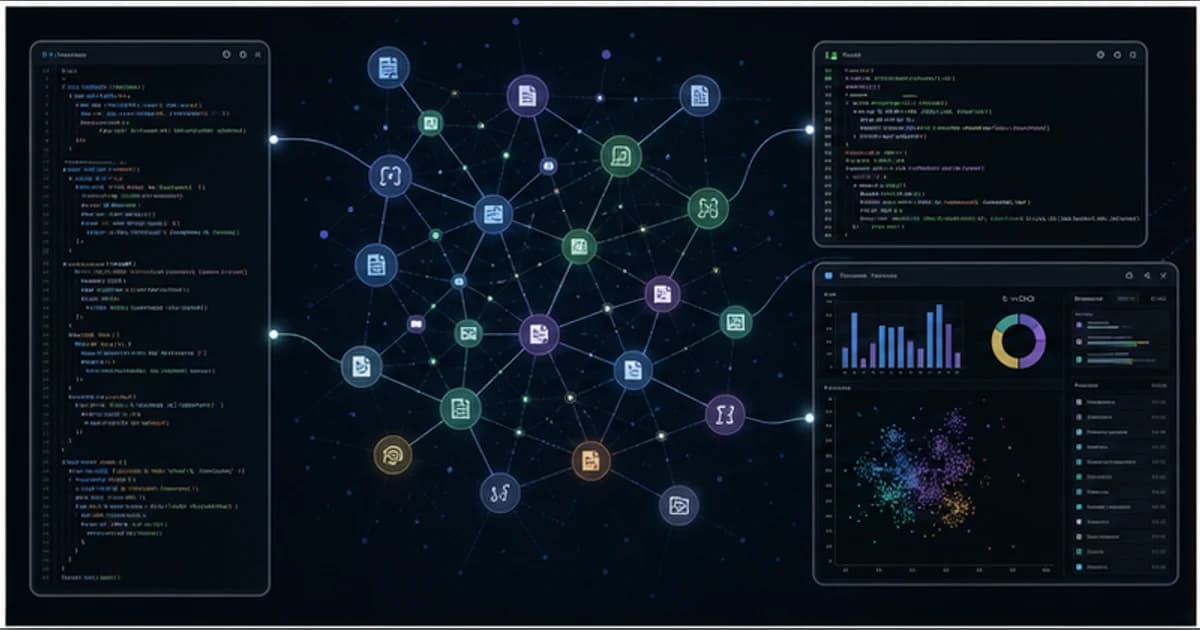
The useful way to read this repo is not as a graph toy. It is an onboarding and agent-context system: deterministic scanners map files and imports, LLM agents explain what those pieces mean, and a React dashboard gives humans a way to explore the result without reading every source file first.
Get the latest on AI, LLMs & developer tools
New MCP servers, model updates, and guides like this one — delivered weekly.
Editorial note
This article is based on the GitHub repo, README, CLAUDE.md, install scripts, plugin skills, core source tree, current issue and PR surfaces, official homepage, Better Stack coverage, AgentConn, Reddit discussion, and X search gathered on June 2, 2026. Exact star and fork counts are deliberately omitted because they age quickly.
1. Understand-Anything in One Sentence
Understand Anything is an MIT-licensed TypeScript codebase-understanding plugin that creates a local knowledge graph from source code, docs, configs, and wikis, then exposes it through slash commands and an interactive dashboard.
| Area | Detail | Why it matters |
|---|---|---|
| Repository | Lum1104/Understand-Anything | https://github.com/Lum1104/Understand-Anything |
| Primary language | TypeScript | Primary GitHub language at research time. |
| License | MIT | Check bundled or binary licenses separately where relevant. |
| Created | March 15, 2026 | Latest release checked: v2.7.3 on May 19, 2026. |
2. Why It Matters
The project matters because coding agents still struggle with repo orientation. A model can read a file, but it does not automatically know which services depend on it, which config deploys it, which docs describe it, or which business flow it belongs to.
Understand Anything tries to externalize that orientation work. Instead of stuffing a whole repo into context, it builds a reusable graph artifact under `.understand-anything/` that can be inspected, committed, refreshed, and used by both people and agents.
The strongest idea is the repo's stated goal: graphs that teach, not graphs that only impress. That changes the success metric from visual density to usefulness during onboarding, code review, impact analysis, and agent handoff.
3. Architecture and Mental Model
The repo is a monorepo with plugin manifests, platform installers, skill commands, core graph logic, language extractors, tests, and a dashboard. The pipeline combines deterministic scan/import extraction, graph-based batching, LLM file analysis, graph merge/review, and dashboard rendering.
| Area | Detail | Why it matters |
|---|---|---|
| Plugin surface | `understand-anything-plugin/skills/*` | Slash-command skills for `/understand`, dashboard, chat, diff, explain, onboard, domain, and knowledge-base analysis. |
| Static scan | `scan-project.mjs` and `.understandignore` | Builds the initial inventory and skips generated, ignored, or irrelevant files. |
| Import graph | `extract-import-map.mjs` | Uses language-aware path resolution and tree-sitter-style extraction where available. |
| Batching | `compute-batches.mjs` | Uses graph clustering so file-analysis agents receive related code instead of random chunks. |
| LLM analysis | `agents/file-analyzer.md` | Adds summaries, semantic tags, relationships, and higher-level meaning to structural facts. |
| Graph merge | `merge-batch-graphs.py` | Normalizes node IDs, combines batch outputs, and prunes invalid relationships. |
| Dashboard | React, Vite, React Flow, Dagre, ELK, D3, Zustand | Explorable UI for search, filtering, graph navigation, node detail, and tours. |
| Distribution | Claude, Codex, Cursor, Copilot, Gemini CLI, OpenCode, OpenClaw, Antigravity, Hermes, and more | The installer creates platform-specific skill/plugin links. |
4. Smallest End-to-End Setup
The commands below are copied from the repository documentation and checked against the current research snapshot. Treat them as a starting point, then read the linked README before installing into a production environment.
# Claude Code native plugin install
/plugin marketplace add Lum1104/Understand-Anything
/plugin install understand-anything

# Multi-platform installer for Codex, OpenCode, Gemini CLI, Antigravity, and others
curl -fsSL https://raw.githubusercontent.com/Lum1104/Understand-Anything/main/install.sh | bash
curl -fsSL https://raw.githubusercontent.com/Lum1104/Understand-Anything/main/install.sh | bash -s codex

# Windows PowerShell
iwr -useb https://raw.githubusercontent.com/Lum1104/Understand-Anything/main/install.ps1 | iex
A small first task should prove the integration before you attach it to critical data or large workspaces.
# Build the graph
/understand

# Scope a huge repo
/understand src/frontend

# Open the local dashboard
/understand-dashboard

# Ask questions after the graph exists
/understand-chat How does authentication flow from route to database?

# Analyze current changes
/understand-diff
5. Technical Deep Dive
5.1 The graph is a reusable repo artifact
The README recommends committing the useful parts of `.understand-anything/` so teammates can skip the initial analysis and open the dashboard from the same graph. That matters for onboarding because the graph becomes internal documentation rather than a one-off agent transcript.
The caveat is privacy. A knowledge graph can encode architecture, business flows, internal names, endpoint structure, and summaries of proprietary logic. Treat it like documentation that may be sensitive, not like harmless cache.
.understand-anything/
  knowledge-graph.json       # shareable graph
  intermediate/              # local scratch, usually ignored
  diff-overlay.json          # local change overlay, usually ignored
5.2 Static analysis and LLM analysis do different jobs
The deterministic side is responsible for facts the model should not invent: file paths, imports, language classification, framework hints, and structural symbols. The LLM side is better suited to summaries, architectural intent, domain roles, and guided explanations.
This split is important. Pure AST tools are cheaper and more deterministic. Pure LLM analysis is richer but expensive and easier to mislead. Understand Anything sits between those poles.
5.3 Batching is the hidden scaling feature
Large repositories cannot be analyzed as one prompt. The repo includes batching logic that groups connected files, passes neighbor context, and merges batch outputs later. That is a practical design choice: agents work better when each batch has local coherence.
Open issues show the hard edge: import fidelity and edge normalization still matter. If the deterministic graph misses PHP includes, NodeNext rewrites, or non-code node prefixes, the LLM layer inherits that blind spot.
scan project
  -> extract import map
  -> compute graph-aware batches
  -> analyze each batch
  -> merge graph
  -> review and render dashboard
5.4 Knowledge-base mode extends the idea beyond code
`/understand-knowledge` targets Karpathy-pattern LLM wikis and markdown knowledge bases. The point is similar to code analysis: deterministic links and categories provide structure, then agents add entities, claims, and relationships.
This makes the project more broadly useful than a repo visualizer. It can become a way to navigate engineering notes, architecture docs, product wikis, and research folders, as long as the source format is disciplined enough to parse.
5.5 The dashboard is part of the product, not an afterthought
The dashboard stack uses modern React tooling and graph layout libraries because the graph must be interrogated visually. Search, filtering, path finding, layer coloring, node detail, and guided tours are what turn raw graph JSON into something a new teammate can use.
That also means dashboard regressions matter. Current issues include dashboard freezing and edge-source handle behavior, so the UI should be treated as an active product surface rather than a static export.
6. Real-World Wrong vs Right Patterns
| Wrong | Right | Reason |
|---|---|---|
| Run `/understand` across a huge monorepo immediately. | Scope the first run to a service, package, or feature directory. | LLM analysis costs tokens and large graphs need staged validation. |
| Treat the output graph as public cache. | Treat `.understand-anything/knowledge-graph.json` as internal documentation. | Summaries and domain flows can reveal proprietary structure. |
| Use it as a replacement for tests or type checking. | Use it for orientation, impact analysis, and review context. | A knowledge graph explains relationships; it does not prove behavior. |
| Assume every language has identical relationship fidelity. | Check issue tracker support for your stack before relying on call/dependency edges. | Import and call graph extraction is language-specific and actively evolving. |
7. Common Mistakes and Current Issues
The issue tracker matters because these are young, fast-moving repos. The article uses issues as risk signals, not as proof that a project is unusable.
| Area | Detail | Why it matters |
|---|---|---|
| PHP edge fidelity | Issue #367 reports file-scope call and include/require gaps. | Procedural PHP code may need verification before trusting call coverage. |
| Incremental updates | Issue #366 reports rename orphaning and inbound-edge pruning concerns. | Rebuild full graphs when edge integrity matters. |
| Karpathy wiki links | Issue #361 and PR #362 cover CommonMark wiki-link parsing. | Markdown format details affect deterministic edge extraction. |
| Windows pathing | Issue #340 reports Codex agent discovery trouble under `~/.understand-anything-plugin/agents/`. | Cross-platform installers need local smoke tests. |
| Dashboard freeze | Issue #330 reports a React Flow edge-source handle problem after search selection. | Keep dashboard UX in the verification loop. |
| Package manager drift | Issue #358 mentions pnpm lockfile and import extraction problems. | Use the repo's documented Node and pnpm versions. |
8. Performance, Scaling, and Cost Notes
The cost model is dominated by repository size, batch count, and how much semantic explanation you ask the model to generate. Static scan work is cheap; LLM summaries and graph review are the expensive part.
Better Stack's walkthrough and Reddit comparisons both reinforce the same practical advice: scope first, inspect the result, then expand. Run a small service before indexing a full monorepo.
Incremental updates and committed graph artifacts are the sustainability play. If every teammate re-runs full analysis from scratch, the graph becomes a tax. If the team maintains a fresh graph artifact, it becomes shared context.
9. Who It Is For
| Use it if | Skip it if |
|---|---|
| You onboard into large codebases and need a visual map quickly. | You only work in small repos where `rg` and IDE references are enough. |
| Your coding agents repeatedly lose architectural context. | You need deterministic static analysis only, with no LLM summaries. |
| You want shareable repo context for Claude Code, Codex, Cursor, Copilot, Gemini CLI, and similar tools. | Your security policy forbids generated architecture summaries. |
| You maintain docs or Karpathy-style wikis that benefit from graph navigation. | Your docs are unstructured enough that deterministic link parsing will fail. |
10. Community Signal
The clearest community framing is that Understand Anything tries to teach the codebase. Reddit discussion around the project repeatedly compared it with cheaper AST-only graph tools and asked when LLM enrichment is worth the cost.
Third-party writeups such as Better Stack and AgentConn treat the project as a practical developer tool: local dashboard, fuzzy and semantic search, guided tours, diff impact, and shareable JSON.
The GitHub issue and PR surface is active and technical. That is a good signal for a young developer tool, but also a reminder that language coverage, platform installers, import resolution, and dashboard behavior are not finished problems.
11. The Verdict: Is It Worth Using?
Our Take
Use Understand Anything if you need repo orientation, onboarding maps, or agent context that survives beyond one chat. Skip a full-repo rollout until you have tested it on your language stack, scoped token cost, and decided whether the generated graph can be stored under your team's security rules.
12. The Bigger Picture
Understand Anything fits a larger shift from prompt-only coding agents toward external project memory: graphs, summaries, traceable relationships, and reusable context artifacts.
The durable value is not the visualization alone. It is the feedback loop where a codebase can explain itself to new developers and agents, then stay fresh as commits land.
13. Frequently Asked Questions
Q: Is Understand Anything only for Claude Code?
No. Claude Code has the native plugin path, but the installer documents Codex, Cursor, Copilot, Gemini CLI, OpenCode, OpenClaw, Antigravity, Hermes, Cline, KIMI, Trae, and other targets.
Q: What files does it write?
The main artifact is `.understand-anything/knowledge-graph.json`. Intermediate analysis files and diff overlays are usually local scratch and should be ignored unless your team intentionally wants them.
Q: Should I commit the graph?
Commit it only if your team wants shared onboarding context and the graph does not expose sensitive internals. Treat it like architecture documentation.
Q: How is it different from an AST graph?
AST graphs map structure cheaply. Understand Anything adds LLM summaries, domain roles, guided tours, dashboard exploration, and knowledge-base analysis on top of structural facts.
Q: Can it analyze docs and wikis?
Yes. `/understand-knowledge` targets Karpathy-pattern LLM wikis and markdown knowledge bases, extracting links, entities, claims, and relationships.
Q: What are the biggest current risks?
Current issues point to language-specific edge fidelity, incremental update correctness, Windows path discovery, dashboard freezes, and package-manager drift.
14. Glossary
| Area | Detail | Why it matters |
|---|---|---|
| Knowledge graph | Nodes and edges representing source, docs, configs, and relationships. | The central output artifact. |
| Node | A file, function, class, document, config, schema, endpoint, or resource. | Dashboard items are navigable nodes. |
| Edge | A relationship such as imports, calls, contains, configures, documents, or deploys. | Edge fidelity depends on language extraction. |
| Import map | Deterministic dependency map extracted before LLM analysis. | Used for batching and relationships. |
| Louvain | A graph community-detection algorithm. | Useful for grouping related files into batches. |
| Guided tour | Generated walkthrough of important graph paths. | Useful for onboarding. |
| .understandignore | Ignore rules for the scanner. | Prevents irrelevant or generated files from polluting the graph. |
15. All Sources and Links
Primary Sources
Key Code and Docs
Issues, PRs, and Community
Internal Links
16. Source Attribution Table
| Area | Detail | Why it matters |
|---|---|---|
| README and homepage | Positioning, commands, supported platforms, shareable graph guidance. | Primary source. |
| Source tree | Scanner, analyzers, language registry, dashboard stack, tests. | Architecture source. |
| Issues and PRs | PHP, incremental graph, Windows pathing, dashboard, and Kiro support caveats. | Freshness signal. |
| Better Stack and AgentConn | Independent walkthrough and feature framing. | Secondary source. |
| Cost, scoping, AST comparison, and onboarding discussion. | Community signal. |
Subscribe to the Agentpedia newsletter
The best of the AI coding world — new agent skills, MCP servers, LLM releases and workflow tips, curated weekly.
Related Guides
Humanizer Skill Guide
blader/humanizer: 29 AI-writing patterns, voice calibration, and a two-pass audit, all in one Claude Code skill.
Guides & FeaturesMastering Agent Skills
The open standard for portable AI agent expertise.
Guides & FeaturesAntigravity Workflows Guide
Create automation recipes with Turbo Mode and AgentKit 2.0.
Guides & FeaturesHow to Change Antigravity Themes
Customize themes, dark mode, icons, and color schemes.
Guides & FeaturesHow to Change Language
Switch Antigravity to Spanish, German, Japanese, and more.
Guides & FeaturesAntigravity Security Guide
Known vulnerabilities, safe settings, and hardening steps.