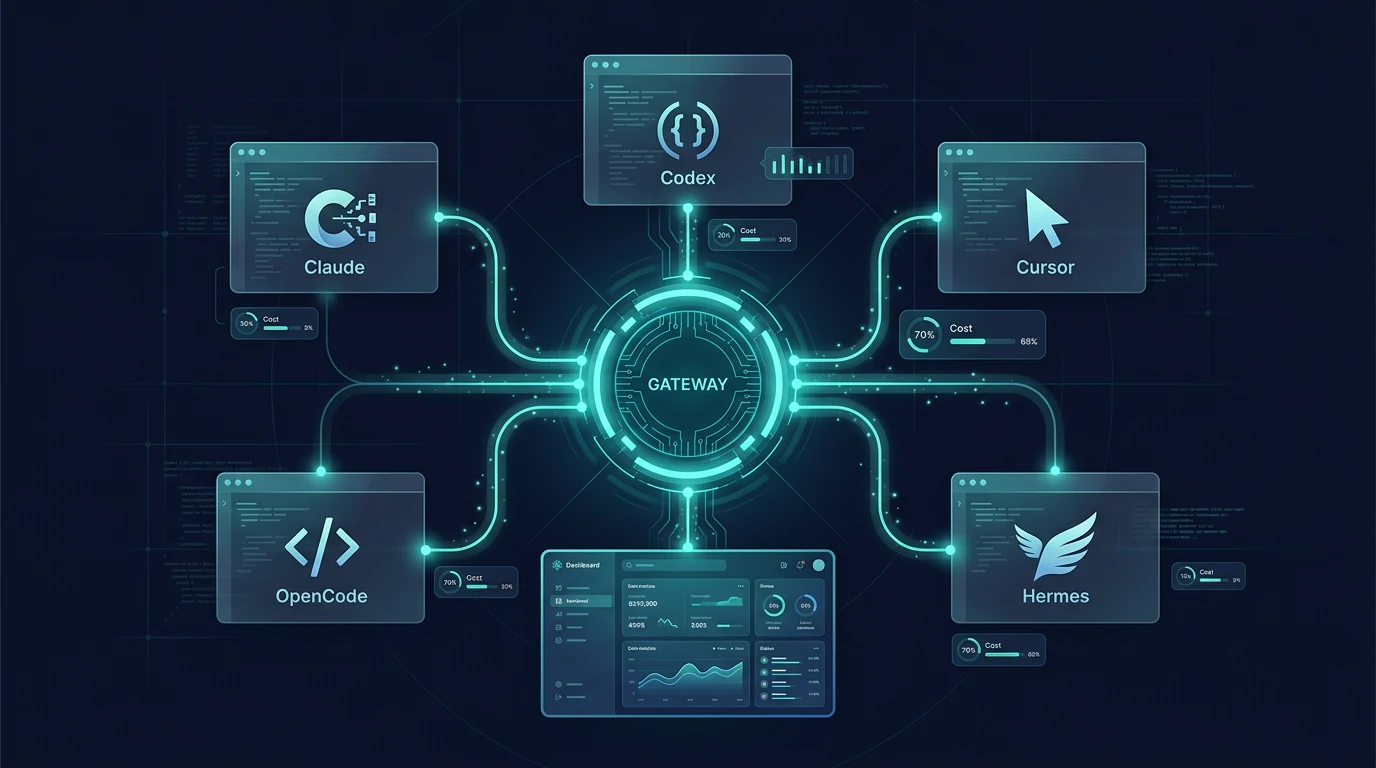
Vercel documented the coding-agent setup flow and shipped the one-command experience in the August 12, 2026 changelog. The goal: developers running several AI coding tools no longer manage a separate account, API key, invoice, and dashboard per agent. One gateway key routes every agent's requests, and the gateway adds fallbacks and observability the agents themselves do not provide.
This guide covers the setup command, the endpoint each agent uses, how model selection works per agent, spend controls, and the operational tradeoffs to check before you migrate a team.
What the one-command setup changes
Before AI Gateway, each coding agent shipped with its own provider configuration and billing surface. Claude Code used ANTHROPIC_BASE_URL, Codex used a model_provider block in config.toml, Cursor stored API settings in its own account-synced store, and OpenCode or Pi each needed a provider entry. Monitoring spend meant opening a dashboard per provider.
AI Gateway replaces the per-agent plumbing with one key and one endpoint family. The documented benefits table:
| Concern | Without gateway | With gateway |
|---|---|---|
| Spend tracking | Separate dashboards per provider | Single unified view |
| Model access | Limited to the agent's default models | 200+ models from all providers |
| Billing | Multiple invoices and accounts | One Vercel invoice |
| Reliability | Single point of failure | Automatic provider fallbacks |
| Observability | Limited or no visibility | Request traces and metrics |
The gateway does not replace the agent. Each agent still runs locally, owns its agent loop, tools, and session state. The gateway only sits in front of the model provider, routing model requests and returning responses in the protocol the agent expects.
Set up every agent in one command
The documented flow requires the Vercel CLI at the latest version, then one command:
pnpm i -g vercel@latest
vercel ai-gateway coding-agents setup
The command:
- Detects the coding agents installed on your machine.
- Provisions an API key on your Vercel account.
- Shows a diff of every planned change before writing anything.
- Writes the gateway URL and credentials into each agent's own config format, preserving formatting.
- Copies existing Claude Desktop and Codex Desktop sessions so history survives the switch.
- Does not pin a model.
For non-interactive automation, pass flags:
vercel ai-gateway coding-agents setup \
  --agent claude-code --agent codex \
  --budget 500 --refresh-period monthly --yes
The --agent value selects which agents to connect: claude-code, cline, codex, cursor, hermes, kilo, openclaw, opencode, and pi. --all covers every supported agent. Agents the CLI does not cover can still be configured by hand.
Which endpoint each agent uses
Most agents point at the generic coding-agent surface:
https://ai-gateway.vercel.sh/coding-agent/v1
That URL passes through to the standard /v1 handlers, so auth, routing, billing, and errors are identical to the bare gateway surface. Using it marks traffic as coming from a coding agent, which lets Vercel land shared harness behavior there without editing agent configs again.
Clients that speak the Anthropic protocol and append /v1/messages themselves should drop the /v1:
https://ai-gateway.vercel.sh/coding-agent
Three agents use dedicated endpoints because they need behavior the generic surface does not provide:
| Agent | Endpoint |
|---|---|
| Claude Code | https://ai-gateway.vercel.sh/claude-code |
| OpenAI Codex | https://ai-gateway.vercel.sh/codex/v1 |
| Cursor | https://ai-gateway.vercel.sh/cursor/v1 |
Agents with a first-party AI Gateway provider, such as Cline, OpenCode, and Pi, already know the URL and only need your API key.
Claude Code
The CLI connects Claude Code with --agent claude-code. To configure by hand, use environment variables:
export ANTHROPIC_BASE_URL="https://ai-gateway.vercel.sh/claude-code"
export ANTHROPIC_API_KEY=""
export ANTHROPIC_AUTH_TOKEN="your-ai-gateway-api-key"
export CLAUDE_CODE_ENABLE_GATEWAY_MODEL_DISCOVERY=1
Once configured, Claude Code works exactly as before, but requests route through the gateway. The discovery variable puts every gateway model in the /model picker:
/model
/model anthropic/claude-opus-5
The /claude-code endpoint is Claude Code's own compatibility endpoint, so Claude Code's Anthropic protocol is preserved end to end.
OpenAI Codex
The CLI connects Codex with --agent codex. To configure by hand, add a provider block to ~/.codex/config.toml:
model_provider = "vercel"

[model_providers.vercel]
name = "Vercel AI Gateway"
base_url = "https://ai-gateway.vercel.sh/codex/v1"
env_key = "AI_GATEWAY_API_KEY"
wire_api = "responses"
/codex/v1 is Codex's own compatibility endpoint, and wire_api = "responses" is required because Codex no longer speaks Chat Completions. Start Codex normally and pick models:
codex
codex --model openai/gpt-5.5-pro
Codex reads the gateway catalog from /codex/v1/models at startup, so /model inside a session lists every gateway model.
OpenCode and Pi
OpenCode has native support. Connect from inside the tool:
/connect
Search for "Vercel AI Gateway", paste the key, then:
/models
OpenCode discovers available models automatically. In config, model IDs use the vercel/ prefix, for example vercel/openai/gpt-5.5-pro.
Pi ships a first-class vercel-ai-gateway provider. The CLI writes only the credential:
vercel ai-gateway coding-agents setup --agent pi
Then select a model with /model or pi --list-models. Pi's manual setup stores the key in ~/.pi/agent/auth.json under the vercel-ai-gateway entry.
Cursor, Cline and other agents
Cursor keeps API-key settings in its own account-synced store, so --agent cursor provisions the key and walks you through the last few clicks in Settings → Models. Set Override OpenAI Base URL to:
https://ai-gateway.vercel.sh/cursor/v1
Cline connects via --agent cline. In the extension, select Vercel AI Gateway as the API Provider, paste the key, and choose a model from the auto-populated catalog.
Other supported agents:
- Blackbox AI:
blackbox configure→ "Configure Providers" → "Vercel AI Gateway". - Roo Code, Kilo Code: extension-based providers that fetch the model list from the gateway automatically; pick models with
/models. - OpenClaw:
--agent openclawadds avercel-ai-gatewayprovider and starter model list to~/.openclaw/openclaw.json. - Superset: environment variables point
ANTHROPIC_BASE_URLathttps://ai-gateway.vercel.sh/coding-agentwithANTHROPIC_AUTH_TOKENset to the gateway key. - Grok Build, Conductor, Crush: supported via the CLI's extended agent list; configure by hand when the CLI does not cover them.
Hermes
Hermes is listed as a supported agent (--agent hermes). The changelog documents model selection through Hermes' own picker:
/model custom:vercel-ai-gateway:<model>
For example:
/model custom:vercel-ai-gateway:anthropic/claude-opus-5
Hermes connects to the gateway as a custom OpenAI-compatible endpoint, so the same key works across the terminal CLI and any Hermes gateway surfaces that honor the configured provider.
Spend controls and budgets
The gateway adds controls that individual agents lack:
- Budgets, resets, and expiry on the keys agents use, configured at key creation or via
--budgetand--refresh-period. - Team-wide policy that agents cannot route around: Zero Data Retention or a provider allowlist holds for every agent request without editing each agent's config.
- Request traces with the cost, tokens, and model behind each request.
- Observability in the Vercel dashboard: spend by agent, model usage, and traces.
The --budget 500 --refresh-period monthly flags in the setup command preconfigure a $500 monthly budget on the provisioned key. Budgets are enforced by the gateway on the key itself, so an agent cannot exceed them by retrying or switching models.
Tradeoffs and caveats
- A new central dependency. Every agent now fails if the gateway is unreachable, so gateway uptime becomes a team-wide availability factor. Vercel's documented model catalog and fallback behavior mitigate upstream provider outages, but the gateway hop itself is a single point.
- Key handling. The setup stores keys per agent. The macOS CLI path keeps the key in the Keychain rather than plaintext config; other platforms use each agent's own credential store. Audit where each key lands before running in a team.
- Protocol translation. Codex needs the Responses protocol and Claude Code needs the Anthropic surface. Using the dedicated endpoints (not the generic one) for these agents matters; the generic surface is correct for everything else.
- No model pinning. The setup intentionally does not pin models. Teams that need deterministic models must configure them per agent after setup, or spend changes silently when agents default to different models.
- Billing model. Vercel states zero token markup, with the upstream provider's published rate as the cost basis. Verify current AI Gateway pricing and BYOK terms in the Vercel docs before assuming cost neutrality.
Migration checklist
- [ ] Upgrade the Vercel CLI:
pnpm i -g vercel@latest - [ ] Run
vercel ai-gateway coding-agents setupand review the diff before accepting - [ ] Confirm which agents were detected and connected (
--agentlist) - [ ] Verify per-agent model selection works:
/model,/models, orcodex --model - [ ] Confirm Codex uses
/codex/v1withwire_api = "responses"and Claude Code uses/claude-code - [ ] Set a budget on the key:
--budget 500 --refresh-period monthlyor in the dashboard - [ ] Turn on Zero Data Retention or a provider allowlist if policy requires it
- [ ] Check the Observability dashboard after a few sessions: spend by agent, model usage, traces
- [ ] Document the gateway key location for every agent and rotate on team changes
- [ ] Test a fallback: temporarily block one provider and confirm the gateway routes to the next
FAQ
Does Vercel AI Gateway add a markup on tokens for coding agents?
Vercel states the gateway adds zero token markup. You are billed for the upstream provider's published rate, with optional Team and Enterprise features as the monetization layer.
Can I keep my existing agent configuration when moving to AI Gateway?
The one-command setup edits each agent's own config file in place, preserves formatting, copies existing Claude Desktop and Codex Desktop sessions, and does not pin a model, so existing conversations and histories survive the provider switch.
Which endpoint should I use for an agent Vercel does not list?
Point it at the generic coding-agent surface https://ai-gateway.vercel.sh/coding-agent/v1, which passes through to the standard /v1 handlers. Clients that append /v1/messages themselves should use https://ai-gateway.vercel.sh/coding-agent without the /v1 suffix.
Does the setup pin my agents to a single model?
No. The command writes the gateway URL and credentials only; model selection stays inside each agent via /model, /models, or codex --model, reading the full gateway catalog.
All Sources and Links
- Vercel AI Gateway: Coding Agents documentation — official docs, accessed August 19, 2026
- Set up coding agents in one command with AI Gateway (changelog) — official changelog, August 12, 2026
- Vercel CLI: AI Gateway reference — official CLI docs
- Vercel AI Gateway models catalog — official catalog
- Vercel AI Gateway API keys and BYOK — official auth docs
- Vercel AI Gateway observability and spend — official monitoring docs
Related AgentPedia guides: Vercel Eve Extensions, Vercel FX Native Coding Agent, OmniRoute AI Gateway Routing, Cursor Router Modes and Billing.