What Changed on September 29
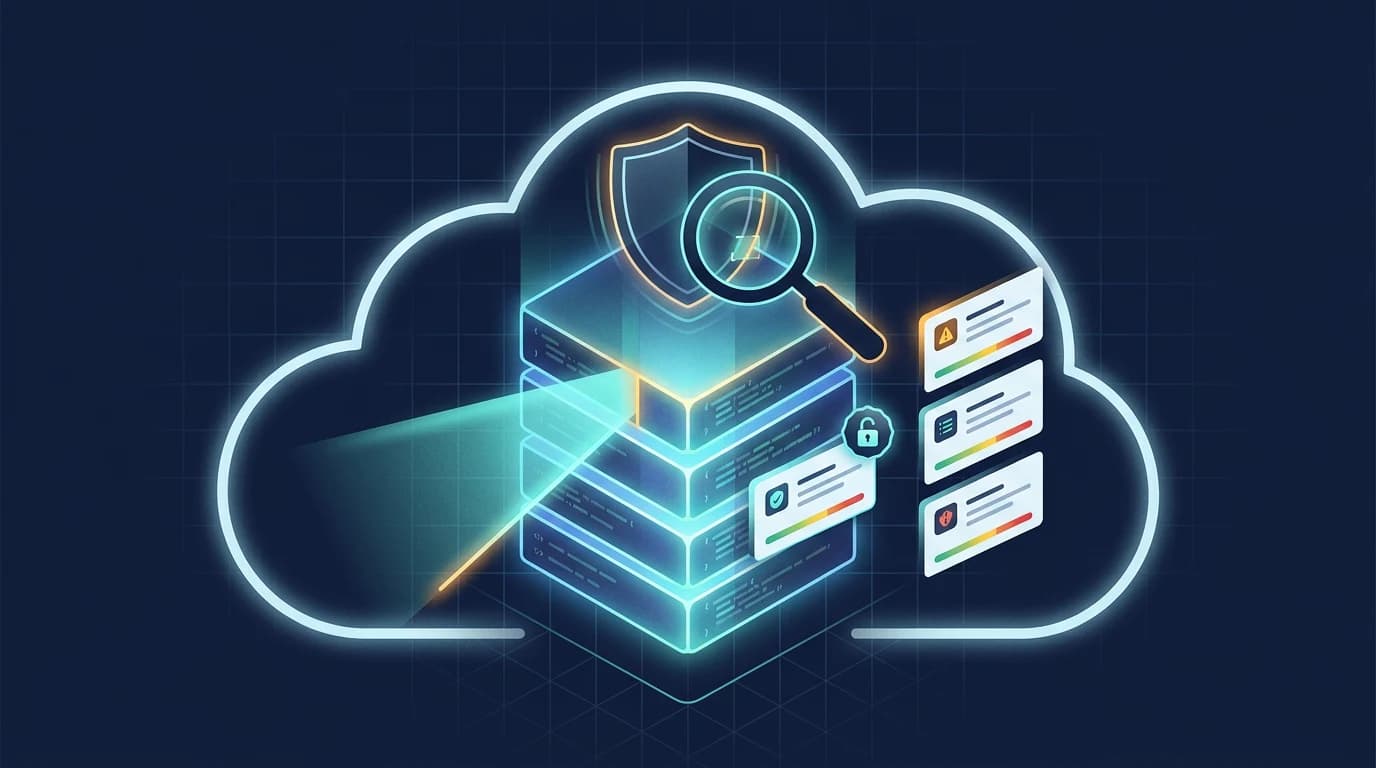
Codex Security Cloud is an application security agent that scans connected GitHub repositories, validates likely vulnerabilities, and presents findings with evidence and remediation guidance. The September 29, 2026 upgrade announced at DevDay 2026 adds two things that change how teams can use it.
First, cyber-capable models through Daybreak Blue are included by default, and OpenAI states you get access to models offered through Daybreak Blue without a separate Daybreak application. That removes an access step that previously sat between a security team and the stronger cyber models.
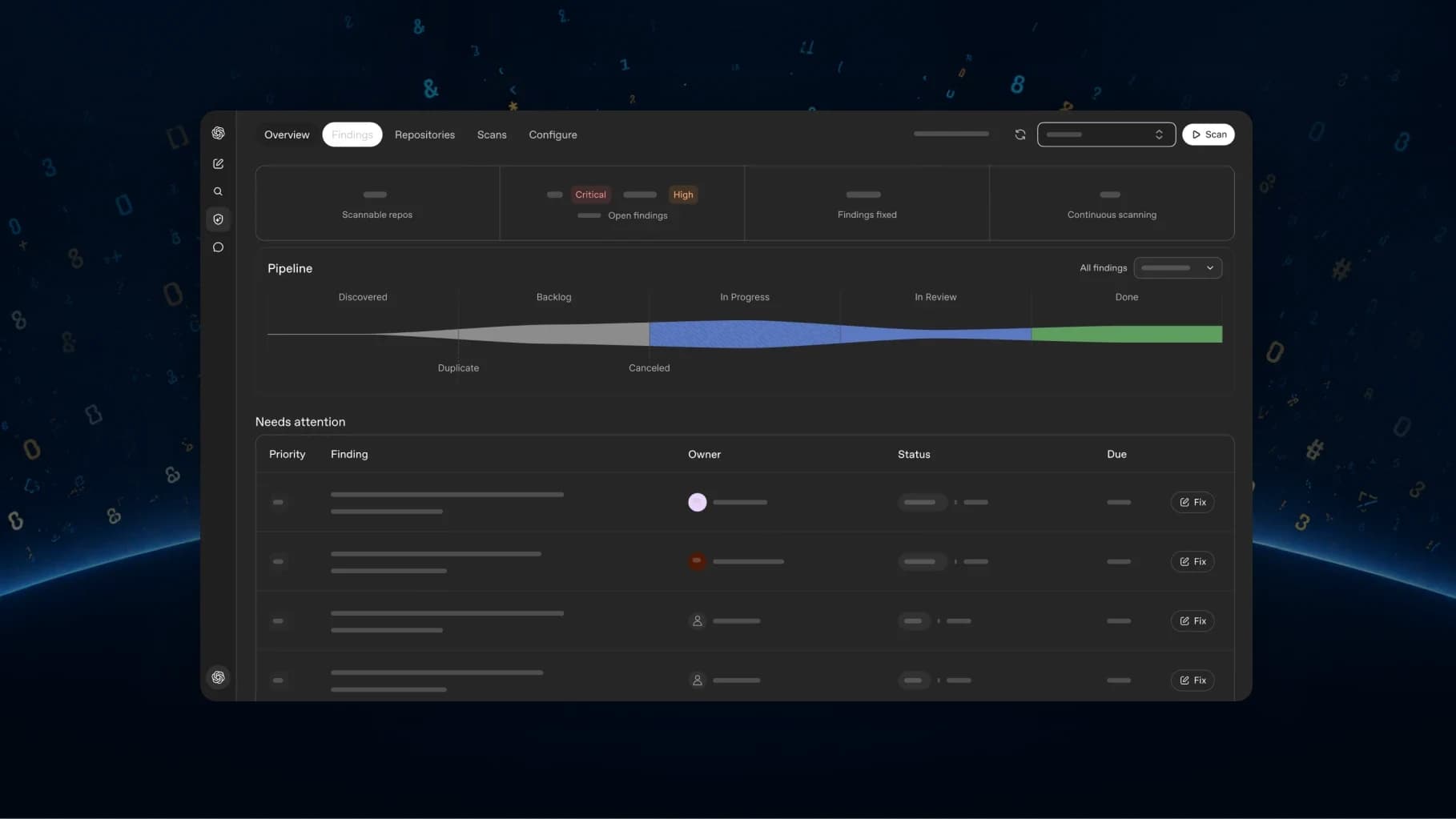
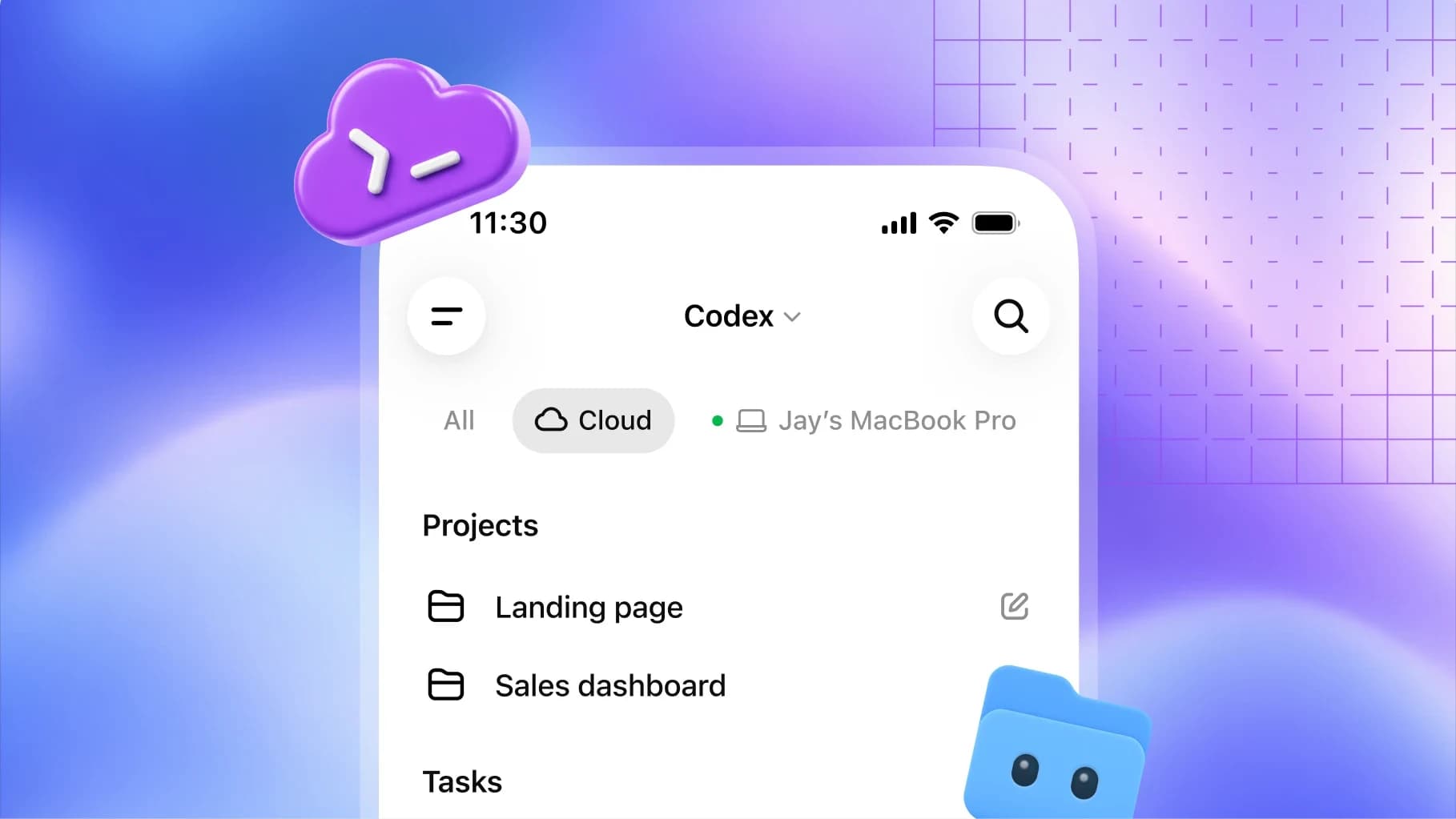
Second, the workflow is positioned as continuous rather than per-request. OpenAI describes the agent as scanning entire GitHub repositories on demand or on a schedule, continuously reviewing new commits, investigating and deduplicating findings, and preparing fixes for review in the cloud. the “even when your laptop is closed” framing.
Codex Security Cloud is getting a major upgrade, with access to cyber-capable models through Daybreak Blue included by default. It scans entire GitHub repos, continuously reviews new commits, investigates and deduplicates findings, and prepares fixes for review – even when your laptop is closed.
— @OpenAI September 29, 2026
On availability, the two official sources differ in emphasis and the difference is worth stating. OpenAI's DevDay recap says Codex Security Cloud is available to all Pro, Business, Enterprise and Edu users on desktop and web. The product documentation describes Codex Security Cloud as available in research preview on the web and in the desktop app, and notes that access should be checked with a workspace administrator if unavailable. Treat the recap as plan eligibility and the docs as maturity status.
How the Analysis Pipeline Works
OpenAI documents a four-stage pipeline. Understanding it is what separates a useful finding list from a noisy one.
| Stage | What happens |
|---|---|
| Analysis | Builds a threat model for the repository using its code, architecture, and security entry points. |
| Scanning | Reviews the repository once (Repository scan) or monitors commit changes for likely issues (Commit changes). |
| Validation | Auto-validation tries to reproduce each likely vulnerability in a clean container, so findings that reproduce are marked validated. |
| Remediation | Provides remediation guidance and, where available, a minimal proposed patch with filename and line context to review before opening a PR. |
The false-positive mechanism is the part to evaluate in a pilot. OpenAI describes a two-stage process: the model ranks likely issues, then auto-validation tries to reproduce each issue in a clean container. Findings that successfully reproduce are marked as validated. Each analysis and validation job runs in an ephemeral Codex container with session-scoped tools; artifacts are extracted for review and the container is torn down after the job completes.
When validation fails, OpenAI's documentation is explicit that the finding remains unvalidated, and that logs and reports still capture what was attempted so engineers can retry, investigate further, or adjust the reproduction steps. That is a materially different promise from “no false positives”; it is a ranking and evidence system.
Plugin Setup, Step by Step
OpenAI documents a specific setup path. This is the sequence from the Codex Security Cloud setup page, reordered into a single checklist.
- Confirm cloud prerequisites. You need a workspace with Codex Security Cloud access, a connected GitHub repository, and a compatible Codex cloud environment. Confirm that Codex cloud is set up for your workspace before starting.
- Install the plugin. Open Plugins in ChatGPT on the web or in the desktop app, search the marketplace for Codex Security Cloud, install and enable it, then open Security Cloud from your installed plugins or the sidebar.
- Connect GitHub. In the plugin, select New scan. If prompted, select Connect GitHub and grant access to the repositories you want to scan. If a repository is missing, check its GitHub connection and permissions.
- Start a repository scan. In New scan, choose the repository, select a compatible Cloud environment (or create one), leave What to scan set to Repository (the default) and select Start scan. Open the scan under Scans to follow progress and review findings and artifacts.
- Review findings. Open Findings and select an issue to review its affected code, validation evidence, and remediation guidance.
- Generate a fix if offered. When a finding offers Fix with Codex, select it to generate a proposed patch, review the patch, then select Create draft pull request.
If access is unavailable at any point, OpenAI's instruction is to check with your workspace administrator.
Findings, Patches and Draft PRs
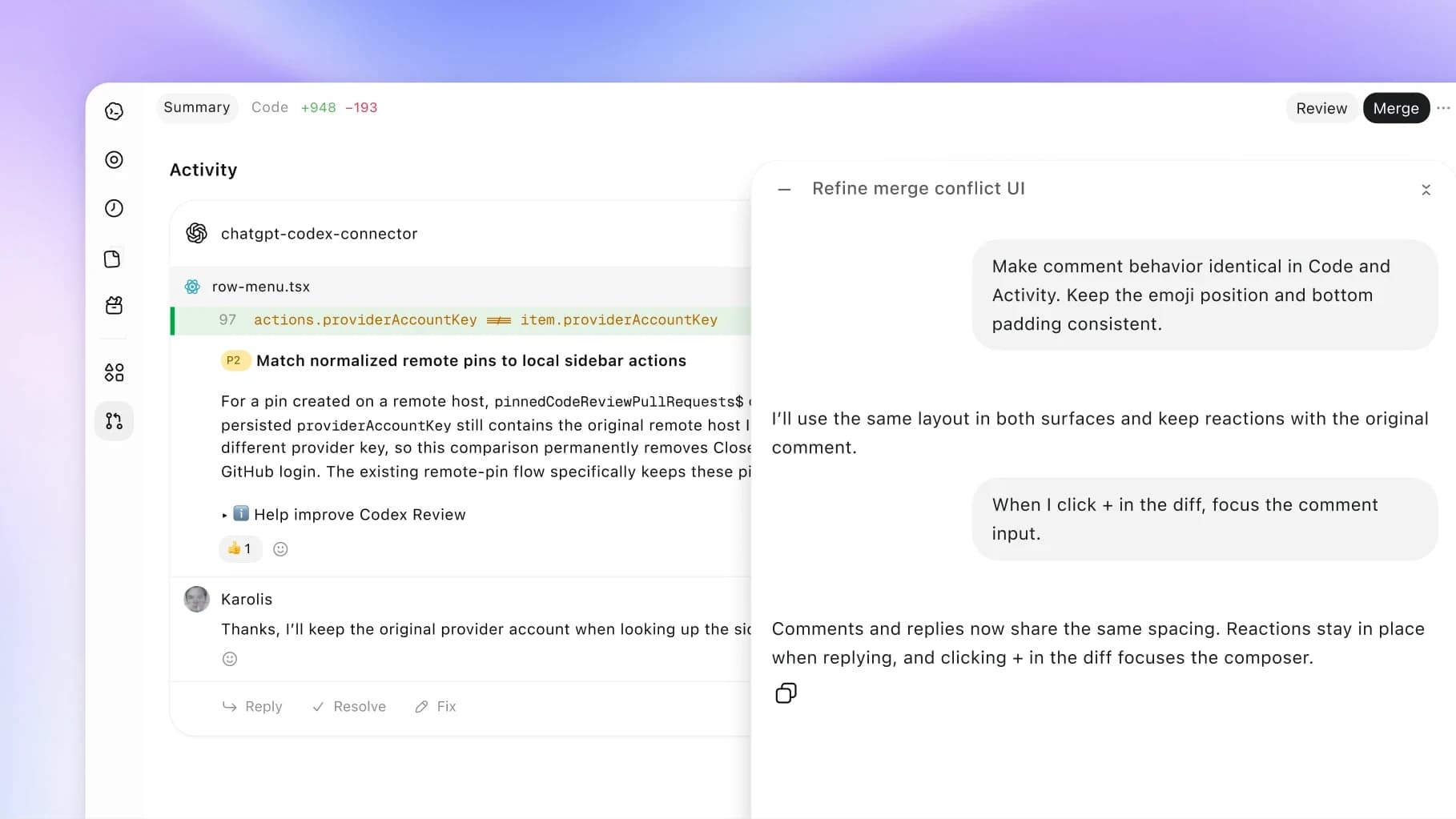
A completed scan returns ranked findings with criticality, validation evidence, remediation guidance, and a proposed patch when one is available. The proposed patch contains a minimal actionable diff with filename and line context.
The safety property that matters most for adoption: OpenAI states that the patch does not directly modify your PR branch. The workflow generates a diff, patch file, or suggested change for maintainers and reviewers to inspect before applying. Nothing is auto-applied. If your review process requires a human gate before code changes, the tool complies with it by default rather than by configuration.
Note the naming collision that trips people up: there are two products. The Codex Security plugin runs local scans in a Codex task (desktop app, CLI, and a TypeScript SDK published as @openai/codex-security). Codex Security Cloud is a separate plugin that scans connected GitHub repositories in Codex cloud. OpenAI states plainly that they are not the same plugin.
Our biggest DevDay ever, don't be late.
— @OpenAI September 29, 2026
OpenAI announced the Codex Security Cloud upgrade inside its DevDay 2026 keynote; the recap page is the canonical list of everything shipped, and this post is the official event-level announcement that preceded it.
Continuous Commit Monitoring
Monitoring is configured per repository. To start reviewing changes as commits arrive, OpenAI's documented steps are: select New scan, choose the repository and Cloud environment, set What to scan to Commit changes, then select Create.
To adjust monitoring, open Repositories, select the repository, and open Monitoring settings. There you can change the Cloud environment, choose how many days of history to review, and pause or enable monitoring. Select Save to apply changes. To pause entirely, set monitoring to Paused and save.
A Repository scan runs once across the repository; Commit changes monitors new commits and can also review existing commit history. Scan time varies with repository size and validation work, and progress is visible under Scans.
The Threat Model
A threat model is the scan-time security context for a repository. OpenAI describes it as combining a concise project overview with attack-surface details: entry points, trust boundaries, auth assumptions, and risky components. Codex Security generates the initial threat model by analyzing the repository's code to summarize its architecture and security entry points.
For a monitored repository, you can and should edit it. Open the repository's Monitoring settings, review and edit the generated threat model under Project context, then select Save. OpenAI frames this as the lever for improving scan context and finding prioritization. In practice, this is where an engineering team injects the knowledge the model cannot infer: which service holds the customer data, which internal endpoint is internet-reachable, which auth assumption is actually load-bearing.
Code Isolation and Permissions
The isolation model is stated clearly in OpenAI's FAQ. Codex Security runs analysis in an ephemeral, isolated container and temporarily clones the target repository. It performs code-level analysis and returns structured findings with a description, file and location, criticality, root cause, and a suggested remediation. For findings with verification steps it runs commands or tests in the sandbox and attaches the results as evidence. Each job's container is torn down after completion.
Two practical consequences follow. First, scanning requires granting GitHub repository access, and Codex cloud must be set up for the workspace. Both are permission decisions your security team should own. Second, the tool may execute build or test commands inside the container during auto-validation, which is a real code-execution path that should be covered by your existing container isolation assumptions.
OpenAI also notes elsewhere in its security documentation that for best results you should use an account verified for Trusted Access for Cyber, particularly for CLI-driven scans. The launch framing does not make that a hard requirement for the Cloud plugin; it is documented guidance.
| Question | OpenAI's answer |
|---|---|
| Does it replace SAST? | No. OpenAI states Codex Security complements SAST: it adds semantic, LLM-based reasoning and automated validation, while existing SAST tools still provide broad deterministic coverage. |
| Does it replace manual security review? | No. OpenAI states it accelerates review and helps rank findings, but does not replace code-level validation, exploitability checks, or human threat assessment. |
| Does it auto-apply patches? | No. When a finding has a proposed patch, you review it before selecting Create draft pull request. The workflow generates a diff, patch file, or suggested change for maintainers to inspect before applying. |
| Does the project need to build to be scanned? | No. Findings can come from repository and commit context without a compile step, though auto-validation may try to build the project inside the container if that helps reproduce an issue. |
Where It Stops: SAST and Human Review
This is the section to quote to a skeptical security lead. OpenAI explicitly declines two claims. Codex Security complements SAST rather than replacing it, adding semantic, LLM-based reasoning and automated validation while existing SAST tools keep providing broad deterministic coverage. And it does not replace manual security review: it accelerates review and helps rank findings, but does not replace code-level validation, exploitability checks, or human threat assessment.
On language support, OpenAI describes Codex Security as language-agnostic, with the honest caveat that in practice performance depends on the model's reasoning ability for the language and framework used by the repository. If you run an unusual stack, pilot on your own repositories before extrapolating from anyone's general claims.
Daybreak Blue Access
The headline access change is that Codex Security Cloud now includes access to models offered through Daybreak Blue without a separate Daybreak application, per OpenAI's DevDay recap and its announcement post. OpenAI describes these as “cyber-capable models.”
What is not published is equally important to state. As of September 29, 2026, OpenAI had not published a standalone public Daybreak Blue product page or a Daybreak Blue model list at the URLs we probed; the Daybreak Blue reference lives inside the Codex Security Cloud announcement and recap text. So this article does not claim specific model names, cyber capability ratings, or benchmark scores for Daybreak Blue. If you need those details for a procurement decision, ask your OpenAI account team rather than relying on a secondary summary.
Treat the operational meaning conservatively: the practical change is that Codex Security Cloud users no longer need a separate Daybreak application to reach cyber-capable models inside the product. Whether that changes your own security posture depends on internal policy about which cyber-capable models your organization permits at all.
Running a Bounded Pilot
The documented workflow is complete enough to run a controlled pilot without guessing. A sequence that matches what OpenAI describes:
- Pick two repositories, not ten. Choose one with a known vulnerability history and one clean service. You need a baseline for both a true positive and a quiet result, otherwise you cannot tell detection from silence.
- Fix the environment first. A compatible Codex cloud environment is a prerequisite for a scan, so creating one is the real first step. If your repository needs private dependencies to build, confirm that the environment can resolve them, since auto-validation may try to build to reproduce an issue.
- Run one Repository scan and read the threat model before acting on findings. The generated threat model is the tool's understanding of your attack surface. If it has misread your architecture, the findings that follow will be ranked against the wrong context. Edit it under Project context and save.
- Measure precision on known ground truth. Compare validated findings against the vulnerabilities you already knew about. That gives you a defensible number for the next conversation with your security lead.
- Turn on commit monitoring only after a clean Repository scan. Add the repository under Repositories, set Monitoring settings (including how many days of history to review) and confirm the environment before enabling.
- Never merge a generated patch unreviewed. A proposed patch is a minimal diff with filename and line context. It is a starting point for a reviewer, and OpenAI explicitly designs the flow so a human inspects it before the draft PR exists.
- Write down your pause procedure. Monitoring can be paused per repository. Have a named owner who can pause a noisy campaign without waiting on a support ticket.
Cost, Coverage, and What Is Not Published
Three categories of information are not in OpenAI's public material, and each one affects whether a pilot becomes a rollout.
- Cost per scan is not published. OpenAI documents that the CLI supports setting an estimated cost limit and that Codex Security Cloud usage is tied to your workspace's Codex cloud setup, but no per-scan or per-repository price appears in the launch material or the setup documentation. If you run a monorepo, that is the first number to establish empirically.
- Scan time is not quantified. OpenAI states plainly that scan time varies with repository size and validation work, and points you to the Scans view for progress. There is no published SLA or typical duration.
- Coverage is not defined by vulnerability class. OpenAI describes the analysis as building a threat model from repository code and entry points, with language-agnostic behaviour that in practice depends on the model's reasoning over your language and framework. There is no published coverage matrix, no list of CWE classes it reliably finds. Treat coverage as repository-specific until you measure it.
There is also a scope question worth thinking through before granting access: scanning is only as good as the threat model it builds, and a threat model is only as good as the context someone gives it. Teams that treat the generated threat model as final will get generic findings. Teams that invest twenty minutes describing entry points, trust boundaries, and criticality will get findings ranked against their actual risk. That editing step is the highest-leverage action in the whole workflow, and OpenAI documents it as an explicit step rather than an advanced option.
Adopt It If
Adopt it if you maintain a GitHub-based codebase with a real vulnerability backlog and a review process that already has a human gate on pull requests. The combination that makes this useful is unattended repository and commit scanning plus validated findings with reproduction evidence: the validation step is what makes a findings list triageable instead of overwhelming. Because patches land as a draft PR you must review, it slots into an existing approval flow rather than bypassing it.
Wait or scope it narrowly if your team cannot grant GitHub repository access plus a Codex cloud environment, or if your workspace administrator has not enabled access, and the documentation repeatedly points to the admin as the gate. Also treat it as a preview-grade product: OpenAI's own docs call Codex Security Cloud a research preview, even though the recap frames broad plan availability.
Do not retire your SAST tooling. OpenAI states outright that Codex Security complements SAST rather than replacing it. The correct mental model is a ranked, evidence-attached second pass on top of deterministic coverage, with humans still owning exploitability judgement.
FAQ
What is Codex Security Cloud?
A plugin that scans connected GitHub repositories in Codex cloud. It validates likely vulnerabilities, presents findings with evidence and remediation guidance, and can monitor new commits. OpenAI describes it as available in research preview on the web and in the desktop app.
Is Codex Security Cloud the same as the Codex Security plugin?
No. The Codex Security plugin runs local scans in a Codex task in the desktop app or CLI. Codex Security Cloud is a separate plugin that scans connected GitHub repositories in Codex cloud. OpenAI states they are not the same plugin.
Does Codex Security Cloud open pull requests automatically?
It can prepare fixes, but it does not auto-apply them. When a finding offers Fix with Codex, you review the generated patch and then select Create draft pull request.
What does Daybreak Blue add?
Access to cyber-capable models through Daybreak Blue, included by default, without a separate Daybreak application. OpenAI has not published a standalone public Daybreak Blue model list.
How does it avoid flooding me with false positives?
Two stages: the model ranks likely issues, then auto-validation tries to reproduce each one in a clean container. Findings that reproduce are marked validated. Findings that fail validation stay unvalidated, with logs kept for retry or further investigation.
Are my repositories safe during a scan?
OpenAI states each analysis and validation job runs in an ephemeral Codex container with session-scoped tools, the repository is temporarily cloned, artifacts are extracted for review, and the container is torn down after the job.
What has to exist before I can start a scan?
Three things, per OpenAI's setup documentation: a connected GitHub repository, Codex cloud set up for your workspace, and a cloud environment compatible with the repository. Commit monitoring is narrower still — OpenAI notes that monitoring only checks commits on repositories with a connected cloud environment, so a repository without one will not report new findings even though a one-off scan can still be run.
Is Codex Security Cloud generally available?
The two official sources describe it slightly differently. OpenAI's setup documentation calls Codex Security Cloud available in research preview on the web and in the desktop app, while the DevDay 2026 recap says it is available to all Pro, Business, Enterprise, and Edu users on desktop and web. The honest read is that rollout is broad but the product is still labelled preview, so treat reliability and coverage as preview-grade when you plan around it.
How was this article verified?
Everything here is drawn from OpenAI's own material, checked on September 29, 2026: the DevDay 2026 recap, the Codex Security setup guide, the Codex Security overview and FAQ docs, the Codex cloud and code review documentation, and the @OpenAI announcement post with its demo video. We probed for a standalone public Daybreak Blue page and did not find one, so Daybreak Blue is described only as OpenAI describes it in the launch material. Where OpenAI publishes no number (cost per scan, scan duration, or a coverage matrix by vulnerability class), this article says so instead of estimating.
Sources
- OpenAI — DevDay 2026 Recap (Codex Security Cloud availability and Daybreak Blue line)
- OpenAI — Codex Security Cloud setup (install, connect GitHub, scan, findings, commit monitoring)
- OpenAI — Codex Security overview (pipeline, isolation, plugin vs CLI vs Cloud)
- OpenAI — Codex Security Cloud FAQ (auto-validation, SAST relationship, outputs, isolation)
- OpenAI — Improving the threat model
- OpenAI — Codex cloud (prerequisite for Security Cloud scans)
- OpenAI — ChatGPT plugin marketplace (Codex Security Cloud install path)
- GitHub — openai/codex-security (CLI and TypeScript SDK)
- OpenAI — Trusted Access for Cyber
- @OpenAI on X — Codex Security Cloud upgrade announcement (September 29, 2026)
Related on Agentpedia: DevDay 2026: Everything OpenAI Announced, GPT-6.1 Sol: Benchmarks, Pricing and API Guide, OpenAI Secure MCP Tunnels, and Anthropic's Alignment and Security Update.
Get the latest on AI, LLMs & developer tools
New MCP servers, model updates, and guides like this one — delivered weekly.