What DevDay 2026 Was
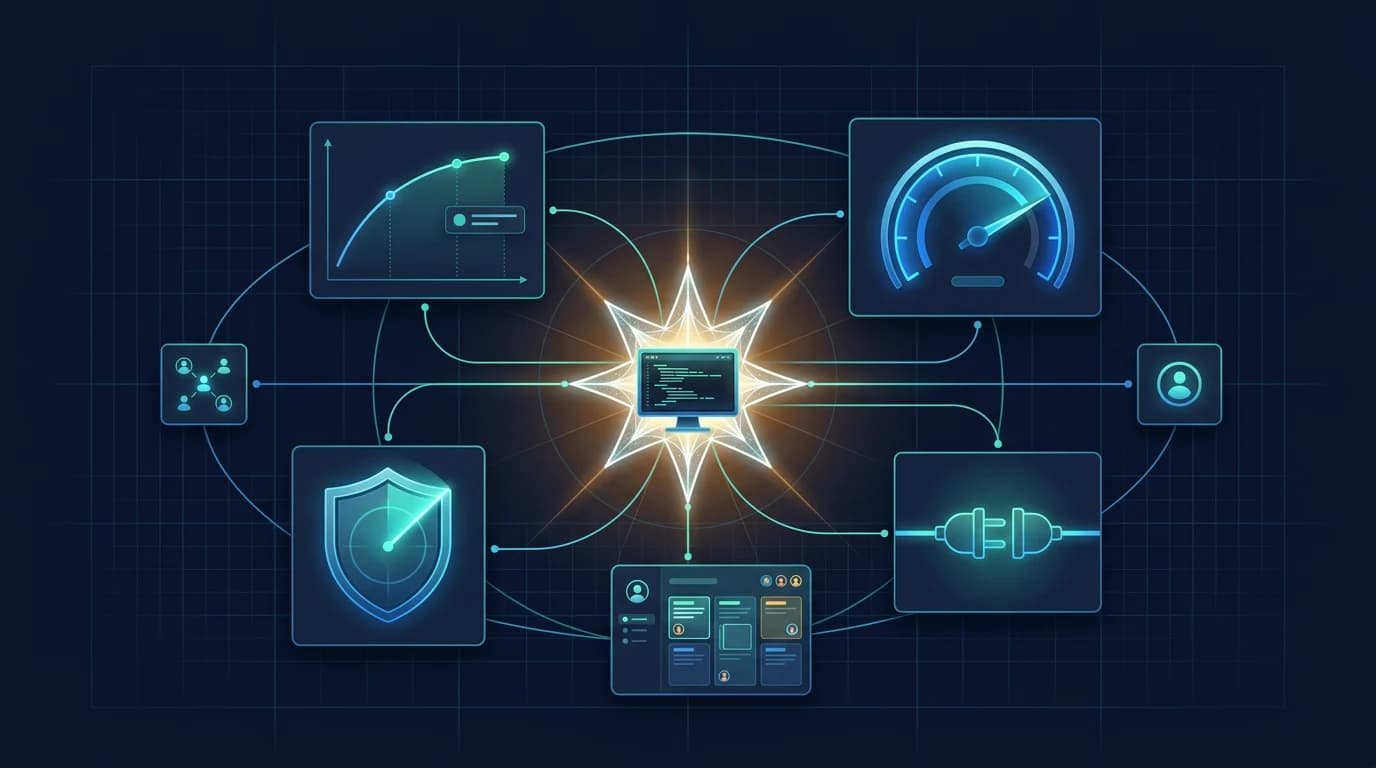
OpenAI calls DevDay 2026 “our biggest yet, with more than 20 major announcements across ChatGPT, Codex, our models, and entirely new forms of working with AI.” The framing on the recap page is two-pronged: agents that take on ongoing responsibilities, and an open ecosystem play in which ChatGPT becomes a shared surface where humans and agents collaborate and where developers can launch native experiences to OpenAI's stated 1.2 billion weekly users.
OpenAI organized the recap into five sections: new ways of working, building with Codex and the API, customizing ChatGPT with plugins, people and AI working together, and doing more with a ChatGPT subscription. This article follows that structure, because it is OpenAI's own taxonomy and it keeps the list verifiable against the source.
One scope note before the list: this roundup covers only announcements OpenAI published on or linked from its own pages and accounts on September 29, 2026. It does not include pre-event leaks, press reporting, or third-party summaries, and where a detail is not in a first-party source we say so rather than filling the gap.
Dots will be available in ChatGPT on web, mobile, and desktop across Pro, Business Premium, and Enterprise users in eligible markets. To get started, create your first dot in the ChatGPT desktop app or your desktop browser.
— @OpenAI September 29, 2026
New Ways of Working
Four announcements anchor the keynote, and three of them are the highest-impact items of the day.
Dots
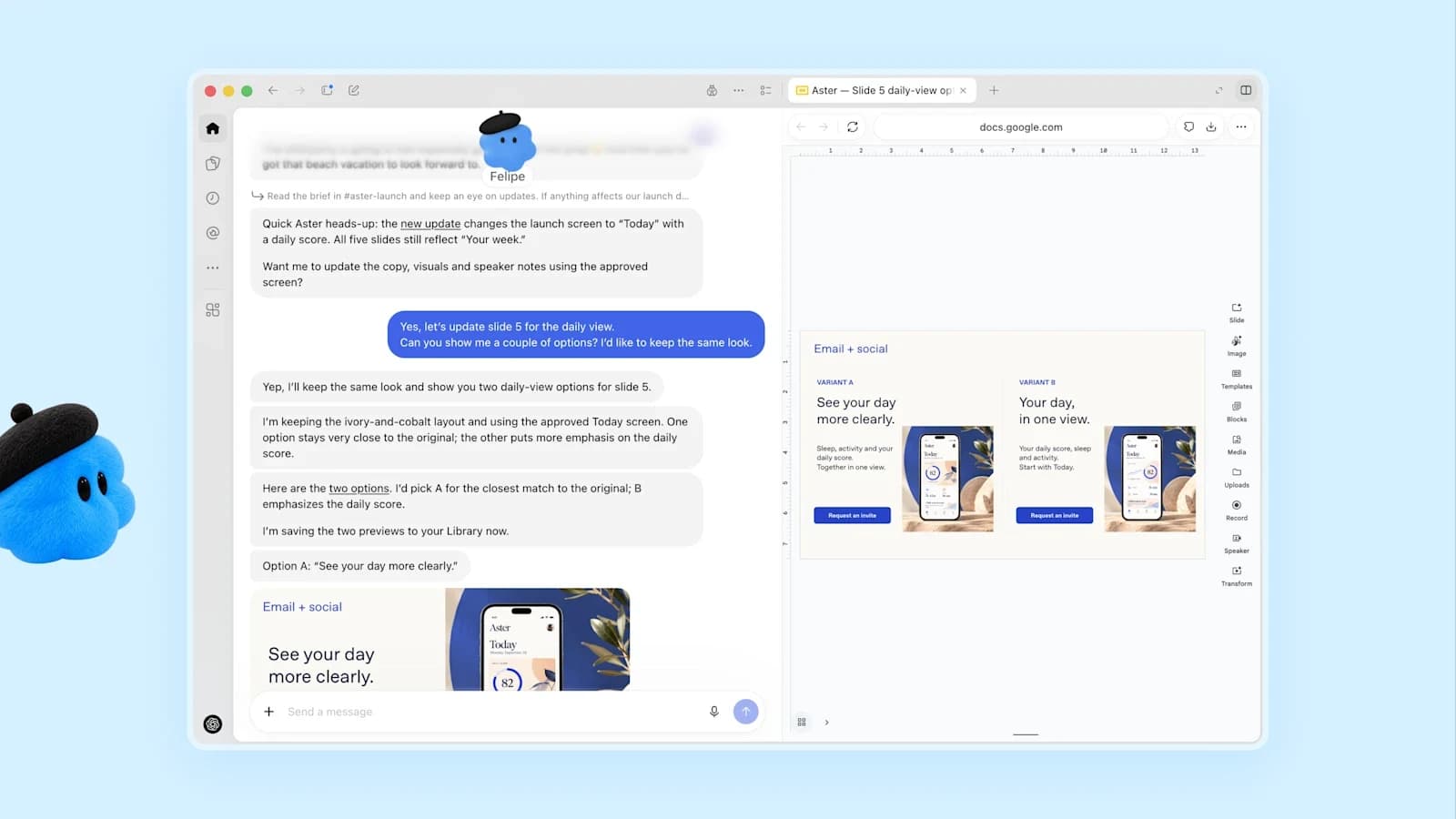
Always-on agents powered by GPT-6 Astra, each with its own cloud computer, connecting to more than 4,000 apps through the plugin ecosystem and reachable in ChatGPT, Slack, and Teams. Rolling out to Pro and Business Premium in eligible markets, with Enterprise, Edu, and Healthcare able to try the beta when a workspace admin enables it — it is off by default. Your first dot is included at no extra cost. Read the full dots guide.
GPT-6.1 Sol
A major upgrade to GPT-6 Sol with near-Astra performance on agentic coding, computer use, and professional work at one-fifth of Astra's standard input and output token prices. Standard API pricing is $2 input, $10 output, and $0.10 cached input per million tokens. Available to API, Plus, Pro, Business, Enterprise, and Edu users in ChatGPT Work and Codex — but not in Chat. Read the full GPT-6.1 Sol guide.

Ultrafast
A premium speed tier generating tokens up to 8x faster (300 tokens per second) in Codex and up to 6x in the API. GPT-6 Astra Ultrafast is live in the API and in ChatGPT Work and Codex on Pro 500 and Enterprise plans; GPT-6.1 Sol Ultrafast is coming soon. Read the full Ultrafast and Pro plans guide.
Private Intelligence
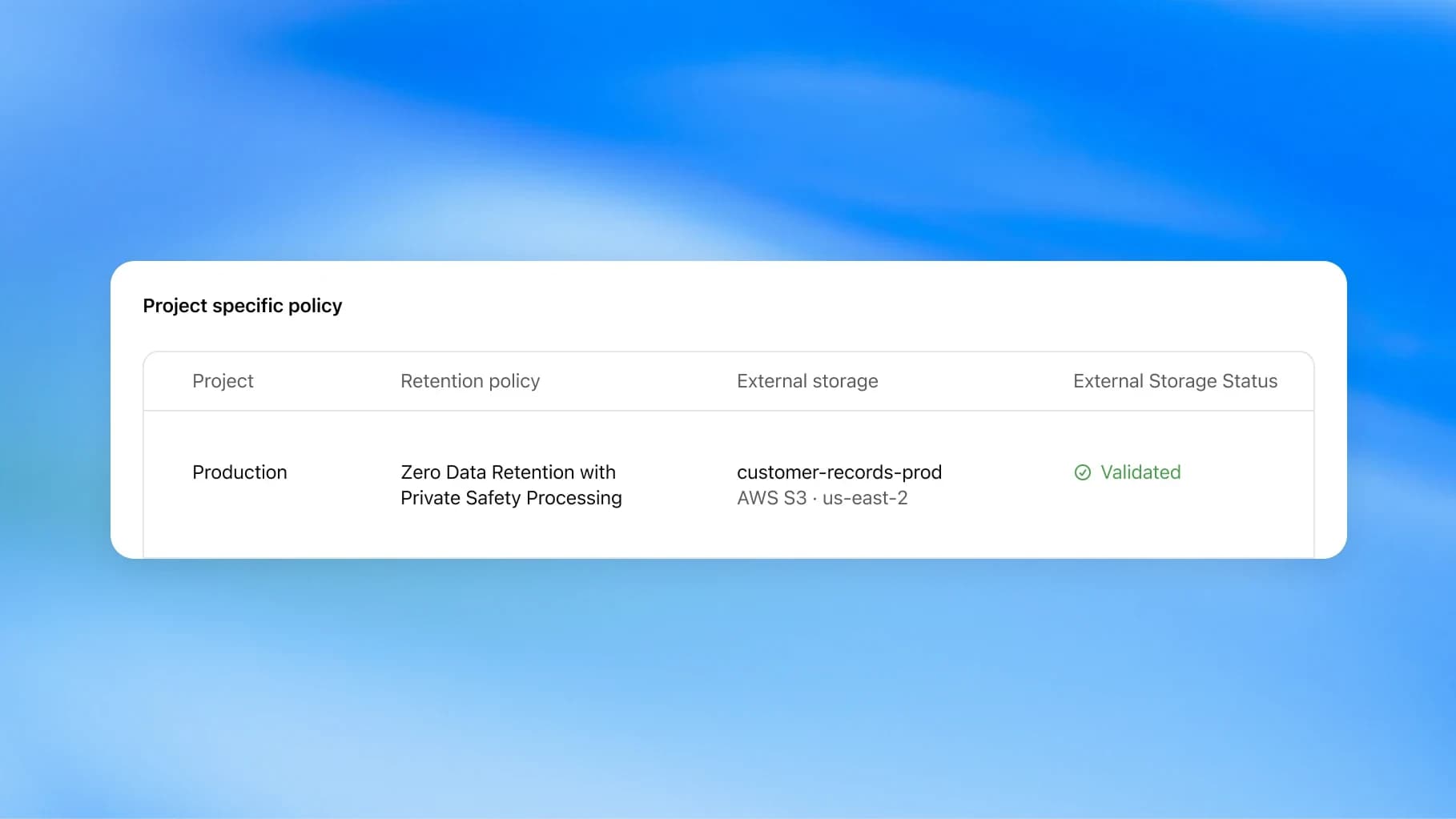
Enterprise data-protection controls for frontier AI. Zero Data Retention with Private Safety Processing enables automated safety reviews without giving OpenAI personnel access to the underlying content. OpenAI also previewed Private Inference, described as combining confidential computing with strict, verifiable controls, coming in the fall. Contact is by sales conversation, not self-serve.
Codex and the API
Seven developer-facing items, and for anyone already building with Codex this is the densest part of the release.
- Codex in the cloud: run Codex on a computer, remotely from a phone, or in the cloud from any device, with reusable development environments that give a team a shared setup with approved settings and permissions. Available on Plus, Pro, Business, Healthcare, Education, and Enterprise. Codex cloud docs.
- A refreshed Codex CLI: voice-driven start and steering of tasks, a new
/agentsview for delegating and tracking multiple tasks, improved prompt editing, session resume, worktrees, and a cleaner terminal UI. Available to all plans. - Code Review: in the ChatGPT desktop app: read summaries, explore diffs, and ask Codex about potential issues before sharing feedback on GitHub pull requests or GitLab merge requests. Automatic reviews let Codex take a first pass in the cloud while you are away. All plans.
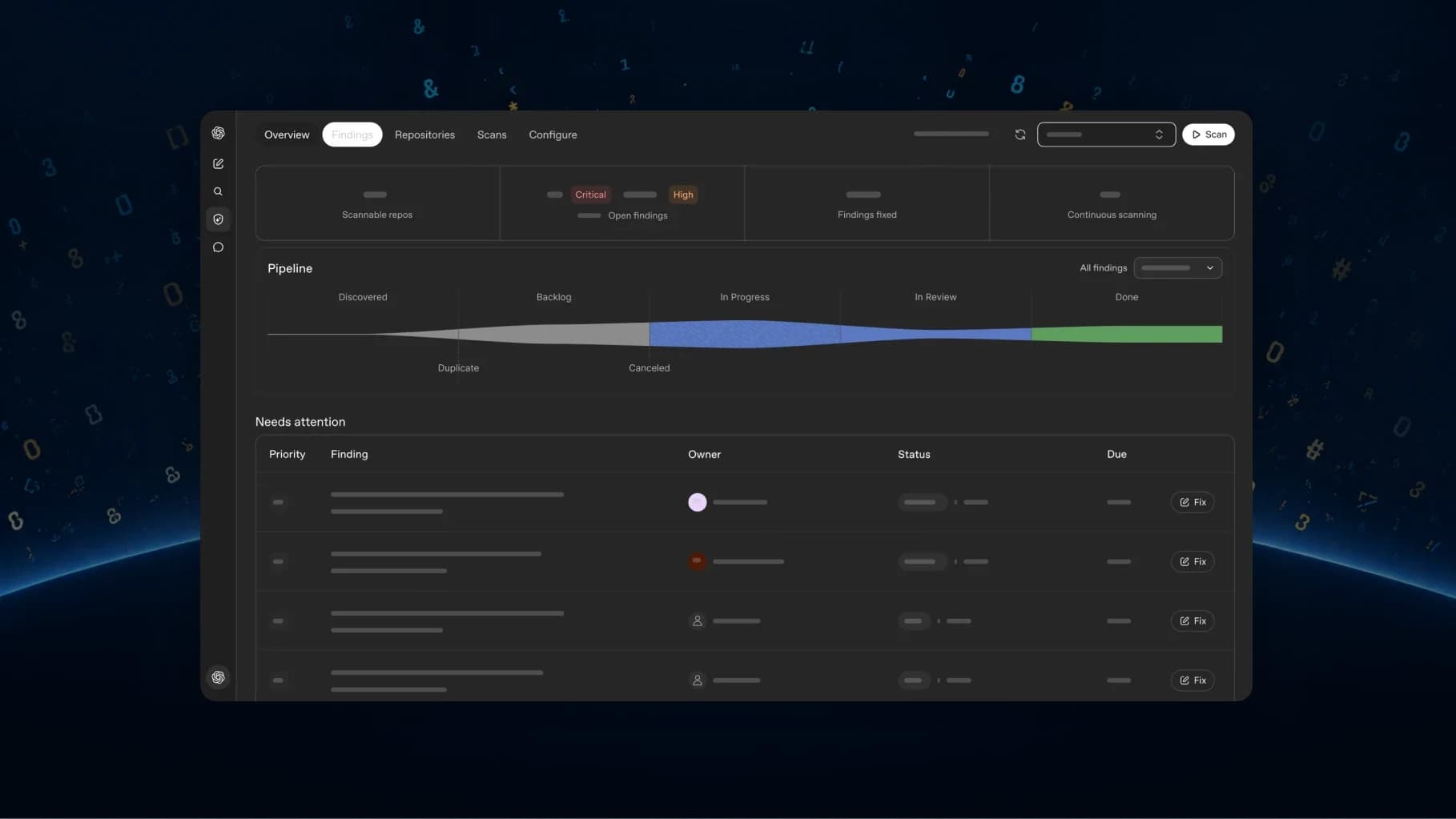
- Codex Security Cloud: scan entire GitHub repositories on demand or on a schedule with ongoing checks of new commits; Codex investigates findings, removes duplicates, and prepares fixes in the cloud. Access to models offered through Daybreak Blue is included without a separate Daybreak application. Available to Pro, Business, Enterprise and Edu on desktop and web per the recap; the docs describe it as a research preview. Read the full Codex Security Cloud guide.
- Decisions API: real-time decision-making focused on a specific set of user-defined questions with finite pre-defined answers. Supply context as text or images and get answers you can use to classify content, route requests, or choose an agent's next action. In limited preview, with a broad release planned in the coming days.
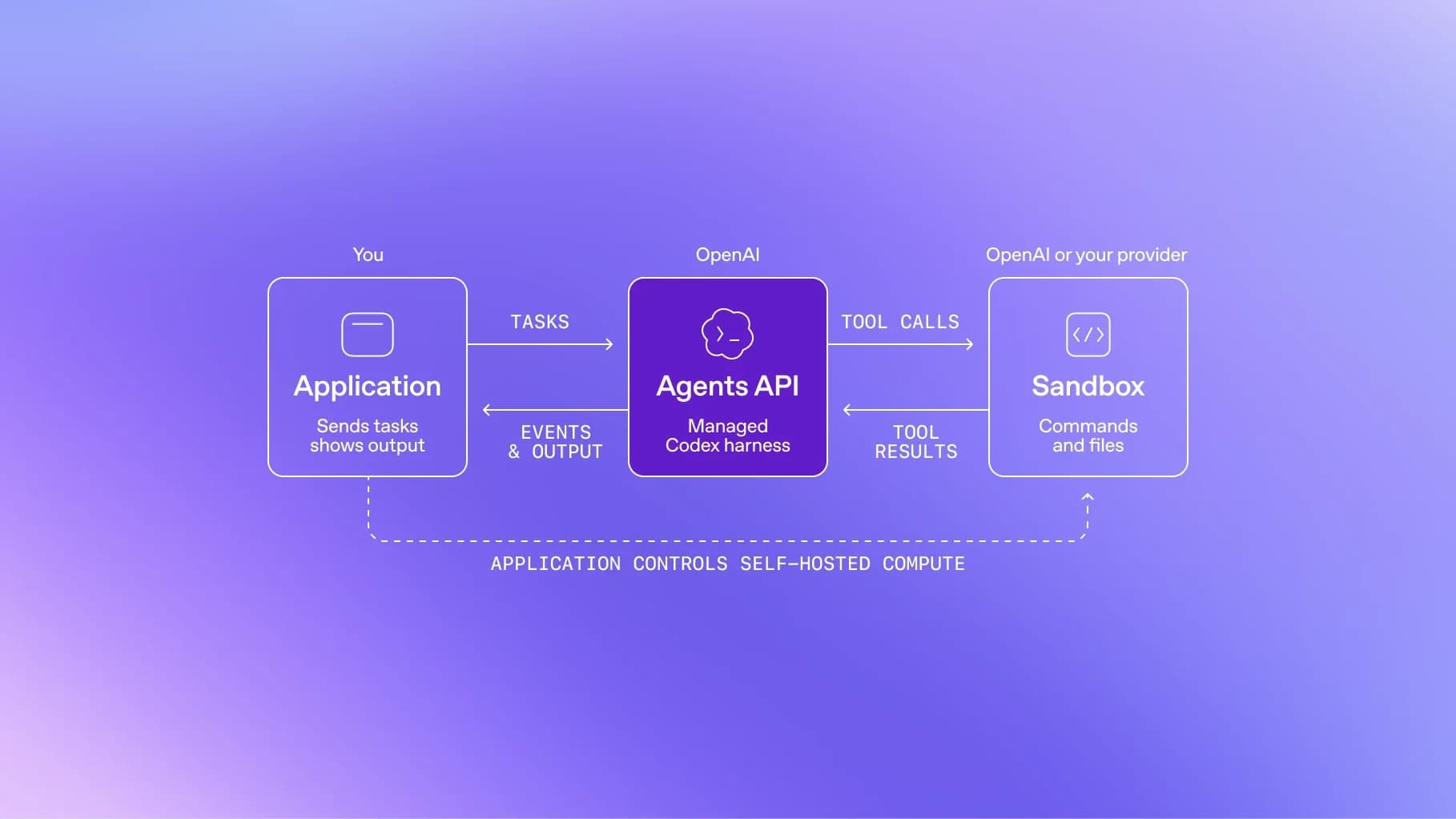
- Agents API with computer use: the Agents API now supports computer use so developers can build agents that interact with software to complete tasks, and brings Codex's multi-agent capabilities, tool search, tool calling, and context compaction into your application. OpenAI runs the underlying infrastructure. Available through the API and in Codex and ChatGPT Work on Pro 500 and Enterprise. Computer use docs.
- Bedrock Managed Agents, powered by OpenAI — built with Amazon to take the core capabilities of the Agents API, add customization, and run natively in AWS with integration to AWS resources. AWS page.
Plugins and Customization
Four items, all available to every plan. This is the ecosystem half of the keynote and the part most relevant to developers who build on ChatGPT rather than just use it.
- Plugin extensions: OpenAI opened the platform it uses to build ChatGPT features so developers can create their own experiences inside ChatGPT. Plugin extensions give a plugin a home in the sidebar and support interactive panels for working alongside the conversation, plus viewers for the file types a product supports. Build extensions docs.
- Improved plugin creation, submission, and discovery: Plugin Creator to help build a plugin, a redesigned submission flow with clearer feedback, and improved ranking and recommendations in the directory and in conversations. Users still choose which plugins to use and approve the access each one receives.
- Sites can host plugins: add supported ChatGPT plugins to Sites you build, so teammates in a workspace use the same app with their own connected data and permissions. Automations are easier to add and manage. Available to Business, Enterprise, Healthcare, and Edu.
- MCP events for plugin automations: support for the proposed MCP Events specification, so plugins can start automations when something happens in a connected app. The example OpenAI gives is asking ChatGPT to watch for new tasks on a project board and, when one arrives, read linked documents and draft a plan while you are away. MCP events docs.
People and AI Working Together
Seven collaboration features, mostly aimed at Business and Enterprise workspaces.
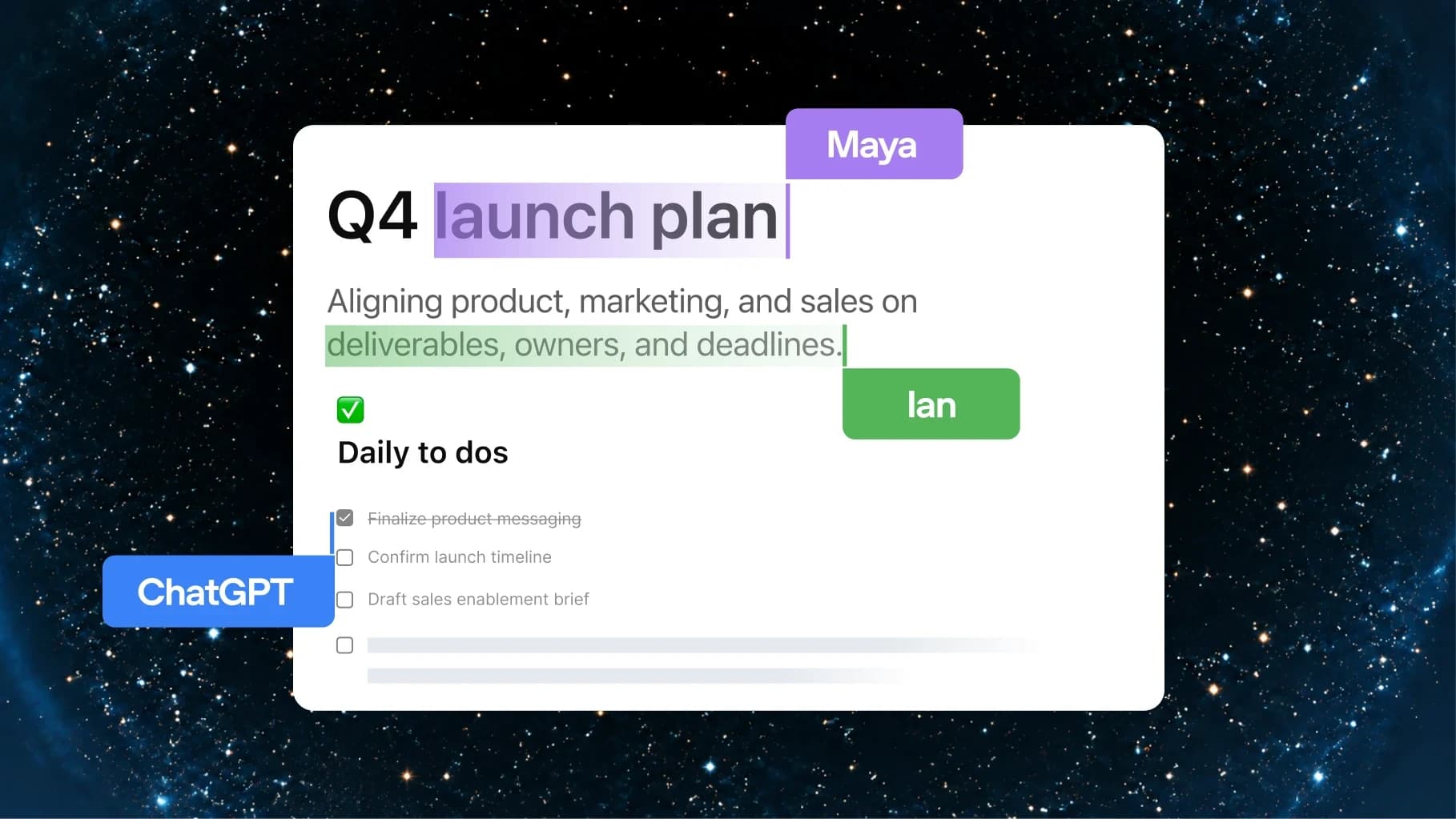
- ChatGPT Space: a dedicated space where teammates, ChatGPT, and your dot build on shared knowledge. ChatGPT can keep the space organized based on your instructions. Available to Pro, Business, and Enterprise on desktop and web, with finding, reading, and sharing pages on mobile; mobile creation and editing are coming soon. Space feature page.
- Pages: a new document type built for human and agent collaboration. Anything you can do in ChatGPT you can do on a page: write, research, generate charts, create images, or visualize information. Create one in a conversation, then invite your team to contribute. Pro, Business, and Enterprise.
- Collaborative slides: coming in the coming weeks for Pro, Business, and Enterprise: create interactive slides from a conversation or a template, with multiple teammates and agents editing simultaneously and leaving comments. Present in ChatGPT or export to PowerPoint or Google Slides with formatting intact.
- Create teams and share tasks: bring colleagues together as a team to share pages, slides, plugins, and spreadsheets, and delegate recurring work such as weekly project updates to team tasks that run on a schedule or in response to events like a new email or Slack message. Business and Enterprise.
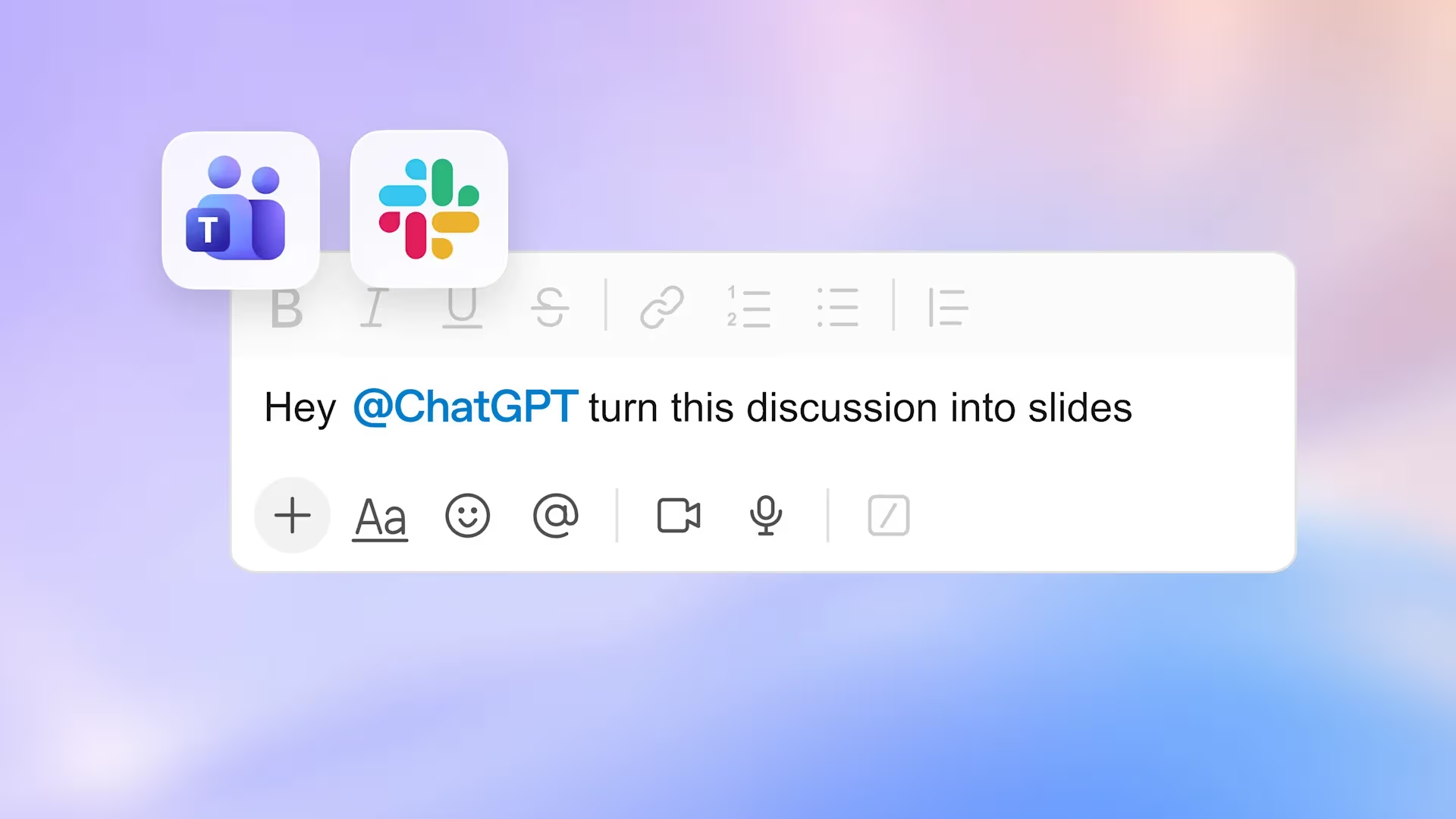
- @ChatGPT in Slack and Microsoft Teams: mention @ChatGPT in a channel, thread, or DM. It can use tools connected by your admin or your own tools with your permissions, and teammates can refine results in the same conversation without needing an individual ChatGPT license. Business and Enterprise.
- Meetings plugin: takes notes and saves personalized summaries with action items in ChatGPT Space, privately or shared with your team. OpenAI states audio is deleted once notes are ready and cannot be accessed or replayed. Beta in the ChatGPT desktop app on macOS for Pro and Business users, with Enterprise coming soon.
- Shareable profiles: showcase Sites and plugins others can find and reuse, with shared skills discovery limited to the workspace. Business and Enterprise.
Subscription and Marketplace
Three items change how a ChatGPT plan is used outside ChatGPT.
- Sign in with ChatGPT: use your allowance across 16 partners including Cognition's Devin, Notion, Vercel, T3, OpenClaw, and Dactyl, and control how much each can use; eligible OpenAI usage counts toward your plan limits. You can also sign in to a range of tools with your ChatGPT account to connect plugins faster. Identity is available globally; plan usage is available to Plus and Pro users in participating tools.
- A new Pro tier: Pro 500 offers the highest usage allowance at 25 times the ChatGPT Plus allowance and includes Ultrafast. Available now. OpenAI also reopened Pro 200 subscriptions with a lower usage allowance for new non-grandfathered subscriptions. Pro tiers help article.
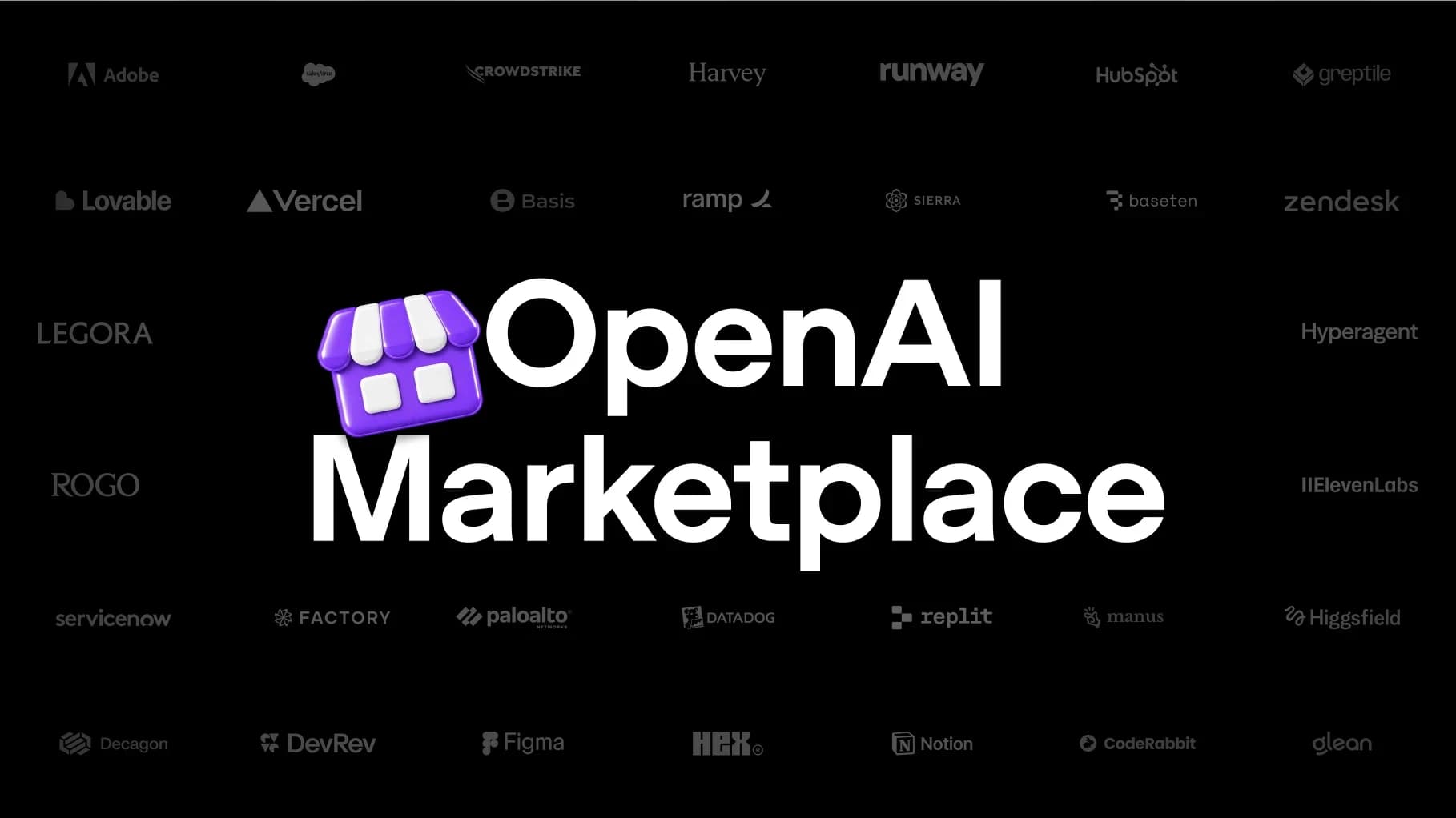
- OpenAI Marketplace: eligible enterprise customers can apply part of their existing OpenAI commitment toward approved partner software. The first 32 partners include Adobe and Figma for creative work, plus Sierra, Decagon, Hubspot, and Salesforce. Marketplace help article.
Also Today: Safety Cases for Training
DevDay was not the only OpenAI publication on September 29. Earlier the same day, OpenAI published Towards safety cases for frontier AI training, a policy document that is separate from the DevDay announcements and belongs in any honest account of the day's news.
The core claim is that structured safety documentation should be required before continuing any frontier reinforcement learning training run, ideally rising to the level of “safety cases” as used in other safety-critical industries. OpenAI is explicit that this is aspirational: it treats safety cases as a north star it is building toward and acknowledges the difficulty of making them as rigorous for AI models as for aviation or nuclear power.
The published guidelines fall into three groups. Technical safeguards cover alignment training, containment, and monitoring — including automated and manual dataset reviews to prevent reward hacks being reinforced, backtesting alignment evals against previous incidents, tracking eval awareness, immutable transcripts of RL runs, and a rule that automated graders should not see the chain of thought so models cannot evolve to evade chain-of-thought monitors. Operational guidelines cover pre-mortem dissents written by another team, senior leadership approvals with veto power, named accountability, pause runbooks for invalidated safety cases, internal oversight visibility, auditor access, escalation paths that can page executives, fail-closed technical controls, and rollback ability. Incident investigation guidance covers periodic internal updates, root-causing training dynamics, operational and cultural postmortems, and detection methods that do not hillclimb on information derived from the incident itself.
The status matters: OpenAI states these are recommendations currently in the process of being implemented and expects the practices to keep evolving over the coming weeks. Treat it as a stated policy direction with named mechanisms, not as a completed audit regime.
How we think about securing frontier RL training runs.
— @OpenAI September 29, 2026
Live, Preview, or Coming Soon
This is the table to check before planning anything. The distinction between shipping today and being announced for later is where most summaries go wrong.
| Announcement | Status | Detail |
|---|---|---|
| dots | Rolling out now | Pro and Business Premium in eligible markets; Enterprise/Edu/Healthcare beta off by default. |
| GPT-6.1 Sol | Available now | ChatGPT Work and Codex, plus the API as gpt-6.1-sol. Not yet in Chat. |
| GPT-6 Astra Ultrafast | Available now | API for all users at low rate limits; ChatGPT Work and Codex on Pro 500 and Enterprise. |
| GPT-6.1 Sol Ultrafast | Coming soon | OpenAI says coming in the coming days. No fixed date. |
| Pro 500 | Available now | $500/month, highest included usage, includes Ultrafast. |
| Pro 200 | Available again | $200/month. New non-grandfathered subscriptions get a lower usage allowance. |
| Codex in the cloud | Available now | Plus, Pro, Business, Healthcare, Education, Enterprise. |
| Codex CLI refresh | Available now | All plans. |
| Code Review | Available now | All plans. |
| Codex Security Cloud | Available now (preview maturity) | Recap says Pro, Business, Enterprise, Edu on desktop and web; docs call it a research preview. |
| Decisions API | Limited preview | Broad release planned in the coming days. |
| Agents API computer use | Available now | API, and Codex/ChatGPT Work on Pro 500 and Enterprise. |
| Bedrock Managed Agents | Available now | Built with Amazon to run OpenAI agents entirely in AWS. |
| Plugin extensions | Available now | All plans. |
| ChatGPT Space | Available now | Pro, Business, Enterprise on desktop and web; read/share on mobile. |
| Collaborative slides | Coming weeks | Pro, Business, Enterprise. |
| OpenAI Marketplace | Enterprise application | Eligible enterprise customers; first 32 partners. |
Status as published by OpenAI on September 29, 2026. Where the recap and the product documentation describe maturity differently — Codex Security Cloud is the clear example — the table states both.
Where to Go Deeper
Four items carry enough source depth to justify a full article. Each deep dive is built from OpenAI's launch page, documentation, and official media.
- OpenAI dots: Always-On Agents Guide (2026) — what a dot can do on its own, the auto-review gate, what proactive research is restricted to, Custom Rules, Activity View, specialist dots, and which plans get one first.
- GPT-6.1 Sol: Benchmarks, Pricing and API Guide (2026) — the full pricing table, DeepSWE v1.1, GDP.pdf, AutomationBench, OSWorld 2.0, Terminal-Bench Science, factuality and alignment numbers, each with its exact configuration and caveat.
- Codex Security Cloud + Daybreak Blue: Setup Guide (2026) — the four-stage pipeline, the exact plugin setup steps, how customer code is isolated, and where OpenAI states the tool stops short of SAST and human review.
- ChatGPT Ultrafast, Pro 500 and Pro 200: Plans Guide (2026) — what Ultrafast measures versus what it bills, the 8x and 6x multipliers, eligibility rules, the API request shape, and the Pro 200 grandfathering dates.
Open Questions After DevDay
A few things a careful reader will notice are missing from the official material. Listing them is more useful than guessing an answer.
- No fixed dates for the “coming soon” items. GPT-6.1 Sol Ultrafast is “coming soon”/“in the coming days,” the Decisions API broad release is “planned in the coming days,” collaborative slides are “in the coming weeks,” and Private Inference is a fall preview. None carry a date.
- No published Daybreak Blue model list. Codex Security Cloud includes access to cyber-capable models through Daybreak Blue, but as of the access date OpenAI had not published a standalone Daybreak Blue page or model inventory at the URLs we probed.
- No dollar figures beyond the three Pro tiers and the Sol token rates. Business Premium, Enterprise, and Edu pricing for dots is not published; the framing is “first dot included at no extra cost.”
- No credit denominations. Pro 500 is described as “25 times the ChatGPT Plus allowance,” which is relative rather than absolute. The absolute number is behind chatgpt.com/pricing.
- No context window or knowledge cutoff for GPT-6.1 Sol in the launch material, unlike the GPT-6 Astra launch which published both.
- Specialist dots have no date, price, or eligibility criteria: OpenAI describes focused enterprise pilots and a Microsoft Agent 365 collaboration.
- No independent benchmark reproduction yet. Every performance number in this roundup and its deep dives is OpenAI-reported as of launch day.
None of this is unusual for a keynote-day release, and OpenAI is more specific than most vendors about which items are live versus preview. The point is simply that a decision made today has to be made on the published subset.
What to Do Next
If you ship software: evaluate GPT-6.1 Sol against your current model on a cost-per-completed-task basis, not a per-token basis. Its cached input rate of $0.10 per million tokens is the lever, and it only pays off on workloads that resend a large stable prefix. Then look at Codex in the cloud and the Codex CLI refresh, which change how a team shares environments and steers tasks.
If you build on the API: the Agents API adding computer use is the structural change — it brings Codex-style multi-agent behaviour, tool search, tool calling, and context compaction into your own application with OpenAI running the infrastructure. The Decisions API is worth watching but is in limited preview today.
If you build inside ChatGPT: plugin extensions are the announcement with the longest runway. OpenAI opened the platform it uses for its own features; the question is whether your product is better as a plugin panel in the sidebar than as a separate destination.
If you are a security team: start with the limits, not the feature list. Codex Security Cloud complements SAST and does not replace manual security review, per OpenAI's own documentation, and it requires GitHub repository access plus a Codex cloud environment. Pilot on two repositories, edit the generated threat model, and measure the validated-finding rate before broadening.
If you pay for ChatGPT: the decision is Pro 500 versus staying put. Pro 500 is the only Pro tier with Ultrafast and the only one with the highest allowance, at $500 per month. If you are on Pro 200, check whether you are inside the grandfathering window before changing anything — the included allowance through October 29, 2026 is a real benefit that a new subscription does not carry.
FAQ
How many announcements did OpenAI make at DevDay 2026?
OpenAI describes “more than 20 major announcements.” Its recap page organizes them into five sections covering 25 named items, which this article reproduces in OpenAI's own grouping.
What was the biggest announcement at DevDay 2026?
By source depth and product surface, dots and GPT-6.1 Sol were the two tentpole releases, with Ultrafast and Pro 500 close behind. OpenAI leads its recap with dots under the heading “A whole new way to work with AI.”
Did OpenAI release a new frontier model at DevDay 2026?
No new frontier model generation. GPT-6.1 Sol is an upgrade to GPT-6 Sol positioned below the existing GPT-6 Astra frontier model, at one-fifth of Astra's standard input and output token prices.
What is not available yet from DevDay 2026?
GPT-6.1 Sol Ultrafast is coming soon. The Decisions API is in limited preview with a broad release planned in the coming days. Collaborative slides are arriving in the coming weeks. Private Inference is a preview for this fall. Specialist dots are enterprise pilots.
Was there a safety announcement at DevDay 2026?
Not inside the DevDay announcements. OpenAI published “Towards safety cases for frontier AI training” earlier the same day as a separate policy document, covering technical safeguards, operational guidelines, and misalignment incident investigation. OpenAI states the practices are in the process of being implemented.
Sources
- OpenAI — DevDay 2026 Recap (primary announcement manifest, availability lines, official media)
- OpenAI — Introducing dots
- OpenAI — Introducing GPT-6.1 Sol
- OpenAI — Towards safety cases for frontier AI training
- OpenAI — Ultrafast mode in the API
- OpenAI Help Center — About ChatGPT Pro tiers
- OpenAI — Codex Security Cloud setup
- OpenAI — Codex cloud
- OpenAI — MCP events for plugin automations
- OpenAI — Plugin extensions
- Amazon Web Services — Bedrock Managed Agents, powered by OpenAI
- OpenAI — Agents API computer use
- @OpenAI on X — September 29, 2026 announcement timeline
Related on Agentpedia: GPT-6 Astra: Complete Guide, OpenAI Agents SDK Guide, and OpenAI Secure MCP Tunnels.
Get the latest on AI, LLMs & developer tools
New MCP servers, model updates, and guides like this one — delivered weekly.