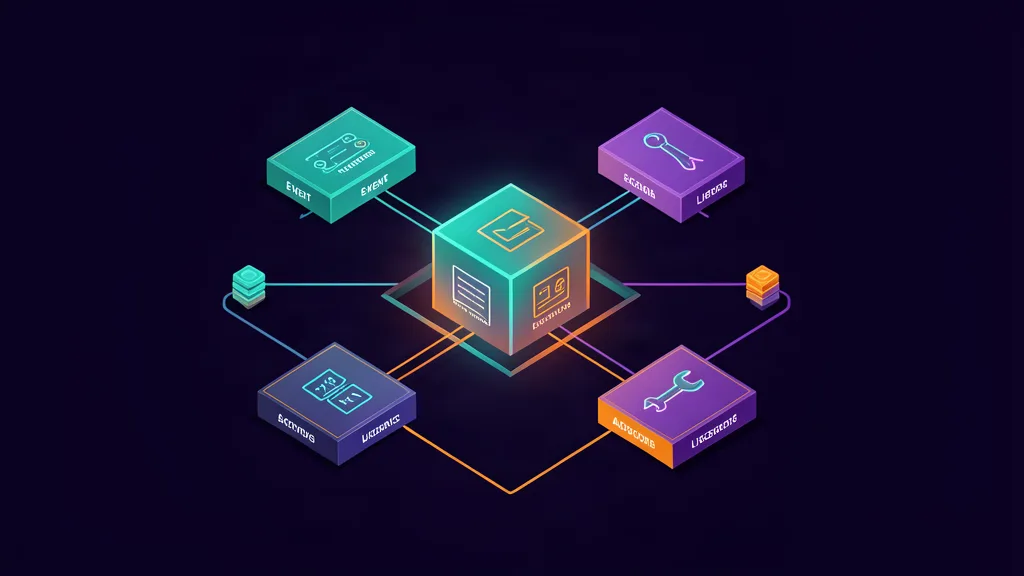
A DeepSeek Harness plugin is not just a wrapper around a function. It is a Cordis contribution with a lifecycle, a registration seam, a model-facing schema, a canonical output, policy hooks, and—if needed—replayable presentation metadata. This guide builds the smallest useful tool while keeping the dangerous parts outside the model prompt.
DeepSeek Harness v0.1 is now available in Developer Preview. Powered by Cordis, its models, tools, skills, sessions, sandboxes, filesystems, loops, orchestration, and UI are implemented as plugins.
— @deepseek_ai August 13, 2026
DeepSeek’s official post is the launch lead. The repository architecture guide and tool-authoring reference are the implementation sources. The preview is changing quickly, so pin the repository commit or package version used for your experiment.
What you will build
The example in this guide is a read-only read_file tool. It accepts a path and optional byte limit, returns one canonical JSON value, honors cancellation, and exposes a safe display representation.
The finished design has these properties:
- the model sees a typed parameter schema;
- arguments are validated before execution;
- the output has one canonical programmatic shape;
- UI rendering is separate from the canonical value;
- cancellation comes from
exec.signal; - policy can deny or ask before execution;
- disposal unregisters the tool;
- Code Mode receives the same typed return value;
- tests can use synthetic files and no credentials.
The target is deliberately modest. A small tool makes lifecycle and policy behavior easier to prove.
The Cordis plugin mental model
DeepSeek Harness describes a running profile as a Cordis plugin tree assembled from bundles and patches. The architecture guide says the model adapter, tool registry, session log, and agent loop are all plugins. A plugin contributes effects to a shared context and those effects can be unwound when the plugin unloads.
For tool development, the relevant seam is ctx.tools. A plugin’s apply(ctx) function registers a tool definition. The runtime then uses the definition in several places:
- Prompt assembly reads the tool name, description and parameter schema.
- Dispatch validates model-generated arguments and invokes
execute. - Policy can allow, deny, or ask before the operation.
- Observation can record timing, errors, and normalized results.
- Presentation can create a UI card without changing the model-facing value.
- Code Mode derives typed tool maps from the same schemas.
The useful distinction is between a service seam and a tool. A service provides an interface inside the runtime. A tool is a model-facing capability that needs input validation, output semantics, policy and cancellation. A production plugin may contain both, but a tool should not hide an unbounded service behind a vague prompt description.
The architecture guide also distinguishes durable session events from live agent and capability events. If a new fact must survive reload and replay, it belongs in a durable session event rather than an in-memory callback.
The model-facing tool contract
The official cookbook’s minimal shape looks like this:
import { readFile } from 'node:fs/promises'
import type { Context } from '@deepseek-ai/cordis'
import { defineTool } from '@deepseek-ai/dsh-tools'

export const name = 'my-tool'
export const inject = ['tools']

export function apply(ctx: Context) {
  ctx.tools.register(defineTool({
    name: 'read_file',
    description: 'Read a file from disk.',
    parameters: {
      path: { type: 'string', required: true, description: 'Absolute path' },
      limit: { type: 'number' },
    },
    output: {
      schema: { type: 'string' },
      render: (_args, value) => [{ type: 'text', text: value }],
    },
    async execute(args, exec) {
      return readFile(args.path, { encoding: 'utf8', signal: exec.signal })
    },
  }))
}
That snippet shows the registration path, but it is not yet a safe production tool. It accepts arbitrary absolute paths and returns unbounded content. The next version adds a workspace boundary, a size limit, a structured output, and explicit error behavior.
Parameters are the public API
A tool schema is not documentation that the runtime may ignore. It is the contract the model receives and the source from which Code Mode derives its argument types. Define:
- required versus optional keys;
- literal and union constraints where supported;
- maximum lengths and sizes;
- whether extra object properties are accepted;
- descriptions that explain safe scope rather than merely naming a field.
Still validate domain constraints inside the implementation. The official reference notes that the schema handles the constraints expressed by the DSL, but the tool must enforce rules such as non-empty strings, positive numbers, path policy, and cross-field relationships.
One canonical output
Return one JSON value that a program can consume. Do not return a paragraph that callers must parse. Keep human explanation in output.render and structured facts in the canonical value.
For a file reader, a useful value might contain:
{
  path: "src/index.ts",
  content: "...",
  truncated: false,
  bytes: 1842
}
The exact schema must match the current dsh-tools API. The design principle is more durable than a copied version-sensitive type: programmatic consumers should receive fields, not UI prose.
Implement a safe read-only tool
The following is a teaching example. Use the repository’s current package exports and tests when turning it into a real plugin.
import { readFile, realpath, stat } from 'node:fs/promises'
import path from 'node:path'
import type { Context } from '@deepseek-ai/cordis'
import { defineTool } from '@deepseek-ai/dsh-tools'

export const name = 'workspace-reader'
export const inject = ['tools']

const MAX_BYTES = 64 * 1024

function insideWorkspace(workspaceRoot: string, requested: string) {
  const root = path.resolve(workspaceRoot)
  const candidate = path.resolve(root, requested)
  return candidate === root || candidate.startsWith(`${root}${path.sep}`)
}

export function apply(ctx: Context) {
  ctx.tools.register(defineTool({
    name: 'read_workspace_file',
    description: 'Read a bounded text file under the configured workspace root.',
    parameters: {
      path: {
        type: 'string',
        required: true,
        description: 'Workspace-relative path. Do not use paths outside the workspace.',
      },
      limit: {
        type: 'number',
        description: 'Maximum bytes to return; capped by the tool.',
      },
    },
    output: {
      schema: {
        type: 'object',
        properties: {
          path: { type: 'string' },
          content: { type: 'string' },
          bytes: { type: 'number' },
          truncated: { type: 'boolean' },
        },
        required: ['path', 'content', 'bytes', 'truncated'],
        additionalProperties: false,
      },
      render: (args, value) => [{
        type: 'text',
        text: `${args.path}: ${value.bytes} bytes${value.truncated ? ' (truncated)' : ''}`,
      }],
    },
    async execute(args, exec) {
      const workspaceRoot = await ctx.workspace.root()
      if (!insideWorkspace(workspaceRoot, args.path)) {
        throw new Error('path is outside the workspace')
      }

      const absolute = await realpath(path.resolve(workspaceRoot, args.path))
      if (!insideWorkspace(workspaceRoot, absolute)) {
        throw new Error('resolved path is outside the workspace')
      }

      const info = await stat(absolute)
      if (!info.isFile()) throw new Error('path is not a regular file')

      const requested = Number.isFinite(args.limit) ? Math.max(1, args.limit) : MAX_BYTES
      const limit = Math.min(MAX_BYTES, requested)
      const data = await readFile(absolute, { encoding: 'utf8', signal: exec.signal })
      const content = data.slice(0, limit)
      return {
        path: path.relative(workspaceRoot, absolute),
        content,
        bytes: Buffer.byteLength(content),
        truncated: Buffer.byteLength(data) > Buffer.byteLength(content),
      }
    },
  }))
}
This example still requires adaptation to the actual workspace service exposed by the checked-out release. Its important controls are explicit:
path.resolveandrealpathdefend the workspace boundary;- the result is bounded;
- the tool rejects directories;
exec.signalcan cancel the read;- errors are thrown as infrastructure failures rather than hidden in a success-shaped string.
Do not treat this example as a drop-in promise across preview versions. The current official tool reference is the source of truth for exact imports and service names.
Policy, lifecycle and events
Keep authorization out of the tool description. A sentence such as “only use this safely” is not an access control. DeepSeek’s tool reference points to policy extension points around execution:
| Hook | Use |
|---|---|
tools/pre-execute | Allow, deny, or ask before dispatch |
ctx.tools.guard() | Final monotonic deny that later listeners cannot undo |
tools/execute | Deadline, retry, timing, or metrics wrapper |
tools/post-execute | Adjust presentation or block a result |
tools/result | Observe the immutable normalized outcome |
A useful permission gate denies paths outside the workspace before file I/O. A network policy should deny destinations by default and allowlist only the services the task needs. A mutation tool should require a human approval state that is enforced by the runtime, not inferred from the model’s message.
Registration is effect-based. The official reference says disposing the plugin fiber unregisters the tool. Test this explicitly:
- Mount the plugin.
- Confirm the tool appears in schemas and can be called.
- Dispose the plugin.
- Confirm the schema disappears and an old session cannot invoke a live callback.
- Reload the session and verify replay does not crash when the tool is unavailable.
Long-running jobs have a different lifecycle. The reference describes ctx.jobs.start() for background work, with task-owned cancellation, ownership checks, cleanup, and typed handles. Do not return a prose message such as “job started” and make Code Mode parse the job ID from it.
Make the tool work in Code Mode
DeepSeek Harness Code Mode exposes visible registered tools through a generated TypeScript API. The official reference says calls re-enter the normal execution pipeline and resolve to the final canonical JSON value after policy, not to rendered Native content.
That means a Code Mode-friendly tool should:
- return a stable JSON object or scalar;
- avoid forcing callers to parse formatted text;
- keep output bounded before the outer model-facing cap;
- preserve errors as typed tool failures;
- honor the execution signal for foreground work;
- make side effects visible in the canonical result.
Code Mode can reduce round trips by letting the model compose several operations in one generated program. It also increases the blast radius of a mistake. Apply the same controls to each nested call, log each underlying operation, and keep a human approval boundary around mutations.
Test and package the plugin
A plugin is not ready because it registers successfully. Test it at four levels.
Contract tests
- missing required argument;
- wrong argument type;
- extra property behavior;
- empty strings and extreme limits;
- invalid output returned by the implementation;
- renderer behavior on replayed or older arguments.
Filesystem tests
- path traversal such as
../secret; - symlink escaping the workspace;
- directory instead of file;
- binary file and invalid UTF-8 behavior;
- maximum output size;
- workspace root changes;
- cancellation during a slow read.
Lifecycle tests
- mount and register;
- invoke;
- dispose and unregister;
- reload and replay;
- plugin dependency missing;
- duplicate registration and replacement.
Harness tests
Run the same task in Minimal, Standard, and Code mode where relevant. Record tool calls, errors, output size, latency, approvals, and the final diff. Keep the model and task fixed so the result measures the harness change rather than a prompt change.
A practical package should include its package.json metadata, a clear entry point, the supported DeepSeek Harness version or commit, setup instructions, tests, and a security note. Do not publish a plugin that silently expands network, filesystem, subprocess, or credential authority.
Security checklist
Before installing a third-party plugin:
- review the source and pin a commit;
- inspect
apply()and all lifecycle effects; - search for subprocess, network, filesystem and credential access;
- run in a disposable workspace;
- deny outbound traffic by default;
- use synthetic secrets;
- cap output and execution time;
- log each tool call and result;
- require approval for mutations;
- maintain an external kill path;
- record hashes and package versions;
- remove the plugin and verify disposal actually removes its registrations.
DeepSeek’s safe-use and data-processing pages are important context. “Local-first” does not mean prompts never leave the machine: a configured remote model, web tool, MCP service, or plugin may process data elsewhere. The plugin system gives you flexibility, but that flexibility is also a supply-chain and policy surface.
Videos and X context
The official X announcement establishes the release and plugin thesis. These secondary videos provide practical demonstrations and are useful for orientation:
- DeepSeek Harness: Everything is a plugin — setup, runtime modes, custom providers, trajectory inspection, and a workspace demo.
- DeepSeek Harness: tracing and plugin development — Creator mode, configuration patches, trajectory logs, and a simple plugin walkthrough.
- DeepSeek Harness architecture overview — plugin philosophy, runtime modes, and preview caveats.
Use the videos to understand the UI and workflow, not to copy unverified commands or credentials. Implementation details belong to the pinned repository documentation.
FAQ
What is a DeepSeek Harness plugin?
A Cordis contribution that can register services, events, tools, UI behavior, or other runtime capabilities. The runtime itself uses the same composition approach for core components.
How do I create a model-facing tool?
Use defineTool with a parameter schema, output schema, render function, and execute function inside a plugin’s apply(ctx) function. Confirm exact exports against the checked-out release.
Does disposing a plugin remove its tool?
The official reference describes effect-based registration that unregisters when the plugin fiber is disposed. Add a lifecycle test rather than assuming disposal works in every custom wrapper.
Is Code Mode safe by default?
No. It can combine multiple calls in generated TypeScript. Keep schemas narrow, enforce policy outside the prompt, bound outputs, honor cancellation, and require approval for side effects.
Sources and links
Primary
- DeepSeek Harness developer preview
- DeepSeek official X announcement
- DeepSeek Harness repository
- Architecture guide
- Tool-authoring reference
- Tool development guide
- DeepSeek Harness safe-use policy
- DeepSeek Harness data-processing statement
Related AgentPedia coverage
- DeepSeek Harness v0.1 implementation guide
- DeepSeek Harness comparison guide
- Agent Plugins 1.0 guide
- OpenSandbox secure agent runtime guide
Video demonstrations
- DeepSeek Harness: Everything is a plugin
- DeepSeek Harness: tracing and plugin development
- DeepSeek Harness architecture overview
Related Guides
How to Change Antigravity Themes
Customize themes, dark mode, icons, and color schemes.
Rules & ConfigurationAntigravity Rules Guide
How to build custom rules with AGENTS.md and GEMINI.md.
MCP & IntegrationMCP Servers Setup Guide
Step-by-step guide to connecting MCP servers in Antigravity.
ComparisonBest Antigravity Alternatives 2026
Claude Code, Cursor, Windsurf, Codex, and Kiro compared.
Pricing & QuotaAntigravity Cockpit Guide
Monitor AI quota, track rate limits, and manage credits.
MCP & IntegrationGoogle Stitch + Antigravity Guide
The complete design-to-code workflow with DESIGN.md and Vibe Design.
Related Guides
How to Change Antigravity Themes
Customize themes, dark mode, icons, and color schemes.
Rules & ConfigurationAntigravity Rules Guide
How to build custom rules with AGENTS.md and GEMINI.md.
MCP & IntegrationMCP Servers Setup Guide
Step-by-step guide to connecting MCP servers in Antigravity.
ComparisonBest Antigravity Alternatives 2026
Claude Code, Cursor, Windsurf, Codex, and Kiro compared.
Pricing & QuotaAntigravity Cockpit Guide
Monitor AI quota, track rate limits, and manage credits.
MCP & IntegrationGoogle Stitch + Antigravity Guide
The complete design-to-code workflow with DESIGN.md and Vibe Design.