Get the latest on AI, LLMs & developer tools
New MCP servers, model updates, and guides like this one — delivered weekly.
You have a 90-minute podcast, a livestream VOD or a webinar, and you want ten vertical clips by tomorrow. Every AI clipper promises that. The part that bites is the meter: most tools charge one credit per minute of the source video, credits expire, and free plans stamp a watermark on the export. A “$15 plan” can turn out to be ten times the price per hour of another “$29 plan.”
So this guide does the arithmetic. For each of 13 tools we pulled the live plan, worked out the cost per source hour where the vendor meters by minutes, and flagged the cases where a different unit (long videos, clips, media hours) changes the answer. In short: Vizard and Reap are cheapest per source minute on yearly billing, Opus Clip has the broadest editing toolkit, Submagic wins when your sources are long, and OpenShorts is the only one you can run for free on your own machine.
A third-party comparison by Daniel Davidson (title as shown on YouTube). We did not verify its claims, and the prices in this article come from the vendors' own pages, not from the video.
The Short Answer
Pick by the unit you will actually burn, not by the sticker price. The picks below come from the plan data in this article; none of them are paid placements.
How We Evaluated
This is a desk-research comparison. We read each vendor's pricing page, help center and product pages on November 21, 2026. For Opus Clip, Vizard, Submagic, Descript and Riverside the pricing pages hide numbers behind a monthly/yearly toggle, so we loaded them in a real browser and read both states. We did not run the same video through all 13 tools, so we make no claims about clip quality, caption accuracy or virality scores. Where a figure is vendor-reported, we say so.
Three rules shaped the numbers. First, prices are USD list prices before tax and before any coupon, and we show the yearly-billing price and the monthly-billing price when both were visible. Second, “cost per source hour” divides a month of plan price by the source minutes that plan allows, so it is only an exact figure for minute-metered tools. Third, there are no affiliate links in this article and no vendor paid for a position. The order of the sections is not a leaderboard. Pricing changes often (Quso was running a Black Friday yearly discount when we checked), so verify the page before you pay.
Master Comparison Table
Prices as of Nov 21, 2026, USD. “Yearly” means the per-month price when billed annually.
| Tool | Free tier | Entry paid plan | Meter | Open source | Standout |
|---|---|---|---|---|---|
 Opus Clip | 60 credits per month, watermark | Starter $15 per month (150 credits); Pro $14.50 yearly / $29 monthly (300 credits per month) | 1 credit per source minute | No | Viral Hook, Motion Graphics, AI Producer |
| Vizard | 60 credits per month, 720p | Creator $14.50 yearly / $29 monthly (7,200 credits per year) | 1 credit per source minute | No | Most minutes per dollar among the big three, Vizard Agent |
 Submagic | Not shown on pricing page | Starter $12 yearly / $19 monthly (5 long videos) | Long videos per month, up to 3 h each | No | Caption quality focus, MCP server |
 Klap | 1 trial video, no export | Basic $14.50 yearly / $29 monthly (100 clips) | Per clip generated | No | Source length does not use plan |
 Riverside Magic Clips | 14-day trial | Pro $24 yearly / $35 monthly | Included in plan, no credits | No | Clips from your edited recording |
 Reap | 1 hour per month, watermark, 720p | Creator $9.99 yearly / $24 monthly (10 clipping hours) | Hours of source per month | No | Lowest published cost per hour |
 Descript | Yes, limits not captured | Hobbyist $16 yearly / $24 monthly (10 media hours) | Media hours plus AI credits | No | Edit video as a text document |
 Quso.ai | 75 credits per month, 720p, watermark | Lite $174 per year / $29 monthly (100 credits) | About 1 credit per processed minute | No | Publishing to 7 platforms, content planner |
 Choppity | 45 minutes of analysis | Starter $16.80 yearly / $24 monthly (3 hours) | Hours of AI analysis | No | Advanced editor on the free plan |
 Munch | No, 7-day trial | Essential $38 per month billed annually (500 minutes) | Minutes of repurposing | No | Brand-trained content strategy |
 Spikes Studio | Basic, watermark, 720p | PRO+ $14.09 per month billed annually (3,600 minutes per year) | Minutes per year | No | Page states a per-minute price that does not match its own math |
 CapCut | Free plan exists, clip tool limits unconfirmed | Pro listed at USD 19.99, for reference only | Not stated for the clip tool | No | Full editor attached to the clipper |
| OpenShorts | Self-hosted: free, no watermark. Cloud: 60 min first video, then 20 min per month | Cloud from $12 per month | Minutes (cloud), none (self-host) | Yes (MIT) | MCP endpoint, two-speaker layout |
The Credit Math: What a Source Hour Really Costs
The headline price on a pricing page tells you almost nothing, because the meters differ. Opus Clip and Vizard bill one credit per minute of source video, Submagic counts long videos, Klap counts clips, Reap and Choppity count hours, and Spikes Studio counts minutes per year. To compare them we convert everything we can into dollars per source hour: plan price per month, divided by the source minutes that plan allows, times 60.
# Cost per source hour = (plan price per month / source minutes per month) * 60
# Prices are USD from vendor pricing pages checked on Nov 21, 2026.
plans = {
    "Opus Clip Starter (monthly only)": (15,        150),
    "Opus Clip Pro (monthly)":          (29,        300),
    "Opus Clip Pro (yearly)":           (174 / 12,  300),   # 3,600 credits over 12 months
    "Vizard Creator (yearly)":          (174 / 12,  600),   # 7,200 credits per year
    "Reap Creator (yearly)":            (119.88/12, 600),   # "up to 10 hours/month"
    "Quso Essential (yearly)":          (234 / 12,  300),
    "Choppity Creator (yearly)":        (22.4,      300),   # "5 hours of AI video analysis"
    "Spikes PRO+ (yearly)":             (14.09,     300),   # 3,600 minutes per year
    "Munch Essential (annual)":         (38,        500),
}
for name, (price, minutes) in plans.items():
    print(f"{name:36s} $/min {price/minutes:.4f}   $/source hour {price/minutes*60:.2f}")
Computed from the list prices we read on Nov 21, 2026 (USD, before tax). Lower is cheaper:
| Plan | Price per month | Source minutes per month | Per source minute | Per source hour |
|---|---|---|---|---|
| Reap Creator, yearly | $9.99 | 600 | $0.0167 | $1.00 |
| Vizard Creator, yearly | $14.50 | 600 (7,200 per year) | $0.0242 | $1.45 |
| Reap Studio, yearly | $29 | 1,200 | $0.0242 | $1.45 |
| Vizard Business, yearly | $19.50 | 600 (7,200 per year) | $0.0325 | $1.95 |
| Quso Growth, yearly | $24.50 | 600 | $0.0408 | $2.45 |
| Spikes Studio PRO+, yearly | $14.09 | 300 (3,600 per year) | $0.0470 | $2.82 |
| Opus Clip Pro, yearly | $14.50 | 300 (3,600 per year) | $0.0483 | $2.90 |
| Vizard Creator, monthly | $29 | 600 | $0.0483 | $2.90 |
| Quso Essential, yearly | $19.50 | 300 | $0.0650 | $3.90 |
| Munch Premium, annual | $60 | 1,000 | $0.0600 | $3.60 |
| Choppity Creator, yearly | $22.40 | 300 (5 hours) | $0.0747 | $4.48 |
| Munch Essential, annual | $38 | 500 | $0.0760 | $4.56 |
| Opus Clip Pro, monthly | $29 | 300 | $0.0967 | $5.80 |
| Opus Clip Starter, monthly only | $15 | 150 | $0.1000 | $6.00 |
| OpenShorts Cloud (entry) | $12 | 100 | $0.1200 | $7.20 |
| Quso Lite, yearly | $14.50 | 100 | $0.1450 | $8.70 |
Four things jump out of that table.
Billing cycle matters more than brand. Opus Clip Pro costs $2.90 per source hour on yearly billing and $5.80 on monthly billing. The same plan is twice as expensive if you pay month to month. Opus Clip Starter, the plan its pricing page pushes first, is monthly-only and lands at $6.00 per hour, more than double the yearly Pro rate.
Opus Clip and Vizard list the same $174 per year, with a 2x credit gap. Both pricing pages show $14.50 per month billed yearly, but Opus Clip Pro includes 3,600 credits for the year and Vizard Creator includes 7,200. If minutes are your bottleneck, that is the single biggest finding in this article. If features are your bottleneck (Viral Hook, Motion Graphics, Premiere export), Opus Clip is the only one of the two that lists them.
Per-video and per-clip meters flip the ranking on long sources. Submagic's Pro plan on yearly billing is $23 per month for 15 long videos of up to 3 hours each, so $1.53 per long video if you use every slot. For a 10-minute source that is expensive (Vizard Creator would charge about $0.24 for the same 10 minutes). For a 3-hour source it is far cheaper (Vizard would charge about $4.35, Opus Clip Pro yearly about $8.70). The break-even against Opus Clip Pro yearly is a source of about 32 minutes on Submagic Pro, and about 23 minutes on Submagic Business ($41 per month for 37 long videos, $1.11 each). Against Vizard Creator yearly the break-evens are about 63 minutes (Pro) and 46 minutes (Business). Against Reap Creator yearly: about 92 and 67 minutes. These assume you use every monthly slot, so they are best-case figures for Submagic.
Sticker prices can disagree with their own fine print. Spikes Studio's pricing page says its PRO+ plan costs “only $0,015 per min” for 3,600 minutes per year. At the listed $14.09 per month billed annually ($169.08 per year), 3,600 minutes works out to about $0.047 per minute, roughly three times the figure on the page. We report the number we can compute and flag the mismatch.
The scenario table puts the meters side by side for three real workloads, using yearly billing, the best plan for the job from each tool, and the assumption that every minute of source is processed once. Monthly cost is the plan price per month; “fits” says whether the plan covers the workload.
| Workload | Source minutes per month | Cheapest fit we found | Opus Clip Pro yearly | Notes |
|---|---|---|---|---|
| Weekly 60-minute podcast | 260 (3,120 per year) | Reap Creator ($9.99 per month, 600 minutes) or Vizard Creator ($14.50 per month, 600 minutes) | $14.50 per month, 300 credits, fits with 40 spare | Opus Clip Starter (150 credits) does not fit; Submagic Starter has only 5 long-video slots |
| Daily 10-minute episode | About 300 in a 30-day month | Reap Creator or Vizard Creator | $14.50 per month, 300 credits, exactly at the limit | Submagic Pro (15 long videos) would run out in half a month |
| Four 3-hour livestreams per month | 720 | Submagic Pro ($23 per month, 4 of 15 slots used) | Does not fit: needs 720 credits, so 3 packs | Vizard Creator and Reap Creator (600) fall short too; Reap Studio (1,200) fits at $29 |
One more cost most comparisons skip: credit expiry and rollover. Opus Clip's help center says monthly-plan credits expire in 60 days and yearly-plan credits last 12 months. Vizard's pricing page lists a 2-month rollover on paid plans. Reap says purchased credits expire in 13 months. Klap says clips refill every billing period. A credit you cannot use before it expires is a credit you paid for and lost.
1. Opus Clip
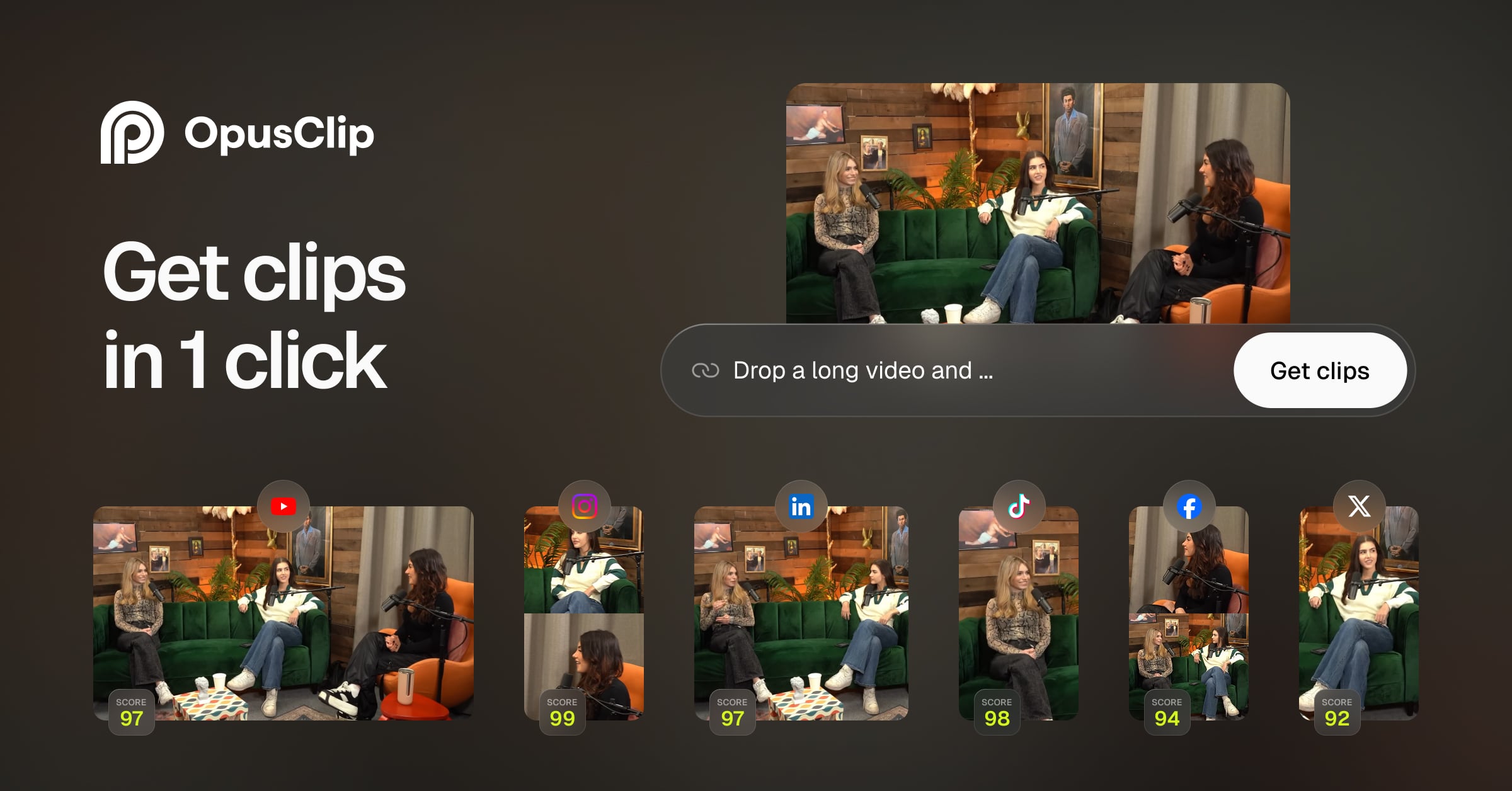
The category anchor. Opus Clip takes a long video, finds highlight moments, reframes them to 9:16, adds animated captions and scores each clip with a virality score. Its pricing page now leads with “OpusClip 4.0,” which adds an AI editor on top of the clipper.
Introducing AI Producer, the AI editor that learns from viral videos. Pick a trending style, drop a URL, or upload a file, and it edits your raw footage in that style. Try for FREE in ChatGPT & Claude!
— @OpusClip October 28, 2026
Who it is for. Solo creators and small teams who want the deepest toolbox in one product and are willing to pay for it, especially those who publish weekly and can commit to yearly billing.
Pricing as of Nov 21, 2026 (opus.pro/pricing, toggle read in both states).
- Free: $0, 60 credits per month, clips rendered up to 1080p, auto reframe, AI captions with emoji and keyword highlighter, watermark, no editing, and clips stop being exportable after 3 days.
- Starter: $15 per month, monthly billing only, 150 credits per month, virality score, animated captions in 20+ languages, auto-posting, editor, 1 brand kit, filler and silence removal, watermark removal.
- Pro: $29 per month on monthly billing or $14.50 per month billed yearly ($174 per year, 3,600 credits over 12 months, per the page). Adds Viral Hook, Motion Graphics, AI B-roll, input from 10+ sources, export to Adobe Premiere Pro and DaVinci Resolve, multiple aspect ratios, a social scheduler, on-demand credit top-ups, custom fonts, speech enhancement, limited API access and video dubbing. Includes 2 seats, 2 brand kits and 6 social account connections. More credits come in packs (the page shows up to 15 packs).
- Business: custom pricing: priority processing, API and integrations, dedicated storage, MSA and a dedicated Slack channel.
How credits work (Opus Clip help center): 1 credit per minute of the original video you import. Whole minutes only: under a minute rounds up to 1 credit, partial minutes round down, so a 4.5-minute video bills as 4. You can narrow the “Processing timeframe” slider so you pay only for the part of a long video you care about. Posting to X costs 3 credits per clip per X account. If a post fails or you delete a scheduled post, the frozen credits are refunded. Monthly credits expire after 60 days; yearly credits are granted up front and last 12 months. One inconsistency: the pricing page also lists “Unused credits roll over for 2 months” next to the yearly Pro plan, so confirm which rule applies to you before you rely on a rollover.
Pros
- Broadest toolkit on this list: Viral Hook, Motion Graphics, AI B-roll, dubbing, Premiere and DaVinci export.
- Credit rules are documented in a public help article, including rounding and refunds.
- You can limit processing to a timeframe, which cuts the credit bill on long sources.
- Connects to ChatGPT and Claude through AI Producer, per its own X post.
Cons
- Half the source minutes per dollar of Vizard at the same $174 per year.
- The plan the page promotes first (Starter) is monthly-only and the most expensive per hour of the paid tiers.
- Free plan is watermarked, has no editing and clips expire after 3 days.
- Yearly credits are valid for 12 months, but monthly credits last only 60 days.
Benefits for your use case
If you want a single product that clips, adds hooks and motion graphics, schedules, and exports to a pro editor, Opus Clip does the most on one invoice. For weekly podcasters on yearly Pro it covers a 60-minute show with credits to spare.
Skip it if you process many hours of source per month on a small budget, or you refuse yearly prepay. Vizard and Reap give more minutes for the money.
2. Vizard
The closest like-for-like rival to Opus Clip. Vizard turns long videos into clips with AI highlight detection, auto reframe, face tracking and subtitles, and has added a “Vizard Agent” for AI editing. This is the matchup behind the search “opus clip vs vizard,” and the credit math favors Vizard.
AI Edit is now live in Vizard. After turning a long video into short clips, you can now apply editing templates built for talking-head videos, with things like camera movement, captions, transitions, and visual effects. Less manual editing, faster to post.
— @vizard_ai August 27, 2026
Who it is for. Podcasters, coaches and marketers with a lot of source minutes and a modest budget.
Pricing as of Nov 21, 2026 (vizard.ai/pricing, both toggle states).
- Free: $0, 60 credits per month, 720p export, 3-day video storage, 60-minute upload limit, 1GB upload, 10-minute export length, 1 social account, Vizard Agent on the Flash model only.
- Creator: $29 per month, or $14.50 per month billed yearly ($174 per year). 7,200 credits per year (600 per month), 4K export, 100GB storage, 10-hour and 30GB upload limits, 6 social accounts, all four Vizard Agent models (Flash, Pro, Max, Ultra). Credits are shared between clipping and the Agent.
- Business: $39 per month, or $19.50 per month billed yearly ($234 per year). Same 7,200 credit base, unlimited storage while subscribed, 20 social accounts, and extra team seats at $5 per month per seat.
- The comparison table lists monthly credits as “600 to 6,200” for paid plans and a top-up option, so higher volumes are available.
How credits work (Vizard help center, Aug 15, 2025 article): 1 credit equals 1 minute of video processed, for either AI clipping or transcription. A 60-minute upload uses 60 credits. Credits are deducted once per project, so running clipping and transcription on the same video does not charge twice. Paid plans list a 2-month rollover for unused credits.
Pros
- $1.45 per source hour on yearly Creator, half of Opus Clip Pro yearly.
- No double-charge for clipping plus transcription on the same project.
- Generous paid-plan limits: 10-hour uploads, 30GB files, 4K export, any export length.
- API and MCP connector listed; the pricing page shows API rate limits per plan.
Cons
- Creator and Business share a credit pool, so Business buys storage and seats, not more minutes.
- Credits are shared between clipping and the Vizard Agent, so heavy Agent use can drain clipping minutes.
- Free plan caps uploads at 60 minutes and expires video after 3 days.
- Does not list Opus Clip's Viral Hook or Motion Graphics.
Benefits for your use case
If your constraint is minutes, Vizard is the clearest improvement over Opus Clip we found at the same annual price. On monthly billing the two plans converge on roughly $2.90 per source hour for Vizard against $5.80 for Opus Clip Pro, so even month to month Vizard is cheaper per minute.
Skip it if you need the exact Opus Clip editing features, or you cannot tell yet whether the free-plan watermark rule suits you. Vizard's pricing text lists a watermark line for Free that our capture could not resolve as included or excluded, while OpenShorts' README says Vizard's free plan is watermarked. Export one test clip first.
3. Submagic
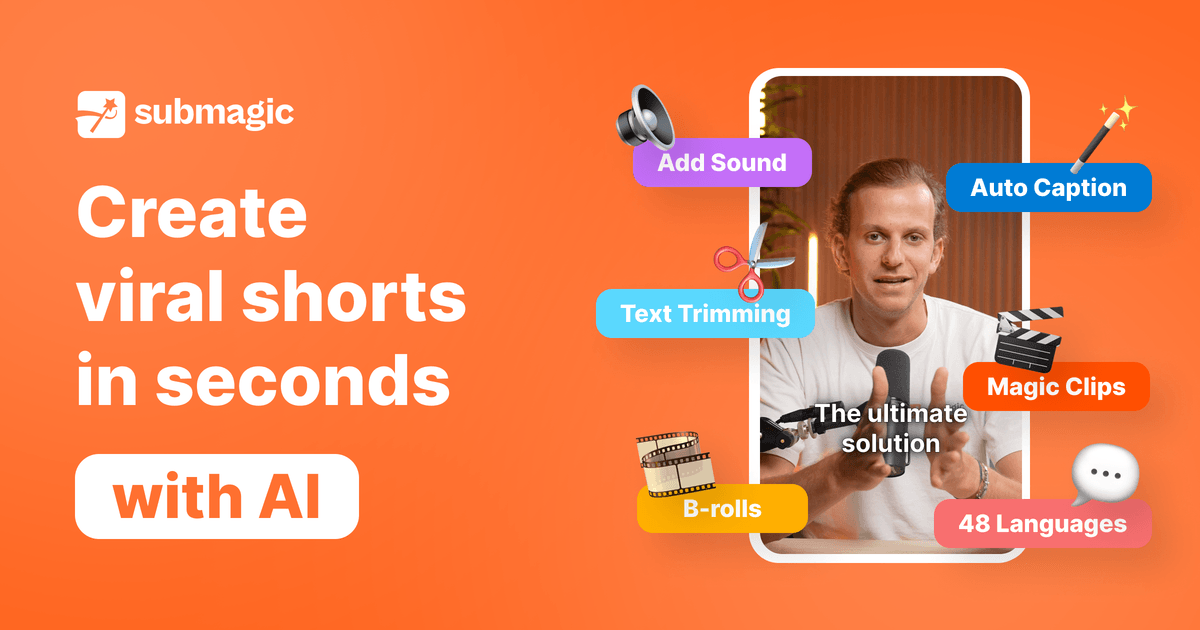
A caption-first editor that added a clipper. Submagic started as a captioning and short-form editing tool. Its “Magic Clips” feature clips long videos, and “Iris” is its chat-driven AI editor. It is the only mainstream tool here that meters clipping by long video, not by minute.
Submagic MCP is live.
— @submagic_co May 6, 2026
Who it is for. Creators with long sources (livestreams, lectures, long interviews) who also care about caption styling and short-form editing.
Pricing as of Nov 21, 2026 (submagic.co/pricing, yearly and monthly states read).
- Starter: $12 per month billed yearly ($144 per year) or $19 monthly. 45 credits per month, shown as 15 captioned videos, 2 videos edited by Iris, 5 long videos clipped. Captioned videos up to 2 minutes, 1080p at 30 fps, no watermark, free b-roll and audio, text-based trimming.
- Pro: $23 per month billed yearly ($276 per year) or $39 monthly. 120 credits per month: 40 captioned videos, 6 Iris videos, 15 long videos clipped. 5-minute caption videos, 2K export, pro caption templates, AI removal of bad takes and silences, AI clean audio, publishing and analytics, Storyblocks b-roll, Brand Kit.
- Business: $41 per month billed yearly ($492 per year) or $69 monthly. 300 credits per month: 100 captioned videos, 15 Iris videos, 37 long videos clipped. 30-minute caption videos, 4K at 60 fps, 30 custom templates, API and integrations, priority support and rendering.
- Custom: custom limits, SSO and a customer success contact. A separate API credits table sells source minutes at $0.10 to $0.23 each.
- Magic Clips source videos can be up to 3 hours on every plan. We did not find a free plan on the pricing page.
Reading the meter. The page prints a single monthly credit number next to the equivalents (for example 45 credits beside 15 captioned videos, 2 Iris edits and 5 long videos). We read those as alternative ways to spend one pool, not three separate allowances, but the page does not state the per-feature credit cost. That means the $1.53 per long video on Pro is a best case that assumes you spend the whole pool on clipping.
Pros
- Pricing by long video, not source minute, so a 3-hour stream costs the same slot as a 20-minute call.
- Strong caption and editing stack, including text-based trimming and AI removal of bad takes.
- No watermark listed on any paid plan, and 4K export on Business.
- MCP server announced on May 6, 2026 and an API with its own minute packs.
Cons
- Short sources are poor value: 5 or 15 slots a month runs out fast on daily 10-minute episodes.
- Credit pool shared across clipping, captions and Iris; per-feature cost is not published on the page.
- Monthly billing is up to 70 percent higher than yearly (Pro: $39 versus $23).
- No free plan on the pricing page we read.
Benefits for your use case
If your sources are two to three hours long, Submagic is the plan where the per-video meter beats per-minute meters outright. It also gives you one place to caption and polish the clips afterward.
Skip it if your sources are short and frequent, or you want a free tier to test with.
4. Klap
The per-clip meter. Klap turns long videos into short clips with a virality score, active-speaker reframing and animated captions. Its pricing page says “Only pay for clips you generate,” and that sentence is the whole pitch.
Who it is for. Creators whose sources vary a lot in length, and who would rather count clips than minutes.
Pricing as of Nov 21, 2026 (klap.app pricing page).
- Basic: 100 clips per month, $14.50 per month billed yearly ($174 per year) or $29 monthly.
- Pro: 300 clips per month, $39.50 per month billed yearly ($474 per year) or $79 monthly.
- Pro+: 1,000 clips per month, $94.50 per month billed yearly ($1,134 per year) or $189 monthly.
- Every plan: AI clipping, virality score, active-speaker reframing, animated captions, 99+ languages, scheduling and publishing to TikTok, YouTube, Instagram, LinkedIn and Facebook, unlimited social accounts, post analytics, an editor with b-roll and hook titles. Source videos up to 3 hours; exports have no watermark.
- Free: one trial video with no credit card. You can preview and edit the clips, but downloading and posting need a paid plan.
The math. Klap says source length does not use up the plan, and each short counts as one clip that refills every billing period. On yearly billing that is $0.145 per clip on Basic, $0.132 on Pro and $0.0945 on Pro+. If you keep 3 clips from each hour-long episode, 100 clips covers about 33 episodes a month. Compare that with Opus Clip Pro yearly, where one hour-long episode burns 60 of your 300 monthly credits, so 5 episodes. The clip meter wins when you process a lot of source and keep few clips; it loses when you want to generate many clips from each source.

Pros
- Source length is free: long sources up to 3 hours cost the same as short ones.
- Unlimited social accounts on every plan, and no watermark on paid exports.
- Simple three-tier plan with the same features on each.
Cons
- No ongoing free tier, only one trial video, and downloads are paywalled.
- If you generate many candidate clips per video, the clip count drains quickly.
- Monthly billing is double the yearly rate on all three plans.
Benefits for your use case
For streamers and webinar hosts with hours of footage and a small number of keepers, a clip-based plan is the most predictable bill. You can tell in advance exactly how many shorts you will get.
Skip it if you want a free plan, or you plan to ask the tool for 15 to 20 candidates per video.
5. Riverside Magic Clips
The clipper that comes with the studio. Riverside is a recording platform for podcasts and video interviews (up to 4K video, separate tracks). Magic Clips is its AI clip generator, bundled into the paid plans rather than sold as its own meter.
You can now generate clips from your edited content, not just the original recording. So the audio cleanup, captions, and cuts you already made carry straight into your clips. Edit once, ask the clipper agent to clip that edit, clips land in your magic clips folder.
— @RiversidedotFM November 4, 2026
Who it is for. Podcasters and interview shows who record remotely and want clips without a second tool.
Pricing as of Nov 21, 2026 (riverside.com/pricing, both toggle states).
- Pro: $24 per month billed yearly or $35 monthly. 14-day free trial. Up to 4K video, no watermark, unlimited text-based editing and transcriptions, an AI editing and repurposing agent, Magic Clips and show notes, 1 studio, 15 hours of separate-track downloads.
- Grow: $34 yearly or $45 monthly. Adds social scheduling, newsletter, creator website, live streaming and multistreaming, AI thumbnails, and a Riverside MCP. 2 studios, 20 hours of track downloads.
- Webinar: $79 yearly or $99 monthly, for up to 100 registrants.
- Business: contact sales.
- Riverside's FAQ says core AI features such as Magic Clips, Magic Audio and the AI Co-Creator do not require credits; credits (2,000 for Pro, 12,000 for Business at the start) apply to features such as AI Translation, AI B-Roll and Animated Clips. We read Magic Clips as included in the paid plans listed above; we did not confirm whether a free account can use it.
Pros
- No per-minute meter on the clipper itself, so a weekly show is not rationed minute by minute.
- The November 2026 update lets you clip your edited version, so cleanup carries into clips.
- Text-based editing, 4K and separate tracks sit in the same product.
Cons
- You pay for a recording studio even if you only want clipping from existing files.
- The entry plan is $24 to $35 per month, higher than Opus Clip Starter or Vizard Creator on yearly billing.
- Credit rules for add-on AI features are separate and easy to misread.
Benefits for your use case
If you already record in Riverside, the clips are one click away from the finished recording and inherit your edits. That removes an export and upload step and any minute cost for the clipper.
Skip it if you do not record with Riverside. A pure clipper will be cheaper.
6. Reap
The lowest published cost per source hour in this roundup. Reap (reap.video) bundles AI clipping, captions, dubbing and translation, social scheduling and an API behind hour-based plans.
Who it is for. High-volume creators and small agencies who care most about hours of source per dollar.
Pricing as of Nov 21, 2026 (reap.video/pricing).
- Free: $0. Up to 1 hour of AI clipping and 1 hour of captions per month, watermarked, 720p, projects expire in 7 days.
- Creator: $9.99 per month billed annually ($119.88 per year), listed against $24 per month. Up to 10 hours of AI clipping and 10 hours of captions per month, 1080p watermark-free, up to 2 hours of dubbing and translation, premium subtitle styles, auto-reframe, social scheduler, brand templates, 100+ languages, API access.
- Studio: $29 per month billed annually ($348 per year), listed against $50. Up to 20 hours of clipping and captions, 4K, up to 5 hours of dubbing, team features for up to 3 users, priority support.
- Enterprise: custom, contact sales.
- The page says credits are available instantly on purchase and expire in 13 months.

Pros
- $1.00 per source hour on yearly Creator, the lowest we computed. Monthly billing is $2.40 per hour, still below Opus Clip.
- Hours are stated plainly (10 or 20 per month), with no rounding rules to decode.
- Dubbing, translation and an API in the same plan.
Cons
- The listed “$24 per month” and “$50 per month” are struck-through list prices; the real yearly price is much lower, so treat it as a promotional anchor and check the checkout.
- Free plan is watermarked and expires projects in 7 days.
- We found less independent documentation and fewer public integrations than for Opus Clip.
Benefits for your use case
If you process 5 to 20 hours of source a month, Reap's published hours-per-dollar are the strongest on this list, and the Studio plan covers 20 hours for $29 per month on yearly billing.
Skip it if you rely on Opus Clip's hook and motion-graphics features, or need a long track record before committing a year of prepay.
7. Descript
An editor that also finds clips. Descript is a media editor where you cut video by editing a transcript. Its clip workflow is a feature inside that editor: pick moments in the transcript, duplicate them to a new composition, change aspect ratio, add animated captions, and export. An AI action called “Find good clips” can suggest moments, and you can edit the AI prompt to change topics, clip length and clip count.
Who it is for. Podcasters and video teams who already edit in Descript and want clips as part of the same project.
Pricing as of Nov 21, 2026 (descript.com/pricing, both toggle states).
- Free: $0, text-based editing and a taste of the AI tools. Limits were not captured.
- Hobbyist: $16 per person per month yearly or $24 monthly. 10 media hours and 400 AI credits per month, 1080p watermark-free export, Underlord (the AI co-editor), Studio Sound, Remove Filler Words, Create Clips.
- Creator: $24 yearly or $35 monthly. 30 media hours and 800 AI credits, 4K export, a team of 3 billed separately, stock library, video generation models.
- Business: $50 yearly or $65 monthly. 40 media hours and 1,500 AI credits, Brand Studio, dubbing in 30+ languages, avatars, priority support with SLA.
- Enterprise: custom.
A Descript MCP lets you ask ChatGPT or Claude for clips from a recording in your drive; each clip lands as its own composition, per Descript's clip maker page. We did not read how media hours and AI credits split between transcribing and clipping, so we do not convert Descript to a per-source-hour figure.
Pros
- Edit clips as text, with full control instead of accepting the AI cut.
- One tool for recording, cleanup, editing and clipping.
- Clear plan ladder with watermark-free export from Hobbyist up.
Cons
- Clipping is less automatic than the dedicated tools: you find and shape each clip in the editor.
- Two meters (media hours and AI credits) to track.
- Monthly billing is 30 to 50 percent higher than yearly depending on the plan.
Benefits for your use case
If quality control matters more than speed, Descript lets you fix a clip's start and end by editing words. It also covers the cleanup that comes before you clip.
Skip it if you want a hands-off pipeline that outputs ten finished shorts from a URL.
8. Quso.ai
Clipping plus a social content planner. Quso.ai combines an AI clipper with scheduling to several platforms, a content planner and an AI assistant. Its site describes it as formerly Vidyo.ai, so it is the same product under a new name.
Who it is for. Social teams who want clipping and scheduling in one dashboard.
Pricing as of Nov 21, 2026 (quso.ai/pricing). The page was running a Black Friday offer of 50 percent off new yearly plans that ends Dec 1 (11:59 PM IST), and says the discount continues at renewal while subscribed.
- Free: $0, 75 credits per month, 720p with a quso.ai watermark, TikTok publishing, CutMagic on your first 3 videos, 7-day data retention.
- Lite: $174 per year (struck-through $348) or $29 monthly. 100 credits per month, unlimited 1080p clips, desktop editor, 10GB storage.
- Essential: $234 per year (struck-through $468) or $39 monthly. 300 credits per month, scheduling to 7 platforms, AI filler and silence removal, content planner, 25GB.
- Growth: $294 per year (struck-through $588) or $49 monthly. 600 credits per month, custom brand kit and templates, social analytics, priority support, 75GB.
The pricing FAQ defines one credit as about one minute of processed video, and says clipping, captioning and editing all draw from the monthly credits. That makes the yearly sticker deals reasonable on paper and the monthly prices the most expensive per source minute among the minute-metered tools: $0.29 per minute on monthly Lite and $0.13 on monthly Essential.
Pros
- Publishing to 7 platforms and a content planner in the Essential plan.
- 600 credits on Growth at $24.50 per month yearly ($2.45 per source hour) is competitive.
- Free plan lets you test the full flow.
Cons
- Lite gives only 100 credits ($8.70 per source hour yearly, $17.40 monthly), the highest on our list.
- Credits are drawn by clipping, captioning and editing, so one project can spend more than the source length.
- Free exports are 720p with a watermark.
Benefits for your use case
If scheduling to many platforms is half the job, Essential bundles it with the clipper, and you can skip a separate scheduler subscription.
Skip it if you only need clips and plan to pay monthly. The entry plan is poor value per minute.
9. Choppity
A clipper with a full editor on the free plan. Choppity combines an AI video clipper, caption and transcription generators and an advanced video editor. It meters usage as hours of “AI video analysis” per month.
Who it is for. Creators who want to hand-edit clips after the AI cut and want a free plan that includes the editor.
Pricing as of Nov 21, 2026 (choppity.com/pricing).
- Free: $0, 1 seat, 45 minutes of AI video analysis, 2GB storage, 3-day project storage, advanced editor, AI clipper, captions and transcription.
- Starter: $16.80 per month billed yearly ($201.60 per year) or $24 monthly. 3 hours of analysis, 40GB storage, 30-day project storage, 1080p and 4K export, scheduling for 1 social account.
- Creator: $22.40 per month yearly or $32 monthly. 5 hours of analysis, 100GB, forever project storage, bulk uploads of up to 10 links or videos, 3 social accounts, custom fonts, 1 brand template, API access.
- Team: $33.60 yearly or $48 monthly. Unlimited seats, 5 hours of analysis (the page lists the same hours as Creator), 200GB, 6 social accounts, shared workspace and roles.
- Enterprise: custom.
Pros
- The free plan includes the clipper, captions and the advanced editor, so you can judge quality before paying.
- Plain hours-based meter, and 4K export from Starter.
- Bulk upload and API access on Creator.
Cons
- $4.48 per source hour on yearly Creator and $6.40 on monthly, well above Vizard and Reap.
- Free plan keeps projects for only 3 days and gives just 45 minutes of analysis.
- Team does not add hours over Creator on the page; it adds seats.
Benefits for your use case
Choppity suits creators who value editing control over per-hour price. You can try a real project on the free plan before committing.
Skip it if you process many hours a month. Per-hour cost is high here.
10. Munch
A brand-content suite where repurposing is one feature. Munch (getmunch.com) now sells “Munch Studio”: it trains on your website, posts and brand materials, builds a content strategy, generates posters, carousels and scripts, and repurposes long video into clips.
Who it is for. Marketing teams and agencies who want a content-strategy layer with video repurposing, not a standalone clipper.
Pricing as of Nov 21, 2026 (getmunch.com/pricing).
- Essential: $38 per month billed annually ($456 per year). 500 minutes of video repurposing per month, 5 video scripts per week, 10 generated videos per month, 100GB storage.
- Premium: $60 per month billed annually ($720 per year). 1,000 minutes of repurposing per month, unlimited video scripts, 30 generated videos per month, 1TB storage, unlimited team members, top-tier support.
- Every plan starts with a 7-day free trial. No permanent free plan is listed.
- Included on every plan: brand training, publishing to Instagram, Facebook, LinkedIn, YouTube and TikTok, unlimited generated posters and carousels, content planner, performance dashboard. A multi-brand option exists for up to 15 brands.
Pros
- The repurposing allowance (500 or 1,000 minutes) is large, and you also get strategy and static content.
- Multi-brand support for agencies.
- Publishing and a performance dashboard in the same plan.
Cons
- $4.56 per source hour on Essential and $3.60 on Premium, so you pay for the extra suite.
- No free plan, and the pricing page we read shows annual billing prominently; we did not capture a monthly price.
- It is not mainly a clipper, so clip-specific controls may be thinner than in Opus Clip or Vizard. We did not test this.
Benefits for your use case
If you are a marketing team that also needs posters, carousels and scripts, one Munch seat replaces several tools. For pure clipping it is the wrong shape.
Skip it if all you want is long video to Shorts at the lowest price per minute.
11. Spikes Studio
A minute-pool clipper with a per-minute price that does not add up. Spikes Studio turns long videos into clips with auto-captions, an editor, AI B-roll and a scheduler.
Who it is for. Budget-minded creators comfortable paying yearly.
Pricing as of Nov 21, 2026 (spikes.studio/pricing).
- Basic: $0, watermark, 720p export, auto-captions, basic editor.
- PRO+: $14.09 per month billed annually, 3,600 minutes per year, no watermark, 1080p, animated auto-captions, AI B-roll, social scheduler, music and SFX, pay with PayPal.
- Enterprise: $56.34 per month billed annually, 14,400 minutes per year, custom templates, premium editor, account manager, unlimited storage.
The inconsistency. The PRO+ card says “Only $0,015 per min” and Enterprise says “$0,0015 per min.” Our arithmetic from the same page gives about $0.047 per minute for both ($169.08 per year over 3,600 minutes, and $676.08 over 14,400 minutes). The Enterprise figure on the page is off by a factor of about 30. Trust the computed number, and confirm the real charge at checkout.
Pros
- Yearly PRO+ at $14.09 per month is cheap for 300 minutes per month ($2.82 per source hour).
- No watermark and 1080p on the paid plan, with AI B-roll and a scheduler.
Cons
- Published per-minute prices contradict the plan prices, which is a trust problem for a billing page.
- The yearly minute pool (3,600) invites burning minutes early; we found no rollover statement.
- We found less public documentation on credit rules than for the larger tools.
Benefits for your use case
A mid-priced yearly plan with the usual feature set. Reasonable if you prefer a pool of minutes to per-month credits.
Skip it if you want clear, consistent billing language before you prepay a year.
12. CapCut
The free-editor route. CapCut is a mainstream video editor. Its web “Long video to shorts” tool lets you upload a video (from your device, Google Drive or Dropbox), choose clip durations and times, and let the AI cut it into short clips, with smart cropping from 16:9 to 9:16, subject tracking and generated captions. You preview, use “Edit more” to refine, then export.
CapCut, it's over. AI Producer turns a simple talking-head video into a pro quality edit with just one click. Try it out now!
— @OpusClip August 21, 2026
That post is a competitor's marketing claim (Opus Clip about CapCut), shown to illustrate who sees CapCut as the rival. It is not a test result.
Who it is for. Creators already in CapCut who want a quick rough clip pass and full manual editing afterwards.
Pricing as of Nov 21, 2026 (capcut.com/pricing). The page says displayed pricing is for reference only. Free is $0 with basic editing tools and free templates. Pro is listed at USD 19.99 with 1,200 monthly AI credits and premium templates and features. Ultra is listed at USD 79 with 8,645 monthly AI credits. Teams is listed from USD 12.49. We could not find a published rule for how many credits, if any, the long-video clip tool consumes (the tool page claims watermark-free clips, a vendor claim we did not test), so we leave CapCut out of the cost-per-hour table.
Pros
- A free editor entry point and a full editor behind the clip tool.
- Upload from your cloud storage, Google Drive or Dropbox, with smart cropping from 16:9 to 9:16, subject tracking, and a way to adjust clip length and captions before export.
- CapCut's own guidance says to review each clip for context, which is the right habit for every tool here.
Cons
- Limits and credit use for the clip tool are not stated on the public pages we read. CapCut's tool-page FAQ says it produces clips without watermarks, which is a vendor claim we did not test.
- The page says the browser tab must stay open during upload.
- No virality score, scheduler or clipping-specific analytics listed on the tool page.
Benefits for your use case
If you edit in CapCut already, this gives a first pass at clips without a new subscription. Try one video and check the export before you build a workflow on it.
Skip it if you need predictable limits, a virality ranking or automated posting.
13. OpenShorts (open source)
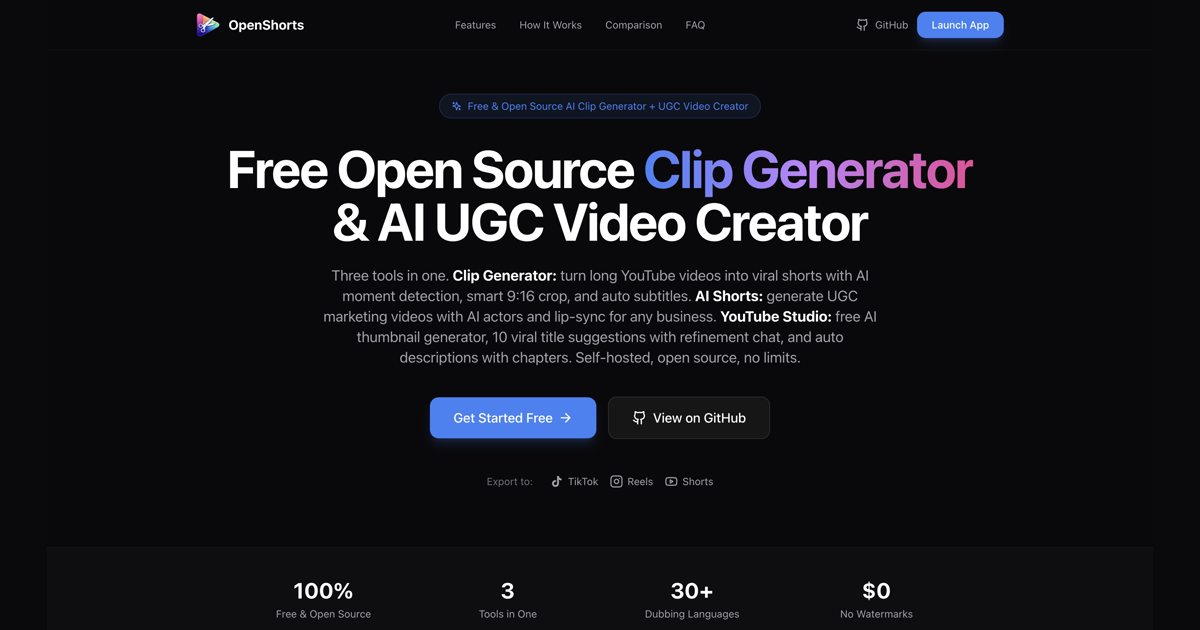
The only open-source clipper here. OpenShorts (github.com/mutonby/openshorts) describes itself as an open-source AI clip generator: it turns long videos into 9:16 shorts with AI moment detection, face tracking, subtitles and dubbing. It ships as three tools: a clip generator, “AI Shorts” for UGC-style videos with AI actors, and a YouTube Studio.
Live repo numbers (GitHub API, Nov 21, 2026): 9,563 stars, 2,011 forks, MIT license, Python, created Dec 19, 2025, last push Nov 20, 2026. The openshorts.app homepage still says 7.5k stars, so its marketing counter lags the repo.
Two ways to run it (the project's README, vendor-reported):
- Self-hosted: free forever under MIT, with no watermark and no cap. It needs Docker, 8GB or more of RAM and model downloads, plus your own API keys (Gemini, ElevenLabs, fal.ai for the optional features). The README claims 5 to 8 minutes per 8-minute video on CPU.
- Hosted cloud (openshorts.app): free plan clips your first video whole up to 60 minutes, then 20 minutes per month with a watermark and no credit card; paid plans from $12 per month remove the watermark and add auto-posting and a feature called Autopilot. The README says about 50 seconds per video on its GPU, and lists the entry plan as 100 minutes.
- Agents: an MCP endpoint and API, always on at mcp.openshorts.app for the cloud, or at the same /mcp path on your own machine while it is running.
The README also says its two-speaker handling stacks both people in frame, places captions on the seam and switches to a face-tracked crop when the cut goes to one person. That is a design claim by the maintainers and we did not test it. The README compares OpenShorts against Opus Clip, Klap and Vizard in a table; it is a competitor's comparison, written by the OpenShorts authors, so read it as a pointer, not an audit. We rebuilt every price in our own table from the vendors' pages instead.
Pros
- The only option with no per-minute meter at all when self-hosted, and no watermark.
- MIT license and an active repo (last push the day before we checked).
- MCP and API support, which fits agent-driven pipelines. See our MCP servers roundup for the safety questions to ask first.
- Cloud entry plan is $12 per month if you do not want to run it yourself.
Cons
- You supply the machine, API keys and upkeep. Free software is not free of cost.
- CPU runs are slow per the README (minutes per 8-minute video).
- Cloud entry is $7.20 per source hour on our math, the highest in the table, so it competes on openness, not on price.
- Autopilot is cloud-only; the self-hosted version needs your own posting account.
- A young project (created Dec 2025). Expect changes, and verify it handles your footage.
Benefits for your use case
If you are a developer, a studio with an existing GPU box, or someone who refuses credit meters, OpenShorts turns clipping into an infrastructure cost you control. For related do-it-yourself short-video engines, see our guides to MoneyPrinterTurbo and Pixelle-Video. Those generate new videos; OpenShorts clips existing ones.
Skip it if you want a hosted tool with a support team and no setup, or you cannot spare 8GB of RAM and some patience.
Feature Matrix
Yes means the vendor lists it on a page we read on Nov 21, 2026. Partial means it exists with a caveat. A dash means we did not find it listed, which is not proof it is absent.
| Tool | Virality score | Auto reframe | Animated captions | Scheduler | API or MCP | Free tier no watermark | Self-host |
|---|---|---|---|---|---|---|---|
| Opus Clip | Yes | Yes | Yes | Yes (Pro) | Partial (limited API on Pro) | No | No |
| Vizard | - | Yes | Yes | Yes | Yes (API, MCP connector) | Unclear | No |
| Submagic | - | - | Yes | Yes (Pro) | Yes (API, MCP) | No free plan | No |
| Klap | Yes | Yes | Yes | Yes | - | No | No |
| Riverside | - | Partial (layout and ratio presets) | Yes | Yes (Grow) | Yes (MCP, Grow) | No free plan | No |
| Reap | - | Yes | Yes | Yes | Yes (API) | No | No |
| Descript | - | Partial (manual aspect ratio change) | Yes | - | Yes (MCP) | - | No |
| Quso.ai | - | - | - | Yes | - | No | No |
| Choppity | - | - | Yes | Yes | Yes (API, Creator) | - | No |
| Munch | - | - | - | Yes | - | No free plan | No |
| Spikes Studio | - | - | Yes | Yes | Partial (API on request) | No | No |
| CapCut | - | Yes | Yes | - | - | Vendor claims watermark-free; limits unstated | No |
| OpenShorts | - | Yes | Yes (burned-in) | Yes (cloud, or via your own account) | Yes (API, MCP) | Yes, self-hosted | Yes (MIT) |
Dashes mean silence on the pages we read, not a verified absence. A feature can exist without being on a pricing page, so check the product docs for any feature you cannot live without.
Best For X: Decision Table
| If you are... | Start with | Why (from the numbers above) |
|---|---|---|
| A weekly podcaster with files already recorded | Vizard Creator (yearly) or Reap Creator | 600 source minutes per month covers a 60-minute weekly show with room to spare, at $1.00 to $1.45 per hour. |
| A podcaster who records remotely | Riverside | Clips come from the same project and can now use your edited version. No per-minute meter on Magic Clips. |
| A streamer with 3-hour VODs | Submagic Pro or Klap | Per-video or per-clip meters make long sources cheap. Break-even is about 32 minutes against Opus Clip Pro yearly. |
| A creator who wants the richest editing toolbox | Opus Clip Pro (yearly) | Viral Hook, Motion Graphics, B-roll, Premiere and DaVinci export. $2.90 per source hour. |
| Someone who wants no watermark and no bill | OpenShorts self-hosted | MIT license, no cap. You pay in hardware, keys and time. |
| A social team that also schedules | Quso Essential or Klap | Quso bundles scheduling to 7 platforms; Klap includes unlimited social accounts. |
| An editor who wants control over every cut | Descript or Choppity | Text-based editing (Descript) or a full editor on the free plan (Choppity). |
| A marketing team that needs more than clips | Munch | Strategy, posters and carousels alongside 500 or 1,000 repurposing minutes. |
| An agent builder | OpenShorts, Vizard, Submagic or Opus Clip | MCP or API surfaces are listed by each. See our MCP servers guide. |
Common Mistakes and Buying Checklist
- Comparing sticker prices instead of the meter. Ask what one unit buys: a source minute, a clip, a long video or an hour. Convert to dollars per source hour before you decide.
- Buying monthly when you will use it for a year. For Opus Clip Pro, Vizard Creator, Klap and Choppity the yearly rate is 30 to 50 percent below monthly.
- Paying yearly before testing. Free plans and trials differ: Opus Clip, Vizard and Reap have monthly free credits, Klap gives one trial video, Munch and Riverside give trials. Export one real clip first, and check for a watermark.
- Ignoring expiry. Opus Clip monthly credits expire in 60 days; Reap in 13 months. Match your plan size to what you will use before it lapses.
- Processing the whole file. On Opus Clip, narrow the processing timeframe to the section you want. Trim dead air before upload on any minute-metered tool.
- Trusting the virality score. It is the tool's own model output. Watch each clip for a complete point, correct captions and clean framing. CapCut's own guidance on this is to review every export as if a stranger will see it cold.
- Forgetting extras. Opus Clip charges 3 credits per X post per account. Vizard shares credits with its Agent. Quso's credits are drawn by clipping, captioning and editing. Descript tracks media hours and AI credits separately.
- Skipping your own transcripts. If you already have accurate transcripts, you may not need the AI to transcribe. For options, see our speech-to-text APIs roundup.
- Assuming clipping is the whole job. Plan for review time, thumbnails or hooks and a posting schedule. For wider video-tool context, see our AI video generators comparison, and for agent-driven editing, AI agents and rough cuts and Gemini agentic video understanding.
FAQ
What is the best AI clipping tool in 2026?
There is no single winner, because tools meter usage differently. On published numbers, Reap Creator ($1.00 per source hour on yearly billing) and Vizard Creator ($1.45 per source hour) are the cheapest minute-metered options we checked, Opus Clip has the deepest feature set and a $2.90 per source hour effective rate on its yearly Pro plan, and Submagic is cheapest for very long sources because it charges per long video, not per minute. OpenShorts is the only open-source option.
What is a good Opus Clip alternative with no watermark?
Paid plans of every tool here export without a watermark. On free tiers, the answer is narrower: OpenShorts self-hosted has no watermark and no cap, because you run it yourself. Vizard's pricing page prints "No watermark" under its Free plan at 720p, but the plan-comparison row is ambiguous and the OpenShorts README says Vizard's free plan is watermarked, so test one export before you rely on it. Opus Clip, Reap, Quso and Spikes Studio free tiers all carry a watermark per their own pricing pages.
How do Opus Clip credits work?
One credit equals one minute of the original video you import, per Opus Clip's help center. Whole minutes are billed: under one minute rounds up to one credit, and partial minutes round down (4.5 minutes counts as 4). You can narrow the processing timeframe to pay for only part of a video. Posting to X costs 3 credits per clip per account. Monthly plan credits expire after 60 days; yearly plans receive the full year of credits up front and they expire after 12 months.
Opus Clip vs Vizard: which is cheaper?
On yearly billing both list $174 per year for their entry paid creator plan, but Opus Clip Pro includes 3,600 credits a year while Vizard Creator includes 7,200, so Vizard is half the cost per source minute ($0.0242 versus $0.0483). Opus Clip's cheaper-looking Starter plan ($15 per month, 150 credits) is $0.10 per minute. Opus Clip adds features Vizard does not list, such as Viral Hook and Motion Graphics, so cheapest is not the same as best fit.
Does Submagic charge per minute of source video?
No. Submagic's Magic Clips allowance is counted in long videos per month (5, 15 or 37 on Starter, Pro and Business), each up to 3 hours of source. That makes a 3-hour livestream cost the same slot as a 20-minute interview. On yearly billing the Pro plan works out to about $1.53 per long video if you use all 15 slots. Check Submagic's own credit rules before buying, because its captioning and editing features draw from a separate monthly credit pool.
What is the best AI video clipper for podcasts?
If you record the podcast in the same tool, Riverside Magic Clips avoids a separate upload and can now clip from your edited version. If you already have files, Opus Clip, Vizard, Klap, Reap and OpenShorts all target talking-head and podcast footage; OpenShorts documents a two-speaker layout that stacks both people in frame. For minute-heavy weekly shows, Vizard or Reap give more source minutes per dollar.
What is the best AI tool for YouTube Shorts from long videos?
Any of the dedicated clippers can turn a long YouTube video into 9:16 clips. Pick by how long your sources are and how often you publish. Sources over about 30 minutes favor per-video pricing (Submagic) or generous minute pools (Vizard, Reap). Short recurring videos favor a plain monthly credit plan (Opus Clip Starter or Pro). Klap bills per clip instead of per source minute and accepts sources up to 3 hours.
Is there a free open-source Opus Clip alternative?
Yes: OpenShorts (github.com/mutonby/openshorts), MIT licensed, with 9,563 GitHub stars when we checked on Nov 21, 2026. Self-hosting is free and needs Docker, 8GB or more of RAM, and your own API keys for services such as Gemini. The maintainers say 5 to 8 minutes per 8-minute video on CPU. Those speed figures are the vendor's own and we did not reproduce them.
Do unused AI clipping credits roll over?
It depends on the vendor and billing cycle. Opus Clip monthly credits last 60 days; yearly credits last 12 months. Vizard lists a 2-month rollover on its paid plans. Reap says purchased credits expire in 13 months. Klap says clips refill every billing period. For other tools we did not find a stated rollover rule, so assume use-it-or-lose-it until the vendor says otherwise.
Can I use Opus Clip or Vizard from ChatGPT or Claude?
Opus Clip says its AI Producer works in ChatGPT and Claude (an X post from Oct 28, 2026). Vizard lists an MCP Connector and a Clipping API on its pricing page. Submagic announced an MCP server on May 6, 2026, Riverside lists a Riverside MCP in its Grow plan, Descript documents a Descript MCP, and OpenShorts ships an MCP endpoint. If you wire these into an agent, our MCP server roundup explains the safety side.
How much does AI clipping cost for a weekly one-hour podcast?
A weekly 60-minute show is 3,120 source minutes a year. Opus Clip Pro on yearly billing ($174 for 3,600 credits) covers it with 480 minutes of headroom, and Vizard Creator ($174 for 7,200 credits) covers it with room for a second show. On monthly billing, 260 minutes per month needs Opus Clip Pro (300 credits, $29), not Starter (150 credits, $15).
Do AI clipping tools guarantee viral clips?
No. Virality scores are the tool's own model output, not a measured outcome. CapCut's own guide on repurposing long videos says selection tools do not guarantee audience response and advises reviewing each clip for context. Treat the score as a sorting aid and watch every export before you post it.
Which tools can I run without a monthly subscription?
OpenShorts self-hosted costs nothing for the software. CapCut has a free tier and a long-video-to-shorts web tool, but we could not confirm its limits from public pages (the tool page claims watermark-free clips), so check inside the editor. Every other tool here is a subscription or has a capped free plan, and Opus Clip's Starter plan is monthly-only.
Sources
Vendor pages read on November 21, 2026. Prices change often, so confirm before you pay.
- Opus Clip pricing and credits help article
- Vizard pricing and credits help article
- Submagic pricing
- Klap pricing
- Riverside pricing and Magic Clips page
- Reap pricing
- Descript pricing and clip maker page
- Quso.ai pricing
- Choppity pricing
- Munch pricing
- Spikes Studio pricing
- CapCut pricing and long video to shorts tool
- OpenShorts repository and openshorts.app
Further reading on this site