Get the latest on AI, LLMs & developer tools
New MCP servers, model updates, and guides like this one — delivered weekly.
Who Wins for What
You want to stop typing long prompts into a coding agent, and you want to know which app is worth installing. Short version: Superwhisper is the one that documents real agent hooks, with plugins for Claude Code, Codex and Cursor on a Mac. Wispr Flow has the widest free plan across four platforms and a developer page that lists file tagging in Cursor and Windsurf. Aqua Voice tops the accuracy table it publishes, though it is a vendor table. Handy is the free, open-source, fully offline pick and one of the few that list Linux. If you hate subscriptions, VoiceInk and Spokenly Local+ are one-time purchases.
Three questions decide most choices. First, does audio have to stay on your machine? Second, which operating systems do you use, counting your phone? Third, do you want plain dictation that pastes at the cursor, or an app that plugs into the agent itself? We did not run hands-on tests. Everything here comes from vendor pricing pages, docs, GitHub and the vendors' own posts, dated Nov 26, 2026. Accuracy numbers are vendor-reported unless we say otherwise.
A third-party comparison of Claude Code's built-in /voice with Wispr Flow, by AI Coding Daily. We did not verify its conclusions, so use it to see both tools in a terminal, not as a benchmark.
Quick Picks
| Need | Pick | Why |
|---|---|---|
| Best for prompting Cursor or Windsurf by voice | Wispr Flow | Its developer page lists file tagging in Cursor and Windsurf, camelCase and snake_case handling, and the free plan runs on four platforms. |
| Best accuracy claim for coding prompts | Aqua Voice | Tops the Voice Arena table it publishes, at 80.5% zero-edit outputs. Has Deep Context, MCP and CLI on the Free plan. |
| Best for Claude Code and Codex hooks on a Mac | Superwhisper | Documented plugins that let you answer agent questions, approve tool calls and get done notifications by voice. macOS only. |
| Best free and fully offline | Handy | MIT licensed, 40,255 GitHub stars, Whisper and Parakeet models, Windows, macOS and Linux. |
| Best one-time purchase | VoiceInk or Spokenly Local+ | VoiceInk is $25 to $49 once for Mac. Spokenly Local+ is $39 once across five platforms. |
| Best Wispr Flow alternative on Linux | Handy, OpenWhispr, Spokenly or Typeless | Each lists Linux. The Wispr Flow pages we read do not. |
| Best open-source option with agents and cloud | OpenWhispr | MIT licensed, local models, a voice-assistant hotkey, an MCP server and optional paid cloud. |
| Best on Android | Wispr Flow, Aqua Voice, Superwhisper, Spokenly or Typeless | All list an Android app. Willow only has an Android waitlist. |
| Best free built-in options | Apple Dictation, Fireflies Talk or Claude Code /voice | Zero extra cost, with real limits on accuracy, platform or account type. See each section. |
Master Comparison Table
Prices come from each vendor's pages as fetched on Nov 26, 2026, with the billing period given where the page gives one. Several pages show different numbers in different places, which we flag in the product sections.
| Tool | Pricing | Free plan | Platforms | Privacy note |
|---|---|---|---|---|
 Wispr Flow | Free; Pro $12, Growth $18 per user per month; Enterprise custom | Yes, 2,000 words per week | Mac, Windows, iPhone, Android | Cloud, with data controls; SOC 2 Type II, ISO 27001 |
 Aqua Voice | Free; Pro $10 annual or $12 monthly; Max $19 or $24; Business $19 or $24 per seat | Yes, 2,000 words | Mac, Windows, iPhone, Android | Cloud; Zero Data Retention on Business |
 Superwhisper | Free; Pro $8.49 monthly, $84.99 yearly or $249.99 lifetime | Yes, local Whisper, unlimited | Mac, Windows, iOS, Android | Local models free; cloud models on Pro |
 Willow Voice | Free; Pro $12; Business $28 per user per month (list $15 and $35) | Yes, weaker model | Mac, Windows, iPhone; Android waitlist | Zero retention enforced on Business |
 Typeless | Free; Pro $12 shown, $30 when billed monthly; Ultra $200; Enterprise custom | Yes, limited weekly words | Mac, Windows, Linux, iOS, Android | Matrix lists zero cloud retention and on-device history rows; plan coverage unclear |
 Handy | Free and open source (MIT) | Fully free | Windows, macOS, Linux | Fully offline |
 Spokenly | Free; Local+ $39 once; Pro $12 per month ($144 per year) | Yes, unlimited local | Mac, Windows, Linux, iOS, Android | Local-only mode blocks network |
 VoiceInk | $25 one Mac, $39 two, $49 three, one-time | Free trial | Mac; site also lists an iOS app | Local models offline |
 OpenWhispr | Free; Pro $6.67 monthly-equivalent ($80 per year); Business $13.33 ($160) | Yes, unlimited local | macOS, Windows, Linux; iOS on paid | Local or cloud; MIT licensed |
 Voibe | Dictation $7.42 per month or $74.25 per year (list $9.90 and $99); Work $14.25 or $111.75 (list $19 and $149); 25% Black Friday code shown | 30-day free trial, no card | Mac and Windows | On-device mode or zero-retention cloud mode |
 Utter | Free; Pro $5 per month billed $59.99 yearly, or $6.99 monthly | Yes, local or own keys | Mac and iPhone | On-device on Apple silicon Mac |
 Apple Dictation | Included with the OS | Yes | Mac (support page reviewed) | Keyboard settings show whether input is processed on device |
 Fireflies Talk | Free and unlimited on every Fireflies plan, per vendor | Yes | Desktop, iPhone, Android | Not stated on the page we read |
Dictating to Coding Agents
A coding agent takes a paragraph of intent: which file, what behavior, what not to touch. That is the kind of text people tend to type in clipped fragments because typing it fully is tedious, and it is also the kind of text that speaks easily. Dictation turns a ninety second ramble into a prompt with context. The catch is that code prompts are full of things speech models get wrong: file paths, flag names, library names and casing.
The apps here answer that problem in three ways. Some paste text at your cursor and rely on a dictionary and context reading, which works in any terminal because the terminal just receives a paste. Some, like Wispr Flow, add developer-specific handling such as file tagging in Cursor and Windsurf. And one, Superwhisper, installs plugins into the agents so they can ask you questions and you can answer by voice. The table lists what each vendor documents.
| Product | Coding-agent features the vendor documents | Where |
|---|---|---|
| Wispr Flow | File tagging in Cursor and Windsurf, camelCase and snake_case, developer terms, snippets for PR notes and bug reports | Desktop and mobile |
| Aqua Voice | Deep Context reads names on screen; MCP and CLI listed on every plan; Aqua Pen sends what you circled to your agent | Desktop |
| Superwhisper | Plugins for Claude Code, OpenCode, Codex, Cursor, Pi, Grok and DeepSeek: voice answers, approvals, done notices | macOS only |
| Willow Voice | Developers page: speak prompts to Cursor, Claude Code or Codex; auto-learning dictionary | Mac, Windows, iPhone |
| Typeless | Per-app tones, Ask anything, personal dictionary. No coding-agent integration found | All five platforms |
| Handy | None. Transcribes and pastes at the cursor | Windows, macOS, Linux |
| Spokenly | Page says it works with Claude, Codex and Cursor, and types prompts anywhere | Desktop |
| VoiceInk | None documented for agents; pastes text. Its site pitches speaking a prompt to AI apps | Mac |
| OpenWhispr | Voice-assistant hotkey sends speech to an AI assistant; MCP server and public API | Desktop |
| Voibe | Lists a Developer Mode among Dictation features; we could not read its documentation | Mac and Windows |
| Utter | Home page has a block on turning spoken notes into coding prompts; no plugin or MCP found | Mac and iPhone |
| Apple Dictation | None | Mac |
| Fireflies Talk | Page suggests saying a giant prompt into ChatGPT. No agent features | Desktop and mobile |
Example of a spoken prompt (our own wording, not a vendor template):

"In the billing service, find where we retry failed webhook calls.
Do not change the retry limit. Add exponential backoff with jitter,
write a test for the third retry, and show me the diff before you
touch the config file."

Then glance at the pasted text for file names, flags and numbers.
A few habits help whichever app you pick. Say the shape of the task first, then the constraints. Put proper nouns in the app's dictionary before you need them, so repo and package names stop being fixed by hand. Check the pasted text for numbers and file names before you press enter, because a wrong digit costs more than a typo. And do not read secrets aloud: with a cloud app they travel to a vendor, and with an agent they end up in the model context either way. For the agent side of the workflow, see our guides to Claude Code best practices and Claude Code vs Codex vs Gemini CLI vs Copilot CLI.
A third-party look at four of these apps by A Fading Thought. It is one person's experience, not a test we ran or checked.
Claude Code's Built-in /voice
Before you install anything, note that Claude Code has its own dictation. Anthropic's docs describe a /voice command with two modes. Hold mode is push-to-talk and is the default: you hold Space to record and release to stop. Tap mode starts and stops recording with a keypress. Claude Code detects a held key by watching for rapid key-repeat events from the terminal, which is why there is a brief warmup, and the docs suggest switching to tap mode or rebinding to a modifier combination such as meta+k to skip it.
# Claude Code's documented commands
/voice          # toggle voice dictation on or off
/voice hold     # hold Space to record (default mode)
/voice tap      # tap to start, tap to stop
/voice off      # disable

# Or set it directly in your user settings file:
{ "voice": { "enabled": true, "mode": "tap" } }
The docs say transcription is tuned for coding vocabulary: terms such as regex, OAuth, JSON and localhost are recognized, and your current project name and git branch name are added as recognition hints. They also say transcription does not consume Claude messages or tokens and does not count toward the limits shown in /usage.
The limits matter. The docs say audio streams to Anthropic's servers and is not processed locally. Voice dictation needs a Claude.ai account, and is not available when Claude Code is configured with an Anthropic API key directly, Amazon Bedrock, Google Cloud's Agent Platform or Microsoft Foundry. It needs a local microphone, so it does not work in cloud sessions or SSH sessions, and WSL users need WSLg. The VS Code extension supports it with the same account requirement, but not in VS Code Remote sessions. On Linux it falls back to arecord or SoX if the native audio module cannot load.
So /voice is the zero-install option if you already use Claude Code through a Claude.ai plan. A standalone app is the better fit if you want dictation in every app rather than only in the Claude Code input, need an offline mode, use a different agent, or work over SSH. For other voice-driven agent tools, see our Antigravity voice mode CLI guide, and for the speech models underneath apps like these, the roundup of best speech-to-text APIs.
Wispr Flow
wisprflow.ai
Wispr Flow is a dictation app that types wherever your cursor is. Its FAQ lists Gmail, Slack, iMessage, Notion, your terminal, your code editor and AI tools such as ChatGPT, Claude and Cursor, with the line "if you can type there, you can Flow there." The pricing page says dictation is free on Mac, Windows, iPhone and Android, in 100+ languages, with a dictionary that learns your names and jargon and snippets you trigger by voice.
For coding prompts, the vendor's developer page makes specific claims. It says Flow gets developer terms such as Supabase or MongoDB, handles camelCase, snake_case and acronyms, and tags files in Cursor and Windsurf so the relevant context goes into your prompt. It also shows a snippet library with entries such as PR Checklist, Environment Setup and Naming Convention. The page's headline promise of shipping 4x faster is marketing, and we did not test it.
The company has also moved into its own speech models. On Nov 24, 2026 the Wispr Flow account announced Canto-2. The product page says it made fewer errors than every other model Wispr tested on real-world English dictation, including Google Gemini 3.1 Pro and OpenAI GPT Transcribe, with leading accuracy in 14 languages. On Nov 11, Wispr's Sahaj Garg posted that Canto 1 had put Flow at #1 on Voice Arena's dictation benchmark at 79.4%, while the table on Aqua's site shows Flow at 79.3%. All of that is Wispr's own testing. Wispr also sells a meeting Notetaker, which our meeting notetakers roundup covers rather than this page.
Key features
- System-wide dictation on Mac, Windows, iPhone and Android, with 100+ languages.
- Personal dictionary that learns names and jargon, plus voice-triggered snippets.
- File tagging in Cursor and Windsurf, and camelCase and snake_case handling, per the developer page.
- Canto-2, an in-house speech model announced Nov 24, 2026.
- SOC 2 Type II, HIPAA and ISO 27001 certifications listed on the home page, with org-wide HIPAA enforcement and a signed BAA on Growth.
- Team plans with shared dictionary and snippets, usage analytics and admin controls.
Pricing: As of Nov 26, 2026: Free is $0 (2,000 words per week per the FAQ). Pro is $12 per user per month (unlimited dictation, shared dictionary and snippets, shared team workspace, centralized billing, usage analytics, priority support, early access). Growth is $18 per user per month (SSO with SAML, org-wide HIPAA enforcement with a signed BAA, admin control over model training, usage reporting). Enterprise is custom (SCIM, audit logs and MDM, training locked off, free IT admin seats, domain capture, invoicing). The page has a Monthly and Annual toggle labeled 20% discount, but the displayed figures stayed at $12 and $18 when we toggled it in a rendered browser, so we cannot say which billing period they describe.
Free tier: Yes. The FAQ says Flow is free with no trial countdown or credit card required, for 2,000 words per week. The developer page adds that each teammate gets 14 days of Pro before anything is billed, with no seat minimums.
Limits: 2,000 words per week goes quickly if you dictate long prompts. We found no mention of an offline mode or a Linux app on the pages we read. Wispr's accuracy numbers come from Wispr.
Pros
- Free plan on four operating systems with the same app and dictionary.
- Documented developer features: file tagging in Cursor and Windsurf, and code-style casing.
- Published compliance: SOC 2 Type II, HIPAA and ISO 27001 on the home page, and a signed BAA on Growth.
- An in-house speech model team that is shipping often, with new models announced this month.
Cons
- We found no on-device mode described on its pages.
- Free is capped at 2,000 words per week, and the next step is a $12 per user subscription.
- No documented plugin for Claude Code or Codex. It pastes text at the cursor rather than hooking into the agent.
- The Pro price period is unclear on the page we captured.
Benefit for you: If you move between a work Mac, a Windows machine and a phone, one dictionary and one set of snippets follow you, and the free plan is enough to find out whether voice prompting suits you.
Standout use case: Prompting Cursor or Windsurf with file tags attached, then reusing snippets for PR notes and bug reports.
Skip it if: Skip it if audio must stay on the machine, if you work on Linux, or if you want agent hooks such as voice approvals.
hi everyone we launched Canto-2 today. instead of a lengthy threaded post with benchmarks, just let us know if you can hear better than it. ty
— @WisprFlow November 24, 2026
We talk about "death by 1,000 paper cuts" a lot at Wispr. So much so that we made the decision to build our own speech models because users kept hitting friction no one else was solving for them. Two months in, Canto 1 has Flow at #1 on @VoiceArena's dictation benchmark: 79.4%
— @SahajGarg6 November 11, 2026
The 79.4% figure is Wispr's own claim from the post above. We did not measure it, and the Canto-2 launch came after it.
Aqua Voice
aquavoice.com
Aqua Voice is a dictation app for Mac, Windows, iPhone and Android. You hold a key and talk, and text lands at your cursor. Its site adds Edit Mode, where you select text, hold fn and say what should change, and Realtime Mode, which is part of the Max plan.
The coding angle is Deep Context, which the site describes as reading the names on your screen as you start talking so they are spelled the way they are written. The marketing copy says "Give Codex the full context" and "Speak code with precision." The pricing grid lists Deep Context and MCP / CLI on the Free plan. On Nov 25 the company formally introduced Aqua Pen: circle something on screen while you speak, and your agent receives what you said and what you circled. We read those descriptions but did not install anything.
Accuracy is the headline claim. Aqua's home and pricing pages show a Voice Arena table of 14 dictation apps with Aqua first at 80.5% zero-edit outputs, and its Nov 18 post says that figure comes from Dictation Bench. Aqua reproduces the table on its own site and competes in the benchmark, so read it as a vendor-reported result.
Key features
- Hold-to-talk dictation with Edit Mode for spoken corrections to selected text.
- Deep Context, which reads on-screen names for spelling, listed on Free.
- MCP / CLI access listed on Free, plus Aqua Pen for circling screen content for an agent.
- Realtime Mode and Voice Commands on Max; custom instructions and a personal dictionary on Pro.
- Privacy Mode (audio and transcripts not stored on its servers), SOC 2 Type II and ISO 27001, GDPR and HIPAA with a BAA.
- Business plan with SSO, usage reports, shared dictionaries, team billing and Zero Data Retention.
Pricing: As of Nov 26, 2026: Free is $0 to start (2,000 words, the first 3 Notetaker meetings, the Avalon 1.5 model, Deep Context, MCP / CLI). Pro is $10 per month billed annually or $12 billed monthly (unlimited words, 3 meetings a month, custom instructions, personal dictionary). Max is $19 annual or $24 monthly (unlimited meetings, Realtime Mode, Voice Commands, early access). Business is $19 annual or $24 monthly per seat, with team billing, SSO, usage reports, Zero Data Retention and shared dictionaries; the page says more than 20 users should contact sales. Students get 70% off Pro and Max.
Free tier: Yes. Free covers 2,000 words and your first 3 Notetaker meetings, with Deep Context and MCP / CLI included, and no credit card required.
Limits: The pricing page says 2,000 words without saying whether that is per week or in total, so check before relying on it. Realtime Mode and Voice Commands need Max, and the plan grid lists Zero Data Retention under Business.
Pros
- First place in the Voice Arena table shown on its site, at 80.5% zero-edit outputs, with Wispr Flow at 79.3%.
- Deep Context and MCP / CLI are on the free plan.
- Edit Mode lets you fix a sentence by voice instead of retyping it.
- SOC 2 Type II and ISO 27001, with a BAA path for sensitive work.
Cons
- Cloud service. We found no offline mode described.
- The word cap on Free is not clearly defined.
- The best features sit on Max at $19 to $24 per month.
- The headline score is promoted by Aqua itself, which is one of the apps in the benchmark.
Benefit for you: If your prompts are full of file names, identifiers and library names, a tool that reads what is on screen before it spells things is aimed at exactly that problem. The free plan lets you test it on your own repo.
Standout use case: Dictating a prompt while another window shows the code, then circling a broken UI element with Aqua Pen for an agent.
Skip it if: Skip it if you need local-only audio, a perpetual license, or a clearly documented free word allowance.
Aqua Voice is #1 on Voice Arena. On Dictation Bench, 80.5% of our outputs needed zero edits. The highest score of the 14 apps tested.
— @aquavoice November 18, 2026
(Formally) Introducing Aqua Pen. Circle something while you speak. Your agent gets what you said, what you circled, the full picture.
— @aquavoice November 25, 2026
HUGE week for Aqua on iOS: no more swipe back, autocorrect, suggestions, swipe typing, slide spacebar to move the cursor, Notetaker. Aqua is now ready to be your default, permanent keyboard.
— @aquavoice November 23, 2026
Superwhisper
superwhisper.com
Superwhisper runs on Mac, Windows, iOS and Android, and one Pro license covers all your devices. The home page shows the default shortcut as Option plus Space. The free plan gives unlimited dictation with local Whisper models, and nothing you dictate leaves your device on that plan, according to its docs.
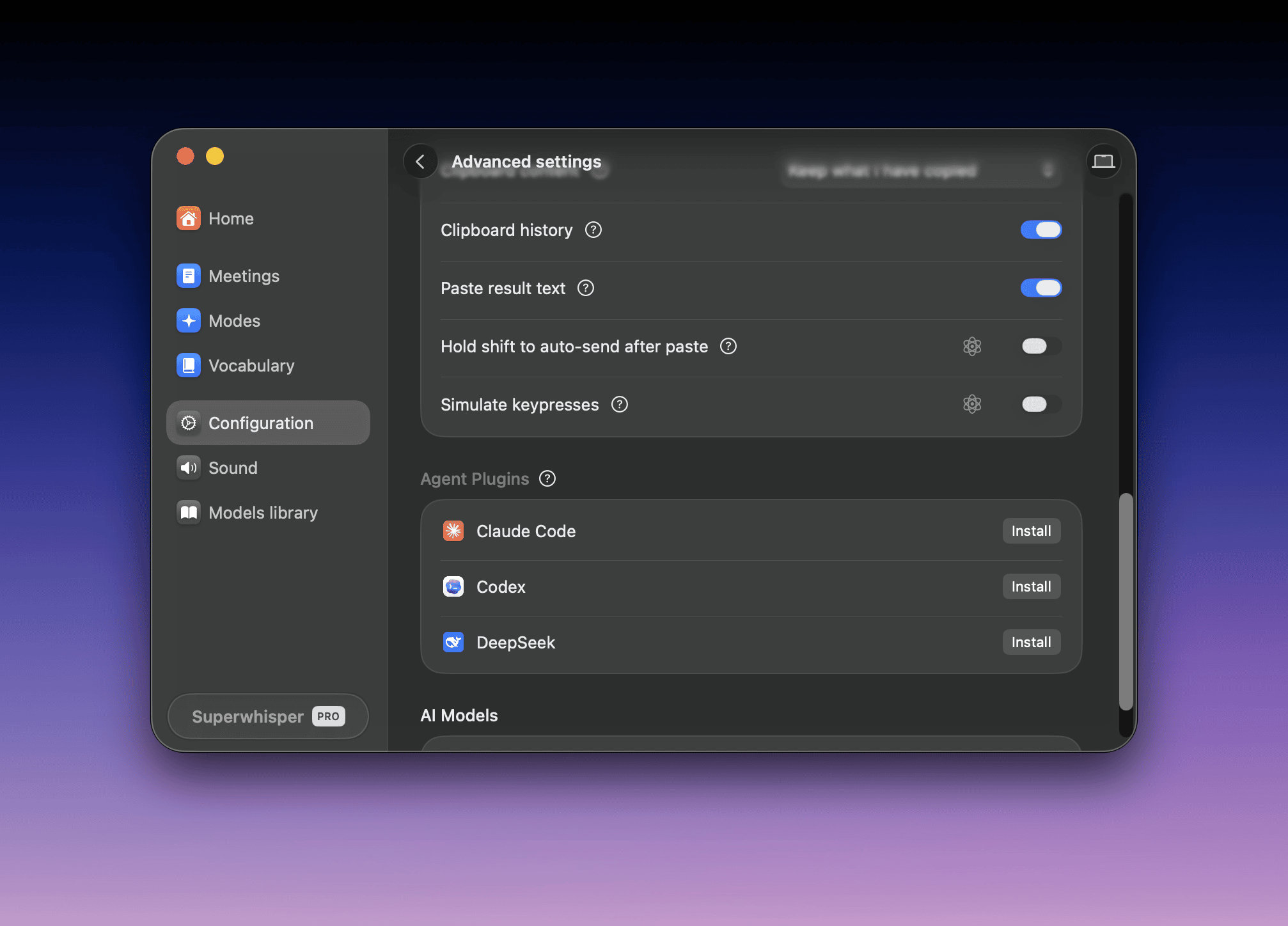
It is the only product in this roundup with a documented coding-agent integration. The docs list plugins for Claude Code, OpenCode, Codex, Cursor, Pi, Grok and DeepSeek. Once connected, Superwhisper pops up when the agent needs input or finishes a turn, so you can answer questions by voice, approve or deny tool calls by speaking, and see the agent's final message. The docs say these integrations are macOS only for now and point to a Windows status page. The Claude Code plugin installs a plugin and a superwhisper MCP server, and you can install each integration from Settings or from the terminal.
Superwhisper also publishes a model benchmark page. It ranks sixteen models across eight datasets with a blended score weighted three to one in favour of accuracy over speed, and says it shows where competitors beat it. In the Voice Arena zero-edit table that Aqua reproduces on its site, Superwhisper scores 59.8%. That measures how often a draft needed no edits, which is a different question from model word error rate, so treat the two as separate evidence.
Key features
- Free local Whisper models with unlimited dictation, up to two modes, custom vocabulary and text replacements.
- Pro adds unlimited cloud and local AI models, your own API keys, translation to English, audio and video file transcription and priority support.
- Agent plugins for Claude Code, OpenCode, Codex, Cursor, Pi, Grok and DeepSeek on macOS.
- Voice answers, voice approvals and done notifications for coding agents.
- Bring your own API keys on Pro.
- Meetings on Mac, listed on the Free plan.
Pricing: As of Nov 26, 2026: Free is $0. Pro is $8.49 per month, $84.99 per year (about 17% less) or $249.99 once for lifetime; every paid plan has the same features and only billing differs. Verified students, educators and non-profits get 40% off on purchases from the website, and the docs say the website is the cheaper place to buy than the iOS App Store or Google Play. New users get 3,000 words of Pro for free, and the FAQ promises a refund within 14 days of your latest charge.
Free tier: Yes. Free is permanent: unlimited local Whisper dictation, two modes without AI processing, custom vocabulary and text replacements. New users also get 3,000 words of Pro features.
Limits: The agent plugins are macOS only. The FAQ says Intel Macs work best with cloud models, because offline models run well only on Apple silicon. Cloud models, AI modes and context awareness need Pro.
Pros
- The only documented voice approvals and done notifications for Claude Code and Codex in this list.
- A useful permanent free tier that runs entirely on-device.
- One license covers Mac, Windows, iPhone and Android.
- A lifetime option and a publicly documented benchmark methodology.
Cons
- Agent integrations are macOS only today.
- Scores 59.8% in the Voice Arena table that Aqua reproduces on its site, well behind Aqua, Wispr Flow and Willow.
- AI cleanup, context and cloud models are Pro-only.
- Buying through app stores costs more than buying on the website.
Benefit for you: If you run agents that stop and ask permission, answering by voice means you can step away from the keyboard and still keep the session moving.
Standout use case: Approving a Claude Code tool call, or replying to a Codex question, without leaving the document you are reading.
Skip it if: Skip it if your agents run on Windows and you need the plugins there, or if you want the highest published zero-edit score.
Willow Voice
willowvoice.com
Willow Voice is a dictation app for Mac, Windows and iPhone, with an Android waitlist. The pricing page sells two speech models: a weaker Frontier Mini on the free plan and a smarter Frontier Pro on paid plans. It also sells Willow Scribe, which writes from your intent rather than transcribing it, with a weekly cap of 20 Scribe uses on Free.
The developers page says developers use Willow to dictate AI prompts, PR descriptions, code comments, tickets and docs, and that you can speak rich prompts to Cursor, Claude Code or Codex. It lists an auto-learning dictionary, shortcuts for phrases you use often, and style matching. It claims Willow is 3x more accurate than built-in dictation, with text appearing in as little as 200ms. Those numbers are the vendor's.
On privacy, the developers page says SOC 2 Type II certified, HIPAA compliant, zero data retention and end-to-end encryption, while the pricing page says Business enforces privacy mode with zero data retention. The home page also lists an offline mode that dictates without an internet connection, powered by your device. We could not tell from the page which platforms or plans include it.
Key features
- Frontier Mini on Free and Frontier Pro on paid plans, with priority transcription.
- Auto-learning dictionary, shortcuts and a smart memory of your writing style.
- Willow Scribe for drafting from intent, unlimited on Pro.
- A developers page aimed at prompting Cursor, Claude Code or Codex.
- Offline mode listed on the home page.
- Business: enforced privacy mode, SOC 2 Type II, enforced HIPAA. Enterprise: SSO and SAML, MSA and DPA, API.
Pricing: As of Nov 26, 2026: Basic is free (unlimited Frontier Mini, limited personalization, 20 Scribe uses per week). Pro is shown as $12 per user per month with a struck-through $15 (unlimited Frontier Pro, priority transcription, smart memory, unlimited Scribe). Business is shown as $28 with a struck-through $35 (enforced zero data retention, SOC 2 Type II, enforced HIPAA, admin controls). Enterprise is custom. The page has a Monthly and Annual toggle labeled Save 20%, and $15 to $12 and $35 to $28 are both exactly 20% off, so the lower prices look like annual rates. We did not capture the toggle, so confirm before buying.
Free tier: Yes. Basic is free with unlimited use of the weaker Frontier Mini model and no credit card needed.
Limits: Free gives you the weaker model and 20 Scribe uses a week. Zero data retention is enforced on Business, and the best model is paid. Android is a waitlist.
Pros
- A developers page that names Cursor, Claude Code and Codex.
- Fourth in the Voice Arena table Aqua reproduces on its site, at 76.5%.
- Zero retention and SOC 2 Type II are listed for teams.
- An offline mode is listed on the home page.
Cons
- No Android app yet.
- Monthly and annual pricing are hard to separate on the page.
- No documented agent plugin or voice approvals.
- The free model is deliberately weaker than the paid one.
Benefit for you: It suits people who want one app for prompts, email and documents, with a team plan that comes with zero-retention and HIPAA paperwork.
Standout use case: A developer dictating tickets, PR descriptions and agent prompts all day on a Mac and an iPhone.
Skip it if: Skip it if you need Android today, a one-time price, or open-source code.
Typeless
typeless.com
Typeless markets itself as voice dictation that turns messy thoughts into clear writing in any app. Its home page lists macOS, Windows, Linux, iOS and Android. It removes filler words and repeated words, adapts tone to the app you are in, supports 100+ languages and has a personal dictionary.
Two features go beyond transcription. Ask anything lets you select text and speak a command such as shorten or change the tone, or ask about read-only text. Translate converts your speech as you talk. We found no coding-agent integration, file tagging or developer page, so this is a general writing tool that happens to work wherever your cursor is.
The privacy section of the home page says dictations are processed with zero data retention, are never used for model training by Typeless or any third party, and that history is stored on your device. The pricing page's comparison matrix has rows for the same claims, but we could not read which plans each cell covers, so we cite the home page as the vendor's statement. A download page we fetched during research returned a 404, so confirm the Linux build exists before planning around it.
Key features
- Automatic removal of filler words and repeated words.
- Per-app tones, a personal dictionary and personalized style.
- Translate and Ask anything for selected text.
- macOS, Windows, Linux, iOS and Android listed on the home page.
- Pro adds unlimited words, enhanced accuracy, priority access and cloud sync; Enterprise adds SSO, SCIM, audit logs and enforced HIPAA controls.
Pricing: As of Nov 26, 2026: Free is $0 (limited words, standard accuracy, standard access during high demand). Pro is $12 per member per month when billed yearly and $30 when billed monthly (unlimited words, enhanced accuracy, priority access during high demand, cloud sync, team management, central billing, usage analytics). Ultra is $200 per member per month (maximum accuracy and intelligence, near-zero edits). Enterprise is custom. Monthly billing costs 2.5 times the yearly rate, so check the toggle.
Free tier: Yes, with a limited word allowance, standard accuracy and standard access during high demand. The page does not give the word count in text we could read.
Limits: The weekly word limit on Free is not stated in a number we could verify. Monthly billing for Pro is $30, and a download page we fetched returned a 404.
Pros
- The widest platform list in the cloud group, including Linux and Android.
- Strong text cleanup features: filler removal, per-app tones, Ask anything.
- Published zero-retention and no-training statements on its home page.
- A free plan to try it with.
Cons
- No coding-agent or developer features that we could find.
- The $12 versus $30 Pro price gap depends on billing period.
- Ultra at $200 per month is a steep jump with limited public detail.
- A download page we fetched returned a 404, so confirm the Linux build.
Benefit for you: If you write a lot of prose around your code, such as specs, replies and docs, Typeless is built for that cleanup, and it runs on every platform you are likely to own.
Standout use case: Turning a rambling spoken brief into a tidy paragraph before pasting it into an agent.
Skip it if: Skip it if you want agent hooks, file tagging or a local model.
Handy
handy.computer
Handy is a free, open source and extensible speech-to-text application that, in its README's words, works completely offline. It runs on Windows, macOS and Linux. You press a shortcut, speak, and Handy pastes the transcribed text into whatever app you are using. You can hold the shortcut to record, tap it to toggle, or use hold-only and toggle-only modes.
Everything is local. Silence is filtered with Silero voice activity detection, and you choose between Whisper models (Small, Medium, Turbo, Large) with GPU acceleration when available, and Parakeet V3, a CPU-optimized model with automatic language detection. The README documents install routes including a Homebrew cask, winget, and a .deb you install with apt, and notes that the Homebrew and winget packages are not maintained by the Handy developers. Handy also supports command-line flags to control a running instance.
The GitHub repository cjpais/Handy showed 40,255 stars on Nov 26, 2026, an MIT license, and a v0.10.2 release published Nov 24, 2026, fetched from the GitHub API. It has no coding-agent features. It transcribes and pastes, which is all a terminal prompt needs.
Key features
- Fully local transcription with Whisper models and Parakeet V3.
- Hold, toggle, hold-only or toggle-only shortcut modes.
- Windows, macOS and Linux.
- Voice activity detection with Silero to filter silence.
- Command-line flags for controlling a running instance.
- MIT-licensed source code.
Pricing: As of Nov 26, 2026: free and open source under the MIT license. We found no paid tier on the README or website pages we read.
Free tier: Everything is free. There is no word limit and no account.
Limits: Desktop only, with no iOS or Android app listed. No AI cleanup layer, dictionary or agent features are described. Accuracy and speed depend on the model you choose and your hardware.
Pros
- Free, MIT licensed and fully offline.
- One of the few options here that lists Linux.
- Very active project, with 40,255 GitHub stars and a release this week.
- No account, no word cap and no subscription.
Cons
- No mobile apps.
- No agent integrations, snippets or context features.
- You pick and manage models yourself.
- Third-party packages for Homebrew and winget are not maintained by the developers.
Benefit for you: It is the cheapest way to try voice prompting, and the only choice here where your audio never touches a vendor in any setup.
Standout use case: A Linux developer dictating prompts into a terminal with no cloud account.
Skip it if: Skip it if you want polished writing cleanup, a team plan or mobile dictation.
Spokenly
spokenly.app
Spokenly is an AI dictation app for Mac, Windows, Linux, iPhone and Android. Its site says it works offline with free local models, and calls the product free with unlimited use of Whisper and Parakeet models, no account needed. It claims more than 100,000 active users and a 4.8 App Store rating, both vendor-reported.
The coding pitch is direct: "Works with Claude, ChatGPT Codex and Cursor. Talk to your coding agents instead of typing. Spokenly types prompts anywhere." In practice that means dictation at the cursor, with AI Instructions that fix grammar, strip filler words and format text for the app you are in. Local-only mode blocks every network request. The FAQ also says Spokenly records your microphone and system audio on Mac without a meeting bot.
A Black Friday banner on the site offers 40% off Pro yearly, so the Pro price below may change after the sale.
Key features
- Unlimited local Whisper and Parakeet models on the free plan.
- Bring your own API keys (OpenAI, Deepgram, Groq and others) for cloud models.
- AI Instructions for cleanup and per-app formatting, on Pro.
- Local-only mode that blocks all network requests.
- Searchable history with audio replay and export.
- Meeting recording on Mac without a bot.
Pricing: As of Nov 26, 2026: Free is $0 forever (unlimited Whisper and Parakeet, offline, bring your own API keys, real-time transcription, no account). Local+ is $39 lifetime (Notch and Capsule styles, dictate from your phone, settings sync, priority support). Pro is $12 per month, billed $144 per year, and during the Black Friday sale the page shows $7.20 per month, billed $86.40 for the first year and then $144 per year (high-accuracy cloud models, AI text cleanup). Cancel anytime, with a 14-day refund.
Free tier: Yes, and it is a real free tier: unlimited local models, offline, with no account.
Limits: AI cleanup and hosted cloud models are on Pro. The pricing page describes one plan for all your devices.
Pros
- Five platforms, including Linux.
- Free tier with unlimited local models and no account.
- A $39 lifetime option and a bring-your-own-key route.
- Names Claude, Codex and Cursor on its home page.
Cons
- No documented agent plugin or voice approvals.
- Pro is $12 per month at full price.
- Usage and rating numbers are vendor-reported.
- The sale price is temporary.
Benefit for you: It is the most flexible budget route: start free and local, add your own API keys when you want better models, and pay once if you want the extras.
Standout use case: A developer on Linux or Windows who wants local models and a lifetime option.
Skip it if: Skip it if you want packaged cloud accuracy without bringing keys, unless you will pay for Pro.
VoiceInk
tryvoiceink.com
VoiceInk is a native macOS dictation app that transcribes locally and sells for a one-time price. Its site says it works offline and keeps audio on your Mac, and the iOS version is now available too. The app requires macOS 15 or later, and the site recommends cloud transcription on Intel Macs.
It speaks to coding use in plain terms: the site's "Chat with AI apps 5x faster" block says to speak your prompt and VoiceInk handles the rest. The tools behind that are a custom dictionary and Smart Replace (expand a short phrase into exact text, or swap one word for another). The README adds Smart Modes that switch writing styles by context, a Context Aware feature that reads screen content, and a built-in AI assistant mode. We found no coding-agent plugin or file tagging.
The source is on GitHub as Beingpax/VoiceInk. The README badge says GPL v3, although the GitHub API reports the license as NOASSERTION, so check the repository before depending on the license terms. On Nov 26, 2026 the repo showed 7,214 stars and a v2.27 release dated Nov 11, 2026.
Key features
- Local models for offline transcription, with Parakeet and WhisperKit named on the site.
- Custom words and Smart Replace for names, product names and expansions.
- Context Aware mode that reads screen content, per the README.
- Smart Modes and an AI assistant mode, per the README.
- Source code on GitHub, with a lifetime license sold for convenience.
- A free trial and a 14-day money-back guarantee.
Pricing: As of Nov 26, 2026: Solo is $25 one-time for 1 macOS device, Personal is $39 for up to 2 devices, and Extended is $49 for up to 3, each with lifetime access and a lifetime of updates. There is a free trial and a 14-day money-back guarantee. The site shows $0 per month and no subscription.
Free tier: A free trial is available, and you can also build the app from source because the code is public.
Limits: macOS only for the desktop app, macOS 15 or later. Licenses are per device. Cloud transcription is recommended on Intel Macs.
Pros
- One payment instead of a subscription, from $25.
- Local and offline, with source on GitHub.
- Custom words and replacements suit identifiers and product names.
- A 14-day refund window.
Cons
- No Windows, Linux or Android app.
- No documented coding-agent integration.
- License wording differs between the README badge and the GitHub API.
- Per-device licensing adds up with several Macs.
Benefit for you: For a solo developer on one or two Macs who dislikes subscriptions, the one-time price is a little over two months of a $12 monthly plan.
Standout use case: Dictating long prompts locally on a Mac without a recurring bill.
Skip it if: Skip it if you work on Windows or Linux, or want agent hooks.
OpenWhispr
openwhispr.com
OpenWhispr is an MIT-licensed, cross-platform dictation app for macOS, Windows and Linux that pitches itself as a free alternative to Wispr Flow and Granola. The README says everything that runs on your device is free, with no account and no word limit.
It goes further toward agents than most free tools. The README lists a Voice Assistant hotkey that sends what you say straight to your AI assistant as a command, with no wake word and no cleanup pass, and an AI agent that talks to GPT-5, Claude, Gemini, Groq, OpenRouter or local models. Its README also lists a public API and MCP integration.
The repository OpenWhispr/openwhispr showed 12,229 stars on Nov 26, 2026, an MIT license and a v1.12.2 release dated Nov 25, 2026, per the GitHub API.
Key features
- Local transcription with Whisper and Parakeet models and a local AI agent.
- A voice assistant hotkey that sends speech to an assistant as a command.
- Meeting recording and notes with local speaker diarization.
- Public API and an MCP server.
- Cloud transcription with your own API keys, or paid hosted cloud.
- Linux builds, including AppImage, rpm and tar.gz packages.
Pricing: As of Nov 26, 2026: Free is $0 (unlimited local models, unlimited cloud transcription with your own keys, 100+ languages, custom dictionary, and a hosted allowance of 2,000 words per week and 5 hours of meeting recordings per month). Pro shows $6.67 per user per month, which is $80 billed annually (unlimited cloud transcription, Agent mode, 20 hours of meeting recordings, device sync, personal API access, MCP integration, iPhone and iPad app). Business shows $13.33 per user per month, $160 billed annually (unlimited meeting recordings, chat over your data, priority support). Enterprise is custom, with SSO, SAML and SCIM. The page has an Annual toggle labeled 2 months free, and we only captured the annual figures.
Free tier: Yes. The local app is free with no account and no word limit, and there is also a free hosted allowance.
Limits: Hosted cloud transcription beyond 2,000 words per week needs Pro. On Intel Macs, speaker identification and semantic notes search are unavailable per the README. Linux packages exist, but the project is younger and moves quickly.
Pros
- MIT license, free local use and no word limit.
- A voice assistant hotkey and MCP server aimed at agent workflows.
- Mac, Windows and Linux builds, with a Homebrew cask maintained by the community.
- Frequent releases: v1.12.2 landed this week.
Cons
- Bring-your-own-model setup takes more effort than a polished paid app.
- Hosted Pro starts as an annual commitment on the page we captured.
- No documented Claude Code or Codex plugin, only an assistant hotkey and MCP.
- Intel Mac limits on some features.
Benefit for you: It is the open-source route that already thinks about agents: a hotkey that sends speech straight to an assistant, plus an MCP server for connecting tools.
Standout use case: Self-hosters who want one open app for dictation, meetings and an assistant.
Skip it if: Skip it if you want a polished consumer app with no configuration.
Voibe
getvoibe.com
Voibe is a dictation and meeting-notes app for Mac and Windows, sold at getvoibe.com. Its pricing page lists unlimited dictation, an on-device or zero-retention cloud mode, and memory and custom vocabulary. Voibe Work adds meeting notes with no bot in the call, and chat over your meetings.
The pricing page lists Developer Mode alongside memory and custom vocabulary, but we could not read what it does, and we found no coding-agent plugin. Treat Voibe as a privacy-first general dictation option until you test that. It offers a 30-day free trial of every feature with no credit card, and a 30-day money-back guarantee. The pricing page also says paid plans are never used to train AI and use open-source models with zero data retention, and its FAQ has an entry on requesting a BAA, though we did not read the answer.
Key features
- Unlimited dictation on Mac and Windows.
- On-device or zero-retention cloud mode.
- Memory, custom vocabulary and a Developer Mode feature we could not read about.
- Voibe Work: meeting notes without a bot, and chat with your meetings.
- Enterprise plan with team admin features and volume discounts.
Pricing: As of Nov 26, 2026, with a Black Friday banner offering 25% off every plan with code BFCM26: Voibe Dictation is $74.25 per year billed annually (list $99) or $7.42 per month billed monthly (list $9.90). Voibe Work is $111.75 per year (list $149) or $14.25 per month (list $19). Enterprise is custom. The page also has a Lifetime tab, but when we selected it the figures did not change in our capture, so we cannot quote a lifetime price. Every feature is free for 30 days, no credit card. The sale prices may end.
Free tier: A 30-day trial of every feature, no credit card. There is no permanent free plan on the page we read.
Limits: The trial ends after 30 days. Meeting features need the Work plan. We could not confirm a lifetime price.
Pros
- Mac and Windows from one vendor.
- On-device or zero-retention cloud mode.
- Dictation alone is under $10 a month.
- A 30-day trial and a 30-day money-back guarantee.
Cons
- No Linux, iOS or Android app listed on the pricing page.
- No documented coding-agent plugin.
- No permanent free tier.
- The Lifetime option could not be priced from the page.
Benefit for you: It suits privacy-minded professionals who want on-device dictation and bot-free meeting notes under one subscription.
Standout use case: Dictation plus meeting notes for someone who needs on-device processing.
Skip it if: Skip it if you need a free plan, Linux, mobile or agent integrations.
Utter
utter.to
Utter is a dictation app for Mac and iPhone that is free to download, needs no account, and requires macOS 14.4 or later or iOS 18 or later. The page frames it as "Say it messy. Send it clean.": one shortcut in any app, with filler words dropped, corrections applied, and numbers, dates and emails formatted.
Its feature list includes a block titled "Turn spoken notes into coding prompts", plus Modes that turn one dictation into an email, notes or a to-do list, replacements for names and jargon, writing tools such as rewrite and summarize, meeting and file transcription with speaker separation, and auto-export to Markdown or text. We read the page but did not install the app, so we cannot say how the coding-prompt feature behaves.
You choose where the audio goes. On-device runs on your Mac or iPhone with no internet once models are downloaded, and needs an Apple silicon chip on Mac. Your own keys sends audio to a provider you connect and you pay that provider. Utter Pro is hosted through a cloud provider and needs the internet.
Key features
- Dictation at the cursor in any app, with automatic cleanup of fillers and corrections.
- Modes that reshape one dictation into an email, notes or a to-do list.
- Custom replacements for names, jargon and phrases.
- On-device models, your own API keys, or hosted Utter Pro.
- Meeting and file transcription with speaker-separated transcripts, plus summaries from links.
- Searchable history with audio replay and optional iCloud sync.
Pricing: As of Nov 26, 2026: Free is $0 (on-device models or your own API keys, with no Utter subscription) and includes a free Pro trial. Pro is $5 per month billed $59.99 per year, or $6.99 billed monthly, and runs through a hosted cloud provider. The page says the yearly plan saves $24.
Free tier: Yes. The free setup is on-device models or your own keys, and a Pro trial is included. No account is required.
Limits: Mac and iPhone only, with no Windows, Linux or Android app listed. On-device dictation needs an Apple silicon Mac and a downloaded model. With your own keys, provider charges apply.
Pros
- Cheapest hosted plan in this roundup at $5 per month billed yearly.
- Free tier with on-device models and no account.
- Mentions coding prompts as a use case on its home page.
- Meeting and file transcription come in the same app.
Cons
- Only Mac and iPhone.
- No documented agent plugin, MCP server or file tagging.
- On-device mode excludes Intel Macs.
- We could not test the coding-prompt feature.
Benefit for you: For an Apple-only developer it is the lowest-cost hosted option, and the free on-device setup lets you try dictation before paying anything.
Standout use case: Turning a rambling spoken note into a clean prompt on a Mac with no account.
Skip it if: Skip it if you use Windows, Linux or Android, or need documented agent integrations.
Apple Dictation
apple.com
Dictation is built into macOS and iOS, and Apple's support page says you can use it to enter text anywhere you can type. It needs no download and no account beyond what your device already has.
Two details from that page matter for privacy and for coding work. First, you can open System Settings, then Keyboard, and read the note under Dictation to see whether your voice inputs and transcripts for general text dictation are processed on your device and not sent to Siri servers. Second, on a Mac with Apple silicon you can keep typing while you dictate, and the cursor stops pulsing while you type and resumes afterwards.
The page also says that with Apple Intelligence in macOS 27, dictation uses an on-device model to improve spelling, punctuation and capitalization, available in English on Mac models with M3 and later and at least 12GB of unified memory. Dictation is not available in all languages or regions. In the Voice Arena table that Aqua publishes, Apple Dictation scores 34.5%, the lowest of the 14 apps. It has no custom dictionary, snippets or coding features on that page.
Key features
- Built into macOS and iOS, with nothing to install.
- A Keyboard setting that tells you whether general dictation is processed on device.
- Typing while dictating on Apple silicon Macs.
- Optional on-device model for spelling and punctuation on newer Macs with Apple Intelligence in macOS 27.
- Voice Control as a separate feature for commanding the Mac by voice.
Pricing: As of Nov 26, 2026: included with the operating system, with no separate price.
Free tier: Yes, it is part of the OS.
Limits: Language and region support varies. Apple says that if you turn on Share Audio Recordings, Apple may review a sample of stored audio, and you can choose Not Now instead. When Voice Control is on, standard Dictation is unavailable.
Pros
- Free, built in and available on day one.
- The Keyboard note gives you a way to check on-device processing.
- Works anywhere you can type, including a terminal prompt.
- No account or extra vendor.
Cons
- Lowest score in the Voice Arena table Aqua publishes, at 34.5%.
- No developer dictionary, snippets or agent features on the page we read.
- The newest on-device model needs an M3 Mac with 12GB or more of memory.
- Apple platforms only.
Benefit for you: It costs nothing and takes a minute to switch on, so it sets a baseline: if it already works for your prompts, you may not need a paid app.
Standout use case: A first test of voice prompting before installing or paying for anything.
Skip it if: Skip it if you dictate code identifiers, product names and file paths all day.
Fireflies Talk
fireflies.ai
Fireflies Talk is a dictation feature from the Fireflies meeting-notes company. Its page says it turns what you say into clean text anywhere you work, on desktop, iPhone and Android, with a keyboard shortcut you hold while you talk.
The page says Talk is free and unlimited on every Fireflies plan, covers 90+ languages, and is already part of Fireflies with no separate dictation subscription. One of its examples is "Ask ChatGPT": say the giant prompt instead of typing it. It also turns teammate names into @mentions when you dictate in Slack. There is no mention of coding agents, a developer dictionary or local models on the page we read.
We could not find a statement about where audio is processed or kept on the Talk page, so check Fireflies' data terms before dictating anything sensitive. Our meeting notetakers roundup covers the rest of the Fireflies product.
Key features
- Hold-a-key dictation that types at the cursor on desktop.
- iPhone and Android apps.
- 90+ languages.
- Slack @mention handling for names.
- Included with Fireflies, with no separate subscription.
Pricing: As of Nov 26, 2026: the page says free and unlimited on every Fireflies plan. We found no separate Talk price.
Free tier: Yes, per the vendor, on every Fireflies plan including free. The page does not say whether you need a Fireflies account, but it sells Talk as part of Fireflies.
Limits: The page does not state data retention, an offline mode, Windows or Linux specifics, or any developer features.
Pros
- No extra cost if you already use Fireflies.
- Desktop and both mobile platforms.
- Unlimited use is stated on the page.
- 90+ languages.
Cons
- No coding-agent features documented.
- Retention and training terms for Talk audio are not on the page we read.
- Not tested against code-heavy prompts.
- Tied to a meeting-notes vendor account.
Benefit for you: If your team already pays for Fireflies, you get dictation without adding another subscription.
Standout use case: Dictating long chat prompts and Slack replies for people already inside the Fireflies ecosystem.
Skip it if: Skip it if you need local processing, developer terminology handling or documented privacy terms for dictation.
Pricing Table
All figures are USD unless marked, as of Nov 26, 2026. Where a vendor shows both monthly and annual prices, both are given.
| Tool | Free | Paid | Top tier | Notes |
|---|---|---|---|---|
| Wispr Flow | $0: 2,000 words per week | Pro $12 per user per month: unlimited dictation, shared dictionary | Growth $18: SSO, org-wide HIPAA with BAA. Enterprise custom | Toggle labeled 20% annual discount; figures did not change when toggled in our capture |
| Aqua Voice | $0: 2,000 words, first 3 meetings | Pro $10 annual, $12 monthly. Max $19 annual, $24 monthly | Business $19 annual, $24 monthly per seat, 2 seat minimum | Students 70% off Pro and Max |
| Superwhisper | $0: unlimited local Whisper dictation, 2 modes | Pro $8.49 monthly, $84.99 yearly | Lifetime $249.99 once | 40% off for students, educators, non-profits. New users get 3,000 words of Pro free |
| Willow Voice | $0: Frontier Mini model, 20 Scribe uses per week | Pro $12 per user per month (list $15) | Business $28 (list $35). Enterprise custom | Pro and Business show a struck-through list price and a Save 20% annual toggle |
| Typeless | $0: limited words per week | Pro $12 per member per month as displayed, $30 when billed monthly | Ultra $200 per member per month. Enterprise custom | The two Pro prices differ by 2.5 times |
| Handy | $0, open source | None | None | Donations and sponsors only; no paid tier found |
| Spokenly | $0 forever: local models, own API keys | Local+ $39 once | Pro $12 per month, $144 per year ($86.40 first year promo) | 14-day refund on Pro |
| VoiceInk | Free trial, then buy | Solo $25 (1 Mac). Personal $39 (2 Macs) | Extended $49 (3 Macs) | One-time, lifetime updates, 14-day refund. Needs macOS 15 or later |
| OpenWhispr | $0: unlimited local, 2,000 cloud words per week, 5 meeting hours | Pro $6.67 per user per month ($80 per year) | Business $13.33 ($160 per year). Enterprise custom | Billing shown with an annual toggle: 2 months free |
| Voibe | 30-day free trial, no card required | Dictation $7.42 monthly or $74.25 yearly, after a 25% discount | Work $14.25 monthly or $111.75 yearly. Enterprise custom | List prices are $9.90, $99, $19 and $149; the page shows 25% off with code BFCM26. A Lifetime tab exists but we could not read its prices. Sale may end |
| Utter | $0: on-device or own API keys | Pro $5 per month billed $59.99 per year | Monthly $6.99 | Free includes a Pro trial |
| Apple Dictation | Included | None | None | Needs a supported language and region |
| Fireflies Talk | Included on every Fireflies plan | None separate | None separate | Vendor says free and unlimited, 90+ languages |
Read the monthly figure carefully. Typeless shows $12 for Pro when billed yearly and $30 when billed monthly, and Aqua's Max is $19 or $24 depending on the period. Wispr Flow and Willow both show a toggle labeled with a discount, so verify which period a displayed price describes before you assume it.
Platform and Privacy Matrix
Yes means the vendor lists it on a page we read. Not listed means we did not find it, which is different from no. Not confirmed means a sign pointed one way and the product pages the other.
| Product | Mac | Windows | Linux | iPhone | Android | Fully local option | Open source |
|---|---|---|---|---|---|---|---|
| Wispr Flow | Yes | Yes | Not listed | Yes | Yes | Not listed | No |
| Aqua Voice | Yes | Yes | Not listed | Yes | Yes | Not listed | No |
| Superwhisper | Yes | Yes | Not confirmed | Yes | Yes | Yes (free local models) | No |
| Willow Voice | Yes | Yes | Not listed | Yes | Waitlist | Not listed | No |
| Typeless | Yes | Yes | Yes | Yes | Yes | Not listed | No |
| Handy | Yes | Yes | Yes | No | No | Yes | Yes (MIT) |
| Spokenly | Yes | Yes | Yes | Yes | Yes | Yes | Not stated |
| VoiceInk | Yes | No | No | Site lists iOS | No | Yes | Yes (GPL v3 per README) |
| OpenWhispr | Yes | Yes | Yes | Paid plans | No | Yes | Yes (MIT) |
| Voibe | Yes | Yes | Not listed | Not listed | Not listed | On-device mode | No |
| Utter | Yes | No | No | Yes | No | Yes (needs downloaded model) | No |
| Apple Dictation | Yes | Not applicable | Not applicable | Not reviewed | Not applicable | Check Keyboard settings | No |
| Fireflies Talk | Desktop | Desktop | Not listed | Yes | Yes | Not listed | No |
The Voice Arena Numbers
Aqua Voice's home and pricing pages reproduce a leaderboard from Voice Arena of 14 dictation apps, ranked by zero-edit rate: the share of drafts that needed no edits. We could not load the Voice Arena site itself, so the table below is as Aqua shows it on Nov 26, 2026. Aqua and Wispr Flow both compete in this benchmark and both promote their placing, so treat the table as one input, not a verdict.
| Rank | App | Zero-edit rate |
|---|---|---|
| 1 | Aqua Voice | 80.5% |
| 2 | Wispr Flow | 79.3% |
| 3 | Blurt | 78.0% |
| 4 | Willow Voice | 76.5% |
| 5 | Gemini 3.5 Transcribe | 75.8% |
| 6 | Spokenly | 73.8% |
| 7 | Granola | 71.9% |
| 8 (tie) | Kivi | 69.3% |
| 8 (tie) | Meta AI | 69.3% |
| 10 | ChatGPT Dictation | 64.3% |
| 11 | Claude Dictation | 64.0% |
| 12 | Superwhisper | 59.8% |
| 13 | Perplexity Dictation | 52.7% |
| 14 | Apple Dictation | 34.5% |
Two cautions. First, a zero-edit rate on general dictation tells you little about code identifiers, which is the case this article cares about. Second, the numbers move: Sahaj Garg of Wispr posted 79.4% for Canto 1 on Nov 11, Aqua's table shows 79.3% for Wispr Flow, and Wispr launched Canto-2 on Nov 24, so the picture may already have changed. Superwhisper separately publishes a benchmark page that ranks sixteen speech models across eight datasets, and says it shows where competitors beat it. That page measures models, not apps, so the two sets of numbers answer different questions.
GitHub activity, checked from the GitHub API on Nov 26, 2026: Handy has 40,255 stars and a v0.10.2 release dated Nov 24; OpenWhispr has 12,229 stars and a v1.12.2 release dated Nov 25; VoiceInk has 7,214 stars and a v2.27 release dated Nov 11. Stars show interest, not quality.
Privacy: Local, Zero Retention or Cloud
Dictation sends a stream of your voice to something. Where that something runs is the biggest difference between these apps, and it matters more when you speak prompts that contain code, customer names or internal plans.
Runs on your device
- Handy: the README calls it completely offline, with Whisper and Parakeet models.
- VoiceInk: local models transcribe offline, and the site says audio stays on your Mac. It recommends cloud transcription on Intel Macs.
- Superwhisper: the Free plan uses local Whisper models, and its docs say nothing you dictate leaves your device on that plan.
- Spokenly: local-only mode blocks every network request, per its site.
- OpenWhispr: local models are free and unlimited, with cloud as an option.
- Utter: on-device dictation needs a downloaded model and an Apple silicon Mac.
- Voibe: lists an on-device mode or a zero-retention cloud mode.
- Apple Dictation: Apple says a Keyboard setting shows whether general dictation is processed on your device.
Cloud, with stated protections
- Wispr Flow: lists SOC 2 Type II, HIPAA and ISO 27001, and its Growth plan adds a signed BAA and admin control over model training.
- Aqua Voice: lists a Privacy Mode, SOC 2 Type II and ISO 27001, and Zero Data Retention on Business.
- Willow Voice: lists SOC 2 Type II, zero data retention and end-to-end encryption on its developers page, and enforced zero retention on Business.
- Typeless: its home page says dictations are processed with zero data retention and never used to train models, and that history stays on your device.
Cloud only
- Claude Code /voice: streams audio to Anthropic, per Anthropic's docs.
- Fireflies Talk: the page we read does not describe retention, so we cannot place it.
These are vendor statements, and we verified none of them by testing. For regulated work, ask for the current data-processing terms in writing and, if you need a BAA, confirm the exact plan that includes it. Our meeting notetakers roundup goes deeper on recording consent, which matters if you also use these tools on calls.
How to Choose
| Your situation | Start with | Why |
|---|---|---|
| You prompt Cursor or Windsurf all day and want file names right | Wispr Flow | Its developer page lists file tagging in Cursor and Windsurf. Voibe lists a Developer Mode too, but we could not read how it works. |
| You want agents to ask you questions and you answer by voice | Superwhisper on a Mac | Plugins for Claude Code, Codex and Cursor with voice approvals. |
| You want the best published accuracy and context-aware spelling | Aqua Voice | Highest zero-edit rate in the table its own site publishes, plus Deep Context. |
| Audio must not leave the machine | Handy, VoiceInk, Superwhisper Free or Spokenly in local-only mode | Local models, offline operation, no account needed for several. |
| You use Linux | Handy, OpenWhispr, Spokenly or Typeless | Only these list Linux. |
| You hate subscriptions | VoiceInk, Spokenly Local+ or Superwhisper lifetime | One-time prices of $25 to $249.99. |
| You want a team plan with SSO and HIPAA paperwork | Wispr Flow Growth, Aqua Business, Willow Business or Typeless Enterprise | All list SSO or enforced HIPAA tiers. Confirm the BAA in writing. |
| You need Android and iPhone plus desktop | Wispr Flow, Aqua Voice, Superwhisper, Spokenly or Typeless | All list both mobile platforms. |
| You are on a Claude.ai plan and only prompt Claude Code | Claude Code /voice first | Built in, but cloud-only, and it needs a Claude.ai login and a local microphone. |
| You just want free and zero setup | Apple Dictation or Fireflies Talk | Accept the accuracy gap shown in the leaderboard table. |
Common Mistakes and a Buying Checklist
- Judging on a ten second test. Dictate five real prompts with file paths, flags and library names, then count the fixes.
- Comparing headline prices. Typeless Pro is $12 or $30 depending on the billing period, and several pages show sale prices.
- Ignoring free-plan caps. Wispr Flow and OpenWhispr Cloud give 2,000 words a week, and long prompts use that fast.
- Assuming an app hooks into your agent. Only Superwhisper documents plugins, and only on macOS. The rest paste text.
- Trusting vendor accuracy numbers. The leaderboard is published by a competitor in the benchmark.
- Forgetting platform gaps. Willow has an Android waitlist, VoiceInk and Utter are Apple-only, and Superwhisper's plugins are Mac-only.
- Dictating secrets. Cloud audio and agent context both leave your machine.
Before you buy, run through this list:
- Test the app inside your real terminal and editor, not a text box. Pasting into a TUI can behave differently.
- Dictate five real prompts that contain file paths, flags and library names. Count the fixes you make.
- Decide whether audio may leave the machine, and find where the vendor states retention and training in writing.
- Check the price at your billing period. Monthly and annual figures differ by up to 2.5 times on one page here.
- Read the free-plan cap against your week: 2,000 words goes quickly when prompts run long.
- Confirm every platform you need. Several apps list mobile or Linux as coming soon, waitlist or paid-only.
- Check hold-to-talk versus toggle, and whether you can bind the key your terminal does not capture.
- If you want agent hooks, confirm the plugin works with your exact agent version and operating system.
How We Evaluated
We fetched each vendor's home, pricing and docs pages on Nov 26, 2026, rendered the pricing pages that load by script in a browser, read the README files of the open-source projects, pulled stars and release dates from the GitHub API, read Anthropic's voice dictation docs and Apple's Mac dictation page, and checked each embedded post and video. Where a first-party page was unclear, we say so and attribute any secondary figure. We did not install or run these apps, so the pros and cons come from documentation and vendor claims, not measured accuracy. There are no affiliate links or paid placements, and vendors did not review the page. Rankings are by fit, not by score. Plans change often. If a figure here differs from the vendor page, trust the vendor page.
Two products from our starting list needed care. Voibe's pricing page lists a Lifetime tab whose prices we could not read, so we leave them out. Fireflies Talk is a feature of a meeting-notes product, not a standalone app, and we cover it briefly. We also found that one video we considered was not embeddable, so we left it out.
FAQ
What is the best AI dictation app in 2026?
It depends on how you work, and we did not run hands-on tests, so this reflects published pricing, docs and vendor claims as of Nov 26, 2026. Wispr Flow has the widest free tier across Mac, Windows, iPhone and Android. Aqua Voice tops the Voice Arena table it publishes, at 80.5% zero-edit outputs. Superwhisper has the deepest coding-agent hooks on Mac. Handy is the best free offline pick and works on Linux.
What is the best Wispr Flow alternative?
Pick by the reason you are leaving. For accuracy, look at Aqua Voice. For local processing and no subscription, look at Handy, VoiceInk or Superwhisper's free tier. For Linux, Handy, OpenWhispr, Spokenly and Typeless list it. For a team plan with zero retention, Willow Business and Aqua Business both list it. Wispr's free plan is 2,000 words per week, so a lower cap or a price is the usual trigger.
What is the best dictation app for Claude Code?
Superwhisper is the only app here that documents plugins for Claude Code and Codex, covering voice answers, approvals and done notifications on macOS. Wispr Flow, Aqua Voice and Willow work by pasting text where your cursor sits, which includes terminals. Claude Code also has its own /voice command, which needs a Claude.ai login and streams audio to Anthropic. We have not tested any of them in a live Claude Code session.
Does Claude Code have built-in voice dictation?
Yes. Run /voice, then hold Space to record or switch to tap mode with /voice tap. Anthropic's docs say audio streams to Anthropic's servers, it needs a Claude.ai account, it does not work with an API key, Bedrock, Google's Agent Platform or Microsoft Foundry, and it does not work over SSH. The docs say transcription is tuned for coding vocabulary and that it adds your project name and git branch as hints.
Which AI dictation apps work offline?
Handy, VoiceInk, Superwhisper (local Whisper models, including on the Free plan), Spokenly (local-only mode), OpenWhispr (local models), Utter (with a downloaded model) and Voibe (an on-device mode) list local or offline modes. Wispr Flow, Aqua Voice, Willow and Typeless describe cloud processing and we found no offline mode on the pages we read.
Are there free AI dictation apps with no word limit?
Yes. Handy is free and open source with no word limit. Superwhisper's Free plan gives unlimited dictation with local Whisper models. Spokenly's Free plan is unlimited with local models. OpenWhispr's local models are unlimited and free. Utter is free with on-device models or your own API keys. Fireflies says Talk is free and unlimited on every plan. Wispr Flow, Aqua, Typeless and Willow cap their free tiers.
Which AI dictation apps are open source?
Handy (MIT, 40,255 GitHub stars on Nov 26, 2026) and OpenWhispr (MIT, 12,229 stars) are open source. VoiceInk's repository has 7,214 stars and its README states GPL v3, although the GitHub API reported no license metadata for it. VoiceInk still sells licenses for automatic updates and support. We did not find source code for the other products.
Which dictation apps work on Linux?
Handy, OpenWhispr, Spokenly and Typeless list Linux. Superwhisper's website footer includes a Linux link, but the pages we read list Mac, Windows, iOS and Android, so we did not confirm a Linux app. Wispr Flow, Aqua Voice and Willow list Mac, Windows and mobile only. Claude Code's /voice also runs on Linux, with an ALSA or SoX fallback for audio capture.
Wispr Flow vs Superwhisper: which should I pick?
Wispr Flow is cloud-based, free up to 2,000 words per week and priced at $12 per user per month for Pro. Superwhisper has unlimited free dictation with local models, a Pro plan at $8.49 per month, $84.99 per year or $249.99 lifetime, and agent plugins for Claude Code and Codex on macOS. In the Voice Arena table that Aqua publishes, Wispr scored 79.3% and Superwhisper 59.8%, but that is a competitor-published table. Superwhisper publishes its own benchmark suite and we did not compare the two.
How accurate are these apps compared with each other?
We cannot say from our own testing. Aqua Voice's pricing and home pages show a Voice Arena table of 14 apps, with Aqua at 80.5% and Wispr Flow at 79.3% zero-edit outputs. Sahaj Garg of Wispr posted an earlier 79.4% figure for Canto 1 on Nov 11, and Wispr launched Canto-2 on Nov 24, so those numbers may now be out of date. Both vendors compete in the benchmark, and we could not load the Voice Arena site itself, so check it directly.
Is it safe to dictate code, API keys or proprietary context?
Treat spoken text like pasted text. Cloud dictation sends audio to a vendor, so check retention, training opt-outs and certifications before dictating anything sensitive. Wispr Flow, Aqua and Willow list SOC 2 Type II, Willow lists zero data retention, and Aqua lists it on Business. Local tools such as Handy never send audio out. Do not speak secrets into any cloud tool, and expect an agent to receive whatever you dictate.
How much do AI dictation apps cost?
As of Nov 26, 2026 the paid plans in this article run from $5 per month (Utter Pro, billed yearly) and $6.67 (OpenWhispr Pro) to $12 for Wispr Flow, Willow and Spokenly Pro and for Typeless Pro as displayed, and up to $200 per month for Typeless Ultra. One-time prices range from $25 for VoiceInk Solo to $249.99 for Superwhisper Lifetime. Open-source Handy costs nothing. Always check the billing period.
How does Apple Dictation compare with the AI apps?
It is free and built in, and Apple says on its Mac page that you can check a Keyboard setting to see whether general dictation is processed on your device. On Apple silicon Macs you can keep typing while you dictate. In the Voice Arena table that Aqua Voice publishes, Apple Dictation scores 34.5%, the lowest of 14. The apps add cleanup, personal dictionaries and context, which matter for code prompts.
Does dictation work in a terminal like Claude Code or Codex?
Apps that paste text at your cursor generally work in a terminal, because the terminal receives a paste. Claude Code /voice is built into the terminal, and Superwhisper installs plugins into the agent itself. Behavior can differ by terminal and by the key you bind, so test your own setup first. Claude Code's /voice hold mode watches for rapid Space key-repeat events, which is why it has a short warmup.
Sources
All fetched on Nov 26, 2026 unless noted.
- Wispr Flow, pricing
- Aqua Voice, pricing
- Superwhisper, coding agents docs
- Willow Voice, pricing
- Typeless, pricing
- Handy on GitHub, handy.computer
- Spokenly
- VoiceInk, GitHub
- OpenWhispr, GitHub
- Voibe pricing
- Utter
- Apple Support: Dictate on Mac
- Fireflies Talk
- Claude Code docs: Voice dictation
- YouTube: Claude Code /voice vs Wispr Flow (AI Coding Daily), A Fading Thought
- X posts: @WisprFlow, @SahajGarg6, @aquavoice, @aquavoice (Aqua Pen), @aquavoice (iOS)