Get the latest on AI, LLMs & developer tools
New MCP servers, model updates, and guides like this one — delivered weekly.
Who Wins for What
If you want your calendar to reorganize itself, pick Reclaim.ai if you want a free start and a preview step, and Motion if you want tasks and projects in the same product. If you would rather place the work yourself, Akiflow, Sunsama and Morgen are the planners, at $19, $17 and $15 a month on yearly billing. If people book time with you, Calendly and Cal.com are the booking tools, and Calendly's new Callie assistant now handles one-on-one scheduling over email. If you already pay for Google Workspace, Gemini in Gmail covers the email part with no new vendor.
The headline question, Motion versus Reclaim, is the wrong frame for most readers, because the five named tools are not one category. We did not run hands-on tests. Everything here comes from vendor pricing pages, help centers, official posts and press, dated Nov 27, 2026, and we mark anything that comes from a single third-party source.
A third-party comparison by Digital Prodigy. We did not verify its claims against vendor documentation, so use it for a look at the interfaces, not for pricing or limits.
Quick Picks
| Need | Pick | Why |
|---|---|---|
| Best AI calendar that reschedules for you | Motion or Reclaim.ai | Both place work around your meetings automatically. Motion is a full work suite from $29 a month on the individual annual plan; Reclaim.ai starts free and has a $10 Starter seat on annual billing. |
| Best for protecting focus time on Google or Outlook calendars | Reclaim.ai | Focus Time, Habits, Buffers and Smart Meetings are its core agents, with a Preview Mode that stages changes before they hit your calendar. |
| Best planner where you stay in control | Akiflow, Sunsama or Morgen | You drag tasks into slots yourself or approve a plan. Akiflow is $19 a month annual, Sunsama $17, Morgen $15. |
| Best for letting other people book you | Calendly or Cal.com | Booking links and routing are the product. Calendly has a free plan and Cal.com is free for individuals. |
| Best open-source scheduling | Cal.com (hosted) or Cal.diy (self-host) | Cal.diy is an MIT-licensed community fork with enterprise features removed, aimed at personal, non-production use. |
| Best AI assistant for scheduling over email | Calendly Callie, Skej or Fyxer | You cc an assistant and it negotiates the time. Callie is in beta and English only; Skej has a free tier and Fyxer lists a 14-day trial. |
| Best if you already pay for Google Workspace | Gemini in Google Calendar and Gmail | Help me schedule and Chat scheduling cards need an eligible Workspace plan (Chat cards also list AI Ultra Access), so there is no new vendor. |
| Best cheap paid entry | Trevor AI Pro | $5 a month when paid annually, per its homepage. Check its limits before you rely on it. |
| Best for a general agent that also handles calendar work | Lindy | Credit-based agent with meeting scheduling, prep and follow-up. Every active user is billed. |
| Best free option to start with | Reclaim.ai Lite, Trevor AI Free or Calendly Free | Each has a real free plan with sharp limits, covered in the personal-use section. |
Master Comparison Table
Prices come from each vendor's pages as fetched on Nov 27, 2026, with the billing period given where the page gives one. Several vendors show very different numbers for annual and monthly billing, which we flag in the product sections.
| Tool | Pricing | Free plan | What the AI does | Notes |
|---|---|---|---|---|
 Motion | Individuals: Pro AI $29, Business AI $39 a month (annual); $49 and $69 monthly. Teams per seat: $19 and $29 annual | No free plan; free trial | AI auto-scheduling of tasks and meetings, projects, notetaker | Credits metered per seat; the most work-suite of the five |
 Reclaim.ai | Starter $10, Business $15, Enterprise $22 per seat a month (yearly); Starter $12, Business $18 monthly | Yes, Lite | Focus Time, Habits, Buffers, Smart Meetings as agents; Chat and Preview Mode | Reclaim 2.0 since May 2026; MCP for ChatGPT, Claude, Cursor |
 Akiflow | Pro $19 a month on yearly billing ($228 a year); $34 monthly | No free plan; 7-day trial | Time-blocking planner, calendar plus tasks; Aki assistant and MCP connector | ChatGPT plugin (Nov 17, 2026), iCloud sync (Oct 16, 2026) |
 Calendly | Standard $10, Teams $16 per seat a month (yearly); Standard Plus $18 and Teams Plus $24 yearly ($24 and $32 monthly); Enterprise from $15k a year | Yes, Free | Booking links, routing, Callie email assistant (beta) and Notetaker on Plus plans | Callie is English only, in beta, and needs a Plus plan |
 Cal.com | Teams $12, Organizations $28 per user a month (yearly); $16 and $37 monthly | Yes, free for individuals | Open-source scheduling with workflows; v7 announced Nov 16, 2026 | Self-host with MIT-licensed Cal.diy, minus enterprise features |
 Sunsama | Pro $17 a month billed yearly ($204 a year); $22 monthly | No free plan; 14-day trial, no card | Daily planning with timeboxing; MCP listed on pricing page | SOC 2 per vendor; SAML and SSO on the enterprise tier |
 Morgen | Pro $15 a month yearly; $30 monthly. Teams $10 yearly, $25 monthly (2-seat minimum) | 14-day trial, no card; 30-day money back | Planner with Frames that you preview and accept; Linux support | Data stored in Switzerland and the EU, per vendor |
 Gemini in Google Calendar | No separate price; needs an eligible Workspace plan (some features also list Google AI plans) | No separate plan | Help me schedule in Gmail and scheduling cards in Google Chat | Availability differs by feature, plan, language and surface |
 Lindy | Free $50 credits for 7 days; Team from $29.99 a month for 3,000 credits | Trial credits only | General AI agent that schedules, preps and follows up | Every active user is billed; approvals built in |
 Fyxer | Pro $37 a month annual, $49 monthly | Free plan with 400 credits a month; 14-day trial of paid plans | AI assistant across inbox, calendar and meetings; scheduling assistant | Drafts only; cannot send for you |
 Trevor AI | Free plan; Pro $5 a month paid annually | Yes | Task scheduling onto your calendar with suggestions | Europe-based, GDPR; completion-rate claim is the vendor's own |
 Skej | Free $0; Pro $15 per user a month annual; Premium $23 a month; Enterprise custom | Yes, Free Forever | Email scheduling assistant you cc | Unsupervised mode is Premium and up |
Four Kinds of Scheduling Tool
The products here are four different kinds of thing, and mixing them up is the most common buying mistake.
- Auto-schedulers place your own tasks and meetings on the calendar and move them when things change: Motion and Reclaim.ai, with Trevor AI as a smaller option.
- Planners give you a calendar and a task list and let you decide: Akiflow, Sunsama and Morgen. Morgen and Reclaim add a preview step before changes land.
- Booking tools let other people pick a time with you: Calendly, Cal.com, and Morgen's built-in links. Gemini's appointment booking pages are in this group too.
- Assistants and agents handle the email thread: Calendly's Callie, Skej, Fyxer, Lindy and Gemini's Help me schedule.
Your first decision is which of those problems you actually have. A busy manager with 25 hours of meetings needs an auto-scheduler, a founder booked by clients needs a booking tool, and someone who spends the day replying to "when are you free?" needs an email assistant. Sibling roundups cover the neighbouring ground: AI email assistants and AI meeting notetakers.
Motion vs Reclaim vs Akiflow vs Calendly vs Cal.com
These five are the ones people search for. Each section below has the same shape: what it is, features, dated pricing, free tier, limits, pros, cons, the benefit for you, a standout use case and when to skip it.
Motion
usemotion.com
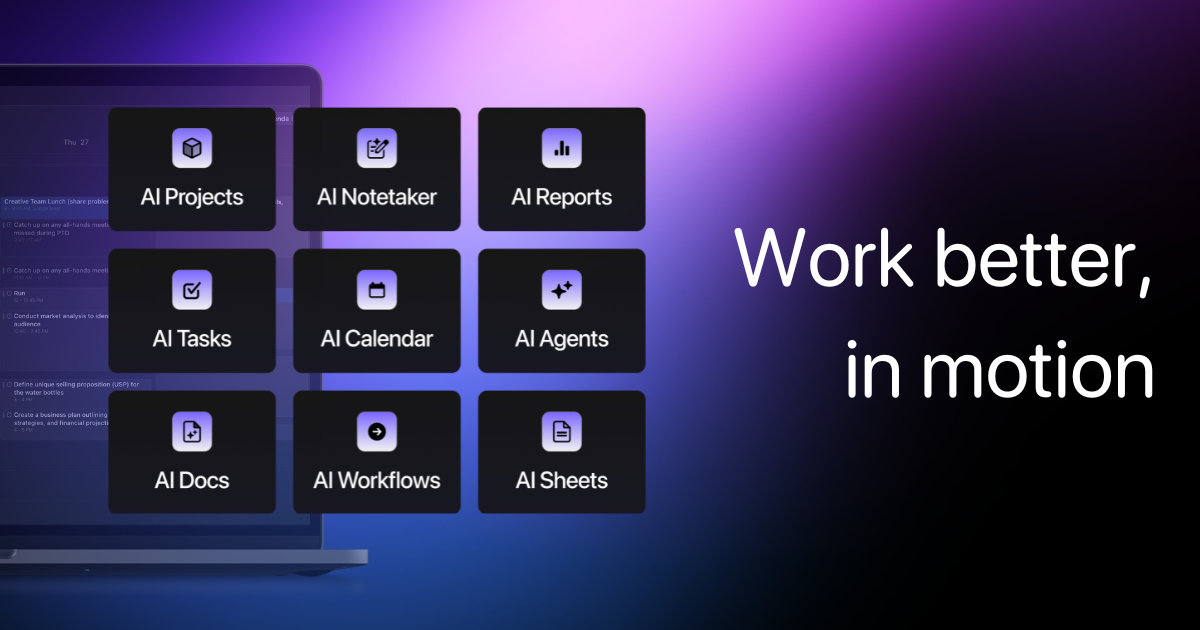
Motion started as an AI calendar and has grown into what its homepage calls an AI-powered superapp for work: tasks, projects, calendar, meetings, docs, notes, reports and workflows in one product. The calendar idea is the same as it ever was. You give Motion tasks with deadlines, priorities and durations, it fits them around your meetings, and it re-plans when something changes. The homepage says the plan optimizes itself hundreds of times a day, which is a vendor claim we could not test.
If you only want your calendar to protect focus time, you are paying for a suite.
Key features
- AI Task Planner that prioritizes tasks and fits them around your meetings.
- AI Calendar that schedules tasks and meetings automatically and re-plans when your day changes.
- AI Project Manager for projects alongside tasks.
- AI Meeting Notetaker that records, summarizes and turns action items into tasks, per the homepage.
- Task capture from forwarded Gmail, Outlook or iCloud email, from Zoom, Meet or Teams meetings, from Slack or Teams messages and by Siri voice command, per the homepage.
- Calendar accounts from Google, Outlook and iCloud in one view, per the homepage.
Pricing (as of Nov 27, 2026): Individuals: Pro AI $29 a month on annual billing or $49 monthly; Business AI $39 annual or $69 monthly. Teams, per seat: Pro AI $19 annual or $29 monthly; Business AI $29 annual or $49 monthly. The page says paying annually saves 33%. Credits are 7,500 per seat per month on Pro AI and 15,000 on Business AI. Extra credits are listed at 25 cents per 100 credits in the 7,500 pack and 19 cents per 100 in the 15,000 pack, which by our arithmetic is $18.75 and $28.50 per pack.
Free tier or trial: No free plan. The pricing page offers a free trial. One third-party review says it lasts 7 days and requires a card with a $1 hold; we could not confirm that on Motion's own pages.
Limits: Usage is credit-metered. Which plan you land on depends on whether you toggle Individuals or Teams, and the same plan name carries different prices on each. One third-party review says purchases are non-refundable and deletions cannot be recovered. We treat that as unconfirmed.
Pros
- Broadest scope here: tasks, projects, calendar, notes and meetings in one product.
- Fully automatic placement means you do not drag blocks around.
- Business AI adds team capacity planning, dashboards, Gantt and time tracking, per the pricing page.
- SOC 2 Type 2 is claimed on the homepage, which helps with IT approval.
Cons
- Among the pricier individual plans here: $29 a month annual, $49 monthly, and $69 for Business AI monthly.
- No free plan, and pricing differs by toggle, which is easy to misread.
- Credits are a second meter on top of seats.
Benefit for you: If your week is a tangle of tasks with deadlines plus meetings you cannot move, Motion takes over the arithmetic of what fits where. The benefit is real only if you enter tasks with honest durations.
Standout use case: A manager or founder who wants tasks, projects and the calendar in one tool and wants the schedule to rebuild itself every morning.
Skip it if: You want a free plan, only need Focus Time on top of an existing calendar, or dislike credit-metered billing.
Reclaim.ai
reclaim.ai
Reclaim.ai is the other name in every Motion comparison. It sits on top of Google Calendar or Outlook and protects your time with agents for Focus Time, Habits, Buffers and Smart Meetings. Reclaim says it has more than 600,000 users across 70,000 companies, a vendor figure, and it was acquired by Dropbox, which announced the deal on Aug 20, 2024.
Reclaim now describes itself as Reclaim 2.0. Its help center, updated Oct 15, 2026, says people who signed up after May 2026 are already on it. 2.0 adds Chat, an upgraded Planner, Preview Mode and Agents, plus MCP support for ChatGPT, Claude and Cursor. Chat will not change your calendar without approval through Preview Mode, which is the cleanest approval story in the auto-scheduler group.
Key features
- Agents for Focus Time, Habits, Buffers and Smart Meetings that move around your real calendar.
- Reclaim Chat and Preview Mode, which stage changes before they hit the calendar.
- AI scheduling links. The homepage claims 524% more availability than ordinary links, a vendor claim.
- Team OOO Calendar, announced Apr 10, 2026 for Business and Enterprise, that syncs time off across calendars and reschedules work during PTO.
- MCP access for ChatGPT, Claude and Cursor.
- Calendar syncs, a planning range of 1, 8 or 12 weeks by plan, and SOC 2 Type II per the vendor.
Pricing (as of Nov 27, 2026): Lite is free. On yearly billing the page shows Starter $10, Business $15 and Enterprise $22 per seat per month; monthly is Starter $12 and Business $18, and Enterprise is not offered monthly. Student pricing is 50% off for 12 months, and a switching discount of 20% for 6 months is listed for people moving from Clockwise, Motion or Calendly. The page banner says yearly saves 20% while its FAQ says 29%, and we could not reconcile the two.
Free tier or trial: Lite is free: 5 AI agents, 1 user, a 1 week planning range, 1 calendar sync and 1 scheduling link. Starter allows 10 agents per seat up to 10 seats, an 8 week range, 3 syncs and 3 links. Business allows 100 agents per seat up to 100 seats, a 12 week range and unlimited syncs.
Limits: Plan limits are the main constraint, especially on Lite and on the 10-seat cap on Starter. Two third-party reviews from October and November 2026 say Reclaim 2.0 tasks no longer get their own calendar events and that Reclaim has no mobile apps. We could not confirm either on Reclaim's own pages, so check before buying.
Pros
- One of two auto-schedulers here with a real free plan (Trevor AI is the other).
- Cheapest paid entry among the auto-schedulers at $10 per seat on Starter.
- Preview Mode gives you a look before changes land.
- Clockwise recommended it when it shut down, and Reclaim ran a price-match for migrating users.
Cons
- Its own pricing page contradicts itself on the annual discount (20% banner, 29% FAQ).
- Reclaim 2.0 changed how tasks behave per third-party reviews, which can surprise long-term users.
- Planning range and sync counts are tight on Lite.
- Calendar-first rather than a full project suite like Motion.
Benefit for you: If your calendar is already crowded with other people's meetings, Reclaim lets Focus Time, Habits and Buffers compete for space automatically while you keep a preview step.
Standout use case: A Google Workspace or Outlook user who wants to try an AI calendar for free before paying per seat.
Skip it if: You want projects, docs and notes inside the same app, or you need a mobile app and cannot confirm Reclaim has one.

NEW: Team OOO Calendar. Stop letting PTO break your team's schedule. You can now automatically: sync OOO across calendars, and auto-reschedule work & meetings during PTO. Now available on Business & Enterprise.
— @reclaimai April 10, 2026
Akiflow
akiflow.com
Akiflow takes the opposite approach to Motion. It combines your calendar and tasks into one view and you choose where each task goes, with an AI assistant called Aki on top. Its pricing page says Pro includes Aki and the hosted Akiflow MCP Connector, and that the AI Meeting Assistant for recording and summaries is an optional add-on.
Akiflow has leaned hard into agents this autumn. On Nov 17, 2026 its X account announced a plugin in ChatGPT that pulls tasks, calendars and meetings together across Google, Outlook and iCloud, and on Oct 16 it announced iCloud calendar support.
Key features
- Calendar and tasks in one unified view, with time blocking.
- Aki AI assistant and a hosted MCP Connector included in Pro.
- ChatGPT plugin, announced Nov 17, 2026.
- Google, Outlook and iCloud calendar sync.
- Capture of emails into tasks and Zapier or IFTTT automation, per the feature list on the pricing page.
- Optional AI Meeting Assistant add-on for recordings, transcripts, summaries and action items.
Pricing (as of Nov 27, 2026): One plan, Pro: $34 a month billed monthly, or $19 a month billed yearly ($228 a year). The page says yearly saves 44%, which matches the arithmetic (228 against 408); an older FAQ line on the same page says 40%. Team pricing is by sales. Eligible students and researchers get 40% off Pro Yearly for life after verification, per the page. Prices may use local purchasing-power pricing in some countries.
Free tier or trial: No free plan. A 7-day full-access trial requires a card, and the paid plan begins afterward unless you cancel.
Limits: The meeting recorder costs extra, we did not find a team plan with public per-seat pricing, and you place the work yourself.
Pros
- You stay in control of exactly where each task lands.
- Aki and the MCP Connector are in the base price.
- Calendar plus tasks in one view, with Google, Outlook and iCloud.
- Active shipping on agent access (ChatGPT plugin, MCP).
Cons
- $34 a month if you pay monthly, the highest monthly price of the three planners.
- No free plan and the trial needs a card.
- Not an auto-rescheduler; changes in your day do not move your tasks for you.
- Pricing page contradicts itself on the yearly discount (44% against 40%).
Benefit for you: If your problem is that tasks live in six tools and your calendar in another, Akiflow collapses them into one inbox you can drag onto a day, then lets Claude or ChatGPT work with that list through its MCP Connector or ChatGPT plugin.
Standout use case: Someone who already runs their day in Claude or ChatGPT and wants a task and calendar backend those agents can read.
Skip it if: You want the software to place tasks for you, or you want a free tier.
Akiflow is now available in ChatGPT. The Akiflow plugin in ChatGPT pulls your tasks, calendars and meetings together across Google, Outlook and iCloud. Open ChatGPT and type: "Akiflow, what does my day look like?"
— @getAkiflow November 17, 2026
iCloud users, this one's for you. Your Apple calendars now live in Akiflow, alongside Google, Outlook and all your tasks. One place to plan the whole day. Settings, Calendars, Connect iCloud. Done in a minute.
— @getAkiflow October 16, 2026
Calendly
calendly.com
Calendly is the scheduling-link incumbent, and its Aug 19, 2026 launch changed what it wants to be. The post by founder Tope Awotona calls it a platform that goes beyond scheduling to handle the work before, during and after meetings, serving over 50 million users, a vendor figure. The two AI products are Notetaker and Callie.
Callie is the part relevant here. You add [email protected] to an email thread and say what you need. Callie replies with a shortlist of times using your availability and preferences, shows mutual availability if everyone uses Calendly, and books the meeting once everyone agrees. Calendly says it checks with you before one-off updates. Both Callie and Notetaker are English only, Callie is labelled Beta on the pricing page, and they sit on new Standard Plus and Teams Plus plans.
Key features
- Booking links and event types, with round-robin scheduling and lead routing on Teams.
- Callie, the AI email scheduling assistant, plus an Ask Callie chat for prep and recall (Beta, English only).
- Notetaker for Zoom, Google Meet and Microsoft Teams, with recordings, transcripts and shareable recaps.
- Payments through Stripe and PayPal, plus HubSpot and Mailchimp on Standard, and Marketo, Pardot and Salesforce on Teams.
- A Grok connector listed on calendly.com for checking availability, scheduling and managing event types.
- An optional SSO security add-on on Teams, and an Enterprise plan.
Pricing (as of Nov 27, 2026): Free; Standard $10 per seat per month on yearly billing; Teams $16 yearly; Enterprise from $15k a year, starting at 50 seats, in USD only. Notetaker and Callie need the Plus versions: with the add-on included the page shows Standard Plus at $18 a month yearly or $24 monthly, and Teams Plus at $24 yearly or $32 monthly, with a Save 25% label on yearly. We did not capture the base-plan monthly prices. Invitees do not need a seat.
Free tier or trial: Free is always free: one event type, one calendar connection, one-on-one scheduling, a customizable booking page and a browser extension. The launch post says Callie beta access during paid-plan free trials may vary.
Limits: Callie and Notetaker are paid Plus features, English only and in beta for Callie. Free is capped at one event type.
Pros
- A long list of integrations on the pricing page, from HubSpot and Mailchimp to Salesforce and Stripe.
- A real free plan for one-on-one links.
- Callie works from email without changing your setup or sharing a link.
- Invitees never need an account or seat.
Cons
- The AI features need the Plus plans, which cost $8 more per seat a month than Standard and Teams on yearly billing ($18 against $10, $24 against $16).
- Callie is beta and English only.
- No automatic calendar planning, so Calendly does not protect your own focus time.
- Enterprise starts at $15k a year for 50 seats.
Benefit for you: If people book time with you, Calendly removes the back and forth, and Callie extends that to threads where sending a link feels pushy.
Standout use case: A salesperson, recruiter or consultant who is booked by outsiders and wants one-on-one email scheduling handled by an assistant.
Skip it if: Your problem is protecting your own time rather than letting others book it, or you need non-English AI.

Meet the new Calendly. Built to handle all of the work before, during and after meetings.
— @Calendly August 20, 2026
Cal.com
cal.com
Cal.com is the open-source answer to Calendly. Its pricing page offers a free plan for individuals, a Teams plan, an Organizations plan and Enterprise, and its Nov 16, 2026 post on X announced v7 as its biggest release, listing cal.com/events, cal.com/discover, cal.ai and cal.video. We did not test any of those.
The open-source story changed in 2026. The GitHub repository at github.com/calcom/cal.diy, which also answers to the old calcom/cal.com address, is Cal.diy: a community edition with all enterprise and commercial code removed. The README calls it MIT-licensed, says Teams, Organizations, Insights, Workflows and SSO or SAML were removed, and says it is strictly recommended for personal, non-production use. Commercial use is pointed to Cal.com. There is no hosted version of Cal.diy. The repository showed about 50,400 stars on Nov 27, 2026.
Key features
- Booking pages, event types and calendar integrations, with Workflows on the hosted product.
- Out-of-office integrations with Deel, Google Calendar and Slack, plus workflow delays and guest messaging, announced for v6.9.5 on Oct 15, 2026.
- Hosted Teams and Organizations plans with SOC 2, HIPAA and ISO 27001 listed on the Organizations plan.
- Cal.diy for self-hosting by individuals, built with Next.js and tRPC and needing Node.js 18 or later and PostgreSQL 13 or later, per its README.
Pricing (as of Nov 27, 2026): Free for individuals (unlimited links, per the page); Teams $12 per user per month on yearly billing or $16 monthly with a 14-day trial; Organizations $28 yearly or $37 monthly; Enterprise custom. Cal.diy is free software you host yourself.
Free tier or trial: The individual plan is free. Cal.diy is free but you pay for hosting and your own time.
Limits: Cal.diy omits Teams, Organizations, Insights, Workflows and SSO, and requires server administration. We did not find an AI planning feature on Cal.com's pricing page.
Pros
- Free for individuals, with an MIT-licensed community edition you can inspect and self-host.
- Clear team and organization tiers with compliance claims listed.
- Frequent releases, visible in its posts on X (v6.9.5 in October, v7 in November).
Cons
- Self-hosting Cal.diy needs real ops knowledge and is not recommended for production.
- No AI auto-planning of your own tasks or Focus Time.
- The Cal.com and Cal.diy split confuses people who read old 'open source' advice.
- Teams pricing is per user, which adds up compared with free personal links.
Benefit for you: If you want to own your booking data, you can run Cal.diy for personal use. If you want support and enterprise features, Cal.com hosted is the supported path.
Standout use case: A developer or privacy-minded freelancer who wants booking links without a SaaS vendor, or a team that wants hosted support.
Skip it if: You want an AI to plan your day, or you do not want to run a server and also want team features.
We are live on Product Hunt. v7 marks our biggest release: cal.com/events, cal.com/discover, cal.ai, cal.video. Join us!
— @calcom November 16, 2026
Introducing @calcom v6.9.5 with some fresh goodies for your scheduling! Delays in Workflows, message your event guests, and out of office integrations with Deel, Google Calendar and Slack.
— @calcom October 15, 2026
Motion vs Reclaim in one paragraph
Both auto-schedule. Reclaim is calendar-first, starts free and costs $10 per seat on Starter; Motion is a work suite at $29 a month on the individual annual plan with credits. Reclaim has a Preview Mode and says Chat will not change your calendar without approval; we found no equivalent approval step on Motion's pages. If you want only calendar protection, start with Reclaim. If you want tasks and projects in the same tool, Motion is the one of the two that does that.
Other Alternatives Worth Considering
Seven more products cover what the big five do not: daily planning, native Google features, general agents and cheaper options. Their sections are shorter and carry the same fields.
Sunsama
sunsama.com
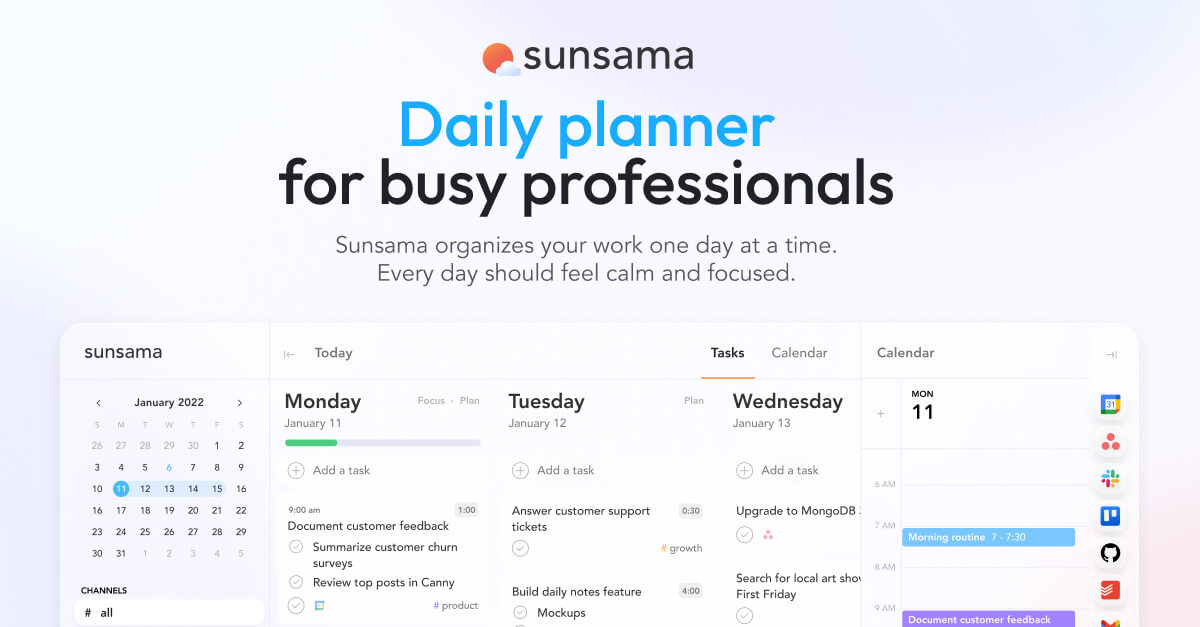
Sunsama is a daily planner built around a ritual: pull tasks from your tools, drag them onto today, set a realistic workload, work through the day, then shut down. Its homepage calls it the only task manager, calendar and daily planner for modern professionals and says it works with Claude and ChatGPT. Its pricing page lists AI, MCP and Zapier under the one plan.
Key features
- Daily planning with timeboxing against your calendar, per the homepage.
- Connects work calendars, email and project management tools, and turns emails and Slack or Teams messages into tasks.
- Every connected calendar in one view, with timeboxing directly on the schedule.
Pricing (as of Nov 27, 2026): Pro: $17 a month billed yearly ($204 a year) or $22 monthly. Enterprise by contact. Each teammate you add is billed at the same per-person rate, per the FAQ.
Free tier or trial: No free plan, and Sunsama's pricing FAQ says it does not plan to offer one. A 14-day trial needs no credit card, per the notes we took from its pricing page.
Limits: It is a planner, not an auto-scheduler: you decide what fits today.
Pros
- A daily workflow built around planning and a shutdown time.
- Trial needs no card, per our notes from its pricing page.
- SOC 2 compliance claimed on the pricing page, and SAML and SSO on the enterprise tier.
- One plan, so no tier maze.
Cons
- $22 monthly is not cheap for a planner.
- No automatic rescheduling when your day changes.
- No free plan.
- Per-person pricing for teams.
Benefit for you: If you finish days feeling behind, a daily plan with a set shutdown time keeps the workload realistic.
Standout use case: A knowledge worker who wants a daily habit more than an automation engine.
Skip it if: You want your calendar to reorganize itself or need a free tier.
Morgen
morgen.so
Morgen is a calendar and task app for Windows, Mac, Linux, web and mobile that consolidates Google, Outlook, Apple and Fastmail calendars. Its Planner shows live recommendations in your calendar, guided by Frames you set for your ideal week, and the plan is yours to accept or adapt. That makes it the clearest approve-first design among the planners.
Key features
- Planner with Frames, preview, adjust and confirm steps.
- Tasks from Notion, ClickUp, Linear or Todoist scheduled on the calendar.
- Built-in scheduling links, calendar sets, reminders and calendar sync that copies personal events to a work calendar.
Pricing (as of Nov 27, 2026): Pro: $15 a month billed yearly or $30 monthly. Teams: $10 per seat yearly or $25 monthly, with a 2-seat minimum. Students get 25% off.
Free tier or trial: No free plan. A 14-day trial needs no credit card, and a 30-day money-back guarantee is listed.
Limits: The monthly price is double the yearly. The Planner asks you to confirm a plan before it schedules tasks.
Pros
- Cheapest paid planner here at $15 a month yearly.
- Approve-first Planner and strong task integrations.
- Windows, Mac, Linux, web and mobile.
- Booking links and calendar tools in one app.
Cons
- $30 on monthly billing.
- The Planner asks you to confirm, so it is less hands-off than a fully automatic scheduler.
- No free plan.
- No project management suite.
Benefit for you: Tasks from your other tools placed on the calendar with a plan you accept, at $15 a month on yearly billing.
Standout use case: A Notion or Linear user who wants those tasks on the calendar with a preview step.
Skip it if: You want fully hands-off scheduling.
Gemini in Google Calendar
calendar.google.com
Google has folded scheduling help into products you may already pay for. Help me schedule in Gmail arrived on Oct 14, 2025 for two people and expanded to group meetings on Mar 12, 2026. When Gemini detects you are trying to coordinate a time, it surfaces a Help me schedule button in the compose toolbar and proposes slots from your calendar, and once a recipient selects a time a Calendar invite goes to all guests. Google's help page says it proposes 4 slots by default and allows up to 20 guests, and that it requires an eligible Workspace or Google AI plan.
A Google Workspace Updates post dated Nov 10, 2026 covers scheduling cards in Google Chat. When someone in a chat of up to five people suggests a time, Gemini underlines the text and a card shows up to three suggested times with conflicts flagged, the attendees and a suggested title, and one click on Schedule creates the meeting. At launch it is English only on Chat for web, on Business Standard and Plus, Enterprise Standard and Plus, Frontline Plus and AI Ultra Access. Google's other pages disagree on plans for Help me schedule: the Oct 2025 post also lists Google AI Pro and Ultra, while the Gmail support table lists an eligible Workspace plan, English, US and web only. We cover only the Gmail and Chat features here, because we did not verify other Gemini features in Calendar.
Key features
- Help me schedule in Gmail, including group meetings, with a reviewable card of suggested times.
- Editable suggestion card: change duration, time range, guests or switch to plain text, and insert an appointment booking page.
- Amber and green slots show guest conflicts in the Share your availability window.
Pricing (as of Nov 27, 2026): No separate price. Google's Oct 2025 Workspace Updates post lists Help me schedule for Business Standard and Plus, Enterprise Starter, Standard and Plus, Google AI Pro for Education, Frontline Plus, and Google AI Pro and Ultra. Appointment booking pages are listed on Google's Workspace pricing page.
Free tier or trial: No separate free plan. Help me schedule needs an eligible paid plan, per Google's help page.
Limits: Features vary by plan, language and surface. Gemini suggests times and you review them. It does not protect Focus Time, run Habits or rebuild your day.
Pros
- No new vendor, data processor or login if you already use Workspace.
- Reviewable suggestion card and visible conflicts before anything is sent.
- Booking page insertion bridges to Calendly-style links.
Cons
- Gated by plan and, per Google's support table, by language, country and platform.
- Not a planner for your own tasks.
- Rollouts are staged by domain, so availability may lag the announcement.
- Google notes Gemini may suggest inaccurate information.
Benefit for you: If scheduling friction is mostly email threads about when to meet, this takes it away at no extra seat cost.
Standout use case: A Workspace user who schedules mainly from Gmail or Chat and wants no extra tool.
Skip it if: You are not on an eligible plan, or you want automatic Focus Time.
Lindy
lindy.ai
Lindy is a general AI agent platform rather than a calendar. Its pricing page lists meeting scheduling, prep and follow-up among what it does, plus inbox management across 2 to 5 inboxes depending on plan. It belongs in this list because many people now use an agent where they used to use a scheduling app.
Key features
- Agents for meeting scheduling, prep and follow-up.
- Inbox management, with approvals listed as built in for actions that reach outside.
- SOC 2 and GDPR claimed on the pricing page.
Pricing (as of Nov 27, 2026): Free gives $50 in credits for 7 days. Team starts at $29.99 a month with 3,000 credits, and a 5,000-credit tier is $49.99 a month. Every active user is billed. Enterprise is by contact.
Free tier or trial: $50 in credits, lasting 7 days.
Limits: Credit-metered, and every active user counts as a seat.
Pros
- Handles scheduling, email and follow-up in one agent.
- Approvals are built in.
- A trial to test it.
Cons
- Credits make cost harder to predict.
- Not a calendar optimizer.
- Every active user is billed.
Benefit for you: One agent can cover scheduling, prep and follow-up, if you are comfortable setting it up.
Standout use case: Someone who wants a custom assistant rather than a fixed scheduling app.
Skip it if: You want predictable flat pricing or a dedicated calendar tool.
Fyxer
fyxer.com
Fyxer is an assistant for email, meetings and the calendar. Its homepage says it connects Gmail, Outlook, Slack, Teams, Google Calendar, Zoom, HubSpot, Claude and ChatGPT, and its footer lists a scheduling assistant next to the inbox organizer, draft writer, meeting notetaker and AI chat. The company says it started as a human executive assistant agency in 2016, which is its own account.
We did not capture the scheduling assistant's details, so treat that part as listed but unreviewed. Its FAQ says Fyxer cannot send email on your behalf and only saves drafts.
Key features
- Inbox sorting, drafts in your voice and meeting notes.
- A scheduling assistant listed on its site.
- Spaces that gather emails and meetings by client or project.
Pricing (as of Nov 27, 2026): Free $0 (400 credits a month, about 20 chat messages); Pro $37 per person a month on annual billing, $49 monthly; Team $64 annual, $99 monthly; Enterprise custom. Pro and Team had unlimited credits for the first 3 months as a launch offer, then 3,000 and 6,000 credits a month.
Free tier or trial: A Free plan, plus a 14-day free trial on Pro and Team.
Limits: Credit-metered. Drafts only. Scheduling details unreviewed.
Pros
- Drafts-only is a safe default.
- Connects Gmail, Outlook, Slack, Teams, Zoom and HubSpot, plus Claude and ChatGPT.
- Has a free plan and a 14-day trial of paid plans.
Cons
- Scheduling is the least documented part of it.
- More expensive than the dedicated schedulers.
- Primarily an email product.
Benefit for you: If email and meeting follow-up are the real time sink, a single assistant that also schedules may beat three tools.
Standout use case: A client-facing professional who wants drafts and notes more than calendar optimization.
Skip it if: You only need calendar tools.
Trevor AI
trevorai.com
Trevor AI is a task planner that places tasks on your calendar with AI suggestions. Its homepage describes a free plan with a task hub, unlimited task scheduling and AI scheduling suggestions, and a Pro plan at $5 a month paid annually with multiple calendar accounts, recurring tasks and a smart scheduling queue. The company says it is Europe-based and GDPR compliant, and lists Google Calendar, Outlook, Apple Calendar, Google Tasks, Microsoft To Do and Todoist. Its claim that users complete 85% of planned tasks against 40% for others is the vendor's own and we could not check it.
Key features
- Task hub with unlimited scheduling on the free plan.
- AI scheduling suggestions and a smart queue on Pro.
- Google, Outlook and Apple calendar integrations.
Pricing (as of Nov 27, 2026): Free; Pro $5 a month paid annually. Its /pricing page returned a 404, so these figures are from the homepage.
Free tier or trial: A free plan exists with the task hub and AI suggestions.
Limits: We could not verify limits beyond the homepage.
Pros
- The lowest paid price here.
- A real free plan.
- Supports Apple Calendar and Todoist.
Cons
- A /pricing page that returned a 404 when we checked.
- Performance claims are the vendor's.
- No team features documented.
Benefit for you: A cheap way to try AI task scheduling without Motion pricing.
Standout use case: A student or freelancer testing the category on a budget.
Skip it if: You need enterprise compliance or a proven track record.
Skej
skej.com
Skej is an AI scheduling assistant you cc on email. Its homepage says the assistant schedules your meetings and you copy [email protected] on a thread. The pricing page shows a Free Forever plan, Pro at $15 per user per month billed annually, Premium at $23 a month, and Enterprise by contact.
Key features
- Email scheduling assistant you cc on a thread.
- Free plan with one booking link, a daily agenda and event reminders.
- Unsupervised (Bcc) mode on Premium and above.
Pricing (as of Nov 27, 2026): Free $0; Pro $15 per user a month billed annually; Premium $23 a month, though the page does not make the billing period clear; Enterprise by contact.
Free tier or trial: Free Forever includes one booking link, a daily agenda and reminders, plus a 7-day trial of the email assistant with 3 free meetings.
Limits: Hands-off mode is gated to Premium and above.
Pros
- Free tier and a trial of the email assistant.
- Works over email without changing your setup.
- Multiple channels on paid plans.
Cons
- Billing period for Premium is unclear.
- Less public detail than the big names.
- Not a calendar optimizer.
Benefit for you: A cheap way to hand off scheduling emails.
Standout use case: A founder who wants back and forth emails handled without a link.
Skip it if: You want planning, not just booking.
A second third-party video, by Tool Finder, on calendar apps in 2026. Same caveat: we have not checked its claims.
Dropped: Clockwise
Clockwise is the most popular name that is not in this roundup, because it no longer exists. Its own page says the team is joining Salesforce and that the product was no longer available from Mar 27, 2026. Its FAQ says Smart Hold events, including Focus Time, Travel Time and Meeting Breaks, would be removed from calendars, that Flexible Meetings would stop moving, that scheduling links would stop working, that user data would be deleted shortly afterwards with no transfer to Salesforce, and that prepaid time beyond Mar 27 would be refunded pro rata. It named Reclaim as its recommended alternative. Salesforce told The Register it was not an acquisition of Clockwise or its technology and that members of the team would join Agentforce. The lesson is lock-in: when a scheduling layer vanishes, its calendar blocks go with it.
Pricing Table
All figures are USD unless marked, as of Nov 27, 2026. Where a vendor shows both monthly and annual prices, both are given.
| Tool | Free | Entry paid | Higher tiers | Notes |
|---|---|---|---|---|
| Motion | None; trial only | Individuals Pro AI $29 annual, $49 monthly. Teams Pro AI $19 annual, $29 monthly per seat | Individuals Business AI $39 annual, $69 monthly. Teams Business AI $29 annual, $49 monthly per seat | 7,500 credits per seat per month on Pro AI and 15,000 on Business AI. The page says Pay annually saves 33%. |
| Reclaim.ai | Lite $0: 5 AI agents, 1 user, 1 week range, 1 calendar sync, 1 scheduling link | Starter $10 yearly, $12 monthly per seat | Business $15 yearly, $18 monthly; Enterprise $22 yearly, not offered monthly | Banner says 20% off yearly while the FAQ says 29%. Student 50% for 12 months, per the page. |
| Akiflow | None; 7-day trial | Pro $19 a month yearly ($228), $34 monthly | Team pricing through sales | Aki AI assistant and MCP connector included; AI Meeting Assistant is an optional add-on. Students 40% off yearly. |
| Calendly | Free: one event type, one calendar, one-on-one | Standard $10 yearly per seat; Standard Plus $18 yearly, $24 monthly | Teams $16 yearly; Teams Plus $24 yearly, $32 monthly; Enterprise from $15k a year | Notetaker and Callie sit on the Plus plans (25% saving on yearly). We did not capture base-plan monthly prices. |
| Cal.com | Free for individuals | Teams $12 yearly, $16 monthly per user, 14-day trial | Organizations $28 yearly, $37 monthly; Enterprise custom | SOC 2, HIPAA and ISO 27001 are listed on Organizations. |
| Sunsama | None; 14-day trial, no card | Pro $17 a month billed yearly ($204), $22 monthly | Enterprise by contact | Pricing page lists AI, MCP and Zapier under the one plan. |
| Morgen | None; 14-day trial, no card | Pro $15 yearly, $30 monthly | Teams $10 yearly, $25 monthly per seat, 2 seats minimum | 30-day money-back guarantee; students 25% off. |
| Gemini in Google Calendar | No separate plan | Included with eligible Workspace plans; the Oct 2025 post also lists Google AI Pro and Ultra | Chat cards list Business and Enterprise Standard and Plus, Frontline Plus and AI Ultra Access | See the Gemini section for feature availability by plan. |
| Lindy | Free: $50 in credits, 7 days | Team from $29.99 a month for 3,000 credits | 5,000 credits tier $49.99 a month; Enterprise by contact | Every active user is billed. |
| Fyxer | Free $0 with 400 credits a month (about 20 chat messages); 14-day trial on paid plans | Pro $37 annual, $49 monthly per person | Team $64 annual, $99 monthly per person; Enterprise custom | Drafts only; cannot send email on your behalf. Pro had unlimited credits for the first 3 months as a launch offer, then 3,000 credits a month. |
| Trevor AI | Free plan with task hub and AI suggestions | Pro $5 a month paid annually | None listed on the homepage | Its /pricing page returned a 404 when we checked, so we used the homepage. |
| Skej | Free Forever $0: 1 booking link, daily agenda, reminders | Pro $15 per user a month billed annually | Premium $23 a month; Enterprise by contact | The billing period for the $23 figure is not clear on the page. |
What a Year Costs
Monthly prices hide the real gap. Using each vendor's cheapest entry paid price on yearly billing, one person pays roughly this over twelve months. Plus plans for Calendly and per-credit extras for Motion and Lindy are not included, and Gemini has no separate price.
| Plan | Price used | Per year | How we got it |
|---|---|---|---|
| Trevor AI Pro | $5 a month, annual | $60 | 5 x 12 |
| Calendly Standard | $10 a month, yearly | $120 | 10 x 12 |
| Reclaim.ai Starter | $10 a month, yearly | $120 | 10 x 12 |
| Cal.com Teams | $12 a month, yearly | $144 | 12 x 12 |
| Morgen Pro | $15 a month, yearly | $180 | 15 x 12 |
| Skej Pro | $15 a month, annual | $180 | 15 x 12 |
| Sunsama Pro | $17 a month, yearly | $204 | Vendor states $204 a year |
| Akiflow Pro | $19 a month, yearly | $228 | Vendor states $228 a year |
| Motion Individuals Pro AI | $29 a month, annual | $348 | 29 x 12 |
| Lindy Team | $29.99 a month | $359.88 | 29.99 x 12, monthly price |
| Fyxer Pro | $37 a month, annual | $444 | 37 x 12 |
| Motion Individuals Business AI | $39 a month, annual | $468 | 39 x 12 |
Motion Pro AI is $348 a year on the annual toggle and $588 monthly; Akiflow is $228 against $408; Morgen is $180 against $360. Check which toggle you are reading.
Feature Matrix
Yes means the vendor lists it. Partial means limited by plan, language or surface. Not confirmed or not itemised means our sources did not cover it, which is different from no.
| Product | Auto-schedules tasks | Booking links | Email assistant | Approval before changes | Free plan | MCP or agent access |
|---|---|---|---|---|---|---|
| Motion | Yes | Not itemised | No | Not confirmed | No (trial) | Not confirmed |
| Reclaim.ai | Partial (Habits, Focus Time, Smart Meetings) | Yes | No | Yes (Preview Mode) | Yes (Lite) | Yes (MCP) |
| Akiflow | No (you place tasks; time blocking) | Not itemised | No | Not confirmed | No (trial) | Yes (MCP connector, ChatGPT plugin) |
| Calendly | No | Yes | Yes (Callie, beta) | Partial (Callie says it checks before one-off updates) | Yes | Grok connector page on calendly.com |
| Cal.com | No | Yes | No | Not applicable | Yes (individuals) | Not confirmed |
| Sunsama | No (manual timeboxing) | No | No | Not applicable | No (trial) | Yes (MCP listed on pricing page) |
| Morgen | Partial (Planner you accept) | Yes | No | Yes (preview and accept) | No (trial) | Not confirmed |
| Gemini in Google Calendar | No | Yes (appointment booking pages) | Yes (Help me schedule) | Yes (you review times before sending) | No separate plan | Not confirmed |
| Lindy | Partial | Not itemised | Yes | Yes (approvals built in) | Partial (trial credits) | Not confirmed |
| Fyxer | No | Not itemised | Yes | Yes (drafts only) | Yes (Free, credit-limited) | Connects Claude and ChatGPT |
| Trevor AI | Yes (AI suggestions) | No | No | Not confirmed | Yes | Not confirmed |
| Skej | No | Yes (1 link on Free) | Yes | Partial (Bcc unsupervised mode on Premium and up) | Yes | Not confirmed |
Best for Personal Use
For one calendar and no team, here is what the free and low-cost plans give you and what they take away.
| Plan | Price | What you get | What you give up |
|---|---|---|---|
| Reclaim.ai Lite | Free | 5 AI agents, 1 user, 1 week range, 1 calendar sync, 1 scheduling link | One calendar and a short planning horizon; fine to feel out Focus Time and Habits |
| Trevor AI Free | Free | Task hub, unlimited task scheduling, AI suggestions | Vendor-described limits; Pro adds multiple calendar accounts and recurring tasks |
| Calendly Free | Free | One event type, one calendar connection, one-on-one scheduling | No Callie or Notetaker; those need a Plus plan |
| Cal.com | Free | Individuals plan with unlimited links, per the pricing page | Booking only; no AI planning |
| Skej Free Forever | Free | 1 booking link, daily agenda, reminders; 7-day trial of the email assistant with 3 free meetings | The email assistant itself is paid |
| Morgen Pro | $15 a month yearly | Calendars, tasks, Planner, scheduling links; 14-day trial without a card | No free plan but the cheapest of the planners |
| Sunsama Pro | $17 a month yearly | Guided daily planning, timeboxing, analytics | Daily planning with a shutdown time; no auto-rescheduling |
| Gemini Help me schedule | Part of eligible paid plans | Google's Oct 2025 post lists Google AI Pro and Ultra; Gmail's support table lists an eligible Workspace plan, English, US, web only | Google's own pages differ, so check your account before relying on it |
For most individuals, the practical order is: try Reclaim.ai Lite or Trevor AI Free if you want automatic placement, use Calendly Free or Cal.com for booking links, and move to Morgen, Sunsama or Akiflow if you decide you want a real planner and are happy to pay $15 to $19 a month on a yearly plan.
Reclaim and Motion Alternatives
If you are looking for a Reclaim.ai alternative
People leave Reclaim over its plan limits, its 2.0 changes or because they want tasks and projects in the same app. The closest options are below.
| Alternative | Why consider it | Entry price | Catch |
|---|---|---|---|
| Motion | Closest on auto-scheduling, plus tasks, projects and a notetaker | Individuals Pro AI $29 a month annual | No free plan; credits are metered |
| Morgen | Planner you preview and accept, Linux support, tasks from Notion, ClickUp, Linear, Todoist | Pro $15 a month yearly | Less automatic than Reclaim by design |
| Akiflow | Manual time-blocking with a universal inbox and an AI assistant | Pro $19 a month yearly | No free plan; you place tasks yourself |
| Trevor AI | Cheap task scheduling with a free plan | Pro $5 a month annual | Smaller company; vendor claims are its own |
| Sunsama | Daily planning ritual and timeboxing | Pro $17 a month yearly | Not an auto-rescheduler |
| Gemini in Google Calendar | No new vendor if you are on Google Workspace | Part of eligible plans | Not a Focus Time or Habits engine |
If you are looking for a Motion alternative
Motion's monthly pricing is $49 for an individual Pro AI seat, and it is credit-metered. These are the usual escapes.
| Alternative | Why consider it | Entry price | Catch |
|---|---|---|---|
| Reclaim.ai | Free Lite plan and per-seat pricing that starts at $10 | Starter $10 yearly | Third-party reviews say Reclaim 2.0 changed how Tasks work and that Reclaim has no mobile apps |
| Akiflow | You decide where tasks go; Motion decides for you | Pro $19 yearly | No free plan |
| Sunsama | Calmer daily planning; fewer moving parts | Pro $17 yearly | No team capacity or Gantt view |
| Morgen | Cheaper, with a clear approve-first Planner | Pro $15 yearly | No project management suite |
| Lindy | A general agent rather than a calendar app | Team from $29.99 | Credit metering; every active user billed |
Control, Approval and Agent Access
A scheduling assistant can move your meetings, email other people and read your calendar. Before connecting one, find out whether it asks before it acts. The table lists what we found on vendor pages, not audits.
| Vendor | What the vendor says | Source |
|---|---|---|
| Reclaim.ai | Preview Mode stages changes; Chat cannot apply them without your review | Reclaim help center, Oct 15, 2026 |
| Calendly Callie | Says it checks with you before one-off updates and keeps you in control | Calendly launch post, Aug 19, 2026 |
| Morgen | Planner shows recommendations you accept or adapt | Morgen homepage |
| Akiflow | No approval flow documented in the pages we read | Akiflow pricing page |
| Fyxer | Drafts only; cannot send email for you | Fyxer FAQ |
| Lindy | Approvals listed as a built-in feature for actions with outside impact | Lindy pricing page |
| Skej | Unsupervised (Bcc) mode is a Premium and up feature, which implies a supervised default | Skej pricing page (our reading) |
| Motion | Markets itself as planning your day automatically; we found no approval step documented | Motion homepage |
On agent access, three of the tools publish connectors. Reclaim 2.0 supports MCP for ChatGPT, Claude and Cursor. Akiflow has a hosted MCP Connector and a ChatGPT plugin. Calendly lists a Grok connector. Scope any connection to the smallest set of permissions and start in review-only mode. Our guides to MCP integration platforms, MCP servers for Claude Code and AI agent frameworks explain how those links are wired up.
How to Choose
| Your situation | Start with | Why |
|---|---|---|
| I want my calendar to reorganize itself around meetings | Reclaim.ai or Motion | Both automate placement. Reclaim shows previews first and has a free plan; Motion also runs projects and tasks. |
| I want to place tasks myself, with a fast inbox | Akiflow | Time-blocking with a universal inbox, plus ChatGPT and MCP access. |
| I want a calm daily planning ritual | Sunsama | Guided planning and shutdown rituals, from $17 a month yearly. |
| I want AI suggestions that I approve | Morgen | Frames and a Planner you accept or adapt. |
| I need to be booked by clients and prospects | Calendly or Cal.com | Choose Calendly for polish and CRM routing, Cal.com for open source and workflows. |
| I want to hand off scheduling emails | Callie, Skej or Fyxer | Check English-only limits on Callie and send permissions on each. |
| I already live in Google Workspace | Gemini in Google Calendar and Gmail | No new vendor, but features differ by plan, language and surface. |
| I want the lowest price | Trevor AI, Calendly Free, Cal.com free or Reclaim Lite | Compare limits, not headline price. |
| I need compliance sign-off | Cal.com Organizations, Reclaim Business or Motion Business | Check SOC 2 and data-region claims with the vendor. |
Common Mistakes and a Buying Checklist
The usual errors are comparing the wrong billing toggle, treating a booking tool as a planner, letting an agent change your calendar on day one, trusting vendor numbers, missing paywalled AI, and forgetting exit costs. Cal.com's community edition is also now Cal.diy, so old open-source advice may be out of date.
Run through this list before you buy:
- Which calendars does the tool support? Motion's homepage lists Google, Outlook and iCloud calendars; Akiflow added iCloud on Oct 16, 2026; Reclaim.ai focuses on Google and Outlook.
- Does it auto-place events, or stage changes for approval? Reclaim and Callie say they ask first.
- Is the price you saw annual or monthly? Motion shows $19 on a Teams annual toggle and $49 on an Individuals monthly toggle for Pro AI.
- What is metered? Motion and Lindy use credits, Reclaim limits agents and calendar syncs, Calendly gates Callie by plan.
- Who counts as a seat? Lindy bills every active user; Reclaim Starter is capped at 10 seats.
- Is there a mobile app? Motion lists iOS and Android per a third-party review; Reclaim has none per third-party reviews. Confirm before you buy.
- Can you export or leave? Clockwise shut down on Mar 27, 2026 and said it would delete user data, so know your exit path.
- If an agent connects over MCP, what can it change? Scope it to the smallest set of permissions.
How We Evaluated
We fetched each vendor's pricing and product pages on Nov 27, 2026, clicked through Motion's Individuals and Teams and annual and monthly toggles in a browser to resolve an ambiguous page, read Calendly's launch post and pricing, Google's Gmail Help page and Workspace Updates posts, Reclaim's help center, Cal.diy's README on GitHub, Clockwise's shutdown FAQ, and checked each embedded post and video. Where a first-party page was unclear or would not load we say so and attribute any secondary figure. We did not run these tools on a live calendar, so the pros and cons come from documentation, not measured quality. There are no affiliate links or paid placements, and vendors did not review the page. Order is by fit, not by score. Plans change often. If a figure here differs from the vendor page, trust the vendor page.
FAQ
What is the best AI scheduling assistant in 2026?
No single product wins. Reclaim.ai and Motion are the main auto-schedulers, Akiflow, Sunsama and Morgen suit people who plan their own day, Calendly and Cal.com handle booking links, and Callie, Skej and Fyxer handle scheduling over email. We did not run hands-on tests, so this reflects vendor documentation and pricing as of Nov 27, 2026.
Motion vs Reclaim: which should I pick?
Pick Reclaim.ai if you want a free starting point and agents that protect Focus Time, Habits and Buffers on Google or Outlook calendars with a preview step. Pick Motion if you want tasks, projects and a notetaker in one suite and accept credit-metered pricing. Reclaim Starter is $10 per seat a month yearly; Motion Individuals Pro AI is $29 a month annual or $49 monthly.
What is the best AI scheduling assistant for personal use?
For zero cost, Reclaim.ai Lite, Trevor AI Free and Calendly Free are the starting points, each with limits. For a paid planner, Morgen Pro is $15 a month yearly, Sunsama Pro $17 and Akiflow Pro $19. Google's Oct 2025 post lists Google AI Pro and Ultra for Help me schedule in Gmail, but Gmail's support table lists an eligible Workspace plan in English in the US on web, so check your account.
What is the best free AI scheduling tool?
Reclaim.ai Lite allows 5 AI agents, one user, a one-week range, one calendar sync and one scheduling link. Trevor AI has a free plan with task scheduling and AI suggestions. Calendly Free and Cal.com's individual plan cover booking links. Skej Free Forever includes one booking link and reminders.
What are the best Reclaim AI alternatives?
Motion is the closest in function. Morgen, Akiflow and Sunsama are planners where you stay in charge, and Trevor AI is a low-price task scheduler. Clockwise would have been on this list, but it shut down on Mar 27, 2026.
What happened to Clockwise?
Clockwise announced that its team was joining Salesforce and that the product would no longer be available from Mar 27, 2026. Its FAQ says Focus Time and other Smart Hold events would be removed from calendars and that user data would be deleted, and it recommended Reclaim as a partner alternative.
Did Dropbox buy Reclaim?
Yes. Reclaim published a post announcing the Dropbox acquisition on Aug 20, 2024, and TechCrunch covered it on Aug 22, 2024. The product still operates as Reclaim.ai.
What is Reclaim 2.0?
Reclaim's help center says people who signed up after May 2026 are already on Reclaim 2.0. It adds Reclaim Chat, an upgraded Planner, Preview Mode, Agents, and MCP access for ChatGPT, Claude and Cursor. Two third-party reviews (Oct and Nov 2026) say Tasks no longer get their own calendar events, which we could not confirm on Reclaim's own pages.
What is Calendly Callie?
Callie is Calendly's AI assistant, launched Aug 19, 2026 alongside Notetaker. You add [email protected] to an email thread, and it replies with a shortlist of times from your availability and preferences, then books the meeting once everyone agrees. It needs Standard Plus or Teams Plus, is English only and was in beta when we checked.
Is Cal.com open source?
Cal.com describes itself as open source, and the Cal.diy repository on GitHub is an MIT-licensed community fork with enterprise features such as Teams, Organizations, Insights, Workflows and SSO removed. Its README recommends it only for personal, non-production use. The repository showed 50,414 stars on Nov 27, 2026.
Can AI schedule meetings from an email thread?
Yes. Calendly's Callie, Skej's email assistant and Google's Gemini Help me schedule in Gmail all work from the email. Gmail's version proposes 4 slots by default and supports up to 20 guests, per Google's help page. Fyxer lists a scheduling assistant in its footer, but we did not capture its details.
Which tools work with ChatGPT or Claude?
Akiflow posted on Nov 17, 2026 that it is available in ChatGPT and has an MCP connector. Reclaim 2.0 supports MCP for ChatGPT, Claude and Cursor. Sunsama's pricing page lists AI, MCP and Zapier, and its homepage says it works with Claude and ChatGPT. Fyxer connects Claude and ChatGPT. Calendly lists a connector for Grok on its integrations page.
How much do AI scheduling assistants cost?
From $0 to about $69 a month for an individual. Trevor AI Pro is $5 on annual billing, Calendly Standard $10 (Standard Plus with Callie $18), Reclaim Starter $10, Cal.com Teams $12, Morgen Pro $15, Sunsama Pro $17, Akiflow Pro $19, Motion Individuals Pro AI $29 annual and Business AI $69 monthly. Credit-based tools such as Lindy and Motion scale with usage.
Are AI calendar assistants safe to connect?
They read and edit your calendar and sometimes your email, so check each vendor's data page. Vendors we saw claim SOC 2 (Motion, Reclaim, Sunsama, Lindy), GDPR (Trevor AI, Lindy) or EU and Swiss storage (Morgen). Those are vendor statements, not audits. Check each vendor's data page before connecting regulated data.
Sources
All fetched on Nov 27, 2026 unless noted.
- Motion: pricing, homepage
- Reclaim.ai: pricing, Dropbox acquires Reclaim, Reclaim 2.0 help article
- Akiflow: pricing
- Calendly: pricing, Introducing the new Calendly, Calendly connector in Grok
- Cal.com: pricing, Cal.diy on GitHub
- Sunsama: pricing, Morgen
- Gmail Help: Suggest times to meet with Gemini, Workspace Updates, Mar 12, 2026, Oct 14, 2025, Workspace pricing
- Lindy: pricing, Fyxer: pricing, Trevor AI, Skej: pricing
- Clockwise: next chapter and FAQ, The Register
- Akiflow on X, Reclaim on X, Calendly on X, Cal.com on X
- YouTube: Motion VS Reclaim AI (Digital Prodigy), Calendar Apps Just Changed (Tool Finder)