Get the latest on AI, LLMs & developer tools
New MCP servers, model updates, and guides like this one — delivered weekly.
Who Wins for What
You want the inbox to sort itself, draft the replies and stay out of your way. Superhuman Mail is the pick for a fast, AI-first client, Shortwave is the deepest option if you live in Gmail and Fyxer is the least disruptive way to add AI to Gmail or Outlook without changing apps. If you already pay for Google or Microsoft, Gemini in Gmail and Copilot in Outlook mean no new vendor, with feature access that depends on your plan. For a team inbox, look at Missive. For agents that act across tools, look at Lindy, Jace and Superhuman Go.
Two things decide most choices. The first is provider support: Shortwave works only with Gmail and Google Workspace, Gemini only with Gmail and Copilot only with Outlook. The second is how far you let software act for you, from drafting replies for review to sending on its own. We did not run hands-on tests. Everything here comes from vendor pricing pages, help centers, official posts and press, dated Nov 26, 2026.
A third-party roundup by Tool Finder. We did not verify its test claims against vendor documentation, so use it for a look at the interfaces, not for pricing.
Quick Picks
| Need | Pick | Why |
|---|---|---|
| Best overall for a fast, AI-first inbox | Superhuman Mail | Speed-first client with Auto Drafts and an Email Assistant. Business is $33 per member per month billed annually, per Superhuman's suite page. |
| Best AI email assistant for Gmail | Shortwave or Gemini in Gmail | Shortwave is a Gmail-only client from $30 per seat per month. Gemini features sit inside Gmail itself, with some free for personal accounts in the US. |
| Best AI email assistant for Outlook | Fyxer, Superhuman Email Assistant or Copilot in Outlook | Fyxer and Superhuman's Email Assistant work in both Gmail and Outlook. Copilot is native to Outlook and tied to Microsoft licences. |
| Best free AI email assistant | Gemini in Gmail, Spark Free or MailMaestro Free | Each has a real free tier with different limits. Read the free-options section before you commit. |
| Best Superhuman alternative | Shortwave, Spark or Fyxer | Shortwave for a Gmail client, Spark for multi-account and lower prices, Fyxer if you want to keep your current inbox. |
| Best Fyxer alternative | Superhuman Email Assistant, Jace or MailMaestro | All three add AI to Gmail or Outlook. Jace and MailMaestro list lower entry prices. |
| Best AI agent for email | Lindy, Jace or Superhuman Go | These lean toward agents that act across tools, with MCP connectors or integrations. Keep a review step on sending. |
| Best for a shared team inbox | Missive | Team inboxes, conversations and tasks first, AI assistant on top, from $14 per user per month billed yearly. |
| Best if you already pay for Google or Microsoft | Gemini in Gmail or Copilot in Outlook | No new vendor to approve. Feature access depends on your plan, language and region. |
| Cheapest paid entry | Spark Plus or MailMaestro Pro | Spark Plus shows $8.25 per user per month on the yearly toggle. MailMaestro Pro lists $12 per seat per month billed annually. |
Master Comparison Table
Prices come from each vendor's pages as fetched on Nov 26, 2026, with the billing period given where the page gives one. Several vendors show different numbers for annual and monthly billing, which we flag in the product sections.
| Tool | Pricing | Free plan | Mail support | Standout |
|---|---|---|---|---|
 Superhuman Mail | Mail Starter $25, Business $33 per member per month (annual); monthly $30 and $40 | No (suite Free has Grammarly, Docs and Go chat) | Gmail and Outlook | Auto Drafts, Email Assistant, Mail MCP; owned by the company formerly named Grammarly |
 Shortwave | Business $30, Premier $45, Max $120 per seat per month | Pricing page lists a 14-day trial; free plan unclear | Gmail and Google Workspace only | AI search over your history, AI filters, Claude models behind it |
 Fyxer | Pro $37, Team $64 per person per month (annual); monthly $49 and $99 | Yes, 400 credits, no sorting or drafts | Gmail and Outlook | Works inside your existing inbox; credits meter usage; Slack and Teams |
 Gemini in Gmail | Included in some Google AI and Workspace plans; AI Plus $4.99, AI Pro $19.99 per month; Workspace Starter $7 per user per month | Partial (some features for personal accounts, US first) | Gmail only | No new app; AI Inbox on paid plans in US English |
 Microsoft Copilot in Outlook | Copilot Business add-on $18 per user per month (list $21); Business Standard with Copilot $23.50 | Partial (Copilot Chat works without the add-on) | Outlook only | Native to Microsoft 365; admin and compliance controls |
 Spark | Plus $8.25 and Pro $16.58 per user per month yearly; $10 and $20 monthly | Yes, Free plan | Multiple accounts | Smart Inbox free; Auto-Drafts on Pro; Spark CLI for agents |
 Missive | Starter $14, Productive $24, Business $36 per user per month (yearly) | 30-day trial, no card | Email, SMS and social accounts | Shared inboxes, comments, API and MCP access from Productive |
 Lindy | Free $50 credits for 7 days; Team from $29.99 per month for 3,000 credits | Trial credits only | Inbox management on 2 to 5 inboxes by plan | General AI teammate with 3,000+ integrations and MCP |
 Jace | Plus $25 monthly or $20 yearly; Pro $50 monthly or $40 yearly | Page says start free; plans list a 7-day trial | Gmail and Outlook | Drafts in your voice, AI labels, Flows into Slack, Notion, HubSpot |
 MailMaestro | Pro $12 per seat per month billed annually ($15 monthly) | Yes, 3 AI requests a week | Outlook and Gmail | Cheapest dedicated paid plan; Outlook add-in plus Chrome extension |
 Superhuman Go | Suite Free $0; Pro $12 annual or $15 monthly includes Email Assistant | Yes (chat in Free; Email Assistant on Pro) | Browser-based; Email Assistant agent covers Gmail and Outlook | Agents, connectors and MCP; vendor says 1.0 shipped in August |
Assistant, Client or Agent?
The products in this list are three different kinds of thing, and mixing them up is the commonest buying mistake.
- Built-in assistants live inside the mail product you already have: Gemini in Gmail and Copilot in Outlook. They summarize, draft and search. Their limits are your plan, language and region.
- AI-first clients replace your mail app: Superhuman Mail, Shortwave, Spark and Missive. You migrate, and in return get a client built around speed, search and team workflows.
- Add-ons and agents work with the inbox you have, or across tools: Fyxer, Jace, MailMaestro, Lindy and the Superhuman Email Assistant and Go. They sort, label and draft, and the agent products can also act in Slack, calendars and CRMs.
If you want AI to act without being asked, you are in the third group, and the permissions matter more than the writing quality. Our guides to AI agent frameworks and MCP integration platforms explain the plumbing under agent products, and the roundup of AI meeting notetakers covers the meeting side, including Superhuman's acquisition of Fathom.
Superhuman Mail
superhuman.com
Superhuman Mail is the email client that built its name on speed, and in 2026 it is also the most tangled name in this category. Grammarly acquired the Superhuman email app in July 2025, and on Oct 29, 2025 the company formerly called Grammarly renamed itself Superhuman. The app is now sold as Superhuman Mail inside a suite with Grammarly, Docs and Go. Superhuman said on X on Nov 20, 2026 that Grammarly became Superhuman one year ago.
The product page pitches Mail as the most productive email app ever made, with Split Inbox to separate your team, VIPs and tool notifications, follow-up reminders you set when you send, and sharing and comments inside a thread. It says Mail saves 4 hours every week and saves teams over 20 million hours a year. Both are the vendor's own numbers and we did not test them. The AI side promises triage, drafts in your voice and, if you want, sending fully written emails for you.
The newest piece matters most for this article. Email Assistant by Superhuman Mail works inside Gmail or Outlook, so you can get sorting, drafts in your voice, noise clearing and follow-up reminders without moving to a new client. Superhuman's suite page lists Email Assistant under the Pro plan at $12 per member per month billed annually.
Key features
- Split Inbox: tabs for your team, VIPs and tools such as Google Docs, Notion or Asana.
- AI triage and auto labels, with custom auto labels on Business.
- Auto Drafts that write replies in your voice (Business, per the Mail pricing page).
- Email Assistant that runs inside Gmail or Outlook: sort, draft, clear noise, follow-up reminders.
- Follow-up reminders: choose a time when you send and get nudged if nobody replies.
- Team sharing and comments on a thread, plus HubSpot and Salesforce views on Business.
- Superhuman Mail MCP so an agent can run workflows against your inbox (Business).
Pricing: As of Nov 26, 2026, the Mail pricing page lists Starter at $25 USD per member per month billed annually, Business at $33 billed annually, and Enterprise on request. A monthly toggle exists. Superhuman's help center states Starter at $30 per month or $300 per year and Business at $40 per month or $396 per year, which matches the annual figures divided by twelve, so the two pages agree once you know which billing period each shows. The separate suite page lists Free at $0, Pro at $12 annual or $15 monthly with Email Assistant included, Business at $33 annual or $40 monthly with Mail included, and Enterprise on request.
Free tier: There is no free Mail plan. The suite Free plan at $0 covers Grammarly, Docs and Go chat. We did not confirm a Mail trial.
Limits: Starter is limited to 25 seats on the pricing page. Auto Drafts, Ask AI, Mail MCP, custom auto labels and CRM views are listed under Business, so Starter buyers get less of the AI. Email Assistant inside Gmail or Outlook is a different surface from the full Superhuman client.
Pros
- Built around speed: a client designed for getting to zero rather than a plug-in on someone else's inbox.
- Email Assistant gives Gmail and Outlook users a lighter way in without switching apps.
- Business adds an MCP server, which suits people who want Claude or ChatGPT to act on mail.
- Team features such as shared threads and comments make it more than a personal tool.
- Part of a suite, so writing help from Grammarly and docs sit alongside mail.
Cons
- Business at $33 per member per month annual is above Spark, MailMaestro and Shortwave Business on list price.
- The brand now covers a writing tool, a docs product, an agent and an email app, so it is easy to buy the wrong plan.
- The best AI features are on Business, not Starter.
- Headline claims such as 4 hours saved per week are vendor figures, not independent results.
Benefit for you: If email is your job and you want the fastest path through a heavy inbox, plus a way for agents to act on it, this is the most polished option here. If you only want drafts in Gmail or Outlook, the Pro suite plan is the cheaper door.
Standout use case: A sales or founder inbox where follow-up discipline matters: reminders, shared threads and HubSpot or Salesforce views in one place.
Skip it if: You want a free plan, you are price sensitive, or you only need AI drafting and are happy to stay in your current client.

A video published on Superhuman's own channel. It is marketing, so use it to see the interface, not to check prices.
Now we're talking @SuperhumanMail. Our MCP can run a workflow with just one prompt: At 9 am every day, summarize all my newsletters and Slack me the digest. Then archive them all.
— @Superhuman November 20, 2026
One year ago, Grammarly became Superhuman. The product stayed, but over the last 17 years, it has also transformed.
— @Superhuman November 20, 2026
Shortwave
shortwave.com
Shortwave is a Gmail client with AI at the centre. Its homepage now calls it Shortwave Agent and lists apps for iOS, Android, Mac and Windows. The pricing page promises the world's most advanced email AI, and it is open about which models sit behind each tier: Basic uses Claude Haiku 4.5, Standard Claude Sonnet 4.6, Advanced Claude Sonnet 4.6 with adaptive thinking, and Expert Claude Opus 4.6 with adaptive thinking.
The standout is search. Shortwave describes AI-powered search that finds emails from a plain description and feeds the assistant, so you can ask questions across your history. Business keeps 5 years of AI search history, while Premier and Max list unlimited. Around it sit AI filters that label, archive or star new mail from a prompt, splits and bundles, instant AI replies, summaries, snooze, todos and read statuses.
The catch is scope. Shortwave works with Gmail and Google Workspace only. Its help page for other providers lists Microsoft 365 and Exchange as not supported, and Outlook.com, Hotmail and Live as forwarding only, where you cannot send from the address. If you live in Outlook, skip to Fyxer, Copilot or the Superhuman Email Assistant.
Key features
- AI assistant with web browsing, attachment analysis, memory, saved prompts and integrations through built-in connectors or MCP.
- AI-powered search over your email history, with thread caps per search of 50, 100 or 150 by plan.
- AI filters that act on new mail from a custom prompt: 3 on Business, 10 on Premier, 50 on Max.
- One-click inbox organization, splits, bundles, delivery schedules and block-and-unsubscribe.
- Instant AI replies, personalized writing that learns from your sent mail, predictive autocomplete and summaries.
- Calendar integration, todos, read statuses, link tracking and snippets.
Pricing: As of Nov 26, 2026, the pricing page lists Business at $30 per seat per month, Premier at $45 and Max at $120, each with a 14-day free trial. The text we captured does not state the billing period,, so check the billing period at checkout. Business allows roughly 150 to 300 Standard-intelligence AI requests a day, Premier lists 2x more usage and Max 6x.
Free tier: Unclear. The pricing page shows only paid plans and a 14-day free trial. Its FAQ has a question titled Can I use Shortwave for free, but the answer was collapsed in our capture, so we cannot say. Check the live page before you plan around a free tier.
Limits: Gmail and Google Workspace only. Daily AI quota varies with request complexity and the intelligence level you pick. Search history is 5 years on Business.
Pros
- Strong AI search and question answering over a long email history.
- Transparent model tiers, so you know what you are paying for.
- A real client with desktop and mobile apps, not just a sidebar.
- MCP and integrations let the assistant reach other tools.
Cons
- No Microsoft 365 or Exchange support, and Outlook.com is forwarding only.
- Usage quotas make the true cost harder to predict than a flat plan.
- The Max tier at $120 per seat per month is a steep step from Business at $30.
- We could not confirm whether a free plan exists.
Benefit for you: For a Gmail user who wants to ask questions of five years of mail and have AI filters keep the inbox tidy, it is the deepest option on this list. You trade away Outlook support and some price predictability.
Standout use case: A researcher, recruiter or operator who regularly asks where a decision or attachment is buried in years of threads.
Skip it if: You use Outlook or Microsoft 365, or you want a fixed-price plan with no usage quota.

Fyxer
fyxer.com
Fyxer takes the opposite route to Shortwave: you keep your inbox, and Fyxer works inside it. It supports Gmail and Outlook, sorts and labels incoming mail, drafts replies in your tone, records meetings and keeps a follow-up list. The pricing page describes your inbox as handled, your meetings and follow-ups as tracked, and work shared with colleagues through spaces.
In October 2026 Fyxer repositioned itself as an agent for you and your team. Its official X account announced the new Fyxer on Oct 20, Spaces on Oct 30 and Flows on Nov 9, and said you can tag it in Slack or Teams to get up to speed before a client call or draft a reply. Flows let you ask once for a recurring update, such as a Monday pipeline summary, in your own words.
The unit of cost is the credit. Sorting uses 5 emails per credit, chat messages cost about 20 credits each, meeting recording about 1 credit per minute, and a flow 5 credits, per the pricing page. Credit-metered pricing is easy to misread, so read the plan table before you buy.
Key features
- Automatic labeling and sorting, and replies drafted in your tone, from the Pro plan.
- Meeting notes and a continuously updated follow-up list.
- Spaces that gather emails, meetings and notes per client or project, shared on Pro and Team.
- Flows for recurring updates delivered in the tools you already use.
- Slack and Teams access, and an MCP option on Team and above, per the pricing page.
- A personal profile of who matters to you and how you write, and an organization profile on Team.
Pricing: As of Nov 26, 2026, the pricing page lists Free at $0 with 400 credits a month, Pro at $37 per person per month billed annually or $49 monthly, and Team at $64 annual or $99 monthly, with Enterprise on request. A 14-day free trial is offered. A launch offer gives unlimited credits for the first 3 months, then 3,000 credits a month per paid member on Pro and 6,000 per member pooled across the team on Team. Teams of 10 or more are told to ask for a volume quote. A seat is one paid member regardless of how many inboxes they connect.
Free tier: Yes, with limits: 400 credits a month, which the page equates to about 20 chat messages. The Free plan does not sort the inbox or draft replies. It gives a weekly email briefing, audio meeting notes within the credit budget and a daily dashboard briefing.
Limits: Sorting and drafting start at Pro. After the launch offer ends, Pro is capped at 3,000 credits a month, which is 15,000 emails of sorting if you spend nothing else. Chat, meetings and flows draw from the same pool.
Pros
- Keeps you in Gmail or Outlook, so there is nothing to migrate.
- Covers both providers, which Shortwave and Gemini do not.
- Drafts and labels from the Pro plan, and a Free plan to see the briefings first.
- Team plan adds shared spaces, owners for follow-ups and per-person reporting.
- States that your data is never used to train third-party models, and that you can opt out of Fyxer's own training.
Cons
- Credits meter everything, so heavy meeting or chat use can empty the pool.
- Annual versus monthly prices differ a lot: $37 against $49 on Pro, $64 against $99 on Team.
- Free plan does not do the two jobs most people sign up for, sorting and drafting.
- The product is widening into meetings and team spaces, so you may pay for scope you do not use.
Benefit for you: If you want AI sorting and drafting without changing mail clients, and your team uses Slack or Teams, Fyxer is the least disruptive way to get there. You pay for it in credits and a top-end price per person.
Standout use case: A client-facing consultant or agency owner who wants emails, meetings and follow-ups for each client in one shared view.
Skip it if: You want a one-time fee, a cheap flat plan, or you prefer to switch to a purpose-built client.
Meet the new Fyxer: the AI agent for you and your whole team. Ask it questions, give it commands, or set up daily briefings. Share context across every client and project, so nothing important slips.
— @fyxerofficial October 20, 2026
Asking for the same update every week? With Flows, you ask Fyxer once, in your own words. Then the update is waiting for you every morning, in the tools you already use.
— @fyxerofficial November 9, 2026
A team call. An email to a client. A meeting you weren't in. Spaces is the new feature that puts it all in one shared view for every client or project, so the whole team knows what's happening.
— @fyxerofficial October 30, 2026
Gemini in Gmail
mail.google.com
Gemini in Gmail is not a product you install. It is a set of features inside Gmail, and which ones you see depends on your account type, plan, language and country. Google's Gmail Help article says plainly that access varies by account type, and that availability is currently limited to the US for personal Gmail accounts without a paid plan.
The feature table on that article lists AI Inbox for review of your top priorities (Google AI Plus, Pro or Ultra, or an eligible Workspace plan, English, US only), AI Overview conversation summaries, AI Overview in Gmail search, Gmail Live for voice questions on iOS and Android, Help me schedule for Workspace, Help me write, Proofread, Suggested Replies, and Summarize and draft emails for eligible Workspace plans across many languages.
That makes it the lowest-friction option and also the hardest to pin down. Google has moved features between tiers since the Jan 8, 2026 blog post titled Gmail is entering the Gemini era. A separate Gmail support page warned that Google AI Pro and Ultra subscribers in the US may no longer see Ask Gemini in the Gmail side panel. Read the live availability table for your account before you pay for anything.
Key features
- AI Inbox that surfaces priorities and topics to catch up on (paid plans, English, US).
- AI Overview summaries of long conversations when you open a thread.
- AI Overview in Gmail search, answering natural-language questions above the results.
- Help me write and Suggested Replies for drafting and quick replies.
- Proofread suggestions on conciseness, tone and style (web, English).
- Gmail Live voice questions on iOS and Android for AI Plus, Pro and Ultra.
- Workspace extras: Help me schedule and Summarize and draft emails.
Pricing: As of Nov 26, 2026, Google's AI plans page lists Google AI Plus at $4.99 and Google AI Pro at $19.99 monthly or $199.99 annually. Google AI Ultra is $99.99 per month (5x) or $199.99 (20x). Workspace plans bundle Gemini in Gmail: the USD pricing page lists Starter at $7, Standard at $14 and Plus at $22 per user per month (before tax, with a temporary 20 percent intro discount shown), and Starter includes the Gemini AI assistant in Gmail.
Free tier: Partly. Google's help article says some Gemini features are available to personal Gmail accounts, with the US as the main region for users without a paid plan, and lists restrictions such as no AI Overview in search for personal accounts in the EEA, Japan, Switzerland and the UK.
Limits: Language, region and plan limits per feature. Several flagship features, such as AI Inbox, are English and US only. Features can move between plans.
Pros
- No new vendor, app or migration: it is Gmail.
- Low paid entry at $4.99 for AI Plus, if the features you want are included.
- Works on web, iOS and Android.
- Workspace admins get the controls and the stated promise that company data in Gemini is not used to train models.
- Covers many languages on Workspace plans for summarizing and drafting.
Cons
- Gmail only. Outlook users get nothing from it.
- Feature access is split by plan, language, country and platform, so it is hard to know what you will get.
- The documented features are assistive, such as summarize, draft and suggest, rather than an inbox agent that acts on its own.
- Google has moved features between plans, so any article, including this one, ages quickly.
Benefit for you: For a Gmail user who mostly wants summaries, search answers and drafting help, it can be enough, and it may already be in a plan you pay for. Check the table first and do not assume the paid features match a screenshot you saw.
Standout use case: A Workspace admin who wants AI in email across the company with no new vendor review.
Skip it if: You are on Outlook, or you need rules that sort and draft for every incoming message without prompting.
Microsoft Copilot in Outlook
microsoft.com
Copilot in Outlook is Microsoft's answer, and it is native to the Outlook client your company probably already runs. Microsoft's support pages say Copilot Chat in Outlook works without the paid add-on licence, while the add-on gives richer access to your work data. Release notes describe natural-language triage actions in Outlook.
Microsoft sells the add-on as Microsoft 365 Copilot Business. The pricing page lists it as originally from $21.00, now from $18.00 per user per month paid yearly. Bundles are also listed: Microsoft 365 Business Standard with Copilot at $23.50 per user per month and Business Premium with Copilot at $32.00, both paid yearly. The page lists Enterprise Data Protection, management, compliance and controls among what the business plans include.
The trade-off is that it is Outlook-only and licence-gated. We could not verify exactly which Outlook features each licence unlocks from the pages we captured, and Microsoft's rollout varies by client and tenant, so confirm with your admin and Microsoft's current docs before you buy seats.
Key features
- Copilot Chat in Outlook available without the add-on licence, per Microsoft's support page.
- Richer Copilot features with the Copilot Business add-on grounded in your work data.
- Natural-language triage actions listed in Outlook release notes.
- Enterprise Data Protection, management, compliance and controls on the business plans.
- Copilot across other Microsoft 365 apps under the same licence.
Pricing: As of Nov 26, 2026, Microsoft lists the Microsoft 365 Copilot Business add-on at $18.00 per user per month paid yearly (originally from $21.00). Microsoft 365 Business Standard with Copilot is $23.50 and Business Premium with Copilot is $32.00 per user per month, paid yearly with auto-renew. Our notes from Microsoft's individual pricing page list personal Microsoft 365 plans with Copilot at $9.99 for Personal, $12.99 for Family and $19.99 for Premium per month, with first-month promotions; treat those as unconfirmed and check the live page.
Free tier: Partly. Copilot Chat in Outlook does not require the add-on licence, according to Microsoft support. What you get without the licence is narrower.
Limits: Needs a qualifying Microsoft 365 plan. Feature availability depends on licence, tenant settings and client. It does not work for Gmail accounts.
Pros
- Native to Outlook, so no separate app or add-in to approve.
- Compliance and admin controls that IT teams already know.
- One vendor and one bill for mail, calendar and documents.
- Some chat access without the paid add-on.
Cons
- Outlook only; it does nothing for Gmail.
- The add-on is a significant per-user cost on top of the base plan.
- Feature access varies by licence and rollout, which makes a clear comparison hard.
- We found less detail on auto-sorting and auto-drafting than for the dedicated assistants.
Benefit for you: If your organization already runs Microsoft 365 and approves Copilot licences, it keeps email AI inside the compliance boundary you already trust. If you are an individual on Outlook, a third-party assistant may be cheaper and more autonomous.
Standout use case: A large organization on Microsoft 365 that needs AI in mail without adding a new data processor.
Skip it if: You use Gmail, or you want inbox rules that draft and sort in the background and cannot wait for an IT licence decision.
Spark
sparkmailapp.com
Spark, from Readdle, is the veteran multi-account email app, and it now has a real AI story. Its site describes Spark +AI as organizing your inbox around the clock, summarizing long threads and meetings, producing ready-to-send drafts in your voice, and letting you ask your inbox anything. Readdle says it has 21 million or more users worldwide, which is its own figure.
The free tier is the draw. Spark Free includes Smart Inbox, unlimited email accounts, smart notifications and a calendar. Plus adds Spark +AI and 40 AI meeting notes. Pro adds unlimited AI meeting notes, Autopilot, Auto-Drafts, read statuses, HubSpot and the Spark CLI with triage access.
For agent users, the Spark CLI is the interesting part. The site says it connects Claude, ChatGPT and other AI agents to your inbox with access on your terms. We did not test the CLI or its permissions.
Key features
- Smart Inbox, gatekeeper for unknown senders, snooze, send later and follow-up reminders.
- Spark +AI: summaries of threads and meetings, drafts in your voice and inbox questions (Plus).
- Auto-Drafts and Autopilot (Pro).
- Shared email threads with private team comments and read statuses.
- Meeting notes with 40 per plan on Plus and unlimited on Pro.
- Spark CLI for connecting AI agents to your inbox (Pro lists triage access).
Pricing: As of Nov 26, 2026, the pricing page lists Free at $0, Plus at $10 per user per month ($8.25 per month on the yearly toggle, $99 a year) and Pro at $20 per user per month ($16.58 per month on the yearly toggle, $199 a year). Enterprise is by contact. The page shows a yearly saving of 17 percent.
Free tier: Yes. The Free plan keeps Smart Inbox, unlimited accounts, smart notifications and a calendar. AI assistance and meeting notes start on Plus.
Limits: Auto-Drafts, Autopilot and the CLI's triage access are on Pro. Plus caps AI meeting notes at 40.
Pros
- A genuinely useful free tier with unlimited accounts.
- Lowest paid AI entry point here after MailMaestro on a yearly basis.
- Works across many accounts, which suits people with mixed providers.
- The CLI gives agent users a path into the inbox.
- Long track record and strong app-store ratings, per the vendor's page.
Cons
- Auto-Drafts, the headline AI feature for many readers, is only on Pro.
- The pricing page shows struck-through list prices next to the yearly toggle, which makes the real total easy to misread.
- We did not confirm Gmail or Outlook specifics for the AI features, so check your provider.
- It is a client you switch to, so you give up your current mail app.
Benefit for you: If you juggle several accounts and want AI summaries and drafts at a fair price, Spark is the budget-friendly pick. Free is real enough to try for a week.
Standout use case: Someone with three or four inboxes across providers who wants one unified, AI-assisted view.
Skip it if: You want the AI to run entirely inside your existing Gmail or Outlook without a new client.
Missive
missiveapp.com
Missive is a collaborative inbox first and an AI product second. It is built for teams that share email, SMS and social accounts, with team inboxes, conversations and tasks. The pricing page names SOC 2 Type II compliance and a quote from its CEO about accessible pricing.
AI sits on top: the page lists an AI assistant and automations in the plan features, plus rules, integrations, analytics, and API and MCP access that connects AI agents and custom tools. Missive's own video, titled How to auto-draft customer support replies with AI in Missive, shows the support-reply case.
It is the right comparison for a small team that treats email like a ticket queue, not for a solo user who wants a fast personal inbox.
Key features
- Team inboxes, personal inboxes, aliases, labels, snooze and send later.
- Conversations with internal comments and tasks.
- AI assistant and automations, with rules up to 1000 on Starter and Productive.
- Integrations such as HubSpot, ClickUp and Dialpad, with ChatGPT, Asana, Trello and Salesforce also listed on the pricing page.
- API and MCP access for connecting AI agents and custom tools.
- Analytics, SAML single sign-on and IP restrictions on Business.
Pricing: As of Nov 26, 2026, the pricing page lists Starter at $14, Productive at $24 and Business at $36 per user per month on the yearly toggle, which it labels 20 percent off. Starter is for up to 5 users, Productive up to 50, Business unlimited. Productive adds integrations with external tools, rules and automations, basic analytics and API and MCP access. Business adds SAML single sign-on, IP restriction, advanced analytics and personalized onboarding. We did not capture the monthly figures.
Free tier: A 30-day free trial with no credit card, per the pricing page. No permanent free plan is listed.
Limits: User caps by plan, and key integrations, analytics and API and MCP access sit above Starter.
Pros
- Built for shared inboxes, with comments and task assignment.
- Covers email, SMS and social in one place.
- MCP and API access from Productive.
- A no-card trial of 30 days is longer than most.
Cons
- Heavier than a personal assistant and aimed at teams.
- The AI features are an assistant and automations layer, not an autonomous sorter and drafter for your own inbox.
- No permanent free plan.
- We found limited detail on exactly how AI usage is metered.
Benefit for you: A support or operations team can share one inbox, assign threads and automate repeats without buying a helpdesk. The AI helps with drafts and rules, and MCP lets agents reach the data.
Standout use case: A small agency or logistics team that handles customer email as a shared queue.
Skip it if: You are one person looking for the best personal inbox AI.
Missive's own tutorial for auto-drafting support replies. It is a vendor demo.
Lindy
lindy.ai
Lindy is not an email client. It is a general AI teammate whose inbox features are one role among many, so it belongs on this list for readers searching for the best AI agent for email. Its pricing page lists inbox management that drafts replies in your voice and connects 2 to 5 inboxes depending on plan, plus meeting recording and notes, meeting scheduling, daily briefs and a Slack-native teammate.
It also reaches beyond mail: the page lists 40 or more skills, 3,000 or more integrations, MCP support, model selection, text over iMessage, and approvals built in. Computer use is listed on Pro and Max.
Pricing is credit-based. The headline is Free with $50 in credits that last 7 days, and Team from $29.99 a month for 3,000 credits, with larger tiers and top-ups at $10 per 1,000 credits. That makes it flexible and hard to forecast.
Key features
- Inbox management: drafts replies in your voice, on 2 to 5 connected inboxes by plan.
- Scheduled routines, daily briefs, nudges and catch-ups.
- Meeting recording, notes, scheduling, prep and follow-up.
- Slack-native teammate in threads and mentions, and texting over iMessage.
- 3,000 or more integrations and MCP support to connect any tool.
- Approvals built in, and a choice of models for each task.
Pricing: As of Nov 26, 2026, Lindy's pricing page lists Free at $0 with $50 in credits that last 7 days, Team from $29.99 a month for 3,000 credits (tiers listed up to 1,750,000 credits at $9,999.50), top-ups at $10 per 1,000 credits, and Enterprise on request with HIPAA compliance and a signed BAA, SSO and SCIM and audit logs. Every active user in a workspace is billed. The page also mentions Pro and Max when describing computer use and inbox counts, and we did not resolve how those names map to the visible Team price card.
Free tier: Trial credits only: $50 that last 7 days.
Limits: Credit consumption depends on the work done, which the page describes as ranging from 2 to 250 credits for everyday asks. Inbox count and computer use vary by plan.
Pros
- Goes beyond email: meetings, scheduling, Slack and other tools in one agent.
- Approvals can be built into workflows, which matters for outbound mail.
- MCP and thousands of integrations.
- Free credits let you test real tasks before paying.
Cons
- Credit pricing is harder to predict than a flat per-seat fee.
- Every active user is billed, so team costs scale quickly.
- A generalist agent, so email is not the sole focus and the inbox UI is not the main product.
- The pricing page mentions plan names that do not match the visible price card.
Benefit for you: If you want one agent that triages mail, books meetings and posts updates to Slack, Lindy covers more ground than an email-only tool. You accept a usage meter and more setup.
Standout use case: A founder or chief of staff who wants a single agent covering inbox, calendar and team chat.
Skip it if: You want a polished email client or a flat monthly price you can set and forget.

Jace
jace.ai
Jace describes itself as an AI email agent for Gmail and Outlook. According to its homepage it drafts replies in your voice for you to review, sorts new mail with AI labels and runs Flows with tools such as Slack, Notion and HubSpot. The pitch is explicit about control: let Jace draft, you review and send.
Beyond drafts, the page lists Smart Rules that handle CCs, templates and calendar events based on who you are emailing, business integrations that create tickets or send Slack updates when emails arrive, AI labels by type and priority, and an AI Chief of Staff for asking business questions and completing tasks. Testimonials on the page are the vendor's own selection, so we do not rely on them.
Pricing is credit based and, at the entry level, lower than most dedicated assistants here. A 7-day trial is listed on the paid plans.
Key features
- Reply drafts in your voice that pull context from attachments, calendar and Slack, per the homepage.
- AI labels by type and priority, and auto-label for every email on Plus.
- Smart Rules for CCs, templates and triggered actions.
- Flows into Slack, Notion, HubSpot and other tools.
- AI Chief of Staff chat, with 1 year of email history on Plus and 3 years on Pro.
- Custom integrations and MCPs on Pro.
Pricing: As of Nov 26, 2026, Jace lists Plus at $25 per user per month or $20 per month billed yearly, with 10,000 credits a month, up to 2 inboxes and 1 year of email history. Pro is $50 per user per month or $40 per month billed yearly, with 20,000 credits a month, up to 8 inboxes, 3 years of history and custom integrations and MCPs. Higher credit tiers go up to 2,400,000 credits a month with pricing that varies. Both listed plans include a 7-day trial. The page also shows SOC 2 Type I.
Free tier: The page says to get started for free and lists a 7-day trial on paid plans. We did not find a permanent free tier on the pricing cards.
Limits: Credits, inbox counts and history depth vary by plan. Plus caps you at 2 inboxes.
Pros
- Works with both Gmail and Outlook.
- Draft-for-review framing keeps you in the loop.
- Plus at $20 billed yearly is among the cheaper dedicated assistants here.
- Pro adds custom MCPs and 8 inboxes.
Cons
- Credit pricing is harder to predict.
- SOC 2 Type I is a lighter attestation than Type II, which Missive and MailMaestro Enterprise list.
- Less public detail than larger vendors, and fewer independent write-ups.
- The homepage testimonials are curated by the vendor.
Benefit for you: If you want drafts and labels in Gmail or Outlook at a lower entry price, and you value Flows into Slack and CRM, Jace is a credible value pick. Ask for a security review before you connect a sensitive inbox.
Standout use case: A founder with two inboxes who wants drafts that already include calendar and Slack context.
Skip it if: Your security team requires a SOC 2 Type II report, or you want a predictable flat fee.

MailMaestro
maestrolabs.com
MailMaestro, from Maestro Labs, is the Outlook-first add-in that also covers Gmail. The pricing page lists it as working in Outlook and Gmail, with an add-in for Outlook on Windows, Mac and the web and a Chrome extension and web dashboard for Gmail. Microsoft Marketplace and Chrome Web Store ratings are shown on the page, as the vendor's own claims.
The Free plan is generous in kind but not in volume: 3 AI requests a week to compose, reply and improve emails. Pro, at $12 per seat per month billed annually, unlocks unlimited compose, reply and improve, unlimited auto labels, auto drafts ready before you open an email, auto follow-ups, summaries of emails and threads, and for Outlook attachment summaries, Ask AI about your inbox and email reminders.
Maestro Labs also sells meeting notes. The combined pricing page lists email at $12 per seat per month, meetings at $17 and both at $25.
Key features
- Compose, reply and improve emails with the best models, per the vendor.
- Auto labels that sort your inbox and auto drafts that are ready before you open an email.
- Auto follow-ups when someone has not replied.
- Summaries of emails, threads and, in Outlook, attachments.
- Ask AI about your inbox and email reminders in Outlook.
- Magic templates and custom text shortcuts, plus team sharing from 2 seats.
Pricing: As of Nov 26, 2026, Maestro Labs lists Free at $0 per seat per month, Pro at $12 per seat per month billed annually ($144 per seat per year) and Enterprise on request, billed annually only. A third-party listing and the vendor's how-to article give $15 per seat per month on the monthly plan. Email is $12, meetings $17 and the bundle $25 per seat per month on the combined pricing page. Enterprise lists SOC 2 Type II, CASA, HIPAA and GDPR, SSO and custom data retention. We read these figures from search-result excerpts of Maestro Labs pages because mailmaestro.com did not load in our fetch tool.
Free tier: Yes: Free forever with no card, limited to 3 AI requests a week.
Limits: Free is capped at 3 AI requests a week. Several Pro features, such as attachment summaries and Ask AI about your inbox, are marked as Outlook features.
Pros
- Lowest dedicated paid price here at $12 per seat per month billed annually.
- Works in both Outlook and Gmail.
- Listed security attestations on Enterprise include SOC 2 Type II, CASA, HIPAA and GDPR.
- A real free plan to try the writing help.
Cons
- Free allows only 3 AI requests a week.
- It is an add-in or extension, so the surrounding client is unchanged and less integrated than a purpose-built app.
- Gmail gets a Chrome extension rather than a native client, and some features are Outlook-specific.
- Our price source was excerpts of vendor pages, not a loaded pricing page.
Benefit for you: For an Outlook user who wants auto labels, drafts and follow-ups at the lowest list price, it is the budget pick. Verify the monthly price and feature split on the live page.
Standout use case: An Outlook-heavy professional who wants an add-in, not a new email app.
Skip it if: You want a polished standalone client or a deep agent that acts across other tools.
Superhuman Go
superhuman.com
Superhuman Go is the least email-specific product here, and it is what the brand is now betting on. The Go page calls it a proactive AI assistant that helps you hit inbox zero, make meetings count and enhance your work as you type. Rather than living in one inbox, it runs in a browser extension and across apps and tabs.
The email piece is an agent. The Go page lists an Email Assistant that stays on top of your Gmail or Outlook inbox, sorts email, drafts replies in your voice, clears noise and tracks follow-ups. It sits beside a customizable Grammarly agent, a Knowledge Checker, a Daily Brief and custom agents you design, plus an Agent Store of ready-made agents. Connectors and MCP servers reach other apps.
On X on Nov 20, 2026, Superhuman said Go shipped 1.0 in August and that more than a million people already use it. That is the vendor's number. The Go page says you can start for free by signing up for a Superhuman account, and that Go is available in all Superhuman plans.
Key features
- A proactive assistant that works across apps and tabs, including as you type.
- Email Assistant agent for Gmail or Outlook: sort, draft, clear noise, track follow-ups.
- Customizable Grammarly agent, Knowledge Checker and Daily Brief.
- Custom agents that run as you type, on a schedule or after an event.
- An Agent Store of ready-made agents, listed in the site navigation.
- Connectors and MCP servers (Mail MCP and Docs MCP appear in the site navigation).
Pricing: As of Nov 26, 2026, the Superhuman suite page lists Free at $0 (chat with AI that works in every application and tab, plus Grammarly and Docs basics), Pro at $12 per member per month billed annually or $15 monthly with Email Assistant included, Business at $33 annual or $40 monthly with Mail included, and Enterprise on request. The site navigation also lists a Go plus Agents pricing entry that we did not capture, so check it for Go-specific limits.
Free tier: Yes. The suite Free plan includes Go chat. The Email Assistant is listed under Pro.
Limits: Email Assistant and several agent features are on paid suite plans. We did not capture Go-specific usage limits.
Pros
- Email, writing, docs and agents under one suite and one login.
- Email Assistant works in Gmail and Outlook, so you do not have to change clients.
- Custom agents and MCP connectors for people who build workflows.
- Free tier to try the assistant before paying.
Cons
- It is broad, so the email value is only part of what you pay for.
- The product names overlap: Go, Mail, Email Assistant and Grammarly all appear in the same pricing.
- Usage figures like a million users are vendor-reported.
- We did not run it, and agent behavior varies with setup.
Benefit for you: If you already use Grammarly or want one assistant across mail, docs and meetings, Go bundles those with an Email Assistant for $12 on Pro. If you only need an inbox, a focused product will be simpler.
Standout use case: A knowledge worker who writes in many apps and wants the same assistant in email, docs and the browser.
Skip it if: You want a standalone email client, or you are wary of one vendor covering your writing, docs and mail.
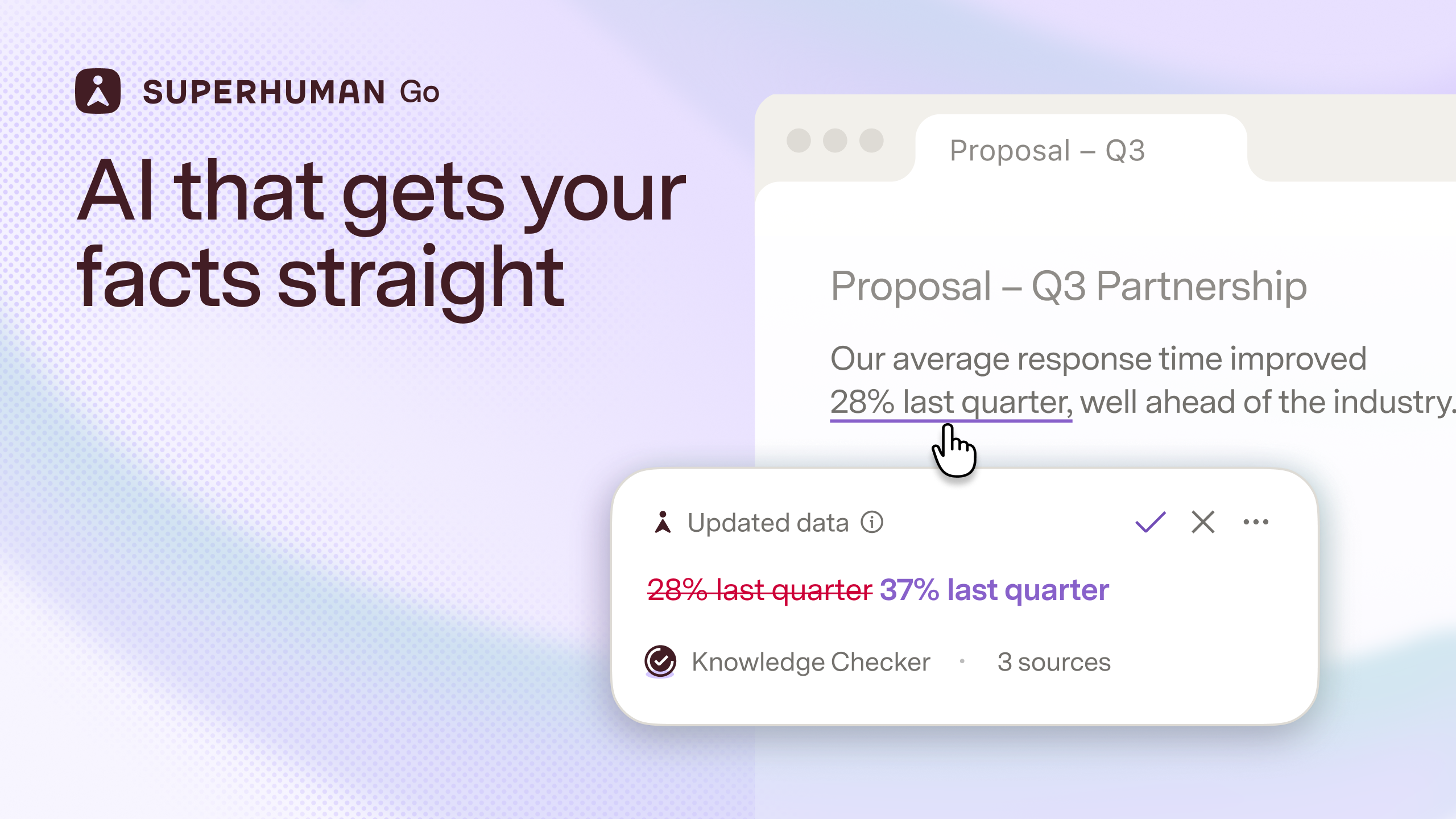
Superhuman Go shipped 1.0 in August, and more than a million people already use it. What we're building: the most proactive agent, with the best team of specialists.
— @Superhuman November 20, 2026
Dropped: Notion Mail
Notion Mail was on our starting list and is not ranked, because it no longer exists as an inbox. Notion announced on June 25, 2026 that it would shut the Notion Mail inbox across web, desktop and iOS on September 22, 2026, according to TechCrunch, Ars Technica and The Verge. Notion said more than half of Notion Mail users managed email without opening the inbox, so it was going all in on agents. Messages stay in Gmail, and Notion asked users to export drafts, scheduled emails, snippets and auto-label instructions by September 21. A later report by RunSolo says email reminders did not transfer and synced email databases stopped updating; that is a single secondary source. The point for buyers is lock-in: a client layer can vanish even when your mail does not.
Pricing Table
All figures are USD unless marked, as of Nov 26, 2026. Where a vendor shows both monthly and annual prices, both are given.
| Tool | Free | Entry paid | Higher tiers | Notes |
|---|---|---|---|---|
| Superhuman Mail | No Mail on Free; suite Free is $0 for Grammarly, Docs and Go chat | Mail Starter $25 per member per month annual, $30 monthly | Business $33 annual, $40 monthly; Enterprise custom | Starter up to 25 seats. Suite Pro $12 annual includes Email Assistant. |
| Shortwave | No free plan shown on the pricing page | Business $30 per seat per month | Premier $45; Max $120 | 14-day free trial. About 150 to 300 Standard AI requests a day on Business. |
| Fyxer | Free $0: 400 credits a month | Pro $37 annual, $49 monthly per person | Team $64 annual, $99 monthly; Enterprise custom | Launch offer: unlimited credits for 3 months, then 3,000 (Pro) or 6,000 pooled (Team). |
| Gemini in Gmail | Some features free on personal accounts in the US | Google AI Plus $4.99 per month; AI Pro $19.99 per month | Google AI Ultra $99.99 (5x) or $199.99 (20x) per month; Workspace Standard $14, Plus $22 per user per month | Workspace prices are from the USD page and exclude tax. Feature access varies by plan, language and country. |
| Microsoft Copilot in Outlook | Copilot Chat in Outlook without the add-on, per Microsoft | Copilot Business add-on $18 per user per month, yearly (was $21) | Business Standard with Copilot $23.50; Business Premium with Copilot $32.00 | Personal plans have separate Copilot pricing; see the section. |
| Spark | Free $0 | Plus $10 monthly, $8.25 per month on the yearly toggle ($99 per year) | Pro $20 monthly, $16.58 per month yearly ($199 per year) | Enterprise by quote. |
| Missive | 30-day free trial, no card | Starter $14 per user per month, billed yearly | Productive $24; Business $36 | 20% off yearly shown. Starter up to 5 users, Productive up to 50. |
| Lindy | Free: $50 in credits, last 7 days | Team $29.99 per month for 3,000 credits | Credit tiers up to $9,999.50; top-ups $10 per 1,000 credits; Enterprise custom | Every active user is billed. |
| Jace | Start-free call to action; 7-day trial on paid plans | Plus $25 monthly, $20 yearly: 10,000 credits, 2 inboxes | Pro $50 monthly, $40 yearly: 20,000 credits, 8 inboxes | Higher credit tiers and Enterprise by quote. |
| MailMaestro | Free $0: 3 AI requests a week | Pro $12 per seat per month annual ($144 a year) | Enterprise custom | $15 monthly per a third-party listing and the vendor how-to page. Email plus meetings bundle $25. |
| Superhuman Go | Free $0 in the Superhuman suite | Pro $12 annual, $15 monthly (Email Assistant included) | Business $33 annual, $40 monthly; Enterprise custom | One suite page covers Grammarly, Docs, Go and Mail. |
Feature Matrix
Yes means the vendor lists it. Partial means limited by plan, region or surface. Not itemised or not confirmed means our sources did not cover it, which is different from no.
| Product | Gmail | Outlook | Drafts replies | Sorts inbox | Free plan | MCP or agent access |
|---|---|---|---|---|---|---|
| Superhuman Mail | Yes | Yes (Email Assistant) | Yes | Yes | Partial | Yes (Mail MCP on Business) |
| Shortwave | Yes | No (Microsoft 365 not supported) | Yes | Yes | Partial | Yes (connects tools via MCP) |
| Fyxer | Yes | Yes | Yes | Yes | Partial | Yes (MCP on Team and up) |
| Gemini in Gmail | Yes | No | Yes | Partial (AI Inbox on paid plans) | Partial | Not confirmed |
| Microsoft Copilot in Outlook | No | Yes | Partial (depends on licence) | Partial (natural-language triage per release notes) | Partial | Not confirmed |
| Spark | Not itemised | Not itemised | Yes (Auto-Drafts on Pro) | Yes (Smart Inbox on Free) | Yes | Yes (Spark CLI) |
| Missive | Not itemised | Not itemised | Yes | Partial (rules and automations) | No | Yes (API and MCP from Productive) |
| Lindy | Not itemised | Not itemised | Yes | Yes | Partial (trial credits) | Yes (MCP support) |
| Jace | Yes | Yes | Yes | Yes | Partial | Yes (custom MCPs on Pro) |
| MailMaestro | Yes (Chrome extension) | Yes (add-in) | Yes | Yes (auto labels on Pro) | Yes | Not confirmed |
| Superhuman Go | Yes (via Email Assistant) | Yes (via Email Assistant) | Yes | Yes | Partial | Yes (MCP connectors) |
Gmail or Outlook?
Provider support decides more than any feature. Shortwave and Gemini need Gmail, and Copilot needs Outlook, so Copilot never competes with the other two for the same inbox.
| Your mail | Strong fits | Not a fit |
|---|---|---|
| Gmail or Google Workspace | Shortwave, Gemini in Gmail, Superhuman Mail, Fyxer, Jace, MailMaestro, Spark | Copilot in Outlook |
| Outlook or Microsoft 365 | Copilot in Outlook, Fyxer, Superhuman Email Assistant, Jace, MailMaestro | Shortwave (Microsoft 365 and Exchange unsupported), Gemini in Gmail |
| Mixed accounts | Spark (many accounts), Missive (email, SMS and social), Fyxer | Single-provider tools |
| Shared support or sales inbox | Missive, Spark teams features, Superhuman Business | Personal-only assistants |
For Spark, Missive and Lindy our captured pages did not itemise Gmail or Outlook per feature, so confirm your provider with the vendor. Spark's site lists Gmail, iCloud, Outlook, Exchange, Yahoo and IMAP among the accounts it connects to.
Free Options
No tool here gives you a full AI inbox for nothing, and the free plans cut different things. Read the limit column before you plan around any of them.
| Plan | What you get | What you give up | Good for |
|---|---|---|---|
| Spark Free | Smart Inbox, unlimited accounts, smart notifications, calendar | No AI assistant or meeting notes; those start on Plus | Multi-account users who want a better client first |
| MailMaestro Free | Compose, reply and improve emails with AI | 3 AI requests a week | Trying the writing help in Outlook or Gmail |
| Fyxer Free | 400 credits a month, weekly email briefing, audio meeting notes | No inbox sorting or drafted replies | Seeing what the briefings feel like |
| Gemini in Gmail (personal) | Some features such as Help me write and conversation summaries, per Google's table | Many features need AI Plus, Pro, Ultra or Workspace; region and language limits | Gmail users who want a little AI at no cost |
| Copilot Chat in Outlook | Chat without the add-on licence, per Microsoft support | Narrower than the licensed experience | Microsoft 365 users testing before IT buys seats |
| Superhuman suite Free | Go chat plus Grammarly and Docs basics | Email Assistant is on Pro; Mail is on Starter or Business | Writing help across apps, not an inbox |
| Lindy Free | $50 in credits | Credits last 7 days | A one-week test of a general agent |
Superhuman and Fyxer Alternatives
If you are looking for a Superhuman alternative
People usually leave Superhuman Mail over price, over the plan split, or because they would rather keep their current client. The Business plan at $33 per member per month annual is where the AI features sit.
| Alternative | Why consider it | Entry price | Catch |
|---|---|---|---|
| Shortwave | Gmail client with AI search and filters | Business $30 per seat per month | Gmail and Workspace only |
| Spark | Multi-account client with a Free plan | Plus $8.25, Pro $16.58 per month on the yearly toggle | Auto-Drafts only on Pro |
| Fyxer | AI added to your current inbox | Pro $37 per person per month, annual | Credit-metered |
| Jace | AI drafts and labels in Gmail or Outlook | Plus $20 per month, yearly | Credit-metered, SOC 2 Type I |
| Missive | Shared team inbox with AI assistant | Starter $14 per user per month, yearly | Aimed at teams |
If you are looking for a Fyxer alternative
Fyxer is credit-metered and priced at $37 per person on annual Pro. If you want something similar with different billing, these are the closest, all of which work inside an existing inbox or as an add-in.
| Alternative | What it does | Entry price | Catch |
|---|---|---|---|
| Superhuman Email Assistant | Sorts, drafts, clears noise, follow-ups inside Gmail or Outlook | Suite Pro $12 per member per month, annual | Part of a larger suite |
| Jace | Drafts in your voice and AI labels, with Flows | Plus $20 per month, yearly | 2 inboxes on Plus |
| MailMaestro | Auto labels, auto drafts and follow-ups | Pro $12 per seat per month, annual | Prices read from vendor excerpts |
| Copilot in Outlook | Native to Microsoft 365 | Add-on $18 per user per month, yearly | Needs a qualifying plan |
| Gemini in Gmail | Native to Gmail | AI Plus $4.99 or Workspace plans | Features vary by plan and region |
Privacy and Send Permissions
An email assistant reads everything in your inbox. Before connecting one, find out whether it trains models on your mail, what attestations it holds, and whether it can send without asking. The table lists what we found on vendor pages, not audits.
| Vendor | What the vendor says | Source |
|---|---|---|
| Fyxer | Says data is never used to train third-party models and offers an opt-out from its own training | Pricing page |
| Gemini in Gmail (Workspace) | Google's Workspace page says company data in Gemini is not used to train models | Workspace pricing page |
| Copilot in Outlook | Microsoft lists Enterprise Data Protection, management and compliance controls on business plans | Microsoft pricing page |
| Jace | SOC 2 Type I (Oct 2025), Type II in progress, and CASA Tier 3 controls | Jace homepage |
| Missive | Lists SOC 2 Type II compliance on its pricing page | Pricing page |
| Lindy | Enterprise lists HIPAA compliance with a signed BAA, SSO, SCIM and audit logs | Pricing page |
| MailMaestro | Enterprise lists SOC 2 Type II, CASA, HIPAA and GDPR | Vendor page excerpts |
| Superhuman, Shortwave, Spark | Not reviewed for this article; read the vendors' data pages | Not reviewed |
On sending: Superhuman's Mail page says its AI can draft and, if you want, send fully written emails for you. Jace's page says let Jace draft, you review and send. Lindy lists approvals as built in. Whatever you choose, start in review-only mode, scope agent connections to the smallest set of permissions, and treat any MCP link as a data-sharing agreement. Our best MCP servers for Claude Code guide covers how those connections are usually set up, and the AI browsers roundup covers the other place agents now read your mail.
How to Choose
| Your situation | Start with | Why |
|---|---|---|
| I live in Gmail and want the least change | Gemini in Gmail, then Fyxer | No new app, or an add-on to the inbox you have. |
| I live in Outlook at work | Copilot in Outlook if IT licenses it, otherwise Fyxer or MailMaestro | Copilot needs a Microsoft licence. The others work from the outside. |
| I want the fastest inbox and will pay for it | Superhuman Mail or Shortwave | Both are clients built around AI and speed. Check Gmail-only limits on Shortwave. |
| I need to run a shared inbox | Missive | Comments, assignments and rules are the core product. |
| I want an agent that acts across Slack, CRM and calendar | Lindy, Jace or Superhuman Go | These products frame themselves as agents, so test the approval settings first. |
| I need the lowest price | Spark Plus, MailMaestro Pro or a free tier | Compare real limits, not headline price. |
| Compliance is the main concern | Your existing Google or Microsoft plan | Fewer vendors in the data path. Confirm terms with your admin. |
Common Mistakes and a Buying Checklist
- Buying before checking provider support. Shortwave does not support Microsoft 365 or Exchange.
- Comparing headline prices. Annual and monthly figures differ by up to a third or more, and credit-based plans scale with use.
- Assuming Gemini features match a screenshot. Google's table splits features by plan, language, country and platform.
- Letting an agent send on day one. Review drafts for a few weeks first.
- Trusting vendor numbers. Hours saved, user counts and ratings here are the vendors', not ours.
- Ignoring the brand shuffle. Grammarly, Superhuman Mail, Go and Email Assistant now share one pricing page.
- Forgetting exit costs. Notion Mail shut down with months of notice, and some mail-layer data was lost.
Before you buy, run through this list:
- Which provider do you use, and does the tool list it? Shortwave does not support Microsoft 365 or Exchange accounts.
- Does the tool send on its own, or draft for review? Start with review-only.
- What happens at the usage limit: credits (Fyxer, Lindy, Jace), requests a day (Shortwave), or a request cap (MailMaestro Free)?
- Is the price you saw annual or monthly? Several vendors show an annual equivalent by default.
- Who counts as a seat? Lindy bills every active user; Fyxer counts one paid member regardless of inboxes.
- Where does your mail go, and is it used to train models? Read each vendor's data page.
- Can an AI agent act through MCP, and with what permissions? Scope it to the smallest set that works.
- Can you leave? Notion shut down Notion Mail on Sept 22, 2026, so check export paths for drafts, snippets and labels.
If your inbox is mostly customer questions rather than personal mail, compare these tools with the dedicated AI customer support agents, and for outbound mail see the AI SDR agents roundup.
How We Evaluated
We fetched each vendor's pricing and product pages and, where available, help centers on Nov 26, 2026, read Google's Gmail Help feature table and Microsoft's Copilot pricing page, checked official posts from Superhuman and Fyxer, and verified each embedded post and video. Where a first-party page was unclear or would not load, we say so and attribute any secondary figure. We did not run these tools on a live inbox, so the pros and cons come from documentation and policies, not measured quality. There are no affiliate links or paid placements, and vendors did not review the page. Order is by fit, not by score. Plans change often. If a figure here differs from the vendor page, trust the vendor page.
FAQ
What is the best AI email assistant in 2026?
There is no single winner. Superhuman Mail is the pick for a fast AI-first inbox, Shortwave suits Gmail users who want deep AI search, Fyxer suits people who want AI added to Gmail or Outlook without switching apps, and Gemini in Gmail or Copilot in Outlook suit people already on Google or Microsoft plans. We did not run hands-on tests, so this reflects vendor documentation and pricing as of Nov 26, 2026.
What is the best AI email assistant for Gmail?
Shortwave and Gemini in Gmail are the two closest to Gmail. Shortwave is a separate client that works only with Gmail and Google Workspace accounts, from $30 per seat per month. Gemini features live inside Gmail, and Google's Gmail Help page lists which are free for personal accounts and which need an AI or Workspace plan. Superhuman Mail, Fyxer, Jace and MailMaestro also support Gmail.
What is the best AI email assistant for Outlook?
If your company licenses Microsoft 365 Copilot, Copilot in Outlook is the native choice. Microsoft lists a Copilot Business add-on at $18 per user per month paid yearly (list $21). Without that licence, Fyxer, Superhuman's Email Assistant, Jace and MailMaestro all list Outlook support. Shortwave does not support Microsoft 365 or Exchange accounts.
Is there a free AI email assistant?
Yes, with limits. Spark has a Free plan with Smart Inbox and unlimited accounts. MailMaestro Free allows 3 AI requests a week. Fyxer Free gives 400 credits a month but does not sort the inbox or draft replies. Some Gemini features in Gmail are available to personal accounts in the US without a paid plan. Lindy gives $50 in credits that last 7 days.
Is Superhuman still a separate company from Grammarly?
No. Grammarly acquired Superhuman, the email app, in July 2025, and on Oct 29, 2025 the company formerly named Grammarly renamed itself Superhuman. The email app is now Superhuman Mail, and the suite includes Grammarly, Docs and Go. Superhuman's own Nov 20, 2026 post says Grammarly became Superhuman one year ago.
What is Superhuman Go?
Go is Superhuman's AI assistant that works across apps and tabs, with agents such as Grammarly, Email Assistant, Knowledge Checker, Daily Brief and custom agents, plus connectors including MCP. The company said on Nov 20, 2026 that Go shipped 1.0 in August and that more than a million people use it. That is the vendor's own figure.
What is the best Superhuman alternative?
Shortwave is the closest in spirit, an AI-first Gmail client from $30 per seat. Spark offers a Free plan and Pro at $16.58 per month on the yearly toggle. Fyxer works inside your current Gmail or Outlook. Pick by whether you want to change clients or keep your inbox.
What is the best Fyxer alternative?
Superhuman's Email Assistant, Jace and MailMaestro are the closest, since all add AI sorting and drafting to Gmail or Outlook. MailMaestro Pro lists $12 per seat per month billed annually, Jace Plus $20 per month billed yearly, and Superhuman suite Pro $12 per member per month billed annually.
What is the best AI agent for email?
Lindy, Jace and Superhuman Go present themselves as agents that act across tools. Whichever you pick, keep a review step on sending, scope permissions, and test on a low-stakes inbox first.
Can AI email assistants send emails without me?
Some can. Superhuman says its AI can draft and, if you want, send fully written emails on your behalf. Jace's marketing says it drafts and you review and send. Lindy lists approvals as a built-in feature. Check each product's default and keep a confirmation step on anything that sends.
Does Shortwave work with Outlook?
Not as your mail account. Shortwave's help page lists Microsoft 365 and Exchange as not supported, and Outlook.com, Hotmail and Live as forwarding only, where you cannot send from the address. Sign-in requires a Gmail or Google Workspace account.
What happened to Notion Mail?
Notion shut down the Notion Mail inbox on Sept 22, 2026, according to TechCrunch, Ars Technica and The Verge, who cited Notion's own announcement on X. Emails stay in Gmail. Notion says its agents can still read, draft and send email through Gmail or Outlook connections.
Are AI email assistants safe for private email?
It depends on the vendor and your plan. Look for statements on model training, retention, SOC 2 or similar reports, and admin controls. Fyxer says your data is not used to train third-party models. Google says Workspace company data in Gemini is not used to train models. Treat any MCP or agent connection as a data-sharing decision.
How much does an AI email assistant cost per month?
From $0 to roughly $120 per seat. Spark Plus shows $8.25 on the yearly toggle, MailMaestro Pro $12, Superhuman suite Pro $12, Missive Starter $14, Shortwave Business $30, Fyxer Pro $37 on annual billing, and Shortwave Max $120. Credit-based tools such as Lindy and Jace scale with usage.
Sources
All fetched on Nov 26, 2026 unless noted.
- Superhuman: Mail plans, suite plans, Mail, Go
- Grammarly: company rebrand to Superhuman, Superhuman help: Suite
- Shortwave: pricing, other email providers
- Fyxer: pricing
- Gmail Help: Gemini features in Gmail, Google AI plans, Google Workspace pricing
- Microsoft 365 Copilot pricing
- Spark: pricing, Spark +AI
- Missive: pricing
- Lindy: pricing
- Jace
- MailMaestro (figures read from search-result excerpts of Maestro Labs pages)
- TechCrunch: Notion Mail shuts down, Ars Technica, The Verge
- Superhuman on X, Fyxer on X
- YouTube: Best AI Email Assistants in 2026 (Tool Finder), Superhuman AI (Superhuman Mail channel), Missive auto-drafts