Get the latest on AI, LLMs & developer tools
New MCP servers, model updates, and guides like this one — delivered weekly.
“AI video editor” now covers at least three different products. Some edit the footage you already have, by transcript, by auto-cut, by captions. Some generate new footage from a prompt and give you a timeline to fix it. And some are classic desktop editors that bolted on AI features. Searching for a Descript alternative, a CapCut alternative or an Invideo AI alternative usually means you picked the wrong one of those three, or that a price, a watermark or a regional restriction got in the way.
This guide covers ten editors across all three types: Descript, CapCut, Invideo AI, VEED, Kapwing, Runway, Wondershare Filmora, DaVinci Resolve, Adobe Premiere and Clipchamp. For each one we read the live pricing page on November 22, 2026, wrote down the plans, credits, free-tier limits and gaps, and listed pros, cons and who should skip it. In short: Descript is the pick for spoken-word video, CapCut for free short-form editing, VEED and Kapwing for browser teamwork, Runway when generation matters more than cutting, and DaVinci Resolve when you want a serious editor for nothing.
Descript's own video on its AI editor (title as shown on YouTube, channel Descript). It is vendor marketing, so treat it as a look at the interface, not as independent evidence. The prices in this article come from the vendors' pricing pages, not from any video.
The Short Answer
Pick by the way you work, not by the longest feature list. These picks come from the plan data below. None are paid placements.
If your actual need is turning one long recording into many short clips, you want a clipper, not an editor. See our AI clipping tools roundup. If you want an AI agent to drive the edit through MCP or a rough-cut pipeline, see MCP servers for AI video editing and AI agents for rough cuts and video assembly.
How We Evaluated
This is a desk-research comparison. On November 22, 2026 we read each vendor's pricing page, product pages, help center and, where available, changelog. Descript, VEED, Kapwing, CapCut, Runway and Invideo hide numbers behind monthly/yearly toggles or JavaScript, so we loaded them in a real browser and read the toggle states. We did not edit the same project in all ten tools, so we make no claims about render speed, caption accuracy, generation quality or how any tool feels to use. Where a figure is vendor-reported, we say so.
Four rules shaped the numbers. First, prices are USD list prices before tax, and we give both the annual-billing and monthly-billing price when both were visible. Second, several vendors run Black Friday offers right now (Invideo, Pictory, DaVinci Resolve), so we show list price next to the offer price and say which is which. Third, one page we could not read: Adobe blocks automated fetches of its pricing pages, so Premiere's price comes from a search snippet and a third-party source and is flagged as such. Fourth, there are no affiliate links in this article and no vendor paid for a position. Section order follows our reading of how often each tool turns up for the searches this article targets, and it is not a leaderboard.
Master Comparison Table
Prices as of Nov 22, 2026, USD. “Annual” means the per-month price when billed yearly.
| Tool | Type | Free tier | Entry paid plan | Standout |
|---|---|---|---|---|
 Descript | Transcript-based editor | 60 media minutes per month, 720p | Hobbyist $16 annual / $24 monthly | Underlord co-editor, Studio Sound |
 CapCut | Social video editor with generation | Free templates and basic tools | Pro $19.99 per month | Seedance, Sora 2 and image models inside the editor |
 Invideo AI | Prompt-to-video agent plus timeline | Not shown on the pricing page we read | Starter $20 list; $10 annual offer | Full timeline on every plan, Agent Two |
 VEED | Browser editor | Free plan (limits not shown on the page) | Creator $12 per user, billed yearly | Unlimited auto subtitles, VEED AI agent |
 Kapwing | Browser editor | 10 credits, 4 minute exports, 720p, watermark | Pro $16 annual / $24 monthly | Brand Kit, 4K, 200 GB storage |
 Runway | Generative video and effects | 125 one-time credits | Standard $12 yearly / $15 monthly | Gen-4.5, Aleph 2.0, Runway MCP |
 Wondershare Filmora | Desktop editor | Free version, exports watermarked | Advanced US$59.99 per year | 1,000 AI credits per month, perpetual option |
 DaVinci Resolve | Pro desktop editor | Free version, up to UHD 60fps | Studio $236 one time | Neural Engine, text based editing, Magic Mask |
 Adobe Premiere | Pro desktop editor | No free plan confirmed on the page we could read | $22.99 per month (snippet, unconfirmed) | Generative Extend |
 Clipchamp | Basic web editor | 1080p, no watermark, AI tools included | Premium via Microsoft 365 Personal or Family | Free with a Microsoft account |
What a Credit Buys
Credits are the new unit of AI editing, and no two vendors define them the same way. Descript meters media hours (what you upload or record) and AI credits(what the AI features burn) separately. Runway's credits pay for generated seconds, and its pricing page says 625 monthly credits equal 52 seconds of Gen-4.5. Invideo's page converts its credits into images and clips. VEED sells 6,000 credits at the cheapest paid tier and describes them as roughly 1,500 AI videos, a different kind of unit again. CapCut sells 1,200 credits on Pro and ties them to its generation models. A bigger credit number is not a better deal.
With that caveat, here is the cost per 1,000 credits at each vendor's first credit-bearing paid tier. Use it only to see how the vendors price their own meter, not to compare tools.
# Price per 1,000 monthly credits = plan price per month / credits * 1000
# Prices are USD from vendor pricing pages read on Nov 22, 2026.
# A credit is NOT a common unit: it buys different things at each vendor.
plans = {
    "Descript Creator (annual)":   (24,     800),
    "CapCut Pro (monthly)":        (19.99,  1200),
    "Kapwing Pro (annual)":        (16,     1000),
    "Runway Pro (annual)":         (28,     2250),
    "VEED Creator (yearly)":       (12,     6000),
    "Invideo Plus (annual offer)": (30,     2000),
    "Invideo Plus (list)":         (60,     2000),
}
for name, (price, credits) in plans.items():
print(f"{name:30s} $ per 1,000 credits: {price / credits * 1000:.2f}")| Plan | Price per month | Credits per month | Price per 1,000 credits |
|---|---|---|---|
| Descript Creator (annual) | $24 | 800 | $30.00 |
| CapCut Pro (monthly) | $19.99 | 1,200 | $16.66 |
| Kapwing Pro (annual) | $16 | 1,000 | $16.00 |
| Runway Pro (annual) | $28 | 2,250 | $12.44 |
| VEED Creator (yearly) | $12 | 6,000 | $2.00 |
| Invideo Plus (annual offer) | $30 | 2,000 | $15.00 |
| Invideo Plus (list) | $60 | 2,000 | $30.00 |
Two things the table hides. VEED's low number reflects a unit that buys a lot less per credit than Runway's, so do not read it as VEED being fifteen times cheaper. And credits mostly do not roll over: Invideo says credits do not roll over, VEED says they do not carry over, and Runway rolls over only on its Max plan, for one month. Buy the plan whose monthly allowance you will actually use.
1. Descript
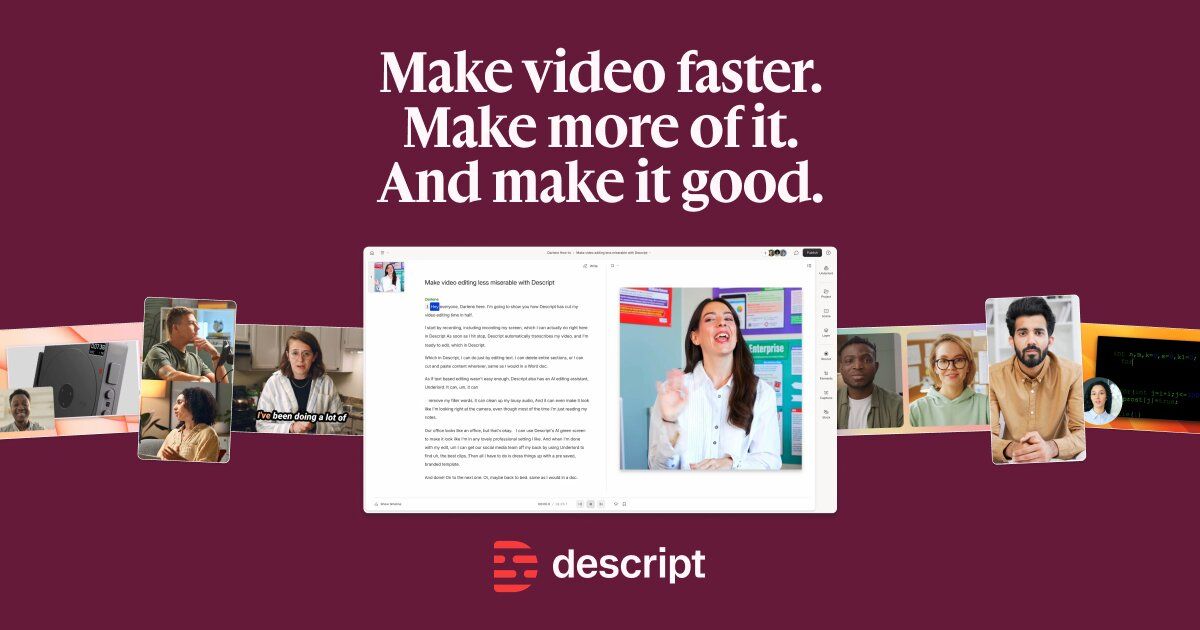
The transcript is the timeline. Descript turns your recording into a document, so deleting a sentence deletes the video under it. On top of that sits Underlord, which Descript calls its AI video co-editor, plus tools such as Studio Sound, Remove Filler Words, Create Clips, Eye Contact, Regenerate, Green Screen, translation and text to speech. It is the tool people usually mean when they search for a “Descript alternative,” so it comes first.
Descript's own walkthrough of Underlord custom instructions (title as shown on YouTube). Vendor content; we have not tested the feature.
Who it is for. YouTubers, podcasters, course creators and marketing teams whose footage is mostly someone talking.
Pricing as of Nov 22, 2026 (descript.com/pricing, both toggle states read).
- Free: $0. Text-based editing and the AI tools to try. 60 media minutes per month and 720p export when we read the plan details.
- Hobbyist: $16 per month on annual billing, $24 monthly. 1 person, 10 media hours and 400 AI credits per month, 1080p watermark-free export, Underlord, AI Speech with custom voice clones and video regenerate.
- Creator: $24 annual, $35 monthly. 30 media hours and 800 AI credits, 4K export, full Underlord and 20+ more AI tools, video generation with the latest models, unlimited royalty-free stock library, credit and media top-ups. A team of 3 is possible, billed separately.
- Business: $50 annual, $65 monthly. 40 media hours and 1,500 AI credits, team-wide Brand Studio, translate and dub into 30+ languages with proofread, custom avatars from a photo or text, priority support with an SLA. A team of 5 is possible, billed separately.
- Enterprise: custom. SOC 2 Type II, SSO and SCIM, custom retention, opt-out of AI training.
The pricing page says annual billing saves up to 35 percent over monthly. Descript's FAQ also offers special rates for students, educators and non-profits through a form.
What changed recently. Descript's changelog entry for November 6, 2026 lists layout packs generated from brand guidelines, Underlord skills (with templates being turned off on November 30), and a model picker that includes Claude models. Descript's help center also documents an MCP server and API, which matters if you want an agent to drive edits.
Pros
- Editing by text is faster than scrubbing a timeline for interviews and monologues.
- Every paid tier includes Underlord and watermark-free export, starting at $16 per month on annual billing.
- Clear split between media hours and AI credits, defined in the FAQ.
- Business tier adds dubbing in 30+ languages, avatars and Brand Studio.
- Documents MCP and API access, and is SOC 2 Type II.
Cons
- Only 400 AI credits on the entry plan, and a high price per 1,000 credits compared with the other credit-metered tools here ($40 on Hobbyist, $30 on Creator on annual billing).
- Free plan caps at 60 media minutes and 720p.
- Media hours are a second meter to watch: 10 hours a month on Hobbyist runs out for daily uploaders.
- It is built around speech; footage without much talking gets less from it.
Benefits for your use case
If you publish talking-head video every week, you save the most time in the rough-cut stage: trimming ums, cutting tangents and fixing audio happen in one document-style interface. That is the job Descript was designed for and the one where its pricing makes sense.
Skip it if your videos are mostly b-roll, music and motion graphics, or you want a one-time purchase rather than a subscription.
2. CapCut
The default free editor for short social video, now with a generation menu. CapCut runs on desktop, mobile and the web. Its homepage lists EditPilot, Dreamina Seedance 2.5 and 2.0, Sora 2, Seedream and GPT Image 2, plus text to speech in 40+ languages. It is why “CapCut alternative” is such a common search: people like it, then hit a paywall, a credit meter or a region lock.
We're excited to announce our new CapCut plugin is coming soon to @ChatGPT at CapCutWorldLA. The plugin brings CapCut's video editing and generation tools alongside ChatGPT. You can start with an idea in ChatGPT, bring it to life with the CapCut plugin right inside ChatGPT, then
— @capcutapp October 24, 2026
Who it is for. Short-form creators, social managers and beginners who want templates, captions and effects with no up-front cost.
Pricing as of Nov 22, 2026 (capcut.com/pricing). The page itself says: “Displayed pricing is for reference only. Sign in to see final pricing, taxes, and any applicable offers for your account.”
- Free: $0. Free templates and basic editing tools.
- Pro: $19.99 per month. 1,200 monthly AI credits, all premium templates and Pro features, 1 TB of storage, a credit top-up option. The page lists Seedance 2.5 from $0.12 per second for the first month and Seedance 2.0 Mini at 480p from $0.007 per second.
- Ultra: $79 per month. 8,645 monthly AI credits, everything in Pro plus exclusive AI features, 1 TB of storage.
- Teams: $12.49 per seat per month, with 2 seats shown. 1,200 AI credits per seat and a brand kit.
The regional catch. A CapCut help article (dated March 26, 2026) covers the case where AI features are not available after login and says some AI features are restricted by region. We could not find a public list of countries, and we did not test from different locations, so we cannot say who is affected. Check inside the app before building a workflow on a specific AI feature.
Pros
- Free plan with templates and basic tools, no card needed to start.
- Wide model menu in one place: Seedance, Sora 2, Seedream and GPT Image 2 per its homepage.
- Pro is $19.99 with 1 TB of storage included.
- Has a Teams plan with a brand kit at $12.49 per seat.
- A ChatGPT plugin was announced on X.
Cons
- The pricing page tells you the numbers are for reference and final pricing needs a sign-in.
- AI features can be region-restricted, per CapCut's help center.
- Generation pricing is quoted per second with first-month rates, which makes ongoing cost harder to predict.
- The free plan is described only as templates and basic tools, so limits are not clear from the page.
Benefits for your use case
If you make TikTok, Reels or Shorts and want captions, templates and effects fast, CapCut is the cheapest place to learn what you need. Its generation menu also lets you try several video and image models without opening separate accounts.
Skip it if you need a predictable published price, work in a region where AI features are restricted, or want a pure transcript editor.
3. Invideo AI
Prompt first, timeline second. Invideo AI generates a video from a prompt using an agent (“Agent Two” in Lite, Pro and Ultra levels on its pricing page), then hands you a full editing timeline. The page lists Seedance 2.5, Nano Banana Pro, GPT Image 2.5, ElevenLabs voices, Veo 3.1 and Kling 4.0 among the models behind it. Searches for an “Invideo AI alternative” usually come from people who want either cheaper credits or more control over the edit.
Who it is for. Marketers and creators who start from a text idea or product link and want a finished draft, then polish it by hand.
Pricing as of Nov 22, 2026 (invideo.io/pricing). The page was running a Black Friday banner (up to 75 percent off, “pay for 12 months, get 24”) with a countdown, so the offer will end. Prices are per seat per month.
- Starter: $20 list, $10 on the annual Black Friday offer. 400 credits per seat per month, up to 5 seats, Agent Two Lite only, no Seedance access.
- Plus: $60 list, $30 on the offer. 2,000 credits per seat, up to 10 seats plus 10 guest seats, Agent Two Lite, Pro and Ultra, Seedance up to 1080p and 4K.
- Max: $250 list, $62.50 on the offer. 8,000 credits per seat (a slider also shows 5,000 and 10,000), up to 20 seats plus 20 guest seats.
The page says the full timeline, multiplayer editing, color, audio and 3D tools are on every plan, and that you can export your own footage in 4K on all of them. Credits do not roll over. The pricing page's own examples put a Nano Banana Pro image at about 2.5 credits and a Seedance 2.5 720p five-second clip at about 56 credits, which is why Starter excludes Seedance entirely.

Pros
- A real timeline editor on every tier, not a locked-down output page.
- Credit costs are shown as concrete examples on the page, such as images and clips per plan.
- Seat-based pricing with guest seats on Plus and Max.
- Big seasonal discount right now: the Starter offer is half the list price.
Cons
- Max lists at $250 per seat per month, the highest list price on this page, and the discount is time-limited.
- Starter has only 400 credits and no Seedance access.
- Credits do not roll over.
- We could not find a free tier on the pricing page we read.
Benefits for your use case
If you want a first draft from a prompt without staring at an empty timeline, Invideo AI gets you there and still lets you re-cut the result. Teams can share seats and guest seats on Plus and Max.
Skip it if your footage is already shot and you mostly need cutting and captions. A transcript editor or a browser editor will cost less.
4. VEED
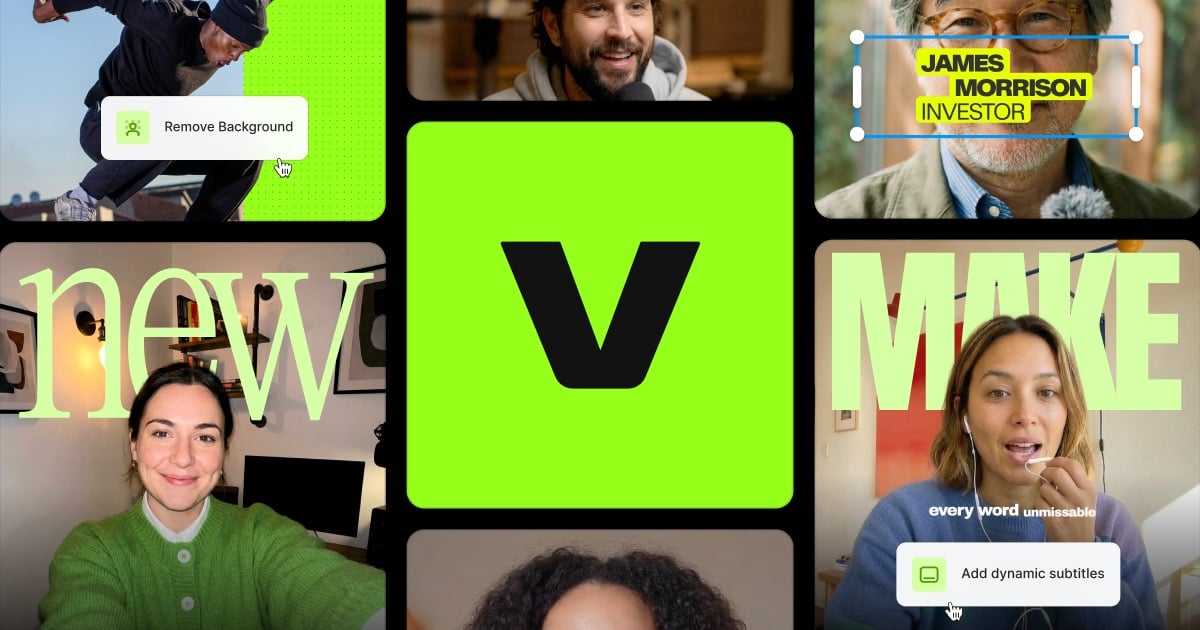
A browser editor built around subtitles, avatars and now an agent. VEED's navigation lists an auto subtitle generator, AI avatars, dubbing, an AI image and video generator, background tools and APIs. On November 19, 2026 it announced VEED AI, which it calls a video editing agent.
Today, we are launching VEED AI. The world's first video editing agent that really understands taste, brand, and creative direction. Drop your footage or start from scratch. Place a link to your product or service. It trims, adds subtitles, b-rolls, motions, & SFX.
— @veedstudio November 19, 2026
The “world's first” line is VEED's own claim and we have not verified it. Other tools in this article, including Opus Clip and Descript, also describe agent-style editing.
Who it is for. Social and marketing teams that need captions, resizing and translation without installing software.
Pricing as of Nov 22, 2026 (veed.io/pricing). The page shows a pay-monthly and a pay-yearly toggle. We read the yearly view reliably. When we tried to switch to the monthly view the rendered prices did not change, so we do not publish a monthly figure.
- Free: the page says “start for free” but does not list free-plan limits in the text we read.
- Creator: $12 per user per month, billed yearly. 6,000 credits (the page says roughly 1,500 AI videos), no watermark, unlimited auto subtitles, full audio and video catalog, 15+ AI tools, Gen-AI Studio.
- Pro: $29 per user per month, billed yearly. 18,000 credits (about 4,500 AI videos), multiple brand kits, translation to 50+ languages, up to 144 hours per year of AI voice.
- Enterprise: custom. Custom AI credits, centrally managed teams and data, review mode, privacy controls.
From the page's FAQ: “unlimited” auto subtitles are subject to a fair-use limit of 50 hours per month, credits do not carry over, and pricing is per seat.
Pros
- Low annual entry price: $12 per user per month on yearly billing for a no-watermark plan, level with Runway Standard and below Kapwing Pro ($16).
- Subtitles are a headline feature and the page says unlimited, with a stated fair-use cap.
- Pro includes translation to 50+ languages and AI voice hours.
- Publishes APIs for subtitles, clean audio and other functions.
Cons
- The monthly price was not visible to us, so you cannot compare the no-commitment cost from the page.
- Credits do not carry over and are per seat.
- The agent is brand new (launched November 19, 2026), and there is little independent evidence on how it performs.
- Free plan limits are not stated in the pricing text.
Benefits for your use case
If you caption and repurpose a steady flow of videos and want a team workspace in the browser, VEED's yearly Creator plan is one of the cheapest ways to get watermark-free exports and subtitles here. The agent is worth a trial but should not be the reason to buy yet.
Skip it if you want month-to-month billing certainty or a desktop editor for long projects.
5. Kapwing
A collaborative browser editor with a clear price sheet. Kapwing handles screen and camera recording, subtitles, resizing, dubbing and translation, text to speech, clean audio, smart cut and background removal. Its pricing page is one of the most detailed here, with per-feature minute limits for each plan.
Who it is for. Small teams and solo creators who want subtitles, resizing and shared workspaces at a modest price.
Pricing as of Nov 22, 2026 (kapwing.com/pricing, both toggle states read; annual shows “save 33%”).
- Free: $0. 10 credits, unlimited exports with a watermark, exports up to 4 minutes, 720p, 5 GB storage, 30 minutes of monthly export limit, auto-subtitling up to 10 minutes, text to speech up to 1 minute.
- Pro: $16 per month annual, $24 monthly. 1,000 credits per month, no Kapwing watermark, uploads up to 6 GB, 4K export, exports up to 2 hours, Brand Kit and custom fonts, shared workspace, 200 GB storage. Auto-subtitling up to 1,000 minutes and dubbing up to 50 minutes per month.
- Business: $50 annual, $64 monthly. 4,000 credits per month, custom voice clones, lip sync, ability to buy more credits, 800 GB storage. Auto-subtitling up to 4,000 minutes and dubbing up to 200 minutes per month.
- Enterprise: custom credits, SSO (SAML), dedicated account manager, onboarding.
One free-plan detail matters if you rely on it: the plan comparison says stored projects last 3 days on Free, versus the length of the subscription on paid plans.
Pros
- Transparent limits: every credit-based feature has a minutes-per-month number on the page.
- Pro at $16 annual includes 4K, 2-hour exports and a 200 GB workspace.
- Business adds voice clones and lip sync at $50 annual.
- Real-time collaboration, version history and comments are part of the feature table.
Cons
- Free exports are watermarked, capped at 4 minutes and 720p, and projects are stored for only 3 days.
- The monthly price is 50 percent higher than annual on Pro ($24 against $16).
- Credits are modest: 1,000 a month on Pro.
- Generative features are less prominent than at Runway, CapCut or Invideo.
Benefits for your use case
If you want to know exactly how many subtitle or dubbing minutes you get before you pay, Kapwing publishes it. For teams that share assets and brand fonts, the Pro workspace is a straightforward fit.
Skip it if you need long free exports, or you want a heavy generative model menu.
6. Runway
The generative-first option that has grown an editing and agent layer. Runway is known for its Gen video models. Its pricing page now lists Gen-4.5, Aleph 2.0, Kling 4.0, Seedance 2.5 and Nano Banana Pro among the available models, an “agentic creative collaborator,” App Studio for building creative apps, Runway Ads, and Runway MCP on Pro and Max.
Today, Runway is joining Claude Marketplace. Enterprise teams already working with @claudeai can now put part of their Anthropic commitment toward Runway Creative, bringing video, image and audio generation into the same budget. Learn more at the link below.
— @runwayml October 20, 2026
Bring your ideas to life with @claudeai Motion + Runway. Use Claude Motion to animate charts, create customer walkthroughs or create short explainers, then bring your work into Runway to generate videos and images. Learn more at the link below.
— @runwayml October 8, 2026
Who it is for. Creators and teams who want to generate or transform footage with models, then finish it, rather than cut raw footage.
Pricing as of Nov 22, 2026 (runwayml.com/pricing, monthly and yearly read).
- Free: 125 one-time credits, a selection of models to test concepts, 5 GB storage.
- Standard: $15 monthly, $12 per month billed yearly. 625 credits per month, which the page says equals 52 seconds of Gen-4.5, 104 seconds of Gen-4 Turbo or 78 Gen-4 images at 1080p. All video and image models, no watermarks, 4K upscaling, up to 3 projects, 20 GB storage.
- Pro: $35 monthly, $28 yearly. 2,250 credits per month (187 seconds of Gen-4.5), 15 parallel generations, 5 projects, 1 Brand Kit, 1 custom voice clone, top-up credits, Runway MCP, unlimited 4K upscaling, 100 GB storage.
- Max: $95 monthly, $76 yearly. 9,500 credits per month (791 seconds of Gen-4.5), unused credits roll over for 1 month, early access to new models, up to 10 projects, 3 Brand Kits, 3 voice clones, studio-grade output (HDR, ProRes, image sequences), 500 GB storage.
- There are also Team and Enterprise and API tabs on the page that we did not price.
The page prints a promotion of 25 percent off Kling 4.0 generations until November 30. Gen-4.5 uses 12 credits per second according to the FAQ, and the minimum extra credit purchase is 1,000.

Pros
- Access to the largest generative model list on this page, including third-party models.
- The pricing page converts credits into seconds of video for each plan, so you can budget.
- Runway MCP on Pro and Max, and Claude Marketplace availability for enterprises per its X post.
- Max offers HDR, ProRes and image-sequence output, which is rare outside pro desktop editors.
Cons
- It is not a timeline editor first. Generation burns credits fast: Standard covers about 52 seconds of Gen-4.5 per month.
- Credits reset monthly on Standard and Pro and only roll over on Max.
- The Free plan is a one-time credit deposit, not a monthly allowance.
- Cost per usable clip is hard to predict, because retakes also spend credits.
Benefits for your use case
If your edit needs generated shots, style transfer or effects that cameras cannot supply, Runway's model access under one subscription is the point. Its seconds-per-plan figures make it easy to estimate whether $12 a month is enough.
Skip it if you mostly cut interviews or captions. A text or browser editor does that for less. If generation is the whole point, our AI video generators roundup goes deeper, and AI avatar video generators covers presenter-style output.
7. Wondershare Filmora
A friendly desktop editor with AI features and a perpetual option. Filmora runs on Windows and Mac. Its pricing page lists 2.9M+ creative assets, 4K export, 100+ advanced editing features, cloud storage and AI Mate conversations, with AI credits that pay for 20+ AI features on higher plans.
Who it is for. Hobbyists and small business owners who want a desktop editor with a gentler learning curve than DaVinci Resolve or Premiere.
Pricing as of Nov 22, 2026 (filmora.wondershare.com/pricing.html). We could read the cached page text but not every price line, so only confirmed figures appear here.
- Free: the FAQ says you can use the basic editing features and export, with a watermark on the output. Cloud storage and the full creative assets library need a paid plan.
- Basic: a paid subscription with 1 GB cloud storage, continuous version upgrades, watermark-free 4K export and 500 free AI Mate conversations. We could not confirm its price from the page text.
- Advanced: US$59.99 per year (shown reduced from US$69.99). Everything in Basic plus 1,000 Filmora AI credits per month, used for 20+ AI features.
- Perpetual: a one-time license covering updates within Filmora 16 only, with 1,000 AI credits one time. The FAQ says the perpetual license is device-specific (Windows or Mac), while Basic and Advanced work on both. We could not confirm its price.
Pros
- A one-time purchase exists for people who dislike subscriptions.
- Advanced at $59.99 per year works out to about $5 per month, the lowest annual cost of any paid plan with AI credits here.
- One license covers Windows and Mac on the subscription plans.
- Includes AI Mate, an assistant with 500 free conversations on higher plans.
Cons
- Free exports are watermarked.
- Perpetual does not include upgrades beyond Filmora 16, and is tied to one OS.
- Only 1 GB of cloud storage on Basic and Advanced per the page.
- Two plan prices were not readable to us, so check the page.
Benefits for your use case
If you want a local editor, Filmora is the cheap annual route with AI credits, and the perpetual license is the way to avoid recurring fees if Filmora 16 is enough for you for years.
Skip it if you need a browser-based team workspace or the deep color and audio tools of Resolve.
8. DaVinci Resolve
The free editor that is also a color, effects and audio suite. Blackmagic Design describes DaVinci Resolve as combining editing, color correction, visual effects, motion graphics, audio post production and, with version 21, photo editing in one application for Mac, Windows and Linux. Its AI lives in the paid Studio version under the name DaVinci Neural Engine.
Who it is for. Anyone willing to learn a real editor: YouTubers who outgrew simple tools, filmmakers, and freelancers who want pro color and audio without a subscription.
Pricing as of Nov 22, 2026 (blackmagicdesign.com/products/davinciresolve).
- DaVinci Resolve (free): $0. Per the page, it works with virtually all 8-bit video formats at up to 60 fps and resolutions as high as Ultra HD (3840 x 2160).
- DaVinci Resolve Studio: $236 one time, shown as “Was $295, now $236”, so a promotion. Studio adds the DaVinci Neural Engine, more Resolve FX, temporal and AI spatial noise reduction, text based editing, Magic Mask, film grain and optical blur, and supports higher bit depth and resolution than the free version.
Version 21 adds a Photo page, more than 100 new motion graphic effects and 50 new features, per the page. Blackmagic also sells keyboards and control panels, which are not required.
Pros
- The free version is a full editor that you can keep using, not a time-limited trial.
- Studio is a single payment of $236 rather than a subscription.
- Edit, Fusion VFX, Color and Fairlight audio sit in one project file.
- Studio's text based editing brings a Descript-like workflow to a pro timeline.
Cons
- Steeper learning curve and heavier hardware demands than browser tools.
- The AI features most people search for (Neural Engine, text based editing, Magic Mask) are Studio only.
- No built-in generative video models like Runway, CapCut or Invideo.
- No browser workspace for casual team review.
Benefits for your use case
If you edit long-form video and care about color, audio and finishing, Resolve gives you the most for the least ongoing spend. Pay once for Studio only if you need the Neural Engine features.
Skip it if you want results in ten minutes with no learning, or need prompt-to-video generation.
9. Adobe Premiere
The industry-standard timeline with Firefly-powered generative tools. Adobe's Generative Extend page says it can extend a clip by up to 2 seconds of video and up to 10 seconds of audio so you can cover a gap or hold a shot, that it needs generative credits, and that a limited number of complimentary generations is included.
Who it is for. Teams and freelancers who already work in Adobe's ecosystem, or whose clients send Premiere projects.
Pricing: unconfirmed from the vendor. Adobe blocks automated fetches of its pricing pages (we got access denied), so we could not read the plan page. A search snippet of Adobe's Premiere page showed US$22.99 per month, and a third-party site, the64th.com, reported on November 5, 2026 that it had checked the official page: Premiere at $22.99 per month on an annual plan billed monthly with 25 generative credits per month, Creative Cloud Pro at $69.99 with 4,000 credits, and Premiere for teams at $37.99. Treat those as unverified and confirm on adobe.com before you buy. Third-party reports also say a free Premiere mobile app reached Android on September 22, 2026; we did not verify that.
Pros
- Generative Extend fixes a short gap without a reshoot, per Adobe's page.
- Deep ecosystem: After Effects, Photoshop and Audition, shared libraries and project exchange.
- The most common project format in agencies, which simplifies handoff.
- Generative credits are metered, so cost is visible per use.
Cons
- Subscription only, and we could not confirm current pricing.
- Generative Extend is capped at 2 seconds of video, and needs credits.
- Heavy, with a learning curve similar to Resolve and less free headroom.
- Fewer prompt-to-video generation features in the editor than Runway or CapCut.
Benefits for your use case
If clients or collaborators live in Adobe formats, Premiere removes friction. Generative Extend is a practical fix for the one shot that is two seconds short, not a way to build scenes.
Skip it if you work alone and do not need Adobe interchange. Resolve is free, and the browser editors cost less.
10. Clipchamp
Microsoft's free web editor, and the least expensive way in. Clipchamp's pricing page says you can start with beginner-friendly tools for free by signing in with a personal Microsoft account, with no payment or downloads, and that premium features are now included with Microsoft 365 Personal and Family plans.
Who it is for. Casual creators, students and Windows users who need simple cuts, text and screen recordings.
Pricing as of Nov 22, 2026 (clipchamp.com/en/pricing).
- Free: up to 1080p export, no watermark, AI video and AI audio editing tools, trim, crop, resize and rotate, screen, camera and voice recorder, animated text and titles, OneDrive backup, free stock assets and filters.
- Premium (via Microsoft 365 Personal or Family): everything in Free plus up to 4K export, premium stock assets, premium filters and effects, and the brand kit tool. We did not capture the Microsoft 365 price, so check Microsoft's page.
Pros
- Watermark-free 1080p export on the free plan, per the plan table.
- AI video and audio tools are listed on both plans.
- No download needed, and your work backs up to OneDrive.
- Premium is bundled with Microsoft 365, so it may already be paid for.
Cons
- Basic compared with Descript, Resolve or Premiere.
- The page names no generative models or credit meter, so we cannot say what its AI covers beyond the labels.
- 4K and the brand kit require a Microsoft 365 plan.
- Needs a personal Microsoft account.
Benefits for your use case
If your needs are simple trims, titles and exports at 1080p, Clipchamp is the cheapest honest answer on this list, and the “best AI video editor free” search often ends here.
Skip it if you need transcript editing, generative video, or fine control over color and audio.
Others Worth Knowing
The topic list had 14 candidates. Ten got full sections. The other four are narrower, so here is what each offers, with the same Nov 22, 2026 read.
- Captions: a mobile-first app. Its pricing page shows Max at $24.99 per month (500 credits, 2 seats, AI Edit styles, custom AI actors, chat-based editor, long-video-to-clips) and Frontier at $69.99 per month (1,400 credits, 3 seats). The page notes that features and prices reflect iOS plans only, so Android and web prices may differ.
- Pictory: script-to-video with stock footage and avatars. On Nov 22, 2026 a Black Friday banner showed annual prices of $12.50 per month for Starter (was $29, 24,000 credits, up to 360 minutes a year), $17.50 for Professional (was $59, 72,000 credits) and $59.50 for Teams (was $199). The page says Pictory can now make videos directly from your AI assistant.
- Riverside: a recording studio with an AI editing and repurposing agent, magic clips and an MCP connector. Its pricing page prints Pro at $24 and $35 and Grow at $34 and $45, but its own FAQ says annual billing drops Pro from $29 to $24 and Grow from $39 to $34, so the two disagree on the monthly price. Check which applies at checkout. More in our clipping roundup.
- Opus Clip editor: a clipper with an editor layer, covered in our AI clipping tools comparison, not repeated here.
Feature Matrix
Based on each vendor's own pages on Nov 22, 2026. “Partial” means the feature exists with caveats described above. “Not listed” means we did not find it on the pages we read, not that it is absent.
| Tool | Transcript editing | Auto subtitles | Generative video | Free plan | Perpetual option | MCP or API |
|---|---|---|---|---|---|---|
| Descript | Yes | Yes | Partial (Creator) | Yes | No | Yes (MCP, API) |
| CapCut | Not listed | Not listed | Yes | Yes | No | ChatGPT plugin announced |
| Invideo AI | Not listed | Not listed | Yes | Not listed | No | Not listed |
| VEED | Not listed | Yes | Yes | Yes | No | Yes (APIs) |
| Kapwing | Not listed | Yes | Partial | Yes | No | Not listed |
| Runway | Not listed | Not listed | Yes | Yes (one time) | No | Yes (MCP, API) |
| Wondershare Filmora | Not listed | Not listed | Not listed | Yes (watermark) | Yes | Not listed |
| DaVinci Resolve | Yes (Studio) | Not listed | No | Yes | Yes (Studio) | Not listed |
| Adobe Premiere | Not listed | Not listed | Partial (Generative Extend) | Not confirmed | No | Not listed |
| Clipchamp | Not listed | Not listed | Not listed | Yes | No | Not listed |
The matrix is deliberately conservative. Kapwing, VEED and Descript all list subtitle features plainly. Several tools plausibly have features we did not see on the pricing text, so use this table to choose which pages to read, not to rule a tool out.
Best For X
| If you need | Start with | Why |
|---|---|---|
| Podcast or talking-head YouTube video | Descript | Text-based editing and Underlord, 4K on Creator. |
| TikTok, Reels and Shorts, free to start | CapCut | Free plan, templates, large model menu. Confirm final price after sign-in. |
| A draft from a prompt or product link | Invideo AI | Agent plus a full timeline on every plan. |
| Low-cost annual no-watermark browser editor | VEED Creator | $12 per user per month billed yearly. |
| Documented minute limits for subtitles and dubbing | Kapwing | Every limit is on the pricing page. |
| Generated shots and effects | Runway | Gen-4.5, Aleph 2.0, third-party models, MCP. |
| A desktop editor, buy once | Filmora or DaVinci Resolve Studio | Perpetual license or a one-time $236. |
| A free pro editor | DaVinci Resolve | Free version covers edit, color, Fusion and Fairlight. |
| Adobe interchange with clients | Premiere | Native project format, Generative Extend. |
| Simple edits at no cost | Clipchamp | 1080p, no watermark, AI tools listed. |
| An agent-driven edit through MCP | Descript or Runway | Both document MCP access. See the MCP video editing roundup. |
Buying Checklist
- Pick the type before the brand. Cutting footage, generating footage and finishing footage are different jobs. Buying a generator to trim interviews wastes credits.
- Read the monthly price, not just the annual one. Kapwing Pro is $16 annual and $24 monthly; Descript Creator is $24 and $35. If you may cancel in three months, the annual discount is not yours.
- Check what a credit buys. Runway's page tells you seconds of video; Kapwing tells you minutes of subtitles. If a vendor does not, assume your first month will burn credits faster than you expect.
- Check rollover. Invideo and VEED credits do not roll over; Runway rolls over only on Max, for one month.
- Watch the sale clock. Invideo, Pictory and DaVinci Resolve all had discounts on Nov 22, 2026. Ask what the price is after the promotion.
- Test AI features in your region. CapCut's help center says some AI features are region-restricted.
- Count seats and storage. VEED, Invideo and CapCut Teams price per seat, and storage ranges from 1 GB (Filmora) to 1 TB (CapCut).
- Check the free tier's export rules. Watermarks, 720p caps and 3-day project retention (Kapwing Free) change the real cost of testing.
- Do a one-video trial. Run the same raw clip through two finalists before you pay for a year. We did not run such a test, so the result is yours to find out.
FAQ
What is the best AI video editor in 2026?
It depends on the job, because these tools edit in different ways. Descript is the strongest choice for talking-head, podcast and tutorial video because you edit through the transcript and its Underlord co-editor handles filler words, clips and captions. CapCut is the most capable free-to-start editor for short social video. VEED and Kapwing are the easiest browser editors for captions, resizing and team work. DaVinci Resolve is the strongest free option if you want a full desktop editor. Runway and Invideo AI are closer to generation tools with an editor attached. We did not run the same project through every tool, so this is a read of vendor pricing and feature pages, not a benchmark.
What is the best free AI video editor?
For a full editor with no subscription, DaVinci Resolve Free. Blackmagic's page says the free version works with virtually all 8-bit video formats at up to 60fps and Ultra HD. The AI Neural Engine, text based editing and Magic Mask are listed under the paid Studio version ($236 one time on Nov 22, 2026, marked down from $295). Clipchamp's free plan exports 1080p without a watermark and lists AI video and audio tools on both plans. Descript, Kapwing, VEED and CapCut all have free plans, but exports are limited or watermarked on some of them, so read the free column in the pricing table.
What is a good Descript alternative?
If you like transcript-based editing, the closest rivals we found are DaVinci Resolve Studio (text based editing is listed among its Studio features) and Kapwing or VEED for subtitle-led browser editing. If you want a cheaper per-seat price with team features, Kapwing Pro is $16 per month on annual billing against Descript Hobbyist at $16 per month annual. If you mainly want clips from long recordings, see our AI clipping tools roundup.
What is a good CapCut alternative?
For short-form social editing, VEED and Kapwing are the nearest browser-based alternatives, and Filmora is the closest desktop one. For a free desktop editor without a subscription, DaVinci Resolve Free. CapCut's own help center says some AI features are not available in certain regions, so a regional restriction is a legitimate reason to look elsewhere. We could not verify which countries are affected from CapCut's public pages.
What is a good Invideo AI alternative?
Invideo AI centers on generating a video from a prompt with an agent and then editing it on a timeline. The closest alternatives are Pictory (script-to-video with a Black Friday annual price of $12.50 per month on Nov 22, 2026), VEED (which launched a video editing agent called VEED AI on Nov 19, 2026) and Runway if you care more about generation models than editing. Descript is the better pick if your source is your own recorded footage.
Is CapCut still free?
CapCut lists a Free plan at $0 with free templates and basic editing tools, plus Pro at $19.99 per month and Ultra at $79 per month. The pricing page also says displayed pricing is for reference only and asks you to sign in to see final pricing, taxes and offers for your account. Treat the numbers as a starting point.
Which AI video editor is best for YouTube?
For talking-head YouTube, Descript: the transcript editor, filler word removal and Studio Sound target exactly that workflow, and its Creator plan has 4K export. For heavy cutting, color and sound on a budget, DaVinci Resolve. For Shorts and repurposing, CapCut or a dedicated clipper. Check export limits on free plans before you commit: Kapwing Free caps exports at 4 minutes and 720p.
How do AI credits work in video editors?
Credits are a vendor-specific meter for AI features. Descript's FAQ says AI credits track usage of AI features, separately from media hours, which track uploaded and recorded media. Kapwing lists credits usable for auto-subtitling, dubbing and text to speech. Runway says Gen-4.5 uses 12 credits per second of generated video. Invideo says credits do not roll over, and VEED says credits do not carry over. Because a credit buys different things at each vendor, comparing credit counts across tools is misleading.
Do AI video editors work with ChatGPT or Claude?
Several now do. CapCut announced a plugin for ChatGPT on X on Oct 24, 2026, described as coming soon. Descript documents an MCP server and API in its help center. Runway lists Runway MCP on its Pro and Max plans and joined Claude Marketplace on Oct 20, 2026 per its own X post. Pictory says it can make videos directly from your AI assistant. For the agent-driven side of editing, see our MCP servers for video editing roundup.
Are Descript's AI features included in the free plan?
Descript's pricing page says the Free plan includes text-based editing and lets you give the AI tools a spin. Its FAQ says the Free plan includes what you need to record, edit and mix audio and video. The limits we read were 60 media minutes per month and 720p export (Nov 22, 2026). Underlord access is listed on Hobbyist and above.
Can I buy an AI video editor once instead of subscribing?
DaVinci Resolve Studio is a one-time $236 on Nov 22, 2026 (listed as reduced from $295), and Filmora lists a Perpetual plan that covers Filmora 16 updates only and includes 1,000 AI credits one time. We could not capture Filmora's perpetual price from the page. The rest of the tools here are subscriptions.
Which editor is cheapest for a team?
Seat pricing differs. CapCut Teams is $12.49 per seat per month with a 2-seat minimum on the page we read. VEED Creator is $12 per user per month billed yearly. Descript Creator is $24 per person per month annual with a team of 3 billed separately. Invideo Starter is $10 per seat per month on its Black Friday annual offer ($20 list). Check what the seat includes: credits, storage and brand kit differ.
Does Adobe Premiere have generative AI video features?
Yes. Adobe's Generative Extend page says it can extend a clip by up to 2 seconds of video and 10 seconds of audio and that it uses generative credits, with a limited number of complimentary generations. Adobe blocked our automated fetch of its pricing pages, so we cite Premiere's $22.99 per month price from a search snippet and a third-party source and ask you to confirm on adobe.com.
Sources
Vendor pages read on November 22, 2026. Prices change often, so confirm before you pay.
- Descript pricing, Descript help center and the Descript changelog (Nov 6, 2026 entry)
- CapCut pricing, CapCut homepage and CapCut help: AI function not working after login
- Invideo pricing
- VEED pricing
- Kapwing pricing
- Runway pricing
- Filmora pricing
- DaVinci Resolve product page
- Adobe Generative Extend page (pricing pages were blocked to automated fetching; price figures are from a search snippet and the64th.com)
- Clipchamp pricing
- Captions pricing, Pictory pricing and Riverside pricing
- X posts embedded above from @capcutapp, @veedstudio and @runwayml; YouTube videos from the Descript channel.