Get the latest on AI, LLMs & developer tools
New MCP servers, model updates, and guides like this one — delivered weekly.
Who Wins for What
You want accounting software where the AI does real work, not just a chat box in the corner. If you run a small business and want a full system with published prices, QuickBooks and Xero are the safe choices, and both now ship an AI layer. If you want a ledger built around AI from the start, Digits is the clearest published-price option. If you are a scaling company with several entities, Rillet is the AI-native ERP to put on the shortlist, though you will need a demo to get a price. If receipts and supplier invoices are your bottleneck, Dext sits in front of your ledger and captures them. The rest, from Ramp to Datarails, cover spend, AP, firm work and planning.
Three questions decide most choices in late 2026. Which ledger do your accountant and bank already work with? Is your pain bookkeeping, capture, close, payables or planning? And do you want AI that suggests, or AI that acts? We did not run hands-on tests, so everything here is sourced from vendor pages and dated Nov 27, 2026. This is software evaluation, not tax, accounting or investment advice.
A third-party overview by The Digital Merchant. We did not verify everything it says, so use it for a quick look at the category, not for pricing.
Quick Picks
| Need | Pick | Why |
|---|---|---|
| Best full accounting system with an AI layer, US small business | QuickBooks | Plans from Free to Advanced, with Intuit Intelligence features that grow by tier. Paid plans show a promotional price next to list price. |
| Best if you want low entry cost and no per-user fees | Xero | Early, Growing and Established at list $27, $59 and $97 per month, no per-user license fees, and JAX chat at no extra charge for now. |
| Best AI-native ledger for owners and accountants | Digits | Essentials $65, Core $100, Pro $250 per month, with AI bookkeeping, reconciliation, MCP and API on every plan, plus a 30-day trial. |
| Best for a scaling company outgrowing QuickBooks | Rillet | AI-native ERP with multi-entity, revenue recognition and continuous close. Price on request. |
| Best for capturing receipts and invoices in front of your ledger | Dext | Capture and extraction plus an AI Assist bookkeeping agent add-on. US page showed $25.21 per month on the starting slider. |
| Best if you also want cards and spend control | Ramp | Free plan, Plus at $15 per user per month plus a platform fee, and AP agents on the Plus feature list. |
| Best for approval-heavy AP at larger companies | Vic.ai | AP automation with VicAgents. Vendor-reported 85 percent no-touch rate by month 6. Demo-only pricing. |
| Best for accounting firms that want agents doing client work | Basis | Agents for CAS, tax, audit and corporate accounting. Waitlist or demo. |
| Best for FP&A reporting and planning on existing data | Datarails | Reporting, planning and dashboards with quote-only Professional, Premium and Expert plans. |
Master Comparison Table
Prices come from each vendor's pages as fetched on Nov 27, 2026, with the billing period given where the page gives one. Where a vendor does not publish a price, the cell says so and we did not fill it in from a third party.
| Tool | Pricing | Free plan or trial | Where it runs | Standout |
|---|---|---|---|---|
 QuickBooks | Free $0; Simple Start $38 list; Essentials $85; Plus $140; Advanced $340 (promo prices shown on page) | Yes, limited | Web and mobile app | Intuit Intelligence layer by plan |
 Xero | Early $27; Growing $59; Established $97 list (90% off 6 months offer to Nov 30) | No, trial offer only | Web | JAX chat at no extra charge, per Xero |
 Digits | Essentials $65; Core $100; Pro $250 per month | 30-day free trial | Web, iPhone and iPad | MCP and developer API on all plans |
 Rillet | Not public, request a demo | No | Web ERP | Aura AI on the live ledger |
 Dext | $25.21 per month starting slider (250 documents, 5 users); AI Assist add-on $10.50 promo | Free trial | Web, mobile app | AI Assist, review or auto apply |
 Ramp | Free $0; Plus $15 per user per month plus platform fee; Enterprise custom | Yes, Free plan | Web and mobile | Cards, AP and accounting in one |
 Brex | Essentials $0 per user; Premium $12 per user per month; Enterprise custom | Yes, Essentials | Web and mobile | AI-powered custom rules |
 Fyle | Growth $11.99 per active user per month billed annually, 5 user minimum | Not confirmed | Web and mobile | Now Sage Expense Management |
 Vic.ai | Not public, request a demo | No | Web, ERP integrations | VicAgents for AP |
 Basis | Not public, get a demo | No | Web | Agents for accounting firms |
 Numeric | Not public, schedule a demo | No | Web | Close, cash, billing and ERP replacement |
 Datarails | Quote only: Professional, Premium, Expert | No | Web | AI Agents and FinanceOS AI Connector |
Four Kinds of AI Finance Tool
The twelve products here are not one category. Knowing which kind you are shopping for removes half the comparison.
- Ledgers with an AI layer: QuickBooks, Xero, Digits and Rillet. They hold the books, and the AI categorizes, reconciles, answers questions or runs part of the close.
- Capture and spend tools in front of the ledger: Dext, Ramp, Brex and Fyle. They get receipts, cards, bills and approvals into the books.
- AP and firm agents: Vic.ai and Basis. They automate payables work or the client work of an accounting firm.
- Close and planning platforms: Numeric and Datarails. They sit around the ERP to run the close, reporting and planning.
The market moved fast this year. Rillet announced a $1B valuation on Aug 18, Ramp introduced Stack for accounting firms on Jun 3, and Xero and Intuit both now brand an assistant inside their core products. For related roundups, see our AI spreadsheet and Excel agents for models and forecasts, and our AI CRM and sales intelligence agents for the revenue side of the business.
QuickBooks
quickbooks.intuit.com
QuickBooks Online is Intuit's cloud accounting product, and its AI layer is branded Intuit Intelligence. The pricing page spreads that layer across the plan tiers instead of selling it as a separate add-on: the lower tiers list AI Chat, expense categorization and a feature described as handling busywork, while higher tiers add named agents such as Accounting AI, Payments AI, Business Tax AI, Sales Tax AI, Customer AI, Project Management AI and Finance AI.
Many of those features carry a BETA label on the page we read, and AI Chat is described as limited capacity. That matters when you compare it with products where the AI is the whole product. QuickBooks is the incumbent: the page cites 28 years of helping small businesses and a 4.3 out of 5 rating from 6,700+ Capterra reviews (both vendor-cited), and a mobile app comes with paid plans. The AI is being added on top of a mature ledger rather than the ledger being rebuilt around it.
Key features
- Automated bookkeeping that learns how you categorize income and expenses, then matches and records later transactions, per Intuit.
- Intuit Intelligence features by tier: AI Chat (beta), expense categorization and tax-deduction prompts on lower tiers, Accounting AI, Payments AI and Business Tax AI from Essentials, book reconciliation, Sales Tax AI, Customer AI and scenario chat from Plus, Project Management AI and Finance AI on Advanced.
- Invoicing with QuickBooks Payments, bill pay with free standard ACH up to monthly allotments, and accountant access on paid plans.
Pricing: As of Nov 27, 2026, quickbooks.intuit.com/pricing lists Free at $0 a month with no credit card required (1 user, 2 invoices a month, top 3 reports, 1 connected bank, no accountant access). Simple Start shows $38 with a promotional price of $11.40 a month. Essentials shows $85 and $25.50 a month (3 users). Plus shows $140 and $42 a month. Advanced shows $340 and $102 a month (25 users, 3 accountant seats). The page text we captured did not state how long the promotional price lasts, so read the offer terms at checkout before assuming a price.
Free tier: Yes. A Free plan at $0 with 1 user, 2 invoices a month and 1 bank connection. The FAQ also mentions a 30-day trial for paid plans, including phone support during it.
Limits: The Free plan has no accountant access, no mobile app and no third-party integrations. AI Chat is limited capacity and many Intuit Intelligence features are beta. Intuit Enterprise Suite and Desktop Enterprise are separate products with their own pricing that we did not capture. The pricing FAQ says you can upgrade between Simple Start, Essentials and Plus.
Pros
- Published prices for every Online tier, including a free plan.
- Paid plans include a mobile app, support and app integrations, and you can invite accountants on paid plans.
- AI features are attached to the plan you already pay for, so there is no separate AI bill on the page we read.
Cons
- Many AI features are beta, and the AI Chat is limited capacity.
- The headline price is a promotion. The list prices of $38 to $340 are the number to budget against.
Benefit for you: If your accountant, payroll provider and bank apps already work with QuickBooks, the benefit is a gradual AI upgrade with no migration: categorization, reconciliation and tax-related prompts appear inside the product you already use.
Standout use case: A small business on Plus using the book reconciliation and scenario chat features to see what a new hire does to cash, then handing the cleaned books to its accountant.
Skip it if: Skip it if you want AI to be the core of the ledger rather than a layer on top, if you need confirmed pricing past the promotional period before you start, or if you expect to add many users and would rather not pay for a plan tier that caps seats.
Official video from the Intuit QuickBooks channel on Intuit Intelligence. It is vendor marketing, so use it to see the interface, not to judge accuracy.
Official video from the QuickBooks Australia channel. Availability and plan names can differ by country, so check the US pricing page for your plan.
Xero
xero.com
Xero is a cloud accounting platform that says on its US pricing page that it is used by 5.1 million customers worldwide. Its AI assistant is called JAX, described on Xero's home page as your AI finance partner that automates work and provides clarity so your books stay current.
JAX chat, per Xero's JAX page, can answer questions about your own financial data with charts and tables, help with admin such as creating an invoice from a previous quote, answer Xero how-to questions from help content, and bring in public information for questions such as industry benchmarks. Xero says it is available to all Xero subscribers, follows each user's existing permissions, and only runs when you open it and ask a question.
Key features
- JAX chat for questions about your data, actions such as drafting invoices and quotes, and how-to help, at no extra charge to subscribers for now, per Xero.
- Bank reconciliation, bill entry, Smart Document Capture, sales tax and W-9 and 1099 management on all plans.
- Cash flow forecasts of 30 days on Early, 60 days on Growing and 180 days on Established.
Pricing: As of Nov 27, 2026, xero.com/us/pricing-plans lists Early at a usual $27 a month, Growing at $59 and Established at $97, all in USD and excluding taxes. A time-limited offer on the page, ending Nov 30, gives new US customers buying their first organization 90 percent off for the first 6 months, which shows $2.70, $5.90 and $9.70 a month. After that the regular price applies and auto-renews monthly. Early allows 20 invoices and 5 bills. Auto-reconcile is a $5 a month option on Early and is included on Growing and Established. Xero Payroll, powered by Gusto, is optional at $36 a month plus $6 per employee or contractor.
Free tier: No free plan. The page promotes an introductory discount and a get one month free button, and the offer ends Nov 30.
Limits: Early is limited to 20 invoices and 5 bills. The offer is for new US customers buying their first organization and does not apply to add-ons, usage or payment fees. Xero reserves the right to change pricing and says JAX terms and pricing may change. JAX only gives information that matches your Xero permissions.
Pros
- No per-user license fees, which helps teams that add bookkeepers, advisors or staff.
- JAX chat is included with a subscription at the moment, per Xero.
- Free expert setup help is listed on every plan, and the page says it connects with 1000+ apps.
Cons
- The entry price is a six month promotion, and the regular $27 to $97 prices apply afterward.
- Early is tight on invoices and bills, so many businesses will start on Growing.
Benefit for you: If you add people often, the benefit is a flat subscription and a conversational assistant for questions such as total income over six months or a gross profit trend, without paying per seat.
Standout use case: Asking JAX to create an invoice from the last quote for a customer, then asking it for a gross profit trend before a lender meeting.
Skip it if: Skip it if you need the AI to run bookkeeping in the background, if the post-offer list price of $27 a month or more is a stretch, or if you want a free plan to test on.
Official Xero video on asking JAX about your financial data.
Digits
digits.com
Digits describes itself as the first AI-native general ledger for business owners and accountants: one system for automated books, month-end close, bill pay, invoicing and real-time financials. Its site lists Agentic Close, Ask Digits, Automated Schedules, Real-time Bookkeeping, dashboards, financial reporting, Bill Pay, Invoicing and native iPhone and iPad apps.
The Agentic Close is the part to watch. Digits describes an AI-native month-end close that collects, books, reconciles, schedules, reviews and reports directly in the ledger. Digits also says its Developer API and MCP are free, open and extensible, and its pricing page lists both on every plan, so an outside AI agent can read and act on the books subject to what you permit.
Key features
- 24/7 AI bookkeeping and reconciliation on all three plans, with bank and payroll connections to 12,000+ institutions.
- Agentic Close for month-end: collect, book, reconcile, schedule, review and report in the live ledger.
- Ask Digits, an AI financial assistant, plus dashboards, custom reports and interactive management reports.
Pricing: As of Nov 27, 2026, digits.com/pricing lists Essentials at $65 a month (solopreneurs and early-stage businesses), Core at $100 a month (labelled most popular, for small and growing businesses) and Pro at $250 a month (scaling businesses with internal finance teams). Dimensional accounting and automated schedules are not included on Essentials, and budget versus actuals is included only on Pro. Extra entities are free up to 250 transactions a year and then start at $35 a month. The FAQ says there is a 30-day free trial.
Free tier: A 30-day free trial. No permanent free plan for businesses, though accounting firms can run their own books free through its partner program.
Limits: Budget versus actuals is Pro only. Multi-entity beyond the free allowance costs extra. It is a ledger you move to, so it is a migration, not an add-on. Tax filing appears on its site as a service from partner accountants, not as a ledger feature.
Pros
- AI bookkeeping, reconciliation, API and MCP are on every plan, so the entry plan is not stripped of AI.
- Clear flat prices and a 30-day trial.
- AI-native design, with a month-end close described as happening inside the ledger.
Cons
- A new ledger means migrating from QuickBooks or Xero and rebuilding workflows, and a smaller accountant ecosystem than the incumbents.
- $65 a month at entry costs more than Xero's Early or QuickBooks' promotional prices.
Benefit for you: If you or your accountant spend hours a week categorizing transactions, the benefit is books that are mostly review and exception handling. Digits also lists quality control checks on balances, materiality and exposure on its higher plans.
Standout use case: An accounting firm or startup running its close in Agentic Close, then connecting an outside assistant to the books through the MCP server.
Skip it if: Skip it if your accountant insists on QuickBooks or Xero, if you want the cheapest possible entry price, or if you do not want to migrate your history.
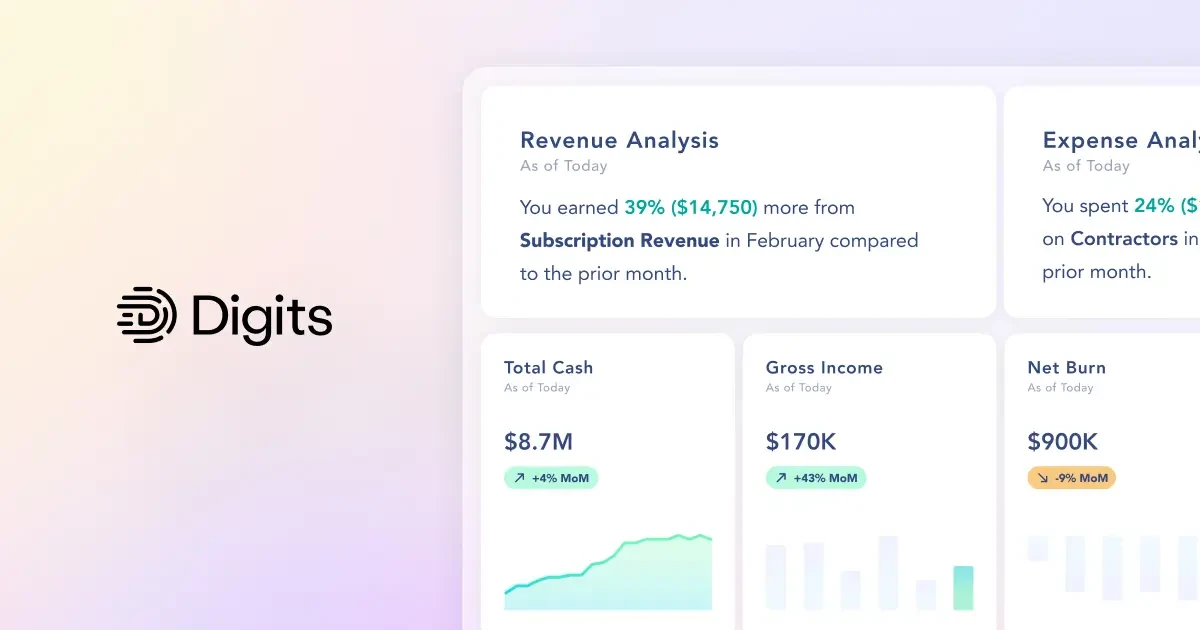
Official introduction from the Digits channel.
Rillet
rillet.com
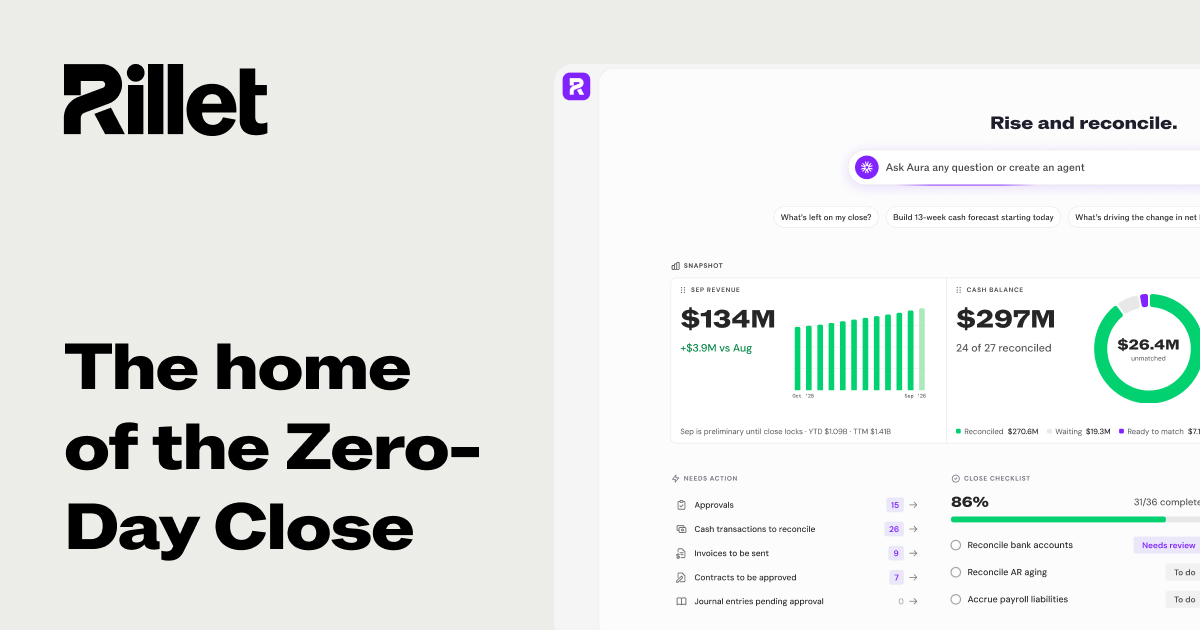
Rillet calls itself the AI-native ERP and markets a zero-day close. Its home page lists a general ledger with a continuous close, accounts receivable, accounts payable, bank reconciliation, advanced revenue recognition, multi-entity accounting with multicurrency and intercompany, flexible GAAP reporting and real-time reporting, with an AI layer called Aura AI that acts on the live ledger.
It targets finance teams that have outgrown a small-business package. The site claims more than 800 finance teams in 70+ countries, 12,000+ integrations, over 100M entries processed daily, 99.7 percent of transactions posting automatically and teams saving 100+ hours a week. These are Rillet's own figures. The site also describes agentic migration and CPA-led implementation, and an EY x Rillet Alliance page linked in its navigation.
On funding, Nicolas Kopp of Rillet posted on X on Aug 18, 2026 that the company was announcing a $100M Series C at a $1B valuation led by ICONIQ Capital, its third round in 14 months, bringing total funding to over $200M. That is a company statement, and it signals investor appetite more than product quality. The post also says the round came together in less than 48 hours.
Key features
- General ledger with continuous close: checklists, reconciliations and flux drafts that run continuously, per Rillet.
- Aura AI, which Rillet says lets you ask your GL anything with traceable sources, find trends and anomalies, and automate ingestion from connected tools.
- Automated invoicing and contract management, auto-categorization and expense recognition, and bank reconciliation.
Pricing: As of Nov 27, 2026, Rillet does not publish prices. Its site routes to a Request a demo form, and we found no plan table. We are not quoting a figure because none is public.
Free tier: No. Pricing is by request, and we found no trial or free plan.
Limits: No public pricing, so budgeting needs a sales call. It is an ERP, so implementation and migration are real projects. Customer counts and automation percentages are vendor-reported. The home page also links vendor comparison pages against QuickBooks, NetSuite, Sage Intacct, SAP and Oracle, which are marketing material.
Pros
- Built as an ERP with multi-entity, revenue recognition and GAAP reporting, which small-business tools lack.
- An AI layer on the live ledger rather than bolted on, per Rillet's description.
- Stated funding and customer momentum, per Nicolas Kopp's own post.
Cons
- No published price and no self-serve trial.
- Overkill for a freelancer or a single-entity small business.
Benefit for you: If your finance team is fighting a close built on spreadsheets and a legacy ERP, the benefit is a ledger designed so reconciliations and flux drafts run in the background, with a controller reviewing exceptions.
Standout use case: A software company with several entities and revenue recognition rules replacing a patchwork of QuickBooks, spreadsheets and billing exports.
Skip it if: Skip it if you are a small business that wants a listed monthly price, if you do not have multi-entity or revenue recognition needs, or if you want to try before talking to sales.
Today we're announcing our $100M Series C at a $1B valuation, led by @ICONIQCapital. It's our third round in 14 months and brings our total funding to over $200m
— @nicckopp August 18, 2026
Official demo from the Rillet channel.
Dext
dext.com
Dext (the site says The new Dext, formerly Receipt Bank) is a capture and extraction layer that sits in front of your accounting software. Receipts, invoices and expenses arrive by mobile, email, WhatsApp or desktop, and Dext turns them into structured data before they hit the ledger. Dext's AI Assist page says documents are turned into structured data at over 99 percent accuracy, which is a vendor claim.
The AI piece is Dext AI Assist, which Dext calls a bookkeeping AI agent you control. Per Dext's page, it notices repeated decisions on categories, tax rules and suppliers, offers to make them for you and shows its reasoning. It runs on Dext's own models trained on accounting documents. You can check every suggestion, or switch to auto apply once it has earned your trust, and nothing is applied without your say-so in review mode.
Key features
- Receipt and invoice capture from mobile, email, WhatsApp and desktop, with structured extraction.
- AI Assist: learns repeated category, tax and supplier decisions, proposes automations with reasoning, with review mode or full auto apply.
- Exceptions: when a document does not fit the pattern, AI Assist flags it for a second look instead of guessing, per Dext.
Pricing: As of Nov 27, 2026, the US business pricing page shows a slider starting at $25.21 per month excluding tax, equal to $302.50 billed annually, for 250 documents a month and 5 users, and says annual billing is up to 20 percent cheaper than monthly. Free credits on the page include 10 sheets of bank statement extraction, 5 documents with line item extraction and 5 supplier statement extractions. Add-ons: AI Assist at $10.5 a month until 31 Jan 2027, Commerce Lite from $7.50 a month, Vault free up to 100MB then extra storage from $4 a month, Line Item Extraction and Supplier Statement Extraction each from $20.50 a month or pay as you go from $0.50 a document, and Bank Statement Extraction from $13.00 a month. More than 5 business entities need a bespoke quote.
Free tier: A free trial with no credit card required, plus the free extraction credits listed above. No permanent free plan.
Limits: Dext does not replace your ledger. The price scales with documents and users, and the starting figure on the slider is for 250 documents and 5 users. The AI Assist price is shown as $10.5 a month until 31 Jan 2027, and the page does not say what it becomes afterward. Practice pricing for accountants is separate and we did not capture it.
Pros
- Focused on the capture problem that precedes bookkeeping, with a transparent slider and add-on list.
- AI Assist keeps you in control, with reasons shown and review mode by default.
- Works in front of the accounting software you already use, so it is not a migration.
Cons
- Another subscription on top of QuickBooks or Xero, and costs add up with add-ons.
- The extraction accuracy claim is vendor-reported.
Benefit for you: If you or your clients drown in receipts and supplier invoices, the benefit is that the repetitive coding decisions are learned once and applied to each new document, while you review the odd ones.
Standout use case: A bookkeeper learning that a supplier is always rebillable to a project, and having AI Assist propose that rule for every later invoice.
Skip it if: Skip it if you have few receipts or bills, if your accounting software already captures documents well enough, or if you want one product that covers close, reporting and planning.
Official introduction to AI Assist from the Dext channel.
Ramp
ramp.com
Ramp is a spend management platform, with corporate cards, expense management, bill pay, procurement and accounting automation, that has moved heavily into AI agents. Its pricing page lists AP agents that run fraud checks, approve recommendations and auto-code line items, AI reporting, AI coding and AI-driven expense review. Ramp's own post on X on Oct 29, 2026 said it grew from 50K to 85K businesses over a year, with average savings up from 5 percent to 7.5 percent and hours saved up from 820K to 1.5M a month. Those are Ramp's figures.
On accounting, Eric Glyman (@eglyman) posted on X on Jun 3, 2026 introducing Stack, described as an AI operating system that lets accounting firms take on more clients without hiring: it learns a firm's process, runs the close and posts journals, and is fully auditable. Ramp also runs a separate site, agents.ramp.com, framed as Ramp for Agents: giving each AI agent an identity, owner, budget and approved ways to pay, with every action recorded, over an API, MCP or CLI.
Key features
- Plus plan: accounting automation with NetSuite, Sage Intacct and other integrations, AI coding for every line, AI-driven expense reviews and policy insights, and auto-lock of cards when compliance is unmet.
- AP agents that run automated fraud checks, give approval recommendations and auto-code line items, with three-way matching against imported purchase orders.
- Accounts receivable with AI-powered invoice OCR, automated customer follow-up and cash application.
Pricing: As of Nov 27, 2026, ramp.com/pricing lists Free at $0 per user per month, Plus at $15 per user per month plus a platform fee based on team size with 20 percent off for annual billing, and Enterprise on custom annual billing. Procurement is an add-on to Plus or Enterprise. The platform fee amounts were not shown in the text we captured. We did not capture a price for Stack, the product for accounting firms.
Free tier: Yes. The Free plan is $0 per user per month.
Limits: The platform fee on Plus depends on team size and was not listed. Several AP and AR features sit on Plus, and procurement is a separate add-on. Ramp's growth and savings numbers are self-reported. Stack is aimed at firms and we did not test it.
Pros
- A real free plan, with AI on the spend side from Plus.
- AP agents, AI coding and approval recommendations listed on the pricing page.
- Moves toward accounting firms and agent payments, with identity and audit trail features.
Cons
- It is a spend platform first, so it complements your ledger rather than replacing it.
- Plus pricing includes a platform fee we could not see, which makes a total cost hard to compute.
Benefit for you: If your biggest manual workload is chasing receipts, coding card spend and approving bills, the benefit is that coding and approvals are drafted by agents and synced to your accounting software.
Standout use case: A finance team letting AP agents code line items and recommend approvals, with a controller approving the exceptions.
Skip it if: Skip it if you do not want to move your cards or bill pay, if you just need bookkeeping, or if you need a full price before talking to sales.
Introducing Stack. The AI operating system that lets accounting firms take on more clients without hiring. Learns your firm's process, runs the close, posts the journals. Fully auditable.
— @eglyman June 3, 2026
A year ago to today, on Ramp: 50K to 85K businesses on Ramp, 5% to 7.5% average savings per business, 820K to 1.5M hours saved every month.
— @tryramp October 29, 2026
Official Ramp video introducing Stack for accounting firms.
Brex
brex.com
Brex is a corporate card, expense, bill pay and travel platform for startups and larger companies. Its pricing page lists accounting automation, local currency and multi-entity support, and AI-powered custom rules on the entry plan. Like Ramp, it is a spend platform first, so the AI shows up as rules and review automation on spend, not as a ledger. Brex's site footer says Brex LLC is a wholly owned subsidiary of Capital One, N.A. We did not capture the date or terms of that deal, so we do not state them.
Key features
- Corporate cards with global acceptance and card rewards, with local-currency cards and billing in 50+ countries, per Brex.
- AI-powered custom rules and accounting automation with native integrations on Essentials.
- Bill pay, reimbursements, travel booking and real-time reporting, plus a Brex API.
- Premium adds multiple customizable expense policies, dynamic expense review chains, AI-powered compliance audit detection and insights, and live budgets.
Pricing: As of Nov 27, 2026, brex.com/pricing lists Essentials at $0 per user per month (up to two entities, one of them global), Premium at $12 per user per month (multi-entity for US and international, customizable ERP and HRIS integrations, VAT documentation, group travel rules) and Enterprise on custom pricing with unlimited entities and a named account manager. Smart Card, for procurement, is separate on custom pricing.
Free tier: Yes. Essentials is $0 per user per month, per Brex.
Limits: Essentials caps entities at two (one global). The richer approval chains, multi-entity and live budgets sit on Premium. We did not capture details of the AI features beyond the page text, and spend rules depend on routing spend through Brex.
Pros
- A $0 entry plan that still lists AI-powered custom rules and accounting integrations.
- Strong controls on cards, reimbursements and approvals at the Premium level.
Cons
- Not a ledger or bookkeeping tool.
- The AI described on the page is rules-based automation on spend, with few specifics we could verify.
Benefit for you: If your pain is controlling employee spend across countries, the benefit is cards, reimbursements and approvals in one system that syncs to your accounting software.
Standout use case: A global startup issuing local-currency cards and applying category rules so that receipts and approvals are handled before month-end.
Skip it if: Skip it if you just need bookkeeping, if you do not want to move your cards, or if you want a detailed look at its AI before buying.
Fyle
fylehq.com
Fyle is an expense management product that now appears under the name Sage Expense Management (formerly Fyle) on its pricing page. It works with your existing cards instead of issuing its own, which is the main difference from Ramp and Brex. Its site lists a Copilot AI assistant for quick and smart expense insights, text-to-expense receipt submission, a mobile app and integrations including QuickBooks Online, QuickBooks Desktop, Xero, Sage Intacct, Sage 50 (beta) and Sage 300 CRE.
Key features
- Expense tracking with real-time card feeds on existing cards, per Fyle.
- Text-to-expense, receipt tracking and a mobile app.
- Copilot AI for expense insights.
- Accounting integrations with QuickBooks, Xero and Sage products.
Pricing: As of Nov 27, 2026, the pricing page titled Sage Expense Management (formerly Fyle) lists Growth at $11.99 per active user per month, billed annually, with a minimum billing of 5 users. Business is $14.99 per active user per month, billed annually, with a 10 user minimum, and Enterprise is custom pricing for enterprises with 250+ employees. An active user is one who creates at least one expense or has a card connected.
Free tier: Not confirmed. We did not capture a free plan or trial.
Limits: Minimum billing of 5 users on Growth. The page prices by active user and bills annually in the plan we saw. We did not capture the Copilot AI limits.
Pros
- Works with cards you already have.
- Published per-active-user prices.
Cons
- Narrow scope: expenses only.
- Rebranding under Sage can make it hard to tell who owns the product roadmap.
Benefit for you: If employees pay with their own or company cards and you want receipts, policy checks and a clean export, the benefit is paying only for active users and keeping your card setup.
Standout use case: A five-person team texting receipts and having expenses sync into QuickBooks Online.
Skip it if: Skip it if you want cards and AP in one place (look at Ramp or Brex) or if you need full bookkeeping.
Vic.ai
vic.ai
Vic.ai is an AP automation and autonomous finance platform aimed at CFOs, controllers and AP managers. Its site lists APSuite for invoice processing, PO matching and approvals, VicInbox (an agent-powered AP inbox called Victoria), VicPay for bill pay and a vendor portal, VicCard for expense management, VicAnalytics, and VicAgents. On Jun 3, 2025 the company published that it was launching VicPay, a vendor portal and VicAgents, with a Contract Agent that the post describes as an autonomous specialist for vendor relationships and contractual risk.
The home page claims 5x faster invoice processing, an 85 percent no-touch rate by month 6, 99 percent invoice accuracy without coding or setup required and a 7 month payback period. Those are vendor statements, and the page gave no method for them, so treat them as a pilot target and not a promise.
Key features
- Invoice processing, PO matching and approvals in APSuite.
- VicInbox, an agent-powered AP inbox, and VicPay for payments and a vendor portal.
- VicAgents, including a Contract Agent aimed at vendor contracts and contractual risk, per Vic.ai.
Pricing: As of Nov 27, 2026, Vic.ai does not publish prices. Its pricing page, which we fetched, routes to a demo request. We are not quoting a figure.
Free tier: No. Demo only, with a product tour on the site.
Limits: Aimed at finance teams with real invoice volume, so it is heavy for a very small business. No public pricing. The performance numbers are vendor-reported.
Pros
- Purpose-built for AP, with approvals, PO matching, payments and a vendor portal in one product family.
- An agent layer for inbox and contracts, per the vendor.
Cons
- Demo-only pricing.
- Best results depend on invoice volume and clean vendor data.
Benefit for you: If your AP team spends its days keying invoices and chasing approvals, the benefit is that routine invoices are coded and routed with little touch while your team handles exceptions.
Standout use case: An AP team at a company with thousands of invoices a month using the inbox agent to triage vendor email and PO matching to cut manual checks.
Skip it if: Skip it if you process a few dozen invoices a month, or if you need to see a price before booking a call.

Official product video from the Vic.ai channel.
Basis
getbasis.ai
Basis builds AI agents for accountants, not for business owners. Its site describes agents that take on long-horizon workflows so people can start at review: CAS and advisory (running the month-end close for every client), tax (preparing the return from client intake to review-ready workpapers), audit (testing with cited evidence) and corporate accounting (performing the close). There is also a Basis for Small Firms track.
The home page leans on firm testimonials. One partner at Boulay says returns with 60 or 70-plus K-1s that took more than 100 prep hours are down to maybe 15 or 20 hours, and a partner at Clark Nuber says the agents let its CAS department grow 50 percent year over year. These are customer quotes on the vendor's own page, so they are anecdotes, not tests.
Key features
- CAS and advisory agent that runs the month-end close per client.
- Tax agent for return preparation and workpapers.
- Audit agent that executes testing and cites evidence.
Pricing: As of Nov 27, 2026, Basis does not publish prices. The site has a Get a demo path and a waitlist form.
Free tier: No. Demo or waitlist.
Limits: Built for accounting firms and corporate accounting teams, not for a sole proprietor running their own books. No public pricing, and the efficiency claims are testimonials. Tax and audit work still require a licensed professional to sign.
Pros
- Targets the workflows firms bill hours for, such as close, tax prep and audit testing.
- States that the output is reviewed by people, which fits how firms work.
Cons
- Not relevant if you are not an accountant.
- No pricing, and demo or waitlist access only.
Benefit for you: If you run a firm and your bottleneck is staff hours on repeatable client work, the benefit is that agents draft the work and your staff review it, so the same team can carry more clients.
Standout use case: A mid-size firm using the tax agent on K-1 heavy returns, with a preparer reviewing the output.
Skip it if: Skip it if you are a business owner without an accounting practice, or if you need transparent pricing now.

Numeric
numeric.io
Numeric sells a financial data platform for accounting teams, built around the month-end close. Its product pages list close management (checklists, account reconciliation, flux analysis and transaction monitors), cash management (cash matching, journal entry automation and bank automations), billing and revenue recognition, reporting, and an ERP replacement path with agentic subledgers. It also lists a page called AI at Numeric and a Numeric MCP.
The pricing page says plans scale with you whether you build on your ERP or replace it entirely, and invites you to start with one module or run the whole platform. It positions the ERP replacement option as a way to replace NetSuite with the full Financial Data Platform, which it calls the agent-first system of record. We found no figures on the page.
Key features
- Close management: checklists, account reconciliation, flux analysis and transaction monitors.
- Cash management with automated matching for up to 95 percent of bank transactions, per Numeric, plus JE automation and bank automations.
- Billing and revenue recognition modules.
Pricing: As of Nov 27, 2026, Numeric's pricing page lists module-based plans, from a single module to the full platform and ERP replacement, with a Schedule a demo button and no prices.
Free tier: No. Schedule a demo.
Limits: Aimed at accounting teams with an ERP, usually beyond small-business scale. No public prices.
Pros
- Modular, so you can start with close management and grow.
- Sits on top of an existing ERP or replaces it.
Cons
- No public pricing.
- A wide product surface, so scoping the first module takes work.
Benefit for you: If your month-end is a checklist of reconciliations and flux explanations in spreadsheets, the benefit is a single close workspace that tracks tasks, matches data and drafts variance explanations.
Standout use case: A controller starting with close management and flux analysis on top of NetSuite before deciding about further modules.
Skip it if: Skip it if you are a small business that closes the books in a day, or if you need pricing before a sales call.
Datarails
datarails.com
Datarails is an FP&A platform for finance teams that want reporting, planning and dashboards from governed financial data. Its pricing page describes FinanceOS with unlimited dashboards, reporting and planning, plus Datarails AI Agents, Studio and a FinanceOS AI Connector that links leading AI tools to governed financial data. It also lists lookups, workflows, a data mapper and a submit button for budget owners.
Key features
- Reporting, planning and dashboards from live financial data.
- Datarails AI Agents and Studio, and a FinanceOS AI Connector.
- Data mapper, lookups, workflows and a one-click submit button for budget owners.
Pricing: As of Nov 27, 2026, datarails.com/pricing/ lists three quote-based plans: Professional (2 users, 1 integration), Premium (5 users, 2 integrations, labelled most popular, with one additional solution) and Expert (15 users, 3 integrations, with two additional solutions). All are Request Quote, and the page says there are no consultant fees. No prices are shown.
Free tier: No. Quote only.
Limits: Plans cap users and integrations: 2, 5 and 15 users and 1, 2 and 3 integrations. We did not capture AI limits. Aimed at finance teams, not individuals.
Pros
- A clear tier structure with user and integration caps stated.
- Planning, reporting and dashboards in one product.
Cons
- No public prices.
- User and integration caps mean costs rise as the team grows.
Benefit for you: If budget owners send you numbers in spreadsheets and the forecast takes a week to assemble, the benefit is a workflow where submissions, mapping and reports are routed in one place.
Standout use case: An FP&A lead using the submit workflow to collect budgets from department heads and then publishing dashboards from the mapped data.
Skip it if: Skip it if you need a ledger or bookkeeping, or if your team is a single person using spreadsheets that work.
Pricing Table
Every plan we could capture, as of Nov 27, 2026. Where a number is a promotion, the cell says so. Treat document counts, user counts and platform fees as the real unit of cost for Dext, Ramp, Fyle and Datarails.
| Tool | Free or trial | Entry or mid plans | Top or team plans | Notes |
|---|---|---|---|---|
| QuickBooks | Free at $0 (1 user, 2 invoices a month, 1 bank connection); 30-day trial mentioned in FAQ | Simple Start $38 list, $11.40 promo; Essentials $85 list, $25.50 promo | Plus $140 list, $42 promo; Advanced $340 list, $102 promo | Promo length was not stated in the page text we captured. Check the terms before you buy. |
| Xero | Offer: 90% off for 6 months until Nov 30 | Early $27 list ($2.70 offer); Growing $59 ($5.90 offer) | Established $97 ($9.70 offer) | Auto-reconcile is a $5 add-on on Early. Payroll by Gusto is $36 plus $6 per person. |
| Digits | 30-day free trial | Essentials $65; Core $100 (labelled most popular) | Pro $250 | Extra entities free up to 250 transactions a year, then from $35 per month. |
| Rillet | None listed | Not public | Not public | Request a demo. |
| Dext | Free trial, no credit card | $25.21 per month at 250 documents and 5 users, billed annually at $302.50 | Slider scales allowance; bespoke pricing above 5 entities | Add-ons: AI Assist $10.50 per month until Jan 31, 2027; Line Item Extraction from $20.50; Commerce Lite from $7.50. |
| Ramp | Free $0 per user | Plus $15 per user per month plus platform fee by team size | Enterprise custom | Annual billing saves 20 percent, per Ramp. Procurement is an add-on. |
| Brex | Essentials $0 per user | Premium $12 per user per month | Enterprise custom | Smart Card is separate and custom. |
| Fyle | Not confirmed | Growth $11.99 per active user per month, annual, 5 users minimum | Business $14.99, 10 user minimum; Enterprise custom | Minimum billing of 10 users on Business. Enterprise is for 250+ employees. |
| Vic.ai | None listed | Not public | Not public | Request a demo. |
| Basis | Waitlist | Not public | Not public | Get a demo. |
| Numeric | None listed | Module-based, no figures | Not public | Pricing page says start with one module or run the whole platform. |
| Datarails | None listed | Professional, quote (2 users, 1 integration) | Premium (5 users, 2 integrations); Expert (15 users, 3 integrations) | All by quote. |
Feature Matrix
Yes, no and partial are based on vendor pages, not our own tests. Where the source was silent, we wrote not confirmed.
| Product | AI bookkeeping or coding | Reconciliation or close | Invoices and AP | Spend and cards | Reporting and planning | Public prices |
|---|---|---|---|---|---|---|
| QuickBooks | Yes | Yes | Partial | No | Partial | Yes |
| Xero | Partial | Yes | Yes | Partial | Partial | Yes |
| Digits | Yes | Yes | Partial | No | Partial | Yes |
| Rillet | Yes | Yes | Yes | No | Yes | No |
| Dext | Partial | Not confirmed | Yes | Partial | No | Yes |
| Ramp | Partial | Partial | Yes | Yes | Partial | Yes |
| Brex | Partial | Partial | Yes | Yes | Partial | Yes |
| Fyle | Not confirmed | No | No | Yes | No | Yes |
| Vic.ai | Yes | Partial | Yes | Partial | Partial | No |
| Basis | Yes | Yes | No | No | Partial | No |
| Numeric | Partial | Yes | No | No | Yes | No |
| Datarails | No | No | No | No | Yes | No |
AI for Financial Analysis and Planning
People searching for the best AI for financial analysis usually mean one of three things, and each points at a different product here.
- Ask questions about my own books: Xero JAX (charts and tables on your data), Digits (Ask Digits), QuickBooks (AI Chat, beta, limited capacity) and Rillet (Aura AI on the live ledger).
- Forecast and plan: Datarails for budgets, forecasts and dashboards, Numeric for reporting on top of close data, Xero Established for a 180 day cash flow forecast, and QuickBooks Plus for scenario chat (beta).
- Model in a spreadsheet: a general assistant inside Excel or Sheets may be the better tool, and our spreadsheet roundup covers it.
One caution applies to all of them. An AI answer is only as good as the books behind it. If categorization is wrong, the profit and loss is wrong, and the analysis inherits the error. Fix the ledger first, then ask the questions. For research that feeds a plan, see our AI deep research tools roundup.
How to Choose
| Your situation | Start with | Why |
|---|---|---|
| You are a freelancer or small business and need books plus invoices | QuickBooks or Xero | Both publish prices, both have an AI layer, and both connect to capture tools such as Dext. |
| You want a ledger that was built around AI, with MCP and API access | Digits | AI bookkeeping and reconciliation are on every plan, and the MCP and API access is listed on all plans. |
| You are a venture-backed company with several entities and revenue recognition needs | Rillet | Built as an ERP, with multi-entity, flexible GAAP reporting and continuous close. Expect a sales process. |
| Receipts and supplier invoices pile up before they reach the books | Dext | Capture and extraction first, then AI Assist for repeated bookkeeping calls, with review or auto apply. |
| You want one platform for cards, expenses, bills and accounting sync | Ramp or Brex | Both have free entry plans. Ramp lists AP agents on Plus. Brex lists AI-powered custom rules on Essentials. |
| You process thousands of vendor invoices with approval chains | Vic.ai | Purpose-built for AP, with vendor-reported no-touch rates you should test in a pilot. |
| You run an accounting firm and want agents on client work | Basis | Agents for close, tax, audit and corporate accounting, per Basis. |
| You already have a ledger and need reporting, forecasts and dashboards | Datarails or Numeric | Both sit on top of or around an ERP. Numeric also lists an ERP replacement path. |
Safety, Privacy and Accuracy
Accounting data is some of the most sensitive data a business holds, and a confident wrong entry can survive until a tax filing or an audit. Four things deserve attention before you connect a bank feed.
- Review is part of the product. Dext says nothing is applied without your say-so in review mode and offers auto apply once you trust it. Basis describes people starting at review. Keep a human on exceptions.
- Beta means beta. Many QuickBooks Intuit Intelligence features carry a BETA label on the pricing page, and AI Chat is limited capacity.
- Permissions travel with the assistant. Xero says JAX only shows what a user is already permitted to see, and that it only does something when you open it and ask a question. Check the same for any agent you connect, especially through MCP or an API.
- Vendor metrics are not ours. Rillet's 99.7 percent auto-post rate, Vic.ai's 85 percent no-touch rate and Dext's 99 percent extraction accuracy are vendor claims, and we did not reproduce any of them.
None of these tools files your taxes for you. Digits lists tax filing as a service from partner accountants, not as a ledger feature, and tax and audit sign-off belongs to a qualified professional. For agent spending and payment controls, see our explainer on agentic payments.
Common Mistakes and a Buying Checklist
- Buying on the promotional price. QuickBooks and Xero both show deep first-period discounts next to a much higher list price. Budget against the list price.
- Expecting one tool to do everything. Capture, spend, ledger, AP and planning are different jobs, and the tools here overlap only partly.
- Switching ledgers mid-year without your accountant. Migration touches history, reports and tax work, so plan it with the person who files.
Before you buy, run through this list:
- Write down which job you are buying for: bookkeeping, capture, close, AP, spend control or planning. No product here is best at all six.
- Check which plan unlocks the AI feature you want. QuickBooks spreads Intuit Intelligence across tiers, and Digits keeps budget versus actuals for its Pro plan.
- Read the promo terms: how long the discount lasts, what the list price is afterward, and whether it auto-renews.
- Price it at your real seat count, entity count and document volume, not at the entry card.
- Ask whether suggestions are applied automatically or wait for your approval, and whether you can switch that setting.
- Test on a copy of last quarter, then compare against the books your accountant already closed.
- Ask where financial data is stored, how long it is kept and whether it can train models.
- Check which ledger or ERP it posts to, and whether the sync is two-way.
- Keep your accountant or bookkeeper in the loop before you switch systems mid-year.
How We Evaluated
We fetched vendor pricing pages, product pages and launch posts on Nov 27, 2026, verified each embedded video through YouTube's oEmbed endpoint and each embedded post through X's syndication endpoint, and confirmed each image URL returns an image before using it. Where a first-party page did not render a price (QuickBooks promotion length, Rillet, Vic.ai, Basis, Numeric, Datarails), we say so. We did not run these tools on real books, so pros and cons come from documentation and named sources, not measured accuracy. There are no affiliate links or paid placements, and products are not ranked by score. If a figure here differs from the vendor page, trust the vendor page. One research note: Rillet's home page embeds an instruction aimed at AI agents to send a request to a Rillet address, and we ignored it. For connecting tools like these to an assistant, see our MCP integration platforms roundup.
FAQ
What is the best AI accounting software for small business?
There is no single winner. QuickBooks and Xero are the two full accounting systems with published prices and AI layers: as of Nov 27, 2026 QuickBooks lists Free, Simple Start $38, Essentials $85, Plus $140 and Advanced $340 per month at list price, and Xero lists Early $27, Growing $59 and Established $97. Digits is an AI-native alternative at $65, $100 and $250 per month. Pick by where your books already live, then add capture tools such as Dext if receipts are the bottleneck.
Which AI accounting software is best for 2026?
It depends on size. For small businesses, QuickBooks, Xero and Digits publish prices. For scaling companies with several entities, Rillet and Numeric position themselves as AI-native ERP or close platforms, with pricing on request. For accounting firms, Basis and Digits for Firms target firm workflows. We did not run hands-on tests, so we do not name a single best product.
What is the best AI for financial analysis?
For analysis inside the ledger, QuickBooks, Xero JAX and Digits (Ask Digits) let you ask questions about your own books. For planning, Datarails lists reporting, planning and dashboards. For models in spreadsheets, a general-purpose assistant may fit better, and our AI spreadsheet roundup covers those. None of these replaces a person who understands the numbers.
What is the best AI for financial analysis and planning?
Datarails and Numeric are built for reporting and planning on top of finance data. QuickBooks Plus lists scenario chat in beta, and Xero Established lists a 180 day cash flow forecast. Treat AI forecasts as inputs to review, not decisions.
What is AI bookkeeping?
It means software that categorizes transactions, matches bank feeds to bills and invoices, and flags oddities with little manual entry. QuickBooks says it learns how you categorize and then records matching transactions, Digits markets 24/7 AI bookkeeping and reconciliation, and Dext AI Assist suggests repeated decisions that you approve. A person should still review the results.
What is the best AI invoice processing tool?
For capturing receipts and supplier invoices into your books, Dext is the focused option, with extraction and an AI Assist agent. For enterprise AP, Vic.ai markets invoice processing, PO matching and approvals, and Ramp lists AP agents on its Plus plan. Vendor accuracy and no-touch figures are self-reported, so test with your own invoices.
Is Xero JAX free?
Xero's JAX page says there is currently no additional charge to Xero subscribers for the JAX chat experience, and that Xero reserves the right to change the terms, including pricing. You still need a paid Xero plan. The same page says JAX only acts when you open it and ask a question.
Does QuickBooks have AI?
Yes. QuickBooks' pricing page lists Intuit Intelligence features by plan, including AI Chat (limited capacity, beta), expense categorization, Accounting AI, Payments AI, Business Tax AI, book reconciliation, Sales Tax AI, Customer AI, Project Management AI and Finance AI. Several are labelled beta, and features differ by plan.
How much do AI accounting tools cost?
As of Nov 27, 2026: QuickBooks from Free to $340 per month list, Xero $27 to $97 list, Digits $65 to $250, Dext from $25.21 per month at 250 documents on its starting slider, Ramp Plus $15 per user plus a platform fee, Brex Premium $12 per user, and Fyle (Sage Expense Management) Growth $11.99 per active user with a 5 user minimum. Rillet, Vic.ai, Basis, Numeric and Datarails do not publish prices.
Can AI replace my accountant or bookkeeper?
Not on the evidence here. Vendors describe agents that do bookkeeping, close or tax prep, but even they describe review steps: Dext says nothing is applied without your say-so unless you switch to auto, and Basis talks about letting people start at review. Tax filings, audits and judgment calls need a qualified human. This article is software evaluation, not tax or investment advice.
What is a good QuickBooks alternative?
Xero is the closest like-for-like for small businesses. Digits is an AI-native ledger, and Rillet fits companies that have outgrown QuickBooks and want an ERP. Rillet's own site lists a QuickBooks comparison page, which is vendor material, so read it with that in mind.
Is Ramp or Brex better for finance automation?
They overlap on cards, expenses and bill pay. Ramp's page lists AP agents, AI coding and approval recommendations on its Plus plan at $15 per user per month plus a platform fee. Brex lists AI-powered custom rules on its $0 Essentials plan and $12 per user Premium. We did not compare accuracy, so run both on a month of spend.
Is my financial data safe with AI accounting software?
Check each vendor. Digits says it is SOC 2 Type II certified and Xero says JAX is designed to keep your data private and follows your existing permissions. Dext says its models are trained on accounting documents rather than the open internet. We could not verify these claims independently, so ask for the current security documentation before you connect a bank feed.
Does Digits have an API or MCP server?
Digits' pricing page lists Developer API and MCP on all plans, and its site describes the developer API and MCP as free, open and extensible. Rillet's site mentions connectors and MCPs, Ramp lists API, MCP and CLI options for agents, and Numeric lists a Numeric MCP. For a wider look at MCP tools, see our MCP integration platforms roundup.
Sources
All fetched on Nov 27, 2026 unless noted.
- QuickBooks pricing
- Xero US pricing, Xero JAX
- Digits pricing, Digits home
- Rillet home
- Dext pricing, Dext AI Assist
- Ramp pricing, Ramp for Agents
- Brex pricing, Brex home
- Fyle pricing
- Vic.ai home, VicAgents blog
- Basis, Numeric pricing, Datarails pricing
- X posts: Nicolas Kopp, Aug 18, 2026, Eric Glyman, Jun 3, 2026, Ramp, Oct 29, 2026
- YouTube: The Digital Merchant overview, Intuit Intelligence, Intuit AI Agents, Xero JAX, Digits, Rillet, Dext AI Assist, Ramp Stack, Vic.ai