Get the latest on AI, LLMs & developer tools
New MCP servers, model updates, and guides like this one — delivered weekly.
Who Wins for What
You want an AI that works on spreadsheets instead of just talking about them. If you live in desktop Excel and already pay for Microsoft 365 Copilot, Excel Copilot Agent Mode is the lowest-friction choice. If you prefer Claude, Claude for Excel is generally available on paid Claude plans and adds cell-level citations. If your team works in Google Sheets, Gemini in Sheets is the native option. ChatGPT covers both Excel and Sheets and has a free plan with limited usage, and Julius is the pick when you start from exported files or a warehouse rather than an open workbook. The rest, from Rows to Coefficient, solve narrower problems.
Two questions decide most choices in late 2026. First, where does the file live: Excel on desktop, Excel on the web, Google Sheets, or a CSV export? Second, which AI subscription do you already pay for? We did not run hands-on tests, so everything here is sourced and dated Nov 26, 2026.
A third-party tutorial by Kevin Stratvert. We did not verify everything it says, so use it to watch the add-in in action, not for pricing.
Quick Picks
| Need | Pick | Why |
|---|---|---|
| Best if your files live in Excel and you want Claude | Claude for Excel | Add-in with cell-level citations, formula-safe edits and pivot support, generally available on Pro, Max, Team and Enterprise. Not for Free plans. |
| Best if you already pay for Microsoft 365 Copilot | Excel Copilot Agent Mode | Built into Excel with edit, plan and chat modes. Business Standard with Copilot is $23.50 per user per month, paid yearly. |
| Best if your team works in Google Sheets | Gemini in Sheets | Side panel, AI function and BigQuery analysis. Needs an eligible Workspace edition or Google AI plan. |
| Best if you want one assistant for chat, Excel and Sheets | ChatGPT | Excel add-in (GA May 5, 2026), a Sheets version, and Python-based data analysis for uploaded files. Free plan has limited usage. |
| Best for analysis from uploaded files with charts and slides | Julius AI | Workspace that analyzes files and databases and can export decks. Free plan with daily credits; paid prices did not render for us. |
| Best Julius AI alternative that stays inside your workbook | Shortcut, Claude for Excel or ChatGPT | Shortcut has Excel and Sheets plugins and a Free plan. Claude for Excel and ChatGPT edit the open workbook. |
| Best AI-native spreadsheet to replace Excel | Rows or Quadratic | Rows starts at $0 and Quadratic's Personal plan is free. Both are their own spreadsheet, not an Excel add-in. |
| Best for pulling CRM and warehouse data into a sheet | Coefficient | Connectors for Salesforce, HubSpot and more, with a Free plan and paid tiers from $49 per month. |
| Best cheap AI formulas in Google Sheets | SheetAI or Numerous | Cell functions you call from a formula. SheetAI is free with your own API key; Numerous prices come from third parties. |
| Best when the spreadsheet is really a database | Airtable AI | Omni builds apps on your base. Team is $20 and Business $45 per user per month, billed annually. |
Master Comparison Table
Prices come from each vendor's pages as fetched on Nov 26, 2026, with the billing period given where the page gives one. Where a page would not load, the price comes from a named third party or is left out, and the product section says so.
| Tool | Pricing | Free plan | Where it runs | Standout |
|---|---|---|---|---|
 Claude for Excel | Included with paid Claude plans: Pro $17 per month billed annually or $20 monthly; Max and Ultra higher; Team and Enterprise by seat | No (Free plan excluded) | Excel add-in on Windows, Mac and web | Cell-level citations, formula-safe edits, S&P Global, LSEG and Daloopa connectors |
 Excel Copilot Agent Mode | Business Standard with Copilot $23.50, Business Premium with Copilot $32.00 per user per month, paid yearly | No (needs an eligible Microsoft plan) | Native in Excel on Windows, Mac, web, iPad, iPhone, Android | Edit, plan and chat modes, skills, web search, model switcher |
 Gemini in Sheets | Included with eligible Workspace editions or Google AI plans (AI Plus $4.99, AI Pro $19.99 per month) | No (needs an eligible plan) | Side panel inside Google Sheets | BigQuery analysis, Fill with Gemini, Sheets canvas |
 ChatGPT | Free; Go $8, Plus $20 per month; Pro $100, $200 or $500 per month; Business and Enterprise by seat | Yes (limited usage) | Excel and Sheets add-ins, plus file uploads | Python data analysis, web search, one assistant for everything |
 Julius AI | Free with daily credits; paid Business and Enterprise tiers, prices not shown in our capture | Yes (daily credits) | Web workspace for uploaded files, with Drive, OneDrive, SharePoint and database connectors | Charts, dashboards, slides and video from your data |
 Rows | Free $0; Plus $8 and Pro $79 plus $8 per user, per month (page shows a Monthly or Annually toggle) | Yes (5 AI tasks a month) | Rows spreadsheet | AI Tasks, PDF extraction, integrations |
 Shortcut | Free $0; Pro $100 per month billed annually; Teams $320 plus $100 per seat | Yes (20 weekly credits) | Excel plugin, Sheets plugin, web and desktop | Built for finance-style Excel work, SOC 2 Type II |
 Numerous | Third parties report Personal $8 to $19, Pro $24 to $39, per month; our capture showed no prices | Not confirmed | Google Sheets and Excel cell functions | Prompt in a cell, drag to fill |
 SheetAI | Free with your own API key; hosted from $12 per month; credit packs $29 to $299 | Yes (bring your own key) | Google Sheets add-on | =SHEETAI() with several model providers |
 Airtable AI | Team $20, Business $45 per user per month billed annually; AI credits apply | Not confirmed | Airtable bases | Omni app builder and Field Agents |
 Quadratic | Personal free; Pro $18, Business $36 per user per month billed annually | Yes (Personal plan) | Quadratic spreadsheet, XLSX import and export | Python, SQL and formulas in one grid |
 Coefficient | Free $0; Starter $49, Pro $99 per month; Enterprise custom | Yes (Free plan) | Sheets and Excel add-in | Live connectors from business systems, AI assistant |
Four Kinds of AI Spreadsheet Tool
The twelve products here are not one category. Knowing which kind you are shopping for removes half the comparison.
- Agents inside your spreadsheet app: Claude for Excel, Excel Copilot Agent Mode, Gemini in Sheets, ChatGPT and Shortcut. They read and edit the open workbook.
- Analysis workspaces: Julius, plus ChatGPT's file analysis. You upload data, they analyze it and produce charts and decks.
- AI-native spreadsheets and databases: Rows, Quadratic and Airtable AI. You move your data into their product.
- Cell functions and connectors: Numerous, SheetAI and Coefficient. Small formulas or data pipes rather than agents that plan edits.
The market moved fast in 2026: ChatGPT for Excel went generally available on May 5, Claude for Excel on May 7, Microsoft made agentic Copilot the default in Word, Excel and PowerPoint on Apr 22, and Google shipped BigQuery analysis for Sheets on Oct 19. For related roundups, see our AI presentation makers and AI deep research tools.
Claude for Excel vs Copilot Agent Mode
This is the head-to-head most readers search for. The table below sticks to what each vendor documents. We did not run the two against the same workbook, so we do not name a winner on output quality.
| Question | Claude for Excel | Excel Copilot Agent Mode |
|---|---|---|
| How do you get it? | Install the Claude for Microsoft 365 add-in from Microsoft AppSource and sign in with a paid Claude account | Select the Copilot icon in Excel if your Microsoft 365 license includes it |
| Which plans qualify? | Pro, Max, Team and Enterprise. The Free plan is excluded | Microsoft 365 Copilot, Microsoft 365 Premium, and Personal or Family with AI credits (announcement of Apr 22, 2026) |
| Where does it run? | Excel on the web, Windows build 16.0.13127.20296 or later, Mac 16.46 or later. Not iPad, Android, or Excel 2016 and 2019 | Windows, Mac and web in edit, chat and plan modes. iPad has chat and plan; iPhone and Android have chat (Microsoft support page) |
| Modes | Asks you to confirm risky operations, per Anthropic's docs | Edit (default), plan and chat |
| Pivot tables, validation, conditional formatting | Yes, listed in Anthropic's docs | Yes, listed on Microsoft's support page |
| Macros and VBA | Not supported, per Anthropic | Not confirmed on the page we read |
| Models | Claude | Model switcher with OpenAI and Anthropic models when your license allows it (Microsoft Tech Community, Jan 27, 2026) |
| External data | Connectors including S&P Global, LSEG and Daloopa | Web search with citations, plus workbooks from OneDrive or SharePoint |
| Known caveats | Not for final client deliverables without review. Prompt-injection risk on untrusted files. Some Windows users lost chat history and skills after the Sep and Oct 2026 Microsoft 365 updates | Calculation mode must be Automatic. Perpetual Office editions such as LTSC 2024 do not include Copilot (TechRepublic) |
In short: if your company already licenses Copilot, you get an agent without another vendor, and Microsoft documents more platforms. If you value Claude's citation links and can install an add-in, Claude for Excel is an option on a $17 to $20 Pro plan. Two creators posted same-file tests below. We did not verify their conclusions, and one workbook is a thin basis for a verdict, so run your own.
A third-party same-model test by Mike Dion. We did not verify its conclusions.
A second third-party comparison by Inbal Rodnay. We did not verify its conclusions either.
Claude for Excel
claude.com/claude-for-excel
Claude for Excel is an add-in that puts Claude in a sidebar inside Excel. Anthropic describes it as a way to ask questions about open workbooks, adjust assumptions while preserving formula relationships, debug errors and build or populate models without leaving Excel. Its support page lists it as generally available on Pro, Max, Team and Enterprise plans.
Anthropic announced a beta research preview on Oct 27, 2025, citing a Sonnet 4.5 score of 55.3 percent on the Vals AI Finance Agent benchmark, which is Anthropic's own reported figure. On May 7, 2026 the Claude account on X said Claude for Excel, PowerPoint and Word were generally available. Admin documentation also describes deployment through Bedrock, Vertex AI, Azure AI Foundry or an LLM gateway.
What sets it apart in Anthropic's documentation is traceability. Answers include cell-level citations you can click to jump to the referenced cell, edits keep formula relationships intact, and Claude asks you to confirm risky operations. Anthropic is direct about limits: no final client deliverables without human review, no audit-critical calculations without verification, and no regulated data without proper controls.
Key features
- Questions about the workbook with cell-level citations that link to the referenced cell.
- Assumption changes that keep formula relationships, such as flexing a discount rate and recomputing dependent cells.
- Model building and template population, including multi-tab workbooks.
- Connectors such as S&P Global, LSEG and Daloopa, and Skills that apply automatically while you work.
Pricing: As of Nov 26, 2026, there is no separate price for the add-in. It comes with paid Claude plans. Anthropic's pricing page lists Free $0 without Claude for Microsoft 365, Pro at $17 per month billed annually ($200 up front) or $20 monthly, Max at $100 and Ultra at $200 per month, plus Team for 2 to 150 seats and Enterprise. We could not capture the Team seat price, so check Anthropic's page.
Free tier: No. The Free Claude plan does not include Claude for Microsoft 365.
Limits: Windows needs Excel build 16.0.13127.20296 or later, Mac needs 16.46 or later, and Excel on the web is supported. It does not run on Excel 2016 or 2019 perpetual or volume licenses, Excel on iPad or Android, or older Microsoft 365 builds. Data tables, macros and VBA are not supported. Anthropic also warns that after the September and October 2026 Microsoft 365 updates on Windows, some users are missing chat history and uploaded skills.
Pros
- Cell-level citations make it easier to check where a number came from.
- Formula-preserving edits and confirmation prompts on risky operations reduce the risk of silent damage.
Cons
- Requires a paid Claude plan, with no free tier to test.
- No macros, VBA or data tables, and no support for older or mobile Excel.
- A documented prompt-injection risk on untrusted files.
Benefit for you: If you spend your day auditing or extending models that other people built, the benefit is that you can ask why a number is what it is and click straight to the cells behind the answer.
Standout use case: Inheriting a multi-tab model and asking Claude to walk through how the tabs tie together before you touch anything.
Skip it if: Skip it if you are on Excel 2019 or a perpetual license, if you rely on macros, or if you cannot spend a card on a paid Claude plan to try it.

Claude for Excel, PowerPoint, and Word are now generally available, and Claude for Outlook is in public beta. As Claude moves between your Microsoft apps, it carries the full context of your conversation.
— @claudeai May 7, 2026
Official video from the Claude channel showing one conversation carrying across Excel and PowerPoint.
Excel Copilot Agent Mode
microsoft.com/microsoft-365/excel
Agent Mode is Microsoft's name for the agentic version of Copilot in Excel. Microsoft's support page says Copilot uses Excel tools such as tables, charts, PivotTables and formulas, and your content stays editable. It offers three modes: edit (the default) changes the workbook directly, plan proposes a plan for you to confirm, and chat analyzes data without editing.
Microsoft's Copilot blog of Apr 22, 2026 said agentic capabilities in Word, Excel and PowerPoint were generally available and the new default experience for Microsoft 365 Copilot and Microsoft 365 Premium subscribers, also available with Personal and Family plans. Its Excel engagement gains are Microsoft-reported and unverified.
Two later changes matter if you buy now. TechRepublic reported that Microsoft announced Office in Copilot as generally available on Nov 17, 2026. Message Center notice MC1536062 (Nov 3, 2026) says standalone Word, Excel and PowerPoint agents are being replaced by editing in Copilot Chat from mid-November to late December 2026. That concerns the standalone agents, and we did not confirm how it affects Agent Mode inside the Excel app, so check your tenant.
Key features
- Edit, plan and chat modes, with a visible step-by-step plan and a Stop button.
- Create and edit charts, PivotTables and shapes with editable links to source data.
- Custom skills for repeatable tasks, including recording a skill by demonstrating it in the workbook.
- Edit, chat and plan on Windows, Mac and web; chat on iPhone and Android, per Microsoft.
Pricing: As of Nov 26, 2026, Microsoft's pricing page lists Microsoft 365 Business Standard with Copilot at $23.50 and Business Premium with Copilot at $32.00 per user per month, paid yearly with an annual subscription that auto renews. Microsoft's April post says the features are also available to Personal and Family users. We did not capture consumer plan prices.
Free tier: No. It needs an eligible Microsoft 365 license. Microsoft's note says Copilot may not appear if it is not included with your subscription or enabled by your organization.
Limits: Perpetual Office editions such as Office LTSC 2024 do not include built-in Copilot, per TechRepublic. Calculation must be set to Automatic, per Microsoft's FAQ. iPad edit mode and iPhone edit mode were still rolling out on the support page we read.
Pros
- Built into Excel itself, so there is nothing to install on a managed Microsoft 365 tenant.
- Plan mode lets you review the approach before any change.
- Broadest platform coverage here, including iPad, iPhone and Android in chat mode.
Cons
- Needs a Copilot-eligible Microsoft license, which costs more per user than most entries here, and the price covers the whole Microsoft 365 plan.
- Licensing is complicated, and some features are tied to specific plans.
Benefit for you: If your IT department already standardized on Microsoft 365, the benefit is that you get an agent that edits native workbooks with inherited permissions, without approving another vendor.
Standout use case: Asking for a dashboard from a data tab, reviewing the plan in plan mode, then letting edit mode build the PivotTables and charts.
Skip it if: Skip it if you do not already pay for Copilot, if you are on a perpetual Office edition, or if your files live in Google Sheets.
Gemini in Sheets
workspace.google.com/products/sheets
Gemini in Google Sheets is Google's built-in assistant for spreadsheets. Google's help page says you can use it to create tables and formulas, generate analysis, build charts, chat about large BigQuery datasets, and perform actions such as conditional formatting, pivot tables, dropdowns and filters. You open it with Ask Gemini at the top right of a sheet.
Google has shipped steadily this autumn. The Workspace account on X described prompt-built spreadsheets on Sep 21, 2026 and Sheets canvas, which turns rows into mini-apps, on Sep 24. Google's Workspace Updates blog of Oct 19, 2026 announced BigQuery analysis through Connected Sheets, where queries run against the full dataset and Gemini shares its plan before building a tab with connected pivot tables and charts. On Oct 28, 2026 it announced cell-level web source citations for the AI function and support for up to 3,000 cells per request. Google says Excel files work best after File, Save as Google Sheets.
Key features
- Ask Gemini side panel for tables, formulas, analysis, charts and insights, with Undo.
- Actions such as pivot tables, conditional formatting, filters, dropdowns and checkboxes.
- BigQuery analysis through Connected Sheets, with a shared plan and refreshable dashboards.
- AI function and Fill with Gemini for cell-by-cell generation with web citations.
Pricing: As of Nov 26, 2026, there is no standalone Sheets price. Google's availability list names Business and Enterprise Standard and Plus, Google AI Pro and Ultra, and some add-ons. Google's AI plans page lists Google AI Plus at $4.99 per month, Google AI Pro at $19.99 per month ($199.99 billed annually). We did not capture Google AI Ultra or Workspace per-seat prices.
Free tier: No. It needs an eligible Workspace edition or Google AI plan.
Limits: Works best on native Sheets files, so Excel files need conversion. Your conversation history is lost if you reload, close the sheet or go offline unless you insert the output. BigQuery analysis needs a sheet connected to BigQuery and permission to query that data. Rollouts are gradual, with up to 15 days for feature visibility on Rapid and Scheduled Release domains.
Pros
- Native to Sheets, with no new vendor for Workspace teams.
- BigQuery analysis runs against the full dataset, not only visible rows.
- Cell-level web citations for generated values help with verification.
Cons
- Excel files need conversion before Gemini works well.
- Feature access depends on edition and plan, and rollouts are staged.
- Chat history is lost when you reload or close the sheet.
Benefit for you: If your team shares everything in Sheets, the benefit is that questions, charts and BigQuery analysis happen next to the data, and an admin you already trust controls access.
Standout use case: Connecting a Sheet to BigQuery and asking for a quarterly sales review that becomes a connected, refreshable tab.
Skip it if: Skip it if you work in desktop Excel, or if your workbook depends on features that do not survive conversion to Google Sheets.

Build or edit spreadsheets with just a prompt. With Workspace Intelligence, Gemini in Sheets enables you to create fully formatted, editable spreadsheets with native formulas and charts built from your business context.
— @GoogleWorkspace September 21, 2026
Just describe what you need in natural language and let Gemini in Sheets handle the rest. With Sheets canvas, you can turn flat rows of data into custom mini-apps, from Kanban boards to dashboards and run-of-show schedules, with a simple prompt.
— @GoogleWorkspace September 24, 2026
ChatGPT
chatgpt.com/apps/spreadsheets
ChatGPT reaches spreadsheets in two ways. The first is data analysis on uploaded .xls, .xlsx and .csv files, which runs Python in a stateful Jupyter environment without external web requests. The second is ChatGPT for Excel, a sidebar add-in that edits the open workbook, which launched on Mar 5, 2026 with GPT-5.4 for Plus, Pro, Enterprise, Business and Edu users, according to the launch post by OpenAI's Sherwin Wu embedded below.
OpenAI's product page says a Sheets version followed in beta on Apr 22, 2026 and that both reached general availability for all plans on May 5, 2026, powered by GPT-5.5. The same page cites an internal investment-banking benchmark that rose from 43.7 percent with GPT-5 to 87.3 percent with GPT-5.4 Thinking, which is OpenAI's own figure and not reproduced by us.
Key features
- Excel sidebar add-in installed from Home, Add-ins, with an equivalent for Google Sheets.
- Preserves existing formulas and formatting, and shows which cells it used (per launch coverage).
Pricing: As of Nov 26, 2026, OpenAI's help center lists ChatGPT Plus at $20 per month, OpenAI's Jan 16, 2026 post lists Go at $8 per month in the US, localized in some markets. OpenAI's Pro tiers help article lists Pro 100 at $100, Pro 200 at $200 and Pro 500 at $500 per month, billed monthly, while the Jan 2026 post had listed Pro at $200, so the older post is out of date. Business and Enterprise are per user, and we did not capture their seat prices. Free and Go have limited add-in usage, and Plus and Pro are subject to an agentic usage limit.
Free tier: Yes, with limited usage on Free and Go.
Limits: Add-in chats are separate from regular ChatGPT chats and have no memory. Several Excel features are unsupported, as listed above.
Pros
- One subscription covers chat, uploaded-file analysis and both Excel and Sheets add-ins.
- Usable on a Free or Go plan to try it, within limits.
Cons
- A long list of unsupported Excel features, including Power Query and slicers.
- Agentic usage limits and credits make real cost hard to predict.
Benefit for you: If you already pay for ChatGPT, the benefit is that you can try spreadsheet work at no extra cost and use Python analysis when a file is too large or messy to load into Excel.
Standout use case: Uploading a big CSV for Python analysis and charts, then using the add-in to apply the result inside your Excel model.
Skip it if: Skip it if your models lean on Power Query, slicers or macros, or if you need persistent memory across workbook sessions.

ChatGPT for Excel is here! GPT-5.4 is shockingly good at performing Excel manipulations. In particular, it's been impressive at handling work when thrown into complex existing spreadsheets. Available for Plus, Pro, Enterprise, Business, and Edu users!
— @sherwinwu March 5, 2026
Posted by Sherwin Wu of OpenAI, not by an official company account.
Julius AI
julius.ai
Julius is an AI workspace for data. Its pricing page describes it as a place to analyze data and research, create presentations and reports, build websites and generate images and video, with a Free plan and paid plans that add credits, frontier models and controls.
Julius works on your data rather than inside your workbook. Its pricing page lists connectors for Postgres, BigQuery, Snowflake, Google Drive, OneDrive and SharePoint, and its FAQ says it natively supports Snowflake, BigQuery, MySQL, PostgreSQL and SQL Server. For warehouses, it builds a semantic layer of your schema. Julius says it is SOC 2 Type II compliant.
Its pricing page lists GPT-6.1 Sol and Claude Opus 5.5 as models. The page text that reached us showed plan names and features but not prices, and our browser render was blocked by Cloudflare, so we cannot quote Julius's paid prices.
Key features
- Analysis of uploaded files, with visualizations and answers with citations, per its pricing page.
- Connectors for Postgres, BigQuery, Snowflake, Google Drive, OneDrive and SharePoint.
- Reports and dashboards built from your data and research.
Pricing: As of Nov 26, 2026, Julius's pricing page offers a Free plan with a daily credit allowance, and paid plans that add credits, frontier models and controls, with separate Business and Enterprise tiers. We could not capture dollar prices, so check julius.ai/pricing directly.
Free tier: Yes, with a daily credit allowance.
Limits: Free credits refresh daily and cap how much you can make or iterate. We found nothing in our sources saying it edits a live Excel workbook, so assume changes have to be exported back.
Pros
- Free plan to try real analysis before paying.
- Database connectors and a semantic layer suit analysts who live in SQL warehouses.
- Can turn an analysis into charts, dashboards and slides in the same workspace.
Cons
- It works on copies of your data, not inside your open Excel file.
- Paid prices were not visible in our capture.
Benefit for you: If your starting point is a pile of exports or a warehouse rather than a polished Excel model, the benefit is that you can go from raw files to a chart and a slide without building anything by hand.
Standout use case: Connecting a warehouse, asking for a dashboard, then exporting a deck from the same workspace.
Skip it if: Skip it if you need an agent that edits your existing Excel model in place with formulas intact.

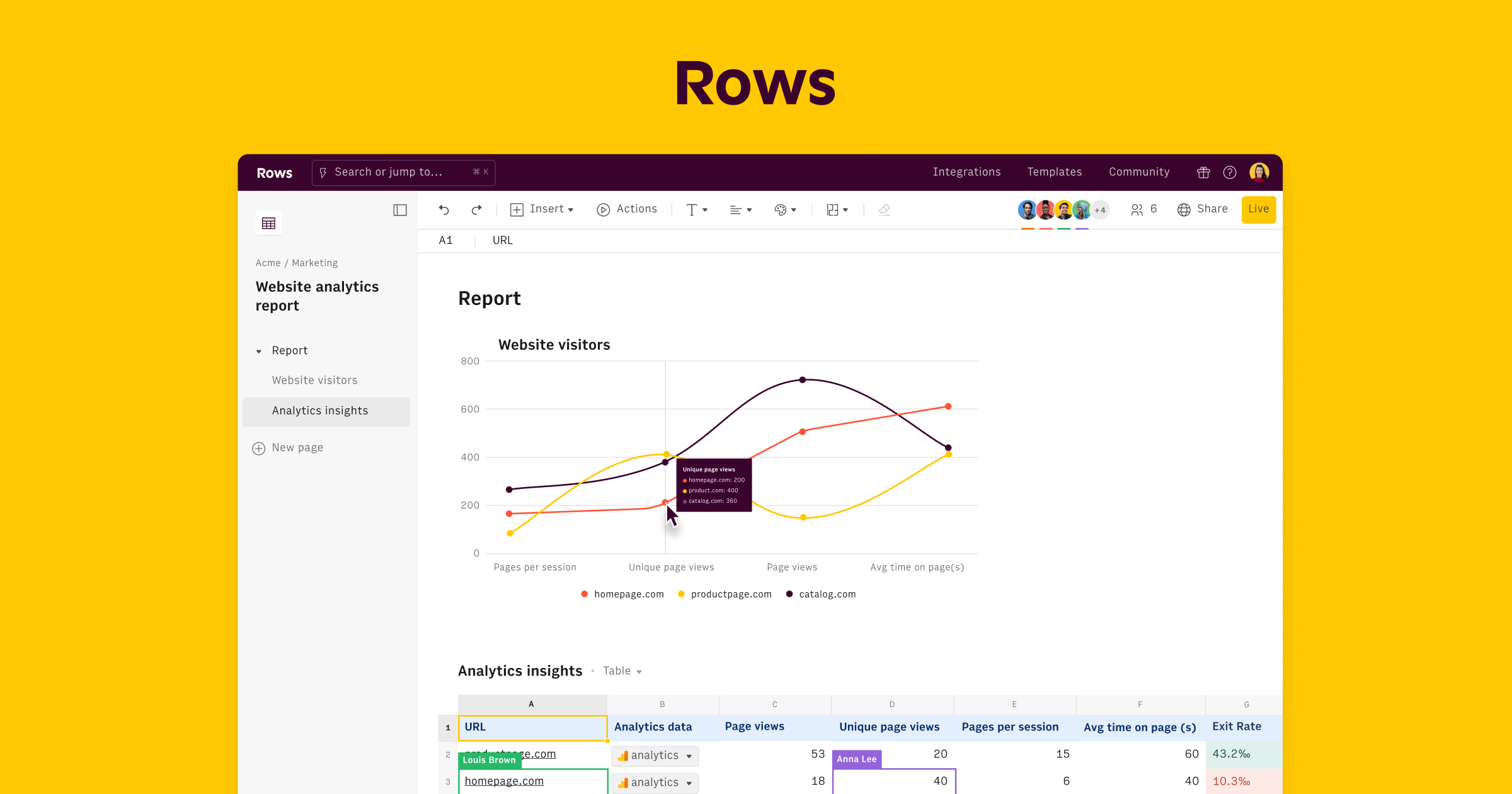
Rows
rows.com
Rows is a spreadsheet built around AI rather than an add-in for Excel. Its pricing page describes extracting PDFs, importing business data and analyzing it with AI, and it pitches the product as a new AI data analyst. Its page carries a banner saying Rows joined Superhuman.
Key features
- AI Tasks for extraction, analysis and reporting, metered per month.
- PDF extraction and business data import.
- Integrations with 10 accounts on Free and Plus and 100 on Pro.
- Scheduled automation, daily on Plus and per minute on Pro.
- Enterprise API endpoints, custom models, SAML SSO and a dedicated CS manager.
Pricing: As of Nov 26, 2026, Rows lists Free at $0, Plus at $8 per month per user, and Pro at $79 per month plus $8 per month per user, with Enterprise on request. With annual billing the page shows Plus at $6 and Pro at $59 plus $6 per user.
Free tier: Yes, $0 with 5 AI Tasks a month, up to 3 guests and manual import.
Limits: Free allows 5 AI Tasks a month, which is enough to test but not to work. The page lists import sizes of 1 MB, 5 MB and 100 MB across the three plans.
Pros
- Clear, low entry price at $8 per user per month for Plus.
- Built for pulling in and enriching business data, with scheduled automation.
- Generous guest limits on paid plans.
Cons
- It replaces your spreadsheet rather than working in your Excel file.
- AI Task allowance on Free is very small.
- Product direction may shift now that Rows is part of Superhuman, per its own banner.
Benefit for you: If your spreadsheet is really a recurring data report, the benefit is automation and AI extraction in one place at a price that stays low for small teams.
Standout use case: Extracting tables from PDFs and keeping a report refreshed on a schedule.
Skip it if: Skip it if your workflow depends on Excel file compatibility, macros or Copilot-style editing of an existing model.
Shortcut
tryshortcut.ai
Shortcut here means the AI Excel assistant, not the project tracker of the same name. Its pricing page is titled Shortcut | AI-Powered Excel Assistant and lists access through a web app, a desktop app, an Excel plugin and a Google Sheets plugin. Its pricing page claims SOC 2 Type II compliance.
Shortcut's homepage makes a comparison claim. It cites its own July 2026 evaluation on 20 tasks that put its cost at $5.09 per task against $8.17 for Claude for Excel. This is vendor-reported, on a task set we have not seen, and is not a neutral benchmark.
Key features
- Excel plugin, Google Sheets plugin, web app and desktop app.
- Credits pooled across a team, with usage analytics and shared resources on Teams.
- Enterprise: SSO, custom permissions, BYOK and a private gateway.
Pricing: As of Nov 26, 2026, Shortcut's pricing page lists Free at $0 per month with 20 weekly credits, Pro at $100 per month billed annually with 1,000 additional monthly credits (saving $300 per year), Teams at $320 per month plus $100 per seat per month billed annually, and Enterprise by contact.
Free tier: Yes. 20 weekly credits with access to web, desktop, Excel and Google Sheets.
Limits: Credits meter usage at 2 to 15 per message, so a Free plan covers a handful of messages a week.
Pros
- Covers both Excel and Google Sheets with the same product.
- Free plan lets you test the plugins before paying.
Cons
- The Pro price is high for an individual compared with the cost of a general AI subscription.
- Credit costs per message vary, so budgets are hard to predict.
- Its cost-per-task comparison is the vendor's own, not independent.
Benefit for you: If you want a vendor focused only on spreadsheet work, the benefit is a single plugin pair for Excel and Sheets with enterprise controls such as SSO and BYOK at higher tiers.
Standout use case: A finance team that wants the same agent in Excel and Google Sheets under pooled credits.
Skip it if: Skip it if you already pay for Claude, ChatGPT or Copilot and want to stay inside one subscription.

Numerous
numerous.ai
Numerous turns an AI prompt into a spreadsheet function. Third-party coverage describes a Google Sheets function, =AI(), and an Excel equivalent, =NUM.AI, that you can drag down a column to categorize text, write copy, extract entities or clean data across many rows at once. You call the AI cell by cell, which is different from an agent that plans edits across a workbook.
Numerous's own pricing page did not render prices in our capture, so every price here comes from third parties, including an affiliate-style review site, a competitor's article dated Sep 1, 2026 and a review dated Oct 22, 2026. They report Personal at $8 per month billed yearly or $19 monthly with 1 million characters, and Pro at $24 yearly or $39 monthly with 5 million characters. They disagree on minimum seats, so treat these as indicative only.
Key features
- A prompt function you fill down a column, in Google Sheets and Excel per third-party coverage.
- Free tokens to test before paying.
Pricing: As of Nov 26, 2026, we could not read prices on Numerous's own page. Third parties report Personal at $8 per month billed yearly or $19 monthly, Pro at $24 yearly or $39 monthly, and Enterprise at $8 per user yearly or $10 monthly, and they disagree on minimum seats. Verify on numerous.ai before you buy.
Free tier: Third parties report about 60 free tokens. Not confirmed on Numerous's own page.
Limits: Character quotas apply per plan according to third-party figures, and the function approach does not edit structure or formulas.
Pros
- Very low learning curve for bulk text tasks.
- Low entry price according to third parties.
Cons
- Prices are unverified on the vendor page.
- Not an agent: no planning, pivots or multi-step model edits.
Benefit for you: If your recurring job is tagging, cleaning or summarizing thousands of rows of text, the benefit is a fast fill-down workflow without learning a new interface.
Standout use case: Classifying a column of support tickets or product descriptions with one formula.
Skip it if: Skip it if you need an agent that edits formulas, builds models or explains why a number changed.
SheetAI
sheetai.app
SheetAI is a Google Sheets add-on that gives you =SHEETAI() and =SHEETAI_IMAGE() functions. Its site says it has more than 198,000 installs and a 4.5 rating from 45 ratings on the Google Workspace Marketplace, which is the vendor's own claim as shown on its page.
What stands out is the pricing model. You can use it free with your own API key from OpenAI, Claude, Gemini or Grok, so you pay the model provider directly. If you do not want to manage keys, SheetAI sells hosted use from $12 per month and one-off credit packs at $29, $79, $139 and $299.
Key features
- =SHEETAI() and =SHEETAI_IMAGE() functions in Google Sheets.
- Bring your own key from OpenAI, Claude, Gemini or Grok.
Pricing: As of Nov 26, 2026, sheetai.app lists a free option with your own API key, hosted use from $12 per month, and one-off credit packs of $29, $79, $139 and $299.
Free tier: Yes, with your own API key.
Limits: Google Sheets only. Your cost on the free route is whatever your model provider charges.
Pros
- Cheap, with a bring-your-own-key route.
- Choice of several model providers.
Cons
- Google Sheets only.
- No agentic editing, planning or model-building.
Benefit for you: If you already have an API key and a Sheet full of text to process, the benefit is paying model prices with no subscription layer on top.
Standout use case: Bulk-generating product descriptions or translations from a list of rows.
Skip it if: Skip it if you use Excel, or want an agent rather than a cell function.
Airtable AI
airtable.com/platform/ai
Airtable is a database-spreadsheet hybrid, and its AI is aimed at building apps on top of your data rather than editing a classic workbook. Its AI platform page highlights Omni, an AI app builder, and Field Agents that fill fields. The pricing FAQ says asking analysis questions to Omni costs 10 credits per response, while building and iterating does not cost extra credits.
Key features
- Omni, an AI app builder on top of your base.
- Field Agents for populating and enriching fields.
- Credit-metered analysis questions at 10 credits per response.
Pricing: As of Nov 26, 2026, Airtable's pricing FAQ lists Team at $20 per user per month billed annually and Business at $45 per user per month billed annually. Enterprise is custom.
Free tier: Not confirmed in our capture.
Limits: AI use is metered in credits, with analysis questions costing 10 credits per response.
Pros
- Relational structure suits operations, CRM and project data.
Cons
- It is not Excel and does not edit .xlsx files in place.
- Per-seat prices are higher than most spreadsheet tools here.
Benefit for you: If your spreadsheet has outgrown a grid, the benefit is turning it into an app with forms and views using AI to scaffold it.
Standout use case: Asking Omni to build an internal tracker app from a base you already have.
Skip it if: Skip it if you want formula-level help on an Excel model.
Quadratic
quadratichq.com
Quadratic is a spreadsheet with code built in. Its homepage lists Python, SQL and formulas in one grid, XLSX open, edit and export, up to 100 million rows, and SOC 2 Type II and HIPAA compliance. The row figure and compliance claims are the vendor's own. Its changelog listed v0.26.19 on Nov 14, 2026, so it is actively shipping.
Key features
- Python, SQL and formulas in the same grid.
- XLSX open, edit and export.
- AI assistance with monthly credits on paid plans.
- Self-hosting on Enterprise.
Pricing: As of Nov 26, 2026, Quadratic's pricing page lists Personal as free, Pro at $18 per user per month billed annually with $20 of AI credits per month, Business at $36 per user per month billed annually with $40 of AI credits, and Enterprise on request with self-hosting.
Free tier: Yes. Personal is free.
Limits: AI use is bounded by credits on paid plans. The 100 million row figure is the vendor's claim and real performance will depend on your data.
Pros
- Free Personal plan.
- Python and SQL in the grid suit data work.
- Self-hosting for strict environments.
Cons
- A new spreadsheet to learn, not an Excel add-in.
- Vendor-reported scale and compliance claims.
- Credits cap AI use.
Benefit for you: If you keep leaving Excel for a Python notebook, the benefit is staying in one grid where code and cells share data.
Standout use case: Combining a SQL query, a Python transform and a formula-driven report in a single sheet.
Skip it if: Skip it if your team is committed to Excel files and macros.
Coefficient
coefficient.io
Coefficient connects business systems to spreadsheets. Its pricing page lists connectors to systems such as Salesforce and HubSpot, an AI assistant that supports Excel, and on-sheet AI functions on the Free plan.
Key features
- Connectors for business systems such as Salesforce and HubSpot.
- A 30-day free trial of Pro.
Pricing: As of Nov 26, 2026, Coefficient's pricing page lists Free at $0, Starter at $49 per month, Pro at $99 per month (the page mentions a maximum of five users), and Enterprise by volume.
Free tier: Yes. Free at $0 with on-sheet AI functions, plus a 30-day trial of Pro.
Limits: Pro is capped at five users per the page text.
Pros
- Live connectors to business systems.
- Works in both Sheets and Excel.
Cons
- Mostly a data-sync product, with AI as an add-on.
- Entry price of $49 per month is higher than the cell-function tools.
Benefit for you: If your reports start from Salesforce or HubSpot exports, the benefit is that data refreshes in the sheet and AI works on current numbers.
Standout use case: A weekly sales report that pulls Salesforce data into Sheets automatically.
Skip it if: Skip it if all your data is already in the file and you only need an assistant to edit it.
Pricing Table
Every plan we could capture, as of Nov 26, 2026. Where a number came from a third party, the cell says so. Treat credits and usage limits as the real unit of cost for Claude, ChatGPT, Julius, Rows, Shortcut and Airtable.
| Tool | Free or trial | Entry or mid plans | Top or team plans | Notes |
|---|---|---|---|---|
| Claude for Excel | None. Free Claude plan does not include Claude for Microsoft 365 | Pro $17 per month billed annually ($200 up front) or $20 monthly | Max $100 and Ultra $200 per month; Team (2 to 150 seats) and Enterprise by seat | Team price was not shown in our capture |
| Excel Copilot Agent Mode | None for the Copilot add-ons | Business Standard with Copilot $23.50 per user per month | Business Premium with Copilot $32.00 per user per month; Microsoft 365 Premium and Personal or Family with AI credits also qualify | Paid yearly. Consumer plan prices were not captured |
| Gemini in Sheets | None for the feature | Google AI Plus $4.99 and AI Pro $19.99 per month | Workspace Business or Enterprise Standard and Plus; Google AI Ultra (price not captured) | Workspace per-seat prices were not captured |
| ChatGPT | Free: limited usage | Go $8 and Plus $20 per month | Pro 100 at $100, Pro 200 at $200, Pro 500 at $500 per month; Business and Enterprise by seat | OpenAI's Jan 16, 2026 post listed Pro at $200, since superseded by three Pro tiers |
| Julius AI | Free: daily credit allowance | Paid plans add credits and frontier models | Business and Enterprise tiers with SSO and audit logs on Enterprise | Dollar figures did not render in our capture |
| Rows | Free $0: 5 AI tasks per month | Plus $8 per user per month: 200 AI tasks | Pro $79 plus $8 per user per month: 1,000 AI tasks; Enterprise custom | Page offers Monthly and Annually toggles and says annual saves about 20 percent |
| Shortcut | Free $0: 20 weekly credits | Pro $100 per month billed annually: 1,000 extra monthly credits | Teams $320 per month plus $100 per seat, billed annually; Enterprise custom | 2 to 15 credits per message |
| Numerous | About 60 free tokens (third party) | Personal and Pro, third-party figures only | Enterprise per user, third-party figures only | Third-party sources disagree on minimum seats |
| SheetAI | Free with your own API key | Hosted from $12 per month | Credit packs $29, $79, $139 and $299, one-off | Figures from sheetai.app |
| Airtable AI | Not captured | Team $20 per user per month billed annually | Business $45 per user per month billed annually; Enterprise custom | Analysis questions to Omni cost 10 credits per response |
| Quadratic | Personal: free | Pro $18 per user per month billed annually, with $20 of AI credits | Business $36 per user per month billed annually, with $40 of AI credits; Enterprise custom | Enterprise includes self-hosting |
| Coefficient | Free $0, with on-sheet AI functions | Starter $49 per month | Pro $99 per month; Enterprise by volume | Pro lists a limit of 5 users and a 30-day free trial |
Feature Matrix
Yes, no and partial are based on vendor pages and documentation, not our own tests. Where the source was silent, we wrote not confirmed.
| Product | Inside Excel | Inside Google Sheets | Edits your workbook in place | Free plan | Notable control or limit |
|---|---|---|---|---|---|
| Claude for Excel | Yes | Not confirmed | Yes | No | Asks you to confirm risky operations. No macros, VBA or data tables |
| Excel Copilot Agent Mode | Yes | No | Yes | No | Edit, plan and chat modes. Calculation must be Automatic |
| Gemini in Sheets | Partial (save the .xlsx as Google Sheets) | Yes | Yes | No | Works best on native Sheets files |
| ChatGPT | Yes | Yes | Yes | Yes, limited | No VBA, Power Query or slicers support listed |
| Julius AI | No (upload or export files) | Partial (Sheets as a data source) | No (works on a copy) | Yes | 7-day file storage listed on the pricing page |
| Rows | No | No | Not applicable (own spreadsheet) | Yes | 5 AI tasks per month on Free |
| Shortcut | Yes | Yes | Yes | Yes | Credit-based, 2 to 15 credits per message |
| Numerous | Yes (per third parties) | Yes | Partial (cell functions) | Not confirmed | Prices not on its own page in our capture |
| SheetAI | No | Yes | Partial (cell functions) | Yes (own key) | Google Sheets only |
| Airtable AI | No | No | Not applicable (Airtable base) | Not confirmed | Credits apply to Omni questions |
| Quadratic | Partial (XLSX open, edit, export) | No | Not applicable (own spreadsheet) | Yes | Own grid with Python and SQL |
| Coefficient | Yes | Yes | Partial (connectors and AI assistant) | Yes | Pro capped at 5 users |
Julius AI Alternatives
People searching for a Julius alternative usually have one of four complaints, and each points at a different tool.
- I want AI inside my Excel file, not an upload: Claude for Excel, Excel Copilot Agent Mode, ChatGPT for Excel or Shortcut.
- I live in Google Sheets: Gemini in Sheets, ChatGPT for Sheets, Shortcut or SheetAI.
- I want Python and SQL in the grid: Quadratic.
- I want it cheaper or free: ChatGPT Free, Rows Free, Quadratic Personal, or SheetAI with your own API key. Julius itself has a Free plan.
What Julius has that most of these lack is one workspace that runs from a database connection to a dashboard to a slide export.
How to Choose
| Your situation | Start with | Why |
|---|---|---|
| You live in Excel and your company already licenses Microsoft 365 Copilot | Excel Copilot Agent Mode | No new vendor, native file, and admin controls you already manage. |
| You live in Excel and want Claude's models and citations | Claude for Excel | Cell-level citations and formula-safe edits, on a paid Claude plan. |
| Your team lives in Google Sheets | Gemini in Sheets | Side panel, AI function and BigQuery analysis with no new vendor. |
| You want one AI subscription for chat, files and spreadsheets | ChatGPT | Add-ins for Excel and Sheets plus Python analysis of uploaded files. |
| You analyze exported files and databases and need charts or decks | Julius AI | Workspace built around data analysis and presentation output. |
| You want AI inside Excel and Sheets from a dedicated vendor | Shortcut | Plugins for both, a Free plan, and a finance-oriented pitch. |
| You want to leave Excel for an AI-native grid | Rows or Quadratic | Rows for business automation, Quadratic for Python and SQL. |
| You need live data from Salesforce, HubSpot or a warehouse | Coefficient | Its core product is connectors with refresh. |
| You only need a few AI formulas in Sheets | SheetAI or Numerous | Lightweight cell functions at small cost. |
| Your data should be a relational base with AI apps | Airtable AI | Omni builds on top of linked records. |
Safety, Privacy and Accuracy
A spreadsheet agent can overwrite your numbers, and an AI-written formula can look right while being wrong. Four things deserve attention before you hand it a real model.
- Accuracy is not guaranteed. Anthropic says not to rely on Claude for Excel for final client deliverables without review, for audit-critical calculations without verification, or for highly sensitive or regulated data without proper controls. The caution applies to every tool here.
- Untrusted files can carry instructions. Anthropic warns that an external spreadsheet can hide text that tries to steer the add-in into extracting data or taking destructive actions. Open untrusted files in a copy and read each confirmation.
- Where the data goes differs. Anthropic says Excel data is deleted from its backend within 30 days and chat history is stored locally. Our sources for several other tools did not state retention clearly, so read each vendor's terms.
- Vendor benchmarks are not ours. Anthropic's 55.3 percent Finance Agent score, OpenAI's 87.3 percent internal banking score, Microsoft's engagement table and Shortcut's $5.09 versus $8.17 cost comparison are all vendor-reported. We reproduced none of them.
For plan names and usage limits, see our AI plans comparison and our note on ChatGPT's Pro tiers.
Common Mistakes and a Buying Checklist
- Trusting the first answer. A tidy formula can still reference the wrong range. Check a few cells by hand.
- Ignoring platform limits. Claude for Excel needs a recent Excel build and does not run on iPad or Android. ChatGPT's add-in lacks Power Query and slicers support.
- Assuming Free means usable. Rows Free gives 5 AI tasks a month and Shortcut Free gives 20 weekly credits, which is a test, not a workflow.
Before you buy, run through this list:
- Decide where the file lives: Excel on desktop, Excel on the web, Google Sheets, or an exported CSV.
- Check your Excel build or Sheets edition against the vendor's supported versions before you install.
- Test one real workbook on a copy, with your own formulas, named ranges and pivot tables.
- Check what the tool cannot touch: macros, VBA, Power Query, data tables, slicers.
- Read how edits are confirmed, and whether a plan or preview step exists before the agent changes cells.
- Price it at your real seat count, and find out how credits are spent per message or per task.
- Ask where your data goes, how long it is kept, and whether it can be used for training.
- Never let an agent act on a spreadsheet from an untrusted source without reading what it proposes.
How We Evaluated
We fetched vendor pricing pages, help centers, launch posts and product pages on Nov 26, 2026, verified each embedded video through YouTube's oEmbed endpoint and each embedded post through X's syndication endpoint, and confirmed each image URL returns an image before using it. Where a first-party page would not render prices (Julius, Numerous), we say so and attribute any secondary figure. We did not run these tools on real workbooks, so pros and cons come from documentation and named sources, not measured output quality. There are no affiliate links or paid placements. Products are not ranked by score. If a figure here differs from the vendor page, trust the vendor page. Microsoft Copilot, ChatGPT and Gemini plans cover far more than spreadsheets, so those prices are for the whole subscription. For work beyond spreadsheets, see our AI CRM and sales intelligence agents roundup.
FAQ
What is the best AI for Excel in 2026?
There is no single winner, because the options sit in different places. If your company already licenses Microsoft 365 Copilot, Excel Copilot Agent Mode is the lowest-friction choice because it is built into Excel. If you want Claude's models inside Excel, Claude for Excel is generally available on paid Claude plans. ChatGPT also has an Excel add-in, and Shortcut is a dedicated Excel and Sheets agent. Pick by where your file lives and what you already pay for, then test a copy of one real workbook.
Claude for Excel vs Copilot: which is better?
We did not run a head-to-head test, so we cannot rank output quality. On access, Claude for Excel needs a paid Claude plan and the Microsoft AppSource add-in, and it runs on Windows, Mac and Excel on the web. Copilot Agent Mode is built into Excel and needs an eligible Microsoft license, and Microsoft's support page lists edit, plan and chat modes. Two creators' side-by-side videos are embedded above, and we did not verify their conclusions.
What is the best AI spreadsheet if I do not use Excel?
Gemini in Google Sheets is the natural pick for Sheets users, with a side panel, an AI function and BigQuery analysis on eligible plans. For an AI-native spreadsheet, Rows and Quadratic have free entry plans.
What is a good Julius AI alternative?
It depends on why you want one. If you want AI inside the workbook instead of uploading files, Claude for Excel, ChatGPT for Excel and Shortcut all run as add-ins. Quadratic is the closest if you want Python in the grid, and Gemini in Sheets is the Google-native route. Julius has a Free plan, so you can compare on your own data.
Is Claude for Excel free?
No. Claude for Excel is available on Pro, Max, Team and Enterprise plans, and Anthropic's pricing page lists Claude for Microsoft 365 as not included on Free. As of Nov 26, 2026 Claude Pro is $17 per month billed annually ($200 up front) or $20 monthly, per Anthropic's pricing page.
Does ChatGPT work inside Excel?
Yes. OpenAI's help center describes a ChatGPT sidebar add-in for Excel, installed from the Home tab under Add-ins, with a Sheets version following. OpenAI's page says it reached general availability on May 5, 2026. The Free and Go plans have limited usage, and the add-in does not support Office Scripts, Power Query or slicers.
Is it safe to open an untrusted spreadsheet with an AI agent?
Not without care. Anthropic's docs warn that files from external sources can contain hidden instructions that manipulate the add-in into extracting data, modifying records or taking destructive actions, and that Claude asks you to confirm risky operations. Work on a trusted copy, read each confirmation, and avoid running any agent with accept-all edits on files you did not create.
How much do AI spreadsheet agents cost?
As of Nov 26, 2026: Claude Pro is $17 per month billed annually, ChatGPT Plus is $20 per month, Microsoft 365 Business Standard with Copilot is $23.50 per user per month paid yearly, Google AI Pro is $19.99 per month, Rows Plus is $8 per user per month, Quadratic Pro is $18 per user per month billed annually, Coefficient Starter is $49 per month and Shortcut Pro is $100 per month billed annually. Credit-based tools can cost more with heavy use.
What is Shortcut, and is it the same as the project tracker?
No. The Shortcut covered here is the AI Excel assistant at tryshortcut.ai, titled Shortcut | AI-Powered Excel Assistant on its pricing page, with an Excel plugin, a Google Sheets plugin, a web app and a desktop app. It is unrelated to the software project tracker of the same name.
Which AI spreadsheet tool is best for finance models?
Claude for Excel, ChatGPT for Excel and Shortcut all market finance use. Claude lists connectors including S&P Global, LSEG and Daloopa. OpenAI and Shortcut cite their own benchmarks, which we did not reproduce, so test a model of your own and keep a human reviewer for client work.
Do these tools train on my spreadsheets?
Policies differ and we did not capture a clear statement for every product. Anthropic's Excel page says data is deleted from its backend within 30 days and that chat history is stored locally in the browser. Julius says it is SOC 2 Type II compliant and points to its privacy policy. Read each vendor's current terms before uploading sensitive data.
Sources
All fetched on Nov 26, 2026 unless noted.
- Claude: Use Claude for Excel, Claude pricing, Claude for Excel
- Microsoft: Get started with Copilot in Excel, Microsoft 365 Copilot pricing, Microsoft Copilot Blog (Apr 22, 2026)
- Microsoft Tech Community: Agent Mode in Excel generally available, Message Center archive: MC1536062, TechRepublic: Office in Copilot (Nov 19, 2026)
- Google Docs Editors Help: Gemini in Sheets, Workspace Updates: BigQuery analysis (Oct 19, 2026), Workspace Updates: Fill with Gemini (Oct 28, 2026), Google AI plans
- OpenAI: ChatGPT for Excel, OpenAI help: ChatGPT Pro tiers, OpenAI: ChatGPT Go (Jan 16, 2026), OpenAI help: ChatGPT Plus
- Julius: pricing, Rows: pricing, Shortcut: pricing
- Numerous, SheetAI, Airtable AI, Quadratic: pricing, Coefficient: pricing
- YouTube: Claude for Excel tutorial (Kevin Stratvert), YouTube: Claude and Copilot on the same model (Mike Dion), YouTube: Copilot vs Claude test (Inbal Rodnay), YouTube: Claude across Excel and PowerPoint (Claude)