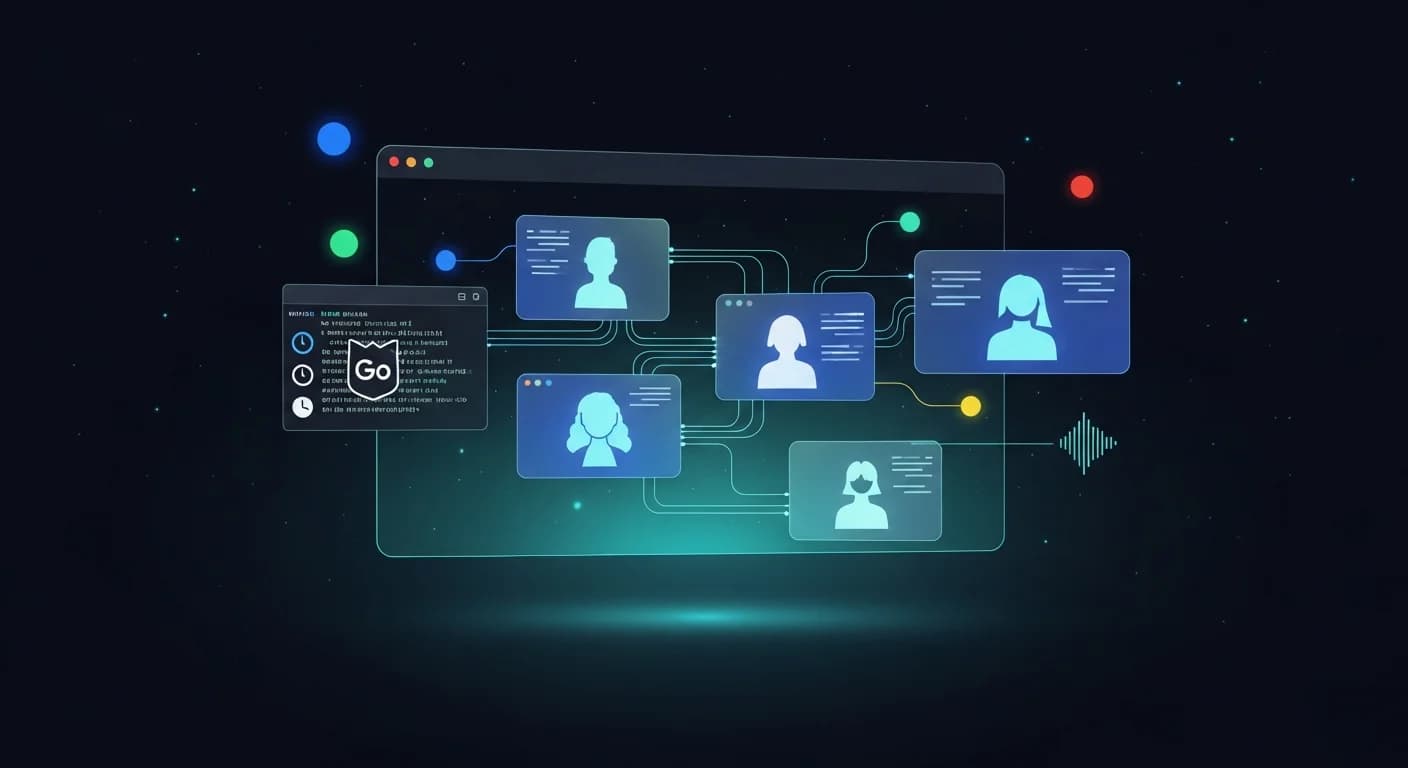
On May 19, 2026, during the Google I/O 2026 keynote, Google launched Antigravity 2.0 — not as an upgrade to the existing IDE, but as a brand-new standalone desktop application built around multi-agent teams, scheduled tasks, native voice, and one-click integration with the rest of Google's developer stack. The announcement came packaged with five other products: the Antigravity CLI (which sunsets Gemini CLI), the Antigravity SDK, a Managed Agents API in Gemini, AI Studio Build export, and Gemini 3.5 Flash as the new default model. This guide unpacks every piece.
TL;DR: What Shipped on May 19, 2026
- Antigravity 2.0 desktop app — macOS, Linux, Windows. Conversations, projects, artifacts, scheduled tasks, multi-agent management. Not an IDE.
- Antigravity CLI — built in Go, replaces Gemini CLI entirely on Free/Pro/Ultra tiers by June 18, 2026.
- Antigravity SDK — build custom agents with the same harness Google uses internally, deploy anywhere.
- Managed Agents API — spin up agents over the Gemini API into isolated Linux sandboxes.
- Gemini 3.5 Flash — new default model, advertised as roughly 4x faster than other frontier models and outperforming Gemini 3.1 Pro on coding benchmarks.
- New $100/mo Ultra tier — 5x Pro limits. The premium Ultra plan drops from $250 to $200 (20x Pro limits).
- I/O week credit — $100 bonus credits for new and existing Ultra subscribers, through May 25, 2026.
- One-click integration with Google AI Studio, Android, Firebase, and Workspace.
- CodeMender — AI security agent that finds and patches vulnerabilities in agent-generated code.
The Announcement
Two hours before the launch, the official Antigravity account dropped a one-liner teaser at 16:00 UTC — their first Google I/O appearance ever. It pulled 3,970 likes and 162K views before the actual announcement even hit:
Antigravity's first Google I/O. Hold on to your keyboards.
— @antigravity May 19, 2026
At 17:52 UTC, the official launch tweet went live with the 4K product film. Within 24 hours the post had cleared 168K views, 2,874 likes, 271 retweets, and 1,174 bookmarks — the largest organic launch reaction the account has logged so far.
Introducing Antigravity 2.0, a new standalone desktop application that delivers fully on that original glimpse of a truly agent-optimized experience. Rebuilt from the ground up with multi-agent teams, scheduled tasks, native voice and one-click integration with other Google products.
— @antigravity May 19, 2026
The thread continued with a download CTA pointing straight at antigravity.google. The companion launch video was shipped at 4K (3840×2160) — a deliberate signal that this was a tier-one product announcement, not a point release.
Download today
— @antigravity May 19, 2026
Google DeepMind validated the new four-surface story the same hour, naming the desktop app a “mission control where agents can work together simultaneously on a project” — the cleanest framing of the new product axis from any Google account:
We've created new easy ways to interact with Antigravity:
— @GoogleDeepMind May 19, 2026
💻 2.0: A mission control where agents can work together simultaneously on a project
⌨️ CLI: A terminal interface to work with agents
⚙️ SDK: A toolkit that lets your software automatically connect to and use our AI agents
The Standalone Desktop App: Not an IDE Anymore
The biggest thing to understand about Antigravity 2.0 is what it is not. The 2025 Antigravity was a VS Code fork: a three-pane IDE with an editor, a terminal, and a browser subagent. Antigravity 2.0 is not that. It is a fresh native desktop application built around four primary objects:
- Conversations — ongoing threads with one or more agents
- Projects — grouped workspaces that can span repositories, AI Studio apps, and Firebase backends
- Artifacts — persisted outputs (code, docs, designs, plans) that agents produce
- Tasks — scheduled or background runs that fire without your input
The original Antigravity IDE has not been pulled. It still ships, still receives security patches, and still hosts the existing extension ecosystem. But the 2.0 desktop app is now where Google wants the agentic work to live. The IDE is positioned as the place where you write code; the desktop app is the place where you orchestrate agents that write code for you. For most developers, the two will sit on the same machine.
Many developers reported that the IDE prompted them to update on May 19 and then opened the new 2.0 desktop app instead of the IDE they were expecting — with a fresh empty workspace and no code editor view. The IDE itself was not deleted; the two applications now run side-by-side. If you find yourself in the new app without your projects, your old IDE is still installed. See how to control updates.
Multi-Agent Teams: Parallel by Default
Antigravity 2.0's flagship feature is parallel multi-agent orchestration. The original IDE could run a single primary agent with subagents for browser and shell. The new app lets you spin up multiple independent agent teams, each working on a separate problem, each with its own subagent tree and its own progress feed. Switching between them is a tab, not a context dump.
In practice this means you can have one team refactoring a backend service while a second team builds out a marketing site while a third team triages incoming GitHub issues — all simultaneously, all surfaced in a unified dashboard. The orchestration layer schedules across your available quota; you don't have to keep model picking and credit accounting in your head. For the technical mechanics of how this differs from the old single-agent setup, our multi-agent orchestration guide covers the v1 model that 2.0 is built on top of.
Custom Subagent Workflows
On top of the team layer, 2.0 lets you design custom subagent workflows — deterministic chains of specialized agents that hand work off in sequence. A reasonable example: a research agent that gathers context, a planner agent that breaks the task down, an implementer agent that writes the code, and a reviewer agent that audits the diff before commit. Each subagent has its own model, its own tools, and its own success criteria. The workflow itself becomes a reusable artifact you can fork, version, and share.
Scheduled & Background Tasks
The second flagship is scheduled tasks: agent runs that fire on a clock without you sitting in front of the app. Configure an agent to triage your overnight CI failures at 8am every weekday. Configure another to summarize Slack channels into a Monday morning brief. Configure a third to rebuild your staging environment on a cron. Tasks run in the same isolated environment as interactive sessions, draw from the same quota, and write their outputs to the same artifacts store.
Combined with multi-agent teams, this is the feature that pushes Antigravity from "assistant you ask for help" to "operations system that runs work on your behalf." It is also the feature most likely to surprise your quota if you are not paying attention — a poorly-scoped scheduled task can burn through credits while you sleep. The patterns for cooldowns and weekly resets in our weekly quota guide matter more, not less, with 2.0.
Native Voice Commands
Antigravity 2.0 ships with native voice as a first-class input. This is the same voice stack Google has been rolling into Gmail, Docs, and the consumer Gemini app. You can dictate a plan, ask the orchestrator to spawn a team, or kick off a scheduled task without touching the keyboard. The implementation is local-first: speech recognition runs on-device where the OS supports it, with cloud fallback for longer or more technical utterances.
For pair-programming sessions, voice changes the rhythm noticeably — you can narrate a refactor in the same way you would describe it to a colleague over a screen share. For accessibility, it removes the keyboard as a hard requirement for the orchestration layer (though writing code itself still happens in your editor of choice).
Antigravity CLI: Replaces Gemini CLI Entirely
The single most consequential piece of the 2.0 launch for existing users is the Antigravity CLI. Google is sunsetting the old Gemini CLI and replacing it with a Go-based binary that shares its underlying infrastructure with the new desktop app. The migration is not optional for consumer-tier users: after June 18, 2026, the Gemini CLI will stop serving requests for AI Pro, AI Ultra, and free-tier accounts. IDE extensions that depend on it will stop working on the same date.
What Carries Over
Google has explicitly preserved the four pieces of the Gemini CLI ecosystem that developers built workflows around:
- Agent Skills — same SKILL.md format, same trigger system. Our skills setup guide still applies.
- Hooks — pre/post tool hooks survive verbatim.
- Subagents — named subagent definitions migrate one-for-one.
- Extensions — rebranded as "Antigravity plugins" but the API surface is compatible.
What's New in the CLI
The rewrite isn't just a rebrand. Three things change in a way that matters:
- Go runtime — cold-start is noticeably faster than the Node-based Gemini CLI, and the binary is a single static file.
- Async multi-agent — you can kick off multiple agents in a single terminal session without one blocking the next. The CLI maps onto the same orchestration model as the desktop app.
- Unified state — conversations started in the CLI show up in the desktop app and vice versa. Pick up a session on whichever surface you're on.
Enterprise Carve-Out
Organizations on Gemini Code Assist Standard or Enterprise, or using the GitHub integration via Google Cloud, keep full Gemini CLI access past June 18. They can adopt the Antigravity CLI alongside it (against a Google Cloud project) but are not forced to migrate. This carve-out is meaningful for teams that have invested in CI/CD pipelines around the Gemini CLI binary — nothing breaks on enterprise plans.
If you were already using the Gemini CLI inside Antigravity workflows, our Gemini CLI setup guide still describes the v1 install path. The same flags map cleanly onto the new binary.
Antigravity SDK: Build Custom Agents
The SDK is what Google calls "the same harness we use internally, exposed." It gives you programmatic access to define agents — their model, their tool set, their memory layout, their guardrails — and then deploy them wherever you want: Google Cloud, your own infrastructure, or embedded in a third-party product. The agents that result use the same orchestration substrate as the ones running inside the desktop app, which means everything you learn building one carries over to the others.
For developers building agentic features into their own products, the SDK is the most important piece of the launch. Before today, building on Antigravity meant building inside Antigravity. After today, the platform itself is the product surface.
Managed Agents API: Agents over the Gemini API
The Managed Agents feature in the Gemini API is the cloud counterpart to the SDK. With a single API call you spin up an agent that:
- Runs inside an isolated Linux sandbox (the same sandbox tech that powers Antigravity 2.0 agent execution).
- Can reason, browse the web, call third-party tools, and execute arbitrary code.
- Uses the same harness and infrastructure as Google's first-party agents.
- Returns artifacts, logs, and structured outputs back through the API.
This collapses what used to require its own infrastructure stack — sandboxing, process supervision, tool routing, memory persistence — into an API primitive. The pricing model treats it like compute: you pay for the time the agent is running, with Gemini model usage billed separately on top.
Gemini 3.5 Flash + The Full Model Lineup
Antigravity 2.0 ships with Gemini 3.5 Flash as the default Gemini Flash model, co-developed using Antigravity itself. Varun Mohan, Director of Software Engineering at Google DeepMind, called it "the high-speed engine needed for real-world agentic workflows" and pegged the in-Antigravity throughput at ~800 tokens/sec — a figure Google says is roughly 4x faster than other frontier models while matching or beating Gemini 3.1 Pro on coding benchmarks. Sundar Pichai confirmed the framing personally off the I/O stage:
Just off stage at #GoogleIO, some highlights from this morning 🧵
— @sundarpichai May 19, 2026
Gemini 3.5 Flash is available today for everyone in @antigravity and across our products and APIs. Compared to 3.1 Pro, 3.5 Flash is better across almost all benchmarks with huge progress in coding. It's also comparable to the best models but very fast (4x faster tokens/ second than other frontier models)…
The full multi-model lineup available inside the new app:
- Gemini 3.5 Flash — default; agentic, coding, multimodal
- Gemini 3.1 Pro — deep reasoning, 1M context
- Claude Sonnet 4.6 — balanced general-purpose
- Claude Opus 4.6 — deep reasoning specialist (still capped on extended thinking inside Antigravity — see our Opus thinking budget guide)
- GPT-OSS-120B — open-source OpenAI variant
For a deep dive on how 3.5 Flash compares to 3.1 Pro inside Antigravity, see our Gemini 3.5 Flash developer guide. For the older Pro vs Opus comparison, our head-to-head benchmark still describes the dynamics that carry forward to 3.5 Flash.
Updated Pricing and the I/O Week Credit
Pricing got reshuffled at the launch, with one notable price cut:
| Plan | Price | Antigravity Limit |
|---|---|---|
| AI Pro | $20 / month | Baseline |
| AI Ultra (new) | $100 / month | 5x Pro |
| AI Ultra (premium) | $200 / month (was $250) | 20x Pro |
The new $100 mid-Ultra slot is the most interesting addition — it gives heavy users a meaningful step up from Pro without the jump to the previous $250 (now $200) ceiling. The $50 drop on the top tier brings premium Ultra closer to what Cursor and Cognition charge for their highest tier, which is almost certainly the competitive read.
Through May 25, 2026, Google is also giving $100 in bonus credits to any new or existing Ultra subscriber as part of the I/O week launch promotion. If you were already on Ultra, the credits stack automatically. For a full breakdown of which models draw from which quota pools and how the credits convert, see our credits and pricing guide and our Pro vs Ultra comparison.
One-Click Integration: AI Studio, Android, Firebase, Workspace
The "one-click integration with other Google products" phrase in the launch tweet covers four concrete pipelines:
AI Studio Build Export
Anything you prototype inside Google AI Studio Build — including the mobile prototypes built with the new AI Studio Android app — can be exported as an Antigravity project with one button. The project arrives with the prompt history, the artifacts, and the deploy config intact. Closing the loop from cloud prototype to local agentic development used to be a copy-paste exercise; it's now a click.
Android Native App Building
Tell an agent to build an Android app from a single prompt, and the integration handles the Gradle scaffold, the Compose UI, signing, and the path to the device. The same agent-team and scheduled-task primitives apply — you can kick off an overnight build sweep across multiple variants if you want.
Firebase Backend Connectivity
Auth, Firestore, Cloud Functions, and Hosting all expose first-class tools to Antigravity agents. The agent can stand up a backend in the same project where the frontend lives, with secure API key storage handled by the platform.
Google Workspace API
Agents can read and write to Gmail, Docs, Sheets, Drive, and Calendar through the Workspace API surface. This is what makes the "summarize Slack into a Monday brief that lands in a Google Doc" pattern fall out of scheduled tasks for free.
CodeMender: Security Agent for Agent-Generated Code
Quietly announced alongside the main launch, CodeMender is a security-focused agent that runs over freshly written code — including code other agents have just produced — and:
- Scans for vulnerabilities (injection, secrets in source, unsafe deserialization, misconfigured CORS, etc.)
- Recommends patches inline
- Applies them on command and re-runs the security pass
- Re-runs tests to confirm the patch didn't break anything
The placement of CodeMender as a sibling agent rather than a feature inside the main coding agent is deliberate — the security pass is a separate concern with separate guardrails, and you can run it on code Antigravity didn't write (vendor SDKs, legacy services). Combined with the existing dangerous-command guardrails covered in our file safety guide, the overall security story for agent-generated code is meaningfully tighter than it was a week ago.
The Doom-in-12-Hours Demo
The keynote demo that ate the most stage time was an end-to-end run where an Antigravity 2.0 agent team built an OS kernel core capable of running Doom in under 12 hours. The point of the demo wasn't the game — it was showing that the new orchestration layer can sustain long-horizon, low-level work (driver fixes, memory management, scheduler tweaks) without the agent getting lost or rerolling its own changes.
Google published the receipts for the run on the official @Google account after the keynote. The numbers are the proof point for the multi-agent orchestration story:
We asked our agents to build a working operating system from scratch using @Antigravity 2.0 and Gemini 3.5 Flash. It took:
— @Google May 19, 2026
⏱️ 12 hours
🤖 93 parallel sub-agents
🔄 15k+ model requests
🧠 2.6B tokens processed
💸 Less than $1K in API credits
To build a functioning OS from scratch. #GoogleIO
Two side-notes from the demo got their own commentary online. The first: the live demo machine ran macOS, which generated a round of jokes about Google's own hardware ecosystem. The second: the agent team was visibly using multiple subagents in parallel — one writing the kernel, one writing the bootloader, one debugging hardware emulation — which is exactly the pattern the new app is built around, and exactly what the 93 parallel sub-agents figure quantifies.
What Changed from v1 (and What Got Deprecated)
A side-by-side of the deltas that actually matter day-to-day:
| Area | v1 (2025 IDE) | 2.0 (2026 Desktop App) |
|---|---|---|
| Primary surface | VS Code fork IDE | Native desktop app |
| Code editor | Built in | None (use your own editor) |
| Agent count | 1 primary + browser/shell subagents | Unlimited parallel agent teams |
| Background work | Foreground only | Scheduled tasks + cron |
| Voice input | Not available | Native, on-device + cloud |
| Default Flash model | Gemini 3.0 Flash | Gemini 3.5 Flash |
| CLI | Gemini CLI (Node) | Antigravity CLI (Go) |
| SDK | None | Antigravity SDK |
| API agents | None | Managed Agents API |
| Security pass | Manual | CodeMender agent |
Nothing has been hard-deprecated except the Gemini CLI on consumer plans (deadline June 18). The v1 IDE keeps running. Existing rules files, GEMINI.md system prompts, and skills all continue to apply — see our GEMINI.md guide for the format that still works on 2.0.
Day-One Rollout Issues to Watch For
Within the first 12 hours of the launch, developer forums logged a clean cluster of issues that any large coordinated rollout produces. None are dealbreakers, all have known workarounds:
- "Failed to make code assist backend request" — community-traced to a
JSON.stringify(...)call failing on aBigIntfield in telemetry. A patch is rolling out; clearing the local config and re-authenticating is the workaround. - Crash on first launch — a subset of Windows users see the app crash after the post-update restart. Reinstalling from the official download page resolves it for most.
- Authentication loop — some accounts can't complete sign-in on the new app. Our sign-in fix guide covers the same patterns.
- Regional rollout gaps — users outside North America have reported intermittent failures that disappear over a US-based VPN. This is consistent with a staged rollout warming the EU/APAC regions over the following days.
- Missing projects after auto-update — the new app starts with an empty workspace because it doesn't import IDE projects automatically. Your code is still in your filesystem; the v1 IDE still opens it.
- Linux DLL warnings — reported on AG Linux 1.2; the launcher continues past them. A clean install of the new app resolves them.
For any other stability symptoms, the patterns in our server crash guide, not-responding guide, and 503 rate-limit guide all still apply.
Migration Timeline: The June 18 Cliff
The one date you need on the calendar:
May 19, 2026 — Antigravity 2.0 + CLI + SDK + Managed Agents launch.
May 25, 2026 — I/O week $100 bonus credit promo ends.
June 18, 2026 — Gemini CLI stops serving Free/Pro/Ultra tiers.
IDE extensions using Gemini CLI stop working.
Enterprise (Gemini Code Assist Standard/Enterprise
or GitHub via Google Cloud) keep full Gemini CLI access.
If you have CI/CD pipelines or local scripts that shell out to the Gemini CLI binary, your action item between today and June 18 is to swap the binary out for the Antigravity CLI and re-test. Most flags map directly; the few breaking changes are documented in Google's migration notes.
Should You Switch Today?
Three readings depending on how you currently use Antigravity:
If you mostly use the IDE for coding
Stay on v1 for now. The new desktop app doesn't have a code editor, and your existing workflows (rules, skills, GEMINI.md, agent execution) will keep working unchanged. Install the new app to also try the orchestration features, but don't expect to replace the IDE today.
If you live in the terminal
Switch the CLI binary this week. The new Go CLI is faster, the async multi-agent model is a real productivity win, and you have a hard deadline of June 18 either way. Existing skills, hooks, and subagents migrate cleanly.
If you're building agentic products
This is the launch you've been waiting for. The SDK and Managed Agents API together let you ship agent-powered features on top of Google's harness without operating your own sandboxing, tool routing, or memory infrastructure. The pricing is competitive enough that the build-vs-buy math has shifted.
The strategic point underneath all of this: Google has stopped treating Antigravity as a single product and started treating it as a platform. The 2025 launch was an IDE. The 2026 launch is an IDE + a desktop app + a CLI + an SDK + an API + an enterprise tier + a security agent — all built on a shared agent harness. Whether you adopt all of it or just the slice that fits your work, the platform you're building on top of is substantially bigger today than it was yesterday.
Related Guides
Deep dive on the new default model in our Gemini 3.5 Flash developer guide. For agent orchestration that maps directly onto 2.0's multi-agent teams, see our multi-agent orchestration guide. Pricing breakdown in credits and pricing explained.
Hit a Day-One Issue?
Our troubleshooting hub indexes every fix guide. The most common day-one stops: