Get the latest on AI, LLMs & developer tools
New MCP servers, model updates, and guides like this one — delivered weekly.
AI dubbing takes a video in one language and returns it in another: it transcribes the speech, translates it, generates a new voice (usually a clone of the original speaker) and lays it back over the footage. Some tools stop there. Others also re-animate the speaker’s mouth so the lips match the new language, which is the feature people mean by “lip sync” and the one that changes the price the most.
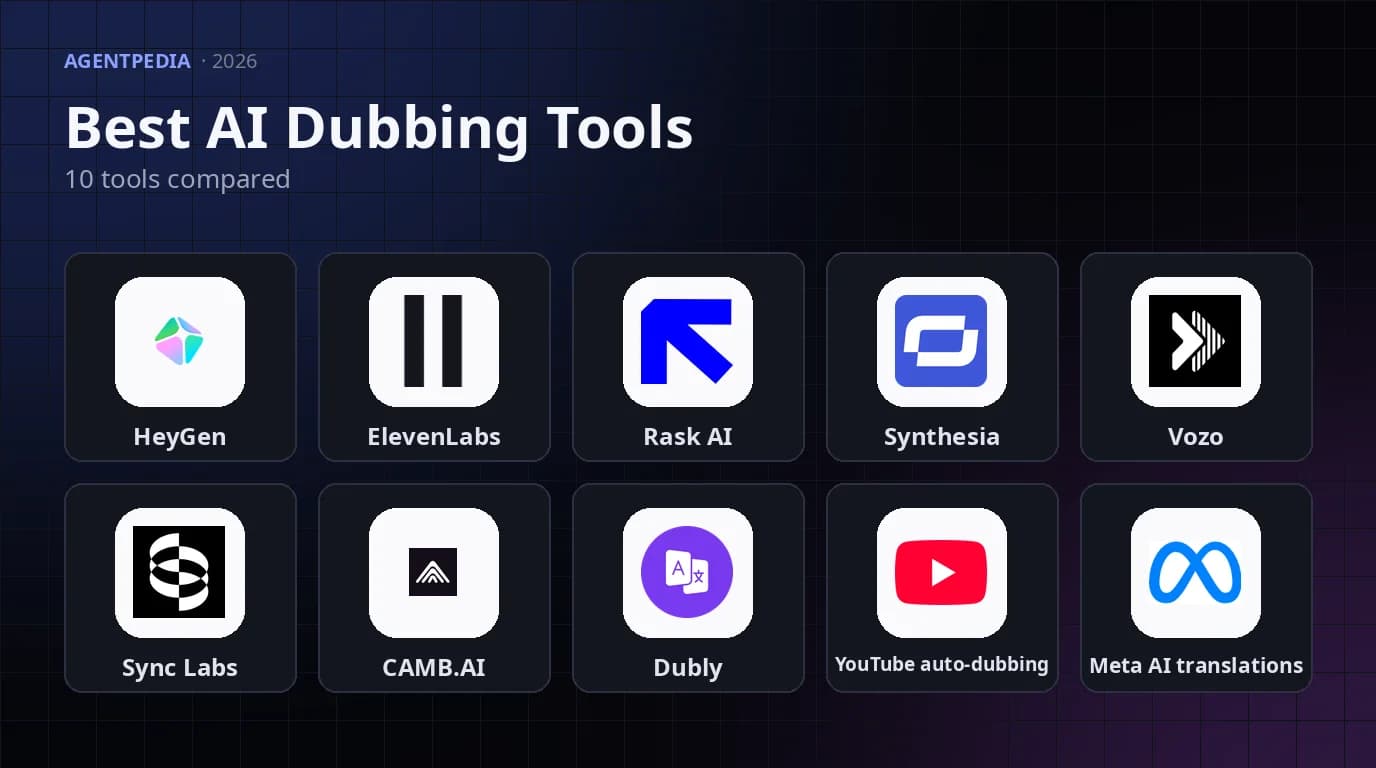
This guide is for creators, course sellers, marketers and localization teams choosing a tool in November 2026. Our answer as of November 24, 2026: HeyGen is the best all-round pick when a face is on screen, ElevenLabs is the best pick when voice quality matters and the picture should stay untouched, Rask AI is the best editor-style option, and Synthesia fits teams already making avatar video. The free baselines are YouTube auto-dubbing for your own channel and Meta AI translations for reels. Prices, pros, cons and limits for ten tools follow.
A walkthrough from ElevenLabs itself, so read it as a vendor demo. We did not check its publish date, and ElevenLabs announced Dubbing v2 on May 28, 2026, so confirm any language count or price it shows against the current docs.
The Short Answer
If a speaker’s face fills the frame and you want a finished video from one upload, start with HeyGen’s free plan and compare it with Rask AI on a one-minute clip. If the video is a screen recording, a podcast, a slideshow or a voice-over, skip lip sync and try ElevenLabs. If you only publish on YouTube, turn on auto-dubbing first and see which languages it covers before you pay anyone.
Three facts shape the rest of this guide. First, lip sync is a separate cost layer, from about 1.5x the plain dubbing rate (HeyGen Speed) to up to 4x total minutes (Rask Enhanced). Second, third-party roundups disagree with vendor pages, including the claim that HeyGen publishes no per-minute cost; it does, in credits. Third, vendors changed fast this year: ElevenLabs shipped Dubbing v2 in May, Synthesia shipped Dubbing 2.0 in July, YouTube expanded auto-dubbing in February and Translate.video is moving users into a new Vitra.ai product.
Quick Picks by Use Case
| Use case | Pick | Why |
|---|---|---|
| Best overall with lip sync | HeyGen | Published per-minute credit rates (4, 6 and 10 credits per minute by mode), 175+ languages and dialects, a proofreading step and a free plan. |
| Best voice quality, no lip sync | ElevenLabs | Dubbing v2 (announced May 28, 2026) covers 90+ languages and leaves the video frames alone. No native lip sync. |
| Best for mixed teams and editors | Rask AI | Line-by-line editor, 135+ languages, lip sync from the Creator Pro plan, and a $3 per minute top-up on annual plans. |
| Best inside an avatar workflow | Synthesia | Dubbing 2.0 shipped July 15, 2026, at 40 credits per minute or 80 with lip sync. |
| Best low-cost credit math | Vozo | Creator at $29 per month lists about 50 dub minutes or about 15 lip sync minutes. |
| Best for developers who want lip sync as an API | Sync Labs | Dubbing at $0.10 per second ($6 per minute) plus separate lip sync models. |
| Best for studios and live events | CAMB.AI | Plans from $5 to $900 per month and enterprise deals for film, sports and contact centers. |
| Best for EU data requirements | Dubly | Hosted in Germany with GDPR terms; lip sync costs 2 credits per minute instead of 1. |
| Best free option for creators | YouTube auto-dubbing | Free, 27 languages, available to everyone, but it only dubs your own uploads. |
| Best free option for Reels | Meta AI translations | Voice translation with optional lip sync for eligible Facebook and Instagram accounts. |
Lip Sync or Not? The Decision That Sets Your Bill
Lip sync means the tool changes pixels around the mouth and jaw so the speaker appears to say the new words. It works best on front-facing speakers with the mouth visible. It is slower, costs more, and can change the video itself: the ai-dubbing.app test saw HeyGen’s lip-synced output run 18.7% longer than the source and drop from 30 to 25 frames per second, because the default setting stretches the video to fit the translated speech, which takes longer in many languages. HeyGen’s interface warns that this setting may make the final video longer or shorter.
Without lip sync, the tool fits the new audio to your original timeline. In the same test, ElevenLabs returned a video track that matched the source pixel for pixel, and Rask’s default trial output left the video untouched too. That is a feature for screen recordings and voice-over, and a visible weakness for talking heads, where the dub reads like a voice-over.
The table below shows how each priced tool charges for the two modes, using each vendor’s own figures.
| Tool | Dubbing only | With lip sync | Multiplier |
|---|---|---|---|
| HeyGen | 4 credits per minute (audio only) | 6 (Speed) or 10 (Precision) | 1.5x to 2.5x the audio-only rate |
| ElevenLabs | Per plan minutes | Not offered in Dubbing | n/a |
| Rask AI | 1 minute per minute | 3 extra minutes per minute (Enhanced; legacy lip sync 1) | Up to 4x total minutes |
| Synthesia | 40 credits per minute | 80 credits per minute | 2x |
| Vozo | About 3 points per dub minute (150 points = about 50 minutes) | About 10 points per lip sync minute (150 points = about 15 minutes) | About 3.3x |
| Sync Labs | $0.10 per second ($6 per minute) for dubbing | $3, $5 or $8 per minute by model | +50% to +133% on top |
| Dubly | 1 credit per minute | 2 credits per minute | 2x |
Use lip sync when the speaker is the point: founder messages, course lectures, ads, interviews. Skip it for screencasts, slides, animation, B-roll narration and any footage with fast cuts, side profiles or hands over the mouth. HeyGen’s Precision mode exists for the hard cases, and Rask’s three-state result (Original, Translated, Lip-synced) lets you decide per video.
Master Comparison Table
| Tool | Type | Paid price (as of November 24, 2026) | Free tier | Lip sync |
|---|---|---|---|---|
 HeyGen | Video translation inside an avatar and video studio | Creator $29, Pro $49, Business $149 per month; Enterprise custom | Yes: 3 watermarked videos per month, 1 minute of translation | Yes: Speed (6 credits per minute) and Precision (10) |
 ElevenLabs | Voice-first dubbing (Dubbing v2), audio-to-audio | Starter $6, Creator $22, Pro $99, Scale $299, Business $990 per month (Black Friday pricing shown until Dec 1) | Yes: 10,000 credits, about 0.4 v2 dub minutes | No native lip sync per its docs |
 Rask AI | Dubbing editor for creators and teams | Creator $39, Creator Pro $99, Business $249 per month ($28, $67, $167 billed yearly) | 7-day trial, 3 minutes, no card, no lip sync | Yes from Creator Pro; costs 3 extra minutes per minute |
 Synthesia | Avatar platform with Dubbing 2.0 | Starter $19 ($9 first month), Pro $99 per month; Enterprise custom | Yes: Basic plan, watermarked, 10-minute monthly allowance | Yes: 80 credits per minute vs 40 without |
 Vozo | Dubbing and lip sync with a points system | Creator $29, Studio $99 per month; larger tiers listed | Yes: 20 points, about 6 dub minutes | Yes: about 15 minutes on Creator |
 Sync Labs | Lip sync and dubbing API | Hobbyist $5, Creator $19, Growth $49, Scale $249 per month plus usage | Hobbyist plan with watermark | Yes, billed separately: $3 to $8 per minute |
 CAMB.AI | Studio dubbing for film, sport and enterprise | Essentials $5 to Expert $900 per month; Enterprise custom | Yes: 5,000 credits one time, watermarked | Not confirmed on the pricing page |
 Dubly | German-hosted dubbing and lip sync | EUR 89 per month shown for 25 credits; subscription discounts listed | Not confirmed on the page we read | Yes: 2 credits per minute instead of 1 |
 YouTube auto-dubbing | Built into YouTube for your own uploads | Free | Free for everyone | Pilot only, select channels |
 Meta AI translations | Reels voice translation on Facebook and Instagram | No price listed in sources we read | Free to eligible accounts | Yes, optional toggle |
Cost per Dubbed Minute, Worked Out
Third-party roundups put the market anywhere from about $0.45 per dubbed minute (Translate.video, per Hokai) to about $9 (Sync Labs with lip sync). We did not verify either end. Below is our own arithmetic from vendor pages as of November 24, 2026. It assumes monthly list prices, ignores promotions and failed renders, and is a planning aid, not a quote. Dollars per minute only compare fairly when you match language count, voice cloning, editing and lip sync.
| Plan | Plan price and units | Approximate cost per minute | Note |
|---|---|---|---|
| HeyGen Creator | $29 for 600 credits | $0.19 audio only, $0.29 Speed, $0.48 Precision | $0.048 per credit, monthly list price |
| HeyGen Business | $149 for 1,500 credits | $0.40 audio only, $0.60 Speed, $0.99 Precision | $0.099 per credit; seats and SSO are what you buy |
| ElevenLabs v2 extra minutes | Starter, Creator, Pro | $2.70, $2.45, $2.23 per extra minute | From the vendor's dubbing page, not our arithmetic |
| Rask Creator Pro (yearly) | $67 per month billed yearly, 1,200 minutes per year | $0.67 dubbing; about $2.68 with Enhanced lip sync | $67 x 12 / 1,200; 4x minutes with lip sync, our arithmetic |
| Rask Creator (yearly) | $28 per month billed yearly, 300 minutes per year | $1.12 dubbing | $28 x 12 / 300; full lip sync is a Creator Pro feature |
| Vozo Creator | $29 | About $0.58 per dub minute; about $1.93 per lip sync minute | From the vendor's own minute estimates |
| Sync Labs Creator | $19 plus usage | $6 dubbing + $3 to $8 lip sync | Usage rates from the pricing page; new dubbing rates were rolling out |
| CAMB.AI Advanced | $250 for about 58 dubbing minutes | About $4.31 per minute | Premier works out to about $4.69, Expert about $6.62 |
| Dubly | EUR 89 for 25 credits | About EUR 3.56 dubbing; about EUR 7.12 with lip sync | Our arithmetic |
| Translate.video (third party) | Basic $9 per month, 20 minutes | About $0.45 per minute, no lip sync | Hokai, Nov 16, 2026; not verified by us |
Two patterns stand out. Credit and point systems (HeyGen, Synthesia, Vozo, CAMB.AI) hide the unit price until you divide, so do that before you buy. And the cheapest effective lip sync in these tables is not the cheapest dubbing plan: Rask Creator Pro looks like 100 minutes per month, but an Enhanced lip sync video of 10 minutes into 2 languages uses 80 of them.
Global by default with Video Translation. Localize any video into 170+ languages with human-level lip sync, visual-aware translation, cleaner audio, and smarter multi-speaker and gender matching.
— @HeyGen November 5, 2025
1. HeyGen Video Translate
What it is. HeyGen Video Translate takes an uploaded video or a pasted YouTube link and returns it in another language with your cloned voice and, if you choose, re-animated lip movements. The translate page lists 175+ languages and dialects, up to 10 target languages in one job, an Edit and Review step to proofread the script before rendering, a brand glossary with forced translations, and a multilingual player.
Who it is for. Creators, marketers and course sellers with a visible speaker. It is also the best fit when you already make avatar videos in HeyGen, because dubbing, avatars and editing share one credit balance.
How lip sync is billed. HeyGen's help center lists three modes: audio only at 4 credits per minute with no lip sync, Speed at 6 credits per minute for front-facing speakers, and Precision at 10 credits per minute for harder footage. Its examples show the Creator plan's 600 credits covering 100 minutes in Speed mode. That means HeyGen does publish a per-minute rate, in credits, which contradicts several third-party roundups.
Third-party observations. An ai-dubbing.app test (September 2026, by the vendor of a competing tool) found HeyGen's lip-synced free output ran 18.7% longer than the source and dropped from 30 to 25 fps, because the default setting adjusts video length to fit the speech. Audo (also a competitor, updated November 20, 2026) reports that HeyGen removes non-music sound effects from translated audio and caps Creator exports at 1080p, with 4K on Pro. Treat both as useful flags, not independent audits.
| Pricing (as of November 24, 2026) | Free $0. Creator $29 per month (600 credits). Pro $49 per month (1,000 credits). Business $149 per month (1,500 credits). Enterprise custom. Annual billing is listed as two months free. |
| Free tier or trial | 3 watermarked videos per month and 1 minute of translation. |
| Limits to know | Credit-based; the pricing page translation table lists 30 minutes on Creator and Pro, proofreading on Pro and SSO plus SCORM on Business. Credits roll over one month on monthly plans. |
| Lip sync | Yes. Speed 6 credits per minute, Precision 10 credits per minute, audio-only 4 credits per minute. |
| API or automation | Yes. HeyGen said in November 2025 that web and API support were next for the new translation model; check docs.heygen.com for the current state. |
Pros
- Widest language claim in the category (175+ languages and dialects) and up to 10 targets per job.
- Per-minute credit rates are published, so you can budget before you start.
- Proofreading step, glossary and multilingual player cover the common failure points.
- Lip sync has two quality modes for easy and hard footage.
Cons
- Credits, not dollars, so the real cost depends on your plan and mode.
- Lip-synced output can change runtime and frame rate (third-party test).
- Free plan translates only 1 minute, so you cannot judge a real video.
Benefits for you
- One upload returns a finished multi-language video, with no editor round trip.
- At the Creator list price, our arithmetic gives about $0.29 per Speed minute and $0.48 per Precision minute.
- The glossary protects brand names across every language you ship.
Skip it if. Skip it if your video has no visible speaker, or if you must keep the exact runtime and frame rate; use an audio-only dub instead.
2. ElevenLabs Dubbing
What it is. ElevenLabs Dubbing turns an audio or video file into another language in the original speakers' voices. Dubbing v2, announced on May 28, 2026, is an audio-to-audio model that the company says carries emotion and performance across languages. Its dubbing page lists 90+ languages, automatic voice cloning and a human-translated service called ElevenProductions for studios.
Who it is for. Podcasters, course makers, documentary and voice-over style video, and developers who want a dubbing API. ElevenLabs opened Dubbing v2 in its API on August 6, 2026, according to its developer account.
How it bills. The pricing page and the dubbing page frame cost differently, and we are flagging that rather than picking one. The pricing FAQ lists 2,000 credits per minute for automatic dubbing with a watermark, 3,000 without, 5,000 in Dubbing Studio with a watermark and 10,000 without. The dubbing page instead lists included v2 minutes per plan: Free 0.4, Starter 2, Creator 9 and Pro 44, with extra minutes at $4.91, $2.70, $2.45 and $2.23. It also lists cheaper v1 minutes (for example, $0.33 to $0.73 with a watermark).
Lip sync. Third-party summaries quote ElevenLabs documentation saying lip sync is not part of Dubbing. In the ai-dubbing.app test the output's video track was pixel-identical to the source, so only the audio changes. Audo adds that the exported video is a re-encoded preview and recommends swapping the audio onto your original master.
Introducing Dubbing v2, our revolutionary new dubbing model. For the first time, the emotion and performance of the original content is carried over into every language.
— @ElevenLabs May 28, 2026
Dubbing v2 is now available in the ElevenLabs API. Send audio or video, and it comes back speaking another language in the original speakers’ voices. More than 90 languages are supported.
— @ElevenLabsDevs August 6, 2026
| Pricing (as of November 24, 2026) | Free $0 (10,000 credits). Starter $6, Creator $22, Pro $99, Scale $299, Business $990 per month. The page showed Black Friday offers until December 1 and also carried stale first-month text, so confirm at checkout. |
| Free tier or trial | 10,000 credits, roughly 0.4 v2 dubbing minutes per the dubbing page; free exports carry a watermark per the ai-dubbing.app test. |
| Limits to know | Plan minutes are small compared with credit totals; v2 extra minutes cost $2.23 to $4.91. Third-party tests report short clips under 11 seconds are rejected. |
| Lip sync | No native lip sync in Dubbing, per ElevenLabs documentation as quoted by third parties. |
| API or automation | Yes. Dubbing v2 in the ElevenLabs API since August 6, 2026 (per @ElevenLabsDevs). |
Pros
- Best-regarded voice cloning and emotional carry-over in third-party tests we read.
- Leaves video frames, frame rate and runtime alone, so no re-render surprises.
- Mature API and a wider voice ecosystem than any other tool here.
- Human-translated option for studios.
Cons
- No lip sync, so talking-head footage can look like a voice-over.
- Two pricing frames (credits per minute vs included minutes) make budgeting confusing.
- Included v2 minutes on low plans are tiny.
Benefits for you
- For audio-first work you keep your own master video and only swap the track.
- You can add dubbing to a pipeline that already uses ElevenLabs for voices. See our text-to-speech API roundup for that layer.
Skip it if. Skip it if a face fills the screen and you want mouth movements matched without extra tools.
3. Rask AI
What it is. Rask is a dubbing platform built around a line-by-line editor. You upload a video, review the transcript and translation, fix lines for free, and pay only for the final minutes. Its homepage lists 135+ languages, voice cloning in 57 languages, multi-speaker lip sync, on-screen text translation, a Python SDK and SOC 2 Type II.
Who it is for. Creators and small teams who want hands-on control of the script, and agencies that dub in volume on annual plans.
How lip sync is billed. Rask's help center (read November 20, 2026) says lip sync costs 3 minutes per minute of video on top of the dub in its default Enhanced mode (the legacy mode costs 1). Full lip sync is on Creator Pro, Business and Enterprise, and the trial has none. Its lip sync tool page shows Standard from $1.00 per minute and Enhanced from $3.00, and it says the Enhanced beta pricing may change. A 10-minute video into 2 languages with Enhanced lip sync therefore consumes 80 minutes of your allowance.
Pricing detail. Plans show a limited-time yearly offer. Yearly totals ($329, $799 and $1,999) come from a third-party report, not the page we read, so we quote only the per-month yearly figures the page showed.
| Pricing (as of November 24, 2026) | Trial $0. Creator $39 per month ($28 billed yearly, 25 minutes per month or 300 per year). Creator Pro $99 ($67, 100 per month or 1,200 per year). Business $249 ($167, 250 per month or 3,000 per year). Enterprise custom. Extra minutes $3 on annual plans. |
| Free tier or trial | 7-day trial, 3 minutes, no card. Third-party testing found a visible Rask watermark and no lip sync. |
| Limits to know | Lip sync consumes 3x extra minutes. Business adds batch and on-screen text. On yearly plans minutes do not expire at month end. |
| Lip sync | Yes from Creator Pro. Enhanced mode costs 3 extra minutes per minute. |
| API or automation | Yes. Python SDK listed on the homepage. |
Pros
- Edit-before-you-pay workflow reduces wasted minutes.
- Separate dub and lip sync steps (Original, Translated, Lip-synced) let you decide per video.
- Annual plans make plain dubbing cheap per minute (about $0.67 on Creator Pro, our arithmetic).
Cons
- Lip sync can quadruple minute use.
- Trial is tiny and has no lip sync.
- Enhanced lip sync pricing is flagged as beta and may change.
Benefits for you
- You can test your language pair on the trial, then upgrade once you know the editing load.
- Teams get batch processing and on-screen text translation on Business.
Skip it if. Skip it if you want one-click, lip-synced output at the lowest effective price, or if you do not need an editor.
4. Synthesia AI Dubbing
What it is. Synthesia is best known for avatar video, and it sells dubbing as a feature of the same platform. On July 15, 2026 it announced Dubbing 2.0, saying every user could get up to 450 free minutes and listing improved lip sync in complex scenes, higher-fidelity and more expressive audio, translations that keep their timing and an instant transcript and translation. The free promo of 15 minutes per day ran until August 15 and has ended.
Who it is for. Corporate training and marketing teams that already produce Synthesia avatar videos, and companies that want dubbing under the same security and procurement terms.
Languages: four figures. Synthesia's own materials disagree. Its X posts say 130+ languages, its pricing page feature table lists AI dubbing at 70+ languages, and a LinkedIn post by its CTO reportedly said 180. We could not reconcile them, so confirm your language pair in the product.
Billing. The pricing FAQ lists dubbing at 40 credits per minute and 80 with lip sync. Paid plans list extra dubbing allowances (up to 197 minutes per year on Starter and 947 on Pro) on top of the free 10-minute monthly allowance. Credits do not roll over, and Enterprise unlocks unlimited dubbing and unrestricted editing.
We just launched Dubbing 2.0 and every user gets up to 450 free minutes. Significantly improved lip sync, even in complex scenes; higher fidelity audio with more expressive voices; smarter translations that keep their timing; instant transcript and translation.
— @synthesiaIO July 15, 2026
Dubbing 2.0 is here. Translate your videos into 130+ languages with perfect lip sync. Voice, tone, and sentiment all stay the same. 15 free minutes of dubbing daily until August 15.
— @synthesiaIO July 21, 2026
| Pricing (as of November 24, 2026) | Basic $0. Starter $19 per month ($9 for the first month). Pro $99 per month (a $79 offer was shown). Enterprise custom. |
| Free tier or trial | Basic plan with a 10-minute monthly dubbing or studio-video allowance and a watermark. |
| Limits to know | Credits do not roll over. Lip sync uses 2x credits. Full editing and unlimited dubbing are Enterprise features. |
| Lip sync | Yes. 80 credits per minute versus 40 without. |
| API or automation | A dubbing API row appears in the pricing table; confirm access by plan. |
Pros
- Dubbing sits beside avatars, templates and translation in one workspace.
- Clear credit rates for dubbing and lip sync.
- Strong enterprise story: SSO, security paperwork and seats.
Cons
- Language count is stated three different ways.
- Unrestricted editing and unlimited dubbing are Enterprise only.
- Credits do not roll over.
Benefits for you
- If your training videos are already in Synthesia, you localize them without moving files.
- A single vendor simplifies legal and security review.
Skip it if. Skip it if you only need dubbing for creator content and do not use avatar video.
5. Vozo
What it is. Vozo is a points-based dubbing and lip sync tool. Its pricing page lists 113 source languages and 165 target languages, SOC 2 Type II and GDPR compliance, and a minutes estimate on every plan.
Who it is for. Creators and small studios who want lip sync at an entry price and care more about cost per finished minute than about brand name.
The math. The Creator plan at $29 per month lists 150 points, roughly 50 dubbing minutes or roughly 15 lip sync minutes. Studio at $99 lists 600 points, about 200 dubbing minutes and about 60 lip sync minutes. That is about $0.58 per dub minute and $1.93 per lip sync minute on Creator, based on the vendor's own estimates. Larger Studio XL and XXL tiers (about 500 and 1,330 dub minutes) are listed, but we did not capture their prices.

| Pricing (as of November 24, 2026) | Free $0. Creator $29 per month. Studio $99 per month. Studio XL and XXL listed. Enterprise custom. |
| Free tier or trial | 20 points: about 6 dubbing minutes or about 2 lip sync minutes, 3 projects, videos up to 20 minutes. |
| Limits to know | Video length per plan: 20, 60 and 120 minutes (Free, Creator, Studio). Studio adds 3 seats, bulk upload and a glossary. |
| Lip sync | Yes, with a separate minutes estimate per plan. |
| API or automation | Yes, on Creator and above. |
Pros
- Cheapest listed entry for lip-synced minutes among the paid tools we priced.
- Minute estimates printed next to every plan.
- Large language list and compliance badges.
Cons
- Points are an abstraction; real use depends on mode and retries.
- We did not confirm its free-tier watermark.
- Lip sync minutes are a third of dubbing minutes.
Benefits for you
- You can budget lip sync separately from dubbing.
- API access at the $29 level suits small automation projects.
Skip it if. Skip it if you need studio-grade human review or a long list of enterprise integrations.
6. Sync Labs
What it is. Sync Labs (sync.so) is an API-first lip sync company that also sells a dubbing engine. Its pricing page bills dubbing at $0.10 per second (about $6 per minute on the entry plans, down to $4.80 at Scale) and bills lip sync separately by model: sync-3 at about $8 per minute, lipsync-2-pro at about $5 and lipsync-2 at about $3. Text to speech is listed at $0.24 per minute, and dubbing covers 100+ languages.
Who it is for. Developers and product teams who want to add dubbing or lip sync to their own app, and editors who already have the translated audio and only need the mouth fixed.
Caveats. The page says updated dubbing rates are rolling out, so the numbers can move. A third-party roundup (Hokai, November 16, 2026) combines dubbing and lip sync at about $9 per minute and reports the dubbing engine launched on August 31, 2026 in 92 languages; we did not verify that from Sync's changelog.
| Pricing (as of November 24, 2026) | Hobbyist $5, Creator $19, Growth $49, Scale $249 per month plus usage. Dubbing $0.10 per second. Lip sync $0.05 to $0.133 per second by model at 25 fps. |
| Free tier or trial | The Hobbyist plan is the entry tier, watermarked; Creator and up are not. |
| Limits to know | Plan video length caps ranging from 1 to 30 minutes. Dubbing and lip sync billed separately. |
| Lip sync | Yes, the core product, with three models at different prices. |
| API or automation | Yes, API-first. |
Pros
- Lip sync can be bought alone, which suits audio you have already translated.
- Transparent per-second pricing and multiple quality tiers.
- Built for pipelines rather than a single editor.
Cons
- Most expensive per minute once dubbing and lip sync are combined.
- Dubbing rates are in flux.
- Less editor-style review tooling than Rask or HeyGen.
Benefits for you
- You can mix tools: translate with one vendor, lip sync with Sync.
- Model choice lets you trade cost for fidelity per clip.
Skip it if. Skip it if you want a point-and-click dubbing app with a proofreading step.
7. CAMB.AI
What it is. CAMB.AI sells AI dubbing aimed at film, series, sport and enterprise. Its site describes agentic dubbing for films and unscripted shows in the original voices, live dubbing for events, and real-time speech translation for contact centers, with vendor-stated case studies such as IMAX documentaries dubbed into 150+ languages and a live sporting event heard in four languages at once.
Who it is for. Studios, broadcasters and media teams. Creators on a budget will find the minute allowances small at the entry tiers.
Plans. Credits per month: Free 5,000 (one time, watermarked), Essentials $5 for 10,000 (about 1 dubbing minute), Pro $20 for 42,000 (about 4), Premier $75 for 165,000 (about 16), Advanced $250 for 575,000 (about 58), Expert $900 for 1,350,000 (about 136). Our arithmetic gives roughly $4.31 to $6.62 per included minute, depending on the tier. Enterprise lifts file size and duration limits.
| Pricing (as of November 24, 2026) | Essentials $5, Pro $20, Premier $75, Advanced $250, Expert $900 per month. Enterprise custom. |
| Free tier or trial | 5,000 credits, one time, watermarked. |
| Limits to know | Per-generation duration limits rise from 5 to 120 minutes across tiers; video size limits rise from 500 MB to unlimited on Enterprise. |
| Lip sync | Not confirmed on the pricing page we read; ask the vendor before you plan around it. |
| API or automation | Yes, with included API minutes on paid tiers. |
Pros
- Enterprise and media references (vendor claims) in live and film dubbing.
- Real-time speech translation product for calls.
- Clear credit tiers up to $900 per month.
Cons
- Few included minutes at entry price points.
- Less creator-friendly than HeyGen or Rask for a single YouTube video.
- Customer proof is vendor-stated.
Benefits for you
- If you need broadcast file types and long durations, it is built for that.
- Live and call-center translation sits in the same vendor.
Skip it if. Skip it if you are a solo creator dubbing a few videos a month.
8. Dubly
What it is. Dubly is a German dubbing service with lip sync and voice cloning. Its pricing page lists 100+ source languages and 40+ target languages and dialects, unlimited video length, uploads up to 5 GB and an included API. It states that it hosts in Germany, does not train on your data and offers a GDPR data processing agreement; it also claims a TUV SUD penetration test and more than 1,200 customers (vendor claims).
Who it is for. European companies and agencies with data residency or procurement requirements.
Billing. The page shows 25 credits per month for EUR 89 (EUR 99 struck through), which is about EUR 3.56 per credit. One credit buys one minute of dubbing or half a minute of lip sync, so 25 credits is 25 dubbing minutes or about 12 lip sync minutes. Subscription discounts (21% monthly, 41% yearly) and a one-time purchase are also shown.
| Pricing (as of November 24, 2026) | EUR 89 per month shown for 25 credits (EUR 99 list). Yearly and one-time options listed. |
| Free tier or trial | Not confirmed on the pages we read. |
| Limits to know | Lip sync uses 2 credits per minute. Target languages 40+. |
| Lip sync | Yes, 2 credits per minute. |
| API or automation | Yes, included; the homepage shows a translations endpoint. |
Pros
- EU hosting and compliance stance suits regulated buyers.
- All features in one plan with no seat fees.
- Unlimited video length and 5 GB uploads.
Cons
- At about EUR 3.56 per dubbing minute, it is pricier than the creator-oriented tools.
- Fewer target languages than HeyGen or Vozo.
- We could not confirm a free tier.
Benefits for you
- Procurement teams get GDPR terms upfront.
- A flat all-features plan simplifies budgeting.
Skip it if. Skip it if you want the widest language list or the lowest price per minute.
9. YouTube auto-dubbing
What it is. YouTube's built-in auto dubbing adds translated audio tracks to your uploads. On February 4, 2026 the YouTube blog said it is available to everyone, with 27 languages. It added Expressive Speech for all channels in 8 languages (English, French, German, Hindi, Indonesian, Italian, Portuguese and Spanish), a Preferred Language setting for viewers, smart filtering for music or silent videos, and a lip sync pilot. The post says in December YouTube averaged more than 6 million daily viewers who watched at least 10 minutes of auto-dubbed content.
Who it is for. Any creator who wants more reach on their own channel and does not need to edit or export the dubbed file.
Limits. YouTube Help says videos longer than 120 minutes, music-only videos and videos with copyright claims are ineligible, and creators cannot edit auto dubs. Creators can supply their own tracks or turn auto dubbing off. You get the dub only on YouTube; there is no downloadable master.

A third-party creator walkthrough of YouTube auto-dubbing by Jeremy Chapman. We did not verify its claims; use it to see the setting in YouTube Studio, and use the YouTube Help page for the current rules.
| Pricing (as of November 24, 2026) | Free. |
| Free tier or trial | Free to everyone. |
| Limits to know | 27 languages, 120-minute cap, no editing, no export, applies only to your own channel. |
| Lip sync | Pilot for select channels, not generally available. |
| API or automation | No. Managed in YouTube Studio. |
Pros
- Free and zero setup.
- Multi-audio-track delivery means one video and many languages.
- YouTube says auto dubs do not harm the original video's discovery.
Cons
- You cannot edit the translation or fix names.
- Works only on YouTube.
- 27 languages is far fewer than paid tools.
Benefits for you
- It is the zero-cost baseline: if auto dubbing already covers your languages, you may not need a paid tool for YouTube.
Skip it if. Skip it if you publish outside YouTube, need approvals, or need lip sync today.
10. Meta AI translations
What it is. Meta AI translations dub Facebook and Instagram reels into another language in a voice that matches yours, with an optional lip sync toggle. TechCrunch reported the launch on August 19, 2025 with English and Spanish, and Meta added Hindi and Portuguese in October 2025. A third-party reading of Meta's Business Help Center (BitByteCore, October 23, 2026) lists 14 languages: English, Spanish, Portuguese, Hindi, Bengali, Tamil, Telugu, Marathi, Kannada, French, Indonesian, Arabic, Thai and Vietnamese. An Instagram help summary from inDM also cites 14 languages and a wait of up to 24 hours.
Who it is for. Social-first creators and business Pages that post reels and want reach in other languages without leaving the app.
Rules. That Help Center reading says eligibility needs a Page or professional mode, 1,000 followers and a country where Meta AI is available, with a list of excluded places. You enable it before posting; translations cannot be added afterwards. You have three days to approve, up to two voices are supported, and viewers can switch to the original audio. Meta's own pages differ on labels and on what happens if you do not respond, so read the current Help Center.
| Pricing (as of November 24, 2026) | No price listed in the sources we read. |
| Free tier or trial | Free to eligible accounts. |
| Limits to know | Reels only, up to two speakers, eligibility rules and usage limits that may vary. |
| Lip sync | Yes, optional, and removable during review. |
| API or automation | No. |
Pros
- Free and built into the posting flow.
- Review step and viewer controls.
- Lip sync available at no extra charge.
Cons
- Only for reels on Meta's apps.
- Eligibility varies by country and followers.
- Meta's pages disagree on some details.
Benefits for you
- A way to test whether a second language gets traction before paying for a tool.
Skip it if. Skip it if you publish long-form video or on other platforms.
Also Worth Knowing
These four did not make the ten because their prices were not public, their plans did not render, or their focus differs. Each is a real, current product.
Deepdub
Deepdub is an enterprise dubbing company. Its site lists 100+ languages (130+ for live dubbing accents), 5,000+ localized titles, TPN certification and GDPR compliance, all vendor claims. It publishes no price list. The only price we found is an AWS Marketplace listing at $25,000 for a 12-month enterprise term, per that listing. Its Deepdub Go product for professionals was on a closed waitlist when we checked. Choose it for film and series localization with human review, not for creator videos.
D-ID Video Translate
D-ID’s video translate page lists up to 29 languages in bulk, voice cloning and lip adaptation, with a studio and an API. Its pricing page did not render plan cards in our fetch, so we have no plan prices to quote. Its FAQ says minutes round up to 15 seconds and do not roll over, and that Trial and Lite plans carry a watermark. See our avatar video generator roundup for D-ID’s avatar plans.
Translate.video
Translate.video is now part of the Vitra.ai Universe product launched in September 2026, and new sign-ups go to Universe while existing users are unchanged. The home page says 75+ languages and the Universe page 120 languages. A Hokai roundup (November 16, 2026) lists a Basic plan at $9 per month for 20 dubbing minutes, about $0.45 per minute with no lip sync; the page we fetched listed top-ups from $1 to $3 per dubbing minute and $3.50 to $5 per lip sync minute. We did not confirm the plan prices, so treat the $0.45 figure as third-party.
Fliki
Fliki is a text-to-video and voice tool that includes a translator. Its pricing page says it supports 80+ languages in 100+ dialects with 1,300+ voices and a free plan of 5 minutes a month. It is a better fit if you create videos from scripts than if you dub existing footage. For the voice layer in general, see our text-to-speech API roundup.
Pricing Table
Every price below was read from a vendor page on November 24, 2026, except where a row or a section says otherwise. Plans and promotions change often.
| Tool | Plan | Price | What you get (per vendor page) |
|---|---|---|---|
| HeyGen | Free | $0 | 3 videos per month, watermark, 1 minute of translation |
| HeyGen | Creator | $29 per month | 600 credits, 175+ languages and dialects, 1080p |
| HeyGen | Pro | $49 per month | 1,000 credits, translation proofreading, 4K |
| HeyGen | Business | $149 per month | 1,500 credits, SSO, SCORM, 60-minute videos |
| ElevenLabs | Free | $0 | 10,000 credits, about 0.4 v2 dub minutes |
| ElevenLabs | Starter | $6 per month | 30,000 credits, 2 v2 dub minutes, $2.70 per extra minute |
| ElevenLabs | Creator | $22 per month | 121,000 credits, 9 v2 dub minutes, $2.45 per extra minute |
| ElevenLabs | Pro | $99 per month | 600,000 credits, 44 v2 dub minutes, $2.23 per extra minute |
| Rask AI | Trial | $0 | 3 minutes, 7 days, no card, no lip sync |
| Rask AI | Creator | $39 per month or $28 billed yearly | 25 minutes per month or 300 per year |
| Rask AI | Creator Pro | $99 per month or $67 billed yearly | 100 minutes per month or 1,200 per year, lip sync |
| Rask AI | Business | $249 per month or $167 billed yearly | 250 minutes per month or 3,000 per year, batch and on-screen text |
| Synthesia | Basic | $0 | 10-minute monthly allowance, watermark |
| Synthesia | Starter | $19 per month ($9 first month) | Dubbing allowance of up to 197 minutes per year |
| Synthesia | Pro | $99 per month | Dubbing allowance of up to 947 minutes per year |
| Vozo | Free | $0 | 20 points, about 6 dub minutes |
| Vozo | Creator | $29 per month | 150 points, about 50 dub minutes, API, no watermark |
| Vozo | Studio | $99 per month | 600 points, about 200 dub minutes, 3 seats, bulk upload |
| Sync Labs | Hobbyist to Scale | $5, $19, $49, $249 per month | Usage-based dubbing and lip sync; watermark on Hobbyist |
| CAMB.AI | Free | $0 | 5,000 credits, one time, watermark |
| CAMB.AI | Essentials | $5 per month | 10,000 credits, about 1 dubbing minute |
| CAMB.AI | Pro | $20 per month | 42,000 credits, about 4 dubbing minutes |
| CAMB.AI | Premier | $75 per month | 165,000 credits, about 16 dubbing minutes |
| CAMB.AI | Advanced | $250 per month | 575,000 credits, about 58 dubbing minutes |
| CAMB.AI | Expert | $900 per month | 1,350,000 credits, about 136 dubbing minutes |
| Dubly | Monthly | EUR 89 per month shown (EUR 99 struck through) | 25 credits: 25 minutes of dubbing or about 12 of lip sync |
| YouTube auto-dubbing | Built in | Free | 27 languages for your own uploads |
| Meta AI translations | Built in | None listed | Eligible Facebook and Instagram accounts |
Feature Matrix
“Partial” means limited, pilot or plan-dependent. “Not confirmed” means we could not verify it on a vendor page.
| Tool | Lip sync | Voice cloning | Editing of the translation | API | Free option | Watermark on free |
|---|---|---|---|---|---|---|
| HeyGen | Yes | Yes | Yes (proofread, glossary) | Yes | Yes | Yes |
| ElevenLabs | No (in Dubbing) | Yes (automatic) | Partial (Studio tools) | Yes | Yes | Yes (third-party test) |
| Rask AI | Yes (higher plans) | Yes | Yes (line by line) | Yes (Python SDK) | Trial only | Yes (third-party test) |
| Synthesia | Yes | Yes | Partial (full editing on Enterprise) | Yes (dubbing API row listed) | Yes | Yes |
| Vozo | Yes | Yes | Yes (glossary on Studio) | Yes (Creator and up) | Yes | Not confirmed |
| Sync Labs | Yes (core product) | Via TTS | Partial | Yes (API first) | Hobbyist | Yes on Hobbyist |
| CAMB.AI | Not confirmed | Yes (vendor claim) | Yes | Yes (plan-based minutes) | Yes | Yes |
| Dubly | Yes | Yes | Yes | Yes (included) | Not confirmed | Not confirmed |
| YouTube auto-dubbing | Partial (pilot) | Expressive Speech in 8 languages | No | No | Yes (all) | Marked as auto-dubbed |
| Meta AI translations | Yes (optional) | Yes (your voice) | Partial (approve or delete) | No | Yes (eligible) | Labelled as translated |
Best for X: Decision Table
| If you need | Pick | Reason |
|---|---|---|
| A talking-head video where the mouth must match | HeyGen | Speed and Precision modes, 175+ languages, published credit rates. |
| Voice realism, screen recordings, podcasts or video you finish in an editor | ElevenLabs | Keeps the original frames; cloned voices carry emotion. |
| A human-in-the-loop editor for many creators | Rask AI | Line-by-line editing, lip sync on Creator Pro, SDK. |
| Dubbing next to avatar videos in one workspace | Synthesia | Dubbing 2.0 at 40 credits per minute, 80 with lip sync. |
| The smallest monthly spend with lip sync | Vozo | $29 entry with about 15 lip sync minutes. |
| Lip sync as a pipeline step in your own app | Sync Labs | Per-second pricing, several lip sync models. |
| Films, series, sports and call centers | CAMB.AI | Studio and live products with enterprise deals. |
| EU hosting and GDPR paperwork | Dubly | Hosted in Germany; API included. |
| Dubbing your own YouTube channel for free | YouTube auto-dubbing | Free, 27 languages, multi-track audio. |
| Short Reels in English, Spanish, Hindi and friends | Meta AI translations | Built into the posting flow with an approval step. |
| Enterprise film localization with studio review | Deepdub | Enterprise-only, listing on AWS Marketplace shows $25,000 per year. |
Common Mistakes and Buying Checklist
- Comparing sticker prices instead of dubbed minutes. HeyGen bills credits, Synthesia credits, Vozo points, CAMB.AI credits and ElevenLabs credits or minutes depending on the page. Convert everything to dollars per finished minute in your language pair.
- Forgetting the lip sync multiplier. It runs from 1.5x on HeyGen Speed to up to 4x on Rask Enhanced. A plan that looks like 100 minutes may be 25 lip-synced minutes.
- Lip syncing everything. Screen recordings, slides and voice-over need no mouth matching, and lip sync can retime or re-render the video.
- Trusting roundups over vendor docs. Several third-party posts say HeyGen publishes no per-minute cost; its help center lists 4, 6 and 10 credits per minute. Others quote older HeyGen figures of 2 and 5 credits.
- Skipping the proofreading step. Names, product terms, numbers and phone numbers are where machine translation fails. Use a glossary where the tool offers one.
- Ignoring source audio. Background music, overlapping speakers and more than two speakers hurt every tool, and Meta says its feature handles up to two voices.
- Missing the watermark and license rules on free tiers, and cloning someone's voice without written permission.
- Relying on a promotion. ElevenLabs shows Black Friday pricing until December 1 and Rask labels its yearly prices a limited-time offer; Synthesia's free 15 minutes per day ended on August 15.
A short checklist before you pay:
- Cut a one-minute clip with your real audio, including music, and run it through two tools in your target language.
- Decide per video whether you need lip sync, and price both modes.
- Compute dollars per finished minute, including retries.
- Have a native speaker check names, numbers, prices and calls to action.
- Check the free-tier watermark, commercial license and cloning rules.
- Check whether minutes or credits expire, and what exports you get (4K, frame rate, separate audio tracks).
- If you also need transcripts, compare against our speech-to-text API roundup.
How We Evaluated
This is an editorial roundup built from primary and public sources, not a hands-on lab test. On November 24, 2026 we read each vendor’s pricing page, product page and help center where available, using a direct page fetch, and we recorded every price, number and date in a claim ledger. Where a vendor’s own pages disagreed (ElevenLabs pricing versus dubbing page, Synthesia language counts, Meta Help Center details), we say so. Where a figure came from a third party, we name it.
What we did not do. We did not run the same video through each tool, so we make no claim about output quality beyond the third-party tests we cite, and two of those come from vendors of competing products (ai-dubbing.app and Audo). We did not read D-ID’s plan cards or Deepdub’s prices because they were not public in our fetch. The per-minute figures in competitor roundups (including Hokai’s $0.45 to $9 range) were not verified. We include no affiliate links and received no payment for placement. Ranking reflects pricing clarity, lip sync options and breadth, and it is our judgment.
Changes from the topic list. Fliki, D-ID, Deepdub and Translate.video moved to a shorter section for the reasons given there. Vozo, Sync Labs, CAMB.AI and Dubly are covered in full. HeyGen’s lip sync and Synthesia’s Dubbing 2.0 launch date were confirmed on primary pages. YouTube’s free auto-dubbing in 27 languages was confirmed on the YouTube Blog.
Frequently Asked Questions
What is the best AI dubbing tool in 2026?
For most creators and marketing teams who want a finished, lip-synced video from one upload, HeyGen is our first pick: it publishes per-minute credit rates, covers 175+ languages and dialects, and has a free plan. For audio-first work where voice realism matters more than mouth movement, ElevenLabs Dubbing v2 is the stronger choice. Rask AI is the middle option with a dedicated editor. We did not run a hands-on shootout, so treat the order as an editorial call based on features, pricing clarity and third-party tests we cite.
What is the best AI video translator with lip sync?
HeyGen (Speed and Precision modes), Synthesia Dubbing 2.0, Rask AI (Creator Pro and up), Vozo, Sync Labs, Dubly and Meta AI translations all offer some form of lip sync. HeyGen is the broadest in-product option, Sync Labs is the one to pick if you want to buy lip sync as a separate API step, and Vozo is the cheapest listed entry. Lip sync is usually billed at roughly double or triple the plain dubbing rate, so check the multiplier before you plan volume.
HeyGen Video Translate vs ElevenLabs Dubbing: which is better?
They solve different problems. HeyGen re-renders the speaker's mouth to match the new language and bills 4, 6 or 10 credits per minute depending on mode. ElevenLabs produces a dubbed audio track with cloned voices, leaves the video track untouched and, per its own docs as quoted by third parties, does not include lip sync. Pick HeyGen when a face fills the screen. Pick ElevenLabs for voice-over style video, screen recordings, podcasts and anything you will finish in an editor.
What is the best free AI video translator?
YouTube auto-dubbing is the only fully free option for your own uploads: it is available to everyone in 27 languages, though it will not dub videos over 120 minutes, music-only videos or videos with copyright claims. Meta AI translations are free for eligible Facebook and Instagram creators. Among paid tools, HeyGen's free plan translates 1 minute, Vozo's free plan lists about 6 dub minutes, and Rask offers a 3-minute trial with no lip sync. Free tiers add watermarks.
Does HeyGen publish a per-minute price?
Yes, in credits. HeyGen's help center lists 4 credits per minute for audio-only translation, 6 for Speed mode (lip sync, front-facing speakers) and 10 for Precision mode. Several third-party roundups say HeyGen publishes no per-minute cost; that is out of date or incomplete. Converting credits to dollars is our arithmetic: on the $29 Creator plan with 600 credits, Speed mode works out to about $0.29 per minute and Precision about $0.48, before any promotions.
How much does AI dubbing cost per minute?
It ranges widely. Plan arithmetic on vendor pages gives roughly $0.19 to $0.48 per minute on HeyGen Creator, about $0.50 to $0.58 on Vozo, about $0.67 to $1.12 on Rask annual plans, and $6 per minute for Sync Labs dubbing before lip sync. ElevenLabs lists $2.23 to $4.91 per extra v2 minute on its dubbing page. Studio-focused CAMB.AI plans work out to roughly $4 to $7 per included minute. A third-party roundup (Hokai) puts Translate.video near $0.45 per minute without lip sync. These are not like-for-like, because lip sync, voice cloning and editing differ.
Does Synthesia Dubbing 2.0 include lip sync?
Yes. Synthesia announced Dubbing 2.0 on July 15, 2026 with improved lip sync, and its pricing FAQ lists 40 credits per minute for dubbing and 80 credits per minute with lip sync. Its own materials give different language counts (130+ in the press release and posts, 70+ on the pricing page feature table), so confirm your target language in the product before you commit.
Is YouTube auto-dubbing really free?
Yes. YouTube said on February 4, 2026 that auto dubbing is available to everyone with 27 languages, with Expressive Speech in 8 languages (English, French, German, Hindi, Indonesian, Italian, Portuguese and Spanish) and a lip sync pilot still being tested. YouTube's help page says videos over 120 minutes, music-only videos and videos with copyright claims are ineligible, and creators cannot edit auto dubs. It dubs only content on your own channel.
Can I dub a video without lip sync?
Yes, and it is often the better choice. Without lip sync the tool replaces the audio and leaves your frames, frame rate and runtime alone. That suits screen recordings, slides, B-roll narration and any video where the speaker is small or off camera. One third-party test (ai-dubbing.app, September 2026) found that ElevenLabs and Rask returned the video track untouched, while lip-synced HeyGen output was retimed and re-rendered at 25 fps from a 30 fps source.
Which tool supports the most languages?
By vendor claims: HeyGen 175+ languages and dialects, Rask 135+, Vozo 165 target languages, Sync Labs 100+ (CAMB.AI cites 150+ languages only for a film case study, not as a plan limit), ElevenLabs 90+ for Dubbing v2, Synthesia 130+ in its announcement, Dubly 40+ target languages and YouTube 27. Counts are marketing numbers. Test your language pair with a one-minute clip, especially for tonal or low-resource languages.
Do AI dubbing tools clone my voice?
Most do. ElevenLabs lists automatic voice cloning for Dubbing v2, HeyGen carries the speaker's voice across languages, Rask lists voice cloning in 57 languages, Vozo and Dubly list voice cloning, and Meta says its translations use the sound and tone of your own voice. Get written permission before cloning anyone else, and check each vendor's consent rules.
Can I use AI dubbing for ads and commercial videos?
Generally yes on paid plans, with caveats. Free and trial plans watermark the output. Check the license for each plan, whether you may clone third-party voices, and the platform's disclosure rules. Meta labels translated reels, and YouTube marks auto-dubbed tracks. This is not legal advice.
Is AI dubbing as good as human dubbing?
For explainers, tutorials, interviews and social video, AI dubbing is now usable with a proofreading pass. For scripted drama, comedy, brand ads and anything with heavy emotion, tools aimed at studios (CAMB.AI, Deepdub, ElevenLabs' human-translated ElevenProductions service) pair AI with human review for a reason. Always have a native speaker listen to names, numbers and jargon.
Should I use an API instead of an app?
If you localize more than a handful of videos a month, yes, consider one. ElevenLabs opened Dubbing v2 in its API on August 6, 2026 (per its developer account), Sync Labs is API-first, and Vozo, Rask, Dubly and CAMB.AI document APIs. For the audio layer see our text-to-speech API roundup, and for transcription see the speech-to-text API roundup.
Sources
- HeyGen pricing
- HeyGen Video Translate
- HeyGen help: video translation credits
- ElevenLabs pricing
- ElevenLabs dubbing
- Rask AI pricing
- Rask AI homepage
- Rask AI lip sync tool
- Synthesia pricing
- Synthesia Dubbing 2.0 post on X (July 15, 2026)
- Vozo pricing
- Sync Labs pricing
- CAMB.AI pricing
- CAMB.AI dubbing
- Dubly pricing
- YouTube Blog: Unlocking a global audience with auto dubbing (Feb 4, 2026)
- YouTube Help: automatic dubbing
- TechCrunch: Meta AI-powered translations (Aug 19, 2025)
- BitByteCore: Meta AI voice translation guide (Oct 23, 2026, third-party reading of Meta Help Center)
- inDM: Instagram AI features (Oct 2026, third-party reading of Instagram Help Center)
- Deepdub
- D-ID video translate
- Translate.video
- Fliki pricing
- Third-party: ai-dubbing.app, HeyGen alternatives tested (Sept 2026, updated Nov 9, 2026; vendor of a competing product)
- Third-party: Audo, HeyGen vs ElevenLabs (updated Nov 20, 2026; vendor of a competing product)
- Third-party: Hokai, best AI dubbing video translators (Nov 16, 2026)
- Third-party: AI Tech Rankings, best AI dubbing tools (Aug 1, 2026)
Prices and plans change often. Always confirm on the vendor page before you buy. Related reading: best text-to-speech APIs 2026, best speech-to-text APIs 2026, best AI avatar video generators 2026, best AI video generators 2026, best voice AI agent platforms 2026 and the HeyGen HyperFrames guide.