Get the latest on AI, LLMs & developer tools
New MCP servers, model updates, and guides like this one — delivered weekly.
Who Wins for What
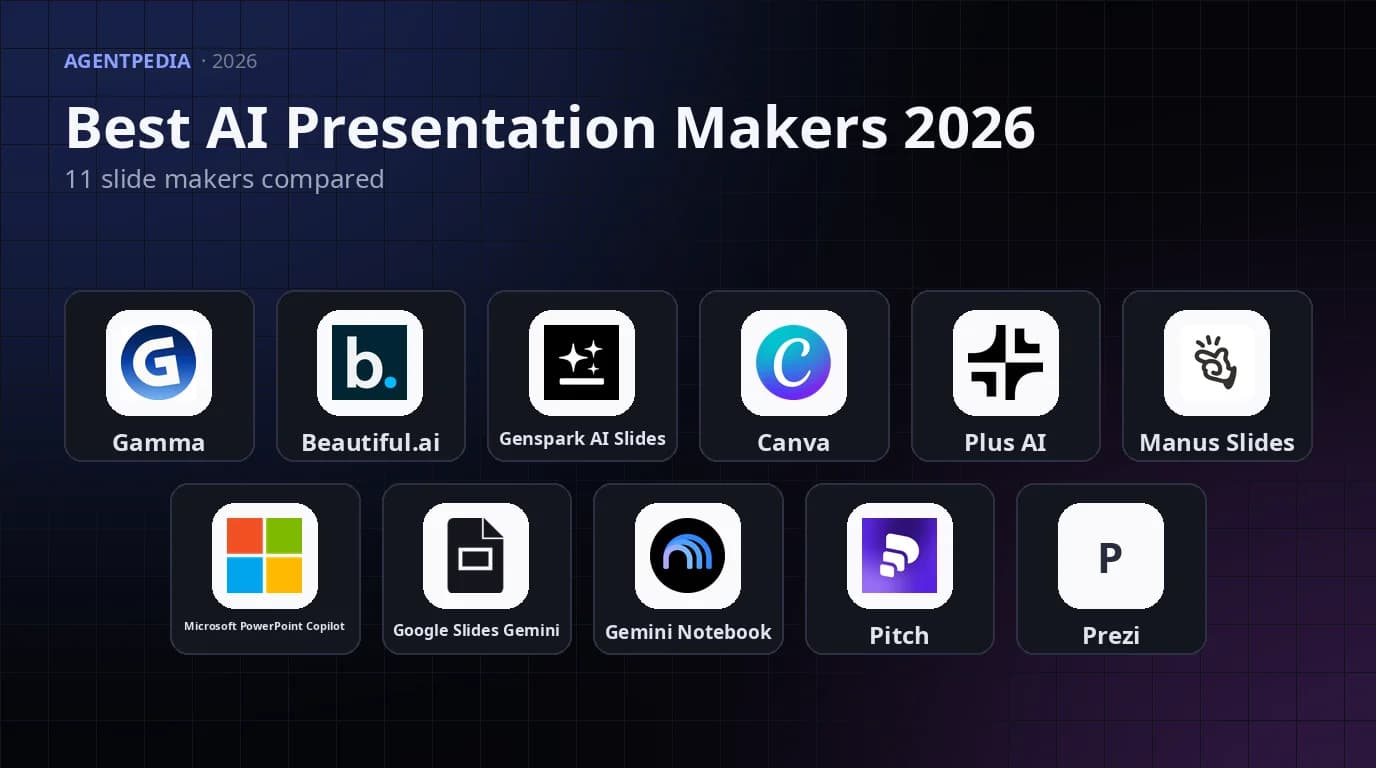
You want a presentation without building it slide by slide. Gamma is the pick for a fast, good-looking first draft, with a free plan that exports. Beautiful.ai suits teams that need every slide on brand. Genspark AI Slides and Manus Slides are the agents to try when the deck starts as a research question. Plus AI is the choice if the finished file must live in your own PowerPoint or Google Slides template, and Canva fits people who also make social posts and video. If you already pay for Microsoft 365 Copilot or Google Workspace with Gemini, the built-in tools mean no new vendor.
Two questions decide most choices in late 2026. First, what is the final file: a PPTX someone will edit, a PDF, a link, or a Google Slides deck? Second, who edits after the AI is done: you alone, or a team that must stay on a brand template? We did not run hands-on tests. Everything here comes from vendor pricing pages, help centers, launch posts and a few named third-party reviews, dated Nov 23, 2026.
A third-party test of ten AI presentation tools by the One Skill PPT channel. We did not verify its conclusions, so use it to watch the tools in action, not for pricing.
Quick Picks
| Need | Pick | Why |
|---|---|---|
| Best overall for a good-looking deck from one prompt | Gamma | Free plan with 400 credits, Plus $9 per month billed annually, and Gamma 5 added an agent and a freeform canvas on Oct 6, 2026. |
| Best for locked brand templates and auto-layout | Beautiful.ai | Smart Slides re-flow as you edit, with a Brand Kit that can be locked. No free plan, only a 14-day trial. |
| Best agent that researches and builds the deck | Genspark AI Slides or Manus Slides | Both run as general agents. Genspark has a Free plan but needs a paid plan to export. Manus authors native .pptx files. |
| Best when slides are one of many design jobs | Canva | AI presentation drafts sit next to video, social and docs, with a small free AI allowance. |
| Best for working inside your own PowerPoint or Slides file | Plus AI | Works inside PowerPoint and Google Slides, from $10 per user per month billed annually. |
| Best if you already pay for Microsoft 365 Copilot | Microsoft PowerPoint Copilot | Native PowerPoint output with Brand Kit and a model selector. Business Standard with Copilot is $23.50 per user per month. |
| Best if you already live in Google Workspace | Google Slides Gemini | Generates inside Slides from Drive and Gmail context, with plan and edition requirements. |
| Best deck built from your own source documents | Gemini Notebook | Formerly NotebookLM. Generates decks from notebook sources, with outline review and PDF or PPTX download. |
| Best for team decks and shared links | Pitch | Collaboration, guest links and branded templates, with a Free plan and AI sold as credits. |
| Best Gamma alternative | Beautiful.ai, Plus AI or Canva | Pick by workflow: auto-layout templates, edit-in-place add-in, or a wider design suite. |
| Best Genspark alternative for PPT | Manus Slides, Gamma or Plus AI | Manus authors .pptx directly, Gamma exports PPTX on the Free plan, Plus AI works inside the PowerPoint file. |
Master Comparison Table
Prices come from each vendor's pages as fetched on Nov 23, 2026, with the billing period given where the page gives one. Where a page would not load, the price comes from a named third party or is left out, and we say so in the product section.
| Tool | Pricing | Free plan | Export or output | Standout |
|---|---|---|---|---|
 Gamma | Free $0; Plus $9, Pro $18, Ultra $90 per month billed annually (annual saves up to 28%) | Yes (400 credits at signup, no refill) | Exports PDF, PPTX, PNG, Google Slides | Agent, freeform canvas and 25+ connectors since Gamma 5 |
 Beautiful.ai | Pro $14.50 per month billed annually; Teams $40 per user annual or $50 monthly (page contradicts itself) | No (14-day trial, card required) | PowerPoint export on paid plans | 300+ Smart Slide layouts, lockable Brand Kit |
 Genspark AI Slides | Free; Plus $24.99 monthly or $19.99 annual; Pro $249.99 or $199.99; Team $40 or $35 per seat | Yes (100 credits per day), export needs paid | Export needs a paid plan | General agent, Gen-1 Slides model, built-in editor |
 Canva | Pro $12 per month billed yearly ($144 per year); Business $250 per person per year | Yes (small AI allowance) | Not confirmed in our capture | Slides next to video, docs, social and Canva AI 2.0 |
 Plus AI | Basic $10, Pro $20, Team $30, Max $200 per user per month billed annually | No (7-day trial, card required) | Edits the PowerPoint or Slides file itself | Add-in for PowerPoint and Google Slides, SOC 2 Type II |
 Manus Slides | Free account; Pro and Max by credits (4,000 and 40,000 per month); third parties list about $20 and $200 | Yes, limited (300 daily credits, slowest model, per Visme) | PPTX, PDF, web slides, speaker notes | Native .pptx with editable charts |
 Microsoft PowerPoint Copilot | Business Standard with Copilot $23.50, Business Premium with Copilot $32.00 per user per month, paid yearly | No (needs a Microsoft 365 plan) | Native PowerPoint file | Copilot Chat, Brand Kit, model selector |
 Google Slides Gemini | Included with eligible Workspace editions or Google AI plans (AI Pro $19.99) | No (needs an eligible plan) | Native Google Slides file | Drive and Gmail context, matches an existing deck's style |
 Gemini Notebook | No standalone price captured; Google AI plans $4.99 to $199.99 per month | Not confirmed | PDF and PPTX download | Slide decks from your own sources, outline review |
 Pitch | Free; Plus $13, Team $19, Business $25 per month (Prezi's blog, Oct 22, 2026) | Yes (100 or 500 non-renewing AI credits, sources differ) | PowerPoint export from Plus | Collaboration, guest links, shared pitch rooms |
 Prezi | Basic free; Standard $7, Plus $19, Premium $29, Teams $39 per user (Prezi's own blog, annual billing) | Yes (credit-capped AI) | PDF export from Plus | Zooming canvas, PowerPoint import |
Four Kinds of AI Slide Tool
The eleven products here are not one category. Knowing which kind you are shopping for removes half the comparison.
- Prompt-to-deck generators: Gamma, Beautiful.ai and Prezi. You describe a topic and get a styled deck in their own editor.
- General agents: Genspark AI Slides and Manus Slides. Slides are one task among research, code and files, paid for in shared credits.
- Add-ins and built-ins: Plus AI, PowerPoint Copilot and Google Slides Gemini. They work inside the file format your company already uses.
- Suites and source-based tools: Canva and Pitch, where slides sit beside other work, and Gemini Notebook, which builds decks from your own documents.
Agent-built slides were the headline use case of 2026, and the market moved quickly: Gamma 5 on Oct 6, Genspark's Gen-1 Slides on Sep 10, Manus PowerPoint Slides on Jul 14, and Gemini Notebook co-creation on Oct 19. Plans and credits changed in the same months, which is why every price in this article carries a date.
A short third-party comparison of Gamma and Genspark by AI With Zo. We did not verify it.
Gamma
gamma.app
Gamma turns a prompt, a document or an outline into a deck, a doc or a web page. It is the tool most people mean when they ask for a Gamma alternative, and it is the default first test for anyone who wants a styled draft in a minute.
On Oct 6, 2026 Gamma shipped Gamma 5, which Grant Lee's launch post calls the biggest product overhaul in the company's history. The release notes describe a rebuilt agent that asks questions before designing, a wider range of visual styles, a freeform canvas where you move elements yourself, connectors that pull in Slack threads and Granola transcripts, and PowerPoint and PDF import and export that keeps the design. The post also says more than 100 million people have used Gamma. That figure and the customer results in the same post, such as a 4.5x improved win rate for one sales team, are Gamma's own and we did not check them.
One honest caution comes from a third party, not from us: a comparison site, TweakSlides (a competing product, per our notes), says re-prompting in Gamma regenerates the whole deck and that PPTX export can break layouts. We did not reproduce either claim, so run your own deck through export before you rely on it.
Key features
- Prompt, document or outline to a finished deck, with an agent that asks clarifying questions first (Gamma 5).
- Agent-led editing or a freeform canvas for manual placement.
- Import of PDF and PPTX files, export to PDF, PPTX, PNG and Google Slides.
- 25+ connectors listed on gamma.app, including Slack and Granola, plus creating from Claude or ChatGPT.
- Custom branding, analytics and custom domains on higher plans.
Pricing: As of Nov 23, 2026: Free $0 (400 credits at signup that do not refill, up to 10 slides per prompt). Plus $9 per month billed annually ($108 per year): 1,500 credits, 100 slides per prompt, branding removal (Prezi's blog, Oct 22, 2026, lists Plus at 1,000 credits, so the two sources differ). Pro $18 per month billed annually ($216 per year): 4,000 credits, premium image models, custom branding, analytics, 10 custom domains. Ultra $90 per month billed annually ($1,080 per year): 20,000 credits, 100 domains. Business lists 10,000 credits per seat per month with no price shown. Gamma says annual billing saves up to 28%. Credits roll over up to 2x.
Free tier: Yes. 400 credits at signup, no monthly refill, 10 slides per prompt, and PPTX and PDF export are listed as available.
Limits: Credits are consumed per action and free credits never come back. Individual-plan content may be used for AI training by default with an opt-out, according to Gamma's site; Business and Enterprise are excluded.
Pros
- Strong free start, including export, so you can judge output before paying.
- Plus at $9 per month on annual billing is among the cheapest paid entries among the dedicated tools.
- Gamma 5 added a real agent and a freeform canvas, which addresses the old complaint that AI decks are hard to fine-tune.
Cons
- Credit accounting needs attention, because free credits do not refill.
- Default AI-training use of content on individual plans, with an opt-out you must find.
- Third-party reports of regenerate-everything re-prompts and imperfect PPTX export, unverified by us.
Benefit for you: If you need a decent draft quickly and you are the one who will edit it, Gamma gets you from nothing to a styled deck for the lowest cost of any tool here, and the connectors save re-typing material you already have in Slack or call transcripts.
Standout use case: A one-prompt deck from a Slack thread or call transcript, then polished on the canvas.
Skip it if: Skip it if your company mandates a locked corporate template or if you must keep every chart editable as a native PowerPoint object.
Introducing Gamma 5. Our biggest update ever. We completely rebuilt how Gamma thinks, designs, and edits so you can get presentations that actually match what's in your head and keep your company brand intact. It's an overhaul of our engine from the ground up. Here's the short
— @GammaApp October 7, 2026
Beautiful.ai
beautiful.ai
Beautiful.ai built its name on Smart Slides, templates that re-flow layout, spacing and typography automatically as you add or edit content. You do not drag objects around; the slide rearranges itself. That is why it still appeals to teams that care more about consistency than about generating a deck from a single sentence.
Its AI workflow is outline-first. Visme's May 8, 2026 hands-on test describes a Context-Aware AI Workflow that generates a text outline before designing slides, so you can fix the structure first. The tester then picked a theme, chose an image source (AI-generated studio style, web search, stock images or none) and got variations for each slide from the built-in layouts. Visme sells a competing product, so weigh its verdicts accordingly. Its listed standout features include multiple Brand Kits for different clients or teams and slide and template libraries with approved assets.
The pricing page needs care. Prezi's blog (Oct 22, 2026, another competitor) lists Pro at $14.50 per month on annual billing ($45 if billed monthly) and Team at $40 per user per month on annual billing ($50 monthly) for 2 to 20 seats, with unlimited AI content generation, PowerPoint import and export, real-time collaboration, a central slide library, version control and viewer analytics. Beautiful.ai's own page, as we fetched it, shows Teams as $50 with $40 as the discounted figure and says it includes 3 users, while its FAQ says $40 per user per month annually and $50 per user monthly. The two readings differ, so confirm before you budget for a team.
Key features
- 300+ Smart Slide layouts that re-flow as content changes.
- Unlimited AI content generation on paid plans, with PowerPoint import and export.
- Outline-first creation with a theme and image-source choice, and per-slide variations (per Visme's test).
- Multiple Brand Kits and approved template libraries for teams (per Visme).
- Team plan extras listed by Prezi's blog: real-time collaboration, central slide library, version control, viewer analytics.
Pricing: As of Nov 23, 2026: Pro $14.50 per month billed annually for individuals ($45 monthly per Prezi's blog). Teams $40 per user per month billed annually or $50 monthly for 2 to 20 members, though the vendor page also says $50 includes 3 users. Enterprise is custom. A 14-day free trial requires a credit card.
Free tier: No free plan. A 14-day trial needs a card, and an education offer gives .edu users a free year.
Limits: The Teams price is presented inconsistently on the vendor page, and the team plan is limited to 2 to 20 members before Enterprise.
Pros
- Layout stays tidy without manual alignment, which cuts cleanup time.
- Multiple Brand Kits and approved libraries suit teams that must stay on template.
- Outline step lets you fix structure before spending effort on design.
Cons
- No free plan, so you commit a card to try it.
- Contradictory Teams pricing on the vendor's own page.
- Less free-form than a canvas editor when you want to break the template.
Benefit for you: For a team that sends dozens of decks to clients, the benefit is that every slide looks like it came from the same designer, and new members cannot break the template by accident.
Standout use case: A sales or consulting team that needs on-brand decks and PowerPoint handoff.
Skip it if: Skip it if you want a free plan, a freeform canvas, or a research agent that gathers sources for you.
Genspark AI Slides
genspark.ai
Genspark is a general AI agent workspace, and AI Slides is one of its agents. You describe a deck, it plans and builds it, and a built-in editor (listed in the AI Slides changelog on Aug 5, 2026) lets you adjust it afterwards. Because slides are one product among many, you pay in the same credits you use for research and other tasks.
On Sep 10, 2026 Genspark announced Gen-1 Slides, a model post-trained from the open-weight MiniMax M3 with Fireworks AI, which now powers Standard mode in AI Slides. The launch post says it costs about 1/17 of Claude Opus 5 on input-token list price ($0.30 against $5 per million tokens), and that measured per finished deck it cost $0.44 against $4.16 for Opus 5 on 200 production tasks, roughly 9.5 times cheaper. Its own grader scored Gen-1 Slides 0.821 against 0.810 for Opus 5. The post also states limits: Gen-1 makes denser pages than any other model it tested, and its content quality and task completion trail Opus 5. Genspark notes that its internal grader also supplied the training reward, so those scores are not independent of training. A news site, nextaipress, reported on Gen-1 Slides that no independent group had published its own test. Fireworks lists a Genspark Slides Benchmark updated Oct 20, 2026 on which Claude Fable 5.1 ranks first at 83.6% and Gen-1 Slides second at 82.2%, but that benchmark is also built on Genspark's grader.
The important buying detail comes from the help center: a Free account can build, present and share, but cannot download or export files. If you need a PowerPoint file, you need a paid plan.
Key features
- Agent that plans and builds a deck from a prompt, with a built-in editor.
- Gen-1 Slides model in Standard mode, with other models available on paid plans.
- Free Quota: a weekly balance of credit-free Standard mode turns on paid personal plans, started Sep 18, 2026.
- A command line route (`gsk task create slides`) mentioned in Genspark's blog.
- Team seats at $40 per seat monthly, and a custom Enterprise plan.
Pricing: As of Nov 23, 2026, from Genspark's help center: Free $0 (100 credits per day up to a lifetime limit, 1 GB storage, no downloads). Plus $24.99 per month or $19.99 per month billed annually ($239.99 per year): 10,000 credits, 50 GB. Pro $249.99 per month or $199.99 annually ($2,399.99 per year): 125,000 credits, 1 TB. Team $40 per seat per month or $35 annually. Enterprise custom. Benefits are listed as valid through Jun 30, 2027. genspark.ai/pricing was blocked for us, so these figures come from the help center page.
Free tier: Yes, 100 credits a day, but you cannot download or export from a Free account.
Limits: Export is paid-only. A third-party site, professionalstoolkit.com, estimates about 100 credits for a 10-slide Standard deck and about 1,000 in Ultra mode; that is not a Genspark figure.
Pros
- Research and slides in one agent, so you start from a question rather than a document.
- Free plan lets you build and present before paying.
- Low measured cost per deck in Genspark's own test ($0.44 against $4.16 for Opus 5), if the claim holds.
Cons
- No export on Free, which is the first thing most users want.
- Denser pages and content that trails Opus 5, by Genspark's own launch post.
- Credit system is tied to a broader product, so slides compete with other uses of the same balance.
Benefit for you: If your deck starts as a topic you do not know yet, one agent can research and draft it, which saves moving between a search tool and a slide tool.
Standout use case: A market overview deck built from a research prompt, then exported on a paid plan.
Skip it if: Skip it if you need free export, locked brand templates, or exact control over layout.
Meet Gen-1 Slides, Genspark's first model designed for knowledge work. Trained with @FireworksAI_HQ from an open-weight base, Gen-1 Slides now powers Standard mode in Genspark AI Slides, delivering frontier quality decks at roughly 1/17th of Opus 5's price.
— @genspark_ai September 10, 2026
The 1/17 figure is Genspark's input-token list price comparison, not a per-deck price, and we did not measure either.
Frontier models are generalists: they do everything, and you pay for all of it, even when you only need slides. Gen-1 Slides is built for one job: decks. Frontier quality, trained for slides, at roughly 1/17th of the price. Live now on @genspark_ai
— @genspark_ai September 11, 2026
Canva
canva.com
Canva is a design suite first. Its AI generates a draft presentation from a short prompt, and the same account covers social posts, video, documents and spreadsheets. If slides are a small share of what you make, that breadth is the point.
Canva introduced Canva AI 2.0 as a research preview, with general availability rolling out over the following weeks, so what you see depends on your account. Its newsroom post calls it a conversational, agentic platform built on the Canva Design Model, producing layered, editable output from one prompt. It adds connectors (Slack, Gmail, Google Drive, Google Calendar, Notion, Zoom, HubSpot, Microsoft, Atlassian and Linear), scheduling, web research, brand intelligence, Sheets AI and Canva Code 2.0. Canva also announced Brush, a vision-language model that powers supported design edits for Canva Pro subscribers, and claims it is up to 69% faster and 46% lower cost per edit than its previous design agent. Those are Canva's internal figures.
Visme's May 8, 2026 test, from a competitor, found Canva AI returned an editable outline, let you steer changes through a chat panel, and could pull current information from the web into a deck. At that time Canva AI was version 1.0, with 2.0 listed as coming soon.
Canva's own pricing page would not load for us, so the figures below come from a Canva learn article (Oct 2026) as captured in search results and from Prezi's blog dated Oct 22, 2026. Confirm them on canva.com.
Key features
- Prompt-to-deck with an editable outline, then a chat panel for changes (per Visme's test).
- Canva AI 2.0 conversational design with layered, editable objects, in research preview.
- Connectors, scheduling, web research and brand intelligence, per Canva's newsroom.
- Brush-powered design edits for Pro subscribers.
- Pro adds 5 Brand Kits and 10x the Free AI allowance; Business adds 100 Brand Kits with approvals and 20x the allowance (Prezi's blog).
Pricing: As of Nov 23, 2026 (from Canva's learn article and Prezi's blog, since the pricing page did not load): Pro $12 per month billed yearly ($144 per year) or $18 monthly, for one person. Business $250 per year per person, about $20.83 per month, or $25 monthly. Canva Teams is closed to new sign-ups per Prezi's blog. A 30-day Pro trial was listed in our notes.
Free tier: Yes. The free allowance is described two ways: 10 total uses of Magic Design in the Canva article we captured, and up to 20 uses of Standard or Premium AI tools in Prezi's blog. Either way it is small.
Limits: Free AI use is capped, and the cap is reported differently by two sources. Canva AI 2.0 was a research preview with progressive rollout. We did not confirm PowerPoint export behavior.
Pros
- One tool for slides, social, video and docs, with one Brand Kit.
- Huge template and asset library, and a familiar drag-and-drop editor.
- Layered, editable output is a stated goal of Canva AI 2.0.
Cons
- Free AI generation is capped, and sources disagree on the exact cap.
- Pricing could not be confirmed on the live pricing page, and Canva's plan structure has changed (Teams closed to new sign-ups).
- Visme's test found no style options before generation, which may make output feel generic.
Benefit for you: If you also make thumbnails, posts and one-pagers, you avoid paying for a separate slide tool and keep brand assets in one place.
Standout use case: A marketing team producing a launch deck, social cutdowns and a one-pager from the same brief.
Skip it if: Skip it if you only need slides and want an agent to research, or if you need guaranteed PowerPoint-native output.
Plus AI
plusai.com
Plus AI is an assistant that lives inside PowerPoint and Google Slides rather than in its own app. You generate or edit slides in the file you already use, so there is no export step and no format conversion. Plus says everything you generate is yours forever and that it builds native PPTX files with its own Open XML renderer.
Its tools cover prompt-to-deck, uploads of PDF, Word, PowerPoint or text files, a Rewrite action for phrasing and tone, and Remix, which reformats a slide into a layout you pick. It generates images and icons for slides. Teams can import custom templates and shared libraries, and Enterprise adds white-glove template conversion. Our pricing notes list an MCP server and an API on Pro and above.
Key features
- Works inside Google Slides and PowerPoint, building native PPTX and Slides files.
- Prompt, presets, or uploaded PDF, Word, PPTX and text as the starting point.
- Rewrite and Remix, which reformats any slide, even a block of text, into a layout you choose.
- Generated images, icons, charts and tables.
- Custom template import and shared libraries for teams.
Pricing: As of Nov 23, 2026, per user per month billed annually: Basic $10 (1,500 credits), Pro $20 (3,000 credits, docs upload, MCP server, API), Team $30 (6,000 credits, branding), Max $200 (unlimited credits). Monthly billing is $15, $25, $40 and $240. A 7-day free trial includes 1,000 credits and requires a card. Enterprise is custom.
Free tier: No free plan. A 7-day trial with 1,000 credits needs a credit card.
Limits: Credits cap monthly use on Basic, Pro and Team. It works only inside PowerPoint and Google Slides.
Pros
- Edits happen in the real file, so there is no export fidelity problem.
- Remix is useful for rescuing a text-heavy slide.
- Template import keeps AI output inside your brand.
Cons
- No free plan and a card needed for the trial.
- Output design depends on the template, not a generative style engine.
- Max tier at $200 is for heavy use only.
Benefit for you: If your company already lives in PowerPoint or Slides and has approved templates, Plus lets AI work in that setup instead of replacing it.
Standout use case: A consultant who must hand over a PowerPoint file in the client's template.
Skip it if: Skip it if you want a standalone web app, a free plan, or an agent that drafts research for you.

Manus Slides
manus.im
Manus is a general autonomous agent, and Manus Slides is the part that builds decks. Visme's May 8, 2026 test described it as working more like ChatGPT or Claude than a dedicated slide tool, and said Manus had recently been acquired by Meta, a claim we did not verify.
Manus's own blog describes PowerPoint Slides in beta: Manus authors a native .pptx from the first slide instead of converting a web format on export. Charts are backed by data tables you can edit, tables have real cells that merge and resize, and layouts follow standard slide masters. The Slides tool has Standard, Image (powered by GPT Image 2) and PowerPoint modes. A research topic, a spreadsheet through the Google Workspace connector, a PDF, a URL or meeting notes can be the input. The beta is listed for users on the 1.6 and Max models. The Manus announcement tweet is dated Jul 14, 2026.
Visme's earlier test, which predates PowerPoint mode, found that a 5-slide request produced 10 slides, took several minutes (its list says 5 to 15), and had no in-app editing environment. Those observations may be out of date.
Key features
- Native .pptx output in PowerPoint mode, with editable charts and tables.
- Edit chart data and toggle axes, labels, gridlines and legend inside Manus before download.
- Standard, Image and PowerPoint modes.
- Inputs include prompts, PDFs, DOCX, URLs, Gmail threads, Slack messages, Drive and Notion documents (Visme's list).
- Exports as PowerPoint, PDF, Google Slides, a link or a public webpage (Visme's list), plus auto-generated speaker notes.
Pricing: As of Nov 23, 2026: Manus's pricing page lists a Free plan with 300 credits per day, Pro with 4,000 credits per month and Max with 40,000 credits per month, but the price digits did not render in our capture. Visme's May 2026 table listed Standard at $20 per month, a Customizable plan from $40 per month for 8,000 credits and Extended at $200. A third party, enrichlabs, lists Pro at $20 ($17 yearly) and Max at $200 ($167 yearly). An older Manus help article mentions a different tier, so confirm the current price on manus.im.
Free tier: Yes, with limits. Visme says the free plan activates with 300 daily credits and 1,000 starter credits, uses the slowest model, and offers only some themes.
Limits: Generation can take several minutes per Visme. PowerPoint mode was beta at launch. Credit use per task is unpredictable, per Visme.
Pros
- Native PowerPoint files with data-backed charts you can edit.
- Research and drafting in one agent task.
- Accepts the widest range of inputs of any tool in Visme's list.
Cons
- Pricing digits were not visible, so cost is the least certain here.
- PowerPoint mode was in beta at launch.
- Slow in Visme's test, and no outline review step before it builds.
Benefit for you: When the starting point is a spreadsheet or a research question and the deliverable is a PowerPoint file with live charts, Manus removes the usual rebuild step.
Standout use case: A data deck from a Google Sheet where the charts must stay editable in PowerPoint.
Skip it if: Skip it if you want instant results, fine design control or a clearly published price.

Introducing PowerPoint Slides on Manus. Before: Manus generated slides and converted them to .pptx. Now: Manus generates .pptx directly. Editable charts that redraw when you change a value. Toggle labels, gridlines, legend on/off. Download and open in PowerPoint.
— @ManusAI July 14, 2026
Microsoft PowerPoint Copilot
microsoft.com
Copilot in PowerPoint creates a presentation inside the app most companies already use. Microsoft's support page, updated in Oct 2026, describes starting from Copilot Chat, choosing a model with a model selector, applying a Brand Kit and answering clarifying questions before the deck is drafted. You can also start from a Word document, one file at a time, under 24 MB.
Microsoft also lists Edit with Copilot, formerly called Agent Mode, which uses Anthropic models and is included with Microsoft 365 Personal, Family, Premium and Pro, while the Word, Excel and PowerPoint Agents need a Microsoft 365 Copilot license. Because the licensing differs by edition, read Microsoft's pages for your exact plan.
Key features
- Prompt, outline or Word document to a deck in PowerPoint.
- Model selector and clarifying questions in the creation flow.
- Brand Kit support, per Microsoft's support page.
- A free PowerPoint for the web exists, but the Copilot features need a paid plan (Prezi's blog lists Microsoft 365 Personal at $9.99 per month).
- Edit with Copilot for changes to an existing deck.
Pricing: As of Nov 23, 2026, from Microsoft's Copilot pricing page: Microsoft 365 Business Standard with Copilot $23.50 per user per month, paid yearly. Microsoft 365 Business Premium with Copilot $32.00 per user per month, paid yearly. We did not confirm the price of a separate Copilot Business add-on in this capture.
Free tier: No Copilot-in-PowerPoint free plan. Some features appear in Microsoft 365 Personal, Family and Premium consumer plans per Microsoft's Edit with Copilot page.
Limits: Word-based creation takes one file at a time and files must be under 24 MB. Licensing varies by plan.
Pros
- Output is a real PowerPoint file with your existing templates.
- No new vendor, and it inherits Microsoft 365 admin controls.
- Familiar PowerPoint editing for everything the AI produces.
Cons
- Needs a paid Microsoft 365 plan with Copilot.
- Plan and edition rules are complicated.
- Design is constrained by PowerPoint rather than a generative style engine.
Benefit for you: If your IT department already buys Microsoft 365, the benefit is a deck in your approved template without a new security review.
Standout use case: A manager turning a long Word report into a branded summary deck.
Skip it if: Skip it if you do not have a Microsoft 365 Copilot-eligible plan or want a standalone design tool.
Google Slides Gemini
workspace.google.com
Gemini in Google Slides can generate and edit slides and images, match the style of an existing presentation, pull from Drive and Gmail, and summarize. It needs an eligible Workspace edition or a Google AI plan.
Google's own pages disagree on scope. The Slides help page says you can only generate one slide at a time, while the Workspace AI usage-limits page, updated Nov 10, 2026, lists Generate presentations with promotional access until Dec 1, 2026 for Business Starter. A third-party item from treluxa dated Sep 26, 2026 says Gemini generates full Slides presentations. We could not reconcile these, so check what your account offers.
Key features
- Generate and edit slides and images in Slides.
- Match the visual style of an existing presentation.
- Reference Drive and Gmail, and summarize content.
- Output lives in a native Google Slides file.
Pricing: As of Nov 23, 2026: the feature requires an eligible Google Workspace edition or a Google AI plan. Google AI plans listed at one.google.com: Plus $4.99, Pro $19.99, Ultra $99.99 (5x) and Ultra $199.99 (20x) per month. Workspace pricing varies by edition and was not captured.
Free tier: No. It requires an eligible paid plan, though a promotional window applies for Generate presentations on Business Starter until Dec 1, 2026 per Google's usage-limits page.
Limits: The help page says one slide at a time; the usage-limits page and a third party suggest full-deck generation.
Pros
- Native Slides file, so no export step.
- Context from Drive and Gmail.
- Style matching of an existing deck.
Cons
- Contradictory official documentation on full-deck generation.
- Plan and edition gating.
- We did not test it, so we cannot rate design quality.
Benefit for you: If your documents and mail are already in Google Workspace, Gemini can ground a deck in them without exporting anything.
Standout use case: Drafting a weekly update deck from documents in Drive.
Skip it if: Skip it if you do not pay for Workspace or a Google AI plan, or need a full-deck generator guaranteed.

Gemini Notebook
notebook.google
Gemini Notebook is the new name for NotebookLM. Google announced the rename on Jul 16, 2026, saying it remains a standalone product, now also reachable inside the Gemini app, and that more than 30 million people and over 600,000 organizations use it (Google's figures). Slide Decks are one output in its Studio panel.
You add sources, choose a format, language and length, and generate. On Oct 19, 2026 Google described co-creation: Notebook suggests topics from your sources, and a Review toggle lets you edit the outline notes before anything renders. Google said it was rolling out globally to all users over the following week. Revising a deck regenerates it, and Google's help page says revisions do not take sources into account and that quotas limit how many decks you can revise. You can download PDF or PowerPoint (.pptx) files.
The help page also warns that slide decks are AI-generated and may contain visual or factual inaccuracies, and that the feature is for users over 18.
Key features
- Slide Deck generation from your own notebook sources.
- Outline review before rendering (Oct 2026).
- Revise mode that regenerates the whole deck.
- PDF and PPTX download, link sharing and an in-app slideshow.
- Slide Decks in the mobile app, with some differences.
Pricing: As of Nov 23, 2026: we did not capture a standalone price or a clear statement of which plan tiers get which quotas. Google AI plans are listed at $4.99 (Plus), $19.99 (Pro) and $99.99 and $199.99 (Ultra) per month on one.google.com. Google's rename post says the new cloud computer feature is available to Ultra users and Workspace business customers with AI Ultra Access, rolling out to Pro on the web.
Free tier: Not confirmed in our capture. The help page refers to quota limits but does not state a free tier.
Limits: Revisions regenerate the deck and are quota limited. Public sharing is disabled for Workspace Enterprise and Education accounts.
Pros
- Grounded in your documents, which suits briefings and training material.
- Outline review before you spend a generation.
- PPTX download for finishing elsewhere.
Cons
- Revisions create a new deck and use quota.
- Output may contain inaccuracies, per Google's help page.
- Revisions ignore your sources.
Benefit for you: When the deck must reflect a specific set of papers or notes, building from sources keeps it tied to your material rather than a generic prompt.
Standout use case: Turning a folder of research papers into a briefing deck.
Skip it if: Skip it if you need fine layout control or a brand template.
Pitch
pitch.com
Pitch is a collaborative presentation tool for teams. It has branded templates, workspace roles, shared pitch rooms and guest links, with AI credits added on top.
AI actions run on credits, and Pitch's sources disagree on the numbers. The help center (Aug 11, 2026) says Free gets 100 lifetime credits, Plus 500 per month, Pro 500 per seat and Business 750 per seat, with extra credits at $0.004 each. Prezi's blog (Oct 22, 2026) agrees with the help center for Free (100 credits, one time) and lists Plus and Team at 500 and Business at 750. The pricing page we fetched on Nov 23 lists 500 non-renewing credits on Free and 750 per month on paid plans. The pricing page is the newest of the three, but we could not see its dollar figures, so the prices below come from Prezi's blog.
Key features
- Unlimited presentations on Free, custom layouts, basic sharing links, 2 external guests.
- Plus adds custom fonts, video uploads, PowerPoint export and 5 guests.
- Team adds 25 advanced links with visit and time-on-slide tracking, 3 teamspaces and 2 pitch rooms.
- Business adds unlimited links, teamspaces and guests, with up to 200 members.
- Enterprise adds SAML SSO.
Pricing: As of Nov 23, 2026: Free $0. Per Prezi's blog dated Oct 22, 2026: Plus $13 per month (a single-user workspace price), Team $19 per month for 1 to 25 members, Business $25 per month for 1 to 200 members. Prezi's table headings label these as monthly prices on annual billing. Pitch's own pricing page says annual billing saves 17% but did not render dollar figures for us. Extra credits cost $0.004 each per Pitch's help center.
Free tier: Yes. Free has unlimited presentations and 2 external guests. AI credits are 100 one-time per the help center and Prezi's blog, or 500 non-renewing per the live pricing page.
Limits: Credit totals differ between sources. Free PDF exports and embeds are branded, per Prezi's blog. Team credits are pooled across the team.
Pros
- Strong collaboration, roles and guest links.
- Free plan with unlimited presentations.
- Credit top-ups are priced per credit.
Cons
- Dollar prices did not render on the vendor page and come from a competitor's blog.
- Help center and pricing page disagree on credits.
- AI is metered by credits.
Benefit for you: For startups sharing decks with investors or clients, guest links and shared pitch rooms make feedback and tracking easier than emailing files.
Standout use case: A startup team co-editing a deck and sharing a private room with investors.
Skip it if: Skip it if you want an autonomous research agent or a price you can verify from the vendor page.
Prezi
prezi.com
Prezi is known for its zooming, non-linear canvas. It now adds Prezi AI, which generates a presentation from a document or outline, refines it in a chat sidebar with one-click lengthen, shorten and simplify, and pulls branding from your prompt or uploaded material. Each generated presentation can include Activities, interactive moments for the audience.
Prezi's pricing page returned an HTTP 500 for us, so the figures below come from Prezi's own blog post dated Oct 22, 2026, which says its prices were verified that day. It lists Basic free with credit-capped AI, Standard at $7 per month, Plus at $19 with unlimited AI generation, Premium at $29 and Teams at $39 per user, billed annually. Because this is a vendor writing about its own product next to competitors, check the pricing page before buying.
Key features
- Prezi AI presentation generation from a document or outline.
- Import of an existing presentation or document, laid out on the canvas.
- Chat sidebar editing, version history, Newscaster mode and a mobile presenter remote.
- Plus adds unlimited AI generation, PDF and SCORM export, the desktop app and offline access.
- Premium adds the Analytics report; Teams adds collaboration, a designer, SSO and admin controls.
Pricing: As of Nov 23, 2026, per Prezi's blog dated Oct 22, 2026 (annual billing): Basic $0 (credit-capped AI), Standard $7 (500 credits), Plus $19 (unlimited AI), Premium $29, Teams $39 per user. EDU Plus $4, EDU Pro $8, EDU Teams $19 per user.
Free tier: Yes. Basic is free with credit-capped AI and public presentations.
Limits: AI is credit capped on Basic and Standard. Brand controls and collaboration sit on Teams, not individual plans.
Pros
- Distinct zooming format.
- Free plan and low-cost Standard.
- Education pricing.
Cons
- Public presentations on Free.
- We could not check the figures on Prezi's own pricing page.
- The zooming format is not for every audience.
Benefit for you: Students and educators get low-cost access to AI generation, and presenters who want a non-linear story get a format other tools do not offer.
Standout use case: A teacher building a zooming lesson overview at the EDU price.
Skip it if: Skip it if you need conventional slides that export cleanly to PowerPoint.
Pricing Table
Every plan we could capture, as of Nov 23, 2026. Where a number came from a third party or a competitor's blog, the cell says so. Treat credits as the real unit of cost for Gamma, Genspark, Manus, Plus AI and Pitch.
| Tool | Free or trial | Entry or mid plans | Top or team plans | Notes |
|---|---|---|---|---|
| Gamma | Free $0: 400 credits at signup, up to 10 slides per prompt | Plus $9: 1,500 credits, 100 slides per prompt. Pro $18: 4,000 credits, custom domains | Ultra $90: 20,000 credits. Business: 10,000 credits per seat (price not shown) | Credits roll over up to 2x |
| Beautiful.ai | None, 14-day trial | Pro $14.50 per month billed annually | Teams $40 per user billed annually ($50 monthly); Enterprise custom | The page shows both $50 includes 3 users and $40 per user |
| Genspark AI Slides | Free: 100 credits per day, 1 GB storage, no downloads | Plus $24.99 monthly or $19.99 annual: 10,000 credits. Pro $249.99 or $199.99: 125,000 credits | Team $40 monthly or $35 annual per seat | Benefits listed valid through Jun 30, 2027 |
| Canva | Free with a small AI allowance (10 or 20 uses, sources differ) | Pro $12 per month billed yearly or $18 monthly | Business $250 per person per year, about $20.83 per month, or $25 monthly | Canva's pricing page would not load for us; figures come from Canva's learn article and Prezi's blog |
| Plus AI | None, 7-day trial with 1,000 credits | Basic $10 (1,500 credits), Pro $20 (3,000 credits) | Team $30 (6,000 credits); Max $200 (unlimited credits) | Monthly billing costs $15, $25, $40 and $240 |
| Manus Slides | Free: 300 credits per day | Pro: 4,000 credits per month, about $20 per third parties | Max: 40,000 credits per month, about $200 per third parties | Price digits did not render in our capture |
| Microsoft PowerPoint Copilot | None for the Copilot add-ons | Business Standard with Copilot $23.50 per user per month | Business Premium with Copilot $32.00 per user per month | Paid yearly |
| Google Slides Gemini | None for the feature | Google AI Pro $19.99 per month | Workspace edition with Gemini; Ultra tiers $99.99 and $199.99 | Google's own pages disagree on scope |
| Gemini Notebook | Not confirmed (help page mentions quota limits) | Google AI plans: Plus $4.99, Pro $19.99 | Ultra $99.99 and $199.99 | No standalone price captured |
| Pitch | Free: unlimited presentations, 2 guests, 100 or 500 non-renewing AI credits | Plus $13 per month | Team $19, Business $25 per month; Enterprise custom | Prices from Prezi's blog; Pitch says annual billing saves 17% |
| Prezi | Basic $0: credit-capped AI | Standard $7, Plus $19, Premium $29 (Prezi blog, Oct 22, 2026) | Teams $39 per user | Prezi's pricing page returned an error for us |
Feature Matrix
Yes, no and partial are based on vendor pages and documentation, not our own tests. Where the source was silent, we wrote not confirmed.
| Product | Native PPTX or in-file editing | Agent or chat editing | Free plan | Works inside PowerPoint or Slides |
|---|---|---|---|---|
| Gamma | Yes (PPTX export, PPTX import) | Yes (agent, Gamma 5) | Yes | No |
| Beautiful.ai | Yes (PowerPoint export on paid plans) | Partial (per-slide variations) | No (trial) | Not confirmed |
| Genspark AI Slides | Partial (export needs a paid plan, formats not confirmed) | Yes | Yes, no export | No |
| Canva | Not confirmed | Yes (Canva AI) | Yes, limited | No |
| Plus AI | Yes (edits the file itself) | Yes (Rewrite, Remix) | No (trial) | Yes |
| Manus Slides | Yes (native .pptx) | Yes | Partial | No |
| Microsoft PowerPoint Copilot | Yes (it is PowerPoint) | Yes | No | Yes |
| Google Slides Gemini | Yes (it is Slides) | Yes | No | Yes |
| Gemini Notebook | Yes (PPTX download) | Partial (Revise regenerates the deck) | Not confirmed | No |
| Pitch | Partial (PowerPoint export on Plus) | Yes (credits) | Yes | No |
| Prezi | Partial (PowerPoint import, PDF export) | Yes (credits) | Yes | No |
Best Free AI Presentation Maker
"Free" means different things here, so read the limits before you pick one.
- Gamma Free: 400 credits at signup that do not refill, 10 slides per prompt, with PDF, PPTX, PNG and Google Slides export listed. The most usable free plan for a full test.
- Genspark Free: 100 credits a day. You can build, present and share, but downloads and exports need a paid plan.
- Canva Free: a small AI allowance (10 uses per one Canva page, 20 per Prezi's blog), then Canva Pro.
- Pitch Free: unlimited presentations, 2 guests and AI credits that do not renew (100 per the help center and Prezi's blog, 500 per the live pricing page).
- Prezi Basic: credit-capped AI, with public presentations.
- Trials only: Beautiful.ai (14 days, card required) and Plus AI (7 days, 1,000 credits, card required).
If you want a PowerPoint file and no bill, start with Gamma. If you want to see what an agent does with a research prompt, Genspark Free will show you the draft but not hand you the file. For a Reddit-style verdict, we did not sample threads, so we do not claim one.
Gamma and Genspark Alternatives
People searching for a Gamma alternative usually have one of four complaints, and each points at a different tool.
- The layout is not mine: Beautiful.ai or Plus AI, which work from locked or imported templates.
- I need a real PowerPoint: Manus Slides, Plus AI, or PowerPoint Copilot.
- I want more than slides: Canva for design, Genspark or Manus for research and files.
- I want it cheaper or free: Gamma Free is already the cheapest start.
For a Genspark alternative for PPT, the common reason is that Free cannot export. Gamma exports PPTX on Free, Manus authors native .pptx files on paid plans, Plus AI edits the file itself, and Gemini Notebook offers PPTX download from sources you provide. For related agent comparisons, see our roundups of AI deep research tools and AI app builders.
How to Choose
| Your situation | Start with | Why |
|---|---|---|
| You need a decent deck in minutes and will polish it yourself | Gamma | Prompt to deck on a free plan, then edit on a canvas. |
| Your company has brand templates and wants every slide to look the same | Beautiful.ai or Plus AI | Locked Brand Kit, or AI inside your own template. |
| Your final file must be a real PowerPoint | Manus Slides, Plus AI or PowerPoint Copilot | Each produces or edits a native PowerPoint file. |
| You want an agent to research a topic first | Genspark AI Slides, Manus Slides or Gemini Notebook | Research and drafting happen in one task. |
| You make slides, social posts and video | Canva | One suite with one Brand Kit. |
| You present from Google Workspace all day | Google Slides Gemini | No new vendor, and it reads Drive. |
| You collaborate and track guest links | Pitch | Shared pitch rooms and guests. |
| You are on a very small budget | Gamma Free, Genspark Free or Canva Free | Check export limits first. |
Common Mistakes and a Buying Checklist
- Judging by the first draft. Every tool can produce a nice first slide. The real test is the tenth edit and the export.
- Ignoring credit math. Gamma, Genspark, Manus, Plus AI and Pitch all meter AI use. A busy month can outrun an entry plan.
- Assuming Free means export. Genspark Free blocks downloads, and Canva's free AI allowance is small.
- Trusting vendor claims as benchmarks. User counts, win-rate stories and cost-per-deck figures here are the vendors', not ours.
- Skipping the data policy. Gamma says individual-plan content may be used for AI training by default, with an opt-out.
- Buying on a stale price. Pitch's credits differ between its own pages, Canva's free cap differs between sources, and Beautiful.ai's own page contradicts itself.
Before you buy, run through this list:
- Decide the final file first: PPTX, PDF, a web link, or a Google Slides file.
- Test one real deck, with your own charts and fonts, through the whole path to export.
- Read the free plan limits: credits, slides per prompt, watermarks, export locks.
- Check how credits are spent per action, and whether unused credits roll over.
- Ask where your content goes, and whether the vendor may train on it.
- Price the team plan at your real seat count, including the minimum seats.
- Confirm brand controls: fonts, colors, locked templates, and who can change them.
- Check that edits keep the rest of the deck intact rather than regenerating everything.
How We Evaluated
We fetched vendor pricing pages, help centers, launch posts and product pages on Nov 23, 2026, verified each embedded video through YouTube's oEmbed endpoint and each embedded post through X's syndication endpoint, and confirmed each image URL returns an image before using it. Where a first-party page would not render (Canva, Manus price digits, Pitch dollar figures, Prezi, Genspark's pricing page), we say so and attribute any secondary figure. We did not run these tools on real decks, so pros and cons come from documentation, launch posts and named third-party reviews, not measured output quality. There are no affiliate links or paid placements, and vendors did not review the page. Products are listed by fit, not by score. Plans change often. If a figure here differs from the vendor page, trust the vendor page.
FAQ
What is the best AI presentation maker in 2026?
There is no single winner, because the tools solve different jobs. Gamma is the fastest route from a prompt to a styled deck and has a free plan. Beautiful.ai suits teams that want locked templates and auto-layout. Genspark AI Slides and Manus Slides are agents that research and build. Plus AI works inside PowerPoint and Google Slides. Canva fits people who design more than slides. Pick by your final file and your workflow, and test one real deck.
What is the best free AI presentation maker?
As of Nov 23, 2026, Gamma's Free plan gives 400 credits at signup with no refill and exports PDF, PPTX, PNG and Google Slides. Genspark's Free plan gives 100 credits per day but blocks downloads and exports. Canva has a small free AI allowance, reported as 10 uses by one Canva page and 20 by Prezi's blog. Pitch's Free plan has unlimited presentations with a small non-renewing AI credit allowance, and Prezi's Basic plan has credit-capped AI. Beautiful.ai and Plus AI offer trials, not free plans.
What is the best AI presentation maker on Reddit?
We did not sample Reddit threads for this article, so we cannot report what the community prefers. Reddit opinions on these tools shift with each release and with credit pricing changes, and we could not verify them against a primary source. Use the comparison here for plans and features, and check recent threads for first-hand experience with export quality.
What is a good Gamma alternative?
Beautiful.ai is the closest for polished, template-driven decks, but it has no free plan. Plus AI is the pick if you want AI to edit your own PowerPoint or Google Slides file. Canva suits mixed design work. Genspark AI Slides and Manus Slides are agent-based options. Gamma's own Free plan is hard to beat on price, so switch only for a specific gap such as editing in place or locked brand templates.
What is a good Genspark alternative for PPT?
Manus Slides authors a native .pptx file directly, with editable charts, according to Manus's own launch post. Gamma exports PPTX even on its Free plan. Plus AI edits the PowerPoint file itself, and Gemini Notebook offers a PPTX download. Genspark's Free plan blocks exports, so if you need a PowerPoint file at no cost, Gamma is the simplest of these to test first.
Is Beautiful.ai worth it?
It is worth it if you value consistency over generation speed. Its pricing page lists Pro at $14.50 per month billed annually, with Smart Slides that re-flow automatically and a Brand Kit teams can lock. There is no free plan, only a 14-day trial that requires a card. Its Teams price is shown two ways on the same page, so confirm it before buying.
How much do AI presentation makers cost?
As of Nov 23, 2026, entry paid plans in this article run from about $7 (Prezi Standard, per Prezi's blog) and $9 (Gamma Plus) to $20 (Plus AI Pro, Genspark Plus on annual billing). Microsoft 365 Business Standard with Copilot is $23.50 per user per month. Agent plans such as Genspark Pro ($249.99 monthly) and Plus AI Max ($200 annual) cost far more because they sell credits.
Can AI presentation makers export to PowerPoint?
Several can. Gamma lists PPTX export, Manus lists PowerPoint, PDF and web slides, Gemini Notebook offers PDF or PPTX download, and Beautiful.ai exports PowerPoint on paid plans. Plus AI, PowerPoint Copilot and Google Slides Gemini edit the file in place. Export fidelity varies by deck, so test charts, fonts and custom layouts before you commit.
What happened to NotebookLM?
Google renamed NotebookLM to Gemini Notebook on Jul 16, 2026. It remains a standalone product and is also reachable inside the Gemini app. Slide decks generated from your sources, with outline review, are part of it. Many people still search under the old name.
Do Gemini in Google Slides and Copilot in PowerPoint create a whole deck?
Microsoft's support page describes creating a presentation from a prompt with Copilot, including a model selector and Brand Kit. Google's Slides help page says you can only generate one slide at a time, while Google's Workspace AI usage limits page lists Generate presentations with promotional access until Dec 1, 2026 for Business Starter. The two Google pages disagree, so check which behavior your account shows.
Do these tools train on my slides?
Policies differ. Gamma's site says content on its Free, Plus, Pro and Ultra plans may be used for AI training by default with an opt-out, while Business and Enterprise are excluded. We did not capture a clear statement for every tool, so read each vendor's current terms before uploading confidential decks.
Which AI presentation maker is best for a startup pitch deck?
Gamma, Pitch and Beautiful.ai are common choices for pitch decks, and Pitch's guest links and shared rooms suit sharing with investors. We did not test the quality of pitch decks generated by any tool. Whichever you choose, check how it exports, because investors often ask for a PDF.
Are agent-built slides better than template tools?
They differ rather than rank. Agents such as Genspark and Manus research a topic and draft the deck in one task, which helps when you start from a question. Template tools such as Beautiful.ai and Plus AI help when you start from a brand and need consistency. Vendor-reported figures, such as Genspark's $0.44 per deck, are not independent benchmarks.
Sources
All fetched on Nov 23, 2026 unless noted.
- Gamma: pricing, Introducing Gamma 5 (Oct 6, 2026)
- Beautiful.ai: pricing, Prezi blog on pricing
- Genspark: membership plans
- Canva: AI presentation maker, Canva AI 2.0, Canva Brush
- Plus AI: pricing, plusai.com
- Manus: PowerPoint Slides, Manus pricing
- Microsoft 365 Copilot pricing, Create a new presentation with Copilot in PowerPoint
- Google Docs Editors Help: Gemini in Slides, Google AI plans
- Gemini Notebook Help: Slide Decks, NotebookLM is now Gemini Notebook (Jul 16, 2026), Co-create slides and videos (Oct 19, 2026)
- Pitch: pricing, Pitch help: AI credits, pitch.com
- Prezi blog: AI presentation maker pricing (Oct 22, 2026)
- Visme: 10 best AI presentation makers (May 8, 2026; Visme sells a competing product)
- YouTube: Top 10 AI Presentation Tools (One Skill PPT), YouTube: Gamma or Genspark (AI With Zo)